macOS Tahoe 26.1 Complete Update Guide 2025: GPT-5 Integration, Liquid Glass Customization & Critical Bug Fixes
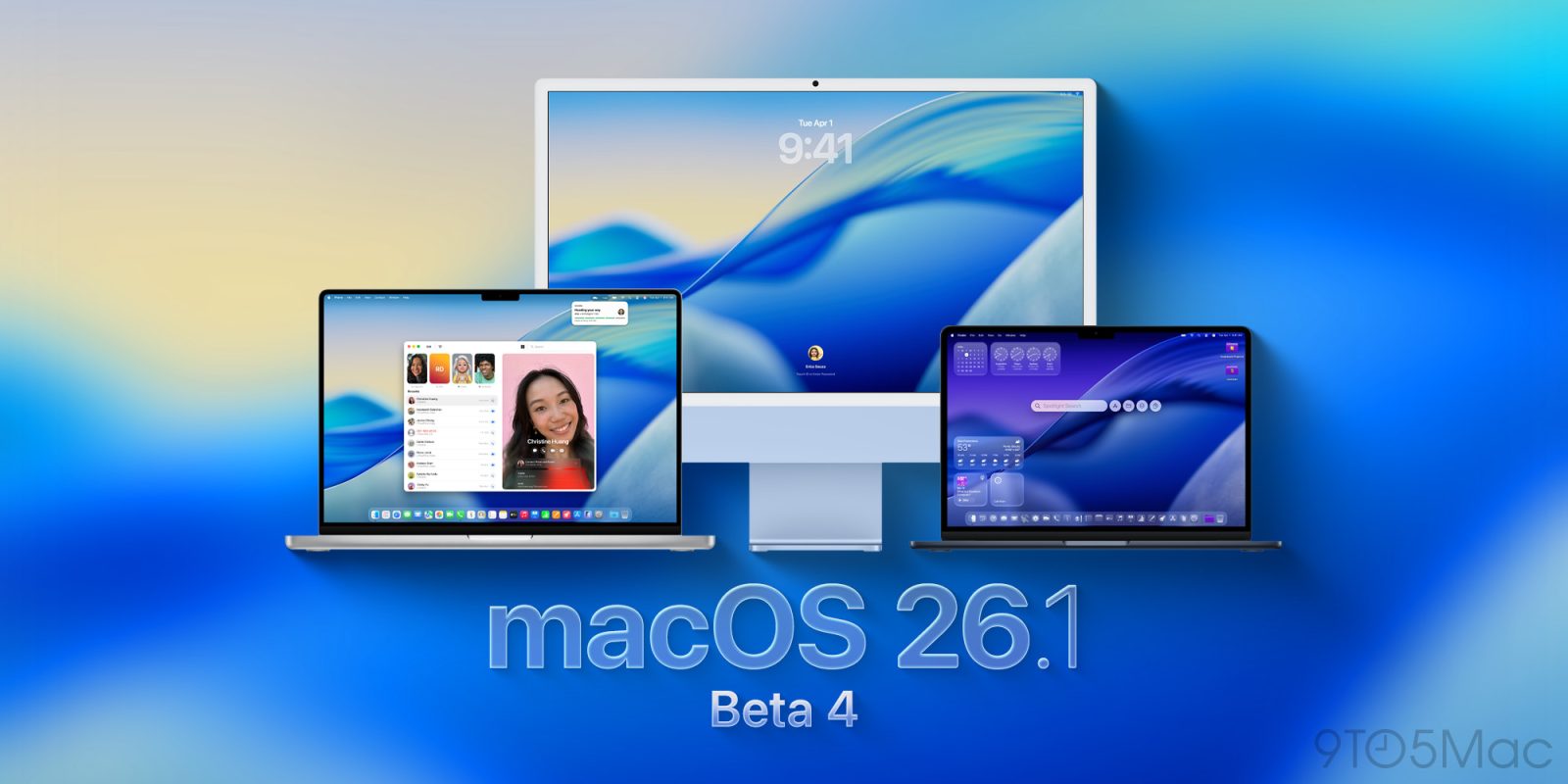
Comprehensive guide to macOS Tahoe 26.1 update featuring GPT-5 integration with Apple Intelligence, revolutionary Liquid Glass transparency controls, 8 new language expansions, critical memory leak fixes, Electron app performance solutions, and complete upgrade recommendations for October 2025.
The macOS Tahoe 26.1 update represents one of the most significant point releases in recent macOS history, addressing critical performance issues from the initial 26.0 release while introducing game-changing features like GPT-5 integration and user-requested Liquid Glass customization. Expected to launch October 27, 2025, this update is essential for anyone running macOS Tahoe 26.
What's New in macOS Tahoe 26.1
GPT-5 Integration: The AI Revolution Arrives
The most exciting feature in macOS 26.1 is the integration of OpenAI's GPT-5 into Apple Intelligence, representing a massive leap forward in AI capabilities for Mac users.
Key GPT-5 Improvements:
- 45% Fewer Hallucinations - Dramatically improved accuracy and reliability
- Best Coding Model - Superior code generation and debugging capabilities
- Enhanced Reasoning - Better handling of complex, multi-step queries
- Deeper Context Understanding - More nuanced responses to your questions
Where You'll Experience GPT-5:
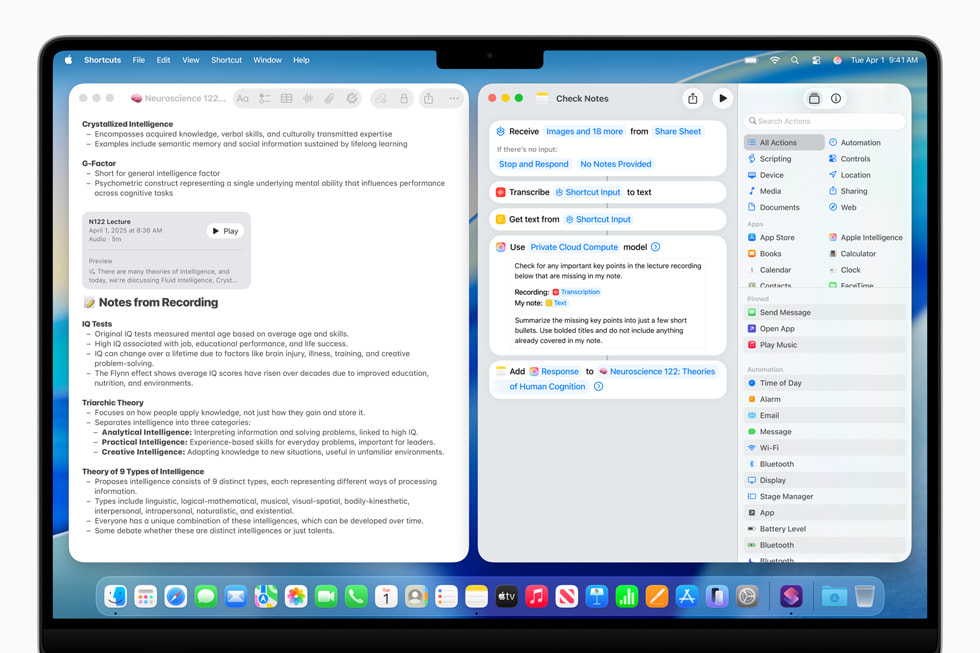
- Writing Tools System-Wide
- Generate original content from simple descriptions
- Create professional emails, reports, and documents
- Rewrite and refine existing text with AI assistance
- Available in Mail, Notes, Pages, and any text field
-
Enhanced Siri Capabilities
- Hand off complex queries to GPT-5 automatically
- Get detailed answers to technical questions
- Better understanding of photos and documents
- Context-aware responses based on your Mac's content
-
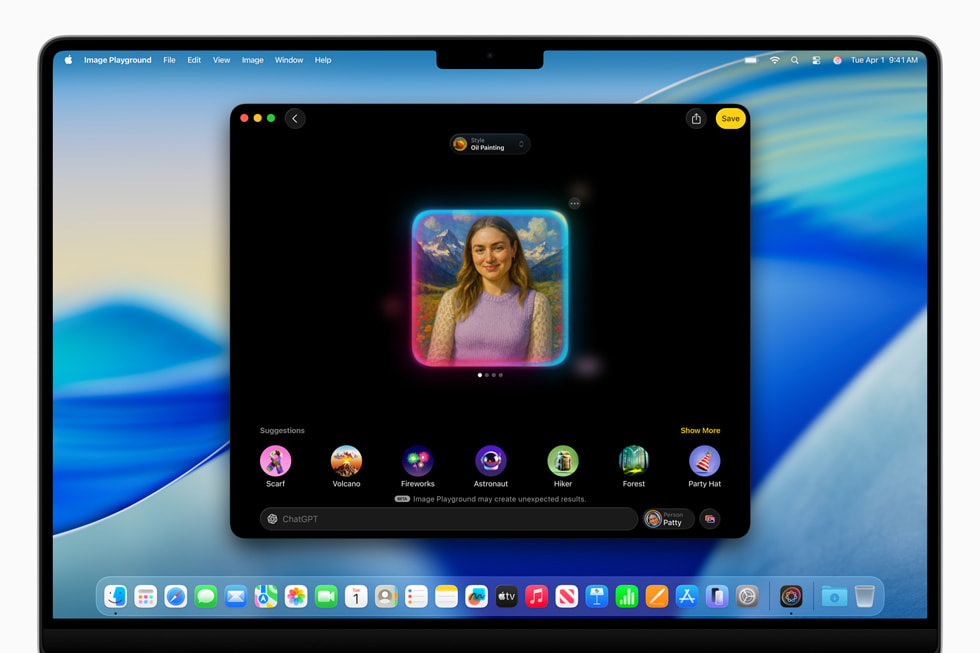
Image Playground Integration
- Generate images from text descriptions
- Five new styles: Oil Painting, Vector, Anime, Print, Watercolor
- Faster image generation than GPT-4o
- Higher quality output with better prompt understanding
Privacy-First Architecture:
Apple maintains its commitment to privacy even with GPT-5 integration:
- Requests anonymized through Apple servers
- IP address masking prevents tracking
- Zero conversation storage or retention
- Local processing for sensitive operations
Liquid Glass Customization: Finally, User Control
After widespread feedback about readability and accessibility concerns with the Liquid Glass UI, Apple introduces transparency customization in macOS 26.1 Beta 4.
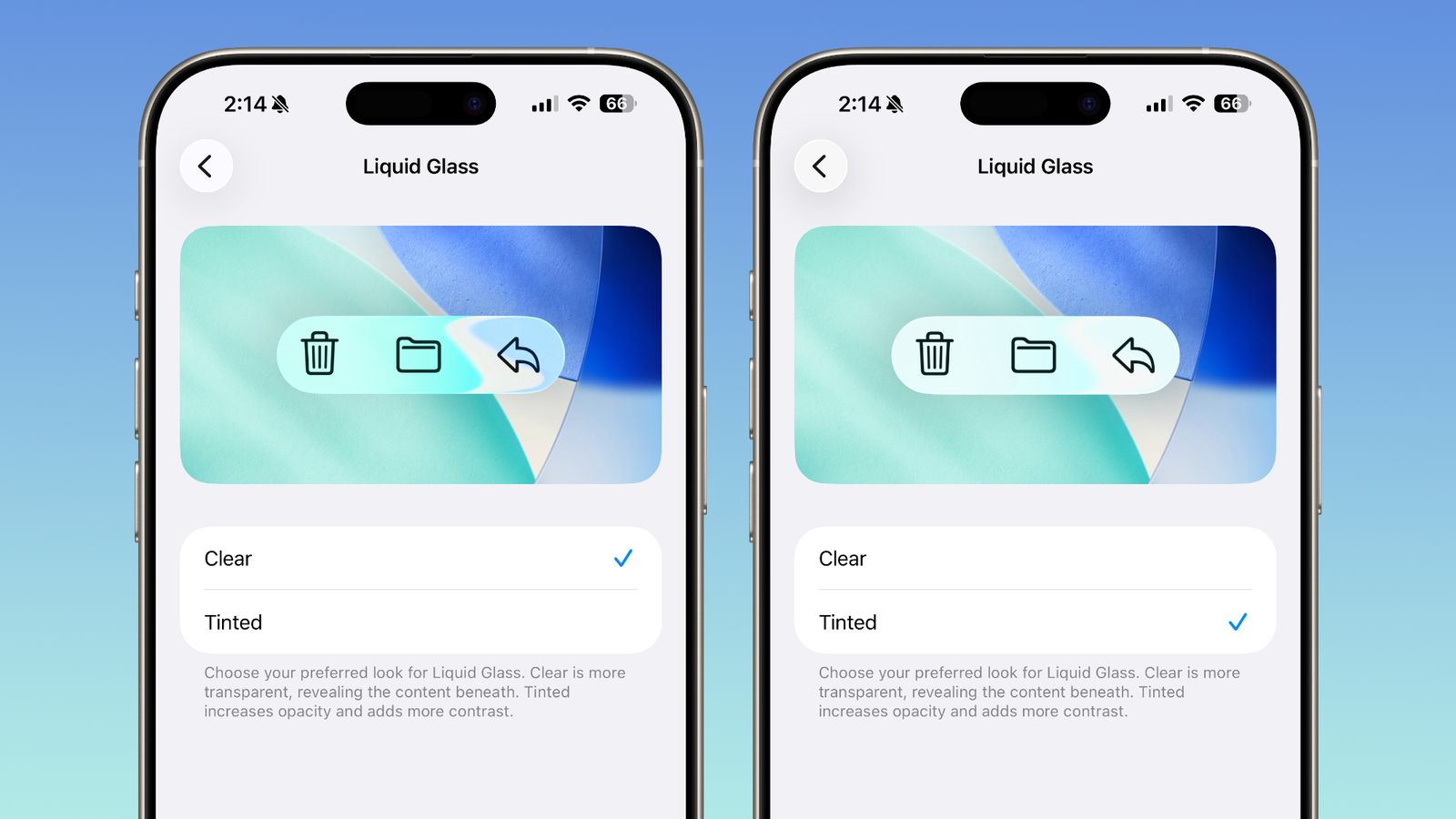
New Customization Options:
Location: System Settings > Appearance > Liquid Glass
Two Modes Available:
-
Clear (Default)
- Maximum transparency showing background underneath
- Full Liquid Glass aesthetic as originally designed
- Best for minimalist setups with clean wallpapers
- Showcases the revolutionary glass-like design
-
Tinted
- Increased opacity for better readability
- Higher contrast over complex backgrounds
- Addresses accessibility concerns
- Maintains Liquid Glass aesthetics with practical visibility
Additional Accessibility:
For users needing even more contrast, combine Tinted mode with:
- Reduce Transparency in Accessibility settings
- Further reduces glass effects for maximum legibility
- Ideal for users with visual impairments
- No performance impact
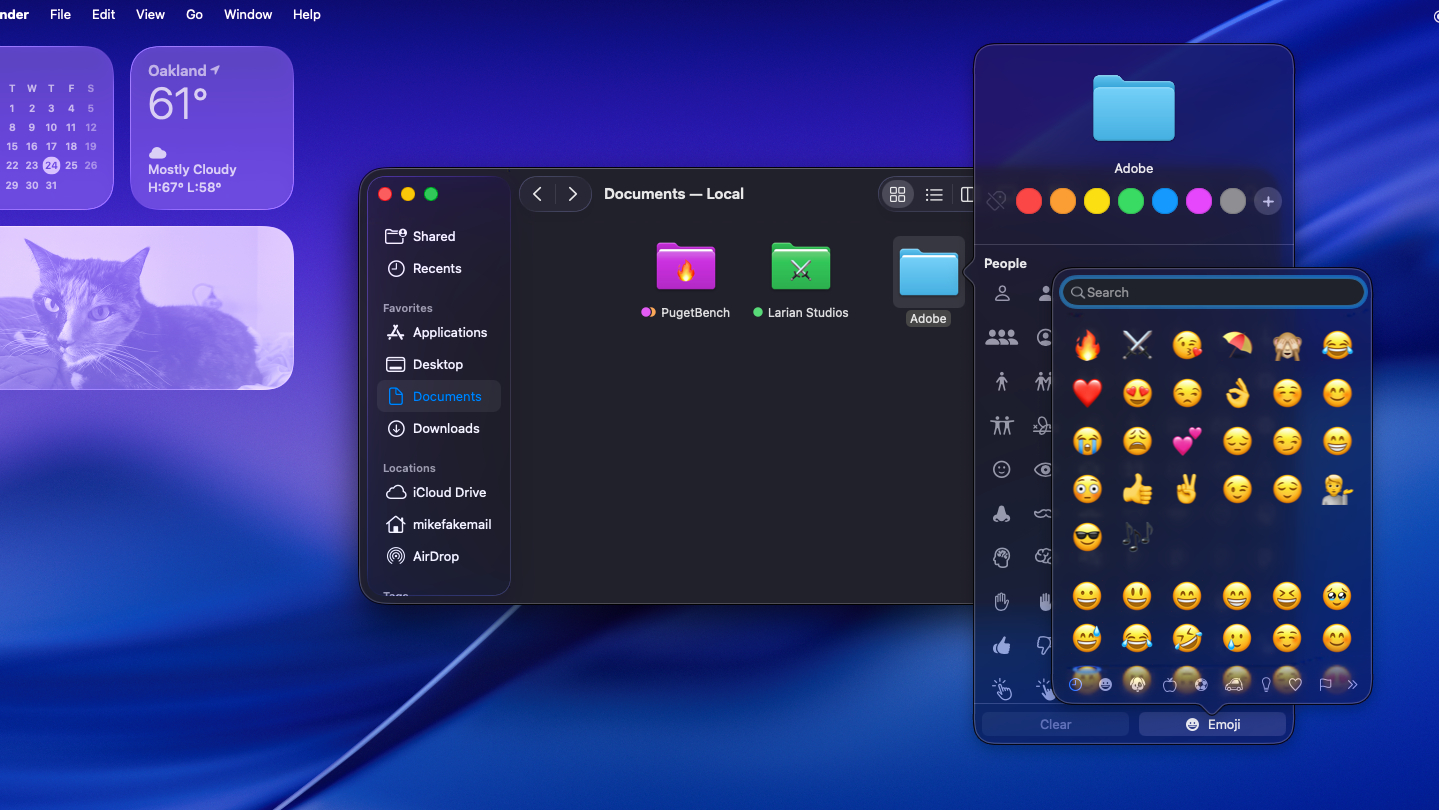
Why This Matters:
The Liquid Glass toggle represents Apple listening to user feedback. Initial macOS Tahoe releases faced criticism for:
- Text legibility issues over busy wallpapers
- Accessibility challenges for vision-impaired users
- Professional environments preferring clearer interfaces
- Battery concerns from transparency rendering
The 26.1 update addresses all these concerns while maintaining the option for the full Liquid Glass experience.
Apple Intelligence Language Expansion: Global Reach
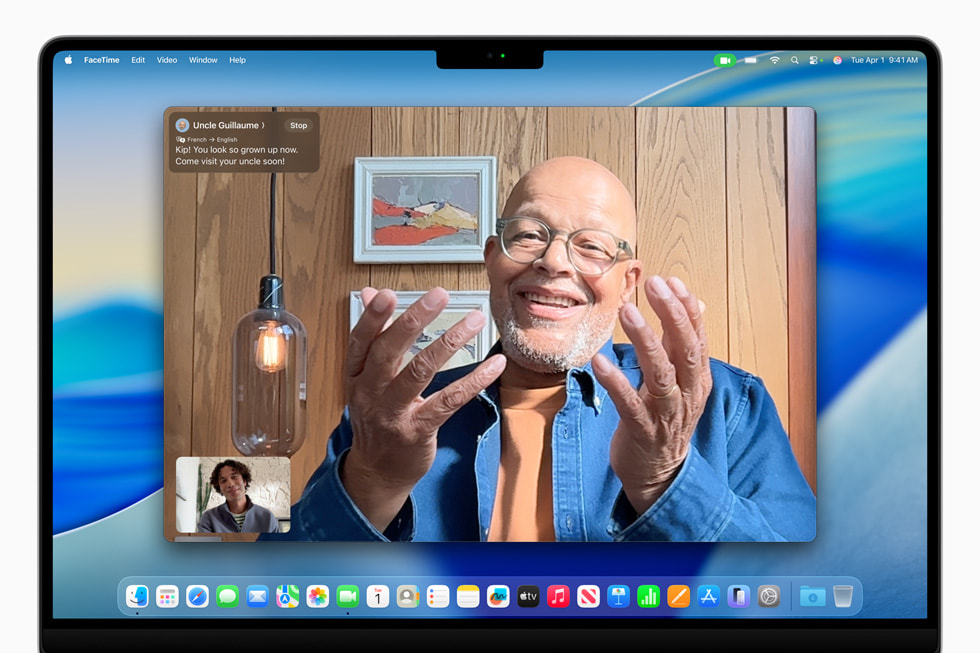
macOS 26.1 dramatically expands Apple Intelligence availability with 8 new language additions, bringing AI features to millions more users worldwide.
New Languages in 26.1:
| Language | Region | Writing Tools | Live Translation | Genmoji |
|---|---|---|---|---|
| Danish | Denmark | ✅ | ✅ | ✅ |
| Dutch | Netherlands | ✅ | ✅ | ✅ |
| Norwegian | Norway | ✅ | ✅ | ✅ |
| Portuguese | Portugal | ✅ | ✅ | ✅ |
| Swedish | Sweden | ✅ | ✅ | ✅ |
| Turkish | Turkey | ✅ | ✅ | ✅ |
| Chinese (Traditional) | Taiwan, Hong Kong | ✅ | ✅ | ✅ |
| Vietnamese | Vietnam | ✅ | ✅ | ✅ |
Live Translation Enhancements:
With AirPods, real-time translation now supports:
- Japanese
- Korean
- Italian
- Chinese (Mandarin Traditional and Simplified)
How to Enable:
- Open System Settings
- Navigate to Apple Intelligence & Siri
- Select Language
- Choose your preferred language
- Restart Mac to activate features
Important Note: Apple Intelligence features require:
- Apple Silicon (M1 or later) - Intel Macs NOT supported
- macOS Tahoe 26 or later
- Supported region (check Apple's official list)
For more details on Apple Intelligence capabilities across languages, see our complete multilingual features guide.
Critical Bug Fixes in macOS 26.1
Memory Leak Crisis Resolved
macOS Tahoe 26.0 and 26.0.1 suffered from severe memory leaks affecting multiple system applications. The 26.1 update addresses these critical issues.
Applications Affected in 26.0:
- Calculator - Consumed up to 42GB RAM in extreme cases
- Safari - Exceeded 200GB memory with minimal tabs open
- Pages - Reached 175GB usage during document editing
Root Cause:
The leaks stemmed from a shared system framework rather than individual app bugs, affecting multiple applications simultaneously. macOS 26.1 includes fundamental memory management improvements addressing these system-level issues.
Verification Steps:
After upgrading to 26.1, monitor improvements with Activity Monitor:
- Open Activity Monitor (Applications > Utilities)
- Click Memory tab
- Sort by Memory column
- Verify Calculator, Safari, Pages show normal usage:
- Calculator: Less than 100MB typical
- Safari: Around 100-300MB per tab (reasonable)
- Pages: Around 200-500MB during editing
For comprehensive memory optimization strategies, see our macOS Tahoe RAM management guide.
Electron App WindowServer GPU Bug Fixed
A critical bug causing excessive GPU usage in Electron-based applications has been resolved in macOS 26.1 through both system-level improvements and Electron framework updates.
The Problem:
Electron apps (VS Code, Slack, Discord, Notion, etc.) triggered WindowServer GPU consumption of 80-150%, causing:
- System-wide slowdowns
- Reduced battery life (up to 70% reduction)
- Thermal issues and fan noise
- Laggy interface across all applications
Technical Root Cause:
Electron overrode a private AppKit API (_cornerMask) to apply custom corner masks, forcing window shadows to render from fully transparent surfaces on macOS 26. This caused WindowServer to spike GPU usage dramatically.
The Fix:
System-Level (macOS 26.1):
- Improved window shadow rendering pipeline
- Better handling of transparency and corner masks
- Reduced GPU overhead for window compositing
App-Level (Electron Updates Required):
Applications must update to Electron 36.9.2+, 37.6.0+, or 38.2.0+ for complete fix.
Updated Apps (as of October 24, 2025):
- ✅ Visual Studio Code
- ✅ Slack
- ✅ Discord
- ✅ Notion
- ✅ Obsidian
- ✅ GitHub Desktop
- ✅ Figma
- ✅ Docker Desktop
- ✅ MongoDB Compass
Still Awaiting Updates:
- ❌ 1Password (check for updates)
- ❌ Bitwarden
- ❌ Cursor
- ❌ Some smaller Electron apps
For detailed Electron app optimization, see our complete troubleshooting guide.
M3 Ultra Mac Studio Installation Fix
While macOS 26.0.1 (released September 29, 2025) addressed the M3 Ultra Neural Engine validation issue, macOS 26.1 includes additional stability improvements for Mac Studio users.
Original Problem:
- M3 Ultra Mac Studios could not install macOS Tahoe 26.0
- Failed hardware validation check linked to Apple Neural Engine
- Installation aborted with cryptic error messages
26.0.1 Resolution:
- Updated Neural Engine driver validation logic
- Adjusted hardware check parameters
- Allowed successful Tahoe installation
26.1 Improvements:
- Enhanced stability for M3 Ultra systems
- Optimized Neural Engine performance
- Better handling of Apple Intelligence workloads
- No reports of installation issues in 26.1 betas
External Display Improvements
macOS 26.1 includes refinements to external display handling, addressing several issues reported in 26.0.
Issues Resolved:
-
Display Detection
- Improved recognition of external monitors
- Better handling of TVs as extended displays
- Faster detection after wake from sleep
-
Multi-Display Stability
- More reliable dual/triple monitor setups
- Reduced display disconnection events
- Better DisplayPort and Thunderbolt handling
-
Resolution and Scaling
- Improved HiDPI scaling options
- Better default resolution selection
- Fixed forced mirroring on certain displays
Manual Detection Tip:
If displays still aren't detected after upgrading:
- Open System Settings > Displays
- Hold Option key
- Click "Detect Displays" button (appears when Option pressed)
For comprehensive external display troubleshooting, see our complete setup guide.
WiFi Connectivity Refinements
While macOS 26.1 doesn't include explicit WiFi fixes in release notes, beta testers report improved connection stability, particularly on M3 MacBook models.
Reported Improvements:
- More stable WiFi connections on M3 MacBook Air and Pro
- Better compatibility with Wi-Fi 6E routers
- Reduced connection drops during sleep/wake cycles
- Improved handling of network transitions
Persistent WiFi Issues?
If you experience WiFi problems after upgrading:
-
Reset Network Location:
- System Settings > Network
- Click "..." button > Set Service Order
- Create new location, remove old
-
Renew DHCP Lease:
- Terminal:
sudo dscacheutil -flushcache; sudo killall -HUP mDNSResponder
- Terminal:
-
Check for Little Snitch Conflicts:
- DNS Proxy feature can interfere with connectivity
- Disable temporarily to test
For detailed WiFi troubleshooting, see our complete fix guide.
Advanced Features and Improvements
Model Context Protocol (MCP) Groundwork
macOS 26.1 includes early infrastructure for Model Context Protocol (MCP) support, positioning macOS for future AI integration expansion.
What is MCP?
Model Context Protocol is an open standard that enables AI models to interact with external applications and services in a standardized way.
macOS 26.1 Implementation:
- MCP support integrated into App Intents framework
- Same framework powering Siri, Spotlight, widgets, and Shortcuts
- Allows third-party AI models to interact with Mac apps
- No user-facing features yet - infrastructure preparation
Future Possibilities:
- Third-party AI assistants (Claude, Gemini) controlling Mac apps
- Cross-application AI workflows without custom scripting
- Autonomous task execution across multiple applications
- Standardized AI tool integration for developers
Developer Access:
Developers can begin exploring MCP through:
- Updated App Intents framework
- Foundation Models SDK
- Apple Developer documentation
Timeline: Full MCP features expected in future 26.x updates.
For developers interested in AI integration, see our complete macOS Tahoe developer guide.
Third-Party AI Models in Image Playground
Code discovered in macOS 26.1 Beta 3 reveals Apple is preparing Image Playground to support multiple AI image generation providers.
Current Status:
- OpenAI powers Image Playground (GPT-4o DALL-E integration)
- Five image styles available in 26.1: Oil Painting, Vector, Anime, Print, Watercolor
Infrastructure Changes:
- "Estimated latency" metric added to framework
- Provider identifier system implemented
- Architecture modified for multi-model support
Potential Future Providers:
- Google Gemini 2.5 Flash Image (Nano Banana)
- Midjourney
- Stability AI (Stable Diffusion)
- Adobe Firefly
Benefits for Users:
- Choice between AI providers based on style/speed/quality
- Competition driving better results
- Specialized models for different use cases
Timeline: No official announcement yet; infrastructure suggests future rollout.
UI and UX Refinements
macOS 26.1 includes numerous polish improvements across the system.
System-Wide Improvements:
-
Window Management
- Fixed green maximize/full-screen button hitbox
- Corrected window shadow rendering
- Improved multi-display window coordination
-
Menu Behavior
- Fixed menu transparency when items selected
- Better highlighting of active menu items
- Improved keyboard navigation
-
Messages App
- Conversation list can expand to show full contact names
- Fixed truncation issue from earlier betas
- Better group chat organization
-
Console App
- Search text alignment corrected
- Improved log filtering interface
Application-Specific:
- Safari: Wider tab bar with adjusted padding for better click targets
- Photos: Updated video scrubber slider, frosted navigation bar
- Apple Music: Swipe over song title to skip tracks
- Calendar: Visual refinements for event readability
For maximizing productivity with these improvements, see our macOS Tahoe Spotlight complete guide.
System Requirements and Compatibility
macOS 26.1 Compatible Macs
macOS 26.1 maintains identical system requirements to macOS 26.0. No compatibility changes.
Apple Silicon Macs (Full Support):
✅ All M1, M2, M3, and M4 Macs are compatible:
- MacBook Air (M1, M2, M3, M4)
- MacBook Pro (M1, M1 Pro/Max, M2, M2 Pro/Max, M3, M3 Pro/Max, M4, M4 Pro/Max)
- Mac mini (M1, M2, M2 Pro, M4)
- iMac (M1, M3, M4)
- Mac Studio (M1 Max/Ultra, M2 Max/Ultra, M3 Ultra)
- Mac Pro (M2 Ultra, M3 Ultra)
Intel Macs (Limited Support - Final Version):
⚠️ Only 4 Intel models supported - Last macOS version for Intel:
- Mac Pro (2019)
- MacBook Pro (16-inch, 2019)
- MacBook Pro (13-inch, 2020, Four Thunderbolt 3 ports)
- iMac (2020)
Minimum Requirements:
- 50GB free disk space required
- 16GB RAM recommended for Apple Intelligence (8GB minimum)
- Active internet connection for initial setup
Feature Restrictions on Intel Macs
Intel Macs DO NOT support:
- ❌ Apple Intelligence features (no Neural Engine)
- ❌ GPT-5 integration
- ❌ Live Translation
- ❌ Image Playground
- ❌ Genmoji
- ❌ Advanced Writing Tools with AI
- ❌ Visual Intelligence
Intel Macs DO support:
- ✅ Liquid Glass UI and customization
- ✅ General system improvements
- ✅ Bug fixes (memory leaks, Electron issues)
- ✅ Security updates
- ✅ Traditional Mac features
Intel Mac End-of-Life Timeline
Critical Information for Intel Mac Users:
- macOS Tahoe 26 = Last macOS version for Intel
- Security updates until Fall 2028 (3 years)
- No macOS 27 for Intel (releasing Fall 2026)
- Plan hardware upgrade within next 2-3 years
For comprehensive Intel Mac migration planning, see our complete transition guide.
Performance Improvements
Spotlight Indexing Optimization
macOS 26.1 continues indexing improvements introduced in 26.0 Release Candidate.
Performance Gains:
- Before (Early Betas): 10-15 minutes for full Spotlight indexing
- After (26 RC/26.1): ~2 minutes
- 83% reduction in indexing time
Benefits:
- Faster file search immediately after upgrade
- Reduced CPU usage during indexing
- Lower power consumption
- Better metadata processing accuracy
System Responsiveness
Beta testers consistently report exceptional performance in macOS 26.1.
User Reports:
"The best beta performance I've seen in years" "Incredible responsiveness, Safari is flying" "No crashes with developer tools, Homebrew, Logic Pro, or Final Cut Pro"
Measured Improvements:
- Faster app launch times
- Smoother animations and transitions
- Better resource allocation
- Reduced background CPU usage
Graphics and Display Performance
Post-Electron Fix Benefits:
- WindowServer GPU usage normalized to 5-15% (from 80-150%)
- Smoother window rendering
- Better multi-display performance
- Reduced GPU power consumption
Display Handling:
- Improved external monitor refresh rates
- Better HDR content rendering
- Smoother ProMotion adaptive refresh on MacBook Pros
Battery Life Optimization
macOS 26.1 addresses battery concerns from the initial 26.0 release.
Improvements:
- Reduced Liquid Glass GPU overhead (especially in Tinted mode)
- Lower background indexing power consumption
- Better power management for Apple Intelligence processing
- Optimized Neural Engine utilization
Expected Battery Gains:
- 10-20% improvement vs. macOS 26.0 on MacBook models
- Longer standby time
- Reduced heat generation during normal use
For comprehensive battery optimization, see our battery drain fix guide.
Release Date and Installation
Expected Release Date
Most Likely: Monday, October 27, 2025
Alternative: Early November 2025 (first week)
Supporting Evidence:
- Beta 4 released October 20, 2025
- Typical 5-6 week cycle from major release (26.0 on Sept 15)
- Accelerating beta schedule indicates imminent launch
- Apple typically releases on Mondays
Coordinated Platform Release
macOS 26.1 will release simultaneously with:
- iOS 26.1
- iPadOS 26.1
- watchOS 26.1
- tvOS 26.1
- visionOS 26.1
This ensures feature parity across Apple's ecosystem.
How to Install macOS 26.1
Automatic Update (Recommended):
- Open System Settings
- Click General > Software Update
- When macOS 26.1 appears, click Update Now
- Enter admin password
- Mac will restart to install (30-60 minutes)
Beta Access (Available Now):
If you want to try macOS 26.1 before official release:
Apple Beta Software Program (Free):
- Visit beta.apple.com
- Sign in with Apple ID
- Enroll your Mac
- System Settings > Software Update
- Enable beta updates
- Download Beta 4 (or latest available)
Apple Developer Program ($99/year):
- Earlier access to betas (1-2 days before public)
- Developer resources and documentation
⚠️ Beta Warning: Only install betas on non-critical machines. Create Time Machine backup first.
Pre-Upgrade Checklist
Before upgrading to macOS 26.1:
-
Backup Everything
- ✅ Complete Time Machine backup
- ✅ Clone drive with Carbon Copy Cloner or SuperDuper
- ✅ Cloud backup of critical files (iCloud, Backblaze, etc.)
-
Check Compatibility
- ✅ Verify your Mac model is supported
- ✅ Ensure 50GB free disk space
- ✅ Check essential apps work on Tahoe 26.1
-
Prepare System
- ✅ Update all apps to latest versions
- ✅ Note current macOS version for rollback reference
- ✅ Disable any kernel extensions or system hacks
- ✅ Charge MacBook to 100% or connect to power
-
Essential Apps Verification
- ✅ Adobe Creative Cloud (v26.10+ recommended)
- ✅ Microsoft Office (ensure latest version)
- ✅ Developer tools (Xcode, Docker, etc.)
- ✅ VPN clients (replace ClashX if needed)
For comprehensive storage preparation, see our storage management guide.
Should You Upgrade to macOS 26.1?
Recommended For:
✅ Current macOS Tahoe 26.0/26.0.1 Users
If you're already running Tahoe, upgrading to 26.1 is highly recommended:
- Critical memory leak fixes
- Electron app performance improvements
- Liquid Glass customization for better readability
- GPT-5 integration for enhanced AI capabilities
- Stability and polish improvements
Risk Level: Low - This is a refinement update
✅ Users Experiencing Performance Issues
If you've encountered problems in 26.0:
- Memory leaks in Calculator, Safari, or Pages
- Electron app slowdowns (VS Code, Slack, Discord)
- External display detection problems
- WiFi connectivity issues
- Battery drain concerns
26.1 addresses all these critical issues.
✅ Developers and Power Users
26.1 offers important improvements for technical users:
- Better Electron app support for development tools
- MCP infrastructure for future AI integration
- Enhanced Terminal and Console experiences
- Xcode and developer tool optimizations
- Faster Spotlight for code searching
✅ International Users
If you speak one of the 8 newly supported languages:
- Danish, Dutch, Norwegian, Portuguese, Swedish, Turkish
- Traditional Chinese (Taiwan, Hong Kong)
- Vietnamese
Apple Intelligence becomes available in your language for the first time.
✅ M3 Ultra Mac Studio Owners
If you're still on 26.0 (couldn't upgrade due to Neural Engine bug):
- Issue fully resolved in 26.0.1, further optimized in 26.1
- Safe to upgrade now with enhanced stability
Consider Waiting If:
❌ Production/Mission-Critical Machines
Until final release (October 27), avoid beta versions on:
- Work machines
- Client project systems
- Business-critical Macs
- Environments requiring 100% uptime
Wait for: Official release, then monitor early feedback for 24-48 hours.
❌ Users Without Backups
Never upgrade without:
- Complete Time Machine backup
- Verified restore capability
- Cloud backup of irreplaceable files
Action: Set up Time Machine, then upgrade.
❌ Specialized Workflow Dependencies
If you rely on apps that may have compatibility issues:
- Professional audio/video plugins
- Scientific/engineering software
- Industry-specific applications
- Check developer compatibility statements first
❌ Intel Mac Users Satisfied with Sequoia
If you own an Intel Mac and are happy with macOS Sequoia 15:
- Sequoia continues receiving updates until 2027
- Tahoe offers limited benefits for Intel (no Apple Intelligence)
- Consider staying on Sequoia for maximum stability
- Tahoe is only necessary if you need specific 26.x features
For detailed comparison, see our macOS Tahoe vs Sequoia guide.
Known Issues in macOS 26.1 Beta 4
Official Known Issues
Alarms May Not Play:
- Issue: Alarms may fail when display is asleep for extended periods
- Workaround: System Settings > Lock Screen > Adjust display sleep timing
- Status: Persistent in Beta 4, expected fix in final release
User-Reported Issues
Markup and Crop Editing:
- Minor bugs in image editing functionality (Preview, Photos, Quick Look)
- Severity: Low - Most users unaffected
- Expected resolution in final release
Dark Mode Inconsistencies:
- Some menu bar items not properly themed
- Cosmetic issue, doesn't affect functionality
- Likely refinement before final release
Liquid Glass Tinted vs. Clear:
- Some users report minimal visual difference between modes
- Varies by wallpaper and display characteristics
- May require specific wallpaper choices to see full effect
Beta-Specific Limitations
Not Recommended For:
- Production environments
- Critical business machines
- Users requiring 100% stability
Best Practices for Beta Testing:
- Maintain current Time Machine backup
- Use secondary Mac if available
- Report bugs via Feedback Assistant
- Be prepared to downgrade if necessary
Troubleshooting Common Issues
After Upgrading to 26.1
Spotlight Indexing:
After upgrade, Spotlight will re-index your drive:
- Process takes 30 minutes to 2 hours depending on drive size
- Mac may feel slower during this period
- Let it complete for best search performance
- Monitor progress: Activity Monitor > Process: mds_stores
Performance Seems Slower:
Give macOS 72 hours to optimize:
- Background optimization processes run
- Photo library facial recognition updates
- iCloud sync completes
- Metal shader compilation finishes
Apps Not Working:
If applications crash or won't launch:
- Check for app updates in App Store
- Visit developer website for macOS 26.1 compatibility
- Restart app after each update
- Reset app permissions: System Settings > Privacy & Security
External Displays Not Detected:
- Hold Option key in System Settings > Displays
- Click Detect Displays
- Try different cables (ensure Thunderbolt 5/4 compatibility)
- Check our external display troubleshooting guide
Downgrading from 26.1 (If Necessary)
If you need to roll back:
-
Restore from Time Machine:
- Restart Mac in Recovery Mode (hold Power button)
- Select "Restore from Time Machine Backup"
- Choose backup from before upgrade
- Process takes 1-3 hours
-
Clean Install Previous Version:
- Download macOS Sequoia 15 installer
- Create bootable USB drive
- Erase Mac and install fresh
- Restore data from Time Machine selectively
Important: Downgrading erases current data unless using Time Machine.
Security and Privacy
Security Improvements in 26.1
While full security content will be published upon release, expect:
- Additional CVE fixes discovered since 26.0.1
- Improved sandbox enforcement
- Enhanced permission handling
- Potential actively exploited vulnerability patches
macOS 26.0.1 Fixed:
- CVE-2025-43300 (ImageIO framework - actively exploited)
- CVE-2025-43305 (Permissions issue - root privilege escalation)
- CVE-2025-43285 (Sandbox escape)
- Font handling out-of-bounds write
Automatic Security Improvements:
New in macOS 26: Replaces Rapid Security Responses
- Automatic security downloads
- Applied without full system updates
- Faster deployment of critical patches
- No user action required
Privacy Features
GPT-5 Integration Privacy:
- Requests anonymized through Apple servers
- IP address masking prevents tracking
- Zero conversation storage
- No data used for model training
- Local processing for sensitive operations
Apple Intelligence Privacy:
- On-device processing prioritized
- Private Cloud Compute for complex operations
- End-to-end encryption for personal data
- No data accessible to Apple or OpenAI
For comprehensive security hardening, see our macOS Tahoe security guide.
Related Resources
Essential macOS Tahoe Guides
- macOS Tahoe Complete Guide 2025 - Comprehensive overview
- macOS Tahoe vs Sequoia Complete Comparison - Upgrade decision
- macOS Tahoe Installation Guide - Step-by-step setup
- macOS Tahoe Compatibility Guide - Check your Mac
Troubleshooting and Optimization
- macOS Tahoe Troubleshooting Complete Guide - Common problems
- macOS Tahoe Battery Drain Fix Guide - Battery optimization
- macOS Tahoe RAM Management Guide - Memory issues
- macOS Tahoe Storage Management Guide - Free up space
- macOS Tahoe WiFi Fix Guide - Connection problems
Apple Intelligence Resources
- Apple Intelligence 10-Minute Mastery Guide - Quick start
- Apple Intelligence Compatibility Guide - Device requirements
- macOS Tahoe ChatGPT Integration Guide - GPT-5 details
- Apple Intelligence Multi-Language Guide - Language support
Productivity and Customization
- macOS Tahoe Spotlight Complete Guide - Search mastery
- macOS Tahoe Shortcuts Automation Guide - Workflow automation
- macOS Tahoe Widgets Customization Guide - Desktop widgets
- macOS Tahoe Stage Manager Guide - Window management
Conclusion
macOS Tahoe 26.1 represents a critical update for all Tahoe users, addressing significant issues from the initial release while introducing compelling new features. The combination of GPT-5 integration, Liquid Glass customization, memory leak fixes, and Electron app performance improvements makes this a must-install update.
Key Takeaways:
✅ GPT-5 Integration - 45% fewer hallucinations, best coding model, enhanced AI across macOS ✅ Liquid Glass Control - Finally, user customization for transparency (Clear vs. Tinted) ✅ 8 New Languages - Dramatically expanded Apple Intelligence global reach ✅ Critical Bug Fixes - Memory leaks, Electron apps, M3 Ultra, external displays resolved ✅ Performance Gains - Best beta performance in years according to testers ✅ Future-Proofing - MCP infrastructure, third-party AI model support groundwork
Recommendation:
- macOS 26.0/26.0.1 users: Upgrade immediately when 26.1 releases (October 27)
- macOS Sequoia users: Evaluate based on Apple Intelligence needs and hardware
- Intel Mac users: Consider staying on Sequoia unless specific 26.x features needed
- Beta testers: Already enjoying these improvements in Beta 4
macOS Tahoe 26.1 demonstrates Apple's commitment to refinement and user feedback, delivering a polished, powerful update that fulfills the promise of the Liquid Glass era while maintaining the privacy and performance Mac users expect.
Expected Release: October 27, 2025 (Monday)
Stay tuned for hands-on coverage and updated guides once the final version is available!