macOS Tahoe 26.6.2: 28 CVEs, and Who Actually Found Them

macOS Tahoe 26.6.2 patches 28 CVEs backported from the macOS 27 beta. Nine were credited to an AI security team. Here is what shipped and what did not.
On 17 August 2026 Apple released macOS Tahoe 26.6.2, build 25G83. On the same day it released the Release Candidate of macOS Tahoe 26.7. The day after that it released Safari 26.6.1 for Sonoma and Sequoia. Three security releases in forty-eight hours, on two different branches, with no new features in any of them.
If you looked at the coverage that week you saw wildly different numbers: 20 vulnerabilities, 22, 28, 13. None of those outlets were wrong. They were counting different things, and the difference tells you something useful about how Apple publishes security information.
There is also something in this release that has not appeared in a macOS security document before at this scale: nine of the twenty-eight CVE identifiers are credited to "OpenAI Codex Security", a single named research effort using an AI coding model to find memory-safety bugs in WebKit. That is roughly a third of the release, and it is nearly half of every WebKit fix Apple shipped.
Key Takeaways
- macOS Tahoe 26.6.2 (build 25G83, 17 August 2026) closes 28 distinct CVE identifiers across 20 entries. The download is about 2.9 GB on Apple silicon. There is no matching system update for Sequoia or Sonoma.
- Apple states in its own release notes that this update "delivers security fixes that were first made available in the macOS Golden Gate 27 beta." This is a backport, not a normal point release, which is why it exists alongside a 26.7 Release Candidate.
- Nine CVEs are credited to "OpenAI Codex Security — Amy Burnett." All nine are WebKit memory-safety issues. A tenth credit goes to "TrendAI Zero Day Initiative."
- Safari 26.6.1 for Sonoma and Sequoia contains exactly the WebKit subset of this update — 21 CVEs, all of which also appear in 26.6.2, and none that do not. We checked every identifier.
- Seven CVEs in 26.6.2 have no counterpart anywhere else: three Kernel, two ImageIO, one Audio, one IOGPUFamily. Apple has published no fix for these on Sonoma or Sequoia, and has not said whether those systems are affected.
- 26.7 is still only a Release Candidate. As of this writing the current release of macOS is 26.6.2, and if you are enrolled in a beta channel you may be looking at a different update than everyone else.
What Apple Actually Shipped
Let us start with the facts that are not in dispute, because they come from Apple.
From Apple's developer releases page: macOS 26.6.2 (25G83), dated 17 August 2026. From Apple's security releases index, macOS Tahoe 26.6.2 is listed as available for macOS Tahoe, released 17 August 2026, and — at the time of writing — Apple's own note on that page reads "The latest version of macOS is 26.6.2."
The security document itself opens with a sentence that is worth reading twice:
"This update delivers security fixes that were first made available in the macOS Golden Gate 27 beta."
That is not the usual phrasing. A normal Tahoe point release fixes bugs found in Tahoe. This one takes fixes that Apple had already made in the macOS 27 beta and brings them back to the shipping OS. It explains the timing perfectly: Apple's engineering attention has moved to macOS 27, the fixes were already written, and rather than hold them until 26.7 or until macOS 27 ships in the autumn, Apple cut a backport release.
Howard Oakley of The Eclectic Light Company, who tears down each release, reported on 17 August that the Apple silicon download is about 2.9 GB, that the firmware moves to mBoot 18000.161.10 on Apple silicon and 2103.160.2.0.0 on Intel, that the bundled Safari goes to 26.6.2 (21624.5.1.11.3), and that the only other bundled app with a new version number is Passwords, moving from 2.6 to 2.6.2. He also noted very few changes in /System/Library, among them the AppleH13CameraInterface and AppleH16CameraInterface kernel extensions, the AppleMatch kernel extension, and a handful of private frameworks including CryptexKit, CryptexServer and SafariSafeBrowsing.
That last detail matters more than it looks. A release that touches almost nothing in /System/Library but bumps Safari and the WebKit stack is, structurally, a browser-engine security release wearing an OS update's clothes.
Why Everyone Reported a Different Number
Here is the discrepancy that confused the coverage, and the resolution is simple once you see it.
Apple's security documents are organised as entries, not as CVEs. Each entry has a component name, an "Available for" line, an "Impact" line, a "Description" line, and then one or more CVE identifiers with credits. Most entries carry exactly one CVE. Some carry two or three, because Apple grouped several bugs with the same impact and the same fix description into a single entry.
Counting the macOS Tahoe 26.6.2 page as it stands on 22 August 2026:
| Measure | Count |
|---|---|
| Entries (component blocks) | 20 |
| Distinct CVE identifiers | 28 |
Both numbers are correct. Oakley reported 20 because he counted entries. Outlets reporting 28 counted CVE identifiers. Neither is padding a headline.
The same thing happens with the Safari document. Safari 26.6.1 has 13 entries and 21 distinct CVE identifiers. Oakley reported 13. At least one outlet reported 22, which is one more than we count; Apple does occasionally revise these pages after publication, and Oakley's own post carries an "Updated 06:50 GMT 18 August 2026" stamp, so a page that grew by an entry between publication and reading would explain it. We are reporting our own count, taken on 22 August, and we are telling you the method so you can repeat it.
The practical lesson: when a security article gives you a single number with no method, you cannot tell whether it means entries or CVEs, and the two differ by 40% in this release. Ask which one.
The Component Breakdown
Of the 20 entries in macOS Tahoe 26.6.2:
| Component | Entries |
|---|---|
| WebKit | 11 |
| Kernel | 3 |
| ImageIO | 2 |
| Audio | 1 |
| IOGPUFamily | 1 |
| WebKit History | 1 |
| WebKit Storage | 1 |
Thirteen of the twenty entries are in the WebKit family. That is the shape of a browser-engine release. The other seven are the ones worth reading closely, and we will come back to them.
The AI Credit Line
This is the part of the release that is genuinely new, and it is sitting in plain sight in Apple's credit lines.
Nine CVE identifiers in macOS Tahoe 26.6.2 carry the credit "OpenAI Codex Security - Amy Burnett":
- CVE-2026-64780
- CVE-2026-64784 (shared credit with Janggoon Lee of Out of Bounds)
- CVE-2026-65331
- CVE-2026-65332
- CVE-2026-65333
- CVE-2026-65334
- CVE-2026-65335
- CVE-2026-65337
- CVE-2026-65338
Every one of them is in WebKit. Their impact lines are the classic browser-engine set: "Processing maliciously crafted web content may lead to an unexpected Safari crash", "…may lead to memory corruption", "…may lead to an unexpected process crash". Their descriptions are the classic fixes: improved memory handling, improved bounds checking, improved state management, improved locking.
A tenth AI-adjacent credit sits in the same document: CVE-2026-64715 is credited to "Hossein Lotfi (@hosselot) of TrendAI Zero Day Initiative" — the long-running ZDI programme under its current branding.
What This Does and Does Not Mean
It is easy to over-read this, so let us be precise about what the credit line supports.
What it does support: a named security effort that is explicitly built around an AI coding model produced nine accepted, patched, CVE-assigned findings in a single WebKit release cycle. That is roughly 32% of the CVEs in this macOS update and about 43% of the WebKit-family CVEs. Those are real, counted numbers from Apple's own page.
What it does not support: any claim about how those bugs were found. Apple's credit line is a name, not a methodology statement. It does not say the model found them autonomously, it does not say a human did not triage or minimise the test cases, and it does not say what fraction of submissions were rejected. Every one of those questions is unanswered by the public record, and anyone telling you otherwise is inferring.
It also does not mean WebKit is newly insecure. Fuzzing browser engines for memory-safety bugs has been a productive activity for over a decade, and the reason these findings look like a cluster is that browser engines are the largest attack surface in the OS and the easiest to fuzz at scale. What has changed is who is doing the fuzzing and how cheaply.
The 9to5Mac coverage of the 26.7 Release Candidate made the same observation from a different angle, noting that "Apple has been accelerating its macOS release cycle to address vulnerabilities uncovered with the help of AI tools." Our count is the concrete version of that claim.
If you want the broader context on how Apple ships these fixes between full updates, our guide to Background Security Improvements in macOS Tahoe explains the delivery mechanism that sits underneath all of this.
The Seven Fixes That Only Tahoe Got
Strip out every WebKit-family entry and seven CVEs remain. These are the ones that describe the operating system rather than the browser, and they are the reason this is a system update rather than a Safari update.
Kernel
CVE-2026-65343 — Impact: "A remote attacker may be able to cause unexpected system termination." Description: "A use after free issue was addressed with improved memory management." Credited to Drinor Selmanaj (Sentry) and Surya Narayan Kushwaha.
Read that impact line carefully. Remote attacker. Unexpected system termination. That is a remotely triggerable kernel crash — a denial of service against a Mac from the network. Apple does not say whether it requires the attacker to be on the same network, whether any service must be enabled, or whether the use-after-free is exploitable beyond a crash. As always with a use-after-free, "unexpected system termination" is the impact Apple is willing to state, not necessarily the ceiling.
CVE-2026-65349 — Impact: "An app may be able to cause unexpected system termination or read kernel memory." Description: "An out-of-bounds read was addressed with improved input validation." Credited to an anonymous researcher.
CVE-2026-65330 — Impact: "An app may be able to cause unexpected system termination or corrupt kernel memory." Description: "The issue was addressed with improved memory handling." Credited to Bhaswanth Chigurupati, Billy Jheng Bing Jhong and Pan Zhenpeng (@Peterpan0927) of STAR Labs SG Pte. Ltd.
The last one is the most serious-sounding entry in the release. "Corrupt kernel memory" from an app is the primitive that sandbox escapes and privilege escalations are built from. It still requires an attacker to get code running on your Mac first, which is exactly why the malware-delivery techniques we covered in why your Mac blocked a Terminal paste matter: the first stage is the hard part, and the kernel bug is what turns a foothold into control.
ImageIO
CVE-2026-65346 — Impact: "Processing an image may lead to arbitrary code execution." Description: "An integer overflow was addressed with improved input validation." Credited to Meta Red Team X — Nik Tsytsarkin.
CVE-2026-65347 — Impact: "Processing an image may lead to a denial-of-service." Description: "The issue was addressed with improved checks." Credited to Geonha Lee (@leegn4a).
ImageIO is the framework that decodes image files anywhere in macOS — Finder previews, Quick Look, Messages attachments, Mail, Safari, Notes. "Processing an image may lead to arbitrary code execution" is the shape of a zero-click bug, because on a Mac you frequently "process" an image simply by receiving it and letting a thumbnail render. There is no indication this one was exploited, and Apple names no exploitation. But of everything in this release, an ImageIO code-execution bug is the entry that most justifies not waiting a fortnight to install.
Audio
CVE-2026-65339 — Impact: "An app may be able to leak sensitive user information." Description: "A logic issue was addressed with improved checks." Credited to Meta Red Team X — Nik Tsytsarkin.
IOGPUFamily
CVE-2026-64788 — Impact: "Processing maliciously crafted web content may lead to memory corruption." Description: "The issue was addressed with improved memory handling." Credited to f00l (@PPPF00L), 3ndy1 (@_3ndy1), Minghao Lin@Y1nkoc and 云散花折, and Arjanit Isufi.
This one is a hybrid and it is the reason a browser-only patch is not sufficient. The trigger is web content, but the vulnerable code is the GPU kernel driver, reached through WebGL and Metal-backed rendering paths. Updating Safari alone does not fix a bug in IOGPUFamily. This is precisely the class of issue that leaves Sonoma and Sequoia users in an awkward position, which brings us to the next section.
Safari 26.6.1: Exactly the WebKit Half
On 18 August 2026 Apple released Safari 26.6.1 for macOS Sonoma and macOS Sequoia. There was no accompanying system update for either OS.
We compared the CVE identifiers in the two documents directly. The result is unusually clean:
| Relationship | Count |
|---|---|
| CVEs in both macOS 26.6.2 and Safari 26.6.1 | 21 |
| CVEs only in Safari 26.6.1 | 0 |
| CVEs only in macOS Tahoe 26.6.2 | 7 |
Safari 26.6.1 is a strict subset. Every WebKit, WebKit History and WebKit Storage fix that Tahoe got, Sonoma and Sequoia got too, through the browser. The seven that did not cross over are exactly the seven non-WebKit entries listed above: three Kernel, two ImageIO, one Audio, one IOGPUFamily.
What that means if you are on Sonoma or Sequoia: install Safari 26.6.1 and your browser-engine exposure is level with Tahoe's. What you do not have is a published fix for the kernel, ImageIO, Audio and IOGPUFamily issues.
What we are careful not to claim: that Sonoma and Sequoia are therefore vulnerable to those seven. Apple's "Available for" line says macOS Tahoe, and Apple does not publish whether older systems contain the same code paths. Sometimes an entry is Tahoe-only because the bug was introduced in Tahoe. Sometimes it is Tahoe-only because the older-OS patch has not shipped yet. Apple does not say which, and the honest position is that we do not know.
Oakley reads the timing as a signal: "It also suggests that the next security updates to Sonoma and Sequoia aren't imminent." That is a reasonable inference from a Safari-only release, and it is worth weighing if you are still on an older OS by choice. It also fits the release-candidate evidence — Apple issued a macOS Sequoia 15.8 RC (build 24H16) on 17 August, so a Sequoia system update is in the pipeline, just not shipped.
For the fuller picture on how long an older Mac has, see our end of the Intel Mac era compatibility list.
Two Tahoe Branches at Once: 26.6.2 vs 26.7
This is the part that confused people most, and it is worth spelling out because it will happen again.
On 17 August 2026, Apple released both of the following:
- macOS Tahoe 26.6.2 (25G83) — a final, public security release, available to everyone through Software Update.
- macOS Tahoe 26.7 (25G220) — a Release Candidate, to developers and to the public beta channel on the same day, alongside a macOS Sequoia 15.8 RC (24H16).
Apple's release note for 26.7 reads "This update provides security fixes for your Mac." The Sequoia 15.8 note reads "This update provides important security fixes and is recommended for all users." Neither promises features. MacRumors separately reported that the 26.7 RC contains strings referencing unreleased hardware — home accessories under the codenames J490 and J491, and AirPods with cameras — which is normal for a build cut close to a hardware launch and tells you nothing about the update itself.
Which one should you be on? If you are not enrolled in a beta programme, the question does not arise: Software Update offers you 26.6.2 and that is the current release. If you are enrolled in the developer or public beta channel, your Mac is being offered the 26.7 RC instead, and it is easy to assume you have missed 26.6.2. You have not, in the sense that the RC is a later build on the same branch. But you are running pre-release software on a machine you may care about, which is a different trade-off than you signed up for when the beta was for macOS 27.
If you enrolled to try macOS 27 and now find yourself on a Tahoe RC, our guides on installing the macOS 27 public beta safely and downgrading from the macOS 27 beta without losing data cover how to get off the channel cleanly.
Note the build numbers, because they are counter-intuitive: 26.6.2 is 25G83 and 26.7 is 25G220. Both begin 25G, meaning both are Tahoe-generation builds from the same base, but the numeric suffix is not a simple ordering across differently-versioned releases. Do not try to reason about which update is "newer" from the build string alone.
How to Install It, and What to Check First
For most people this is a two-minute job with no drama. The steps that follow are the same ones we recommend for any point release, condensed.
Before You Update
- Check your free space. The Apple silicon download is about 2.9 GB, and the installer needs working room beyond that. If Software Update refuses or stalls, storage is the first thing to check — see our guide to update failures caused by not enough space.
- Make sure a backup completed recently. Not because this update is risky, but because "recently backed up" should be true before any OS write. If your Time Machine has been failing silently, our Time Machine troubleshooting guide covers the common causes.
- Note your current build. Apple menu → About This Mac, then click the version number to reveal the build. Write it down. If something goes wrong you want to know what you came from.
Installing
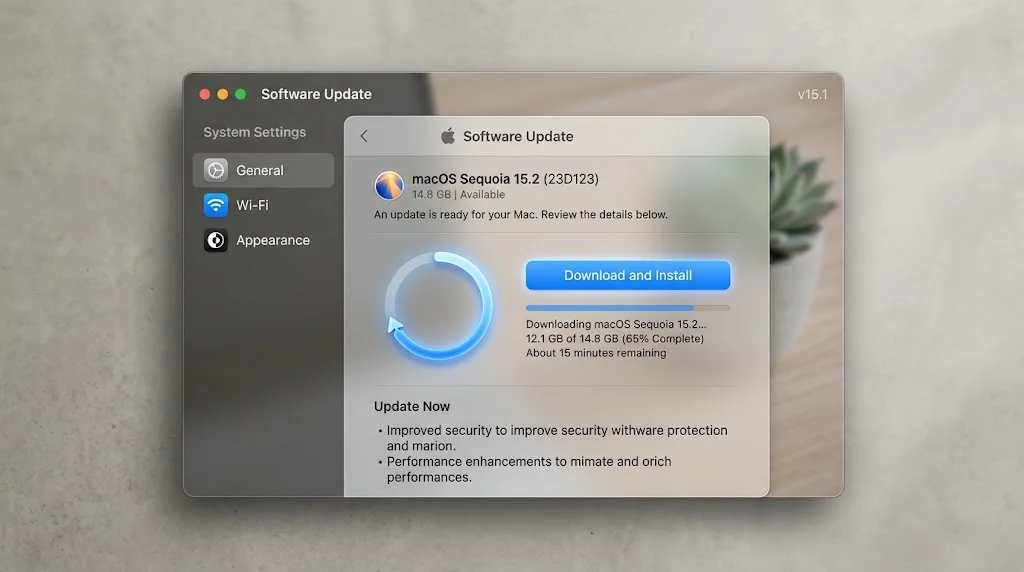
System Settings → General → Software Update. macOS Tahoe 26.6.2 should appear as "macOS Tahoe 26.6.2". Click Update Now.
If it does not appear:
- Give it time. Apple staggers update availability. A release that landed on 17 August will not be offered to every Mac on 17 August.
- Restart and check again. This resolves a surprising share of "not showing" reports, including the ones on Apple's own discussion boards for this specific release.
- Check whether you are enrolled in a beta channel. System Settings → General → Software Update → the ⓘ next to Beta Updates. If you are on a beta channel, you are being offered a different build.
- Check whether your Mac is managed. On a work Mac, an MDM configuration can defer updates by policy. Our enterprise deployment guide covers how deferral windows work.
From Terminal you can see what your Mac is actually being offered:
softwareupdate --listAnd, if you want the update without the GUI:
sudo softwareupdate --install --all --restartIf the Update Goes Wrong
It very rarely does on a point release, but the modern update process fails in ways that look alarming and usually are not — for most of the update your Data volume is unmounted, so a Mac can sit on a progress bar looking dead while nothing is actually broken. We wrote the full recovery sequence in what to do when a macOS update goes wrong, including the difference between revive and restore, and why you always try revive first.
Reported Issues After 26.6.2
We separate these carefully, because a security update draws every unrelated complaint on the internet to it.
What Apple has documented: nothing. There is no Apple support document describing a known issue in 26.6.2, and the release notes describe security fixes only.
What has been reported by users, unconfirmed: the most repeated item is that some Studio Display XDR owners found their 120 Hz refresh rate no longer available after updating, with a handful of reports that disconnecting and reconnecting the cable restored it. A similar report circulated after 26.6 in July. We flagged it as unconfirmed then and we are flagging it as unconfirmed now: there is no Apple acknowledgement, no consistent reproduction, and no reporting that isolates it from cable, dock or firmware variables. If you own that display and rely on 120 Hz, that is a reason to check after updating, not a reason to skip a kernel and ImageIO patch.
What is not evidence: a forum thread where someone updated and then had a slow Mac. Point releases trigger Spotlight reindexing, and reindexing looks exactly like a performance regression for a few hours. We covered that pattern in detail for the 26.6 release in why your Mac runs hot after a macOS update, and everything in it applies here.
Should You Install It?
Short version: yes, and reasonably promptly.
The longer version, by situation:
| You are | Recommendation |
|---|---|
| On macOS Tahoe, personal Mac | Install. The ImageIO code-execution entry alone justifies it. |
| On macOS Tahoe, production Mac you cannot afford to lose for an hour | Install within the week, after a verified backup. Nothing here is feature-bearing, so there is nothing new to break. |
| On macOS Sequoia or Sonoma | Install Safari 26.6.1. That is what is available to you, and it covers 21 of the 28 identifiers. |
| Enrolled in the macOS 27 beta | You are on the 26.7 RC branch. Decide whether you want to be; see the downgrade guide above. |
| Managing a fleet | Note that this is a backport from the macOS 27 beta, so the code has had beta exposure. Standard ring deployment. |
The one argument for waiting is the general one that always applies: if a point release breaks something for a specific hardware configuration, that usually surfaces within about a week. Weigh that against an unpatched image-decoding bug that can be triggered by a file arriving in Messages.
What Apple Did Not Tell Us
Every security release has gaps, and naming them is more useful than pretending they are not there.
- Apple did not say whether any of these were exploited. No entry carries the "Apple is aware of a report that this issue may have been actively exploited" language. That is a genuine and meaningful absence, not an oversight.
- Apple did not say why seven fixes are Tahoe-only. As covered above, that could mean the bugs do not exist on older systems, or it could mean the older-system patches are still coming. Apple never distinguishes the two.
- Apple did not describe the Codex Security methodology. The credit is a name. Everything else about how those nine bugs were found is unpublished.
- Apple did not publish the download size. The 2.9 GB figure comes from Oakley's teardown, not from Apple.
- Apple did not explain the two-branch release. The "first made available in the macOS Golden Gate 27 beta" sentence is the only hint, and we are reading it as a backport. That reading fits every observable fact, but it is a reading.
Troubleshooting Common Issues
macOS 26.6.2 does not appear in Software Update
The four causes, in the order to check them: staged rollout (wait, then restart), beta channel enrolment (you are on the 26.7 RC branch instead), MDM deferral on a managed Mac, and insufficient free space. Run softwareupdate --list to see what your Mac believes is available — it is more informative than the GUI, because it shows the label and version of every offered update.
The update downloaded but will not install
Restart first. If it fails again, check free space with df -h /System/Volumes/Data — the installer needs meaningfully more than the download size. If it still fails, the recovery path in our update-gone-wrong playbook applies.
My Mac is slow and hot after updating
Almost always Spotlight reindexing. Open Activity Monitor, sort by CPU, and look for mds_stores and mdworker. Check mdutil -s -a to see indexing status. Give it hours, not minutes, and leave the Mac plugged in. Do not force a rebuild — that restarts the clock.
Safari 26.6.1 does not appear on my Sonoma or Sequoia Mac
Safari updates arrive through Software Update like any other, but they are sometimes listed separately from system updates. Check softwareupdate --list for a Safari entry specifically. If your Mac has automatic security updates disabled, re-enabling them under System Settings → General → Software Update → ⓘ is the fastest fix.
My Studio Display XDR lost 120 Hz after updating
Unconfirmed and unacknowledged by Apple, but the reported workaround is to disconnect and reconnect the display cable, then check System Settings → Displays. If that does not restore it, check whether the display has pending firmware of its own, and report it to Apple — an unacknowledged issue stays unacknowledged until enough people file.
FAQ
How many vulnerabilities does macOS Tahoe 26.6.2 fix?
Twenty-eight distinct CVE identifiers, organised into twenty entries on Apple's security page. Both numbers are legitimate; the difference is that some entries group several CVEs under one impact and one fix description. Counts published elsewhere may differ because Apple occasionally revises these pages after publication.
Why did Apple release 26.6.2 and a 26.7 Release Candidate on the same day?
Because 26.6.2 is a backport. Apple's own release notes say the fixes "were first made available in the macOS Golden Gate 27 beta". Rather than hold them for 26.7 or for macOS 27's public release, Apple shipped them to the current OS immediately while 26.7 continued through its RC cycle.
Is macOS Tahoe 26.7 available now?
Not as a final release. As of this writing 26.7 exists only as a Release Candidate (build 25G220), issued 17 August 2026 to developers and public beta testers. Apple's security releases page still lists 26.6.2 as the current version of macOS.
What does "OpenAI Codex Security" mean in Apple's credits?
It is the credited name of a security research effort that found and reported nine of the WebKit vulnerabilities in this release. Apple's credit lines name reporters, not methods, so the credit tells you who reported the issue and nothing about how it was found. Nine of the 28 CVEs in macOS 26.6.2 carry this credit, all in WebKit.
I am on macOS Sequoia. Am I protected?
Partially. Safari 26.6.1, released 18 August 2026, contains all 21 of the WebKit-family CVEs from this release. It does not contain the seven Kernel, ImageIO, Audio and IOGPUFamily fixes, and Apple has not published whether Sequoia is affected by those. A Sequoia 15.8 Release Candidate exists, so a system update is coming.
Do I need to update if I only use Safari for browsing?
Yes. The seven non-WebKit fixes include an ImageIO entry whose impact is "Processing an image may lead to arbitrary code execution", and image processing happens in Messages, Mail, Finder previews and Quick Look — not just in a browser. A browser-only mental model does not cover this release.
Will this update change anything I can see?
No. There are no new features, no interface changes and no documented behaviour changes. The only user-visible version bumps are Safari to 26.6.2 and the Passwords app to 2.6.2.
Conclusion
macOS Tahoe 26.6.2 is a routine security release with two things about it worth remembering.
The first is structural: Apple backported fixes from the macOS 27 beta into the shipping OS and said so in writing. As macOS 27 approaches, expect more of this — the fix exists, the beta has exercised it, and there is no reason to make Tahoe users wait for it. The side effect is releases like 17 August, where a final update and a Release Candidate for the next version land the same day and it is genuinely unclear which one you are supposed to be on. The answer, unless you deliberately joined a beta, is always the final one.
The second is the credit line. Nine of twenty-eight CVEs from one AI-driven research effort, all in WebKit, is not a milestone Apple announced — it is just sitting in the acknowledgements. It does not mean your Mac is less safe. If anything it means the opposite: these are bugs that got found and fixed before anyone reported them being used. But it does mean the economics of finding memory-safety bugs in a browser engine have changed, and Apple's release cadence has visibly changed with them.
Install the update. Then, if you are still on Sonoma or Sequoia, install Safari 26.6.1 and start thinking about the seven fixes you do not have.
Related reading: macOS Tahoe 26.6.1 and the Screen Sharing flaw · macOS Tahoe 26.6: what's new and what was fixed · Background Security Improvements explained · Safari tab crashes and WebKit feature flags
Sources: Apple, "About the security content of macOS Tahoe 26.6.2" (support.apple.com/en-us/148281, retrieved 22 August 2026) · Apple, "About the security content of Safari 26.6.1" (support.apple.com/en-us/148286, retrieved 22 August 2026) · Apple, "Apple security releases" (support.apple.com/en-us/100100, retrieved 22 August 2026) · Apple Developer, "macOS 26.6.2 (25G83)", 17 August 2026 · The Eclectic Light Company, "Apple has released a security update to macOS Tahoe 26.6.2", 17 August 2026 · The Eclectic Light Company, "Apple has released an update to Safari 26.6.1 for Sequoia and Sonoma", 18 August 2026 · 9to5Mac, "Apple rolls out Release Candidates for macOS Tahoe 26.7 and macOS Sequoia 15.8", 17 August 2026 · MacRumors, "macOS Tahoe 26.7 is Full of References to Unreleased Apple Products", 17 August 2026.