macOS Tahoe 26.5.1 M5 Mac Shutdown Fix: Network Extensions

macOS Tahoe 26.5.1 fixes unexpected shutdowns on M5 Macs running content-filtering network extensions. Here's what changed, who's affected, and how to roll it out.
On June 1, 2026, Apple shipped macOS Tahoe 26.5.1 — a single-issue maintenance update with build number 25F80 — to address one specific, narrow, but operationally painful bug: certain Macs running the new M5 chip could unexpectedly shut down when a content-filtering Network Extension was active. If you don't manage an enterprise Mac fleet and you don't run a content-filter VPN like Cloudflare WARP or NextDNS, you may never have hit it. But for IT teams who pushed M5 MacBook Pros, M5 iMacs, and M5 Mac minis to early-adopter rings this spring, the bug was a real headache — kernel-style power-offs, no panic log to chew on, and very little public reproduction footprint to share with the security vendor's support team. This article walks through what changed in 26.5.1, what content-filter Network Extensions actually are on Apple Silicon, why M5 in particular was reportedly the trigger, and how to roll the update out across a managed fleet without breaking your security posture.
Key Takeaways
- macOS Tahoe 26.5.1 (build 25F80) released on June 1, 2026, fixes a single bug: M5-chip Macs could unexpectedly shut down when using certain content-filtering Network Extensions, which are common in enterprise security stacks.
- No published CVEs. As of early June 2026, Apple's security releases page does not list 26.5.1, meaning this is a pure stability fix rather than a security patch — but installing it is still strongly recommended for any M5 fleet running NE-based filters.
- Content-filter Network Extensions are the modern, user-space replacement for the deprecated kernel extension model on macOS. They run as system extensions and are the foundation of products such as Jamf Protect, Zscaler Client Connector, CrowdStrike Falcon, Cisco Umbrella, Cloudflare WARP, and similar enterprise tools.
- M5 was uniquely affected, reportedly due to an interaction between the new SoC and how the NE provider handled certain traffic-filter callbacks; Apple has not detailed the root cause publicly.
- IT rollout guidance: stage 26.5.1 to a pilot ring first, verify NE provider health through your MDM, and confirm your security vendor has tested against the new build before fleet-wide push. OpenCore Legacy Patcher is not yet at 2.4.1 compatibility, so legacy hardware users on Tahoe builds should hold.
What Changed in macOS Tahoe 26.5.1
The release-note quote, and what it actually means
Apple's release note for this build is, by Apple standards, almost terse:
"This update fixes an issue where Mac computers with M5 chip could unexpectedly shut down when using certain content filtering network extensions."
That single sentence is the entire fix. There are no other documented changes — no UI tweaks, no Safari version bump, no driver updates that Apple has called out. The build advanced from 25F71 (which shipped as 26.5 in mid-May 2026) to 25F80. Apple typically reserves these single-issue x.y.1 dot-releases for regressions that surfaced in the field within days or weeks of the parent build, and 26.5.1 fits that pattern perfectly: 26.5 itself was the broad May feature/maintenance drop, and 26.5.1 follows roughly two weeks later with a tightly scoped patch.
The phrasing matters in two ways. First, "M5 chip" — singular, explicitly M5, not "Apple Silicon" in general. That implies the failure mode did not reproduce on M1, M2, M3, or M4 hardware, which itself is a strong hint that some new-in-M5 hardware behavior or firmware quirk is involved. Second, "certain content filtering network extensions" — note the "certain." Apple is hedging that not every NE filter triggered the shutdown, which lines up with field reports indicating that only some enterprise security tools — and only under some traffic patterns — would tip an M5 Mac into the failure state.
What 26.5.1 does not fix
It is just as important to be clear about what 26.5.1 does not address:
- No CVE security patches. As of June 4, 2026, Apple's security-releases page (apple.com/security-updates) does not have a 26.5.1 entry. This is normal for single-issue stability dot-releases.
- No fix for the 26.5 WindowServer-on-multi-display-Liquid-Glass issue. If you've been hitting heavy WindowServer CPU when driving multiple monitors with Liquid Glass on, that's a separate matter; see our coverage on the WindowServer high-CPU issue in 26.5 with multi-display Liquid Glass.
- No fix for M5 thermal throttling under sustained workloads. That's a thermal-design story, not a software bug — see our M5 MacBook Pro overheating and thermal-throttling guide.
- No fix for the kernel-panic-on-refresh-rate-mismatch sibling issue that some users reported in 26.5 logs.
If you're chasing one of those problems, 26.5.1 will not move the needle for you.
Size, build, and OTA mechanics
The 26.5.1 delta installer is reportedly small — most users report download sizes in the few-hundred-megabyte range over OTA, with a single restart required. The standalone installer combo from Apple's developer downloads page is larger. Because there are no firmware-impacting changes to T2 (irrelevant on Apple Silicon), Apple Silicon Macs simply pick up the new system volume snapshot and reboot. There is no separate "RSR" (Rapid Security Response) component — this is a full point release.
What Are Content-Filter Network Extensions, Actually?
To understand the fix, it helps to understand what's being fixed.
The kernel-extension legacy
For years, macOS security and networking vendors built their products around kernel extensions (kexts) — code that loaded into the kernel address space and could observe or modify traffic, file I/O, and process behavior at extremely deep levels. Kexts were powerful and very dangerous: a poorly written one could panic the kernel, and an exploited one was effectively a root-level rootkit. Starting with macOS Catalina and accelerating through Big Sur, Apple deprecated third-party kexts and replaced them with user-space System Extensions — code that runs outside the kernel, communicates with the system over well-defined APIs, and can be loaded and unloaded without rebooting.
For networking, the relevant framework is Network Extension (the NetworkExtension.framework), which exposes several provider classes that third-party vendors can subclass to implement specific behaviors:
NEFilterDataProvider— inspects and decides on application-level traffic flows (TCP/UDP), with allow/deny/needs-more-data callbacks. This is the primary entry point for most "content filter" products that block or rewrite traffic on a per-flow basis.NEFilterPacketProvider— operates at a lower layer, seeing raw IP packets and making allow/drop decisions. Used by tools that need DNS-style filtering or per-packet inspection without intercepting whole flows.NEDNSProxyProvider— replaces the system DNS resolver for the device, allowing tools like NextDNS, Cloudflare 1.1.1.1 for Families, or enterprise secure-DNS gateways to handle name resolution.NEPacketTunnelProvider— implements VPN-style tunnels, taking full responsibility for handling layer-3 packets.NEAppProxyProvider— handles per-app proxying for transparent proxies.
A "content filter" in Apple's terminology generally refers to the first two — NEFilterDataProvider and NEFilterPacketProvider. When you see a System Settings entry for "Filters" or "Allow [tool] to filter network content," you're looking at one of these.
Why the system-extension model matters here
Because these are system extensions, not kexts, they run in user space and communicate with the kernel via XPC. When something goes wrong inside the extension — a memory bug, a deadlock, an exception — the system extension itself should crash without panicking the kernel. That's the whole architectural promise.
But "should" is doing a lot of work in that sentence. In practice, system extensions still talk to NetworkExtension kernel code that handles the actual flow interception, and bugs in that lower layer — or bugs in how the user-space extension drives that layer — can still cascade into kernel-level instability. An unexpected, no-panic-log shutdown like the one 26.5.1 fixes is a strong signal that the failure was happening in a region of code where the kernel decided the safer behavior was to power down rather than risk a corrupted state. Apple has not detailed the exact failure mode, and any further inference would be speculation.
Enrollment: how a filter actually gets installed
On a managed Mac, a content-filter NE typically arrives through one of two paths:
- MDM-pushed configuration profile with a
com.apple.webcontent-filterpayload that names the system extension's bundle identifier and the provider class. The user gets no consent prompt; the extension is trusted because it was vendored in by the MDM. - User-installed app with System Extension entitlement. The user installs an app (say, a Cloudflare WARP-style consumer client), the app requests permission to install a system extension, the user clicks through System Settings > General > Login Items & Extensions > Network Extensions to approve, and the OS then runs it.
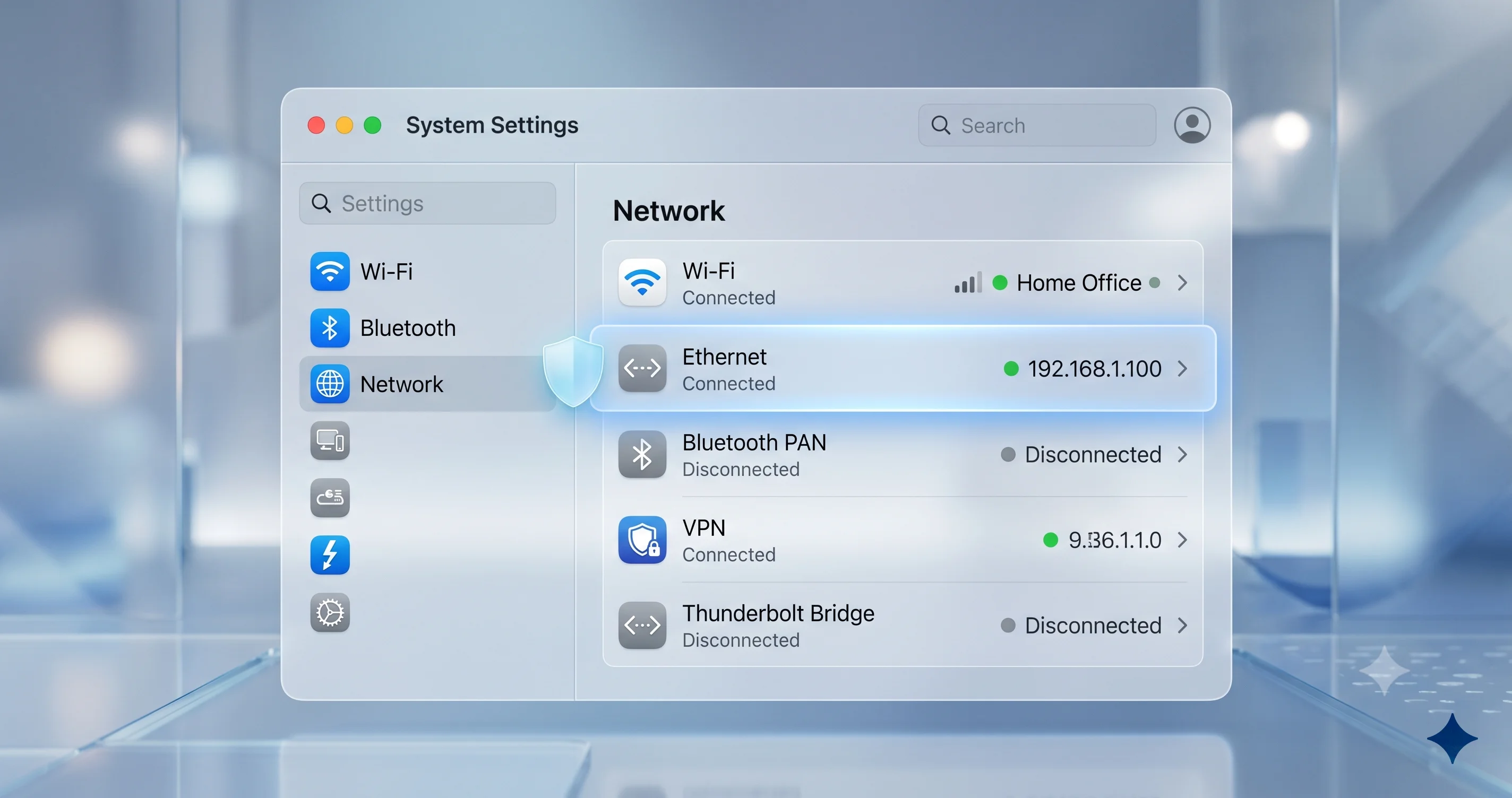
Either way, once active, the extension shows up in systemextensionsctl list and in the Network settings pane as a registered filter. From that point forward, every network flow on the device passes through the provider's decision logic.
Why M5 Was Uniquely Affected
Here is where any honest writeup has to slow down and hedge. Apple has not published a root-cause analysis. What we know is:
- The bug reproduced on M5 hardware specifically.
- It did not reproduce — or was not reported — on M4, M3, M2, or M1.
- It required an active content-filter NE.
- The failure mode was an unexpected shutdown, not a kernel panic that produced a
.paniclog in/Library/Logs/DiagnosticReports/.
Beyond that, we can speculate cautiously. The M5 SoC, introduced in late 2025, brought a new CPU microarchitecture, new GPU architecture, and reportedly updated neural and security enclaves. Some of those changes touch how the kernel hands off work to coprocessors, and content-filter NEs are heavily I/O-bound — they get woken up for every flow decision. A timing-sensitive race condition that never tripped on prior Apple Silicon could, on M5's faster or differently-pipelined cores, fall just outside the window the original code assumed. That kind of "we never saw this until the hardware got 15% faster" regression is common in low-level networking code, but again, Apple has not confirmed any of this.
What is confirmed: the fix shipped only weeks after the public-facing impact emerged, which suggests the root cause was identifiable, locally reproducible by Apple, and patchable without touching the broader Network Extension API surface. A one-line release note for a single-issue x.y.1 is consistent with a focused fix to either a kernel race condition or a provider-handoff edge case.
The M5 model lineup affected
For reference, as of June 2026 the M5 family includes the M5 in entry MacBook Pro, iMac, and Mac mini configurations; the M5 Pro and M5 Max in higher-end MacBook Pro and Mac Studio configurations; and the M5 Ultra in top-tier Mac Studio. Reports of the shutdown issue spanned multiple M5 variants — it was not exclusive to the base chip. Any M5-family Mac running 26.5 and a content-filter NE should update.
Who Is Affected
Enterprise and MDM-managed fleets
This is the primary audience. Any organization that has deployed:
- Endpoint security tools that include a content-filter NE. Tools such as Jamf Protect, Zscaler Client Connector, CrowdStrike Falcon, Cisco Umbrella, Cloudflare WARP for Teams, Microsoft Defender for Endpoint, Netskope Client — and similar content-filter NE providers — typically install a
NEFilterDataProviderorNEFilterPacketProviderto enforce policy. - DNS-filtering security agents. Products that replace the resolver with
NEDNSProxyProvideralso touch the NE stack, although the bug as reported was specifically tied to content filtering providers, not pure DNS providers. Hedge accordingly. - Secure web gateway / SASE clients. Many SASE clients combine a packet tunnel with a filter provider for inline policy enforcement.
If you've shipped M5 hardware to early-adopter users in any of these environments, you almost certainly saw at least one or two unexplained shutdown reports in late May. 26.5.1 is your fix.
Consumer users with content filters
The bug also reached consumers, primarily:
- Cloudflare WARP / 1.1.1.1 for Families users on M5 Macs.
- NextDNS, ControlD, AdGuard Pro users who installed a content-filter NE rather than the simpler DNS-proxy variant.
- Parental-controls and screen-time-style filters from third parties that use the public NE filter API.
- Privacy-focused tools like Lulu, LittleSnitch (which uses a Network Extension), or PFSense-derived clients.
If you're running a consumer Mac with M5 and you've installed any of the above, update.
Who is not affected
- All Intel Macs.
- All M1, M2, M3, and M4 Macs.
- M5 Macs with no content-filter NE installed.
- M5 Macs running 26.4 or earlier (the issue was specific to 26.5).
If none of these apply, 26.5.1 still installs cleanly, but you're updating mostly out of hygiene rather than necessity.
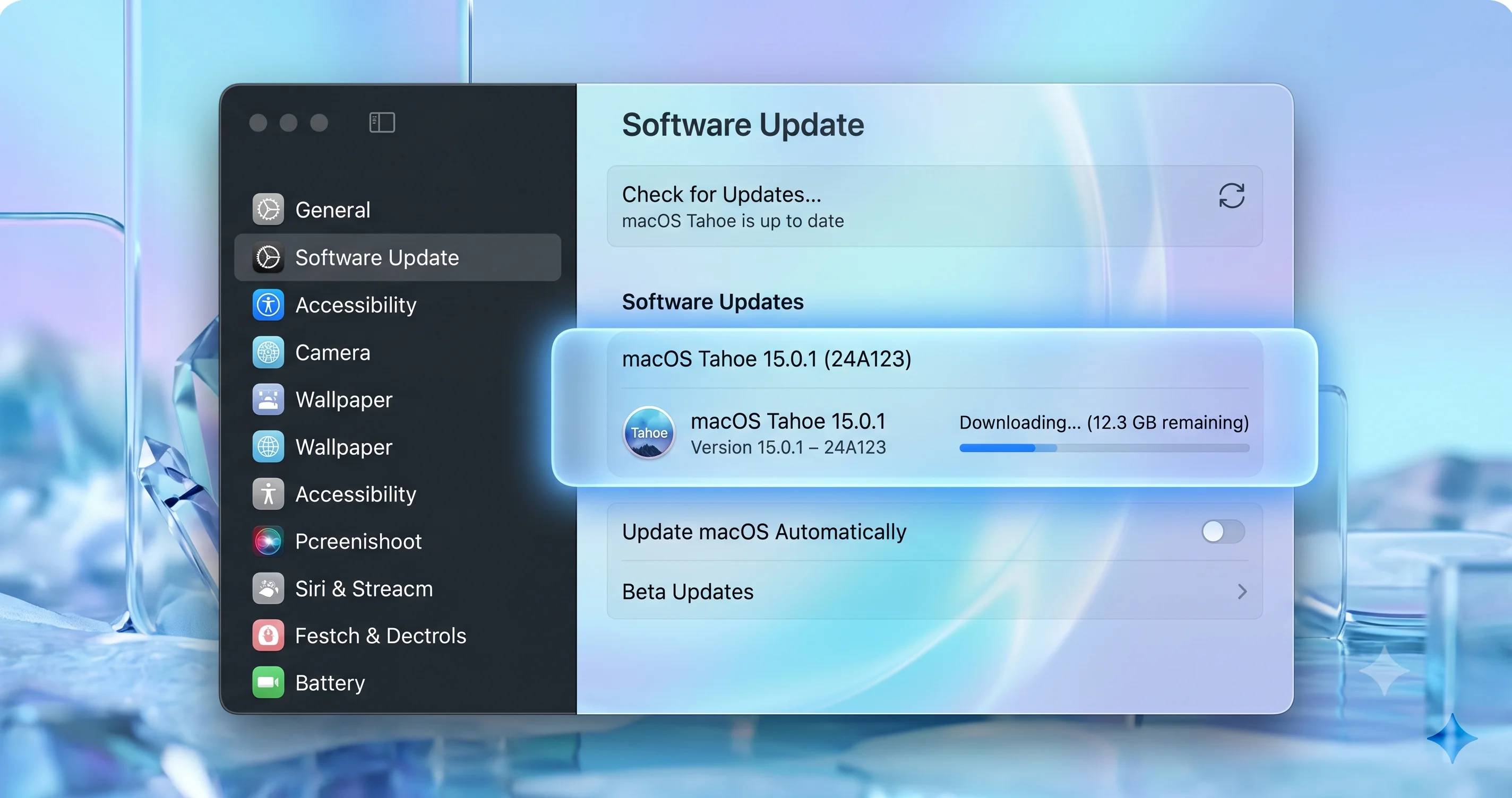
How to Install macOS Tahoe 26.5.1
Consumer / single-Mac path
- Save open work and back up. Time Machine or a quick
tmutil snapshotis sufficient. - Open System Settings > General > Software Update.
- Wait a few seconds for the update list to populate.
- Look for macOS Tahoe 26.5.1 and click Update Now.
- Authenticate, accept the license, and let the install run. The Mac will restart once.
- After reboot, verify the build by opening About This Mac and confirming Version 26.5.1 (25F80).
The whole process typically takes 10–20 minutes on Apple Silicon, depending on download speed.
MDM / fleet path
For Mac admins, the install mechanics are the same but the orchestration is different:
- Jamf Pro: push the OS update through the Software Update plan or
MDMcommand targeting26.5.1. UseInstallAction: InstallForceRestartto actually drive the install on managed devices; otherwise the user will be prompted. - Mosyle / Kandji / Workspace ONE: trigger via the standard managed OS update policy. As of early June 2026, all major MDMs have surfaced 26.5.1 as an installable target.
- Apple Business Manager + DEP: new M5 deployments will pick up 26.5.1 automatically once you've allowed the build in your "minimum OS version" enforcement.
For a deeper dive on fleet-wide policy mechanics, see our macOS Tahoe enterprise deployment guide.
IT Rollout Guidance
A single-bug fix is one of the safer kinds of dot-release to deploy, but "safer" is not "skip the staging." Here's the playbook.
Stage on a pilot ring first
Even though 26.5.1 is a tiny update, the very nature of the fix is that it changes how the OS interacts with content-filter NEs. If your security vendor has any custom logic that depends on specific NE behavior, you want to discover the regression on five M5 Macs, not five hundred.
A workable pilot structure:
- Day 0–2: Push 26.5.1 to your IT team's own M5 hardware. Watch for any new NE-related logs.
- Day 3–7: Push to a 5–10% pilot ring of the broader M5 population. Include at least one user from each major workflow profile (engineering, finance, design, exec).
- Day 7–14: Broaden to general M5 deployment if the pilot ring is clean.
- Day 14+: Push to non-M5 Macs as part of normal hygiene.
Verify NE health through MDM
Before and after the push, you want telemetry confirming the content-filter NE is loaded and active. Most MDMs surface this through Smart Groups / device queries on:
systemextensionload status for the vendor's bundle ID- "Content Filter" payload presence in installed profiles
- Whether the user has any "Allow [extension] to filter content" prompt outstanding
If your MDM doesn't surface NE-specific health, a custom extension attribute / script can query systemextensionsctl list and report whether the relevant bundle ID shows activated enabled.
Confirm vendor certification
Before you fleet-wide push 26.5.1, check your security vendor's compatibility matrix. As of early June 2026, most enterprise security vendors have either tested against 26.5.1 explicitly or carried forward their 26.5 certification (because the NE API surface has not changed; the fix is internal). But check, don't assume — vendor "supported" tables are the difference between a smooth Friday and a six-hour incident bridge.
If your vendor has not yet certified the build, the practical decision is between:
- Waiting a few days for certification, which means leaving M5 users on 26.5 with the known shutdown risk.
- Pushing 26.5.1 anyway because the M5 shutdown risk outweighs the (small) risk of an uncertified-but-API-compatible build.
Most shops choose option 2 if they have a meaningful M5 footprint, but it's a judgment call.
Update enrollment / minimum-OS policies
Once you've shipped 26.5.1, lift your "minimum allowed OS version" floor to 26.5.1 for the M5 population. This prevents accidental downgrade rollback and ensures any new M5 enrollments pick up the fix immediately.
Communicate clearly with end users
One of the underrated parts of a fleet-wide update push is the user-facing comms. For 26.5.1 specifically, the message you want to land is something like: "We're pushing a small macOS update this week. It fixes an issue where some Macs could shut down unexpectedly while our security tool was running. It takes about 10 minutes and requires one restart. Save your work before [time/date]." Avoid technical jargon — most users don't know or care what a Network Extension is, and explaining it just creates support questions. Tell them what the user-visible benefit is (no more random shutdowns), what they need to do (save and let it install), and how long it takes.
For users who push back on update timing, a short deferral (24–72 hours) is usually a reasonable compromise. Beyond that, the risk of additional unexpected shutdowns outweighs the inconvenience of an unscheduled reboot, and most MDMs let you force the update after a configurable grace period.
Track outcomes
After the rollout, watch your help-desk ticket queue and your endpoint-management dashboard for two weeks. The metrics that matter:
- Unexpected-shutdown reports on M5 hardware should drop to roughly zero post-update. If they don't, you may be dealing with a separate hardware issue or a second NE-related bug.
- NE provider activation rate should stay flat or improve. If it dips, your security tool may have an issue with the new build.
- Battery life and thermal complaints should not change. If they spike, something else is going on — possibly an unrelated 26.5.1 interaction with a specific app.
A clean post-update curve gives you the confidence to push the next dot-release faster.
Broader Network Extension Troubleshooting
Even with 26.5.1 installed, NE-related issues are some of the most common and frustrating support tickets on macOS. Here's a generalized troubleshooting workflow.
Symptom: extension won't load
If systemextensionsctl list shows the extension as waiting for user or inactive, the user has not approved it. Walk them through System Settings > General > Login Items & Extensions > Network Extensions and toggle the relevant entry on. For MDM-managed environments, ensure the com.apple.system-extension-policy payload includes the vendor's Team ID so consent is preempted.
Symptom: extension loads but traffic is being dropped or hung
This usually means the NE provider's policy engine is taking too long to decide on flows, hitting an internal timeout, and defaulting to deny. Check vendor logs (log show --predicate 'subsystem == "<vendor.subsystem>"' --last 1h). Restart the system extension via systemextensionsctl developer mode if you're testing, or via the vendor's UI in production.
Symptom: DNS queries leak or fail
If you've configured both a NEDNSProxyProvider and a NEFilterDataProvider, the order of operations matters. The DNS proxy intercepts queries before they hit the filter; misconfiguration here often manifests as some apps resolving correctly and others not. This is rarely a bug — it's almost always policy stack mis-ordering.
Symptom: extension causes the Mac to be sluggish
Content-filter providers see every flow, and a poorly tuned policy engine can add per-flow latency that compounds. Profile with nettop -m route to see flow volume; if you're seeing hundreds of new flows per second on a system that's mostly idle, something on the machine is misbehaving (often a misbehaving electron app re-establishing WebSocket connections).
Symptom: unexpected shutdowns (the 26.5.1 case)
If you're still seeing unexpected shutdowns on an M5 Mac after installing 26.5.1, this is no longer the bug that was fixed. Treat it as a fresh incident: collect a sysdiagnose, check pmset -g log for SleepWakeFailure / Sleep Wake hang entries, and open a Feedback Assistant report referencing 26.5.1. It's also worth ruling out hardware — a power-related shutdown with no panic log on Apple Silicon can also indicate a battery or power-delivery issue.
For more on diagnosing this class of failure, see our writeup on Mac kernel panics and random restarts in 26.5.
Symptom: iMessage and Continuity break after NE update
Occasionally, after a content-filter NE is reloaded or reconfigured following a system update, Apple's identity-services traffic (iMessage, FaceTime relay, Continuity Handoff registration) gets caught in a half-blocked state. If you see iMessage sync stalling between devices right after the 26.5.1 install, check our writeup on iMessage not syncing between Mac and iPhone on macOS Tahoe. The fix is usually to allow Apple's *.push.apple.com and *.icloud.com ranges in the NE policy, which most enterprise filter templates already do by default.
Useful diagnostic commands
For Mac admins who want a fast triage toolkit, the following commands are worth bookmarking:
systemextensionsctl list— shows every installed system extension with bundle ID, team ID, version, and state. The[activated enabled]flag is what you want for a healthy content filter.log show --predicate 'subsystem == "com.apple.networkextension"' --last 30m— surfaces NE framework events from the last 30 minutes, including provider start/stop transitions and approval-state changes.pmset -g log | grep -i -E 'shutdown|wake'— Apple's power-management subsystem log. Look forCause: 0x...entries near unexpected shutdowns; the cause code can hint at thermal, power, or software-initiated origins.nettop -m route -p <pid>— per-process flow counts. Useful to confirm whether the NE provider is actually seeing flows.sudo sysdiagnose -f /tmp/— captures a comprehensive system snapshot for vendor support tickets.
These commands won't fix anything by themselves, but they're the difference between "the user said the Mac shut down" and "here's the pmset log entry at 14:32:07 showing a kIOPMSleepReasonClamshell event followed by a hard shutdown two seconds later."
The 26.5 SMB-Mount Restart Sibling Fix
It's worth noting that 26.5 itself shipped a related restart-class fix earlier this spring: a long-standing issue where mounting certain SMB shares could trigger a restart cascade on some Macs was addressed in the parent 26.5 build. If you came into 26.5 from 26.4 or earlier and you're running an SMB-heavy file workflow (NAS-backed video editing, network home directories, departmental shares), you already got that fix. 26.5.1 is purely about the M5/NE shutdown — these are separate issues, but they're sometimes conflated in casual discussion because both manifest as "the Mac restarts unexpectedly."
If you're still seeing SMB-related restarts on 26.5.1, the problem is almost certainly your specific SMB server's flavor (Samba version, AFP-emulation quirks, kerberos token expiry) rather than the OS. Check log show --predicate 'subsystem == "com.apple.smb"' --last 1h.
OCLP and Unsupported Macs
If you're on the OpenCore Legacy Patcher path with an unsupported Mac running a patched Tahoe build, do not install 26.5.1 yet. OCLP 2.4.1 is not yet released with 26.5.1 compatibility as of early June 2026, and updating the OS ahead of the patcher can leave you without working graphics or Wi-Fi drivers. Wait for the OCLP team to publish a compatible release before moving forward.
OCLP-patched Macs are also not in the M5 universe by definition — they're older Intel hardware. So while you don't need 26.5.1 for the M5 fix, you also don't want to break a working install for a fix that doesn't apply to you.
Troubleshooting Common Issues
Problem: 26.5.1 doesn't appear in Software Update
Solution: First, confirm you're on 26.5 (not an older build or a 27 beta). If you're on the 27 developer beta seed, 26.5.1 won't be offered. If you're on 26.5 and still not seeing the update, try sudo softwareupdate --list --include-config-data. If the command finds it but System Settings doesn't, restart and check again — the GUI catalog can lag by an hour or two.
Problem: Update downloads but fails to install
Solution: This is usually a free-space issue. macOS upgrades need 25–35 GB of free space even for small dot-releases because the system makes a sealed snapshot of the existing volume before swapping. Check About This Mac > Storage and clear space. If you have enough space and still fail, run sudo softwareupdate --fetch-full-installer --full-installer-version 26.5.1 from Terminal and try again.
Problem: After update, NE provider shows "needs approval"
Solution: Some system extensions need to re-prompt for approval after a major OS update event. Go to System Settings > General > Login Items & Extensions > Network Extensions and toggle the provider on. In MDM-managed environments, re-push the system-extension-policy and content-filter profiles; the extension should auto-approve.
Problem: NE provider running but security tool reports "disconnected"
Solution: The NE is loaded but the upstream control-plane connection to the vendor's cloud is broken. Check that DNS resolution works (dig vendor.cloud.com) and that the device is on a network that allows the relevant ports. Restart the vendor's user-space agent; the NE will reattach.
Problem: M5 Mac still shut down unexpectedly after 26.5.1
Solution: If it's a single one-off, monitor for recurrence. If it repeats, this is not the bug that was fixed. Capture a sysdiagnose immediately after next reboot (sudo sysdiagnose), check /Library/Logs/DiagnosticReports/ for any .panic or .shutdown reports, check pmset -g log | grep -i shutdown for the OS's view of the event, and file Feedback Assistant. Also rule out hardware (a power-delivery problem can present similarly).
Problem: Pilot users on 26.5.1 report slower web browsing
Solution: This is almost certainly your content-filter NE's policy engine, not the OS. Check vendor logs for filter-decision latency. If the vendor offers a "bypass for known good destinations" feature, enable it. As a diagnostic, temporarily disable the NE (in a controlled environment) and time a few page loads.
Problem: Some users report can't see Software Update entry but admin can
Solution: Check whether your MDM has set a managed delay on user-visible OS updates (e.g., 14-day deferral). Managed deferrals hide updates from the GUI until the deferral expires, even if the update is available. Adjust the deferral policy if you want users to install immediately.
FAQ
Does macOS Tahoe 26.5.1 include any security fixes?
As of early June 2026, Apple has not published 26.5.1 on its security-releases page, meaning there are no documented CVEs in this build. It is purely a stability fix for the M5 content-filter NE shutdown bug. That said, you should still install it on affected hardware — an unexpected shutdown is itself an availability problem that's worth eliminating.
I'm not on M5. Should I still install 26.5.1?
Yes, but you don't need to rush. The fix is M5-specific, so non-M5 hardware sees no direct benefit, but installing 26.5.1 keeps you current on the supported baseline, which simplifies future updates and ensures your OS matches what your IT team has standardized on. There's no known regression in 26.5.1 that would make non-M5 users want to skip it.
What's the build number for macOS Tahoe 26.5.1?
The build number is 25F80, replacing 25F71 (which was macOS Tahoe 26.5). You can verify by clicking the Apple menu, selecting About This Mac, and clicking the version number to reveal the build. Apple's developer release notes confirm 25F80 as the public release build.
Are CrowdStrike, Zscaler, Jamf Protect, and similar tools certified for 26.5.1?
We can't make blanket compatibility claims for specific vendors. Always check your vendor's official compatibility matrix. That said, because the NE public API surface is unchanged in 26.5.1 (it's an internal kernel-side fix), most vendors that supported 26.5 will support 26.5.1 without a new certification cycle. Confirm with your vendor before fleet-wide deployment.
Can I downgrade from 26.5.1 back to 26.5 if I hit a problem?
Not easily. macOS does not officially support downgrading point releases; you'd have to erase and reinstall the older version from a bootable installer, then restore from a pre-update backup. In practice, almost no one needs to downgrade from 26.5.1 — the changes are minimal. If you're nervous, take a Time Machine snapshot before installing.
Does 26.5.1 affect M5 battery life or performance?
No reports as of early June 2026 indicate any battery-life or performance regression from 26.5.1. The fix is a narrow kernel-side change with no broader behavioral effect. If you see a sudden change in battery life after updating, suspect a runaway process rather than the OS update itself; check Activity Monitor's Energy tab.
What should consumers running Cloudflare WARP or NextDNS on M5 do?
Install 26.5.1 through System Settings > General > Software Update. There's no need to uninstall or reconfigure your content-filter client first. After the reboot, verify your filter is still active by checking the relevant entry in System Settings > General > Login Items & Extensions > Network Extensions, and you're done.
Is there a separate update for iOS, iPadOS, or visionOS alongside 26.5.1?
No. macOS Tahoe 26.5.1 is a macOS-only point release tied to the M5 / NE bug. Other platforms continue on their respective 26.5 builds until Apple ships their next x.y.1 or x.6 updates. For broader context on the 26.5 family, see our macOS Tahoe 26.5 release and CVE roundup.
Conclusion
macOS Tahoe 26.5.1 is exactly what a maintenance dot-release should be: small, focused, and aimed squarely at a real-world failure mode that was hurting a specific population — in this case, M5 Macs running content-filtering Network Extensions in mostly-enterprise contexts. If you're in that population, install it. If you're not, install it anyway as part of normal hygiene. The fix is too narrow to break anything, and the upside is the elimination of a class of unexplained shutdowns that's painful to debug from the IT side and unsettling from the user side. For more on what's coming next, see our pre-WWDC 2026 macOS 27 preparation checklist and our deeper writeup on Apple's Background Security Improvements (BSI) work in Tahoe. For prior-update context, the 26.2 security roundup is also worth a read.