macOS Tahoe 26.3 Release Guide: Complete January 2026 Update Analysis, Bug Fixes, and Should You Update

Comprehensive guide to macOS Tahoe 26.3 update expected late January 2026. Beta timeline, bug fixes including admin password issue, remaining known issues, Background Security Improvements, and upgrade recommendations for all Mac users.
macOS Tahoe 26.3 is Apple's first major update of 2026, currently in beta testing and expected to release publicly in late January. Unlike the feature-packed 26.1 and 26.2 updates, this release focuses primarily on stability improvements and bug fixes. Here's everything you need to know about this update and whether you should install it.
Executive Summary: macOS Tahoe 26.3 at a Glance
Release Status: Beta 2 available for developers and public beta testers
Expected Public Release: Week of January 26, 2026 (likely Monday, January 26)
Update Type: Maintenance release focused on stability and security
Key Highlights:
- Admin password bug fixed (no more triple-entry in Disk Utility)
- Background Security Improvements expansion
- Minimal user-facing feature changes
- Focus on system stability and bug fixes
Who Should Update: All macOS Tahoe users once publicly released
Beta Development Timeline
Current Beta Status
Apple has been actively testing macOS Tahoe 26.3 since mid-December 2025:
| Release | Date | Build Number | Notes |
|---|---|---|---|
| Developer Beta 1 | December 15, 2025 | 25D5087f | Initial 26.3 beta |
| Public Beta 1 | December 17, 2025 | 25D5087f | Same as Dev Beta 1 |
| Developer Beta 2 | January 12, 2026 | 25D5101c | Current release |
| Public Beta 2 | January 13, 2026 | 25D5101c | Current public beta |
| Expected Public Release | ~January 26, 2026 | TBD | Final release |
Release Date Prediction
Based on Apple's historical release patterns, macOS Tahoe 26.3 is expected to launch alongside iOS 26.3, iPadOS 26.3, watchOS 13.3, tvOS 26.3, and visionOS 3.3 during the week of January 26, 2026. Apple typically releases updates on Mondays, making January 26, 2026 the most likely release date.
What's New in macOS Tahoe 26.3
A Maintenance-Focused Release
Unlike the substantial updates in macOS Tahoe 26.1 (which introduced Liquid Glass customization) and 26.2 (which brought Edge Light and Thunderbolt 5 clustering), version 26.3 is primarily a maintenance release. Developer reports indicate virtually zero significant user-facing changes in both Beta 1 and Beta 2.
Key Improvements and Bug Fixes
1. Admin Password Bug Fixed
One of the most frustrating bugs in previous macOS Tahoe versions has been addressed:
The Issue: Users were required to enter their administrator password three times when opening certain system utilities:
- Disk Utility
- Startup Disk
- System Preferences requiring authentication
The Fix: In macOS Tahoe 26.3 beta, this has been reduced to a single password prompt as expected.
2. Background Security Improvements Expansion
macOS Tahoe 26.3 continues to expand the Background Security Improvement feature first introduced in macOS Tahoe 26.1:
What It Does:
- Provides additional security protections between major software updates
- Silently updates critical system components including Safari, WebKit, and core libraries
- Requires no user interaction or system restart
How to Enable:
- Open System Settings
- Navigate to Privacy & Security
- Scroll down to find Background Security Improvement
- Toggle it On
Important Note: Apple warns this feature may cause "rare compatibility issues" with some applications. If you experience problems, you can temporarily disable it.
3. Safari 26.3 Beta Changes
Safari receives minor under-the-hood improvements:
- Abort Signal support for aborted Navigate events
- Display loop bug fixes
- HDR rendering improvements
4. Dictionary App Fix
A long-standing issue where the Dictionary app toolbar lacked the blur effect when scrolling content has been partially addressed (bug originally reported as FB20961118).
Known Issues Remaining in macOS Tahoe 26.3
Despite the bug fixes, several issues persist:
From macOS Tahoe 26.2
GPU Performance Issues:
- M4 Pro systems report unexplained GPU usage (15-35%) even when idle
- Particularly affects users with Electron-based applications running
Freeform App:
- Text duplicates when adding periods or slashes
Journal App:
- Text cursor issues
- App freezing during extended use
- Paragraphs occasionally disappearing
Mission Control:
- Lag occurs during QuickLook for Keynote presentations
Window Resizing:
- Rounded corners reduce the grabbable area for resizing windows
From Beta Testing
Volume Indicator:
- Excessive padding on non-notched devices in full-screen mode (present since 26.2 Beta 3)
Liquid Glass Design: User Feedback and Adjustments

The Liquid Glass design language introduced in macOS Tahoe continues to be controversial among users. While 26.3 doesn't significantly change the design, it's worth noting the customization options available:
Current Customization Options
Reduce Transparency:
- Open System Settings > Accessibility > Display
- Toggle Reduce Transparency to reduce the glass effect
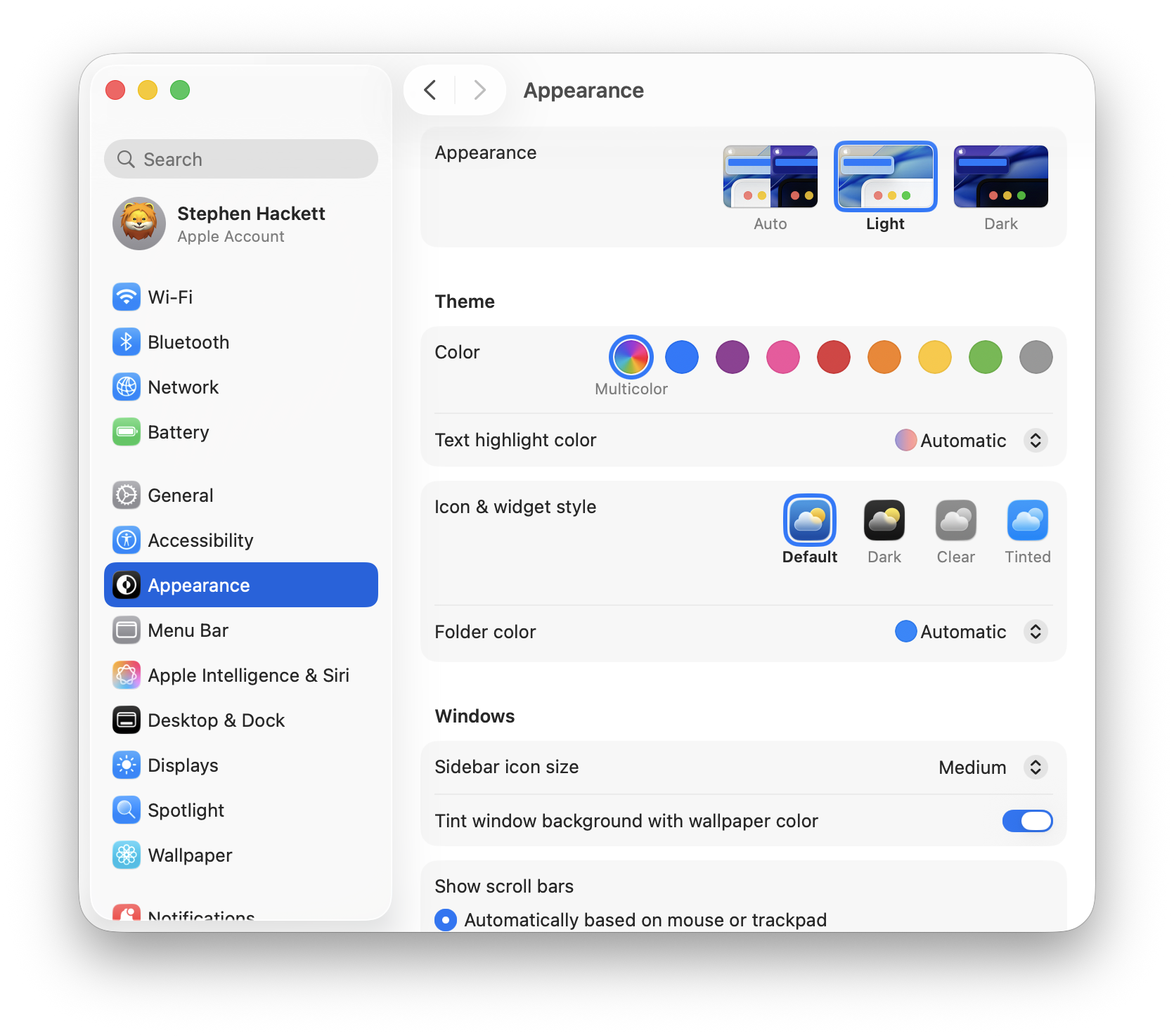
Tinted Option:
- Added in macOS Tahoe 26.1
- Increases opacity for better visibility
- Found in System Settings > Appearance
Community Sentiment
User feedback on macOS Tahoe remains mixed:
Critical Feedback:
- "The worst macOS release Apple has put out since 2008"
- "Text difficult to read against busy backgrounds"
- "Using too many resources just for the new design"
- "Preview and Photos toolbars are chaotic and poorly thought out"
Positive Feedback:
- "Fine; I use it every day with no issues"
- "New Spotlight features are pretty cool"
- "Found Tahoe easy to adjust and adapt to"
Many users expect Apple will "significantly tone down" Liquid Glass in future macOS versions, similar to the iOS 7 adjustment period.
Should You Update to macOS Tahoe 26.3?
Recommended: Yes, for Most Users
Once publicly released, macOS Tahoe 26.3 is recommended for all users currently running macOS Tahoe because:
- Stability Improvements: Addresses bugs from 26.2
- Security Enhancements: Background Security Improvements keep your system safer
- Bug Fixes: Admin password bug fix alone is worth the update
- No Major Changes: Low risk of new compatibility issues
Wait If:
- You rely on specific workflows that had issues in 26.2 beta
- You use applications known to have compatibility problems with Background Security Improvements
- You prefer to wait 1-2 weeks after public release to ensure stability
Still on macOS Sequoia?
If you haven't upgraded to macOS Tahoe yet, our recommendation remains:
Wait for macOS Tahoe 26.3 or Later before upgrading if:
- You need maximum stability for work
- You use Intel-based Mac (final supported version)
- You're sensitive to UI changes
Consider Upgrading if:
- You want Apple Intelligence features
- You have an M3 or M4 Mac (best performance)
- You can tolerate some temporary workflow adjustments
How to Install macOS Tahoe 26.3
For Beta Testers
If you're enrolled in the Apple Beta Software Program:
- Open System Settings
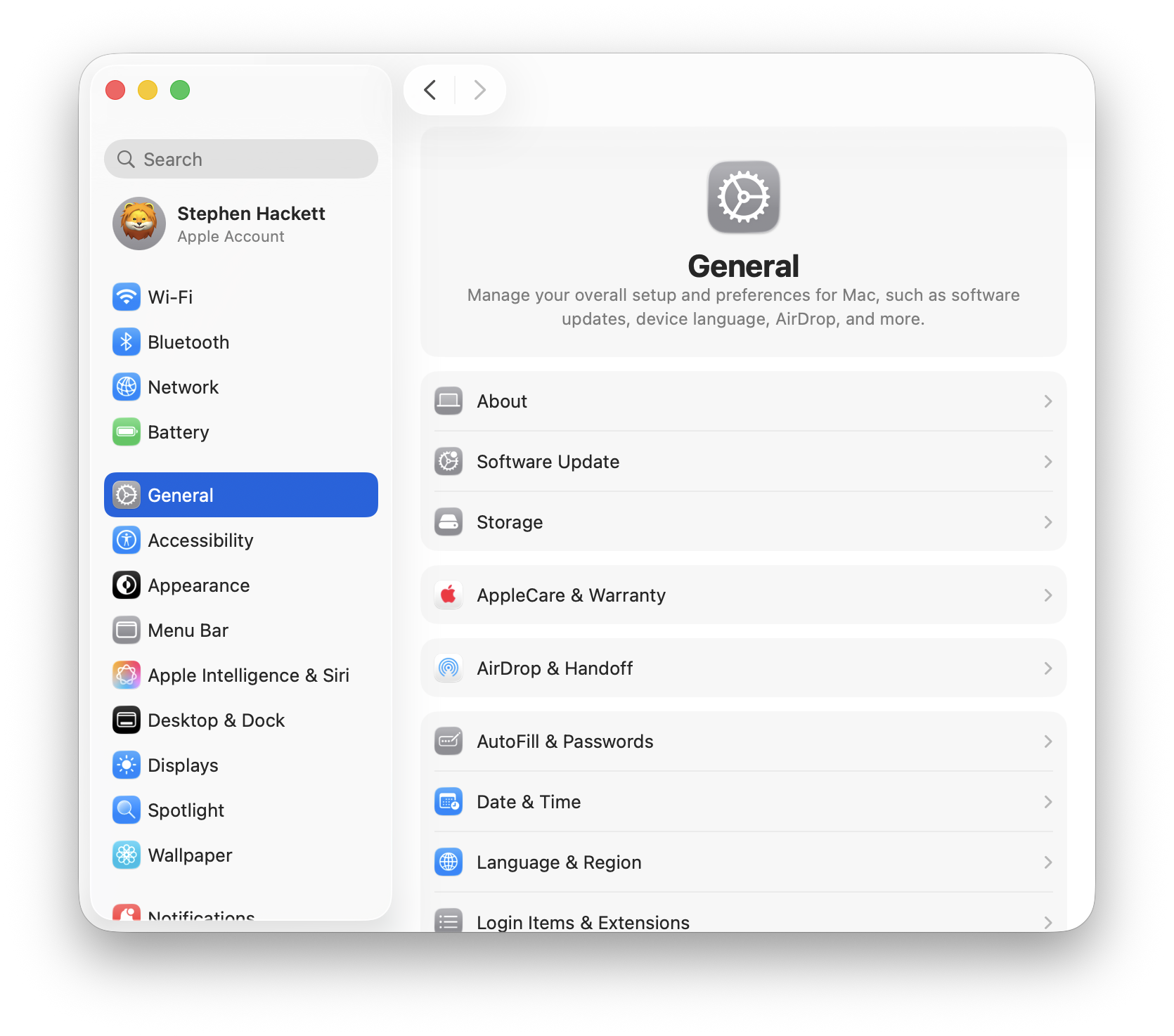
- Click General > Software Update
- Click Beta Updates and select your beta program
- Download and install macOS Tahoe 26.3 Beta 2
For Public Release
Once publicly released:
- Backup First: Use Time Machine or your preferred backup solution
- Open System Settings > General > Software Update
- Click Update Now when macOS Tahoe 26.3 appears
- Allow 30-60 minutes for download and installation
- Your Mac will restart during the installation process
Preparation Checklist
Before updating:
- Verify at least 15GB free storage space
- Create a Time Machine backup
- Check application compatibility
- Save all work and close applications
- Ensure stable power connection (MacBooks) or UPS (desktops)
What to Expect After macOS Tahoe 26.4
Looking ahead, the mid-year macOS Tahoe 26.4 update is expected to introduce more significant changes:
Expected Features:
- LLM-powered Siri improvements (originally promised at WWDC 2024)
- Deeper contextual awareness for Apple Intelligence
- On-screen intelligence capabilities
- Multi-step task execution across apps
Expected Timeline: Spring 2026 (March-April)
Conclusion
macOS Tahoe 26.3 represents a welcome stability-focused update after the feature-heavy 26.1 and 26.2 releases. While it doesn't bring exciting new features, the bug fixes and security improvements make it a recommended update for all macOS Tahoe users.
The admin password bug fix alone will improve daily workflows for many users, and the expanded Background Security Improvements feature provides peace of mind between major updates.
Key Takeaways:
- Expected release: Late January 2026 (likely January 26)
- Focus: Stability and bug fixes
- Major fix: Admin password triple-entry bug resolved
- Security: Background Security Improvements expanded
- Recommendation: Update when publicly available
For troubleshooting existing macOS Tahoe issues, see our comprehensive troubleshooting guide. To understand all Tahoe features, check our complete feature preview.