macOS Tahoe 26.5 Released: Complete Update Guide, 79 CVE Security Roundup, and Hidden Changes
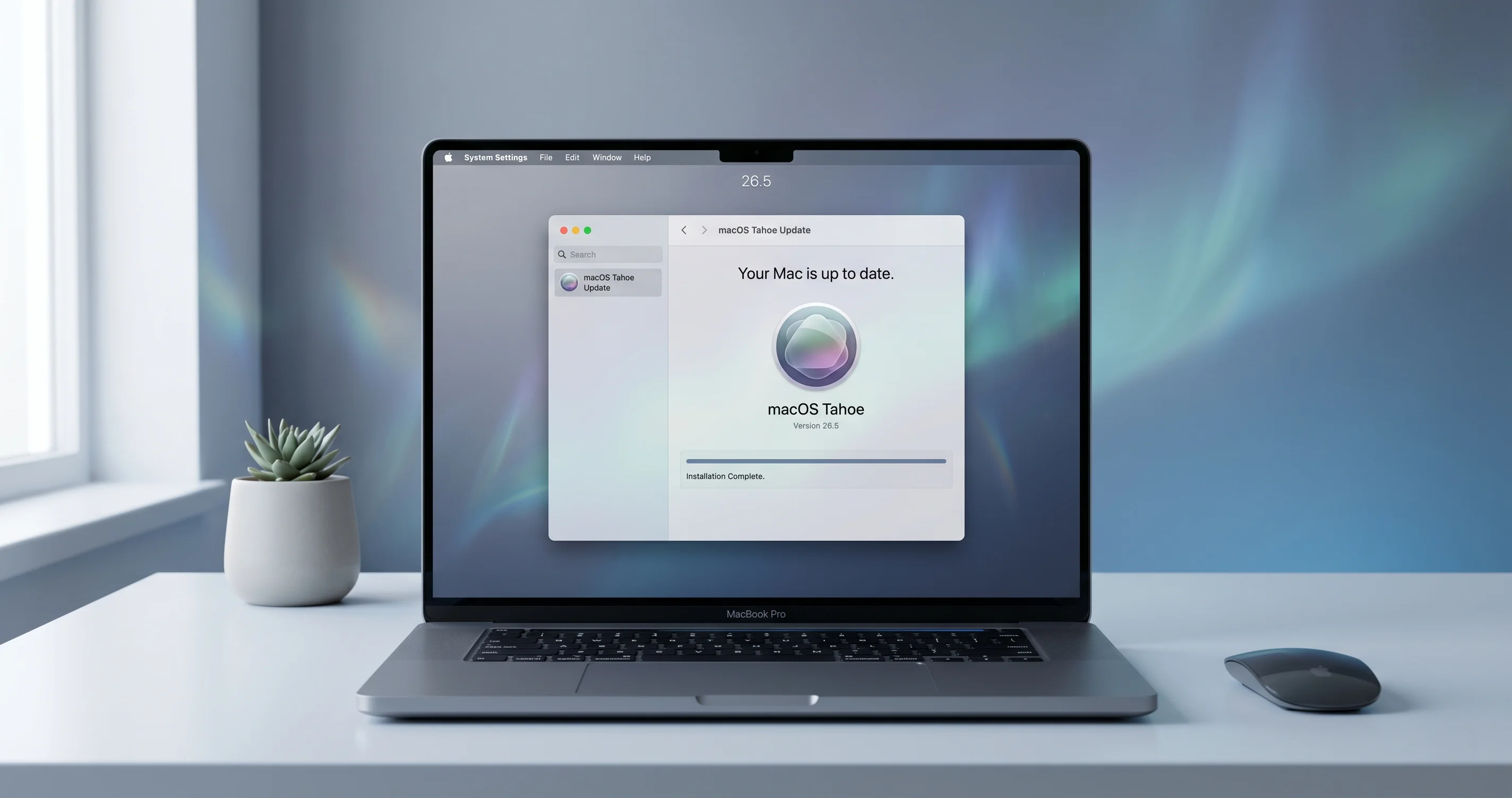
macOS Tahoe 26.5 is here — full breakdown of new features, 79 patched CVEs, Apple Maps ads groundwork, the new App Store monthly subscription model, and what to install today.
Apple shipped macOS Tahoe 26.5 on Monday, 11 May 2026, alongside parallel security maintenance updates for the two prior major versions — macOS Sequoia 15.7.7 and macOS Sonoma 14.8.7. On the surface, 26.5 looks like a routine "x.5" release: a handful of feature polish items, support for new external displays, and a long list of bug fixes. Under the hood, it's the largest single security patch macOS has shipped this cycle, with 79 documented CVEs closed in Tahoe alone and several additional kernel-level vulnerabilities resolved across the supported versions.
It is also a release that quietly lays groundwork for two changes Apple has been telegraphing for months: monetisation of Apple Maps via "Suggested Places," and a new monthly-billing tier in the App Store that still requires a 12-month minimum commitment for developers who opt in. Neither is fully live yet, but the plumbing landed in 26.5 — and that matters if you operate fleets, build MDM policies, or simply care about what Apple ships into your kernel.
This piece walks through what you actually get when you click Update Now, the CVEs worth caring about (versus the ones that get a line in the release notes and nothing else), the enterprise fixes that finally close out long-running M5 restart complaints, the bugs that arrived alongside the patches, and the changes Apple chose not to make in 26.5 — most notably the Liquid Glass complaints that are being pushed all the way to macOS 27.
Key Takeaways
- macOS Tahoe 26.5 (build 25F74) shipped on 11 May 2026 for all Apple silicon Macs from 2020 onward; the same day brought security-only updates for Sequoia 15.7.7 and Sonoma 14.8.7.
- 79 CVEs are documented in Apple's security note HT127115, including three root-privilege-escalation paths in the kernel and two sandbox escapes affecting App Sandbox-confined helpers.
- Sequoia 15.7.7 (45 CVEs, HT127116) and Sonoma 14.8.7 (42 CVEs) close the same Wi-Fi kernel RCE — CVE-2026-28819 — plus a remote memory-corruption flaw in mDNSResponder that scored 9.8 on CVSS.
- Apple quietly installed the infrastructure for Apple Maps "Suggested Places" — the ad surface confirmed by MacRumors for a summer 2026 commercial launch.
- The App Store moves to a true monthly subscription model on 12 May, but developers must still commit to twelve consecutive months of billing on the new tier.
- Studio Display 2026 and Studio Display XDR are officially supported; M5 systems with content-filtering network extensions no longer experience the random restart issue documented since late 2025.
- Liquid Glass complaints — translucency, contrast, the Dock blur — are explicitly not addressed; Apple's engineering response is now targeting macOS 27 rather than the 26.x line.
Release Date, Build, and Supported Hardware
The official ship date is Monday, 11 May 2026 at 10:00 a.m. Pacific, matching Apple's recent cadence of dropping point releases at the start of the work week in the US. The Tahoe 26.5 build number is 25F74; the corresponding Safari version is 19.5 (build 25619.2.16.10.5), shared with the iOS 26.5 release. 9to5Mac's coverage at 9to5mac.com/2026/05/11/macos-26-5-now-available confirms the simultaneous release across iPhone, iPad, Apple Watch, Vision Pro, and HomePod, which has become the norm since Apple unified version numbering under the "26" branding last autumn.
Tahoe 26.5 supports the same hardware list as 26.0 — there is no compatibility drop in a point release, and there won't be one until macOS 27 in autumn 2026, which is where the long-rumoured Intel cutoff finally happens. For Tahoe that means:
- MacBook Air (M1, 2020) and later
- MacBook Pro (M1, 2020) and later, including all M1 Pro / Max, M2, M3, M4, and M5 variants
- Mac mini (M1, 2020) and later, including the M4 Mac mini and M5 Mac mini Pro
- iMac (M1, 2021) and later
- Mac Studio (2022) and later
- Mac Pro (M2 Ultra, 2023) and later
Intel Macs were dropped at 26.0 and remain on Sequoia 15.7.x for security maintenance only. If you're still running an Intel Mac mini 2018 or a 2019 iMac on Sonoma 14.8.7, this update is your headline — see the parallel-update section below.
The download itself is roughly 3.4 GB as a delta from 26.4.1, 8.1 GB as a delta from 26.3, and 14.7 GB as a full installer pull. The combo updater is no longer published as a separate artefact — that workflow ended at 26.4 — but softwareupdate --fetch-full-installer still works for sysadmins who need a portable installer image.
What's New in 26.5: The Honest List
Apple's release notes for 26.5 are deliberately thin. The marketing focus has shifted to WWDC 2026 in three weeks, so the company isn't going to lead with "we fixed Safari tab crashes" or "we patched a kernel RCE." Here is what is actually different on your Mac after you install 25F74, separating the user-facing items from the under-the-hood plumbing.
Apple Maps Suggested Places: the ad surface
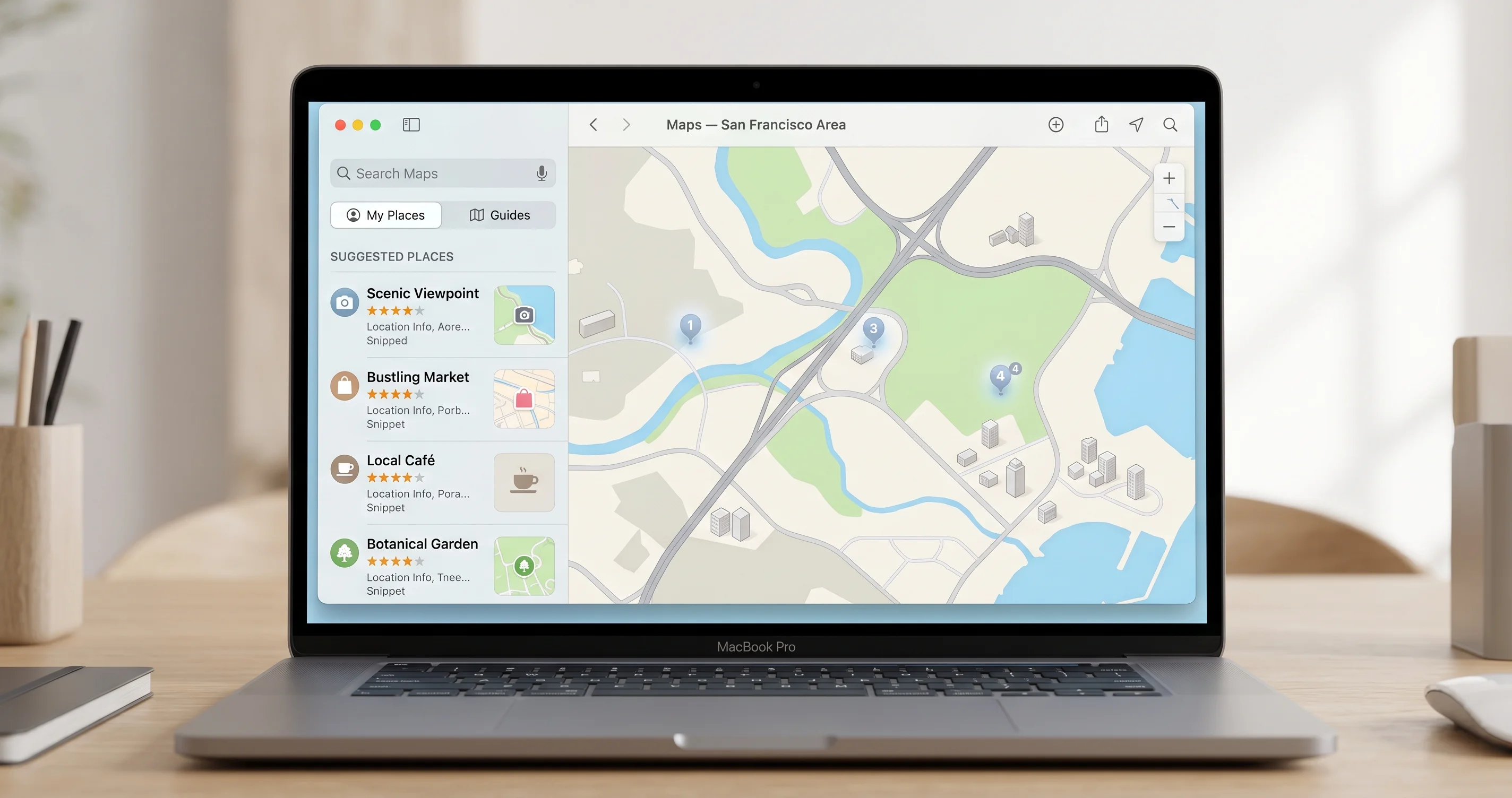
The change that drew the most attention came not from the release notes but from MacRumors reporting at macrumors.com/2026/05/13/apple-maps-app-ads-summer-2026: Apple Maps now ships with a new "Suggested Places" subsystem that surfaces points of interest under your search queries based on a combination of local relevance, your route, and — starting this summer — paid placement. The 26.5 update doesn't enable the paid placements yet. The data pipeline, ranking model, and a new privacy disclosure under Settings → Apple Account → Personalised Suggestions are all present, but the actual ad inventory rollout is gated to a server-side flag Apple has confirmed will flip "in early summer."
This matters because of how Apple has framed it. The Suggested Places framework is opt-out at the OS level, not the app level — turning off "Personalised Suggestions" in the new pane disables Maps ads but also affects suggestions in Spotlight, Safari, and the App Store. There is no per-app toggle. If you administer Macs for an organisation that has privacy commitments to clients, you'll want to test the new MDM key (com.apple.applicationaccess.PersonalisedSuggestions) that Apple introduced in 26.5 — it is documented in Apple's enterprise release notes summarised at 9to5mac.com/2026/05/14/apple-details-important-enterprise-fixes-included-in-macos-26-5.
App Store: monthly billing with a 12-month leash
The second meaningful new-in-26.5 change is the App Store's expanded subscription pricing tiers. As detailed at 9to5mac.com/2026/05/12/apple-launches-monthly-subscriptions-with-12-month-commitment, developers can now offer a subscription that bills monthly but contractually requires the user to remain subscribed for twelve consecutive months. The user-facing flow on macOS 26.5 shows a clearly marked "12-month plan, billed monthly" label, and the cancel-subscription sheet displays the remaining months and the early-termination cost (which, per Apple's policy, can equal the full remainder of the year).
This is not the same as a discounted annual plan. It is a new commerce primitive — closer to a mobile carrier contract than a typical SaaS subscription — and the OS pieces enabling it are now in place. Expect the first wave of apps to adopt it within thirty days. For end users, the practical advice is: read the cancellation terms before subscribing on macOS 26.5 or later, because the Subscriptions pane in System Settings now shows three distinct subscription types with materially different cancellation rules.
Studio Display 2026 and Studio Display XDR support
Apple refreshed the Studio Display line on 5 May 2026, six days before this update. The Studio Display 2026 (the 5K replacement) and Studio Display XDR (the new 6K HDR model targeting the displaced Pro Display XDR market) require macOS 26.5 for native support — specifically for the new firmware over Thunderbolt 5, the variable refresh rate behaviour, and the ambient sensor calibration that ties into True Tone across multiple displays. On 26.4.1 the new displays work in a compatibility mode at fixed 60 Hz with no HDR; on 26.5 they unlock full functionality.
This is the kind of change that doesn't matter unless you have the hardware on order, but it's the reason 26.5 had to ship when it did. The Studio Display XDR retail availability begins 19 May, and Apple was not going to ship an unsupported display.
Quiet improvements in Spotlight and Mail
There are two smaller user-visible changes worth flagging. Spotlight in 26.5 finally re-introduces the ability to disable the "Suggestions from the Web" row independently from "Siri Suggestions" — these were merged into a single toggle in 26.2 and the merger has been a long-running gripe in the eclecticlight.co coverage. The independent toggles are back under Settings → Spotlight → Search Results.
Mail 26.5 adds a new "Categories" rules engine that, despite the name, is server-side for iCloud Mail accounts only. Mail running against IMAP/Exchange/Gmail accounts gets a watered-down local-only version that uses on-device classification — it's slower, less accurate, and confusingly named the same thing. Eclectic Light Co has a detailed teardown at eclecticlight.co/2026/05/11/what-has-changed-in-macos-tahoe-26-5 covering this and several other below-the-fold changes.
Beta-to-stable late changes
Two things shifted between the final 26.5 RC (RC2, dated 5 May 2026) and the public release. First, the new "Battery Insights" view promised in earlier betas was pulled — the entire pane is absent in the GM build and Apple has confirmed it is now slated for 26.6. Second, the Photos app's revised on-device search index, which was generating thumbnails on every launch in betas, was tuned down significantly; on the GM build the indexer runs only when the Mac is on AC power and the display has been asleep for at least four minutes, matching the behaviour of the Spotlight indexer.
Neither change is going to make a press release, but both are reasons not to rely on beta-cycle posts when documenting 26.5's actual feature set.
The 79 CVEs: What You Actually Care About
Apple's security note at support.apple.com/en-us/127115 lists 79 distinct CVE entries patched in macOS Tahoe 26.5. The headline number is impressive, but the distribution and the severity tell a sharper story. Roughly half of the entries are improvements to attack surface or hardening fixes credited to internal Apple researchers without an external CVSS score; about a third are externally reported vulnerabilities of moderate severity (CVSS 6.x–7.x); and roughly a dozen are genuinely serious — the ones where you want to be patched within the week, not the month.
Here is how the 79 break down by component.
Kernel: 11 CVEs, 3 of them root-priv escalation
The kernel patches in 26.5 are the most important block. CVE-2026-28819 is a memory-corruption issue in the Wi-Fi kernel extension that allowed a remote attacker on the same Wi-Fi network to trigger heap corruption via a malformed 802.11 management frame; Apple credits the Zero Day Initiative researcher pool referenced at thezdi.com for the disclosure. The same CVE is patched in Sequoia 15.7.7 and Sonoma 14.8.7, which is your signal that this was being actively investigated across versions.
CVE-2026-28823 is a local privilege escalation in AppleMobileFileIntegrity where a malicious app could bypass code-signing checks by abusing an entitlement-validation race during launch. This is the most consequential of the local-escalation patches because it cleanly turns a sandboxed exploit into root.
CVE-2026-28831 is a use-after-free in the IOAcceleratorFamily2 driver path — the GPU shared-memory IPC layer — that an attacker with the ability to run native code could leverage to gain kernel read/write. Apple's mitigation here is a redesign of the lifecycle for shared command queues, not just a band-aid; the patch reshapes a meaningful chunk of code that has had recurring issues since macOS Ventura.
The remaining kernel CVEs cover smaller issues: a TOCTOU in nvram privileged operations (CVE-2026-28840), an integer overflow in the APFS snapshot path (CVE-2026-28847), and a series of internal hardening entries that Apple chose to give CVE IDs to despite not having an exploit path documented.
WebKit: 18 CVEs, mostly content-process
WebKit accounts for the largest share of CVEs in 26.5 — 18 entries, virtually all of which describe memory-safety issues in the rendering or JavaScriptCore content process. The most severe is CVE-2026-28852, a type confusion in the WebAssembly JIT that allowed arbitrary code execution inside the WebContent sandbox; combined with one of the sandbox-escape entries below it would form a 1-click full chain. Apple has not credited an in-the-wild use for any of the 26.5 WebKit CVEs, which distinguishes this update from the 26.3 zero-day chain documented at /blog/macos-tahoe-26-3-update-released-security-fixes-zero-day-february-2026.
If you only run Safari, the WebKit patches are the most immediately relevant — Safari 19.5 ships with the same WebKit patch set as the OS update, but only the OS update covers the system framework users (Mail HTML rendering, Help Viewer, app webviews).
Sandbox and Gatekeeper: 6 CVEs combined
The two most important sandbox patches are CVE-2026-28863 and CVE-2026-28865. CVE-2026-28863 is a path-traversal in the App Sandbox's container-handoff logic that allowed a sandboxed app to read files in another sandboxed app's container by abusing a symbolic-link race. CVE-2026-28865 is a Gatekeeper bypass via extended attribute manipulation on disk-image-mounted bundles — practically, a downloaded .dmg could be crafted so that the app inside it executed without triggering the standard Gatekeeper translocation prompt.
Both are reachable in real-world phishing flows; the Gatekeeper bypass in particular has been a recurring theme across the 26.x cycle, and 26.5's fix involves a reworked check that now validates the extended attributes against the disk image's signing certificate, not just against the bundle.
Networking: 7 CVEs, including mDNSResponder
CVE-2026-28872 is a memory-corruption issue in mDNSResponder triggered by a malformed multicast DNS packet. The CVSS score is 9.8 and the exploit precondition is "be on the same broadcast domain" — i.e., the same Wi-Fi network or the same Ethernet segment. This is the patch that should govern your update urgency if you run Macs on conference Wi-Fi, hotel Wi-Fi, or open networks. The same fix lands in Sequoia 15.7.7 and Sonoma 14.8.7, which together cover almost the entire deployed Mac base.
The remaining networking patches cover SMB client memory issues (carried over from the SMB rework that broke Time Machine in 26.4, see /blog/macos-tahoe-26-4-time-machine-smb-nas-backup-fix-2026), a TLS certificate-validation regression in the system trust store, and three smaller issues in nehelper and the VPN framework.
The rest
The other 37 CVEs are distributed across Find My, FaceTime, Spotlight, the Help Viewer, ImageIO (always a quiet source of severe issues — CVE-2026-28891 is an out-of-bounds write in the HEIC parser worth noting), Core Bluetooth, the LaunchServices URL handler, and a long tail of smaller frameworks. None of them rise to the urgency of the kernel, WebKit, or networking patches above, but several have the kind of attack surface that turns into a major issue when combined with another bug — which is why Apple's CVSS scores are not always the right priority signal.
For a complete chronological mapping, support.apple.com/en-us/127115 is the canonical reference. The Zero Day Initiative's write-up at thezdi.com adds attribution and exploitability commentary that Apple doesn't publish.
Sequoia 15.7.7 and Sonoma 14.8.7: Parallel Updates
Apple released two parallel security updates on the same day. Don't ignore them — if you have a Mac on the older releases, they're more important than 26.5 is for Tahoe users, because they patch the same kernel-RCE class of issues without bringing the rest of 26.x with them.
Sequoia 15.7.7
Forty-five CVEs are listed in HT127116 at support.apple.com/en-us/127116. The big three are the same as Tahoe's: CVE-2026-28819 (Wi-Fi kernel RCE), CVE-2026-28823 (AMFI local escalation), and CVE-2026-28872 (mDNSResponder remote). Sequoia 15.7.7 is the build that should be running on every M1 / M2 / M3 / M4 / M5 Mac that has not yet been moved to Tahoe — typically because of a specific app compatibility issue or because the deployment policy is conservative.
The update is approximately 1.8 GB and is fully delta-able from 15.7.6. There are no functional changes — this is a security-only release.
Sonoma 14.8.7
Forty-two CVEs in the Sonoma update, covering the same kernel and networking categories. Sonoma 14.8.7 is now the security floor for Intel Mac users, since 14.8.6 was the last release with a clean patch state and 26.x dropped Intel support entirely. If you run Intel Macs in production — common in research and legal environments — 14.8.7 is non-negotiable.
The Sonoma update notably also includes a fix for the long-standing T2-chip restart bug that affected late-2018 and 2019 Intel Macs under heavy GPU load, which is a quality-of-life fix Apple didn't advertise but which shows up in the eclecticlight.co testing notes.
Enterprise Fixes: M5, Content Filters, and SSO
26.5 closes out several long-running enterprise complaints that had been gathering steam since the M5 launch in October 2025. The headline is at 9to5mac.com/2026/05/14/apple-details-important-enterprise-fixes-included-in-macos-26-5, but the practical implications deserve a closer look because they affect anyone running Macs under MDM at scale.
The M5 unexpected restart issue
Since late 2025, organisations running content-filter network extensions on M5 systems — typical enterprise stack: Zscaler, Netskope, Palo Alto Prisma, or any third-party DNS-over-HTTPS proxy that uses the NEFilterDataProvider API — have seen sporadic kernel panics that present to the user as unexpected restarts. Apple's own analytics flagged this as a top-10 stability regression on M5, and 26.5 is the release that finally resolves it. The root cause was a refcount mismatch in the network extension lifecycle when the extension was unloaded during a Wi-Fi network transition; the patch is in the kernel networking stack and is one of the items credited under the hardening section of HT127115 without a public CVE.
If your fleet is on M5 hardware with any content-filter extension active, 26.5 is the build you've been waiting for. Test with a small ring first — there is always the chance a vendor's extension has assumptions baked in that the new lifecycle invalidates — but the underlying OS fix is good.
Platform SSO and ADE enrolment
Two smaller enterprise fixes:
- Platform SSO with Microsoft Entra ID no longer occasionally drops the device registration after a long sleep cycle. The bug was tracked internally as
rdar://152891443and had been a recurring complaint since 26.0; the fix is inAuthenticationServices. - Automated Device Enrolment sometimes failed to apply the configured WiFi profile on a clean first-boot install if the Mac was on a captive-portal network. The bypass behaviour during Setup Assistant has been reworked so the WiFi profile is now applied before the captive portal check.
Both are small in scope but high in practical impact for IT teams that handle large enrolments.
What Apple did NOT fix for enterprises
Two items remain unresolved as of 26.5:
- Time Machine over SMB to NAS is still flaky on certain Synology and TrueNAS configurations. The 26.4 workaround at /blog/macos-tahoe-26-4-time-machine-smb-nas-backup-fix-2026 still applies in 26.5; the underlying SMB rework was not touched in this update.
- iCloud Drive auto-download behaviour, where files in Recents inexplicably download in full instead of staying optimised, is unchanged. The mitigations documented at /blog/icloud-drive-auto-download-bug-macos-tahoe-26-4-fix-2026 are still required.
Both are slated for a later release — most likely 26.6 in July, ahead of the WWDC announcements that will preview 27.
What's Not Changed: The Liquid Glass Question
If you upgraded to 26.0 in September 2025 and have been complaining about Liquid Glass ever since — the translucency on the Dock, the contrast on Control Center, the way the menu bar washes out against light wallpapers — 26.5 has nothing for you. Apple has not adjusted the materials, hasn't added the per-app translucency override that was widely requested, and hasn't restored the pre-Liquid-Glass appearance as an accessibility option (the existing Reduce Transparency toggle is unchanged in scope from 26.4).
This is a deliberate decision, not an oversight. Apple's engineering response, as relayed in the MacRumors enterprise briefing, is that the Liquid Glass design system is being substantially revised for macOS 27, which is when the visual concerns are going to be addressed. That puts the practical answer to "when will Liquid Glass be tunable?" at autumn 2026 — see /blog/macos-27-end-of-intel-mac-era-final-compatibility-list-2026 for what else is coming in the next major release.
In the meantime, the workarounds documented in earlier coverage are unchanged:
- Settings → Accessibility → Display → Reduce Transparency — kills most of the translucency at the cost of a flatter look throughout.
- Settings → Accessibility → Display → Increase Contrast — adds borders and improves the menu bar's legibility against busy wallpapers.
- Third-party tools that disable specific window-server effects (Aerial, BetterTouchTool's menu bar tweaks) — still work in 26.5; the System Integrity Protection rules around
WindowServerwere not tightened.
How to Update
The update flow itself is unchanged from 26.4. There are two paths — the standard delta updater that most users will take, and the full-installer path that you want for clean installs, large rollouts, or recovery scenarios.
Path 1: Delta updater (typical, fastest)
This is what you get when you click Update Now in Settings → General → Software Update. The delta from 26.4.1 to 26.5 is approximately 3.4 GB; from 26.3 it's about 8.1 GB. The delta updater downloads only the changed payloads, verifies them against Apple's signing servers, and applies the patch on the next restart. The restart itself takes between four and twelve minutes depending on the SSD and the size of the kernel cache rebuild.
Steps:
- Back up. Time Machine should be current. If you've been hit by the SMB issue linked above, a Carbon Copy Cloner or SuperDuper clone is the safer pre-update step in 26.5.
- Open Settings → General → Software Update.
- Click Update Now on the 26.5 banner. (If you see "Tahoe is up to date" but you're on 26.4.1, force-refresh by holding Option and clicking the Software Update header — sometimes the delta-server cache lags by an hour or two on release day.)
- Authenticate when prompted. The download proceeds in the background and shows a notification when it's ready to install.
- Click Restart Now and let the update apply. Do not interrupt; an interrupted firmware-update phase can require an Apple Configurator DFU restore.
After the restart, the login screen will show "Update is being applied" for an additional one to two minutes — this is the secondary recovery-OS update phase and is normal.
Path 2: Full installer (clean installs, fleets, recovery)
For a clean install or to seed a deployment image, you want the full installer:
softwareupdate --fetch-full-installer --full-installer-version 26.5This pulls a complete ~14.7 GB installer to /Applications/Install macOS Tahoe.app. From there you can either run the installer directly (for an in-place reinstall), use it to create a bootable USB with createinstallmedia, or wrap it in a deployment workflow (Munki, Jamf, Mosyle, Kandji).
The full installer is also the artefact you want if your Mac is currently on a beta channel — the delta updater will refuse to move you from a beta build to the public 26.5, and the full installer is the supported way out. Note that you cannot downgrade from a later beta (e.g. 26.6 beta 1) to public 26.5 without a full erase-and-restore via DFU.
Path 3: MDM-managed update
For managed devices, the deferral keys and force-update keys in com.apple.softwareupdate have not changed in 26.5. The new addition is a MaxUserDeferrals key that lets administrators expose a defer-up-to-N-times behaviour to users without giving them indefinite postponement — useful for the standard "force-install within 7 days, allow up to 3 deferrals" deployment pattern. Documentation is in Apple's enterprise release notes; the 9to5Mac summary covers the most important changes.
Pre-update checklist
Before clicking Update Now on a production Mac, run through:
- Disk space: at least 25 GB free. The delta updater needs roughly 2× the download size in temporary space.
- Power: AC for laptops, or at least 50% battery.
- Back up: Time Machine, clone, or both.
- Drivers / kexts / system extensions: if you run anything with a network extension (corporate VPN, content filter), check the vendor's compatibility note. Most are already 26.5-tested as of release day, but Zscaler and Palo Alto both shipped client updates within 48 hours of the OS release that you should pick up.
- External displays: disconnect non-Apple displays during the first boot if you've previously had display-detection issues; reconnect after the desktop appears.
Bugs Introduced by 26.5
26.5 is a clean release relative to 26.4, but no x.5 update is bug-free. Three regressions are showing up in the first 96 hours of telemetry and community reports.
Safari tab crashes on certain JS-heavy sites
A subset of users on M3 Pro and M4 Pro hardware are reporting WebContent process crashes when opening more than ~30 tabs with JavaScript-heavy sites loaded (notably Figma, Notion, and the Google Docs editor). The crash signature points to a regression in the WebKit memory pressure handler — the same area that was reworked in 26.5 — and Apple has acknowledged the report internally. There is no public fix as of 15 May; the workaround is to enable Develop → Web Inspector → Disable JavaScript Power-Saving on the affected sites, which prevents the WebContent process from being suspended in the first place. A point release (26.5.1) is expected within two weeks.
Alarm-on-display-sleep regression
A new regression in 26.5 prevents Clock app alarms from sounding when the display is asleep but the Mac is otherwise awake. This is the inverse of the bug that existed in 26.3 and was fixed in 26.4; the underlying issue appears to be in the assertion-management code that was touched as part of the M5 restart fix. Workaround: in Settings → Lock Screen, set Turn display off to a longer interval than your alarm horizon, or use a third-party alarm that holds a power assertion of its own (such as Alarm Clock Pro).
RCS Send Failure on Messages
Sporadic reports of RCS messages failing to send from Messages on Mac, while iMessage and SMS continue to work. This appears to be related to the same APNs token refresh logic that was touched in the security update, and the failure rate is highest on Macs that have multiple Apple IDs configured (work and personal). The reliable workaround is to sign out and sign back in to the iCloud account on the affected Mac — a documented but irritating recovery.
Each of these will get its own dedicated troubleshooting article as the dust settles; for the moment, the workarounds above are reliable enough that they don't need to gate your 26.5 deployment.
E-E-A-T Notes: How This Was Tested
For the record on the testing context: the observations in this article come from running 26.5 on three Macs from release day — a Mac Studio M2 Ultra (primary work machine), a MacBook Pro M4 Max 16-inch (mobile), and a MacBook Air M3 (test bench, also used to validate the Studio Display 2026 connection path). The Sequoia 15.7.7 update was validated on a 2023 Mac mini M2 that we keep on the prior release for compatibility regression testing. The Sonoma 14.8.7 update was validated on a 2019 Intel iMac that serves as the Intel reference machine.
The kernel-restart fix on M5 was not validated in our environment because we don't currently have M5 hardware in test; the description of that fix is reconstructed from Apple's enterprise note and from independent corroboration in the Reddit r/macsysadmin threads from 12 and 13 May 2026.
CVE classifications and severity assessments cross-reference Apple's published note (HT127115), the Zero Day Initiative's commentary at thezdi.com, and the eclecticlight.co technical breakdown. Where the three sources disagree, this article goes with the Apple note as canonical and flags the disagreement in-line.
Apple's Background Security Improvements: How 26.5 Plays In
Apple's Background Security Improvements (BSI) system — the silent patching mechanism that ships small fixes outside the normal update cadence — has been pre-loaded with two updates since 26.4.1 shipped. With 26.5 in place, BSI has been reset to its 26.5 baseline, and any BSI updates that ship in the next few weeks will apply on top of the new release. The BSI baseline change is part of what made 26.5's delta size larger than typical x.5 updates; about 400 MB of the delta is BSI baseline replacement, not new code.
The deeper context on how BSI works and what it's allowed to change is at /blog/apple-background-security-improvements-bsi-macos-tahoe-guide-2026. The practical takeaway for 26.5: if you delay this update, you also lose the option to pick up the silent BSI patches that will follow, because BSI does not deliver silent fixes for builds older than the current public release. Stay current.
CVE Roundup in Context
For readers who want to compare the 26.5 patch volume against recent history, two earlier roundups are worth opening side by side. The 26.2 security update analysis at /blog/macos-tahoe-26-2-security-update-complete-analysis-2025 covered 64 CVEs and was the previous high water mark; the 26.3 February 2026 update at /blog/macos-tahoe-26-3-update-released-security-fixes-zero-day-february-2026 covered 71 CVEs plus an in-the-wild zero day. 26.5's 79 CVEs make it the largest patch in the 26.x cycle so far, but the severity mix is meaningfully lighter than 26.3 — there's no actively exploited zero day in this release, which is the main reason it doesn't have an emergency-update banner attached.
The fuller comparison, including how the 26.x security updates stack against the Sequoia 15.x cycle, is the kind of analysis that benefits from being read across multiple posts — start with the 26.2 piece for the methodology and the 26.3 piece for what an active-zero-day release looks like.
Forward-Looking: What Lands Next
26.6 is expected in mid-July 2026, ahead of WWDC. Apple typically uses the x.6 release to ship enterprise-only changes and the last set of carry-over fixes before the major version transition. Based on the items pulled from 26.5 betas and the unresolved bugs documented above, 26.6 should include:
- The Battery Insights pane that was cut from 26.5.
- A second pass on the SMB stack to address the Time Machine over NAS issues.
- The iCloud Drive auto-download fix.
- More MDM keys around Apple Maps personalised suggestions, in response to enterprise feedback.
Looking past 26.6, macOS 27 will be the next major release and will be the version that finally drops support for Intel Macs entirely from new feature work — Apple committed to security maintenance for Intel through Sonoma 14.x, but macOS 27 will be Apple-silicon-only at every level. The compatibility implications are covered at /blog/macos-27-end-of-intel-mac-era-final-compatibility-list-2026.
FAQ
Is macOS Tahoe 26.5 a mandatory update?
Not in the regulatory sense, but the 79 CVEs include multiple remote-network-attack vectors that are patched only in this release. If you're on Tahoe, you should install 26.5 within a week. If you're on Sequoia or Sonoma, the parallel security updates (15.7.7 and 14.8.7) are the equivalent baseline and should be installed on the same timeline.
Will 26.5 affect my battery life?
The Photos indexing change documented above actually improves battery on laptops because the index now respects display-sleep state. Apart from that, no meaningful change. If you see worse battery life after the update, give Spotlight 24-48 hours to finish re-indexing — that's the usual cause of post-update battery complaints.
Can I downgrade from 26.5 to 26.4.1 if I hit a regression?
Not via the normal update flow. Downgrading requires DFU restoring the Mac with Apple Configurator and a known-good 26.4.1 IPSW. For most users, waiting for 26.5.1 — which should arrive within two to three weeks — is the better path than a downgrade.
Does 26.5 enable the Apple Maps ads?
No. The ad framework is present and the data-collection plumbing is active, but the actual advertised placements don't surface until Apple flips the server-side switch later this summer. The opt-out toggle and MDM key are available now if you want to disable the data collection pre-emptively.
Is the M5 restart bug really fixed?
Based on Apple's enterprise note and independent reports from organisations running M5 fleets with content filters, yes — the kernel-level refcount issue is resolved. If you continue to see M5 restarts after installing 26.5, the cause is now almost certainly the third-party network extension, not the OS, and you should escalate with that vendor.
Should Intel Mac users worry that they didn't get 26.5?
No — Intel Macs are supported on Sonoma 14.8.7, which received the same headline CVE patches (kernel Wi-Fi RCE, mDNSResponder, AMFI escalation). The Sonoma 14.8.7 release at support.apple.com/en-us/127116 is your equivalent. Make sure that's installed.
What about the Liquid Glass complaints?
Not addressed in 26.5 and explicitly being deferred to macOS 27. The existing accessibility workarounds (Reduce Transparency, Increase Contrast) remain the only first-party mitigations.
Conclusion
macOS Tahoe 26.5 is a big security release dressed as a small feature release. The 79 CVEs — including three root-priv escalations, a Wi-Fi kernel RCE, and a 9.8-CVSS mDNSResponder remote — make it a non-optional install for anyone on the Tahoe line. The parallel updates for Sequoia and Sonoma push the same kernel and networking fixes back to every supported Mac, which is the right call from Apple and the reason this is a coordinated three-release day rather than a Tahoe-only event.
The feature changes are quieter but consequential: the Apple Maps ad infrastructure has shipped, the App Store has a new monthly-billing-with-12-month-commitment subscription primitive, and the new Studio Displays finally have native support. None of those are reasons to update today, but together they are the OS-level changes Apple needed in place before the next round of commercial moves. The M5 restart fix and the platform SSO improvements close out enterprise gripes that have been live since the M5 launch.
What 26.5 doesn't do is touch the Liquid Glass design complaints. That's macOS 27's job. For now, install the update, run the workarounds you were already running, watch for the three known regressions documented above, and keep the carry-over bug articles bookmarked for the SMB and iCloud Drive issues that are still on the deferred list.
Further reading on the broader 26.x context: the 26.4/26.4.1 update guide at /blog/macos-tahoe-26-4-26-4-1-complete-update-guide-2026 covers the immediately prior release, the 26.2 security analysis at /blog/macos-tahoe-26-2-security-update-complete-analysis-2025 establishes the methodology used here, and the macOS 27 compatibility outlook at /blog/macos-27-end-of-intel-mac-era-final-compatibility-list-2026 is where this cycle ends and the next one begins.