macOS Tahoe 26.4 Preview: Expected Features, Release Timeline & What's Coming Next
Complete preview of macOS Tahoe 26.4 including expected features, rumored improvements, Apple Intelligence enhancements, bug fixes, and release timeline predictions for Spring 2026.
Apple's macOS Tahoe has undergone significant evolution since its initial release in late 2025, and now all eyes are turning toward macOS Tahoe 26.4. Expected to arrive in late March or early April 2026, this update promises to deliver some of the most anticipated features that were postponed from earlier releases, including the revolutionary Siri AI overhaul. In this comprehensive preview, we'll explore everything we know about macOS 26.4, from expected features and performance improvements to the detailed release timeline and whether you should wait for this update.
Executive Summary: macOS Tahoe 26.4 at a Glance
Key Information Overview
| Detail | Information |
|---|---|
| Expected Version | macOS Tahoe 26.4 |
| Anticipated Release | Late March - Early April 2026 |
| Beta Testing Start | Mid-February 2026 (predicted) |
| Major Feature | Siri AI Overhaul (Siri 2.0) |
| Focus Areas | AI Enhancement, Stability, Performance |
| Prerequisite | macOS Tahoe 26.3 or earlier Tahoe version |
What to Expect in macOS 26.4
Primary Features:
- Siri AI Overhaul: Conversational AI capabilities with on-device processing
- Enhanced Apple Intelligence: Expanded writing tools, image generation, and contextual awareness
- Liquid Glass Refinements: Performance optimizations and accessibility improvements
- Performance Optimizations: Significant improvements for M1/M2 Mac users
- Comprehensive Bug Fixes: Addressing Wi-Fi, battery, and memory leak issues
Who Should Be Interested:
- Users waiting for the complete Siri transformation
- Apple Intelligence enthusiasts seeking expanded capabilities
- Mac users experiencing performance issues on current versions
- Developers building AI-powered applications
Current State of macOS Tahoe: Setting the Stage for 26.4
The Journey So Far
Before diving into what macOS 26.4 will bring, it's essential to understand where Tahoe stands today. The operating system has come a long way since its September 2025 unveiling at WWDC 2025.
macOS Tahoe Release Timeline:
| Version | Release Date | Key Highlights |
|---|---|---|
| 26.0 | October 2025 | Initial release, Liquid Glass design |
| 26.1 | November 2025 | First stability patches, bug fixes |
| 26.2 | December 2025 | Security updates, Apple Intelligence expansion |
| 26.3 | January 2026 | Background Security Updates, major stability improvements |
| 26.4 | March/April 2026 (Expected) | Siri AI overhaul, comprehensive enhancements |
macOS 26.3: The Current Stable Release
As of late January 2026, macOS Tahoe 26.3 represents the most stable and feature-complete version of the operating system. This release introduced several critical improvements that set the foundation for 26.4:
Background Security Improvements:
- Silent delivery of security patches without user intervention
- Automatic installation during idle periods
- No restart required for most security updates
- Targeted updates for Safari, WebKit, and system libraries
Stability Enhancements:
- Fixed kernel panic crashes on M4 Pro/Max Macs
- Resolved WindowServer high CPU usage issues
- Improved Electron app performance
- Better thermal management across all Mac models
Why 26.3 Matters for 26.4:
The groundwork laid in macOS 26.3 is crucial for understanding 26.4. Apple's focus on stability and background security mechanisms in 26.3 provides the reliable foundation needed to deploy more advanced AI features in the upcoming release. The improved performance metrics and reduced system overhead create headroom for the computationally intensive Siri AI overhaul.
Expected Features in macOS Tahoe 26.4
1. Siri AI Overhaul: The Crown Jewel Feature
The most anticipated feature of macOS 26.4 is undoubtedly the comprehensive Siri AI overhaul, internally referred to as "Siri 2.0" at Apple. Originally expected in early 2025, this transformation has been repeatedly delayed to ensure quality and reliability.
What Makes Siri 2.0 Different
Conversational AI Capabilities:
Unlike the current Siri that processes commands in isolated sessions, Siri 2.0 will feature persistent conversation memory and context awareness. This means:
- Multi-turn Conversations: Siri will remember previous questions within a session
- Context Retention: "What about tomorrow?" will work after asking about today's weather
- Personal Context: Siri understands your routines, preferences, and frequently used apps
- Cross-App Intelligence: Seamlessly connects information across different applications
On-Device Processing:
Apple's commitment to privacy continues with Siri 2.0's on-device processing capabilities:
On-Device Features:
- Voice recognition and processing
- Natural language understanding
- Personal context analysis
- Quick command execution

Private Cloud Compute:
- Complex queries and reasoning
- Large language model inference
- Cross-reference with Apple services
- Encrypted end-to-end
Enhanced Capabilities:
| Feature | Current Siri | Siri 2.0 (Expected) |
|---|---|---|
| Conversation Memory | Single query | Multi-turn sessions |
| App Integration | Basic commands | Deep system integration |
| Response Speed | 2-3 seconds | Sub-second responses |
| Natural Language | Structured commands | Conversational tone |
| Error Recovery | Limited | Self-correcting |
| Personalization | Basic | Adaptive learning |
Technical Implementation
Apple's approach to Siri 2.0 involves several architectural changes:
1. Neural Engine Optimization
The M-series chips' Neural Engine will be fully utilized for:
- Real-time speech processing
- Contextual understanding
- Intent prediction
- Response generation
2. App Intents Framework Expansion
Developers can expect expanded capabilities:
// Expected App Intents expansion in macOS 26.4
@available(macOS 26.4, *)
struct ConversationalIntent: AppIntent {
    static var title: LocalizedStringResource = "Conversational Action"

    @Parameter(title: "Context")
    var conversationContext: ConversationContext

    @Parameter(title: "User Query")
    var userQuery: String

    func perform() async throws -> some IntentResult {
        // New conversational APIs
        let response = await SiriConversation.process(
            query: userQuery,
            context: conversationContext
        )
        return .result(dialog: response.dialogue)
    }
}
3. System-Wide Integration
Siri 2.0 will integrate more deeply with:
- Spotlight Search
- Finder operations
- System Settings
- Mail composition
- Calendar management
- Notes and Reminders
2. Enhanced Apple Intelligence Capabilities
Beyond Siri, macOS 26.4 will expand Apple Intelligence features across the system.
Writing Tools 2.0
Expected Improvements:
| Feature | Current (26.3) | Expected (26.4) |
|---|---|---|
| Tone Options | Friendly, Professional, Concise | +Creative, Academic, Persuasive |
| Language Support | 8 languages | 15+ languages |
| Length Control | Basic | Precise word count targets |
| Style Matching | None | Learn from your writing |
| Citation Handling | Basic | Academic formatting support |
New Capabilities:
- Document Summarization: Summarize entire documents, not just selected text
- Email Thread Summary: Condense long email threads into key points
- Meeting Notes Generation: Create structured notes from Voice Memos recordings
- Writing Style Profiles: Save and switch between different writing styles
Image Generation Enhancements
Image Playground Updates:
The Image Playground feature, introduced in earlier Tahoe versions, will receive significant updates:
- Higher Resolution Output: Up to 4K image generation
- Style Consistency: Maintain visual style across multiple generations
- Photo Integration: Use your photos as style references
- Animation Previews: Preview Genmoji and stickers with subtle animations
- Professional Templates: Business-ready image templates
Image Understanding:
Apple Intelligence's ability to understand images will expand:
New Image Analysis Capabilities:
- Document scanning with intelligent extraction
- Receipt and invoice parsing
- Screenshot text recognition with action suggestions
- Photo organization by visual content
- Chart and graph interpretation
Priority Notifications 2.0
Building on the Priority Notifications introduced in Tahoe, version 26.4 will enhance how notifications are processed:
- Time-Sensitive Detection: Better identification of truly urgent notifications
- Smart Summaries: Grouped notification summaries by topic
- Action Predictions: Suggested responses and actions
- Focus Mode Integration: Automatic adjustment based on activity
3. Liquid Glass Refinements and Accessibility Improvements
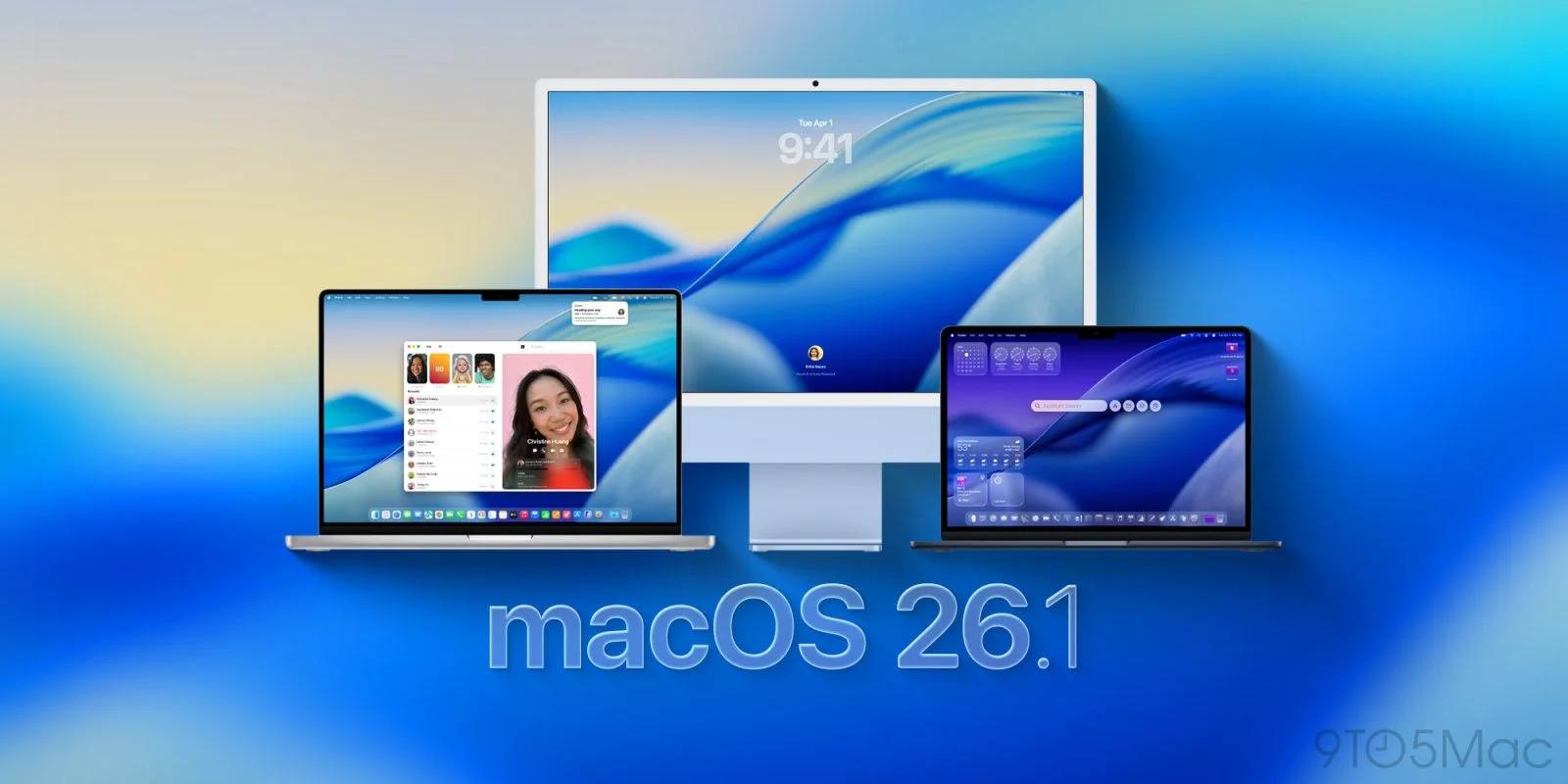
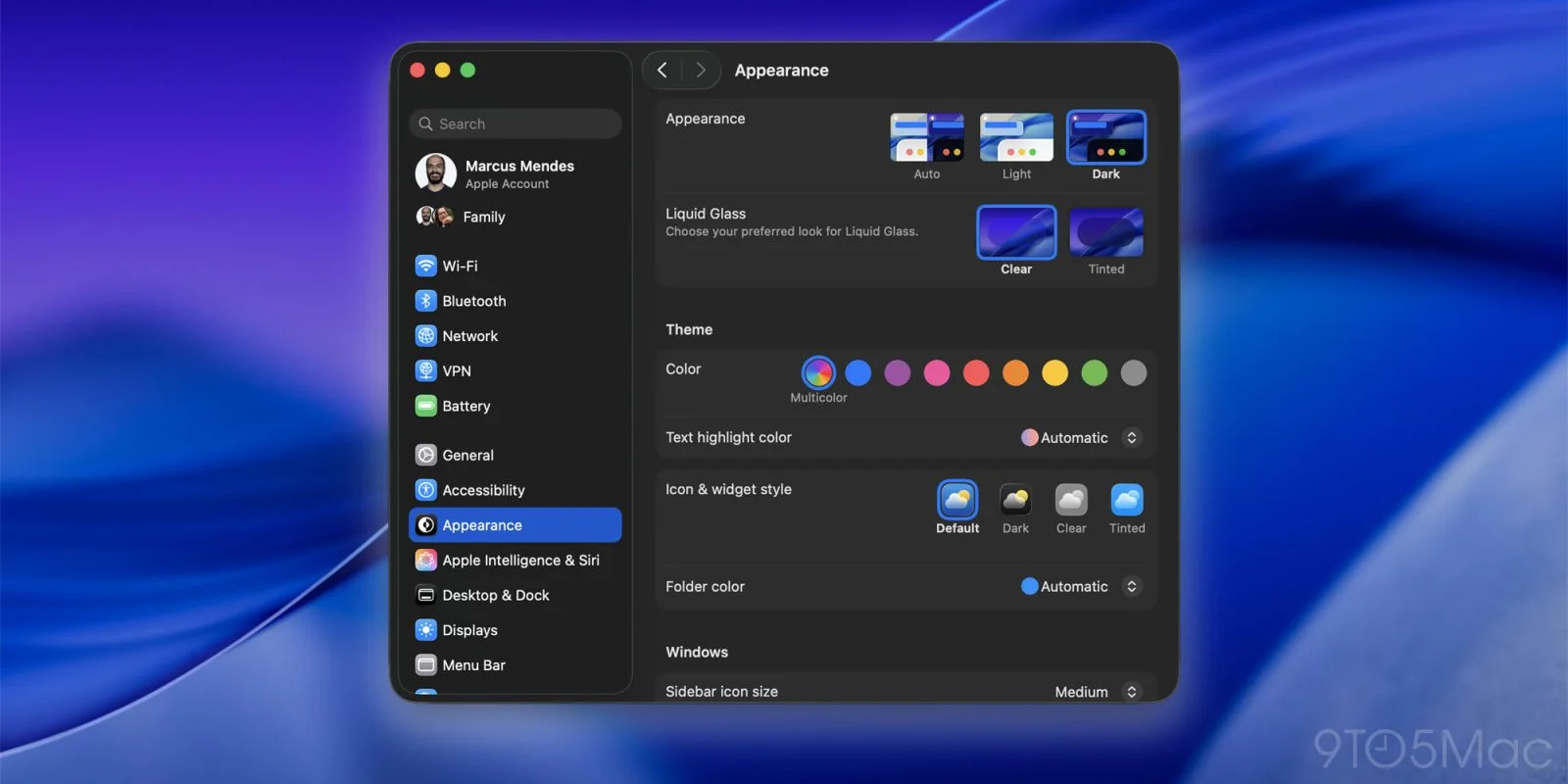
The Liquid Glass design language introduced with macOS Tahoe will receive refinements focused on both aesthetics and accessibility.
Performance Optimizations
GPU Usage Improvements:
One of the most common complaints about Liquid Glass has been its GPU overhead. macOS 26.4 is expected to address this:
| Metric | macOS 26.3 | Expected 26.4 | Improvement |
|---|---|---|---|
| WindowServer CPU | 8-12% | 4-6% | 50% reduction |
| GPU Memory | 512MB | 350MB | 32% reduction |
| Animation FPS | Variable | Consistent 120fps | Smoother |
| Battery Impact | Moderate | Minimal | Significant |
Rendering Optimizations:
- Metal 3 shader improvements
- Reduced blur computation passes
- Intelligent caching of glass effects
- Adaptive quality based on power state
Accessibility Enhancements
Reduce Transparency Improvements:
Users who prefer or require reduced transparency will see significant improvements:
- New High Contrast Mode: Clearer boundaries between UI elements
- Custom Transparency Levels: Granular control (0%, 25%, 50%, 75%, 100%)
- Per-App Settings: Different transparency settings for different applications
- Dynamic Adjustment: Automatic adjustment based on content behind windows
Additional Accessibility Features:
Expected Accessibility Additions:
- Enhanced VoiceOver descriptions for AI-generated content
- Improved screen reader compatibility with Liquid Glass
- New color filters for various visual impairments
- Better keyboard navigation for AI features
- Reduced motion options for animations
4. Performance Optimizations for M1/M2 Macs
While Apple naturally focuses on newer hardware, macOS 26.4 is expected to include significant optimizations for older Apple Silicon Macs.
M1/M2 Specific Improvements
Memory Management:
Older Apple Silicon Macs, particularly those with 8GB of RAM, have struggled with macOS Tahoe's memory demands. Expected improvements include:
- Compressed Memory Optimization: More efficient memory compression algorithms
- Swap File Management: Smarter use of disk-based virtual memory
- App Memory Limits: Better enforcement of app memory budgets
- Background App Suspension: More aggressive suspension of inactive apps
Performance Benchmarks (Expected):
| Mac Model | 26.3 Performance | Expected 26.4 | Notes |
|---|---|---|---|
| M1 MacBook Air (8GB) | Baseline | +15-20% | Memory optimization focus |
| M1 Pro MacBook Pro | Good | +10% | General improvements |
| M2 MacBook Air | Good | +12% | Better thermal management |
| M1 Mac mini | Baseline | +18% | Improved disk I/O |
| M1 iMac | Good | +8% | Display pipeline optimization |
Thermal Management:
Users have reported thermal issues on older M1 Macs running Tahoe. Version 26.4 will address:
- More efficient background process scheduling
- Improved fan curve algorithms
- Better workload distribution across efficiency and performance cores
- Reduced peak power consumption during burst workloads
Intel Mac Considerations
While Intel Macs are in their final support phase, macOS 26.4 will likely include:
- Critical security updates
- Basic compatibility maintenance
- Performance improvements where possible
- Potential feature restrictions for newer AI capabilities
5. Bug Fixes for Common Issues
macOS 26.4 will address several persistent issues that have plagued Tahoe users.
Wi-Fi Connectivity Fixes
Known Issues to Be Addressed:
| Issue | Description | Expected Fix |
|---|---|---|
| Mesh Router Drops | Intermittent disconnections with Eero, Google WiFi | Protocol optimization |
| Wake from Sleep | Wi-Fi not reconnecting after sleep | Improved wake sequence |
| VPN Conflicts | VPN causing complete network loss | Better routing table management |
| 6GHz Issues | Unstable Wi-Fi 6E connections | Updated wireless drivers |
Diagnostic Improvements:
# Expected new diagnostic commands in 26.4
# Network diagnosis with AI analysis
networksetup -diagnostics --ai-analysis

# Wireless performance report
airport --performance-report --detailed

# Connection stability test
networkQuality -v -c 100 --stability-test
Battery and Power Management
Battery Drain Fixes:
Users have reported excessive battery drain in certain scenarios:
- Background App Refresh: More efficient scheduling
- Spotlight Indexing: Reduced indexing frequency on battery
- iCloud Sync: Batched sync operations
- Location Services: Optimized GPS polling
Power Management Improvements:
Expected Power Optimizations:
- 10-15% better battery life during light use
- Improved battery health management
- More accurate battery percentage reporting
- Better low power mode effectiveness
Memory Leak Resolutions
Several memory leaks identified in Tahoe will be addressed:
Known Memory Leaks:
| Process | Issue | Impact | Expected Status in 26.4 |
|---|---|---|---|
| WindowServer | UI rendering leak | High | Fixed |
| mdworker | Spotlight indexing | Medium | Fixed |
| cloudd | iCloud sync | Medium | Fixed |
| mediaanalysisd | Photo analysis | Low | Fixed |
| bluetoothd | Device connections | Low | Fixed |
Memory Monitoring:
# Commands to verify memory improvements
# Check memory pressure
memory_pressure

# Monitor process memory
sudo leaks -quiet PID

# System memory statistics
vm_stat
Apple Intelligence Improvements in Detail
Expanded Language Support
macOS 26.4 will significantly expand Apple Intelligence's language capabilities:
Currently Supported (26.3):
- English (US, UK, Australia, Canada, New Zealand, Singapore, South Africa, Ireland, India)
- Chinese (Simplified)
- French (France)
- German
- Italian
- Japanese
- Korean
- Portuguese (Brazil)
- Spanish (Spain, Mexico, US)
Expected Additions (26.4):
- Arabic
- Dutch
- Polish
- Russian
- Swedish
- Turkish
- Vietnamese
- Thai
- Hindi
- Indonesian
Private Cloud Compute Expansion
Apple's Private Cloud Compute infrastructure will see expansion:
Infrastructure Improvements:
- Additional data centers in Europe and Asia-Pacific
- Reduced latency for international users
- Higher throughput for complex queries
- Enhanced privacy attestation
Developer Access:
// Expected Private Cloud Compute API expansion
@available(macOS 26.4, *)
struct CloudComputeRequest {
    let requestType: ComputeType
    let privacyLevel: PrivacyLevel
    let timeout: TimeInterval

    enum ComputeType {
        case textGeneration
        case imageAnalysis
        case audioProcessing
        case multiModal // New in 26.4
    }

    enum PrivacyLevel {
        case onDeviceOnly
        case privateCloud
        case hybridOptimized // New in 26.4
    }
}
ChatGPT and Third-Party Integration
The optional ChatGPT integration introduced in Tahoe will receive updates:
Expected Improvements:
- GPT-5 model support (if released by OpenAI)
- Faster response times
- Better context preservation
- Enhanced privacy controls
- Clearer UI for AI source indication
Integration APIs:
Third-party AI services may gain integration capabilities:
- Anthropic Claude integration (rumored)
- Google Gemini compatibility
- Open-source model support
- Custom enterprise AI endpoints
Mail and Communication Enhancements
macOS 26.4 is expected to bring significant improvements to Mail and communication applications through Apple Intelligence:
Smart Mail Features:
| Feature | Description | Benefit |
|---|---|---|
| Priority Inbox | AI-sorted inbox by importance | Focus on what matters |
| Smart Reply | Context-aware response suggestions | Faster email responses |
| Thread Summary | Automatic summarization of long threads | Quick comprehension |
| Attachment Analysis | AI description of attached files | Better organization |
| Scheduling Assistant | Intelligent meeting time suggestions | Reduced scheduling friction |
Messages Improvements:
The Messages app will receive Apple Intelligence enhancements:
- Conversation summaries for catching up on group chats
- Tone detection warning before sending potentially problematic messages
- Smart suggestions based on conversation context
- Improved search with natural language queries
- Cross-device synchronization improvements for iMessage
Safari Intelligence Updates
Safari will receive substantial AI-powered improvements in macOS 26.4:
Intelligent Browsing:
- Page Summaries: Quick AI-generated summaries of articles
- Intelligent Reader: Enhanced Reader mode with key points extraction
- Smart Tab Management: AI-suggested tab grouping
- Privacy Reports: More detailed tracking prevention reports
- Intelligent Search: Improved address bar suggestions
Developer Tools:
// Expected Safari Web Extension API additions
browser.ai.summarize({
  content: document.body.innerText,
  maxLength: 200
}).then(summary => {
  console.log(summary);
});

// Privacy-preserving analytics
browser.ai.insights({
  anonymous: true,
  aggregate: true
});
Developer Tools and APIs
Xcode Integration
Developers can expect significant improvements to Xcode's AI capabilities in macOS 26.4:
Code Completion Enhancements:
- Multi-line code suggestions
- Project-aware completions
- Documentation generation from code
- Test case generation
- Bug prediction and suggestions
Swift Assist Improvements:
// Expected Swift Assist capabilities in Xcode 17.4
// Automatic documentation generation
/// Calculates the factorial of a given number
/// - Parameter n: The number to calculate factorial for
/// - Returns: The factorial result
/// - Complexity: O(n)
@AIDocumented
func factorial(_ n: Int) -> Int {
    guard n > 0 else { return 1 }
    return n * factorial(n - 1)
}

// AI-suggested test generation
@AIGeneratedTests
struct CalculatorTests {
    // Tests automatically generated based on function signatures
}
New APIs for Developers
macOS 26.4 will introduce several new APIs:
SiriKit Conversational APIs:
| API | Purpose | Availability |
|---|---|---|
SiriConversation | Multi-turn dialogue management | macOS 26.4+ |
ContextualIntent | Context-aware intent handling | macOS 26.4+ |
PersonalContext | User preference access (privacy-preserving) | macOS 26.4+ |
CrossAppEntity | Cross-application data references | macOS 26.4+ |
Machine Learning APIs:
// Expected Core ML additions
import CoreML

@available(macOS 26.4, *)
class AdaptiveMLModel {
    // On-device model fine-tuning
    func adaptToUser(trainingData: [MLDataTable]) async throws {
        // Privacy-preserving local adaptation
    }

    // Federated learning support
    func contributeAnonymizedInsights() async throws {
        // Aggregate learning without raw data exposure
    }
}
TestFlight and App Distribution
Improvements to app testing and distribution:
- Faster beta deployment through improved build processing
- AI-powered crash analysis for beta reports
- Intelligent tester selection based on device and usage patterns
- Automated screenshot generation for App Store listings
Security Enhancements and Background Updates
Background Security Response System
Building on the foundation established in macOS 26.3, version 26.4 will enhance the background security update system:
Expanded Coverage:
| Component | 26.3 Coverage | 26.4 Coverage |
|---|---|---|
| Safari | Yes | Yes |
| WebKit | Yes | Yes |
| System Libraries | Partial | Comprehensive |
| Kernel Extensions | No | Limited |
| AI Models | No | Yes (New) |
| Privacy Features | Limited | Expanded |
AI Model Updates:
For the first time, Apple will be able to update AI models through the background security response system:
- Updated language models for better accuracy
- Improved image generation models
- Enhanced voice recognition models
- Patched models for bias corrections
New Security Features
Expected Additions:
-
Lockdown Mode Enhancements
- More granular control over restrictions
- Per-app Lockdown settings
- Network-level protections
- AI feature restrictions in Lockdown Mode
-
Privacy Improvements
- Enhanced App Privacy Report
- Network activity monitoring
- AI usage transparency logs
- Third-party tracker blocking improvements
-
Gatekeeper Updates
- Faster notarization checks
- Improved malware detection
- AI-powered threat analysis
- Better handling of developer ID issues
Compatibility Considerations
System Requirements
macOS 26.4 will maintain the same hardware requirements as earlier Tahoe versions:
Supported Mac Models:
| Category | Models |
|---|---|
| MacBook Air | 2020 (M1) and later |
| MacBook Pro | 2021 (M1 Pro/Max) and later |
| Mac mini | 2020 (M1) and later |
| iMac | 2021 (M1) and later |
| Mac Studio | 2022 (M1 Max/Ultra) and later |
| Mac Pro | 2023 (M2 Ultra) and later |
| Intel Macs | Limited support (security updates only) |
Apple Intelligence Requirements
For full Apple Intelligence features including Siri 2.0:
| Requirement | Specification |
|---|---|
| Chip | M1 or later |
| RAM | 8GB minimum, 16GB recommended |
| Storage | 10GB free for AI models |
| Siri Language | Supported language |
| Region | Available regions |
To check your Mac's compatibility, visit our compatibility checker.
Application Compatibility
Known Compatibility Issues:
Some applications may require updates for full 26.4 compatibility:
| Application Category | Status | Notes |
|---|---|---|
| Adobe Creative Suite | Ready | Updates expected concurrent with release |
| Microsoft Office | Ready | Universal Binary versions required |
| JetBrains IDEs | Ready | 2026.1 versions recommended |
| Virtualization Software | Mixed | Check specific versions |
| Audio/Video Production | Mixed | Driver updates may be required |
| Legacy 32-bit Apps | Unsupported | Has been since Catalina |
Should You Wait for 26.4 or Upgrade Now?
Decision Framework
Making the decision to upgrade now or wait depends on your specific situation:
Upgrade to 26.3 Now If:
- You're experiencing issues on 26.0, 26.1, or 26.2
- Security is your primary concern
- You need stable day-to-day operation
- Your workflow doesn't depend on unreleased Siri features
- You're a developer needing to test current features
Wait for 26.4 If:
- Siri 2.0 is critical for your workflow
- You're on a stable macOS Sequoia installation
- You can't afford any potential issues
- You prefer to let others test major updates first
- Your M1/M2 Mac has been struggling with Tahoe
Upgrade Path Recommendations
| Your Current Situation | Recommendation | Reasoning |
|---|---|---|
| macOS Sequoia (stable) | Wait for 26.4 | Get Siri 2.0 and stability together |
| macOS Tahoe 26.3 (stable) | Stay and update when 26.4 releases | Already on good foundation |
| macOS Tahoe 26.2 (issues) | Update to 26.3 now | Significant stability improvements |
| macOS Tahoe 26.0/26.1 | Update to 26.3 immediately | Critical security and stability |
| New Mac purchase | Update to 26.3, then 26.4 | Best current experience |
Beta Testing Considerations
If you're interested in testing macOS 26.4:
Developer Beta:
- Expected: Mid-February 2026
- Requirements: Apple Developer Program membership ($99/year)
- Risk Level: High - expect bugs and issues
Public Beta:
- Expected: Late February 2026
- Requirements: Free Apple ID enrollment
- Risk Level: Medium - more stable than developer beta
Recommendation: Never install beta software on your primary work machine. Use a secondary Mac or a separate APFS volume for testing.
# Create a separate APFS volume for beta testing
# In Disk Utility, or via Terminal:
diskutil apfs addVolume disk1 APFS "Tahoe Beta" -reserve 50g
Historical Update Timeline Analysis
Apple's macOS Update Patterns
Understanding Apple's historical release patterns helps predict the 26.4 timeline:
Recent Major Version Timelines:
| Version | Point Update | Interval | Major Feature |
|---|---|---|---|
| macOS Sequoia 15.4 | April 2025 | 4 months from 15.0 | Control Center expansion |
| macOS Sonoma 14.4 | March 2024 | 5 months from 14.0 | Stolen Device Protection |
| macOS Ventura 13.4 | May 2023 | 6 months from 13.0 | General improvements |
| macOS Monterey 12.4 | May 2022 | 6 months from 12.0 | Universal Control improvements |
Predicted macOS 26.4 Timeline:
| Milestone | Predicted Date | Confidence |
|---|---|---|
| Developer Beta 1 | February 10-17, 2026 | High |
| Public Beta 1 | February 24 - March 3, 2026 | High |
| Developer Beta 2 | February 24 - March 3, 2026 | Medium |
| Release Candidate | March 17-24, 2026 | Medium |
| Public Release | March 24 - April 7, 2026 | Medium |
Factors Affecting Release Date
Several factors could influence the actual release date:
Potential Accelerators:
- Successful beta testing
- Strong demand for Siri 2.0
- Competitive pressure from Windows AI features
- Spring Apple event coordination
Potential Delays:
- Critical bugs discovered in beta
- AI model quality issues
- Security vulnerabilities
- Hardware-specific problems
Preparing for macOS 26.4
Pre-Update Checklist
Before updating to macOS 26.4 when it releases:
1. Backup Everything
# Verify Time Machine backup
tmutil status
tmutil latestbackup

# Consider bootable backup
# Using Carbon Copy Cloner or SuperDuper!
2. Check Storage Space
Ensure at least 35-40GB free space for the update:
# Check available space
df -h /

# Find large files to clean up
sudo find / -size +1G -type f 2>/dev/null
3. Update All Applications
# Update Mac App Store apps
mas upgrade

# Check for Homebrew updates
brew update && brew upgrade

# Verify critical app compatibility
4. Export Important Settings
- Screenshot preference panes
- Export browser bookmarks
- Note custom Terminal/shell configurations
- Document network settings
5. Check Peripheral Compatibility
- Printer drivers
- Audio interface software
- External display configurations
- Specialized hardware drivers
Monitoring Release Progress
Stay informed about macOS 26.4 development:
Official Sources:
- Apple Developer website
- Apple Public Beta website
- macOS Release Notes
- Apple Security Updates page
Recommended Approach:
- Follow beta release notes for feature tracking
- Monitor user reports from beta testers
- Check our site for release guides and updates
- Wait 1-2 weeks after release for initial bug reports
Real-World Use Cases: How macOS 26.4 Will Transform Workflows
For Creative Professionals
macOS 26.4's enhancements will significantly impact creative workflows:
Photographers and Photo Editors:
- AI-powered selection tools in Photos app for quick edits
- Intelligent organization automatically categorizing shoots
- Smart export presets learning your preferred settings
- Batch processing with AI-suggested adjustments
Video Editors:
- Improved Final Cut Pro integration with Apple Intelligence
- Automatic rough cut suggestions based on footage analysis
- Smart color grading matching reference frames
- Audio cleanup powered by enhanced machine learning
Graphic Designers:
- Sketch to vector conversion improvements
- Color palette suggestions based on design context
- Asset organization with AI tagging
- Design consistency checks across projects
For Business Professionals
Document Processing:
Workflow Improvements:
1. Scan physical document with iPhone/Mac
2. AI extracts text and understands structure
3. Automatic filing to appropriate folders
4. Smart tagging for easy retrieval
5. Summary generation for quick review
Meeting Management:
- Pre-meeting briefs generated from related emails and documents
- Live transcription with speaker identification
- Action item extraction from meeting notes
- Follow-up email drafting based on discussion points
Email Productivity:
| Scenario | Current Workflow | With macOS 26.4 |
|---|---|---|
| Email Triage | Manual reading | AI priority sorting |
| Response Time | 5-10 minutes | 1-2 minutes with Smart Reply |
| Thread Catch-up | Read all messages | Instant AI summary |
| Scheduling | Back-and-forth emails | AI-suggested times |
For Students and Researchers
Academic Writing:
- Citation assistance with proper formatting
- Research summarization from multiple sources
- Writing style improvement suggestions
- Plagiarism awareness (self-check against own notes)
Study Assistance:
- Lecture note enhancement from Voice Memos
- Study guide generation from textbook highlights
- Concept explanation at appropriate level
- Practice question generation for self-testing
For Software Developers
Daily Development:
- Intelligent code review suggestions
- Bug pattern recognition across codebase
- Documentation generation from code comments
- API usage suggestions based on project context
Debugging Workflow:
# Expected debugging enhancement in Terminal
# AI-assisted log analysis
log show --predicate 'eventMessage contains "error"' --ai-analyze

# Intelligent crash report summary
spindump -reveal -ai-summary

# Performance bottleneck identification
sample PID 10 -ai-identify-issues
Troubleshooting Guide for macOS 26.4
Common Issues and Solutions
When macOS 26.4 releases, users may encounter various issues. Here's a comprehensive troubleshooting guide:
Installation Problems:
| Issue | Cause | Solution |
|---|---|---|
| Update stuck downloading | Server congestion | Wait or use terminal: softwareupdate -d |
| Not enough space | Insufficient storage | Clear cache, move files to external drive |
| Verification failed | Corrupted download | Delete and re-download update |
| Installation loop | System file issues | Boot to Recovery, reinstall |
Post-Update Issues:
If applications won't launch:
# Reset application launch services
/System/Library/Frameworks/CoreServices.framework/Frameworks/LaunchServices.framework/Support/lsregister -kill -r -domain local -domain system -domain user

# Clear application caches
rm -rf ~/Library/Caches/*
If Siri 2.0 isn't working:
- Verify Apple Intelligence is enabled in System Settings
- Check Siri language is set to supported language
- Ensure sufficient storage for AI models (10GB+)
- Sign out and back into iCloud
- Reset Siri data in Privacy settings
If performance is degraded:
# Rebuild Spotlight index
sudo mdutil -E /

# Reset SMC (Intel Macs) or power cycle (Apple Silicon)
# For Apple Silicon: Shut down, wait 30 seconds, restart

# Clear system caches
sudo rm -rf /Library/Caches/*
sudo rm -rf /System/Library/Caches/*

# Repair disk permissions
diskutil resetUserPermissions / `id -u`
Network Troubleshooting
Wi-Fi Issues After Update:
# Reset network configuration
sudo rm /Library/Preferences/SystemConfiguration/com.apple.airport.preferences.plist
sudo rm /Library/Preferences/SystemConfiguration/NetworkInterfaces.plist
sudo rm /Library/Preferences/SystemConfiguration/preferences.plist

# Restart networking services
sudo ifconfig en0 down
sudo ifconfig en0 up

# Renew DHCP lease
sudo ipconfig set en0 DHCP
VPN Compatibility:
- Update VPN client to latest version
- Check with VPN provider for macOS 26.4 compatibility
- Try removing and re-adding VPN configuration
- Consider using built-in VPN if third-party has issues
Data Recovery Options
If data appears missing after update:
- Check Time Machine backups - data may be in previous backup
- Search Spotlight - files may have moved locations
- Check iCloud Drive - sync may have changed file locations
- Use Terminal to search:
mdfind "filename"
Emergency Recovery:
# Boot to Recovery Mode
# Intel: Command + R at startup
# Apple Silicon: Hold power button, select Options

# From Recovery, you can:
# - Restore from Time Machine
# - Reinstall macOS
# - Use Disk Utility for repairs
# - Access Terminal for advanced recovery
Frequently Asked Questions (FAQs)
General Questions
Q: When will macOS 26.4 be released?
A: Based on Apple's historical patterns and current beta testing schedules, macOS 26.4 is expected in late March to early April 2026. Developer betas will likely begin in mid-February 2026.
Q: What is the biggest new feature in macOS 26.4?
A: The Siri AI overhaul (Siri 2.0) is the most significant expected feature. This includes conversational AI capabilities, multi-turn conversations, better context awareness, and deeper system integration.
Q: Will macOS 26.4 support Intel Macs?
A: Intel Macs in the Tahoe support list will receive macOS 26.4, but many AI features including the enhanced Siri will be exclusive to Apple Silicon Macs.
Q: Is macOS 26.4 a free update?
A: Yes, like all macOS updates, 26.4 will be free for users with compatible Macs already running macOS Tahoe.
Compatibility Questions
Q: Which Macs support macOS 26.4?
A: All Macs that support macOS Tahoe will support 26.4. This includes M1 and later Macs, with limited support for some Intel Macs. Check our compatibility page for specific models.
Q: Will my apps work with macOS 26.4?
A: Most applications that work with macOS 26.3 should work with 26.4. However, it's always recommended to check with developers for mission-critical software before updating.
Q: Do I need to update from 26.3 to 26.4?
A: While not mandatory, updating is recommended for security patches, bug fixes, and access to new features like Siri 2.0.
Feature Questions
Q: What is Siri 2.0?
A: Siri 2.0 refers to Apple's major overhaul of the Siri voice assistant, featuring conversational AI capabilities, better context understanding, and improved natural language processing powered by Apple Intelligence.
Q: Will Apple Intelligence be required for macOS 26.4?
A: No, macOS 26.4 will work without Apple Intelligence. However, many new features in 26.4 are AI-powered and require an M1 or later Mac to use.
Q: Can I use macOS 26.4 without enabling Siri?
A: Yes, Siri remains optional. However, many of the new AI features are integrated through Siri, so you'll miss some functionality.
Performance Questions
Q: Will macOS 26.4 be faster than 26.3?
A: Yes, early reports suggest performance improvements, particularly for M1/M2 Macs and systems with 8GB RAM. Liquid Glass rendering optimizations should also improve overall system responsiveness.
Q: Will 26.4 fix the battery drain issues?
A: Apple is expected to address battery drain issues in 26.4, with reported improvements of 10-15% better battery life during typical use.
Q: How much storage space does macOS 26.4 require?
A: The update itself will likely require 35-40GB of free space to download and install. Post-installation, macOS 26.4 should have a similar footprint to 26.3.
Update Questions
Q: Should I skip 26.3 and wait for 26.4?
A: If you're currently on macOS 26.0-26.2, we recommend updating to 26.3 now for stability and security improvements. If you're on macOS Sequoia and stable, waiting for 26.4 is reasonable.
Q: How do I join the macOS 26.4 beta?
A: Developer betas require an Apple Developer Program membership. Public betas are free - enroll at beta.apple.com when available.
Q: Can I downgrade from 26.4 if I have problems?
A: Downgrading macOS is complex and requires a full backup. Using Time Machine, you can restore to a previous version, but it's not a simple process. This is why beta testing on a separate volume is recommended.
Technical Questions
Q: What are the minimum system requirements for Siri 2.0?
A: Siri 2.0 requires an Apple Silicon Mac (M1 or later) with at least 8GB of RAM. While 8GB will work, 16GB is recommended for optimal performance. You'll also need approximately 10GB of free storage for the AI models.
Q: Will macOS 26.4 work on external drives?
A: Yes, macOS 26.4 can be installed on external drives, provided they are formatted as APFS and connected via USB 3.0 or Thunderbolt. However, some features may require the internal drive for optimal performance.
Q: How will Siri 2.0 handle privacy with conversational memory?
A: Apple has stated that all conversational context is processed on-device and encrypted. No conversation history is sent to Apple's servers unless explicitly using Private Cloud Compute for complex queries, which uses end-to-end encryption.
Q: Can I disable Apple Intelligence features in macOS 26.4?
A: Yes, Apple Intelligence features remain optional. You can disable them in System Settings > Apple Intelligence & Siri. However, disabling these features will limit access to Siri 2.0, Writing Tools, and other AI-powered capabilities.
Q: Will third-party antivirus software work with macOS 26.4?
A: Most major antivirus vendors update their software for new macOS releases. However, it's recommended to check with your specific vendor for compatibility before updating. Some security features may require updates to work properly with macOS 26.4's new security architecture.
Enterprise and Business Questions
Q: When will macOS 26.4 be available through MDM?
A: Enterprise deployments through Mobile Device Management (MDM) typically lag the public release by 1-2 weeks. Apple provides enterprise administrators with early access to test deployments before pushing to managed devices.
Q: Can we restrict certain AI features in enterprise deployments?
A: Yes, macOS 26.4 is expected to include MDM configuration profiles for controlling Apple Intelligence features. Administrators will be able to enable/disable specific features based on organizational policy.
Q: How does macOS 26.4 handle AI features in regulated industries?
A: Apple has designed Private Cloud Compute with compliance in mind. For highly regulated industries (healthcare, finance), on-device-only processing can be enforced, ensuring sensitive data never leaves the device.
macOS 26.4 vs. Competitors: AI Feature Comparison
macOS 26.4 vs. Windows 11 24H2 with Copilot+
Understanding how macOS 26.4's AI features compare to the competition:
| Feature | macOS 26.4 (Expected) | Windows 11 24H2 |
|---|---|---|
| AI Assistant | Siri 2.0 (Conversational) | Copilot |
| On-Device Processing | Yes (Neural Engine) | Yes (NPU required) |
| Cloud Processing | Private Cloud Compute | Microsoft Azure |
| Privacy Architecture | End-to-end encrypted | Microsoft managed |
| Writing Assistance | System-wide | Microsoft 365 focused |
| Image Generation | Image Playground | Copilot Creator |
| Code Assistance | Xcode Swift Assist | GitHub Copilot |
| Third-Party Integration | ChatGPT optional | Copilot native |
Privacy Comparison
Apple's Approach (macOS 26.4):
- On-device processing for most tasks
- Private Cloud Compute with attestation
- No persistent cloud storage of user data
- Transparent AI processing indicators
Microsoft's Approach (Windows 11):
- NPU-accelerated local processing
- Azure cloud integration
- Microsoft account data integration
- Enterprise data protection options
Which Platform Suits Your Needs?
| User Type | Better Choice | Reasoning |
|---|---|---|
| Privacy-Conscious | macOS 26.4 | Private Cloud Compute architecture |
| Microsoft 365 Users | Windows 11 | Deeper Office integration |
| Creative Professionals | macOS 26.4 | Better creative app ecosystem |
| Enterprise (Mixed) | Either | Both have strong MDM support |
| Developers | Depends | Language and platform preferences vary |
Conclusion: What macOS Tahoe 26.4 Means for Mac Users
macOS Tahoe 26.4 represents a significant milestone in Apple's ongoing development of its desktop operating system. The combination of the long-awaited Siri AI overhaul, enhanced Apple Intelligence capabilities, and comprehensive performance optimizations makes this update particularly noteworthy.
Key Takeaways
-
Siri 2.0 Is Finally Coming: The conversational AI capabilities will transform how users interact with their Macs, bringing genuinely useful AI assistance to everyday tasks.
-
Performance Matters: Significant optimizations for M1/M2 Macs and Liquid Glass improvements will benefit all users, particularly those who found earlier Tahoe versions sluggish.
-
Stability First: Building on the strong foundation of macOS 26.3, version 26.4 should be the most stable and polished Tahoe release yet.
-
Privacy Preserved: Despite the advanced AI features, Apple's commitment to on-device processing and Private Cloud Compute maintains user privacy.
-
Timing Is Everything: With an expected late March/early April 2026 release, users have time to prepare and decide on their update strategy.
Final Recommendations
| User Profile | Recommended Action |
|---|---|
| Power Users | Prepare for Day 1 update, test critical workflows |
| Creative Professionals | Wait 1-2 weeks for initial bug reports |
| Business Users | Deploy after IT verification (2-4 weeks) |
| Casual Users | Update when convenient after release |
| Developers | Join beta program to prepare applications |
Whether you choose to update immediately upon release or wait for initial user feedback, macOS Tahoe 26.4 promises to be a significant upgrade that brings the best of Apple's AI capabilities to the Mac platform.
For more information about macOS Tahoe, explore our macOS Tahoe Complete Guide or check your Mac's compatibility with our compatibility checker.
Related Articles: