Siri AI Has a Waitlist on macOS 27. Here Is How the Queue Works

macOS 27 ships Siri AI in beta behind a waitlist. How to join, what the 10 GB download is, the EU exception, and why the bypass is not for your main Mac.
You will install macOS 27 Golden Gate on Monday, open Siri expecting the rebuilt assistant Apple has spent fifteen months talking about, and be offered a place in line instead. That is not a bug, a rollout accident, or your Mac being unsupported. Apple built a waitlist into Siri AI, it survived every beta into the release candidate, and it is how most people will meet the feature.
Key Takeaways
- Siri AI ships with macOS 27 on 14 September, in beta, behind a waitlist. Installing the update grants you the queue, not the feature.
- Apple controls the wait from the server side and shows a dynamic estimate. During the beta, some testers waited around a week.
- The Mac is the EU exception. Reporting indicates Siri AI is available on Mac in the European Union at launch while iPhone, iPad and Watch are not.
- There is roughly 10 GB of model data to download per device before anything works, on top of the macOS 27 upgrade itself.
- A feature-flag command circulated during the beta will skip the queue. It is a
sudowrite into a system preferences domain, and it belongs on a test Mac, not your only one.
What a Waitlist Is Doing Here
Apple has used waitlists for AI features before — Apple Intelligence itself had one in 2024 — and the reason is capacity rather than caution.
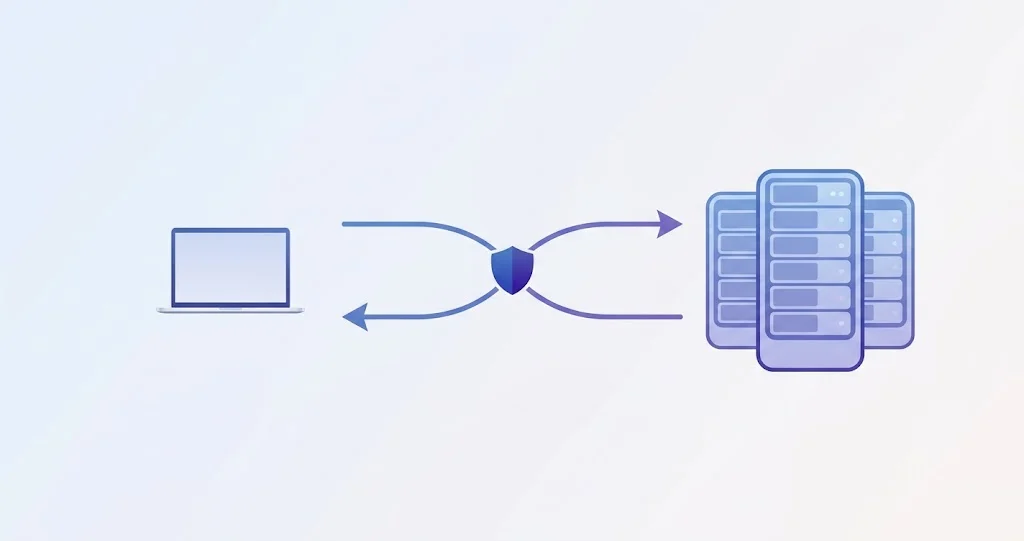
Siri AI is not a single model sitting on your Mac. Small models run on the device; the requests that need real reasoning go to Private Cloud Compute, Apple's server-side inference running on Apple silicon in Apple's own data centres. Every person who gets access adds sustained load to that fleet. A waitlist is the simplest lever Apple has for matching the number of active users to the number of servers, and — critically — it is a lever Apple can move without shipping a software update, because the queue state lives on Apple's side.
That design has a practical consequence worth internalising before Monday: your position in the queue is not a property of your Mac. Restarting, reinstalling, signing out of iCloud and back in, or erasing and restoring will not advance it, and may cost you the place you have.
What Is Confirmed, and What Comes From Beta Code
It is worth separating these, because the reporting mixes them.
From Apple, publicly: macOS 27 Golden Gate releases on 14 September. It includes Siri AI — "an entirely new version of Siri powered by Apple Intelligence that's more personal, more capable, and more conversational" — running as a beta feature. Apple's release notes carry the standard disclaimers that some features are unavailable in some regions and that usage limits apply to certain Apple Intelligence features.
From the beta builds, reported by MacRumors: the waitlist infrastructure appeared in beta 7 of iOS 27, iPadOS 27 and macOS 27, including dynamic wait-time messaging that Apple can adjust server-side, and notifications when access is granted. Beta testers who already had Siri AI access do not get put back in line.
From beta testers: waits of up to about a week during the testing period, with no reliable indication of what the wait will be once the public flood arrives on Monday.
We have not seen Apple publish a wait-time commitment, and you should not expect one. Treat any specific number you see this week as an estimate drawn from a beta population two orders of magnitude smaller than the one arriving on 14 September.
Before the Queue: Are You Even Eligible?
The waitlist is the last gate, not the first. Three things have to be true before it is relevant.
The Mac
Siri AI's full experience requires M3 or later with 12 GB of memory or more, which is a stricter bar than Apple Intelligence's original M1 floor. That single requirement strands a lot of otherwise-current hardware — including 8 GB M2 and M3 machines that run Golden Gate perfectly well. We took the requirement apart model by model in which Macs get the full Siri AI experience, and it is the piece to read before you spend Monday afternoon troubleshooting a Mac that was never going to qualify.
There is a wrinkle here. Users running the release candidate have reported Siri AI appearing on Macs below that bar — one M2 MacBook Pro owner in the RC discussion was surprised to find it available. The most likely explanation is that "Siri AI" covers a range of capabilities and the 12 GB requirement gates the full personal-context experience rather than the conversational interface. Until Apple publishes a definitive capability matrix, the requirement is the safe assumption and anything extra is a bonus.
Apple Intelligence has to be on
Siri AI is a feature of Apple Intelligence, not a replacement for it. If Apple Intelligence is off — or was never enabled on this Mac — turning it on is step zero. On a managed Mac, an MDM configuration profile can disable Apple Intelligence entirely, in which case no amount of queueing will help; that is a conversation with whoever manages the device.
Language and region
Siri AI launches in English. Apple's release-note disclaimer about regional availability is doing real work this year, and the device language, the Siri language and the region setting are three separate settings that all have to line up. A Mac set to English (UK) with region France and Siri set to English is not the same configuration as one that is English throughout, and the difference can decide whether the feature is offered at all.
The EU Exception Runs the Other Way This Time
For two years the pattern has been that Europe gets Apple's AI features late, if at all. This release inverts it in one specific place: reporting indicates Siri AI is available on the Mac in the EU at launch, while iPhone, iPad and Watch in the EU are not.
If that holds on Monday, EU users get an unusual situation — the assistant works on the Mac and not on the phone in your pocket, with conversation history that syncs through iCloud between devices that do not all have the feature. It is worth knowing about before you conclude your iPhone is broken.
Joining the Queue on Monday
The exact wording of the button is not something anyone outside the beta has seen on a release build, so treat the path as the shape of the flow rather than a script to follow letter by letter.
- Install macOS 27 and let the Mac settle. Software Update, System Settings → General → Software Update. If it is not showing up, that has its own set of causes.
- Open System Settings → Apple Intelligence & Siri. This is where Apple Intelligence enrolment has lived since Tahoe, and where the Siri AI controls sit.
- Turn on Apple Intelligence if it is not already on. On a first enrolment the Mac begins downloading models immediately.
- Request access to Siri AI. This is the waitlist join. You should see an estimate rather than an instant grant.
- Leave the Mac plugged in, awake and on Wi-Fi. Model downloads are deferred aggressively on battery and on metered connections.
- Wait for the notification. Apple pushes it when your access is granted; there is no polling you can usefully do.
You can also start the conversation from Spotlight — macOS 27 wires Siri AI into it — but the enrolment gate is the same either way.
What the 10 GB Is Actually For
Reporting puts the Siri AI model download at roughly 10 GB per device. That number surprises people who assume an assistant is mostly a server-side thing. It is worth seeing where models like these already live on a Mac, because Apple has been shipping them this way for a while.
Apple's on-device models arrive as system assets, and you can measure them:
du -sh /System/Library/AssetsV2/com_apple_MobileAsset_UAF_* | sort -rh | head -6On this Mac, running macOS 26.5.2 with the existing Siri, that returns:
2.5G    .../com_apple_MobileAsset_UAF_Siri_Understanding
833M    .../com_apple_MobileAsset_UAF_Translation_Assets
380M    .../com_apple_MobileAsset_UAF_Speech_AutomaticSpeechRecognition
114M    .../com_apple_MobileAsset_UAF_Siri_TextToSpeech
 53M    .../com_apple_MobileAsset_UAF_Siri_UnderstandingASRHammer
 52M    .../com_apple_MobileAsset_UAF_Siri_PlatformAssets
Two and a half gigabytes of language understanding is already on disk before Siri AI exists. The UAF prefix — Apple's "unified asset framework" naming — is the shape all of this arrives in: separately downloadable, separately updatable, and not part of the signed system volume. A further 10 GB of it is a large but entirely consistent step up.
Practically: make sure the space is there before you join the queue, because a download that fails for lack of room is a silent failure, not an error dialogue. The whole AssetsV2 tree on this Mac is 25 GB — although 16 GB of that is iOS Simulator runtimes rather than anything to do with Siri. If your free space is nowhere near where you thought it was, APFS snapshots and purgeable space are usually why.
What Works While You Wait
Joining a queue does not put the whole Mac on hold. Everything Apple Intelligence already did on Tahoe continues to work on Golden Gate, plus a set of macOS 27 features that have nothing to do with Siri AI:
- Writing Tools, proofreading, summaries and automatic naming — the systemwide Apple Intelligence layer.
- Visual Intelligence, on Command-Shift-Space. Screen selection and questions about what is on it; see the Visual Intelligence guide.
- The Photos tools — Spatial Reframing, Extend and Clean Up — which run on their own models. Guide here.
- Safari's automatic tab groups and Notify Me, which are ordinary features with no AI gating. Guide here.
- Shortcuts' "Describe a Shortcut" and the Apple Intelligence actions in Shortcuts. Guide here.
- The classic Siri, which does not go away while you are queued.
If you want to understand what changes when you do reach the front, how to use Siri AI on the Mac covers the Siri app, conversation history and the Spotlight integration.
This Is Apple's Second AI Waitlist, and the First One Is Instructive
Apple ran this play in 2024. Apple Intelligence itself launched behind a request-access queue, with the same shape: enrol, wait, get a notification. Looking at how that one went is the best available guide to how this one will.
What happened then: waits were measured in hours to days rather than weeks for most people; the queue disappeared entirely within a couple of months as capacity caught up; and the feature stayed labelled beta well after the queue was gone. The queue was a launch-pressure mechanism, not a permanent gate.
What is different this time: Siri AI leans far harder on Private Cloud Compute than the 2024 feature set did. Writing Tools and notification summaries are mostly on-device work; a conversational assistant with personal context and multi-step actions is not. That argues for the queue being more real this year and lasting longer — but it is an argument, not information. Apple has published nothing about expected wait times.
The reasonable expectation to set: days, clearing over weeks, gone by the time 27.1 ships. If you are not in a hurry, doing nothing is a completely valid strategy.
What Happens to the Siri You Already Have
Enabling Siri AI does not leave you with two assistants, and joining the queue does not disable the one you have.
- While queued, classic Siri continues to work exactly as it does on Tahoe — timers, Shortcuts triggers, HomeKit, dictation.
- Your existing Siri settings carry over. The keyboard shortcut, "Listen for" wake phrase, language and voice are not reset by joining the queue.
- Dictation is separate. It is not gated behind Siri AI and keeps working throughout.
- Shortcuts that call Siri keep working. The new "Describe a Shortcut" and Apple Intelligence actions are additions, not replacements — the Shortcuts guide covers which actions require Apple Intelligence and which do not.
When access arrives, the change you will notice most is Spotlight: queries that used to return a list of files can be handed to a conversation instead. That is the integration Apple leads with, and it is the one most likely to change your habits.
If You Manage Macs
Siri AI is an Apple Intelligence feature, so everything you already do to control Apple Intelligence applies to it.
- Apple Intelligence can be disabled by configuration profile, which removes the waitlist question entirely — there is no queue to join if the feature is off.
- The 10 GB model download is per device. On a fleet of fifty Macs, that is half a terabyte across your network. macOS Content Caching handles Apple's asset downloads and is worth having in place before, not after.
- The waitlist is tied to the Apple Account, not the device. On shared or reassigned hardware, access follows the person.
- Decide the policy before Monday. "We have not decided yet" resolves in practice to "every user enrols individually", which is a decision by default.
The Bypass, and Why It Is Not for Your Main Mac
A Terminal command circulated widely during the beta and will circulate again on Monday. MacRumors documented it for developers testing on secondary hardware:
sudo defaults write "/Library/Preferences/FeatureFlags/Domain/GenerativeModels.plist" \
  "EnhancedSiriWaitlist" -dict-add Enabled -bool NO
Then restart. Testers who used it reported gaining the conversational Siri, text and voice modes, and iCloud-synced conversation history.
Here is what that command is doing, because it is worth understanding rather than pasting.
macOS carries a feature-flag system at /Library/Preferences/FeatureFlags/Domain/, with one plist per subsystem. It is how Apple ships code that is present but inert, and how internal builds turn things on. The command writes a GenerativeModels domain that says the waitlist check is disabled.
A detail that tells you how this works: on this Mac the directory does not exist at all.
$ ls -la /Library/Preferences/FeatureFlags/Domain/
ls: /Library/Preferences/FeatureFlags/Domain/: No such file or directory
That is why the command uses defaults write with a full path and -dict-add — it is creating the override file, not editing one. Nothing on a normal Mac has written a feature flag there.
The honest caveats:
- It is a system-wide preference write as root. It is not protected by SIP, which is exactly why it works, and exactly why it is not a supported configuration.
- It disables a check, it does not provision a server. Whether Apple's back end serves your unqueued Mac is Apple's decision. During the beta it did; on launch day with several orders of magnitude more load, treating that as guaranteed is optimistic.
- The feature is in beta. You are skipping a queue to get earlier access to software Apple has explicitly labelled unfinished.
- It is reversible, by deleting the plist and restarting, but a Mac that has been given an unsupported configuration and then a major software update is a Mac with an unusual support story.
MacRumors' own framing was that it is for developers testing on machines that are not their primary ones, with a backup. That is the right framing. If your Mac is the one you work on, the queue costs you a few days and nothing else.
What Leaves Your Mac
Since a queue implies a server, it is fair to ask what the server sees.
Apple's architecture splits requests: small ones are handled by on-device models — hence the 10 GB — and anything needing more capability goes to Private Cloud Compute. Apple's claims for PCC are that the data is used only to fulfil the request, is not retained, is not accessible to Apple, and that the server builds are published for independent inspection.
Two practical notes regardless of what you make of those claims:
- A Mac with no network connection has a reduced Siri, not no Siri. On-device models answer what they can.
- Personal context is the point of the feature. Siri AI's value comes from reading across your messages, mail and photos. If that is not a trade you want to make, the honest answer is not to enable it rather than to enable it and worry — and if you are on a managed Mac, your administrator may have made the decision already.
For the security-facing side of macOS 27's AI features, the Passwords app's automatic password change is the other feature this year where an agent acts on your behalf, and it is worth reading with the same eye.
Troubleshooting Common Issues
There is no option to join the waitlist
Check in this order: Apple Intelligence is enabled; the Mac meets the M3-and-12 GB bar; the system language, Siri language and region are all English/compatible; the Mac is not managed by an MDM profile that disables Apple Intelligence. The absence of the option is almost always eligibility, not a bug.
The queue estimate never changes
Expected. The estimate is served by Apple and updates when Apple updates it. Nothing local drives it. Resist the urge to sign out of iCloud or reset anything — the queue is tied to your Apple Account, and churn risks your position rather than improving it.
The notification arrived but Siri AI still is not there
The grant unlocks the download; the download still has to finish. Plug in, stay on Wi-Fi, leave the Mac awake, and check free space. A 10 GB asset download on a nearly full disk fails quietly and retries later.
Siri AI worked in the beta and is gone after updating to the release
Beta participants were reported to keep their access. If it is missing, confirm the Mac is fully on the release build rather than partway through an update, and that it is still signed into the same Apple Account. Rejoining the queue is the fallback.
My iPhone does not have it but my Mac does
If you are in the EU, that appears to be the intended behaviour at launch rather than a fault.
Everything is slow after enabling it
A 10 GB download plus post-upgrade Spotlight indexing is a lot of concurrent I/O. Give it a few hours; if it persists, the Spotlight reindexing diagnostics apply here too.
FAQ
Do I have to pay for Siri AI?
No. Siri AI is part of macOS 27 and Apple Intelligence, at no charge. Apple's release notes do mention usage limits on some Apple Intelligence features, so "free" and "unlimited" are not the same statement.
How long is the wait?
Unknown. Beta testers reported roughly a week; the public launch is a different scale entirely. Apple shows an estimate in the interface and can change it at any time.
Does joining the waitlist on my Mac cover my iPhone too?
There is no indication of that. The waitlist spans iOS 27, iPadOS 27 and macOS 27, and the sensible assumption is per-device enrolment — particularly given the EU split, where the Mac is eligible and the iPhone is not.
Can I use Siri AI without Apple Intelligence enabled?
No. Siri AI is an Apple Intelligence feature. Enabling it is a prerequisite, and disabling Apple Intelligence later removes Siri AI with it.
Will Siri AI stay in beta?
Apple has labelled it beta at launch without committing to a date for removing that label. Historically Apple has left the beta tag on AI features for one to two point releases.
Is it worth upgrading to macOS 27 just for this?
Not on day one, if the Mac matters to you. The feature is in beta, behind a queue, and the release candidate carries a handful of everyday regressions — we listed them in the Golden Gate day-one guide. Upgrading a week later costs you almost nothing.
Conclusion
The waitlist is not a snub, and it is not the kind of problem you can troubleshoot your way out of. It is Apple rate-limiting the load on its own inference fleet, with a dial it can turn from its side. The two things actually in your control are being eligible — the hardware bar, Apple Intelligence enabled, language and region lined up — and having the disk space free so that the 10 GB of models lands the moment your turn comes.
The bypass exists, it works, and it is a bad idea on a Mac you rely on. A few days in a queue is a cheap price for a feature that Apple itself is still calling beta.
Related reading: macOS 27 Golden Gate day-one update guide · Which Macs get the full Siri AI experience · How to use Siri AI on the Mac · Why macOS 27 is not showing in Software Update