macOS 27 Golden Gate Announced: Features, Compatibility, Release
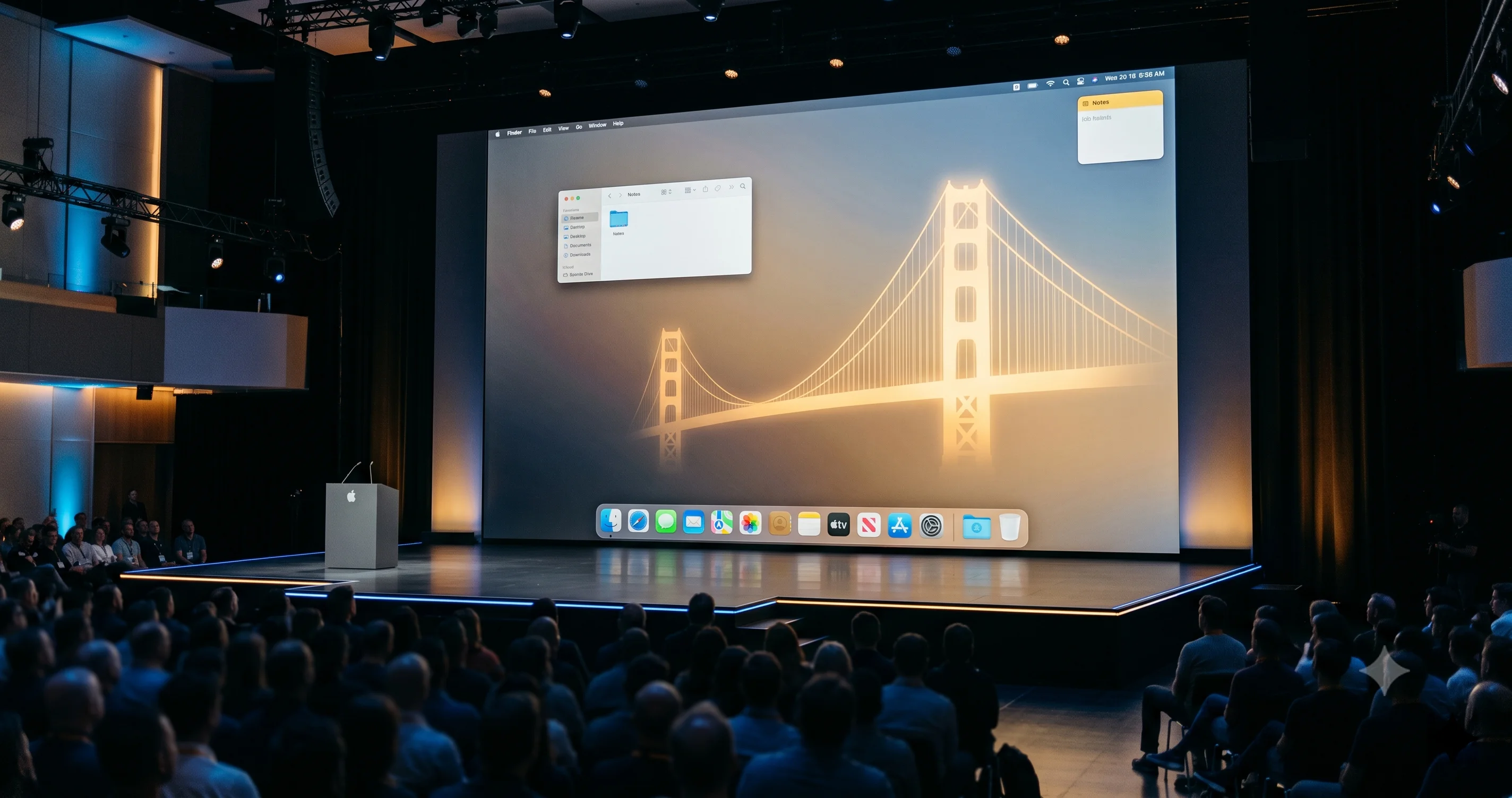
macOS 27 Golden Gate is official from WWDC 2026: a Snow Leopard-style performance release, Siri AI, the end of Intel Macs, and the final Rosetta 2.
Apple officially announced macOS 27 Golden Gate during the WWDC 2026 keynote on June 8, 2026, at Apple Park, positioning the 23rd major release of the Mac operating system as a deliberate, Snow Leopard-style refinement that prioritizes performance and stability over flashy new features. Named after the strait rather than the bridge, Golden Gate succeeds last year's macOS Tahoe 26 and arrives carrying two of the most consequential decisions in the platform's history: it is the first Apple-Silicon-only release, dropping every Intel Mac, and it is the last version of macOS to ship with full Rosetta 2 translation. Alongside those structural shifts, Apple is folding its long-promised conversational Siri AI directly into Spotlight, refining the divisive Liquid Glass interface based on a year of user feedback, and rebuilding the search foundations that power Spotlight, Mail, and Photos. For the millions of Mac users wondering whether their machine is supported, when they can install it, and whether they should, this is the definitive breakdown of everything announced.
Key Takeaways
- macOS 27 is named "Golden Gate" and was announced June 8, 2026, at WWDC. It is the 23rd major macOS release and the successor to macOS Tahoe 26, with developer beta 1 (build 26A5353q) released the same day.
- This is a performance-focused release, which Apple describes as work on "macOS's performance and dozens of underlying technologies" so the Mac feels "more responsive than ever" -- the closest spiritual successor to 2009's Snow Leopard in over a decade.
- macOS 27 is the first Apple-Silicon-only macOS. Every Intel Mac is dropped; you need an M1, A18 Pro, or later chip. Four Macs that ran Tahoe lose support.
- It is the final macOS with full Rosetta 2. Apple confirmed at WWDC 2025 that Rosetta runs "through macOS 27"; macOS 28 will keep only a narrow subset for older unmaintained Intel games.
- Conversational Siri AI arrives, living inside Spotlight via a new "Search or Ask" interface plus a dedicated app, with a waitlist-based, English-only-at-launch rollout. Notably, it is available in the EU on macOS even though it is not on iOS/iPadOS at launch.
macOS 27 Golden Gate: The Announcement in Context
On June 8, 2026, Apple opened its Worldwide Developers Conference keynote at Apple Park and unveiled macOS 27 Golden Gate to developers and the press. According to Apple, Golden Gate is the 23rd major release of the desktop operating system and the direct successor to macOS Tahoe 26, the visually polarizing redesign that introduced the Liquid Glass aesthetic a year earlier.
The naming follows Apple's established California-landmark convention. Where Tahoe pointed to a lake, Golden Gate refers to the strait -- the channel of water connecting San Francisco Bay to the Pacific -- rather than the famous bridge that spans it. It is a subtle distinction, but one consistent with Apple's pattern of naming releases after geographic features.
Apple released the first developer beta the same day as the keynote, carrying build number 26A5353q. The full installer weighs in at roughly 17.07 GB, a substantial download that reflects the scope of the underlying system changes. Based on Apple's typical cadence and the company's stated timeline, a public beta is expected in July 2026, with a final release arriving in the fall -- September or thereabouts -- though Apple did not announce an exact release day during the keynote. As always, the gap between the developer beta and the public release is where Apple stabilizes the platform, fixes regressions, and finalizes the features that will ship to everyone.
What makes this announcement different from recent years is its restraint. After the sweeping visual overhaul of Tahoe and the years of buildup around Apple Intelligence, macOS 27 is pitched not as a reinvention but as a tune-up. That framing -- a "boring" release in the best sense -- is exactly what many longtime Mac users have been asking for.
It is worth pausing on why the naming itself signals intent. Apple's California-landmark scheme has, since 2013's Mavericks, given each release a kind of personality through its namesake. Tahoe evoked a vast, placid alpine lake -- fitting for a release that was visually expansive and reflective, all glass and light. Golden Gate, by contrast, names a strait: a narrow, fast-moving channel where two bodies of water meet. Whether or not Apple intended the metaphor, it fits a release about throughput, flow, and getting things through the system faster. The keynote framing reinforced this repeatedly, returning again and again to words like "responsive," "efficient," and "reliable" rather than the "magical" and "delightful" vocabulary that dominated the Tahoe announcement a year earlier.
There is also a strategic logic to the timing. Major visual redesigns like Tahoe historically need a follow-up year of consolidation -- the same pattern played out after Big Sur's 2020 redesign, which was followed by the comparatively quiet Monterey. Users adopt a bold new look, the inevitable bugs surface, third-party developers scramble to adapt their apps, and the platform needs a year to settle. Golden Gate is that settling year for the Liquid Glass era, and Apple's decision to brand it explicitly around performance rather than papering over the previous year's rough launch is, in its own way, a notable acknowledgment.
A Snow Leopard-Style Performance Release
The headline story of macOS 27 is not a feature; it is a philosophy. According to Apple, the company "focused on improving macOS's performance and dozens of underlying technologies," with the stated goal of making the Mac feel "more responsive than ever." For anyone who remembers Mac OS X 10.6 Snow Leopard -- the 2009 release famous for adding "no new features" and instead refining what already existed -- the parallel is unmistakable, and it is one Apple appears to be leaning into deliberately.
This matters because the last several macOS cycles have stacked new capabilities, new interface paradigms, and new AI frameworks on top of an aging foundation, and the cracks have shown. Reports of high CPU usage, sluggish window management, and rendering hiccups dogged the Liquid Glass rollout in Tahoe. A release that steps back to optimize the plumbing is a meaningful course correction.
Apple cited several Mac-specific performance improvements during the keynote and in supporting materials: quicker AirDrop transfers, faster browsing of network file shares, improved Messages syncing across devices, and better Spotlight suggestions. These are the kinds of everyday friction points that, when smoothed out, make a system feel substantially faster in daily use even without a single new app.
Apple also stated several headline performance numbers in the keynote -- AirDrop up to 80% faster, app launches up to 30% faster, and Photos loading up to 70% faster. It is worth being precise here: these figures were presented across Apple's platforms, and at least some appear to have been measured on iOS rather than the Mac specifically. We are attributing them as Apple keynote claims spanning its ecosystem rather than verified, Mac-only benchmarks. Real-world testing during the beta period will determine how much of that translates to your particular Mac, and we will be measuring it ourselves once the public beta lands.
The broader point stands regardless of the exact percentages: macOS 27 is the rare release where the marquee improvement is that everything you already do should simply work better. For users frustrated by the rough edges of Tahoe, that is the most welcome announcement of the day.
Why a Performance Release Matters Now
It is easy to dismiss a performance-focused update as a year off, but that view misreads the moment the Mac is in. Several pressures have converged. First, the Liquid Glass interface introduced in Tahoe is computationally expensive -- real-time refraction, blur, and translucency layered across the entire system put sustained load on the GPU and the WindowServer compositor, which is precisely why some users reported elevated CPU usage and stutter on multi-display setups. Optimizing that rendering pipeline is not optional polish; it is necessary to make the design Apple committed to actually viable on the full range of supported hardware, including the entry-level M1 machines from 2020 that must still run the latest OS.
Second, the new on-device AI features demand headroom. Running foundation models locally competes with everything else for memory bandwidth and the Neural Engine. A leaner, more efficient base system leaves more resources for the AI workloads Apple is now pushing to the edge. In that light, the performance work and the Siri AI work are two sides of the same coin: you cannot credibly ship on-device intelligence on top of a bloated foundation.
Third, there is the matter of trust. Tahoe's launch reputation took a hit from stability complaints, and a platform's credibility compounds over years. A deliberate, visible investment in making the Mac feel fast and dependable is how Apple rebuilds confidence heading into a leadership transition. The company is, in effect, telling its most demanding users that it heard them.
For anyone who has spent time diagnosing sluggishness on a current Mac, the categories Apple is targeting -- file transfers, network browsing, sync, search suggestions -- map almost exactly onto the everyday annoyances that erode the sense that a computer is fast. These are not benchmark-chart features; they are felt-experience features. That is the entire Snow Leopard playbook, and it is why the release resonates with people who have been using Macs for a long time.
Siri AI: The Conversational Assistant Finally Arrives
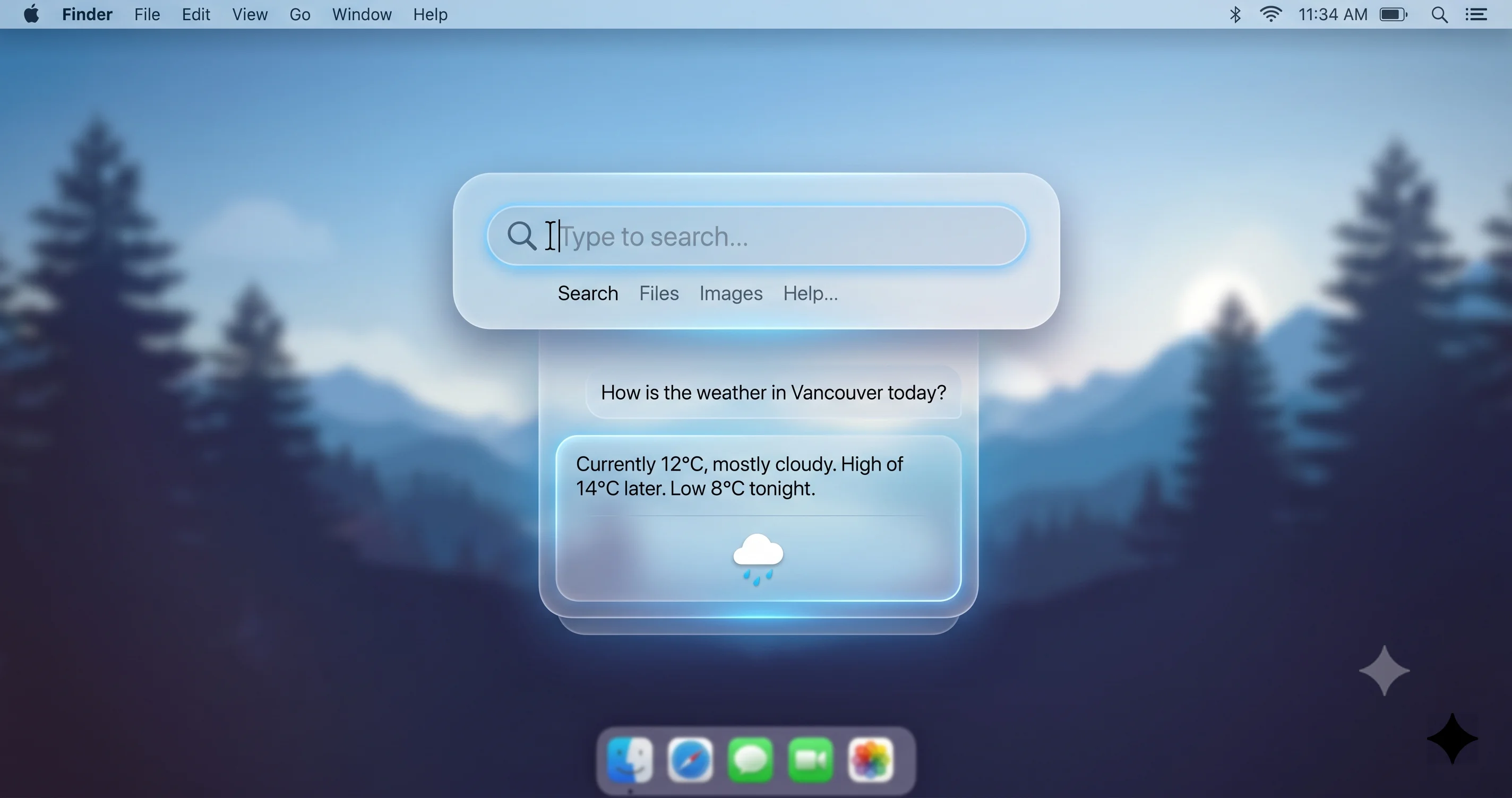
After years of buildup, the most prominent new feature in macOS 27 is a genuinely conversational Siri. Apple describes it as "your conversational AI assistant with entirely new capabilities on your Mac," and rather than bolting on a separate chatbot, Apple has woven it into the places you already work.
Where It Lives
Siri AI now lives inside Spotlight through a new "Search or Ask" interface. The same keystroke that has summoned Spotlight for years now serves double duty: type a query to search your Mac, or ask a question to engage the assistant. Alongside that integration, there is a dedicated Siri app that handles richer interactions -- text generation, image creation, and file analysis -- giving the assistant a proper home for longer, more involved tasks.
Apple's software chief Craig Federighi framed the design philosophy clearly in post-keynote remarks: "We see Siri not as a separate chatbot... but rather as an integral but conversational tool... deeply integrated into your experience." That integration-first approach is the throughline of the entire feature.
What Powers It
Under the hood, Siri AI runs on the next generation of Apple Foundation Models. Per MacRumors, these models were co-developed with Google and built on the Gemini family, running both on-device and through Apple's Private Cloud Compute infrastructure. There is some nuance in how this is described across outlets -- some phrase the server-side ownership and operation differently -- so the most defensible framing is that more demanding requests are routed through Apple's Private Cloud Compute infrastructure, per Apple, with privacy protections Apple has detailed for that system.
Hardware Tiers
This is where compatibility gets granular, so read carefully:
- On-device Siri AI -- the fully local processing tier -- requires a Mac with an M3 chip or later and at least 12GB of unified memory.
- Cloud-based features work on other supported Macs that do not meet the on-device bar, routing requests through Private Cloud Compute instead.
In other words, every Mac that can run macOS 27 gets access to Siri AI in some form, but the most powerful, lowest-latency, fully-private on-device experience is reserved for M3-and-newer machines with sufficient memory.
The 12GB unified-memory threshold is worth dwelling on, because it quietly excludes a meaningful slice of otherwise-capable Macs. Plenty of M1 and M2 machines shipped with 8GB of memory as the base configuration, and those will fall back to cloud processing for AI features even though their chips are perfectly fast. If on-device, fully-private AI matters to you and you are shopping for a Mac with Golden Gate in mind, the practical floor is an M3-or-later machine configured with at least 16GB to comfortably clear the bar with room to spare. This is the kind of detail that does not make the keynote slide but determines what your specific machine can actually do.
What Siri AI Can Do
The capabilities Apple demonstrated fall into three broad buckets. Text generation covers drafting, summarizing, rewriting in different tones, and answering questions conversationally -- the table-stakes capabilities of a modern assistant, now native to the Mac. Image creation lets you generate images from text descriptions directly within the dedicated Siri app. And file analysis is arguably the most Mac-centric of the three: the assistant can read, summarize, and answer questions about documents and files on your system, turning Siri into something closer to a research aide than a voice command parser.
Because it lives inside Spotlight, the assistant also benefits from context about what is on your Mac. The "Search or Ask" interface means a single query can blur the line between finding a file and asking a question about your files -- a genuinely new interaction model rather than a chatbot bolted onto the corner of the screen. That is the integration philosophy Federighi described, made concrete.
The Rollout
Siri AI is launching with a waitlist-based, gradual rollout and will be English-only at launch, with additional languages to follow. Two geographic notes stand out. First, the feature is not available in China at launch. Second, and more surprising, while Siri AI is not available in the EU on iOS and iPadOS at launch -- a consequence of the ongoing Digital Markets Act standoff -- it is available in the EU on macOS 27. That asymmetry between Apple's mobile and desktop platforms in Europe is one of the more unusual wrinkles of this release.
Liquid Glass, Refined
When Apple introduced Liquid Glass with macOS Tahoe, the response was divided. The translucent, refractive interface looked striking in demos but generated real complaints about contrast, legibility, and visual noise in everyday use. For macOS 27, Apple went back and refined the design language across the board in response to that feedback.
The changes are numerous and specific:
- More uniform refraction. The way light bends through glass elements is now more consistent, reducing the distracting variability that drew criticism in Tahoe.
- Improved contrast. Text and controls are easier to read against translucent backgrounds.
- A new transparency slider. Users can now dial the interface from "ultraclear" all the way to "tinted," giving people direct control over how much of the glass effect they want.
- A unified toolbar. Toolbar treatment is now consistent across the system.
- Sidebars that extend to the window edges, a cleaner layout that makes better use of screen space.
- Window corner radii reverted to pre-Tahoe uniform values. The inconsistent corner rounding that some users found jarring is gone, returning to the uniform radii of earlier macOS releases.
- Refreshed app icons.
- Menu item icons removed, decluttering menus back toward a text-first presentation.
- A redesigned, rounded cursor.
Taken together, these are the changes of a team listening to its users. macOS 27 does not abandon Liquid Glass -- it sands down the rough edges, gives users more control, and walks back the specific choices that proved unpopular. If Tahoe's interface frustrated you, the transparency slider alone may be reason enough to look forward to this release. (For anyone who battled rendering performance issues with the original implementation, our guide to fixing WindowServer high CPU usage on Liquid Glass setups remains relevant context for what these refinements aim to address.)
Mac Compatibility: The First Apple-Silicon-Only macOS
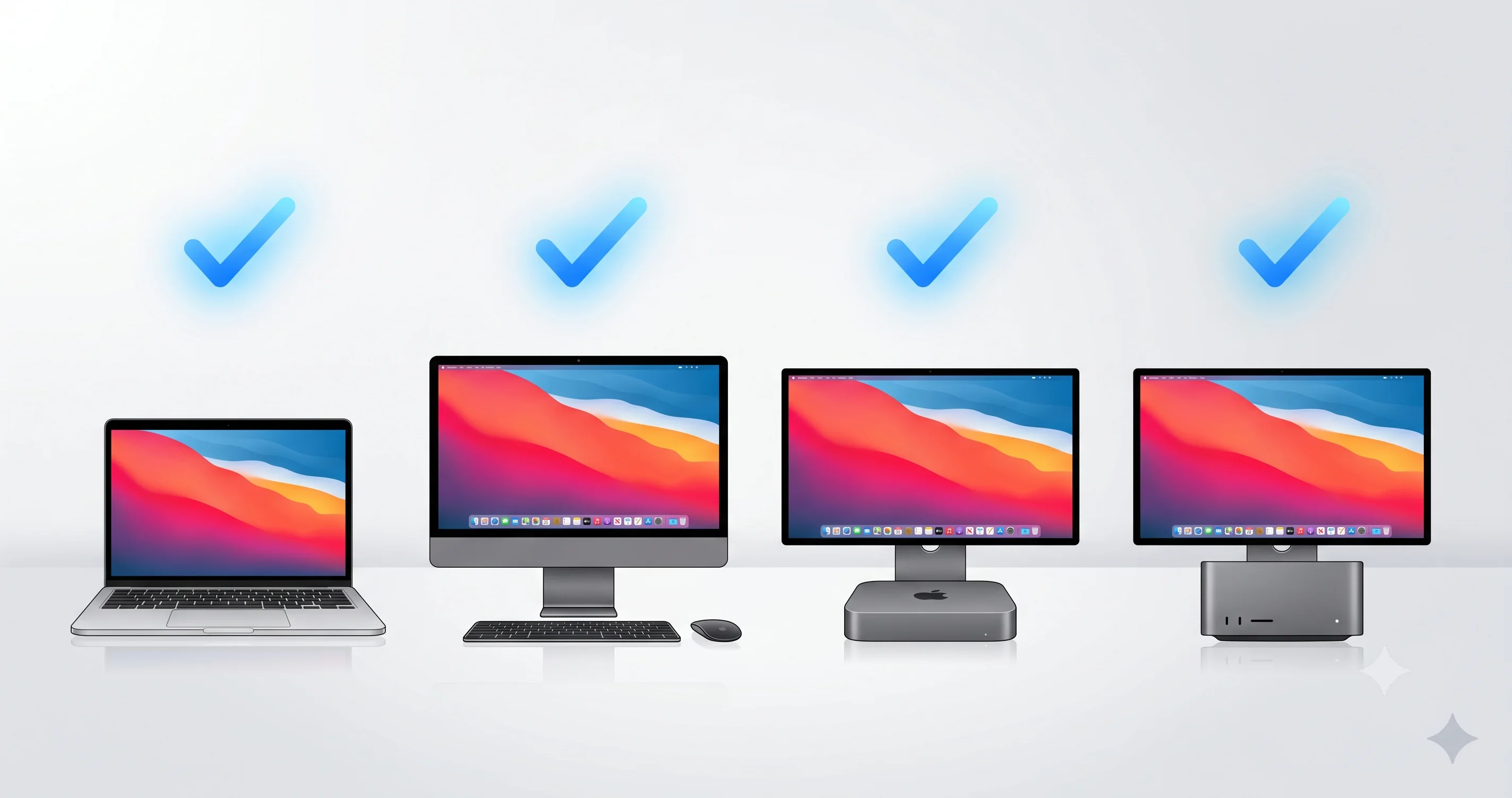
This is the announcement with the broadest impact. macOS 27 Golden Gate is the first version of macOS to require Apple Silicon. Every Intel-based Mac is dropped. To run Golden Gate, your Mac needs an M1, A18 Pro, or later chip.
Here is the complete list of supported Macs according to Apple:
| Mac Model | Minimum Supported Generation |
|---|---|
| MacBook Neo | 2026 (A18 Pro) |
| MacBook Air | M1 (2020) and later |
| MacBook Pro | M1 13" (2020) and later |
| iMac | M1 (2021) and later |
| Mac mini | M1 (2020) and later |
| Mac Studio | 2022 and later |
| Mac Pro | 2023 (Apple Silicon) |
If you bought a Mac in the last five years, odds are very high it is supported. The transition to Apple Silicon began in late 2020, and any Mac with an M-series chip makes the cut.
The headline addition to the lineup is the MacBook Neo (2026), the newest member of the family, built around the A18 Pro chip. Its inclusion signals Apple's continued blurring of the line between its silicon families, with an A-series chip now sitting comfortably alongside the M-series in the supported list. Beyond that, the structure of the list is refreshingly simple compared to recent years: there is no longer any need to cross-reference Intel model years against support cutoffs. The rule is now binary -- Apple Silicon, or not.
It is also worth noting how durable the original M1 generation has proven. A MacBook Air or Mac mini purchased at the very start of the Apple Silicon era in November 2020 is fully supported by macOS 27, meaning those machines will have received at least six years of major OS updates by the time Golden Gate's support window closes. That longevity is one of the underappreciated benefits of the silicon transition, and it stands in sharp contrast to the Intel machines now being retired.
The Four Macs That Lose Support
Exactly four Macs that ran macOS Tahoe 26 do not make the jump to Golden Gate. All four are Intel machines:
- MacBook Pro 16" (2019)
- MacBook Pro 13" (2020, the four-Thunderbolt-3-port Intel model)
- iMac (2020)
- Mac Pro (2019)
If you own one of these, macOS Tahoe 26 is the end of the road for major OS updates, though you can expect security updates to continue for a period after Golden Gate ships, consistent with Apple's usual support window for the two prior releases. For a full breakdown of this transition, see our dedicated coverage of the end of the Intel Mac era and the final compatibility list.
Rosetta 2: The Endgame Begins
For the dwindling number of users who still rely on Intel-only apps, macOS 27 carries critical news: it is the last version of macOS to ship with full Rosetta 2 translation. Rosetta 2, the technology that lets Apple Silicon Macs run apps compiled for Intel processors, has been the quiet hero of the architecture transition since 2020.
At WWDC 2025, Apple stated that Rosetta would be available "through macOS 27." That makes Golden Gate the final release with complete Rosetta support. The successor, macOS 28, will retain only a subset of Rosetta -- specifically to keep older, unmaintained Intel games playable -- but general-purpose Intel app translation goes away.
The writing has been on the wall. Starting in macOS 26.4 and 26.5, Apple began surfacing warnings when users launched Intel-only apps, nudging the ecosystem toward native Apple Silicon builds. macOS 27 is your last full year of grace.
To be clear about what changes and when: on macOS 27, Rosetta 2 continues to function exactly as it has, translating Intel binaries transparently so that most Intel-only apps simply run. You will see the same launch warnings that began appearing in the Tahoe 26.4 and 26.5 updates, but functionality is intact. The cliff comes with macOS 28, where Apple has said it will preserve only a narrow Rosetta subset aimed at keeping older, unmaintained Intel games playable. General-purpose Intel apps -- productivity tools, creative software, utilities, anything that has not been recompiled for Apple Silicon -- will no longer translate.
This is a genuinely tight runway. If a piece of software you depend on has not shipped a native Apple Silicon (or universal) build by now, that is a signal worth heeding: either the developer has moved on, or the app is on borrowed time. The safest path is to use your time on macOS 27 to inventory every app you run, identify which are Intel-only, and either find native replacements or pressure the developers for updated builds. The transition has been remarkably smooth precisely because Rosetta 2 made it invisible for years; macOS 27 is the moment that invisibility starts to wear off.
The practical takeaway: if you depend on any Intel-only software, now is the time to audit your apps, find native replacements, or contact developers about Apple Silicon versions. We have put together a complete Rosetta 2 ending and Intel app audit guide to walk through exactly how to inventory what you are running and plan the transition before macOS 28 forces the issue.
App Updates Across the System
Beyond the system-level work, macOS 27 brings a substantial round of app improvements, many powered by the new AI capabilities. According to Apple, the highlights include:
- Safari AI tools. Safari gains automatic tab grouping, website-change and price-drop monitoring, and the ability to generate custom extensions from a plain-language description of what you want them to do.
- Passwords. The Passwords app adds one-tap credential strengthening, making it trivial to upgrade weak or reused passwords.
- Messages and Mail smart replies. Both apps can now generate smart replies written in your own writing style, learned from how you actually communicate.
- Photos "Extend." Photos gains an AI editing feature called Extend that can intelligently expand images, with generated content marked using SynthID watermarking for transparency.
- Apple Intelligence in Shortcuts. You can now create shortcuts using natural language, describing the automation you want rather than dragging actions into place.
- A major parental controls overhaul. Apple substantially reworked parental controls with a new Time Allowance system, an "Ask to Browse" feature, and a redesigned Screen Time experience.
The Continuity story also advanced. iPhone Mirroring is now resizable and supports a different aspect ratio on the Mac, addressing a long-standing limitation of the cramped, fixed-size mirroring window. And Apple added the ability to switch between two iPhones that share a single phone number -- a meaningful convenience for anyone juggling a work and personal device on one line.
The Search Rebuild
One of the less heralded but more important under-the-hood changes is a rebuild of the search foundation. According to Apple, the underlying technology that powers Spotlight, Mail, and Photos search has been rebuilt for stability and efficiency.
This matters more than it sounds. Search reliability has been a recurring pain point across recent macOS releases -- Mail search in particular has frustrated users when the envelope index falls out of sync, and Spotlight has occasionally returned stale or incomplete results. Rebuilding the shared foundation that all three apps draw on should pay dividends in everyday reliability, and it dovetails neatly with the broader performance-and-stability theme of Golden Gate.
It also lays the groundwork for the deeper Spotlight integration that Siri AI depends on. A faster, more reliable search index is the substrate that makes the "Search or Ask" experience feel instant. The search rebuild is a good example of the kind of invisible infrastructure work that defines a Snow Leopard-style release: you will not see it, but you should feel it.
There is a logical elegance to bundling the search rebuild with the Siri AI launch. The assistant's most distinctive Mac capability -- analyzing and answering questions about your files -- is only as good as the index that catalogs those files in the first place. If Spotlight's index is stale, slow, or incomplete, the AI built on top of it inherits those flaws. By rebuilding the shared foundation underneath Spotlight, Mail, and Photos in the same release that introduces file-aware AI, Apple is investing in the plumbing before turning on the faucet. For users who have wrestled with Mail search returning no results, or Spotlight failing to surface a file they know exists, the promise of a more reliable index is one of the quieter but more meaningful improvements in the entire release.
Release Timeline: When You Can Install macOS 27
Apple laid out a familiar rollout cadence. Here is the timeline based on the keynote and Apple's typical schedule:
| Milestone | Timing | Details |
|---|---|---|
| Developer beta 1 | June 8, 2026 | Released keynote day. Build 26A5353q, ~17.07 GB full installer. |
| Public beta | Expected July 2026 | Available through the Apple Beta Software Program. |
| Final release | Fall 2026 (September) | No exact day announced during the keynote. |
The developer beta is available now to members of the Apple Developer Program, but it is exactly that -- a developer beta. First betas are typically the roughest, and macOS 27's beta 1 is no exception. The public beta in July will be more stable and is the better choice for enthusiasts who want an early look on a secondary machine.
A note on what is currently shipping: as of this writing, the current public release of macOS Tahoe is 26.5.1, with macOS Tahoe 26.6 in beta (beta 1 arrived May 26, build 25G5028f). Industry expectation -- not confirmed by Apple -- is that 26.6 will be the final major Tahoe update before Golden Gate takes over. If you are staying on Tahoe, our macOS Tahoe 26.5 complete update guide and the follow-up 26.5.1 fix coverage cover what you need to know about the current branch.
Apple also published a list of more than 250 changes across the OS 27 platforms on June 10, two days after the keynote -- the kind of exhaustive changelog that confirms just how broad the under-the-hood work in this release really is.
Should You Install the macOS 27 Beta?
The short answer for most people: not yet, and not on your primary Mac.
Developer beta 1 is meant for developers testing app compatibility, not for daily use. It will have bugs, some apps will not work, and battery life and stability are typically worse than the shipping release. If you rely on your Mac for work, wait.
Here is a practical decision framework:
- If you are a developer who needs to test your apps against the new APIs, the on-device AI frameworks, or the refined Liquid Glass rendering, install the developer beta -- ideally on a secondary machine or a separate APFS volume.
- If you are an enthusiast who wants an early look, wait for the public beta in July. It will be meaningfully more stable.
- If your Mac is your daily driver and you cannot afford downtime, wait for the final release in the fall.
- If your Mac is one of the four dropped Intel models, the beta is not available to you at all; Tahoe is your final OS.
Whatever you choose, back up first with a full Time Machine backup before installing any beta, and understand that downgrading from a beta is not trivial. For a deeper dive on what specifically breaks in beta 1 and whether it is worth your time, see our companion article on whether you should install the macOS 27 Golden Gate developer beta. And if you install it and change your mind, our guide to downgrading from the macOS 27 beta to Tahoe without losing data walks through the safe path back.
A Changing of the Guard: Tim Cook's Final Keynote
WWDC 2026 carried a note of historical significance beyond the software. There was no new hardware announced at the event -- a software-only WWDC, as has become the norm in recent years. But this keynote marked Tim Cook's final WWDC keynote as Apple's CEO. Cook departs on September 1, 2026, and will be succeeded by John Ternus, Apple's hardware engineering chief.
The symbolism is hard to miss. Cook took the stage to introduce a macOS release defined by Apple Silicon -- the very chip transition that defined his later tenure -- and to retire Intel from the Mac line entirely. Golden Gate, in that sense, closes a chapter that Cook's leadership opened. Ternus inherits a Mac platform that is, for the first time, exclusively running Apple's own silicon end to end. For Mac users, the leadership transition is unlikely to change anything in the near term, but it is a moment worth marking as the platform enters a new era.
Frequently Asked Questions
What is macOS 27 called, and when was it announced?
macOS 27 is named "Golden Gate," after the strait rather than the bridge. Apple announced it during the WWDC 2026 keynote on June 8, 2026, at Apple Park. It is the 23rd major macOS release and the successor to macOS Tahoe 26, with the first developer beta released the same day.
Is my Mac compatible with macOS 27?
If your Mac has an M1, A18 Pro, or later chip, yes. macOS 27 is the first Apple-Silicon-only release, so all Intel Macs are dropped. Four Tahoe-supported models lose support: the MacBook Pro 16" (2019), MacBook Pro 13" (2020 Intel), iMac (2020), and Mac Pro (2019).
When will macOS 27 be released to everyone?
Apple did not announce an exact date. Based on the keynote and Apple's typical cadence, expect a public beta in July 2026 and a final release in the fall, most likely September 2026. The developer beta (build 26A5353q) is available now to Apple Developer Program members.
Does macOS 27 still support Rosetta 2 for Intel apps?
Yes, but it is the last version that ships with full Rosetta 2. Apple confirmed at WWDC 2025 that Rosetta is available "through macOS 27." macOS 28 will keep only a narrow subset for older unmaintained Intel games, so now is the time to audit and replace any Intel-only apps you depend on.
What hardware do I need for the new on-device Siri AI?
On-device Siri AI requires an M3 chip or later with at least 12GB of unified memory. Macs that do not meet that bar can still use Siri AI through cloud-based features routed via Apple's Private Cloud Compute. The rollout is waitlist-based and English-only at launch, and is available in the EU on macOS even though it is not on iOS at launch.
Conclusion
macOS 27 Golden Gate is, in many ways, the release Mac users have been quietly asking for: less spectacle, more substance. By foregrounding performance, rebuilding the search foundation, and walking back the most criticized Liquid Glass choices, Apple is treating Golden Gate as a Snow Leopard moment -- a chance to refine rather than reinvent. At the same time, the release draws two hard lines under the past: it ends the Intel Mac entirely and starts the countdown on Rosetta 2.
The next steps depend on who you are. Developers can dig into the beta today; enthusiasts should hold for July's public beta; everyone else is best served waiting for the fall release. Before then, the smart move is preparation -- confirm your Mac is supported, audit your Intel-only apps before Rosetta winds down, and read our full breakdown of the end of the Intel Mac era so there are no surprises. If you want the complete pre-keynote context for how all of this came together, our WWDC 2026 preview covering the macOS 27 and Siri overhaul remains a useful companion. We will be testing Golden Gate throughout the beta period and updating our coverage as Apple finalizes the release.