WWDC 2026 Preview: macOS 27, Siri Overhaul, Mac Pro M5 Ultra & Everything to Expect
Complete WWDC 2026 preview and predictions. What to expect from macOS 27, the Siri AI overhaul, refined Liquid Glass, Mac Pro with M5 Ultra, and developer tools.
Apple's Worldwide Developers Conference 2026, now confirmed for June 8-12, arrives at one of the most consequential moments in the Mac platform's history. macOS Tahoe -- the first major visual redesign since macOS Big Sur -- divided the user base with its polarizing Liquid Glass aesthetic. The long-promised Siri overhaul, powered by Google's Gemini AI, has been plagued by testing delays and feature slippage. And four Macs in Apple's lineup are still waiting for M5 silicon. WWDC 2026 is where all these threads converge. macOS 27, the next generation of Apple's desktop operating system, will need to address user feedback on Liquid Glass, deliver the AI capabilities Apple has been promising since WWDC 2024, and provide developers with the tools and frameworks necessary to build the next generation of intelligent Mac applications. This is everything we know, everything we expect, and everything that remains uncertain heading into June.
Key Takeaways
- WWDC 2026 runs June 8-12, 2026, with a hybrid format featuring both the online-streamed keynote and in-person developer activities at Apple Park in Cupertino.
- macOS 27 will be the centerpiece software announcement, building on the Liquid Glass design language introduced in macOS Tahoe while addressing readability and usability criticism.
- The Siri AI overhaul -- featuring personal context, on-screen awareness, and Google Gemini integration -- is expected to finally debut across macOS 27, iOS 27, and iPadOS 27, though the full rollout may extend into point releases.
- Mac Pro with M5 Ultra is the most likely hardware announcement at the keynote, completing the M5 transition for Apple's professional desktop lineup.
- Developer tools and frameworks will receive significant updates, including expanded Foundation Models capabilities, deeper MCP (Model Context Protocol) integration, and enhanced AI-assisted coding in Xcode.
WWDC 2026: Dates, Format & How to Watch
Apple officially announced WWDC 2026 on March 14, 2026, confirming the event will take place from June 8 through June 12, 2026. This continues the pattern established in recent years -- a week-long event anchored by a Monday keynote that reveals the headline announcements, followed by a State of the Union session for developers, and then four days of in-depth sessions, labs, and workshops.
Event Format
WWDC 2026 will once again use a hybrid format:
- Keynote (June 8, 10 a.m. PT): Livestreamed globally on apple.com, the Apple Developer app, and Apple's YouTube channel. This is where macOS 27, iOS 27, and other major announcements will be made.
- Platforms State of the Union (June 8, afternoon): A deeper technical overview aimed at developers, covering new APIs, frameworks, and tools.
- In-person component at Apple Park: Apple will host a limited number of developers and students at its Cupertino headquarters for hands-on labs, meet-and-greets with Apple engineers, and viewing parties. Attendance is by invitation and lottery.
- Online sessions (June 9-12): Hundreds of technical sessions covering every Apple platform, available on-demand through the Apple Developer app.
How to Prepare
For developers planning to follow along:
- Download or update the Apple Developer app on your Mac, iPhone, or iPad.
- Ensure your Apple Developer Program membership is current -- access to beta software requires an active membership.
- Back up your development machines before installing any beta software. macOS betas, especially the first developer beta, are notoriously unstable.
- Review the current state of your apps for deprecated APIs. Apple typically provides a deprecation timeline at WWDC, and macOS 27 is expected to finalize several long-running deprecations.
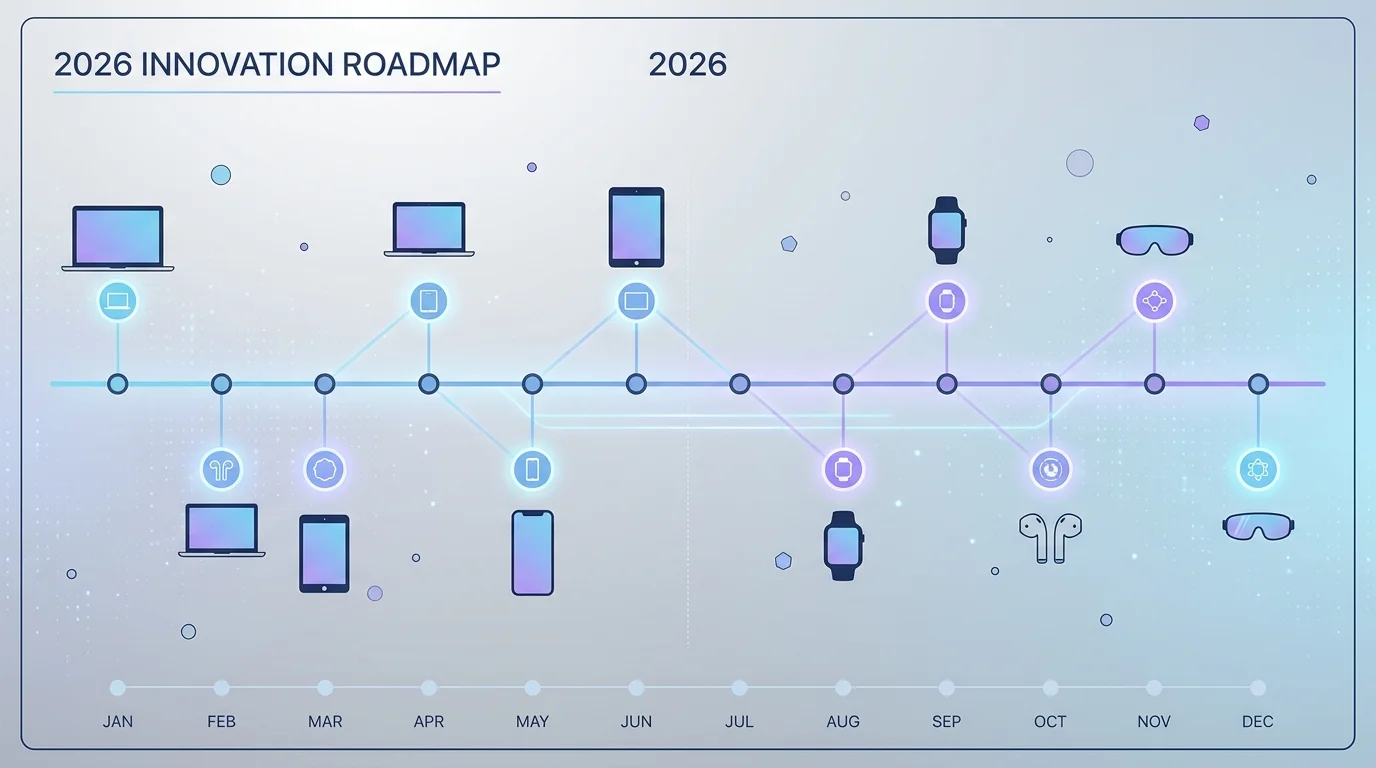
For a comprehensive overview of what Apple has planned beyond WWDC, see our complete 2026 Apple product roadmap.
macOS 27: What We Know
macOS 27 will be the 24th major release of macOS (counting from Mac OS X 10.0) and the second release to use the Liquid Glass design language introduced in macOS 26 Tahoe. While Apple has not officially revealed the name or any features, we can piece together a detailed picture from supply chain reports, developer hints, and Apple's own public roadmap signals.
Naming Speculation
Apple has used California landmarks for macOS names since OS X Mavericks in 2013. Recent names have included Ventura, Sonoma, Sequoia, and Tahoe. The leading candidates for macOS 27's name, according to trademark filings and analyst speculation, include:
- macOS Carmel (after Carmel-by-the-Sea)
- macOS Shasta (after Mount Shasta)
- macOS Catalina Island (unlikely -- Catalina was already used for macOS 10.15)
- macOS Redwood (after the Redwood forests)
Apple typically registers multiple trademarks to obscure the real choice, so any of these could be the name -- or none of them.
Major Features Expected
Based on reporting from Mark Gurman (Bloomberg), Ming-Chi Kuo, and the editorial teams at MacRumors, 9to5Mac, and AppleInsider, here are the features most likely to appear in macOS 27:
AI Integration as a System-Level Feature
macOS 27 is expected to represent the deepest integration of AI capabilities into the Mac operating system to date. This goes beyond the Apple Intelligence features introduced in macOS Sequoia and expanded in macOS Tahoe. The new Siri -- discussed in detail in the next section -- will be the user-facing centerpiece, but the underlying changes are broader:
- System-wide personal context: macOS 27 will allow Siri and other AI features to reference your emails, messages, calendar events, documents, and browsing history to provide contextually relevant responses -- all processed on-device or through Private Cloud Compute.
- On-screen awareness: The AI system will be able to understand and act on what is currently displayed on your screen, enabling commands like "summarize this document" or "add this event to my calendar" without needing to copy and paste content.
- Intelligent automation: Expanded Shortcuts integration that allows AI-generated multi-step workflows based on natural language descriptions.
Refined Liquid Glass UI
The Liquid Glass design language debuted in macOS Tahoe to a deeply mixed reception. macOS 27 is expected to ship a refined version that addresses the most persistent criticism -- we cover this in detail in the "Liquid Glass 2.0" section below.
Performance and Compatibility
- Rosetta 2 support will continue in macOS 27, according to multiple sources, but this is expected to be its final year. Apple is widely reported to be planning the removal of Rosetta 2 in macOS 28 (2027). If you are still relying on Intel-only applications, our Rosetta 2 end-of-life preparation guide covers everything you need to do before that transition.
- Supported hardware is expected to remain broadly similar to macOS Tahoe's requirements, meaning Macs with Apple Silicon (M1 and later) will be supported. Some older Intel Macs may finally be dropped from the supported list.
Privacy Architecture
Apple has consistently positioned privacy as a core differentiator for its AI strategy. macOS 27 is expected to expand Private Cloud Compute capabilities, including:
- Expanded on-device processing: More AI tasks will run entirely on the Mac's Neural Engine, reducing the need for cloud round-trips.
- Verifiable privacy guarantees: Apple's Private Cloud Compute uses a novel architecture where server code is published and can be independently audited. macOS 27 may introduce user-facing transparency reports showing when and how cloud compute is used.
- Data residency controls: Enterprise users may get new controls to specify that certain AI processing must remain on-device, never reaching Apple's servers.
The Siri AI Overhaul: Finally Arriving in macOS 27
The story of Siri's AI overhaul is one of the most protracted development sagas in Apple's recent history. First teased at WWDC 2024, delayed through all of 2025, and then hit by further testing roadblocks in early 2026, the revamped Siri has tested Apple's credibility with users and developers alike. WWDC 2026 is where Apple is expected to deliver -- or at least convincingly demonstrate -- the Siri it has been promising for two years.
What the New Siri Is Supposed to Do
The revamped Siri represents a fundamental architectural shift from the original keyword-and-intent-matching system to a large language model-powered conversational assistant. The core capabilities, as described by Apple at previous events and in patent filings, include:
Personal Context Engine
The new Siri will maintain a persistent understanding of your personal context -- your relationships, preferences, routines, and the content of your communications. When you ask Siri "When is my mom's flight arriving?" it will be able to search your email for flight confirmation, cross-reference it with your contacts to identify your mother, and provide the real-time flight status. This level of contextual understanding requires deep integration with Mail, Messages, Contacts, Calendar, and third-party apps that support the new SiriKit extensions.
On-Screen Awareness
Perhaps the most transformative feature for Mac users: Siri will be able to see and understand what is currently displayed on your screen. If you are reading a research paper in Preview, you could ask Siri to "summarize the methodology section." If you are looking at a spreadsheet in Numbers, you could ask Siri to "create a chart from column B." This feature uses a combination of OCR, visual understanding models, and app-specific APIs to interpret screen content.
Cross-App Actions
The new Siri will be able to chain actions across multiple applications. A single request like "Take the budget spreadsheet from my Downloads, create a summary, and email it to the finance team" would involve Finder, Numbers (or Excel), and Mail working in concert. Apple calls this "App Intents orchestration," and it represents a significant expansion of the Shortcuts framework.
The Google Gemini Integration
In January 2026, Apple confirmed what had been rumored for months: Google's Gemini AI would power key aspects of the next-generation Siri. This is a significant strategic decision that deserves careful analysis.
What Gemini Powers
Gemini does not replace Apple's on-device models. Instead, it serves as a cloud-based reasoning layer for queries that exceed the capabilities of local processing. When Siri encounters a complex question that requires broad knowledge, multi-step reasoning, or real-time information, it can route the query through Gemini via Apple's Private Cloud Compute infrastructure. Apple has stated that no user data is retained by Google, and all queries are anonymized before being processed.
Why Not Just ChatGPT?
Apple already has a ChatGPT integration in macOS Tahoe. The Gemini partnership is different in a key way: ChatGPT is offered as an optional, user-invoked feature (you explicitly choose to send a query to ChatGPT). Gemini, by contrast, is integrated into Siri's backend architecture -- it operates transparently, with Apple's system deciding when to use on-device models, Private Cloud Compute, or Gemini based on the query's complexity and the user's privacy settings.
The Testing Problems
As reported by Bloomberg's Mark Gurman in February 2026, the Gemini integration has encountered significant testing issues:
- Siri sometimes falls back to ChatGPT even when Gemini should handle the request, creating inconsistent response quality.
- A bug causes Siri to cut users off when they speak quickly, suggesting issues in the speech recognition pipeline.
- Accuracy problems with personalization features -- Siri does not always correctly identify which "John" you mean when you have multiple contacts with that name.
- Latency issues when routing queries through multiple AI backends.
Apple has been spreading the originally planned feature set across multiple updates. At WWDC 2026, we expect Apple to announce the full vision for the new Siri and begin delivering features in macOS 27.0, with additional capabilities arriving in 27.1, 27.2, and beyond through the fall and winter.
What This Means for Mac Users
The practical impact for Mac users will depend on which features ship in the initial macOS 27 release versus later updates. Based on current reporting, here is a realistic assessment:
| Feature | Expected in macOS 27.0 | Possibly Delayed |
|---|---|---|
| Personal context (email, messages) | Partial | Full rollout in 27.1+ |
| On-screen awareness | Yes (basic) | Advanced features later |
| Cross-app actions | Limited apps | Broader support in 27.2 |
| Gemini-powered reasoning | Yes | - |
| Conversational memory | Yes | - |
| Type-to-Siri improvements | Yes | - |
Liquid Glass 2.0: Responding to User Feedback
When Apple introduced the Liquid Glass design language in macOS Tahoe at WWDC 2025, it represented the most significant visual overhaul of macOS since Big Sur in 2020. The reaction was immediate -- and deeply divided. Our analysis of the Liquid Glass design controversy documented the community response in detail: some users praised the modern, cohesive aesthetic, while others criticized reduced readability, inconsistent transparency effects, and a loss of visual hierarchy.
Apple has been listening. Internal builds of macOS 27, according to sources cited by MacRumors and AppleInsider in March 2026, show meaningful refinements to Liquid Glass that address the most common complaints without abandoning the design philosophy.
What Is Changing
Improved Readability and Contrast
The most frequent criticism of Liquid Glass was that translucent UI elements made text difficult to read, particularly on busy backgrounds. macOS 27 is expected to:
- Increase the opacity of toolbar and sidebar backgrounds by approximately 15-20%, providing better text contrast while maintaining the translucent aesthetic.
- Add adaptive contrast adjustments that automatically increase opacity when the content behind a window is visually complex (e.g., a busy photograph versus a solid desktop color).
- Improve text rendering in translucent contexts with enhanced font weight adjustments that make labels and menu items more legible.
Refined Control Appearances
Buttons, toggles, and other interactive controls in macOS Tahoe were criticized for being difficult to distinguish from non-interactive elements. macOS 27 reportedly addresses this with:
- Slightly more prominent control borders that give buttons and text fields a clearer visual boundary.
- Improved hover and active states that provide stronger visual feedback when interacting with controls.
- Consistent depth cues across all system controls, making it clearer which elements are clickable and which are decorative.
Customization Options
Apple rarely offers aesthetic customization beyond light/dark mode, but macOS 27 may break with that tradition:
- A new "Reduce Glass Effects" accessibility setting that replaces Liquid Glass translucency with solid, opaque backgrounds throughout the system. This is similar to the existing "Reduce Transparency" option but specifically tuned for the Liquid Glass design language.
- Adjustable sidebar opacity: Users may be able to control the translucency level of sidebars in system apps like Finder, Mail, and Notes.
- Tint color expansion: More options for accent colors that affect the tint of Liquid Glass elements throughout the system.
What Is Not Changing
Apple is not abandoning Liquid Glass. The design language will remain the defining visual identity of macOS, and the core principles -- layered translucency, depth effects, and material-based rendering -- will continue. The changes in macOS 27 are refinements, not a reversal.
This is consistent with Apple's historical pattern. When iOS 7 introduced flat design in 2013, it was widely criticized as too stark and lacking in visual depth. Apple refined it over subsequent releases (iOS 8, 9, and 10) without reverting to skeuomorphism. Liquid Glass appears to be on the same trajectory.
Developer Tools & Frameworks
For developers, WWDC is fundamentally a tools and frameworks event. The keynote announcements generate headlines, but the sessions, labs, and documentation released during the week are what actually shape the next year of app development. Here is what the developer community is expecting from WWDC 2026.
Xcode Enhancements: AI-Assisted Coding Gets Serious
Xcode has been steadily incorporating AI features since Apple introduced "Swift Assist" and code completion powered by Apple's own language models. WWDC 2026 is expected to deliver a significant step forward:
Enhanced Code Completion
Current Xcode AI completions are functional but limited -- they suggest single-line completions and simple patterns. macOS 27's Xcode is expected to offer:
- Multi-line code generation that understands the broader context of your project, including your custom types, protocols, and existing code patterns.
- Natural language-to-code: Describe what you want in a comment, and Xcode generates the implementation. This has existed in third-party tools for years, but Apple's version will be deeply integrated with Swift's type system and SwiftUI's declarative syntax.
- Intelligent refactoring suggestions: Xcode will proactively suggest improvements to your code based on new APIs introduced in macOS 27 and iOS 27.
Debugging with AI
Perhaps more valuable than code generation: AI-assisted debugging. Apple is expected to introduce:
- Crash log analysis that explains what went wrong in plain English, identifies the likely cause, and suggests a fix.
- Performance profiling insights in Instruments that use AI to identify bottlenecks and suggest optimizations.
- Memory leak detection that not only identifies the leak but explains the retain cycle and shows exactly which reference needs to be broken.
For a broader look at the Mac development tool landscape, see our best Mac developer tools for 2026 roundup.
Foundation Models Framework: Major Update
The Foundation Models framework, introduced in macOS Tahoe, provides developers with access to Apple's on-device AI models for text generation, summarization, entity extraction, and more. WWDC 2026 is expected to bring a major update:
- Expanded model capabilities: Support for larger and more capable on-device models, enabled by the M5 chip's expanded Neural Engine.
- Image understanding APIs: The ability to pass images to Foundation Models for analysis, description, and question-answering -- entirely on-device.
- Structured output: Generate JSON, property lists, or other structured data formats from natural language queries, making it easier to integrate AI into data-processing pipelines.
- Fine-tuning support: Developers may be able to fine-tune Foundation Models on their own data, creating domain-specific models that run entirely on the user's Mac.
MCP (Model Context Protocol) Integration
One of the most developer-relevant updates in macOS Tahoe was the introduction of support for the Model Context Protocol. Our comprehensive MCP integration guide for macOS Tahoe covers the current implementation in detail. At WWDC 2026, expect:
- System-level MCP support: macOS 27 may integrate MCP at the operating system level, allowing any AI-powered application to discover and use MCP servers without custom integration.
- MCP in Xcode: The IDE itself may support MCP connections, enabling developers to connect Xcode's AI features to external knowledge bases, documentation servers, or custom tools.
- Expanded tool support: New built-in MCP tools for file system access, web search, and system automation that developers can leverage in their AI-powered applications.
- Security framework for MCP: A sandboxed MCP execution environment that maintains macOS security guarantees while allowing AI models to interact with external tools.
Swift Language Updates
Swift 6.2 (or possibly Swift 7.0) is expected at WWDC 2026. Likely updates include:
- Further concurrency improvements: Simplified patterns for structured concurrency, potentially reducing the verbosity of
async/awaitpatterns. - Enhanced macro capabilities: More powerful compile-time metaprogramming that makes it easier to generate boilerplate code.
- Interoperability improvements: Better C++ interop and possibly improved support for calling Rust or other languages from Swift.
- AI-specific language features: New attributes or property wrappers that make it easier to annotate code for AI-powered tools and frameworks.
SwiftUI Updates
SwiftUI continues to close the gap with AppKit/UIKit in every release. macOS 27 is expected to bring:
- Improved table and list performance: Handling of large data sets without stuttering or excessive memory use.
- New layout primitives: More flexible container types and improved support for complex, adaptive layouts.
- Enhanced animation APIs: New animation types and improved choreography tools for creating polished UI transitions.
- Better AppKit interop: Continued improvements to the
NSViewRepresentablebridge and new options for mixing SwiftUI and AppKit in the same window.
For a deep dive into the current state of macOS development, our macOS Tahoe developer guide remains an essential reference.
Mac Pro with M5 Ultra: The Last Missing Mac
The Mac Pro is the only Mac that has not yet received an M5 chip, and it is the most likely hardware announcement at WWDC 2026. Apple has a precedent for Mac Pro announcements at WWDC -- the 2019 Mac Pro was unveiled at that year's conference -- and the timing aligns with the M5 Ultra chip's expected production schedule.
What We Know About the M5 Ultra
The M5 Ultra is the top-of-the-line chip in the M5 family, created by connecting two M5 Max dies using Apple's UltraFusion interconnect. Based on the M5 chip architecture analysis and known M5 Max specifications, here are the expected specs:
| Specification | M5 Ultra (Expected) | M4 Ultra (Current) |
|---|---|---|
| CPU Cores | Up to 32 (24P + 8E) | 32 (24P + 8E) |
| GPU Cores | Up to 80 | 80 |
| Neural Engine Cores | 32 | 32 |
| Unified Memory | Up to 256GB | Up to 192GB |
| Memory Bandwidth | Up to 1.2 TB/s | 819 GB/s |
| Transistor Count | ~100 billion | 72 billion |
| Process Node | TSMC 3nm (N3P) | TSMC 3nm (N3E) |
The M5 Ultra's most significant improvement over the M4 Ultra is expected to be in memory bandwidth and Neural Engine performance -- both critical for AI workloads, large language model inference, and professional video workflows.
Mac Pro M5 Ultra: Pricing and Configuration
The Mac Pro has always been Apple's most expensive Mac, and the M5 Ultra version is unlikely to change that:
- Base configuration: M5 Ultra with 24-core CPU, 60-core GPU, 128GB unified memory -- estimated $6,999
- Maximum configuration: M5 Ultra with 32-core CPU, 80-core GPU, 256GB unified memory -- estimated $12,000+
- PCIe expansion: The Mac Pro will likely retain its PCIe slots, though the number of expansion slots and their utilization is increasingly limited as Apple integrates more functionality into the SoC.
- Storage: Up to 8TB SSD, likely starting at 1TB for the base model.
Who Actually Needs the Mac Pro in 2026?
This is an honest question worth addressing. The Mac Studio with M5 Max or M5 Ultra (expected later in 2026) will satisfy the vast majority of professional users at a lower price and smaller footprint. The Mac Pro's remaining advantages are:
- PCIe expansion: For users who need specialized hardware -- high-end audio interfaces, Thunderbolt expansion cards, fiber channel networking, or GPU cards for specific software (though macOS support for discrete GPUs remains nonexistent).
- Maximum memory configurations: If the Mac Pro supports more memory than the Mac Studio (which has historically been the case), it remains essential for workloads that require more than the Studio's maximum.
- Rack-mount option: The Mac Pro is available in a rack-mount form factor, which is critical for data centers, server rooms, and professional AV installations.
- Enterprise procurement cycles: Many large organizations standardize on the Mac Pro for their most demanding workstations, and procurement decisions are often tied to product categories rather than specific configurations.
Mac Studio, iMac, and Mac mini: The Rest of the 2026 Mac Lineup
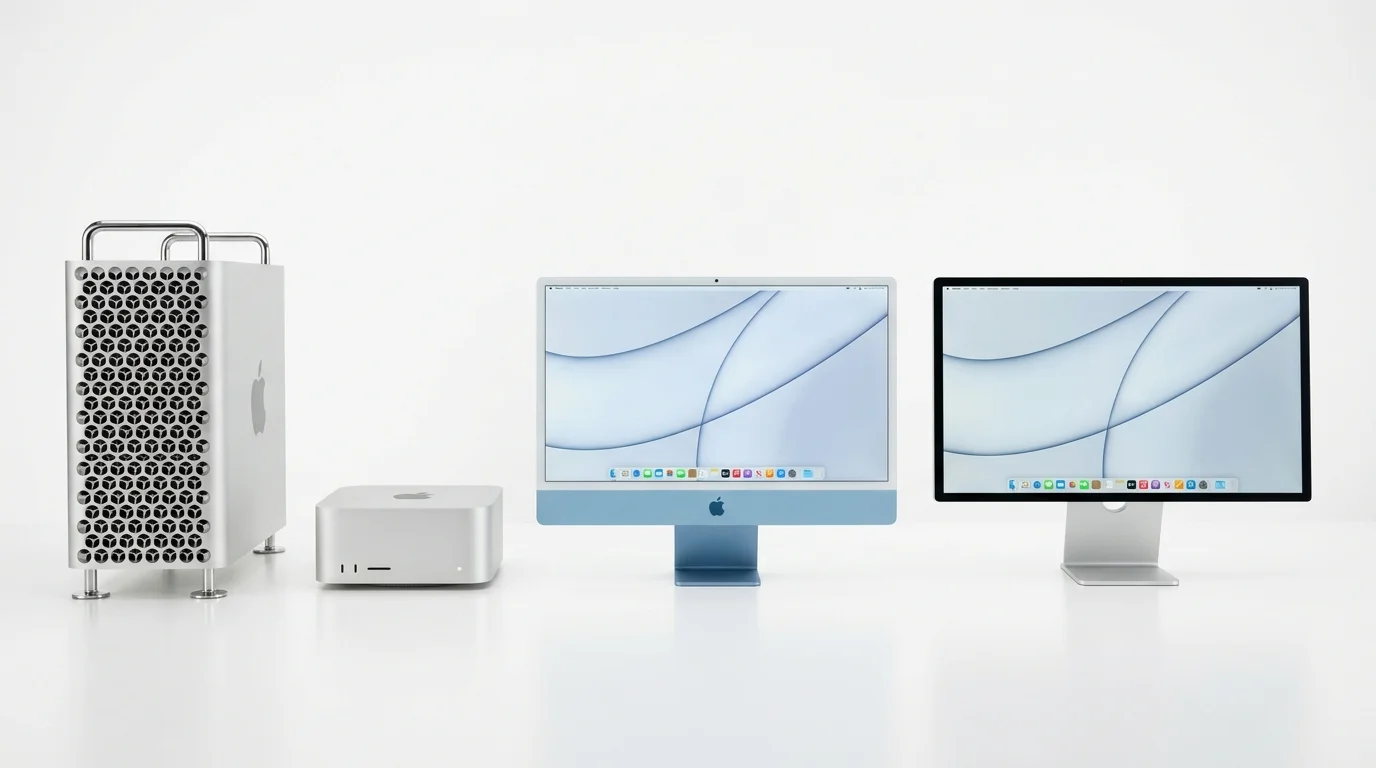
According to a March 17, 2026 report from 9to5Mac, four more Macs are expected to ship later in 2026, in addition to the MacBook Air M5 and MacBook Pro M5 models that were announced at the March 2026 event. Our Mac Studio and Mac mini preview covers these in more detail, but here is a summary of what to expect.
Mac Studio (M5 Max / M5 Ultra) -- Summer 2026
The Mac Studio is positioned between the Mac mini and the Mac Pro, and it has become the go-to choice for creative professionals who need desktop power without the Mac Pro's price tag.
- Chips: M5 Max (base) and M5 Ultra (high-end configuration)
- Memory: Up to 192GB (M5 Ultra) or 128GB (M5 Max)
- Timing: Expected announcement at WWDC or shortly after, with availability in summer 2026
- Price: Starting at $1,999 (M5 Max), approximately $3,999 (M5 Ultra)
- Key improvement: The M5 Max's enhanced Neural Engine and memory bandwidth make the Mac Studio an exceptional machine for local AI development and inference
iMac (M5) -- Fall 2026
The iMac continues to occupy a unique position as Apple's all-in-one desktop. The M5 update will be straightforward:
- Chip: M5 (base chip, not Max or Ultra)
- Display: Likely unchanged -- 24-inch 4.5K Retina display
- Timing: Expected fall 2026, likely October alongside macOS 27's public release
- Price: Starting at $1,299
- Potential surprise: There have been persistent rumors about a larger iMac (27-inch or 30-inch) with M5 Pro, but these remain unconfirmed and may be pushed to 2027
Mac mini (M5 / M5 Pro) -- Fall 2026
The Mac mini was dramatically redesigned in 2024 with the M4 generation, shrinking to roughly the footprint of an Apple TV. The M5 update is expected to maintain this design:
- Chips: M5 (base) and M5 Pro (high-end)
- Memory: Up to 64GB (M5 Pro)
- Timing: Fall 2026
- Price: Starting at $599 (M5), $1,399 (M5 Pro)
- Key use case: The M5 Mac mini with M5 Pro will be an outstanding value for developers -- enough memory for Xcode, simulators, and local AI model development at the lowest price point in the Mac lineup
visionOS 3 & Cross-Platform Updates
WWDC is not just about the Mac. Apple will announce updates to every platform in its ecosystem. Here is what to expect from the non-Mac announcements.
visionOS 3
Apple Vision Pro has had a challenging first two years in the market, with limited sales and a mixed reception. visionOS 3 is expected to focus on:
- Performance improvements: Better rendering performance and reduced eye strain for extended use.
- Mac Virtual Display enhancements: Improved resolution, lower latency, and possibly support for multiple virtual Mac displays in the spatial environment. This is particularly relevant for Mac users who use Vision Pro as a display.
- Spatial Personas improvements: More realistic avatars for FaceTime and collaboration.
- Developer tools: Improved Reality Composer Pro, better spatial audio APIs, and enhanced hand tracking.
- Price reduction hints: While not a software feature, Apple may use WWDC to announce a more affordable Vision product (expected in late 2026 or early 2027).
iOS 27 and iPadOS 27
iOS and iPadOS 27 will share many of the AI features coming to macOS 27, including the Siri overhaul, personal context, and on-screen awareness. Platform-specific features expected include:
- iOS 27: Redesigned Control Center, new home screen customization options, and enhanced Live Activities.
- iPadOS 27: Improved multitasking (possibly a more Mac-like windowing system), better Apple Pencil integration with AI features, and enhanced Stage Manager.
- Both platforms: Shared Notes improvements, redesigned Settings app, and new health and fitness features.
watchOS 13
watchOS 13 is expected to bring:
- Health monitoring improvements: New sensors and algorithms for the Apple Watch Series 12 hardware expected in fall 2026.
- Siri integration: The watchOS version of the new Siri, optimized for wrist-based interactions.
- Widget improvements: More customizable watch faces with richer complications.
What Developers Should Prepare For
With WWDC 2026 less than three months away, here is a practical guide for developers who want to be ready when the announcements land.
Immediate Actions (Now through June)
1. Audit Your Codebase for Deprecated APIs
Apple typically deprecates APIs one or two releases before removing them. If your app uses APIs deprecated in macOS Tahoe (macOS 26), assume they may be removed in macOS 28 (2027). Address them now while you have time.
2. Evaluate Your Rosetta 2 Dependencies
This cannot be overstated: Rosetta 2 is expected to remain in macOS 27 but will likely be removed in macOS 28. If your workflow depends on any Intel-only binaries -- build tools, plugins, legacy libraries -- start planning the migration now. See our comprehensive Rosetta 2 end-of-life guide for step-by-step migration instructions.
3. Adopt Swift Concurrency Fully
If your app still uses GCD (Grand Central Dispatch) or completion handlers extensively, prioritize migration to Swift's structured concurrency (async/await, actors, task groups). Apple's AI frameworks and new APIs increasingly assume your code uses modern concurrency patterns.
4. Implement App Intents
The new Siri will use App Intents to discover and interact with your app's functionality. If you have not implemented App Intents, your app will be invisible to the new Siri's cross-app capabilities. Start with the most common user actions in your app and expose them as intents.
5. Review Foundation Models Integration Opportunities
If your app could benefit from on-device AI -- text summarization, entity extraction, content classification, or natural language understanding -- familiarize yourself with the Foundation Models framework introduced in macOS Tahoe. macOS 27's expanded capabilities will build on this foundation.
Post-WWDC Actions (June through September)
6. Install Beta Software on Test Devices Only
The first developer beta of macOS 27 will be available immediately after the keynote. Install it on a secondary partition or a dedicated test machine -- never on your primary development machine.
7. Run Your Existing App on macOS 27 Beta
Before making any changes, simply run your current app on macOS 27 to identify compatibility issues. Apple's Developer Transition Guide (released at WWDC) will document known issues and migration paths.
8. Adopt New APIs Incrementally
Do not try to adopt every new API at once. Prioritize based on your users' needs and the competitive landscape. Focus on the features that provide the most value with the least risk.
Deprecation Warnings to Watch
Based on Apple's trajectory and public statements, these are the deprecations most likely to be announced or finalized at WWDC 2026:
- Rosetta 2: Supported in macOS 27, likely removed in macOS 28.
- Legacy Notification APIs: If you are still using the older
NSUserNotificationAPI instead ofUserNotifications, expect removal soon. - Kernel extensions (kexts): Apple has been pushing developers to system extensions for years. macOS 27 may further restrict kext functionality.
- OpenGL and OpenCL: Deprecated since macOS 10.14, these may see further functionality restrictions. Metal is the only supported graphics and compute API going forward.
- Older Xcode versions: macOS 27 will likely require Xcode 19 (or whatever Apple calls the next version), and submitting apps to the App Store may require the latest Xcode.
Frequently Asked Questions
When is WWDC 2026?
WWDC 2026 runs from June 8 to June 12, 2026. The keynote presentation, where Apple announces macOS 27 and other major updates, is scheduled for Monday, June 8, 2026 at 10:00 a.m. Pacific Time. The keynote will be livestreamed on apple.com, the Apple Developer app, and Apple's YouTube channel. Developer sessions, labs, and workshops continue through Friday, June 12.
Will macOS 27 work on my Mac?
While Apple has not confirmed the system requirements for macOS 27, it is expected to support the same hardware as macOS Tahoe (macOS 26), which requires a Mac with Apple Silicon (M1 chip or later). If your Mac currently runs macOS Tahoe, it will almost certainly support macOS 27. If you have an older Intel Mac that is still supported by Tahoe, it may or may not make the cut -- Apple has been gradually narrowing Intel support, and macOS 27 could be the release that drops remaining Intel Macs.
Is this the last year for Rosetta 2?
Based on current reporting, macOS 27 is expected to be the last macOS version to include Rosetta 2 support. Apple is widely reported to be planning the removal of Rosetta 2 in macOS 28 (2027). This means Intel-only applications will continue to work on macOS 27, but developers and users who rely on Intel-only software should treat 2026-2027 as a firm deadline for transition. If you have Intel-only dependencies, start your migration planning immediately.
What is the new Siri going to be like?
The new Siri, expected to debut with macOS 27, iOS 27, and iPadOS 27, will be fundamentally different from the current Siri. Powered by a combination of Apple's on-device models, Private Cloud Compute, and Google's Gemini AI, the new Siri will feature personal context awareness (understanding your emails, messages, and schedule), on-screen awareness (understanding what is displayed on your Mac), and cross-app actions (performing multi-step tasks across different applications). However, based on recent reporting about testing delays, not all features may be available in the initial macOS 27.0 release -- some capabilities may arrive in subsequent point updates through fall and winter 2026.
Should I buy a Mac now or wait for M5 models?
This depends on which Mac you are considering. The MacBook Air M5 and MacBook Pro M5 are already available following Apple's March 2026 event. If you need a Mac Studio, waiting until summer 2026 (likely announced at or near WWDC) is advisable. For the Mac mini and iMac, both are expected in fall 2026, so the current M4 versions remain excellent choices if you need a machine today -- the M5 update for these models will be a standard generational improvement rather than a transformative upgrade. The Mac Pro is the most uncertain -- if you need a Mac Pro, the M5 Ultra version is expected at WWDC 2026, making it worth waiting if you can.
Will Apple announce any hardware at WWDC 2026?
WWDC is primarily a software event, but Apple has a history of making hardware announcements at the conference when the timing aligns. The Mac Pro with M5 Ultra is the most likely hardware announcement, as it has precedent (the 2019 Mac Pro debuted at WWDC) and the timing matches the chip's expected availability. The Mac Studio may also be announced at or around WWDC. There is also the possibility of a new Apple display or Apple Vision Pro updates, though these are less certain.
How do I get the macOS 27 beta?
The first developer beta of macOS 27 will be available immediately after the WWDC keynote on June 8, 2026. You will need an active Apple Developer Program membership ($99/year) to access the developer beta. A public beta typically follows 2-4 weeks later (usually in late June or early July) and is available to anyone with an Apple ID who enrolls in the Apple Beta Software Program. The final public release is expected in September or October 2026, coinciding with new iPhone and Mac hardware launches.
Conclusion
WWDC 2026 is shaping up to be one of the most consequential Apple developer conferences in recent memory -- not because of any single revolutionary announcement, but because it represents the convergence of several years of foundational work. The AI infrastructure Apple began building at WWDC 2024 with Apple Intelligence, the design language it introduced at WWDC 2025 with Liquid Glass, and the silicon architecture it has refined across four generations of M-series chips all come together in the macOS 27 and M5 Ultra announcements expected in June.
The Siri overhaul will be the headline feature that most users notice, and it carries the most risk. Apple has been promising a fundamentally reimagined Siri for two years, and the testing delays reported in early 2026 suggest the company is still working to get it right. If Apple delivers even 70% of what it has described -- personal context, on-screen awareness, and reliable cross-app actions -- it will represent the single largest functional improvement to macOS in years. If it falls short, the credibility gap will be difficult to close.
For developers, the calculus is clearer. macOS 27 will bring expanded AI frameworks, deeper tool integration through MCP, and the continued maturation of SwiftUI and Swift concurrency. The deprecation timeline for Rosetta 2 means that 2026-2027 is the final window for migrating away from Intel dependencies. And the new Siri's App Intents-based architecture means that developers who invest in exposing their app's capabilities to the AI system will have a significant advantage in discoverability and user engagement.
The Mac hardware lineup will finally be complete with the M5 Ultra Mac Pro and the subsequent Studio, iMac, and mini updates. For the first time since Apple's transition to its own silicon began in 2020, every Mac in the lineup will be on the same chip generation within a single calendar year.
Mark your calendar for June 8. Whether you are a developer preparing to adopt new APIs, a professional evaluating your next Mac purchase, or simply a Mac user curious about what comes after Tahoe, WWDC 2026 is where the next chapter of the Mac story begins.
This article will be updated as new information emerges ahead of WWDC 2026. Last updated: March 18, 2026.