Is macOS Sonoma Still Supported? Last Update and What to Do
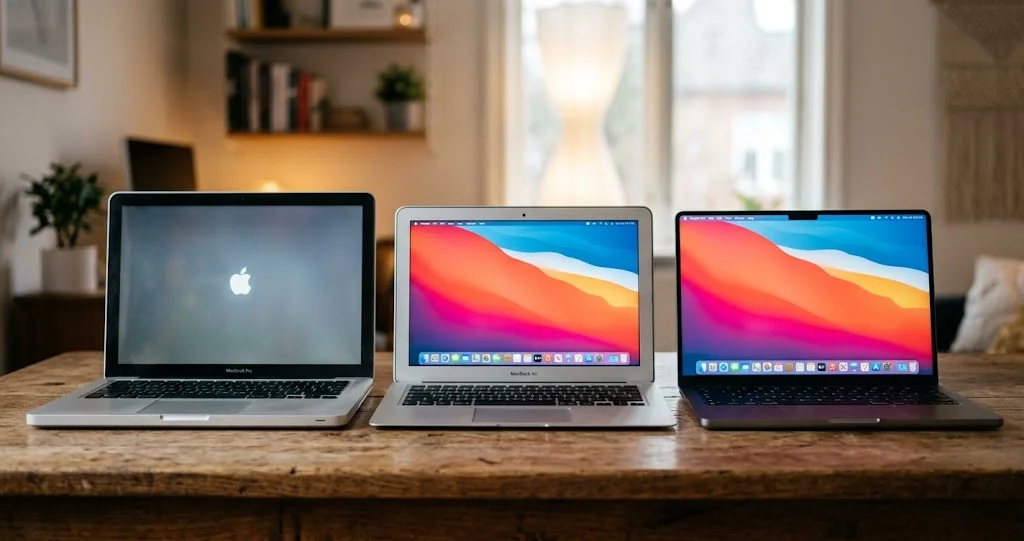
Is macOS Sonoma still supported? Apple's last Sonoma update is 14.8.9 from 6 Aug 2026, with none on 14 or 28 Sep. What that means and what to do by Mac.
Is macOS Sonoma still supported? Apple has not said, but on its security releases page the newest Sonoma entry is macOS Sonoma 14.8.9 from 6 August 2026, and nothing for Sonoma appeared when macOS 27 shipped on 14 September or in the 28 September round that fixed an exploited bug on Tahoe and Sequoia. In practice, Sonoma looks to be out of the security patch window (that is our inference from the record, not an Apple announcement), and any Mac that can run Sequoia or Tahoe should move.
This article was first published on 3 September as a prediction. It is now a record check, so it has been rewritten: what Apple's page shows as of 10 October 2026, what the prediction got right and where Apple did something slightly different from what we expected, which Macs top out at Sonoma and which can go further, and how to install the version you actually want rather than the one Software Update pushes. Sonoma Macs have not stopped working. What has stopped, as far as anyone can see, is the flow of fixes.
Key Takeaways
- The record, checked on 10 October 2026: Apple's security releases page lists macOS Sonoma 14.8.9 (6 August 2026) as the newest Sonoma release. The 14 September round (macOS Golden Gate 27, Tahoe 26.7, Sequoia 15.8, Safari 27) and the 28 September round (27.0.1, Tahoe 26.7.1, Sequoia 15.8.1) contain no Sonoma entry.
- Apple has announced no end date. "Sonoma is out of the patch window" is an inference from that record plus Apple's habit of patching the current macOS and the two before it. One later 14.x security release would disprove it, so check the page rather than trusting this article forever.
- Sonoma missed a real fix. On 28 September Apple fixed CVE-2026-86950, a CoreGraphics bug it says may have been exploited, in Tahoe and Sequoia only. Sonoma got nothing, and Apple does not say whether Sonoma is affected.
- Only two Macs top out at Sonoma: the MacBook Air (Retina, 13-inch, 2018) and 2019. Comparing Apple's Sonoma and Sequoia lists, every other Sonoma Mac can run Sequoia. Eleven Intel models stop at Sequoia; four Intel models can reach Tahoe.
- macOS 27 is Apple silicon only, so Intel Macs are now on Tahoe or Sequoia for good. Another year of updates for those is the usual pattern, not a promise.
What the Record Shows (Checked 10 October 2026)
Apple publishes no end-of-support date for macOS, and it has not published one for Sonoma. What exists is a list of releases with dates. Here is what that list says today, read directly from the Apple security releases page on 10 October 2026.
The last year of Sonoma releases
| Release | Date | Security notes |
|---|---|---|
| macOS Sonoma 14.8 | 15 Sep 2025 | Apple 125112 |
| macOS Sonoma 14.8.1 | 29 Sep 2025 | 125330 |
| macOS Sonoma 14.8.2 | 3 Nov 2025 | 125636 |
| macOS Sonoma 14.8.3 | 12 Dec 2025 | 125888 |
| macOS Sonoma 14.8.4 | 11 Feb 2026 | 126350 |
| macOS Sonoma 14.8.5 | 24 Mar 2026 | 126796 |
| macOS Sonoma 14.8.7 | 11 May 2026 | 127117 |
| macOS Sonoma 14.8.8 | 27 Jul 2026 | 128072 |
| macOS Sonoma 14.8.9 | 6 Aug 2026 | 148172 |
The page lists no entry for a 14.8.6, so that number does not appear in the table. The last row is the newest Sonoma release on the page. Apple's note for 14.8.9 contains a single entry: a Screen Sharing authentication issue, CVE-2026-65400, where a network-based attacker could sign in without valid credentials, fixed with improved state management. The note does not say it was exploited.
What shipped on 14 and 28 September
| Date | Mac releases on Apple's page | Sonoma entry? |
|---|---|---|
| 14 Sep 2026 | macOS Golden Gate 27, macOS Tahoe 26.7, macOS Sequoia 15.8, Safari 27, Xcode 27 | None |
| 28 Sep 2026 | macOS Golden Gate 27.0.1 (no notes link), macOS Tahoe 26.7.1, macOS Sequoia 15.8.1 | None |
The notes for Sequoia 15.8 list 153 entries, and none of them applies to Sonoma. The notes for Tahoe 26.7.1 and Sequoia 15.8.1 do not mention Sonoma either. The only security-notes link for a macOS 27 build on the page is the one for 27 itself; 27.0.1 has no notes link.
Safari tells the same story
Apple ships Safari separately for the two older macOS versions. Every Safari entry on the page from Safari 26 (15 September 2025) through Safari 26.6.1 (18 August 2026) is listed for "macOS Sonoma and macOS Sequoia". Safari 27, released on 14 September 2026, is listed for "macOS Sequoia and macOS Tahoe". So the last Safari update for Sonoma, as far as the page shows, is Safari 26.6.1 on 18 August 2026. That is the part of the record that matters most for daily safety, because Safari and WebKit are where most remotely reachable bugs live.
How to read it, and what would prove it wrong
The honest reading has three layers.
What is a fact: Sonoma 14.8.9 is the newest Sonoma release on the page; there is no Sonoma row for 14 or 28 September; Safari 27 dropped Sonoma from its list.
What is an inference: Sonoma is now outside the patch window. We infer that from the fact that Apple shipped two rounds of updates for its neighbours, one of them an exploited-bug fix, and did not ship one for Sonoma. Apple has not said it.
What a quiet gap does not prove: 6 August to 10 October is 65 days, and Sonoma has had longer quiet spells on this very page. 11 May to 27 July is 77 days. A gap alone would prove nothing. What makes this one different is that it covers a major release and an exploited-bug fix, both of which Sonoma would normally be in line for if it were still supported.
What would prove the inference wrong: a new Sonoma 14.x security release appearing on Apple's page. If one does, this article will be updated. Until then, plan as though it will not happen. Apple has done this before; the next section has the dates.
What "Unsupported" Means in Practice
Three things stop, one is separate, and one only changes slowly.
macOS security fixes stop. Kernel, WebKit, image and font parsers, sandbox and the dozens of components named in each "About the security content" page are no longer fixed on Sonoma. The bugs do not stop being found. They stop being fixed on your machine, and fixes shipped for Sequoia and Tahoe give attackers a map of where to look.
Safari updates stop. As the table above shows, Safari 26.6.1 is the last one listed for Sonoma. If Safari is your main browser, you are now on a frozen WebKit.
Third-party apps drift slowly. Developers raise minimum macOS versions each year. This has not hit Sonoma yet: Google's announced Chrome floor is macOS 13 Ventura from Chrome 151, as reported by 9to5Google (we did not confirm on Google's own pages that Chrome 151 shipped, so check), and Mozilla's system requirements page lists macOS 10.15 as the Firefox minimum. Sonoma is 14, so browsers still support it on paper. That is useful: a maintained browser is the best mitigation on an unsupported Mac, but it does not replace OS fixes for bugs outside the browser. Apple's own software moves faster. Xcode 27, for example, has its own cutoff, covered in our deployment-target article.
XProtect is delivered separately. Apple's built-in malware signatures are updated on their own track rather than inside macOS point releases, which is why an older Mac can still receive new definitions. We did not re-check this month which macOS versions receive the newest XProtect build, so do not assume. You can see the installed version in System Information under Software > Installations. XProtect catches known malware families; it does not fix the kernel or WebKit bug that malware uses to get in.
Apple services do not switch off. iCloud, iMessage, FaceTime and the App Store keep working on Macs outside the patch window. What happens over two or three years is that individual features and apps start requiring a newer macOS. It is a slow decline, not a shut-off.
The Receipts: How Apple Has Handled Each Year
Because Apple states no policy, the evidence is the release history on its own page. Here are three transitions, with dates from the same security releases page.
| Year | New macOS | Oldest version's last release | What the oldest version got on launch day |
|---|---|---|---|
| 2024 | macOS Sequoia 15, 16 Sep 2024 | Monterey 12.7.6, 29 Jul 2024 | Nothing |
| 2025 | macOS Tahoe 26, 15 Sep 2025 | Ventura 13.7.8, 20 Aug 2025 | Nothing |
| 2026 | macOS Golden Gate 27, 14 Sep 2026 | Sonoma 14.8.9, 6 Aug 2026 | Nothing |
One thing the prediction got wrong is worth recording. In September 2025, Apple shipped Tahoe, Sonoma 14.8 and Sequoia 15.7 on the same day, and the 3 September version of this article said Sonoma might get a similar same-day courtesy this year. It did not. On 14 September 2026 Apple shipped macOS 27, Tahoe 26.7 and Sequoia 15.8 with Safari 27, and Sonoma was left out.
The pattern, then, is that the oldest of the three supported versions gets no release on the day the new one ships, and the surviving two do. That is three data points in a row. Three data points are enough to plan around and not enough to call it policy, which is why we label it an inference throughout.
For the Ventura version of this story, see our Ventura end-of-support guide.
The 28 September Fix That Sonoma Did Not Get
The most concrete reason this matters is a single security note. On 28 September 2026 Apple released macOS Tahoe 26.7.1 and macOS Sequoia 15.8.1. Apple's notes for Tahoe 26.7.1 and Sequoia 15.8.1 each contain one entry:
| Field | What Apple's note says |
|---|---|
| Component | CoreGraphics |
| Impact | Processing a maliciously crafted file may lead to arbitrary code execution |
| Cause and fix | An out-of-bounds write, addressed with improved bounds checking |
| CVE | CVE-2026-86950, credited to Meta Product Security |
| Exploitation | Apple says it is aware of a report that the issue may have been exploited in an extremely sophisticated attack against specific targeted individuals, on versions of iOS before iOS 27 |
| Availability | macOS Tahoe (26.7.1 note) or macOS Sequoia (15.8.1 note) only |
Three cautions about reading this. First, the exploitation statement refers to iOS versions before iOS 27, so Apple's wording is about iPhones; the same flaw appears in these Mac notes. Second, "targeted individuals" describes the reported attacks, not what every Mac user faces. Third, Apple does not say whether Sonoma's CoreGraphics contains the same bug, and neither do we. What we can say is that no Sonoma fix exists. For the full walk-through of that update, including 27.0.1, see our 26.7.1 and 15.8.1 guide.
If you needed a single example of what "outside the patch window" means, this is it. The fix exists. The Macs that can receive it are the ones on the two supported older versions and macOS 27, and Sonoma is not among them.
Which Macs Are Affected
This section is built by comparing Apple's own compatibility pages: Sonoma, Sequoia and Tahoe, all read on 10 October 2026. We matched the lists model by model, not from memory.
First, find your model
Apple menu > About This Mac shows the marketing name, such as "MacBook Pro (13-inch, 2019, Two Thunderbolt 3 ports)". That is the string Apple's compatibility pages use. From Terminal, this command prints the name:
system_profiler SPHardwareDataType | grep "Model Name"The Thunderbolt-port count matters. Apple lists the 2019 and 2020 13-inch MacBook Pro with two ports and with four ports as separate models, and they land in different groups below. If you only know the model identifier (such as MacBookPro16,2), the site's Mac model lookup turns it into the newest macOS that model supports, and the compatibility checker covers the same question model by model.
Group 1: Sonoma is the end of the road
Two models appear on Apple's Sonoma list and not on its Sequoia list:
- MacBook Air (Retina, 13-inch, 2018)
- MacBook Air (Retina, 13-inch, 2019)
There is no supported macOS upgrade for these. Your options are in the stranded section below.
Group 2: Sequoia is the last stop
These appear on Apple's Sequoia list and not on its Tahoe list. Eleven models:
- MacBook Pro (13-inch, 2018, Four Thunderbolt 3 ports)
- MacBook Pro (15-inch, 2018)
- MacBook Pro (13-inch, 2019, Two Thunderbolt 3 ports)
- MacBook Pro (13-inch, 2019, Four Thunderbolt 3 ports)
- MacBook Pro (15-inch, 2019)
- MacBook Pro (13-inch, 2020, Two Thunderbolt 3 ports)
- MacBook Air (Retina, 13-inch, 2020)
- iMac (Retina 4K, 21.5-inch, 2019)
- iMac (Retina 5K, 27-inch, 2019)
- iMac Pro (2017)
- Mac mini (2018)
(The 3 September version of this article said twelve; its own list had eleven names, and the page comparison confirms eleven.)
Group 3: Tahoe is available, and it is the last macOS for Intel
Four Intel models are on Apple's Tahoe list:
- MacBook Pro (16-inch, 2019)
- MacBook Pro (13-inch, 2020, Four Thunderbolt 3 ports)
- iMac (Retina 5K, 27-inch, 2020)
- Mac Pro (2019)
Group 4: Apple silicon
Every Apple silicon Mac on Apple's Sonoma list is also on its Tahoe list, and macOS 27 is Apple silicon only. A Sonoma Mac in this group is on Sonoma by choice, and the cost of that choice has gone up.
The decision table
| Your Mac | Newest macOS it can run | Do this |
|---|---|---|
| MacBook Air 2018 or 2019 (Retina, 13-inch) | Sonoma 14 | No supported upgrade. Harden, run OpenCore Legacy Patcher at your own risk, or replace |
| The eleven Group 2 Intel models | Sequoia 15 | Upgrade to Sequoia now; plan hardware for 2027 |
| MacBook Pro 16-inch 2019, MacBook Pro 13-inch 2020 (four ports), iMac 27-inch 2020, Mac Pro 2019 | Tahoe 26 | Go straight to Tahoe unless an app blocks you; Sequoia is a one-year fallback |
| Any Apple silicon Mac | macOS 27 or Tahoe, depending on the model | Update to a supported version; check the macOS 27 release-day guide and why 27 may not appear in Software Update |
What macOS 27 Means for Intel Macs on Tahoe
macOS 27 runs on Apple silicon only. For Intel Macs this is the line that our final compatibility list article described before WWDC. The practical consequence for the Intel Macs in Groups 2 and 3 is simple: the newest operating system they will ever run is the one they can run now, Sequoia or Tahoe.
On the update window, here is what the pattern implies, labelled as an inference. Apple has so far patched the current macOS and two previous versions. With macOS 27 current, that means 26 and 15 are the supported older versions. When macOS 28 ships, probably in September 2027, Sequoia would be the version to fall out. When macOS 29 ships, Tahoe would. That gives a Group 2 Mac about a year of Sequoia fixes from now and a Group 3 Mac about two years of Tahoe fixes. One more year of updates is what the history suggests. It is not a promise from Apple, and Intel hardware has less reason than most to get special treatment, so do not buy or keep a machine on the strength of that arithmetic alone.
Two other Intel facts. Rosetta 2, the translation layer for Intel apps on Apple silicon, is a separate issue covered in our Rosetta audit guide and does not affect an Intel Mac, which runs Intel code natively. And for a Group 3 machine, the extra graphics load of Tahoe's interface is a real consideration; our Intel optimisation guide lists what helps.
Sequoia or Tahoe? For the Macs That Can Choose
Group 3 and Group 4 Macs have a real choice. The security-window arithmetic is the first input.
| Sequoia 15 | Tahoe 26 | |
|---|---|---|
| Still receiving fixes (as of 28 Sep 2026) | Yes, 15.8.1 | Yes, 26.7.1 |
| Likely end of fixes (inference) | About September 2027 | About September 2028 |
| Runs on Intel | Groups 2 and 3 | Group 3 only |
| Interface | Pre-Liquid Glass | Liquid Glass |
| Upgrade path later | Tahoe, on Group 3 only | None on Intel; macOS 27 on Apple silicon |
For a Group 3 Mac, going to Sequoia first means a second upgrade within a year to reach Tahoe anyway. Unless you have a specific application that breaks on Tahoe, go straight there. If you do, Sequoia is a legitimate one-year holding position, and our Tahoe versus Sequoia comparison covers what differs.
For Apple silicon Macs the question is different, because macOS 27 is available. Many people stay on an old version because of Liquid Glass. Be honest that this trades security updates for an interface preference, and note that macOS 27 adds a transparency control. Moving a Sonoma Mac to Tahoe or macOS 27 is the only option that keeps it in the window.
What an Intel Mac Gets From Sequoia
Most Group 2 Macs are moving for the patches, not the features, so it is fair to ask what else changes. On an Intel Mac, less than the release notes suggest. Sequoia's headline features, iPhone Mirroring and Apple Intelligence, need Apple silicon. What an Intel Mac does get includes the standalone Passwords app and window tiling by dragging to screen edges. Those are nice, but not the reason to move.
The reason is the stream of fixes: Sequoia 15.8 alone had 153 entries in Apple's notes on 14 September, and 15.8.1 added the CoreGraphics fix on 28 September. Sonoma saw none of that. We are not going to quote performance numbers because we have not measured Sonoma against Sequoia on a 2018 to 2020 Intel Mac; reports we have seen suggest the difference is small, but that is anecdote.
Installing the Version You Want
Software Update makes a choice for you. On a Mac that supports Tahoe, System Settings > General > Software Update offers Tahoe, and on Apple silicon it may also offer macOS 27. It does not offer Sequoia. To get Sequoia specifically, fetch the installer yourself.
Method 1: Apple's download page
Apple's how to download and install macOS page links to the full installers for recent versions. Follow the link for the version you want and run the installer from the Applications folder. If a link does not open the App Store as expected, try it in Safari.
Method 2: softwareupdate from Terminal
The same installers can be listed and fetched from Terminal. The list is filtered to what your Mac can run.
softwareupdate --list-full-installersThis prints the available full installers with version and build. Pick the version you want from that list and fetch it:
sudo softwareupdate --fetch-full-installer --full-installer-version 15.8.1Use the exact version your list shows; 15.8.1 is only an example and may not be listed on every Mac. The installer appears in Applications as "Install macOS Sequoia". Nothing installs until you open it. It is the same installer you would use to make a bootable USB installer; the site's createinstallmedia generator builds the command for you.
Method 3: Take what Software Update offers
If your Mac supports Tahoe and you have decided on Tahoe, Software Update is the right tool. Back up first with a Time Machine backup or a clone, and skim what commonly goes wrong in major upgrades. To see which version is the latest for each macOS and whether it still gets updates, the macOS versions tool is built from the same Apple page used in this article.
Before You Upgrade: The Checklist That Matters
- Back up. Not "I have iCloud". A Time Machine backup or a bootable clone, verified, on a drive you can unplug.
- Check the apps you cannot live without. Going to Sequoia is usually fine. Going to Tahoe on Intel, check anything that installs a kernel extension, such as old audio interfaces, VPN clients and backup tools, and check the vendor's page for each.
- Check free space. Full installers are many gigabytes and the upgrade needs more room than the installer itself. Aim for at least 40 GB free; that is our rule of thumb, not an Apple figure.
- Have your Apple Account password and a trusted device. Activation Lock and FileVault both ask.
- Do it on a weekday morning. If something goes wrong you want help and patience available.
If You Are Stranded
Group 1, the 2018 and 2019 MacBook Air, is stranded now. All of Group 2 will be in about a year.
Option A: Run it unsupported, carefully
An unsupported Mac is progressively more exposed, mostly through the browser. Practical mitigations:
- Use a browser that still supports your macOS and patches its own engine. As of the pages cited above, Chrome's floor is Ventura and Firefox's is macOS 10.15. Keep it updated.
- Check System Information > Software > Installations occasionally to see whether XProtect is updating.
- Turn on the firewall and turn off Sharing services you do not use. Remember that the last Sonoma fix, 14.8.9, was for Screen Sharing.
- Avoid using the machine for anything involving credentials or documents you care about.
- Plan a replacement date. A Mac that is out of the patch window will, over a couple of years, be left behind by third-party software too.
Option B: OpenCore Legacy Patcher
OpenCore Legacy Patcher is a community project that installs newer macOS on unsupported Macs. On the project's GitHub page we found a statement that it officially supports patching to run macOS Big Sur through Tahoe, no mention of macOS 27, and a note that it is offered as-is with no guaranteed support. We could not see release dates in the page capture, so we cannot tell you how recently it was updated. It can be an option for a hobbyist. For a machine you rely on for work it is a risky one: unofficial patching changes how the system boots and updates, and problems are yours to solve. If you try it, read the project's documentation for your exact model first, and have a verified backup. Also check that the Mac model you own is supported; this is not a given for every unsupported machine.
Option C: Replace it
A 2018 MacBook Air is eight years old. Apple's Tahoe list includes the MacBook Neo, which is listed there with an A18 Pro; see our MacBook Neo guide for specifications, and the Intel migration guide for moving your data. For most people in Group 1 this is the realistic answer.
For Administrators
If you manage a fleet, a few points follow from the record above.
Treat Sonoma as unpatched from 6 August. Update your risk register and your compliance wording: the newest Sonoma release is 14.8.9, and there is no vendor statement either way.
Move Group 2 machines to Sequoia, not to Tahoe. They cannot run Tahoe anyway. Group 3 machines can go straight to Tahoe. Use the same-day pattern as a planning aid: Sequoia and Tahoe have both been receiving releases through 28 September.
Cache the installer once. Fetching a full installer with the command above on one Mac and then distributing it through a content cache or USB installer saves bandwidth on a fleet.
Check your update mechanism. macOS 27 changed some MDM update behaviour, covered in our admin checklist for macOS 27. Test deferral and enforcement on one device before you rely on them.
Write off Group 1 machines in your inventory. A 2018 MacBook Air in a fleet in 2026 has no supported path. Budget its replacement, not its patching.
A Note on Dates You Will See Elsewhere
You may find other sources giving Sonoma's end of support as "November 2026" or a specific day in late September. Organisations such as university IT departments set their own deadlines for retiring old systems, and those are internal planning dates. They are not Apple's. There is no Apple date. The only fact is the one in the record table: the newest Sonoma release on Apple's page is 14.8.9 from 6 August 2026. Anything more specific than that is someone's estimate, including ours.
Troubleshooting Common Issues
Software Update only offers Tahoe or macOS 27 and I want Sequoia
Expected. Use the download link on Apple's install page, or softwareupdate --list-full-installers and --fetch-full-installer from Terminal. Both give you the full Sequoia installer.
The App Store or installer says this version of macOS is not compatible
Your Mac is not on Sequoia's list. Check the model in About This Mac against Apple's compatibility page. If it is a 2018 or 2019 MacBook Air, you are in Group 1.
softwareupdate --list-full-installers shows nothing older than Tahoe
The list is filtered to what your Mac can run. If you are on Intel hardware and see only newer versions or an empty list, check your network and try again. If it still shows only Tahoe, compare your model against the Sequoia list on Apple's page before assuming anything.
My Sonoma Mac says it is up to date
It is, for Sonoma. 14.8.9 is the newest Sonoma release on Apple's page. "Up to date" can stay true indefinitely, because there is no newer Sonoma to be out of date against. That is the entire problem, and the reason to check your version against the table above rather than the Software Update pane.
I upgraded to Sequoia and an app stopped working
Check the developer's site for a Sequoia-compatible version first. If the app is essential and there is none, you can downgrade, which is why the backup is step 1 of the checklist.
I see 14.8.9 but my firmware version differs from another Mac
Apple changed how firmware ships in Sequoia and Sonoma updates; see our firmware mismatch article. It is not a sign of a failed update.
FAQ
Is macOS Sonoma still supported?
Apple has not announced an end date. On its security releases page the newest Sonoma release is 14.8.9, dated 6 August 2026, and there is no Sonoma entry on 14 or 28 September. We infer Sonoma has left the patch window. A later 14.x release would show we were wrong.
What was the last macOS Sonoma update?
macOS Sonoma 14.8.9, released 6 August 2026, with one security entry: a Screen Sharing authentication issue, CVE-2026-65400. The last Safari for Sonoma on Apple's page is Safari 26.6.1 from 18 August 2026. Safari 27 lists only Sequoia and Tahoe.
Did Sonoma get the 28 September fix for the exploited bug?
No. The CoreGraphics fix for CVE-2026-86950 is in Tahoe 26.7.1 and Sequoia 15.8.1, and Apple's notes for both list only those versions. Apple does not say whether Sonoma is affected and published no Sonoma update. Apple says the bug may have been exploited in targeted attacks on iOS versions before iOS 27.
Which Macs cannot run anything newer than Sonoma?
Comparing Apple's Sonoma and Sequoia lists, only two: the MacBook Air (Retina, 13-inch, 2018) and the MacBook Air (Retina, 13-inch, 2019). Every other Mac on the Sonoma list is also on the Sequoia list, so it can move to a version that still receives updates.
Can I skip Sequoia and go straight from Sonoma to Tahoe?
Yes, if your Mac is on Apple's Tahoe list. Software Update will do that directly, and there is no requirement to pass through Sequoia. Only four Intel Macs can do it: the 16-inch 2019 MacBook Pro, the 2020 13-inch MacBook Pro with four ports, the 2020 27-inch iMac and the 2019 Mac Pro.
Is a Mac on an unsupported macOS immediately unsafe?
No. It becomes gradually more exposed as fixes accumulate on supported versions, and the browser is the main risk. A maintained third-party browser, the firewall and sensible habits reduce it; they do not remove it. Treat it as a countdown, and avoid sensitive work on the machine.
Will my Intel Mac keep getting updates after macOS 27?
For now, yes. Sequoia 15.8.1 and Tahoe 26.7.1 shipped on 28 September. Past practice suggests Sequoia lasts until about the time macOS 28 arrives and Tahoe until macOS 29. That is an inference from pattern, not an Apple commitment.
Conclusion
The 3 September version of this article predicted the shape of what happened: macOS 27 shipped, Tahoe and Sequoia got updates the same day, and Sonoma got none. The one thing we guessed wrong was a possible same-day Sonoma courtesy release; Apple did not ship one. Two weeks later, the 28 September zero-day fix went to Tahoe and Sequoia and again skipped Sonoma. Apple has still not said a word about an end date, so what you have is a record and an inference. Until a new 14.x release appears on the security releases page, plan on the inference.
If your Mac can run something newer, run it: Tahoe if you can, Sequoia if you cannot, macOS 27 on Apple silicon if it suits you. If it cannot, decide now whether it is a hobby machine, a carefully-hardened machine, or one you are replacing. Then check the macOS versions tool now and again, because the answer to "is it still supported" is a lookup, not an opinion.
Related reading: the 26.7.1 and 15.8.1 zero-day update guide, the final macOS 27 Intel compatibility list, macOS Ventura end of support, and macOS Tahoe versus Sequoia.