MacBook Neo Complete Guide 2026: Apple's $599 Mac — Full Specs, Limitations, and Who Should Buy It
Everything about Apple's MacBook Neo: $599 starting price, A18 Pro chip, 8GB RAM, 13-inch display. Complete specs, limitations, comparisons, and buying advice.
For the first time since the original Mac mini launched at $499 back in 2005, Apple has broken the $600 barrier on a portable Mac. The MacBook Neo, announced on March 4, 2026 and available starting March 11, carries a $599 starting price that would have seemed impossible just two years ago. It slots into a gap that Apple watchers have been tracking for years: the space between Chromebooks and "real" Macs, a price bracket where millions of students, Windows switchers, and first-time Mac buyers make their decisions.
But $599 is not $999. Something had to give to hit that number, and Apple made some very deliberate trade-offs to get there. The MacBook Neo ships with 8GB of unified memory — the only current Mac that does not start at 16GB. It omits Touch ID on the base model. It lacks a backlit keyboard. The trackpad is a conventional mechanical design, not the haptic Force Touch pad you get on every other MacBook. And while the ports are USB-C, they are not Thunderbolt.
Whether those compromises matter to you depends entirely on what you need from a laptop. This guide covers everything: the confirmed specifications, a frank assessment of the trade-offs, real-world performance expectations, and a clear buying recommendation for the different types of people considering this machine.
Key Takeaways
- The MacBook Neo starts at $599 (or $499 for education), making it the most affordable Mac laptop Apple has ever sold, powered by the A18 Pro chip — the same silicon inside the iPhone 16 Pro.
- It is the only current Mac shipping with 8GB RAM; every other Mac model now starts at 16GB, which is a meaningful limitation for anyone planning to run multiple apps simultaneously.
- The base $599 model lacks Touch ID, a backlit keyboard, and haptic trackpad — three features present across the rest of the MacBook lineup that you will genuinely notice missing.
- Ports are USB-C but not Thunderbolt, meaning no Thunderbolt peripherals, no daisy-chaining, and limited external display options compared to M-series MacBooks.
- It is an excellent Mac for students, light users, and Windows switchers who primarily do web browsing, documents, email, and light creative work — but developers, creative professionals, and heavy multitaskers should spend more on a MacBook Air or Pro.
What Is MacBook Neo? Apple's Vision and Market Positioning
The MacBook Neo is Apple's answer to a question the company had been asked repeatedly at every earnings call and education conference for a decade: why doesn't Apple sell an affordable laptop? The iPad has long served the sub-$500 computing market, but there is a segment of buyers — particularly students, school systems, and Windows migrants — who specifically need a full laptop with macOS.
Apple CEO Tim Cook described the MacBook Neo at the March 4 event as "the Mac for everyone who's been waiting to make the switch." That framing is intentional. The Mac has historically been a premium product, and the premium has served Apple's margins well. But as Chromebook penetration in K-12 education grew to dominate the segment, and as Windows laptops at $500-700 became genuinely capable, Apple was ceding entire market segments to competitors.
The MacBook Neo changes that calculus. At $599, it is competitive with midrange Windows laptops on price. At $499 for education buyers, it undercuts most of the Chromebook Plus lineup. And it brings something neither Chromebooks nor budget Windows machines can match: the full macOS experience, Apple's build quality, and integration with the iPhone ecosystem that a significant portion of its target audience already carries in their pocket.
Apple positioned the MacBook Neo alongside the newly refreshed M5 MacBook Air at the same event. The $599/$999 gap is not accidental — it gives buyers a clear choice: pay $400 more for the M5 chip, 16GB RAM, Touch ID, backlit keyboard, Force Touch trackpad, MagSafe, Thunderbolt ports, and MagSafe charging. Whether that $400 premium is worth it is the central question this guide addresses.
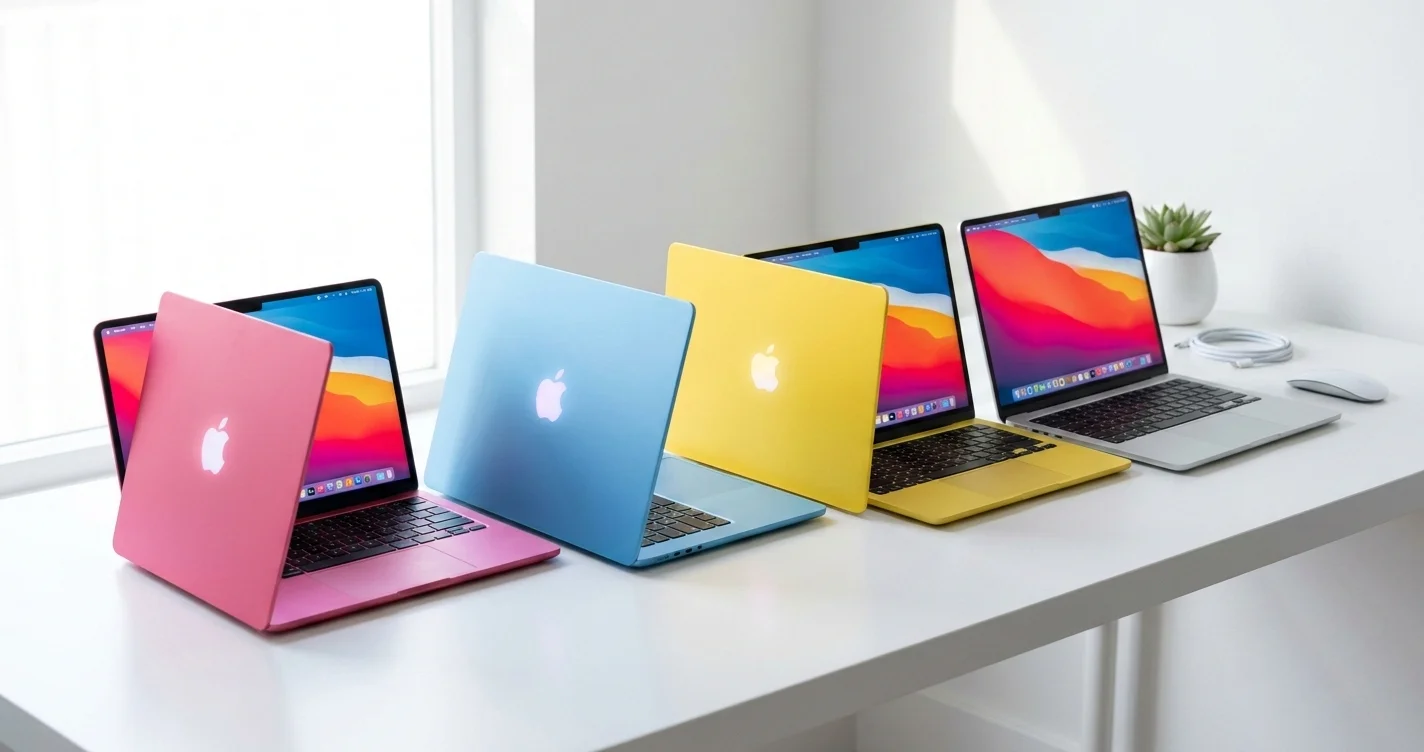
The MacBook Neo is built on the same design language as the M-series MacBooks: aluminum unibody construction, slim profile, excellent display. It comes in four colors — blush, indigo, silver, and citrus — that give it a more expressive personality than the space gray and silver that dominated the MacBook lineup for years. Apple is clearly targeting younger buyers who want their laptop to reflect their personality, not just their productivity.
It runs macOS Tahoe natively, supports Apple Intelligence features, and benefits from the same software ecosystem that runs on the $3,999 Mac Pro. The App Store, Final Cut Pro, Logic Pro, Xcode, and every macOS app you have ever heard of will run on this machine. That software ecosystem continuity is genuinely one of the MacBook Neo's strongest selling points, and it is something no Chromebook or budget Windows laptop can replicate.
Complete MacBook Neo Specifications
Before diving into analysis, here are the confirmed specifications as announced by Apple.
Full Specification Table
| Specification | MacBook Neo ($599) | MacBook Neo ($699) |
|---|---|---|
| Chip | Apple A18 Pro | Apple A18 Pro |
| CPU Cores | 6-core (2 performance + 4 efficiency) | 6-core (2 performance + 4 efficiency) |
| GPU Cores | 5-core | 5-core |
| Neural Engine | 16-core | 16-core |
| RAM | 8GB unified memory | 8GB unified memory |
| Storage | 256GB SSD | 512GB SSD |
| Display | 13-inch Liquid Retina | 13-inch Liquid Retina |
| Battery Life | Up to 16 hrs video / 11 hrs web | Up to 16 hrs video / 11 hrs web |
| Touch ID | No | Yes |
| Backlit Keyboard | No | Yes |
| Trackpad | Standard mechanical | Haptic Force Touch |
| Ports | 1x USB 3 + 1x USB 2 (USB-C), headphone jack | 1x USB 3 + 1x USB 2 (USB-C), headphone jack |
| Wi-Fi | Wi-Fi 6E | Wi-Fi 6E |
| Bluetooth | Bluetooth 6 | Bluetooth 6 |
| Camera | 12MP Center Stage | 12MP Center Stage |
| Audio | Stereo speakers, 3-mic array | Stereo speakers, 3-mic array |
| Colors | Blush, Indigo, Silver, Citrus | Blush, Indigo, Silver, Citrus |
| Education Price | $499 | $599 |
The A18 Pro Chip: What It Means in a Mac Context
The A18 Pro is the chip Apple used in the iPhone 16 Pro and iPhone 16 Pro Max. It is a genuinely capable piece of silicon — in the iPhone context, it powers features like ProRes video recording, a 48MP camera system, and Apple Intelligence features. In the Mac context, it represents a different kind of story.
The A18 Pro uses TSMC's 3-nanometer process (N3E), the same node as the M4 series chips. It has a 6-core CPU arranged as 2 performance cores and 4 efficiency cores. The M5, by comparison, is a 10-core CPU that Apple describes as 4 super cores and 6 efficiency cores — roughly twice the big-core count. The GPU difference is starker still: 5 cores on the A18 Pro against 8 on the base 13-inch M5 MacBook Air, which can be configured to 10.
What does this mean in practice? For the tasks Apple targets with the MacBook Neo — web browsing, email, word processing, video calls, light photo editing, streaming — the A18 Pro is genuinely fast. Apple claims up to 50% faster everyday task performance versus an Intel Core Ultra 5 Windows laptop, and that claim is credible based on the A-series chip's track record in sustained CPU performance tests.
The 16-core Neural Engine is the same generation as what powers Apple Intelligence on iPhone 16 Pro, meaning every Apple Intelligence feature — Writing Tools, Image Playground, Clean Up in Photos, smart Siri improvements — works natively on the MacBook Neo without needing to offload to Apple's servers. Apple claims the A18 Pro delivers up to 3x faster on-device AI processing versus competing Windows laptops with dedicated NPUs, which is relevant as AI-assisted features become more central to the macOS experience.
Where the A18 Pro falls short versus M-series chips is in sustained multi-threaded workloads, GPU-intensive tasks, and memory bandwidth. The 8GB unified memory architecture on the A18 Pro operates at lower bandwidth than the M-series chips' memory subsystems, which matters for large files, complex photo/video editing, and tasks that push RAM hard. The 5-core GPU cannot drive the kinds of display configurations, rendering tasks, or gaming demands that the M5's 14-core GPU handles comfortably.
Display
The 13-inch Liquid Retina display on the MacBook Neo is the same technology that has been on the MacBook Air for years, and that is meant as a genuine compliment. It is a 2560x1664 resolution panel at 224 pixels per inch, supporting a billion colors, True Tone technology that adjusts the white balance to match ambient lighting, and P3 wide color. It does not have ProMotion (variable refresh rate) — that remains exclusive to the MacBook Pro. But for everyday use, reading, video, and creative work, it is a beautiful display.
At 500 nits of brightness, it is functional in most indoor environments and manageable in shade outdoors, though it struggles in direct sunlight compared to the higher-brightness panels in the Pro lineup. For students working in cafes or offices, it will be perfectly adequate.
Notably, the MacBook Neo does not include a notch, keeping the thin bezel design that defined the 2022 MacBook Air. The webcam is the 12MP Center Stage camera, which tracks you during video calls — a meaningful upgrade over the older 1080p FaceTime cameras that many comparable laptops still ship with.
Battery
Apple publishes two figures for the MacBook Neo: up to 16 hours of video streaming and up to 11 hours of wireless web browsing. Those are different tests, and the wireless web number is the one closer to ordinary work — it is worth knowing that the headline 16 hours describes playback, not browsing. The efficiency behind both is real, because the A18 Pro leans on its four efficiency cores for light workloads while the two performance cores stay idle. In mixed productivity use, expect something in the region of 10-13 hours, which still puts the MacBook Neo firmly in the "charge once a day" category.
The machine charges via USB-C, meaning any USB-C charger (or your iPhone 16's USB-C cable) can top it up. There is no MagSafe — that remains a MacBook Air and Pro exclusive.
Ports and Connectivity
Two USB-C ports and a 3.5 mm headphone jack. That is it — no MagSafe, no SD card slot. And the two USB-C ports are not interchangeable, which is the detail most easily missed: Apple lists one as USB 3, supporting charging, DisplayPort and up to 10Gb/s, and the other as USB 2, supporting charging and up to 480Mb/s. Only one of them will drive an external display or move data quickly, so which port you plug into matters. Neither is Thunderbolt, so there is no 40Gbps bandwidth, no daisy-chaining, and no support for docks or high-refresh-rate displays that require it.
Wi-Fi 6E is the wireless standard — the "E" means it supports the 6GHz band that newer routers use for less congested, faster connections. It is notably not Wi-Fi 7, which the MacBook Air and Pro receive via the N1 chip. Wi-Fi 7 (802.11be) offers higher theoretical speeds and lower latency, particularly in dense wireless environments. For most users, the difference is imperceptible in 2026, but it is worth noting that the MacBook Neo will be behind on wireless standards sooner than other Macs.
Bluetooth 6 handles wireless peripherals — AirPods, Magic Keyboard, Magic Trackpad, and the growing ecosystem of Bluetooth accessories work without issue.
What MacBook Neo Gets Right
The $599 Price Point Is Genuinely Historic
Let's not understate how significant the $599 price is. The cheapest Mac laptop before the MacBook Neo was the M2 MacBook Air, which Apple discontinued (or rather repositioned) when the MacBook Neo launched. For years, the entry point to the MacBook lineup was $999. The MacBook Neo does not just lower that bar — it nearly cuts it in half.
At $499 for education, Apple is directly targeting school purchase programs, student budgets, and the institutional buyers who have been equipping classrooms with Chromebooks at $250-350. A $499 Mac changes the conversation in those procurement meetings.
For individual buyers who have been waiting on the Mac sidelines because $999+ felt unjustifiable, the MacBook Neo removes that friction. If you primarily use your laptop for browsing, email, Google Docs or Microsoft 365, streaming, and light photo work — tasks that represent the vast majority of what most people actually do — the MacBook Neo does all of them well.
Full macOS — Not a Locked-Down OS
This deserves emphasis when comparing against Chromebooks: macOS is a full operating system. You can install any software. You can use professional applications. You can run a local web server for development. You can use the Terminal. You have access to the Mac App Store and direct downloads. None of that is true on ChromeOS, which is fundamentally a browser with extensions.
The MacBook Neo runs the same macOS Tahoe that runs on a $3,999 Mac Pro. The App Store works the same way. Final Cut Pro will run on this machine (though you may find its GPU-intensive features constrained by the 5-core GPU). Logic Pro runs fully. Xcode installs and compiles code. This is a complete computing platform, not a limited device.
Build Quality That Punches Above Its Weight
The MacBook Neo is built from the same aluminum unibody construction as every other MacBook. It is not plastic. It is not hollow-feeling. When you pick it up, it has the substance and solidity that Apple's manufacturing reputation is built on. The keyboard — even without backlighting on the base model — has the same key travel and feedback quality as the rest of the MacBook line. The trackpad, while mechanical rather than haptic, is a large, smooth glass surface that works well.
For buyers coming from budget Windows laptops or Chromebooks, the build quality difference will be immediately apparent. Many Windows laptops at $599 use polycarbonate bodies, flex noticeably when you pick them up by a corner, and have keyboards that feel spongy. The MacBook Neo feels like a $999 laptop because it is built on the same manufacturing lines as one.
Battery Life Redefines the Category
16-hour battery life rating on a $599 laptop is not just better than the competition — it is in a different category. Most $599 Windows laptops advertise 8-10 hours and deliver 6-7 in real use. Chromebooks are battery-efficient but rarely match Apple's sustained real-world performance.
The MacBook Neo, based on the A18 Pro's proven efficiency in iPhone, will likely deliver 10-14 hours of real-world use depending on the workload. Students who need to get through a full school day without hunting for an outlet will find this reliability genuinely useful. The efficiency cores that handle light tasks like reading, note-taking, and video calls are extraordinarily stingy with power — keeping screens on and Wi-Fi connected costs almost nothing when you are not running demanding apps.
Apple Intelligence and On-Device AI
The 16-core Neural Engine on the A18 Pro makes the MacBook Neo fully capable of running Apple Intelligence features that require on-device processing. Writing Tools in Pages, Mail, Notes, and across the system — which can rewrite, summarize, and improve your text — work locally without sending your data to Apple's servers. Clean Up in Photos, Genmoji creation, Image Playground, and the enhanced Siri with screen context awareness all function on this machine.
This matters particularly for students writing papers, professionals drafting communications, and anyone who values privacy. On-device AI processing means your documents stay on your device. Apple's implementation of the Neural Engine also means these features run quickly — they do not feel like afterthoughts or cloud-dependent features with visible latency.
The Trade-offs: What You Give Up
The MacBook Neo's price point required Apple to make deliberate cuts. These are not random omissions — they are calculated decisions that define the boundary between the Neo and the MacBook Air. You should understand each one clearly before buying.
8GB RAM: The Most Significant Limitation
The MacBook Neo is the only Mac Apple currently sells that ships with 8GB of unified memory. Every other Mac — including the $599 Mac mini — ships with 16GB as the base configuration. This is not accidental. Apple is using the memory configuration to create a clear tier between the MacBook Neo and everything above it.
In 2026, 8GB is functional but tight. macOS Tahoe is efficient with memory, and Apple's unified memory architecture means the system does not waste RAM the way traditional computer architectures do. But when you have Safari open with 15 tabs, Slack running in the background, a Google Meet call in progress, Pages open with a large document, and Spotify playing, you will see memory pressure warnings. The system will start using your SSD as virtual memory — called memory swapping — which works but introduces noticeable slowdowns.
For the tasks the MacBook Neo is designed for, 8GB is survivable. For anyone who multitasks heavily, works with large files, or runs professional software, 8GB is a real constraint. Critically, you cannot upgrade the RAM later — it is soldered to the chip. Whatever you buy is what you live with.
If your primary laptop workflow involves creative work, software development, or running multiple demanding apps simultaneously, the 8GB RAM ceiling is reason enough to step up to the M5 MacBook Air, which starts at $999 with 16GB.
No Touch ID on the Base $599 Model
Every other MacBook ships with Touch ID — the fingerprint sensor built into the power button. Touch ID unlocks your Mac with a touch, authorizes App Store purchases, fills in passwords with Keychain, authenticates Apple Pay, and integrates with third-party apps for biometric login.
The base $599 MacBook Neo omits it entirely. You unlock your Mac by typing your password. Every authentication request requires a password entry. For buyers accustomed to the instant, seamless experience of Touch ID on their iPhone or other MacBook, this will feel like a step backward.
The $699 model adds Touch ID, and if biometric authentication matters to your workflow, that $100 upgrade is worth it. Apple Watch owners can use their watch to unlock their Mac as an alternative, but that requires wearing your watch and being in proximity — it is not as seamless as Touch ID on the laptop itself.
No Backlit Keyboard
The base $599 model also omits the backlit keyboard. In a fully lit office or classroom, this is irrelevant. In dimly lit environments — a library at night, a coffee shop, a lecture hall with the lights down, an airplane cabin — the lack of backlighting is a genuine inconvenience. You either need to memorize key positions (which most typists have done anyway) or find better lighting.
The $699 upgrade tier adds backlighting. Given how inexpensive LED keyboard backlighting is to implement, this omission is clearly a deliberate product differentiation decision rather than a cost-saving necessity. If you ever type in low-light environments, budget for the $699 model.
No Haptic Trackpad (Force Touch)
Every other MacBook ships with a Force Touch trackpad — a solid surface with no moving parts that uses taptic feedback to simulate the sensation of a click. The Force Touch trackpad does not actually move; it uses precise vibration to create the feeling of a click anywhere on the surface, at any pressure level. It enables pressure-sensitive drawing, Quick Look previews, deep presses in apps, and a generally more sophisticated interaction model.
The MacBook Neo uses a conventional mechanical trackpad — it actually clicks by pressing down on the surface. It is large and well-built, but it does not support pressure sensitivity or many of the Force Touch-specific interactions. For most everyday laptop use, this difference is minor. For anyone who uses pressure-sensitive trackpad features in creative apps, it matters.
Wi-Fi 6E, Not Wi-Fi 7
All other current Mac laptops ship with Wi-Fi 7 (802.11be) via Apple's in-house N1 chip. Wi-Fi 7 enables significantly higher theoretical speeds (up to 46 Gbps versus Wi-Fi 6E's 9.6 Gbps theoretical maximum), better multi-link operation, and improved latency in congested networks.
The MacBook Neo ships with Wi-Fi 6E, which uses the 6GHz band and still offers fast, low-latency wireless connectivity. In 2026, most home and office Wi-Fi networks are still on Wi-Fi 6 or 6E, so the practical difference is minimal. But as Wi-Fi 7 routers become more common over the next 2-3 years, the MacBook Neo will not benefit from the improved multi-link operations that help in dense wireless environments.
This is a future-proofing concern more than a present-day limitation. If you are keeping this laptop for 5+ years, Wi-Fi 6E versus Wi-Fi 7 becomes more relevant.
USB-C, Not Thunderbolt
The MacBook Neo's two USB-C ports are rated differently. Apple lists one at USB 3 speeds (up to 10Gb/s) with DisplayPort output, and the other at USB 2 speeds (up to 480Mb/s). The fast port covers external SSDs, USB hubs, displays at normal refresh rates (up to 60Hz 4K), and standard USB accessories without issue; the slower one is best left for charging and low-bandwidth peripherals like a keyboard or mouse.
What you cannot do: use Thunderbolt-specific peripherals, drive two external displays simultaneously without a specific USB-C to HDMI hub, connect to high-bandwidth Thunderbolt docks, or use Thunderbolt's peer-to-peer connectivity for Target Disk Mode and similar features. If you work with video production hardware, high-speed external RAID arrays, or Thunderbolt-specific audio interfaces, the MacBook Neo's ports are the wrong tool.
For the majority of users — who connect a monitor, charge a phone, and maybe plug in an external hard drive — the USB 3 port is entirely sufficient, provided you remember which of the two it is.
A18 Pro vs M5: Understanding the Performance Gap
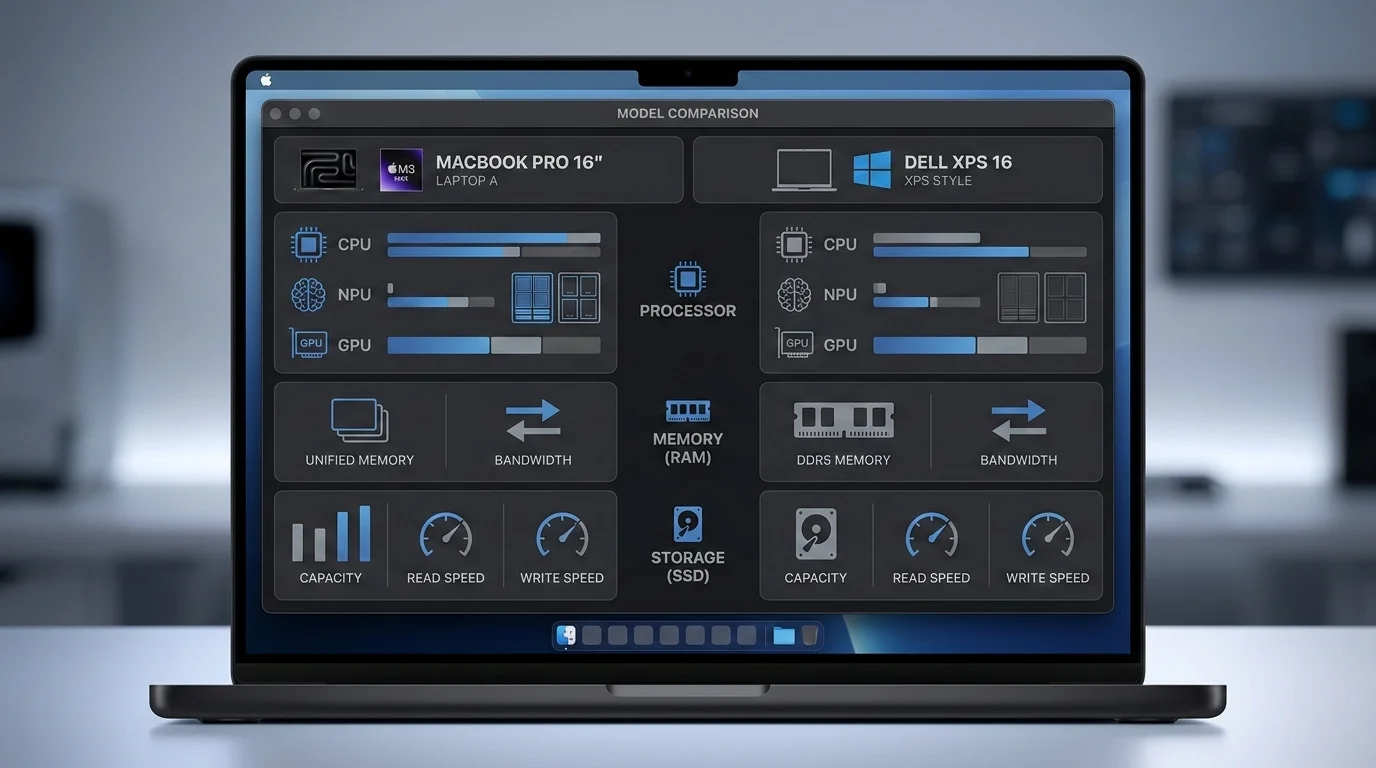
Understanding the relationship between the A18 Pro and the M5 chip helps clarify exactly what you are trading when you choose the MacBook Neo over the MacBook Air.
CPU Performance
The A18 Pro's CPU consists of 2 performance cores and 4 efficiency cores, six in total. The M5 is a 10-core CPU that Apple describes as 4 super cores and 6 efficiency cores — roughly double the big-core count.
Single-core performance between the A18 Pro and M5 is relatively close. The M5 uses a higher-clocked version of essentially the same performance core design, with some architectural refinements, but the gap on single-threaded tasks is not dramatic. For tasks that run mostly in a single thread — many productivity apps, basic web operations, most office software — you would not notice the difference in everyday use.
Where the M5 separates itself is in multi-threaded workloads. With 4 performance cores versus 2, the M5 can sustain simultaneous demanding work — like compiling code while running a local server, or processing multiple photos simultaneously — at roughly double the speed. Geekbench multi-core scores typically show the M5 at 2-2.5x the A18 Pro's multi-core result.
For everyday laptop tasks, this difference rarely manifests. Checking email, browsing the web, writing in Pages, watching a video, even editing a short video clip — none of these tasks push the CPU into sustained multi-threaded territory. But if your workflow regularly involves compilation, batch processing, or running multiple demanding applications in parallel, the M5's extra performance cores are meaningfully impactful.
GPU Performance
The gap is significantly larger here. The M5 ships with a 14-core GPU in the 13-inch MacBook Air configuration. The MacBook Neo has a 5-core GPU — less than half. GPU performance differences show up in:
- Gaming: The 5-core GPU handles casual games, older titles, and light gaming reasonably. It struggles with demanding modern games at higher settings.
- Video editing: Final Cut Pro, Premiere Pro, and other video editors use GPU acceleration heavily for effects, color grading, and export. The 5-core GPU will be noticeably slower on GPU-accelerated tasks.
- 3D rendering: Any 3D modeling or rendering work that uses GPU acceleration will be substantially slower.
- External display driving: The smaller GPU has less headroom for high-refresh-rate or multiple external displays.
- Machine learning: Some ML inference tasks are GPU-accelerated and will run faster on the M5.
For light creative work — casual photo editing in Photos, simple video clips in iMovie — the 5-core GPU is adequate. For anything more demanding, the GPU gap between the A18 Pro and M5 is the most practically significant performance difference.
Neural Engine and AI Performance
Both chips have 16-core Neural Engines of the same generation, so Apple Intelligence features perform similarly on both. The M5's Neural Engine has slightly higher throughput, but for end-user-facing AI features, both machines feel equally fast. Writing Tools, image generation, and on-device Siri intelligence work seamlessly on both.
Real-World Impact Summary
For the tasks Apple markets the MacBook Neo for — students doing research and writing, Windows switchers doing everyday productivity, light users doing browsing and email — the A18 Pro is genuinely fast enough. The 50% faster than Intel Core Ultra 5 claim is credible and means the MacBook Neo outperforms many mid-range Windows laptops on everyday tasks.
The performance gap versus M5 becomes relevant primarily in creative and professional workloads. The decision calculus is simple: if your most demanding regular task is a Google Slides presentation, the A18 Pro is fine. If you edit video, write code, or run demanding creative applications, the M5 is worth the $400 premium.
Who Should Buy MacBook Neo?
Students and Education Buyers
The MacBook Neo was built for this audience. At $499 with education pricing, it undercuts most comparable Windows laptops and all current MacBook options by a wide margin. For a student who needs a laptop for:
- Note-taking in class
- Research and web browsing
- Writing papers and essays (with Apple Intelligence Writing Tools as a bonus)
- Video calls for remote learning
- Light creative projects (photo essays, simple video edits)
- Presentations in Keynote, PowerPoint, or Google Slides
The MacBook Neo handles all of it well. The 16-hour battery life means it will last through a full day of classes. The 13-inch form factor is portable without being cramped for extended typing. macOS's stability and security mean fewer IT headaches than Windows laptops in the same price range.
For students who bring their iPhone everywhere, the ecosystem integration is a meaningful bonus: Handoff lets you move between your iPhone and Mac seamlessly, AirDrop transfers files instantly, iPhone mirroring in macOS Tahoe lets you control your phone from your Mac, and iMessage syncs across both devices.
First-Time Mac Users and Windows Switchers
The $599 price removes a major psychological barrier for Windows users who have been curious about macOS but unwilling to risk $999+ on a platform switch. If you decide macOS is not for you (unlikely, but possible), losing $599 is more bearable than losing $999.
For Windows switchers, the MacBook Neo offers:
- A gateway to the macOS ecosystem at a lower price than ever
- Full compatibility with Office 365, Google Workspace, and every major cross-platform application
- Better iPhone integration than any Windows machine can offer
- A build quality step up from most Windows laptops at this price
Our Windows to Mac switching guide covers the transition in detail — the keyboard shortcuts that differ, the apps to install first, and how to set up your workflow. For switchers, the MacBook Neo makes the transition experiment more financially accessible.
Light Productivity Users
If your laptop use is primarily:
- Web browsing
- Email and calendar
- Documents and spreadsheets
- Streaming video
- Video calls
- Social media management
- Light photo editing
The MacBook Neo is genuinely excellent at all of these. The $400 premium for an M5 MacBook Air would not improve any of these experiences meaningfully — you would be paying for performance headroom you never use.
Budget-Conscious Buyers
Some buyers simply need a capable, reliable, well-built laptop and have a firm budget around $600. For this buyer, the MacBook Neo is the best option in its price range. There is no Windows laptop at $599 that matches the MacBook Neo on build quality, battery life, software ecosystem depth, and long-term software support. Apple typically provides 5-7 years of OS updates; the MacBook Neo purchased in 2026 will likely receive macOS updates through 2031-2032.

Who Should NOT Buy MacBook Neo?
The MacBook Neo is not for everyone, and being clear about who should look elsewhere serves those buyers better than an overly promotional assessment.
Creative Professionals
Photographers, videographers, graphic designers, and motion graphics artists need more than the MacBook Neo offers. The 5-core GPU will slow you down on anything GPU-accelerated — effects rendering in Final Cut Pro, real-time previews in Premiere, Lightroom's AI-powered editing features, or 3D work in Cinema 4D or Blender. The 8GB RAM ceiling will cause memory pressure when working with large RAW files or multicam timelines.
If you are a creative professional who needs a portable Mac, the M5 MacBook Air starts at $999 with 16GB RAM and a 14-core GPU that handles professional creative work without compromise. Our M5 MacBook Air guide covers those specs in full detail.
Software Developers
Writing and running code is theoretically possible on the MacBook Neo — Xcode installs, the Terminal works, and simple projects compile without issue. But the 8GB RAM limitation becomes real fast in a development context. Running a local development server, a database, a Docker container, an IDE, and a browser with documentation tabs simultaneously can easily consume 16GB+. Memory pressure causes Xcode and other developer tools to become sluggish.
The lack of Thunderbolt also limits external display options. Many developers use large external monitors or multi-monitor setups, and the MacBook Neo's USB-C ports constrain what configurations are possible.
For developers, the M5 MacBook Air is the minimum recommended starting point. If your work involves multiple large Docker containers, iOS Simulator alongside other apps, or heavy compilation tasks, consider the MacBook Pro.
Anyone Needing Thunderbolt or Serious External Display Setups
If you use Thunderbolt peripherals — specific audio interfaces, high-speed docks, Thunderbolt-based eGPUs, or daisy-chained displays — the MacBook Neo simply cannot accommodate them. The USB-C ports work with standard USB-C accessories but are incompatible with the Thunderbolt-specific features of more expensive peripherals.
For external display users: a single 4K display at 60Hz works fine. Two external displays, a high-refresh-rate 4K display at 120Hz, or a 5K display pushing the connection bandwidth — these configurations may not work or will require specific adapters that compromise the connection quality.
Heavy Multitaskers
If you routinely keep 30+ browser tabs open, run 5-6 applications simultaneously, or work in an environment where memory pressure is the bottleneck rather than CPU or GPU speed, the 8GB RAM ceiling will limit you. Memory swapping to the SSD is functional but adds latency to every swap operation, and prolonged heavy use will cause the SSD to accumulate write cycles faster.
The honest assessment: power users who multitask heavily will find the MacBook Neo frustrating within the first month. The $400 to step up to an M5 MacBook Air with 16GB is the right call.
MacBook Neo vs Chromebook: Why $599 Now Means a Real Mac
The most important competitive context for the MacBook Neo is not the MacBook Air — it is the Chromebook. Apple is directly competing for the segment Chromebooks have dominated in education and budget consumer computing.
What Chromebooks Offer
- Price: $200-500 for most models ($350-500 for Chromebook Plus)
- Battery life: 10-12 hours typically
- Security: Strong — automatic updates, sandboxed Chrome OS
- Simplicity: ChromeOS is straightforward for basic tasks
- Google integration: Seamless with Google Workspace (Docs, Sheets, Slides)
- Android app compatibility: Run Android apps via Google Play
Where MacBook Neo Wins
Software depth: ChromeOS is fundamentally a browser. The MacBook Neo runs full macOS with native professional applications. You can install software directly. There is no web-first limitation. Offline productivity is fully capable.
Performance: The A18 Pro in the MacBook Neo is significantly faster than the Intel Celeron or MediaTek processors in most Chromebooks, even Chromebook Plus models. Tasks that stress a Chromebook — multiple video streams, large spreadsheets, exporting files — run smoothly on the MacBook Neo.
Build quality: The aluminum MacBook Neo versus plastic Chromebook construction is night-and-day at comparable price points.
Professional app compatibility: Final Cut Pro, Logic Pro, Adobe Creative Cloud, Microsoft 365 native apps — none of these run on ChromeOS. If there is any chance you will advance to more professional tools, macOS is the platform that scales with you.
Privacy: macOS's privacy model is more robust than ChromeOS's Google-centric data model. On-device AI processing via Apple Intelligence means sensitive documents stay on your device.
iMessage and iPhone ecosystem: For iPhone users — the majority of the student demographic — the macOS-iOS integration creates a unified experience that ChromeOS cannot replicate.
Where Chromebooks Still Win
Price: A Chromebook can be had for $200. The MacBook Neo is $599. For schools with 500 devices to purchase, that $399 per unit difference is $200,000 in budget.
Simplicity: ChromeOS's managed environment is genuinely easier for schools to administer than macOS. Apple has improved macOS management tools significantly, but ChromeOS's management story remains simpler.
For individual buyers with an adequate budget, the MacBook Neo is the better laptop. For institutional buyers on tight per-device budgets, the math still favors Chromebooks in many cases.
How to Configure Your MacBook Neo
Apple sells the MacBook Neo in two configurations. Here is a clear guide to which one to buy.
Base Model ($599 / $499 Education)
Specifications: A18 Pro, 8GB RAM, 256GB SSD, no Touch ID, no backlit keyboard, mechanical trackpad
Buy this if: Budget is the primary constraint. You primarily browse, write documents, use email, and do light work. You are comfortable typing without keyboard backlighting. You prefer to unlock your Mac by password.
Honest caveat: The 256GB storage is tight in 2026. If your photo library, music collection, and apps push you toward storage limits, 256GB will feel cramped quickly. External storage via USB-C helps, but it adds cost and a dongle.
$699 Model ($599 Education)
Specifications: A18 Pro, 8GB RAM, 512GB SSD, Touch ID, backlit keyboard, haptic Force Touch trackpad
Buy this if: You can stretch the budget. The additional $100 buys meaningfully better day-to-day experience: Touch ID for seamless authentication, backlit keyboard for use in any lighting condition, and 512GB storage that gives you room to breathe.
Recommendation: For most buyers who are not on an extreme budget, the $699 model is the better value. The Touch ID alone is worth significant quality-of-life improvement, and 512GB storage prevents storage anxiety for the life of the device. If you are on the fence, spend the extra $100.
What You Cannot Upgrade
RAM is not upgradeable — it is integrated into the A18 Pro chip. Storage is also not upgradeable on Apple Silicon Macs — it is soldered to the logic board. These configurations are permanent. The $599 model will always have 256GB; the $699 model will always have 512GB. Buy the storage you need now, not what you need today.
External storage via USB-C works well if you genuinely need more space — fast USB-C SSDs are affordable and work seamlessly with macOS. But internal storage is faster and more convenient for everyday use.
Troubleshooting Common Concerns
Will 8GB RAM Be Enough?
This is the question most buyers agonize over, and the honest answer is: it depends on your use case.
8GB will be fine for:
- Web browsing with 10-15 tabs
- Email, calendar, notes
- Writing documents and spreadsheets
- Streaming video
- Video calls with one app running
- Light photo editing in Photos
- Social media and messaging apps
8GB will struggle with:
- Web browsing with 30+ tabs while other apps are open
- Running multiple professional apps simultaneously
- Large RAW photo libraries in Lightroom
- Video editing beyond simple cuts and trims
- Software development with local servers and databases
- Running virtual machines
Use Activity Monitor's Memory Pressure graph to monitor your real-world memory use. If the graph consistently turns yellow or red under your normal workload, 8GB is not enough for you and the M5 MacBook Air would serve you better.
macOS Tahoe's memory management is more efficient than Windows, and Apple's unified memory architecture means the system uses memory more effectively than traditional designs. But physics is physics — 8GB is 8GB, and a heavy workload will fill it.
Can I Connect an External Monitor?
Yes, one external monitor works via either USB-C port. The MacBook Neo supports:
- A single 4K display at up to 60Hz
- A 1080p display at up to 120Hz
- Standard USB-C to HDMI or USB-C to DisplayPort adapters for most monitors
What it does not support:
- Two external displays simultaneously (unlike M-series Macs)
- 4K at 120Hz (requires more bandwidth than the USB 3 port provides)
- 5K displays via standard USB-C (may require specific adapters and some monitors may not work)
- Thunderbolt monitors via their native Thunderbolt connection
For the student or light user connecting to an external monitor at a desk, the MacBook Neo handles it well. For the professional who relies on a multi-monitor setup or uses a high-refresh-rate large display, the USB-C limitation matters.
Does It Support Apple Intelligence?
Yes, fully. The A18 Pro's 16-core Neural Engine supports all Apple Intelligence features available on macOS Tahoe. Writing Tools, Clean Up in Photos, Image Playground, Genmoji, the enhanced Siri with screen context awareness, notification summaries, priority inbox in Mail — all of it works on the MacBook Neo.
The on-device processing requirement for Apple Intelligence means the MacBook Neo handles these features without sending data to Apple's servers, providing strong privacy guarantees. The performance is fast — Writing Tools processes text near-instantly, and image generation features complete in a few seconds.
For the education market especially, on-device AI processing is significant: students using Writing Tools for assistance with essays have those documents processed on their device, not in the cloud.
Frequently Asked Questions
Q: Can I upgrade the MacBook Neo's RAM or storage later?
No. Both the 8GB unified memory and the SSD storage are soldered directly to the logic board in Apple Silicon Macs and cannot be upgraded after purchase. The configuration you buy is permanent. Choose carefully — especially on storage, where the 256GB base may feel tight within 2-3 years as app sizes and file counts grow.
Q: Is the A18 Pro chip future-proof?
The A18 Pro will receive macOS software updates for approximately 5-7 years based on Apple's historical support patterns for its silicon. It is the same chip generation as iPhone 16 Pro, which is current as of early 2026. For casual use, it will remain capable for the foreseeable future. For demanding professional workloads, newer chips will pull ahead meaningfully over 2-3 years.
Q: Does MacBook Neo work with the Apple ecosystem — AirDrop, iPhone Mirroring, etc.?
Yes. iPhone Mirroring (which lets you control your iPhone from your Mac), AirDrop, Handoff, Universal Clipboard, Sidecar, and all other macOS-iOS integration features work fully on the MacBook Neo. It runs macOS Tahoe, which has the same ecosystem integration features as the M5 MacBook Air.
Q: How does MacBook Neo compare to the rumored MacBook SE that Apple was previously rumored to be working on?
The MacBook Neo is in effect the product that was previously rumored as the MacBook SE. Apple chose the "Neo" branding to position it as a new category entry rather than a secondary variant of an existing line, emphasizing that it represents a new generation of Mac access rather than a downmarket "Special Edition." The product category and positioning align closely with what was previewed in earlier reports.
Q: Does MacBook Neo support Apple Pay?
Yes, though the experience differs between models. The $699 model with Touch ID supports Touch ID-based Apple Pay authentication — the same experience as other MacBooks. The base $599 model without Touch ID requires you to authenticate Apple Pay purchases on your iPhone or Apple Watch instead. Both methods work, but the Touch ID experience on the $699 model is more seamless.
Q: Can MacBook Neo run iOS and iPadOS apps?
Yes. Like all Apple Silicon Macs, the MacBook Neo can run iPhone and iPad apps downloaded from the Mac App Store. Developers must opt their iOS apps into Mac availability, and not all do, but many popular apps — including some that have no native Mac counterpart — are available through this compatibility layer.
Q: Is the MacBook Neo the right Mac for college?
For most college students, yes — especially at the $499 education price. Students doing writing-intensive coursework, research, presentations, and general productivity will find the MacBook Neo more than capable. Students majoring in video production, software engineering, data science, or other computationally demanding fields should consider the M5 MacBook Air at $999 (education pricing may apply) for its additional performance headroom. Check our guide on the best free Mac apps for 2025 for essential tools to install once you have your Mac set up.
Q: Does MacBook Neo support macOS Tahoe and Apple Intelligence fully?
Yes. The MacBook Neo ships with macOS Tahoe and supports the complete Apple Intelligence feature set. For compatibility details on macOS Tahoe features and supported hardware, the macOS Tahoe compatibility guide covers which features require which hardware configurations. To get the most out of a new MacBook Neo from day one, the macOS Tahoe first 24 hours setup checklist walks through the essential configuration steps.
Conclusion: The Honest Buying Recommendation
The MacBook Neo is a genuinely good laptop that does exactly what it sets out to do: bring the Mac experience to a price point where far more people can access it. At $599 — and especially at $499 for education — it is the most accessible Mac laptop ever made, and it delivers a quality of experience that nothing in its price class from other manufacturers can match.
The build quality, macOS ecosystem, battery life, on-device AI, and iPhone integration are real advantages that matter. The A18 Pro is fast enough for the tasks most people do most of the time. The 13-inch Liquid Retina display is beautiful. The four color options give it a personality that students will appreciate.
But the trade-offs are real and should not be minimized. The 8GB RAM limitation is the most significant concern for longevity — if you plan to keep this laptop for 5 years and your workload grows over that time, 8GB may constrain you sooner than you expect. The missing Touch ID, backlit keyboard, and haptic trackpad are quality-of-life features that feel like regression once you have experienced them. The USB-C ports' lack of Thunderbolt matters if your workflow involves Thunderbolt peripherals or demanding display configurations.
Buy the MacBook Neo $699 model if: You are a student, light user, or Windows switcher with everyday productivity needs and a budget up to $700. The extra $100 over the base model buys Touch ID, backlighting, and 512GB of storage that together meaningfully improve the daily experience.
Buy the MacBook Neo $599 model if: Budget is genuinely tight and you understand the trade-offs. The base model is a capable machine for basic computing needs.
Buy the M5 MacBook Air instead if: You develop software, edit video or photos professionally, multitask heavily with many apps open, need Thunderbolt connectivity, or plan to push your laptop hard over the next 3-5 years. The $400 premium for 16GB RAM, 4 performance CPU cores, a 14-core GPU, Touch ID, backlit keyboard, Force Touch trackpad, MagSafe, and Thunderbolt ports is real value if you will actually use it.
The MacBook Neo is not the Mac for everyone. But for the student buying their first Mac, the Windows user making the switch, or the light user who simply needs a reliable, well-built laptop that does the basics brilliantly — it is the best option Apple has ever offered at this price.
Pre-orders opened March 4, 2026. The MacBook Neo is available starting March 11, 2026 through Apple.com, Apple retail stores, and authorized resellers.