Apple March 2026 Event Complete Recap: MacBook Neo, M5 Air, MacBook Pro, Studio Display XDR & Everything Announced
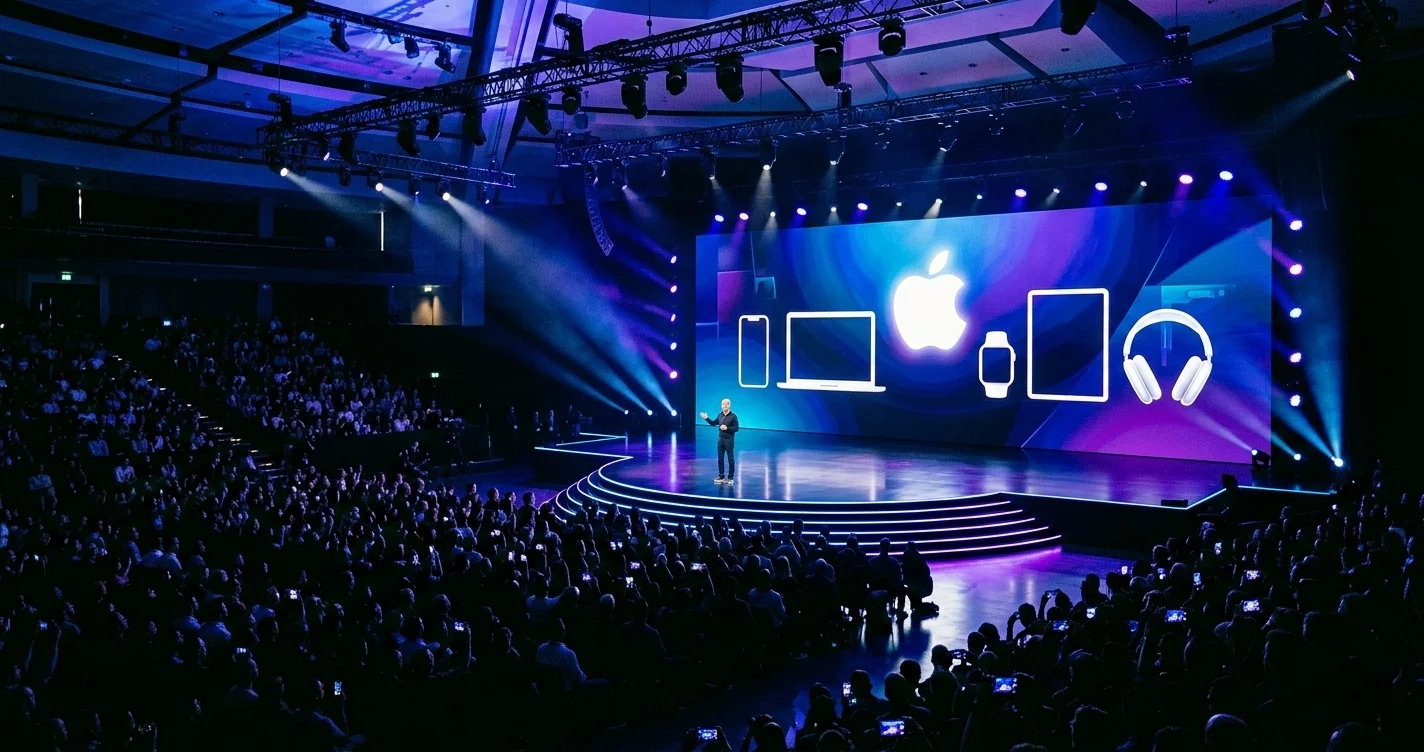
Complete recap of Apple's March 2026 event: MacBook Neo at $599, M5 MacBook Air, MacBook Pro M5 Pro/Max, Studio Display XDR, iPhone 17e, and iPad Air M4.
Apple just delivered what may be its most product-dense week in company history. Between March 2 and March 4, 2026, Apple announced seven distinct products across three consecutive days — ranging from its most affordable Mac ever to a professional monitor that rivals dedicated reference displays costing twice as much. No keynote stage, no Tim Cook walking out to thunderous applause. Just press release after press release, hands-on sessions with journalists, and a product blitz that sent the Apple community into a collective frenzy.
The centerpiece of the week was the MacBook Neo — a $599 Mac that Apple has never dared to make before. But the MacBook Air M5, MacBook Pro M5 Pro and M5 Max, a revamped Studio Display, an entirely new Studio Display XDR, the iPhone 17e, and the iPad Air M4 all competed for the spotlight. By the end of March 4, it was clear: Apple had fundamentally reshuffled its product lineup, opened its platform to millions of new users, and drawn a clear line between the consumer and pro tiers of every category.
This is the complete recap of everything announced, everything that matters, and everything you need to know before deciding what to buy.
Key Takeaways
- The Mac platform is now truly mass-market: The MacBook Neo at $599 is the lowest-priced Mac in over a decade, making Apple silicon accessible to students, budget buyers, and anyone who has been priced out of the Mac ecosystem.
- M5 brings a meaningful generational leap: The MacBook Air M5 and MacBook Pro M5 Pro/Max aren't incremental updates — Wi-Fi 7, doubled base storage, dramatically faster SSD speeds, and substantially better AI performance define this as a proper generational upgrade.
- Apple's monitor lineup is now two-tiered: The Studio Display second generation ($1,599) and the new Studio Display XDR ($3,299) give Apple a display for serious creatives and one for absolute professionals, with 120Hz ProMotion on the XDR finally answering years of criticism.
- iPhone 17e brings MagSafe to the budget tier: The $599 iPhone 17e is the first e-series iPhone to support MagSafe, and its A19 chip paired with the C1X modem makes it a genuinely compelling option rather than a compromise device.
- iPad Air M4 is quietly exceptional: The M4 chip, 12GB of RAM, and 30% performance jump make the iPad Air M4 one of the most powerful consumer tablets on the market at its price point.
- This is just the beginning: Mac Mini M5, Mac Studio M5, and Mac Pro M5 are all still unannounced — March 2026 is likely not the end of Apple's spring refresh.
The Star of the Show: MacBook Neo ($599)
No Mac announcement in recent memory has generated the anticipation, debate, and genuine excitement that surrounded the MacBook Neo. Apple has long been criticized for abandoning the budget Mac laptop market — the last truly affordable MacBook was the 12-inch MacBook, discontinued in 2019. For seven years, the cheapest new Mac laptop you could buy cost at least $999. The MacBook Neo changes everything.
Why This Price Point Matters
The $599 starting price isn't just psychologically significant — it's strategically transformative. For context, a Chromebook with comparable build quality costs $300 to $400. A Windows laptop with equivalent performance sits between $500 and $700 but runs on inferior silicon. The MacBook Neo enters a tier that Apple has never seriously competed in with a laptop, and it arrives with Apple silicon, macOS, and the entire Apple ecosystem behind it.
For students — who make up a disproportionate share of first-time Mac buyers — the $499 Education pricing is particularly compelling. A student who once had to save for a $999 MacBook Air can now buy into the Mac platform for half that price. The downstream effects on platform loyalty, developer adoption, and long-term Apple ecosystem participation are enormous.
For developers in emerging markets, for families buying a child's first computer, and for anyone who has been using an older Intel Mac and can't justify a four-figure upgrade, the MacBook Neo is the answer Apple has been sitting on for too long.
MacBook Neo Specifications
The MacBook Neo runs Apple's A18 Pro chip — the same chip inside the iPhone 16 Pro — with 8GB of unified memory. This is not the M-series architecture, and Apple has been transparent about that distinction. The A18 Pro is a mobile chip that Apple has repackaged for a laptop form factor, prioritizing power efficiency and cost over raw performance.
The 13-inch Liquid Retina display (2560x1664 at 224 ppi, 500 nits) is identical in quality to what Apple offers on the MacBook Air 13. It's bright, color-accurate, and extremely sharp. At this price point, it's remarkable. There is no ProMotion — refresh rate stays at 60Hz — but for the target audience, that's a non-issue.
Here's the full spec breakdown:
| Spec | Details |
|---|---|
| Chip | A18 Pro |
| RAM | 8GB (non-configurable) |
| Storage | 256GB (base), 512GB (Touch ID model) |
| Display | 13" Liquid Retina, 2560x1664, 500 nits |
| Battery | Up to 16 hours |
| Ports | 2x USB-C (not Thunderbolt) |
| Wireless | Wi-Fi 6E, Bluetooth 5.3 |
| Camera | 12MP Center Stage |
| Weight | 2.7 lbs |
| Colors | Blush, Indigo, Silver, Citrus |
What the MacBook Neo Doesn't Have
Apple made deliberate omissions to hit the $599 price point, and buyers should understand them clearly before purchasing:
No backlit keyboard: This is the most significant trade-off for many users. Typing in dim environments — on a plane, in a dark room, in bed — becomes a challenge. It's a cost-cutting measure that Apple has clearly calculated most casual users won't notice in their daily routine, but power users will miss it immediately.
No haptic trackpad: The MacBook Neo uses a mechanical click trackpad rather than the Force Touch haptic trackpad found on every other current MacBook. The mechanical feel is noticeably different — it works fine, but it lacks the nuanced feedback that makes the MacBook Air trackpad one of the best in the industry.
USB-C instead of Thunderbolt: The two USB-C ports support USB 3.2 Gen 2 (10Gbps) rather than Thunderbolt 4 (40Gbps). For external displays and storage, this means slower transfer speeds and more limited external monitor support. One external display at up to 6K is supported; driving a 4K display plus charging simultaneously works, but bandwidth-intensive workflows suffer.
No MagSafe: Charging happens through either USB-C port, which means one of your two ports is always occupied when plugged in. This becomes a real constraint when you also want to attach a display or a storage device.
Wi-Fi 6E instead of Wi-Fi 7: The MacBook Air M5 ships with Wi-Fi 7 via the N1 chip. The MacBook Neo has Wi-Fi 6E. For most users in 2026, Wi-Fi 6E is more than sufficient, but it's worth noting.
Who Should Buy the MacBook Neo
The MacBook Neo is purpose-built for a specific set of users. If you fall into one of these categories, it's an exceptional choice:
- Students who need a laptop primarily for writing, browsing, streaming, and light creative work
- First-time Mac buyers coming from Windows or Chromebooks who want to experience macOS without paying $1,000+
- Secondary or travel computer buyers who want a lightweight, reliable machine without risking their primary laptop
- Parents buying for younger children who need a durable, affordable computer for school
- Remote workers in cost-sensitive environments where budget matters more than performance headroom
For everyone else — creative professionals, developers, people doing video editing, those who need to connect multiple peripherals — the MacBook Air M5 at $1,099 is a dramatically more capable machine and worth the extra $500.
MacBook Air M5: The Perfect Upgrade
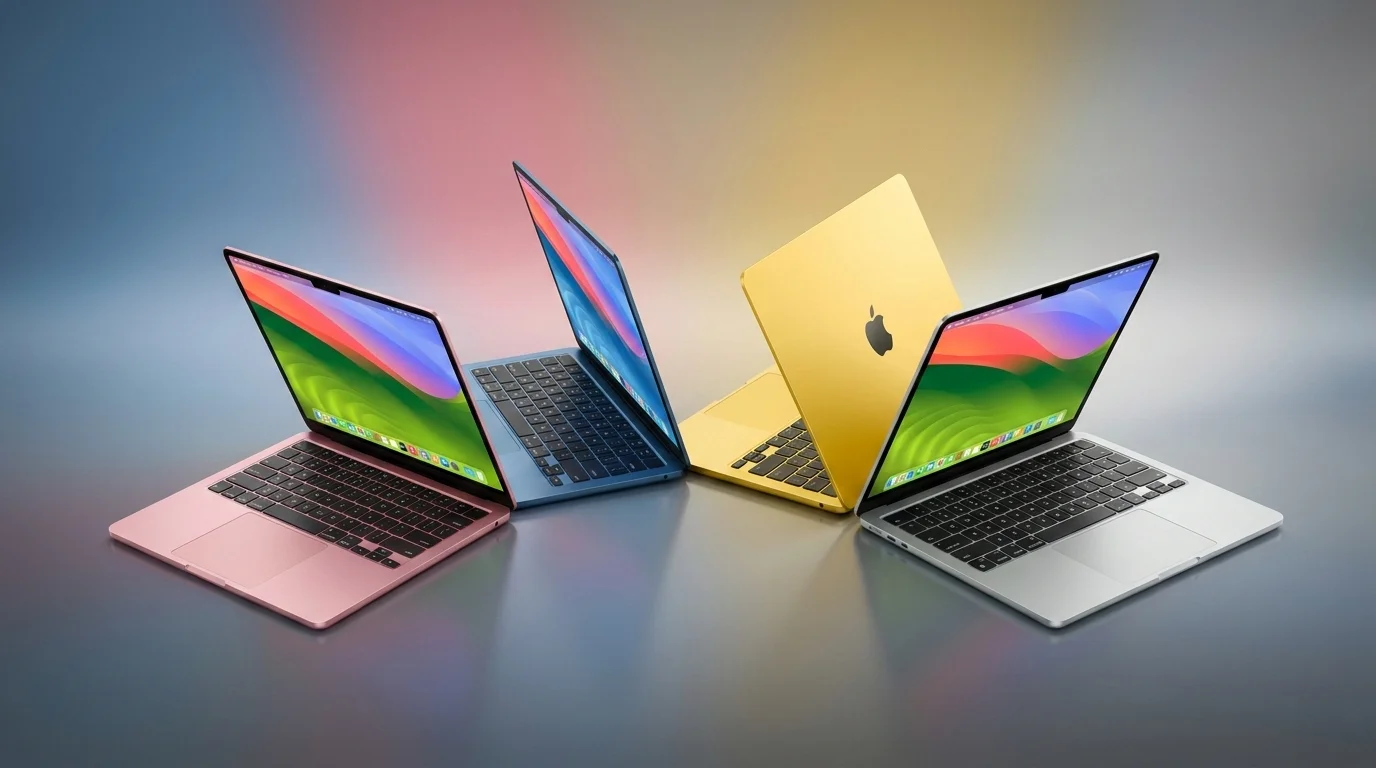
While the MacBook Neo grabbed headlines, the MacBook Air M5 represents Apple's most refined mainstream laptop to date. Announced on March 3, the M5 MacBook Air comes in 13-inch ($1,099) and 15-inch ($1,299) configurations and introduces a set of upgrades that, taken together, make a compelling argument for upgrading even from the M3 Air.
What Changed from MacBook Air M4 to M5
The MacBook Air M4 was already an excellent laptop. The M5 makes it noticeably better across every dimension that matters for daily use:
Storage doubled at base: The MacBook Air M5 starts with 512GB of storage, up from 256GB on the M4. This is a significant change that reduces the tax on buyers who needed to upgrade storage to $200 configurations on previous models. The 512GB base is where most users land, so eliminating that upgrade cost effectively makes the M5 Air cheaper than its price suggests.
Wi-Fi 7 via N1 chip: Apple's proprietary N1 chip, which debuted in the iPhone 16 Pro lineup and made a bigger splash in the Mac Mini M4, comes to the MacBook Air M5. Wi-Fi 7 brings multi-link operation (MLO), allowing the Mac to connect to both 5GHz and 6GHz bands simultaneously for lower latency and higher sustained throughput. Bluetooth 6 also arrives, though most users won't notice that change in 2026.
Memory bandwidth jumps to 153 GB/s: Up from 120 GB/s on the M4, the 153 GB/s bandwidth on the M5 makes a material difference in graphics-intensive tasks, video export, and any workload where data needs to move quickly between the CPU and GPU.
12MP Center Stage with Desk View: The front camera upgrade adds Desk View, which uses the ultrawide lens to simultaneously show your face and what's on your desk during video calls. For anyone who does remote presentations, walkthroughs, or teaching, this is an underrated feature.
Two external displays: The MacBook Air M5 now supports two external displays simultaneously when the lid is closed, up from the M4's single external display limitation. This has been a frequent complaint from Air users who wanted a two-monitor desktop setup — it's fixed.
MacBook Air M5 Specifications
| Spec | 13-inch | 15-inch |
|---|---|---|
| Chip | M5 | M5 |
| CPU | 10-core | 10-core |
| GPU | Up to 10-core | Up to 10-core |
| RAM | 16GB base | 16GB base |
| Storage | 512GB base | 512GB base |
| Display | 13.6" Liquid Retina | 15.3" Liquid Retina |
| Battery | 18 hours | 18 hours |
| Ports | 2x Thunderbolt 4, MagSafe 3 | 2x Thunderbolt 4, MagSafe 3 |
| Wi-Fi | Wi-Fi 7 (N1 chip) | Wi-Fi 7 (N1 chip) |
| Price | $1,099 | $1,299 |
| Education | $999 | $1,199 |
Colors and Availability
The MacBook Air M5 ships in four colors: Sky Blue, Midnight, Starlight, and Silver. Sky Blue is the new addition and quickly became the most discussed colorway of the announcement — it's subtle but distinct, sitting somewhere between silver and a pale teal, and it looks notably different from any previous MacBook finish.
Pre-orders opened March 4 with shipping beginning March 11.
Is the M5 Air Worth Upgrading From M4?
If you're on M3 or older: yes, absolutely. The performance jump plus Wi-Fi 7 plus doubled storage makes the M5 a substantial upgrade.
If you're on M4: the upgrade calculus is harder. Wi-Fi 7 and dual external display support are the most compelling reasons to switch. If neither of those matters to your workflow, waiting for M6 is reasonable.
For a deeper dive into the M5 Air's capabilities, see our M5 MacBook Air complete guide.
MacBook Pro M5 Pro and M5 Max: Pro Workflows Supercharged
The MacBook Pro M5 Pro and M5 Max were announced alongside the MacBook Air on March 3, and while they don't represent the dramatic price-point disruption of the MacBook Neo, they deliver the generational performance leap that pro users have been waiting for.
M5 Pro: More Than Incremental
The M5 Pro pushes the 14-inch and 16-inch MacBook Pro into genuinely new performance territory. With up to 18 CPU cores and up to 24 GPU cores, memory bandwidth of 307 GB/s (up from 273 GB/s on M4 Pro), and 64GB of configurable unified memory, the M5 Pro handles tasks that previously required desktop workstations.
The SSD speed improvement is perhaps the most practically impactful change for many pro users: up to 14.5 GB/s, which is double the M4 Pro's throughput. Working with large RAW files, video projects, and databases sees immediate, tangible benefit.
AI workload performance is where Apple focused most of its benchmark messaging:
- 3.7x faster AI image generation vs M4 Pro — a number that matters deeply for photographers and designers using on-device AI tools
- 3.9x faster LLM processing vs M4 Pro — for developers running local language models or using AI-assisted coding tools, this is transformative
- 35% faster ray tracing — 3D rendering, game development, and visualization work gets meaningfully faster
M5 Max: Desktop-Class Mobile Performance
The M5 Max takes everything about the M5 Pro and doubles it in nearly every dimension. 18 CPU cores, up to 40 GPU cores, memory bandwidth of 614 GB/s, and configurable unified memory up to 128GB.
The 614 GB/s bandwidth figure deserves emphasis. This exceeds the memory bandwidth of many dedicated graphics cards in 2026. The M5 Max's GPU is capable of handling 4K video editing, 3D rendering, and machine learning training tasks that were previously inconceivable on a laptop platform.
For content creators working in Final Cut Pro, DaVinci Resolve, and Motion; for developers running multiple VMs and large models simultaneously; and for scientists, engineers, and researchers who need mobile workstation performance, the MacBook Pro M5 Max may be the most powerful laptop Apple has ever shipped.
MacBook Pro M5 Pro/Max Pricing
| Configuration | Price |
|---|---|
| 14" MacBook Pro M5 Pro (base) | $1,999 |
| 14" MacBook Pro M5 Max | $3,199 |
| 16" MacBook Pro M5 Pro | $2,499 |
| 16" MacBook Pro M5 Max | $3,499 |
Pre-orders opened March 4 with shipping on March 11. For comprehensive buying guidance, see our M5 MacBook Pro buying guide.
Studio Display and Studio Display XDR: Apple's Monitor Lineup Expands
The display announcements of March 2026 are arguably as significant as any of the Mac announcements. Apple now offers two external monitors, covering two very different professional use cases — and the Studio Display XDR is the answer to years of complaints about Apple's lack of a high-refresh-rate display.
For context on what was anticipated before these announcements, see our earlier Apple Studio Display 2 preview.
Studio Display Second Generation ($1,599)
The second-generation Studio Display is an evolution of the original 2022 model, with targeted upgrades that address its most common criticisms. The 27-inch 5K panel at 60Hz with 600 nits brightness is carried over. What's new:
Upgraded 12MP ultrawide webcam with Center Stage and Desk View: The original Studio Display's camera was, by widespread consensus, embarrassingly bad for a $1,599 monitor. Apple has replaced it with the same 12MP ultrawide system found in the latest MacBooks, adding Center Stage for automatic subject framing and Desk View for presentation workflows. This alone would justify a revision.
Improved speaker system with 30% deeper bass: The six-speaker system with Spatial Audio was already a highlight of the original display. The second generation extends low-frequency response by 30%, making it an even more capable standalone speaker for music, video, and conferencing.
Two Thunderbolt 5 ports: The original Studio Display had a single Thunderbolt 3 port for host connection and three USB-C ports at 10Gbps. The second generation upgrades to two Thunderbolt 5 ports (120 Gb/s each) with 96W host charging and adds two additional USB-C ports. This enables much faster connections to external storage, eGPUs, and high-bandwidth peripherals while maintaining a clean desk setup.
The nano-texture glass option returns at a $300 premium, reducing reflections in bright environments. Pre-orders are live with shipping following shortly.
Studio Display XDR ($3,299) — The New Premium
The Studio Display XDR is a genuinely new product, not an evolution of the XDR Display that Apple discontinued. It targets the same 27-inch, 5K resolution form factor but delivers capabilities that the standard Studio Display cannot approach.

120Hz ProMotion with Adaptive Sync: This is the headlining feature. For the first time on an Apple standalone display, ProMotion is available — the same adaptive refresh technology that makes the MacBook Pro display feel so fluid. The display scales between 24Hz and 120Hz dynamically, reducing motion blur during animation and video work while conserving energy during static content. Adaptive Sync also means the display can match the frame rate of content being played back, eliminating judder in video editing workflows.
Mini-LED with 2,000+ local dimming zones: The Studio Display XDR uses a mini-LED backlighting system with over 2,000 independent local dimming zones, enabling the display to achieve deep blacks alongside bright highlights in the same frame — a critical requirement for HDR content creation and review. The full-array local dimming (FALD) approach avoids the blooming artifacts that plague cheaper implementations.
HDR brightness: 1,000 nits sustained SDR, 2,000 nits peak HDR. For reference, a reference-grade OLED display typically achieves peak HDR in the 1,000-1,500 nits range. The Studio Display XDR's 2,000-nit peak positions it above most studio reference monitors at its price point.
Connectivity: Three Thunderbolt 5 ports (one for host, two for peripherals) plus two USB-C ports. The host Thunderbolt 5 port provides 140W charging — enough to charge a 16-inch MacBook Pro at full speed.
Nano-texture: Available as a $300 option, same as the standard Studio Display.
The Two-Tier Display Strategy
Apple's decision to maintain two display tiers makes strategic sense. The $1,599 Studio Display serves the broad professional market — designers, developers, content creators — who need a high-quality display that integrates cleanly into the Apple ecosystem. The $3,299 Studio Display XDR serves video editors, color graders, photographers doing high-end retouching, and visual effects artists who need reference-grade HDR and ProMotion.
The gap between them is larger than it might initially appear. The jump from 60Hz to 120Hz ProMotion is substantial for anyone who works with motion, animation, or video. The mini-LED panel's HDR capabilities change what you can evaluate on-screen. These aren't incremental improvements — they represent a genuinely different class of display.
iPhone 17e: Budget iPhone Gets MagSafe
The iPhone 17e launched on March 2, quietly but significantly. At $599 with 256GB of base storage, the 17e represents the most capable budget iPhone Apple has ever shipped — and its addition of MagSafe marks a fundamental shift in how Apple treats its lower-cost hardware.
The MagSafe Breakthrough
Every previous iPhone "e" model (SE 1, SE 2, SE 3) has been a cost-optimized device with no MagSafe support. The ecosystem of MagSafe accessories — wallets, mounts, chargers, battery packs — was entirely inaccessible to iPhone SE buyers. The iPhone 17e breaks this pattern by including full MagSafe support, opening the entire MagSafe ecosystem to users at the $599 price point.
This is strategically significant because MagSafe accessories represent recurring revenue and ecosystem stickiness. Bringing MagSafe to the budget tier locks in customers who might otherwise look at Android alternatives with competing accessory ecosystems.
iPhone 17e Specifications
| Spec | Details |
|---|---|
| Chip | A19 |
| Modem | C1X |
| Display | 6.1" Super Retina XDR OLED |
| Front Glass | Ceramic Shield 2 |
| Rear Camera | 48MP Fusion |
| Front Camera | 12MP TrueDepth |
| Cellular | C1X modem (2x faster cellular) |
| Charging | MagSafe (first for e-series) |
| Storage | 256GB base |
| Price | $599 |
| Colors | Black, White, Soft Pink |
The A19 Chip and C1X Modem
The A19 chip in the iPhone 17e is the same generation as the A19 in the iPhone 17 standard — not the A19 Pro found in the Pro models. This represents a significant generational jump from the A15 chip in the iPhone SE 3, which was three chip generations behind at launch. The A19 delivers Neural Engine performance that enables on-device AI features, which was entirely unavailable to SE 3 owners.
The C1X modem is Apple's second-generation cellular modem, delivering 2x faster cellular throughput compared to the Qualcomm-based modems in previous budget iPhones. Real-world cellular performance in dense urban areas, during travel, and in weak-signal environments benefits substantially.
Who the 17e Is For
The iPhone 17e targets a specific but large market: buyers who want iPhone performance and the Apple ecosystem but find the $799 iPhone 17 standard too expensive, and users currently on iPhone SE 3 or older models who have been waiting for a meaningful upgrade at an accessible price. The MagSafe addition makes the 17e genuinely desirable rather than merely acceptable.
iPad Air M4: Silent Powerhouse
iPad Air M4 arrived on March 2 alongside the iPhone 17e, and despite being the least-discussed product of the week, it represents a compelling step forward for Apple's mid-tier tablet.
M4 Chip and 12GB RAM
The most significant internal change is the move from M3 to M4 and the jump to 12GB of unified memory. 12GB of RAM gives the iPad Air M4 more headroom for multitasking, professional apps, and on-device AI workloads than the 8GB ceiling of its predecessor.
The M4 chip's 9-core GPU delivers the 30% performance improvement Apple is highlighting, but the neural engine upgrade is arguably more consequential. Apple Intelligence features that require on-device processing run faster and more smoothly, and third-party AI apps can leverage the improved neural engine for real-time processing.
N1 and C1X Wireless Chips
The cellular iPad Air M4 includes Apple's C1X modem — the same component found in the iPhone 17e — for dramatically improved cellular performance. The Wi-Fi model includes the N1 chip for Wi-Fi 7 support. These wireless improvements bring the iPad Air M4's connectivity capabilities in line with the latest MacBooks.
iPad Air M4 Pricing
| Configuration | Price |
|---|---|
| 11" Wi-Fi | $599 |
| 11" Wi-Fi + Cellular | $749 |
| 13" Wi-Fi | $799 |
| 13" Wi-Fi + Cellular | $949 |
Education pricing offers $50 off base configurations. Apple Pencil Pro ($129) and Magic Keyboard for iPad ($299/$349) sold separately.
Complete Pricing and Availability
Here is the complete pricing table for every product announced during Apple's March 2026 event week:
MacBook Neo
| Configuration | Price |
|---|---|
| 256GB (no Touch ID) | $599 |
| 512GB (with Touch ID) | $699 |
| Education 256GB | $499 |
Pre-order: March 4 | Ships: March 11
MacBook Air M5
| Configuration | Price |
|---|---|
| 13" 16GB/512GB | $1,099 |
| 13" 16GB/512GB Education | $999 |
| 15" 16GB/512GB | $1,299 |
| 15" 16GB/512GB Education | $1,199 |
Pre-order: March 4 | Ships: March 11
MacBook Pro M5 Pro/Max
| Configuration | Price |
|---|---|
| 14" M5 Pro (14-core CPU, 20-core GPU, 24GB) | $1,999 |
| 14" M5 Max (16-core CPU, 40-core GPU, 64GB) | $3,199 |
| 16" M5 Pro (14-core CPU, 20-core GPU, 24GB) | $2,499 |
| 16" M5 Max (16-core CPU, 40-core GPU, 48GB) | $3,499 |
Pre-order: March 4 | Ships: March 11
Studio Display (2nd Gen)
| Configuration | Price |
|---|---|
| Standard glass, VESA mount adapter | $1,599 |
| Nano-texture glass, VESA mount adapter | $1,899 |
| Standard glass, tilt/height-adjustable stand | $1,799 |
| Nano-texture glass, tilt/height-adjustable stand | $2,099 |
Available now.
Studio Display XDR
| Configuration | Price |
|---|---|
| Standard glass, VESA mount adapter | $3,299 |
| Nano-texture glass, VESA mount adapter | $3,599 |
| Standard glass, tilt/height-adjustable stand | $3,499 |
| Nano-texture glass, tilt/height-adjustable stand | $3,799 |
Available now.
iPhone 17e
| Configuration | Price |
|---|---|
| 256GB | $599 |
| 512GB | $699 |
Available now.
iPad Air M4
| Configuration | Price |
|---|---|
| 11" Wi-Fi 128GB | $599 |
| 11" Wi-Fi 256GB | $699 |
| 11" Wi-Fi + Cellular 128GB | $749 |
| 13" Wi-Fi 128GB | $799 |
| 13" Wi-Fi + Cellular 128GB | $949 |
Available now.
What's Missing: Mac Mini M5, Mac Studio M5, Mac Pro M5
Apple's March 2026 event was extraordinary in scope, but it is conspicuously incomplete on one front: the desktop Mac lineup has not received M5 upgrades yet. The Mac Mini M4 was released in November 2024, so an M5 update is plausible but not guaranteed for spring 2026. The Mac Studio and Mac Pro last received updates with M4 Max and M4 Ultra chips in early 2025.
For a preview of what's expected, see our M5 Mac Mini and Mac Studio preview guide.
Mac Mini M5
Analysts and supply chain reports suggest a Mac Mini M5 is in development with the M5 chip and a similar external design to the current model. The addition of Thunderbolt 5 ports and Wi-Fi 7 are the most anticipated features. A spring 2026 announcement is plausible but not confirmed; a fall 2026 release alongside M5 Pro and M5 Max configurations is an alternative scenario.
Mac Studio M5 Pro/Max/Ultra
The Mac Studio is Apple's most price-competitive professional desktop, occupying the space between the Mac Mini and Mac Pro. An M5 Max and M5 Ultra Mac Studio would benefit significantly from the bandwidth improvements in the M5 generation. The M5 Ultra — built from two M5 Max dies — would deliver 1,228 GB/s memory bandwidth and up to 256GB of unified memory, figures that would place it well ahead of any x86 workstation in compute-per-watt.
Current expectations point to a fall 2026 announcement for Mac Studio M5, possibly paired with a Mac Pro M5 Ultra event.
Mac Pro M5 Ultra
The Mac Pro tower last received an update with the M2 Ultra in June 2023, making it the most overdue product in Apple's lineup as of March 2026. An M5 Ultra Mac Pro would represent a massive generational leap — from M2 to M5 — and would likely include PCIe 5.0 expansion slots, Thunderbolt 5 ports throughout, and the full M5 Ultra chip package.
Apple's pattern suggests a Mac Pro announcement when a new Ultra chip is ready. The M5 Ultra is expected to debut in the Mac Studio before reaching the Mac Pro form factor.
Which Product Should You Buy?
With seven products across price points from $599 to $3,799 (plus accessories), choosing the right product requires thinking carefully about your specific needs and budget.
The Student or Budget Buyer
Recommendation: MacBook Neo ($599 or $699)
If your primary needs are writing, browsing, communication, streaming, and light creative work, the MacBook Neo delivers the Mac experience at an unprecedented price. The $699 Touch ID model is worth the extra $100 if you share a Mac with others or have any security concerns about authentication. The limitations — no keyboard backlighting, mechanical trackpad, USB-C instead of Thunderbolt — are real but unlikely to affect most casual users.
For students, the $499 Education pricing makes the decision even clearer.
The Mainstream Laptop Buyer
Recommendation: MacBook Air M5 13-inch ($1,099)
The MacBook Air M5 is the best all-around laptop Apple has ever made. It handles everything the MacBook Neo does and adds a dramatically more capable chip, Thunderbolt 4 ports, a backlit keyboard, a haptic trackpad, MagSafe charging, dual external display support, and Wi-Fi 7. The $500 premium over the MacBook Neo is justified many times over for anyone who will use the laptop for more than the most basic tasks.
For anyone currently on M1, M2, or older: the M5 Air is an excellent upgrade. For M3 owners: consider the specific new features (Wi-Fi 7, dual displays) before deciding.
The Remote Worker or Power User
Recommendation: MacBook Air M5 15-inch ($1,299) or MacBook Pro M5 Pro 14-inch ($1,999)
The 15-inch MacBook Air adds screen real estate and a better speaker system over the 13-inch — if you work from coffee shops, airports, and don't carry an external display, the larger screen pays dividends.
If you run demanding workflows — video editing, development with multiple VMs, 3D work, data science — the MacBook Pro M5 Pro is a meaningful upgrade. The ProMotion display, more sustained performance under load, and additional connectivity make it worth the premium.
The Professional Creator
Recommendation: MacBook Pro M5 Max ($3,199 or $3,499)
For color graders, video editors working in 4K or above, VFX artists, and 3D artists: the M5 Max is the unambiguous choice. 128GB of unified memory, 40-core GPU, and 614 GB/s bandwidth are capabilities that simply don't exist anywhere else in a laptop form factor.
Pair it with the Studio Display XDR for a desktop setup that matches professional studio requirements.
The iPhone User Who Wants an Affordable Upgrade
Recommendation: iPhone 17e ($599)
If you're on iPhone SE 3 or an older iPhone and want to enter the current Apple Intelligence ecosystem without paying $799+, the iPhone 17e delivers the A19 chip, MagSafe, a 6.1-inch Super Retina XDR display, and the C1X modem at the right price. The camera is a single 48MP sensor — not a multi-camera system — but it performs well in good light.
The iPad Power User
Recommendation: iPad Air M4 13-inch with Magic Keyboard ($1,148 combined)
The 13-inch iPad Air M4 with the Magic Keyboard is the most versatile and capable iPad for the money. The M4 chip, 12GB RAM, and large display make it viable as a primary computer for many workflows, and the total cost comes in well under a MacBook.
FAQ
Q: Is the MacBook Neo worth buying over a Windows laptop at the same price?
For most buyers, yes. The combination of Apple silicon efficiency, macOS software quality, and build materials that Apple achieves at $599 is difficult to match in the Windows ecosystem at the same price. The A18 Pro chip delivers performance that exceeds most $600-700 Windows laptops, and the MacBook Neo's 16-hour battery life is exceptional. The main caveat: if you need Thunderbolt connectivity, external GPU support, or a backlit keyboard, spend the extra $500 on the MacBook Air M5.
Q: Can the MacBook Neo handle video editing?
Light to moderate video editing — 1080p timelines in iMovie, basic cuts in Final Cut Pro — is within the MacBook Neo's capabilities. The A18 Pro chip has hardware-accelerated video encode and decode. However, 4K workflows, color grading, and multi-stream editing will push the machine and may result in dropped frames or throttling. For serious video work, the MacBook Air M5 or MacBook Pro is more appropriate.
Q: Is the Studio Display XDR worth $3,299 vs the $1,599 Studio Display?
For general professional use — design, development, content creation — the standard Studio Display at $1,599 is excellent. The XDR premium is justified specifically for: video editors and color graders who work in HDR, animators and motion designers who benefit from 120Hz ProMotion, and anyone doing precise visual work where the mini-LED panel's higher contrast ratio matters. If none of those use cases apply to you, save the $1,700.
Q: Does the MacBook Neo work with the Studio Display?
Yes, the MacBook Neo connects to the Studio Display via USB-C. Because the MacBook Neo uses USB-C (not Thunderbolt), you won't get the full bandwidth potential of the Studio Display's Thunderbolt 5 ports, but the display output works correctly and the USB-C ports for peripherals function at their rated speeds.
Q: When will Mac Mini M5 be released?
Apple has not announced a Mac Mini M5. Based on historical update cycles, a fall 2026 announcement is the most commonly cited expectation among analysts, though a surprise spring announcement remains possible. If you need a Mac Mini today, the M4 model is an excellent machine — the M5 generation upgrade is meaningful but not worth waiting indefinitely for.
Q: Should I buy MacBook Air M5 now or wait for M6?
If you need a laptop now, buy the M5 Air — it's an excellent machine and the M6 is likely 18+ months away. If your current Mac (M3 or M4) is working well, waiting for M6 to see what the next generation brings is reasonable. If you're on M2 or older, the M5 is a compelling upgrade now.
Q: What's the difference between the iPhone 17e and iPhone 17?
The iPhone 17 standard ($799) adds a second camera lens (telephoto or ultrawide), ProMotion display (if Apple followed its historical pattern), a more advanced titanium or aluminum frame depending on tier, and additional Face ID refinements. The iPhone 17e is a single-camera system with the same A19 chip in a more cost-optimized housing. For users who don't rely heavily on the camera system and want to save $200, the 17e is a legitimately good choice.
Q: Is the iPad Air M4 a better value than the MacBook Neo?
They serve different purposes. The MacBook Neo is a full laptop with a physical keyboard, macOS, and a traditional file system. The iPad Air M4 is a tablet that can be used with a keyboard case but runs iPadOS, with its different application ecosystem and interaction model. If you primarily want a laptop form factor, the MacBook Neo wins. If you want a versatile device that works as a tablet and a laptop and you're invested in the iPad app ecosystem, the iPad Air M4 is worth considering.
Conclusion
Apple's March 2026 event week was a landmark moment for the company. In seven products across five days, Apple extended its platform further down the market than it has in a decade, delivered the most capable mainstream MacBook ever made, gave professional Mac users a meaningful performance leap, answered years of monitor complaints with the Studio Display XDR, and revitalized the iPhone budget tier with MagSafe and the latest modem.
The MacBook Neo is the most significant announcement — not because it's the most powerful product, but because it democratizes a platform that has long been accused of catering only to those who can afford $1,000+ laptops. At $599, with Apple silicon and macOS, the Mac is now genuinely competitive in the mainstream laptop market for the first time since the MacBook 12-inch era.
The MacBook Air M5 cements its position as the default recommendation for most Mac buyers. The MacBook Pro M5 Max is the most powerful laptop Apple has ever shipped. The Studio Display XDR finally gives Apple a professional monitor worthy of the ProMotion-era Mac. The iPhone 17e brings MagSafe to a new audience. The iPad Air M4 quietly becomes the best tablet value in the market.
What's still coming — Mac Mini M5, Mac Studio M5, Mac Pro M5 — suggests that Apple isn't done with its spring refresh. But even without those products, March 2026 represents one of Apple's most impressive product weeks in recent memory.
For context on what was announced before this event, see our Apple March 4 event preview and our Apple January 2026 Creator Event recap. For a deep dive on the silicon powering all of this, our M5 chip complete analysis covers the architecture decisions that make these performance numbers possible.
The Mac platform is bigger, faster, and more accessible than it has ever been. Whether you're buying your first Mac for $599 or building a pro studio around a $3,499 MacBook Pro and $3,299 Studio Display XDR, this week's announcements have something for you.
Pre-orders are open now. Shipping begins March 11.