Apple January 2026 Creator Event Complete Recap: M5 Pro/Max MacBooks, Creator Studio Bundle & Everything Announced
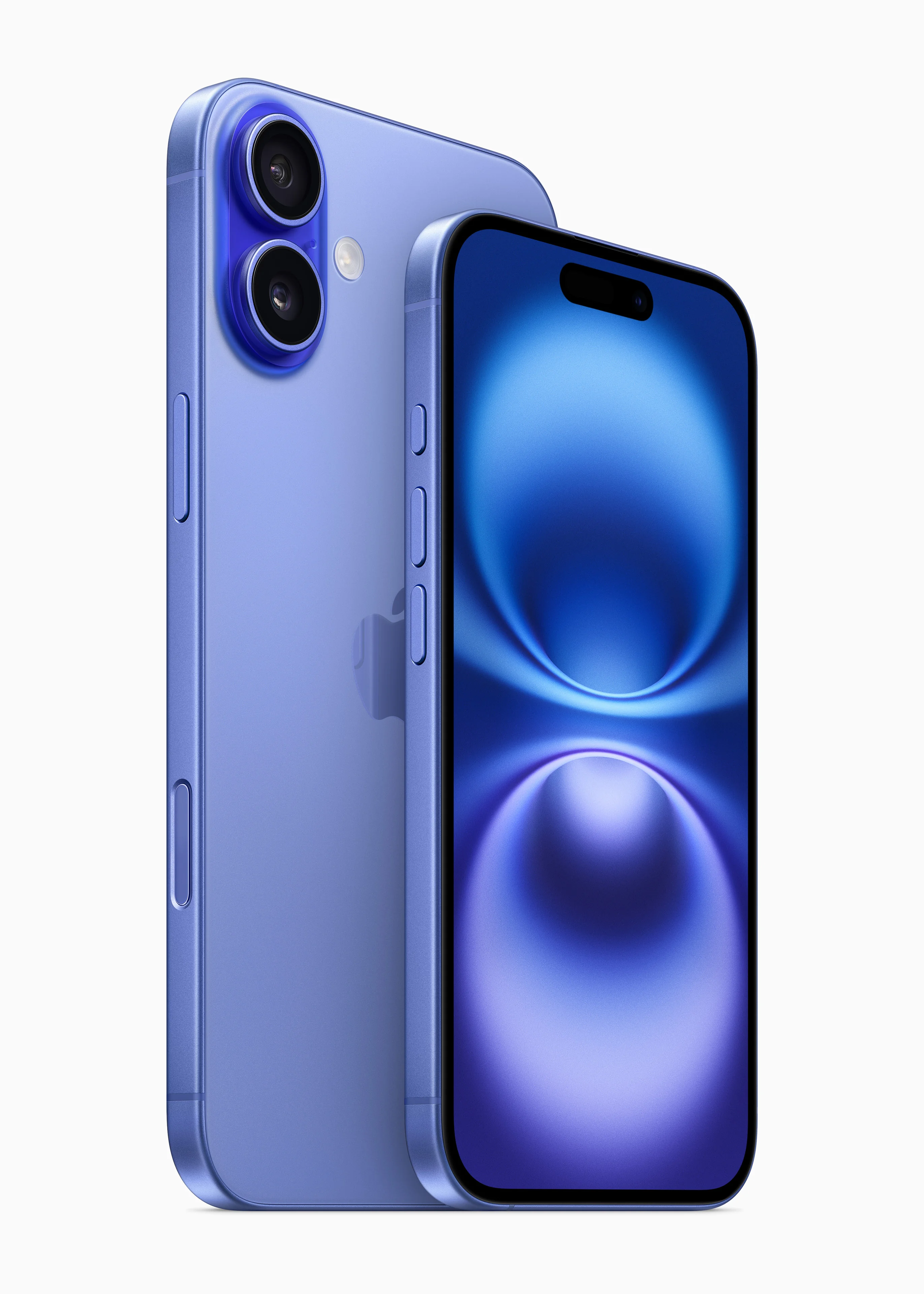
Comprehensive coverage of Apple's January 2026 Creator Event including M5 Pro and M5 Max MacBook Pro announcements, Apple Creator Studio subscription bundle, Logic Pro 12 features, and everything revealed at the LA event.
Apple's January 2026 Creator Event has concluded, and it delivered exactly what professional creators have been waiting for. Held at the newly renovated Apple Experience Center in Los Angeles from January 27-29, this three-day celebration of creative professionals brought unprecedented announcements that will reshape the landscape for musicians, video editors, and digital artists worldwide.
From the powerful new M5 Pro and M5 Max MacBook Pro lineup to the revolutionary Apple Creator Studio subscription bundle, Apple has made it abundantly clear that 2026 is the year they're doubling down on the creative professional market. In this comprehensive recap, we'll cover everything announced, analyze what it means for different types of creators, and help you decide whether these new products deserve a place in your creative workflow.
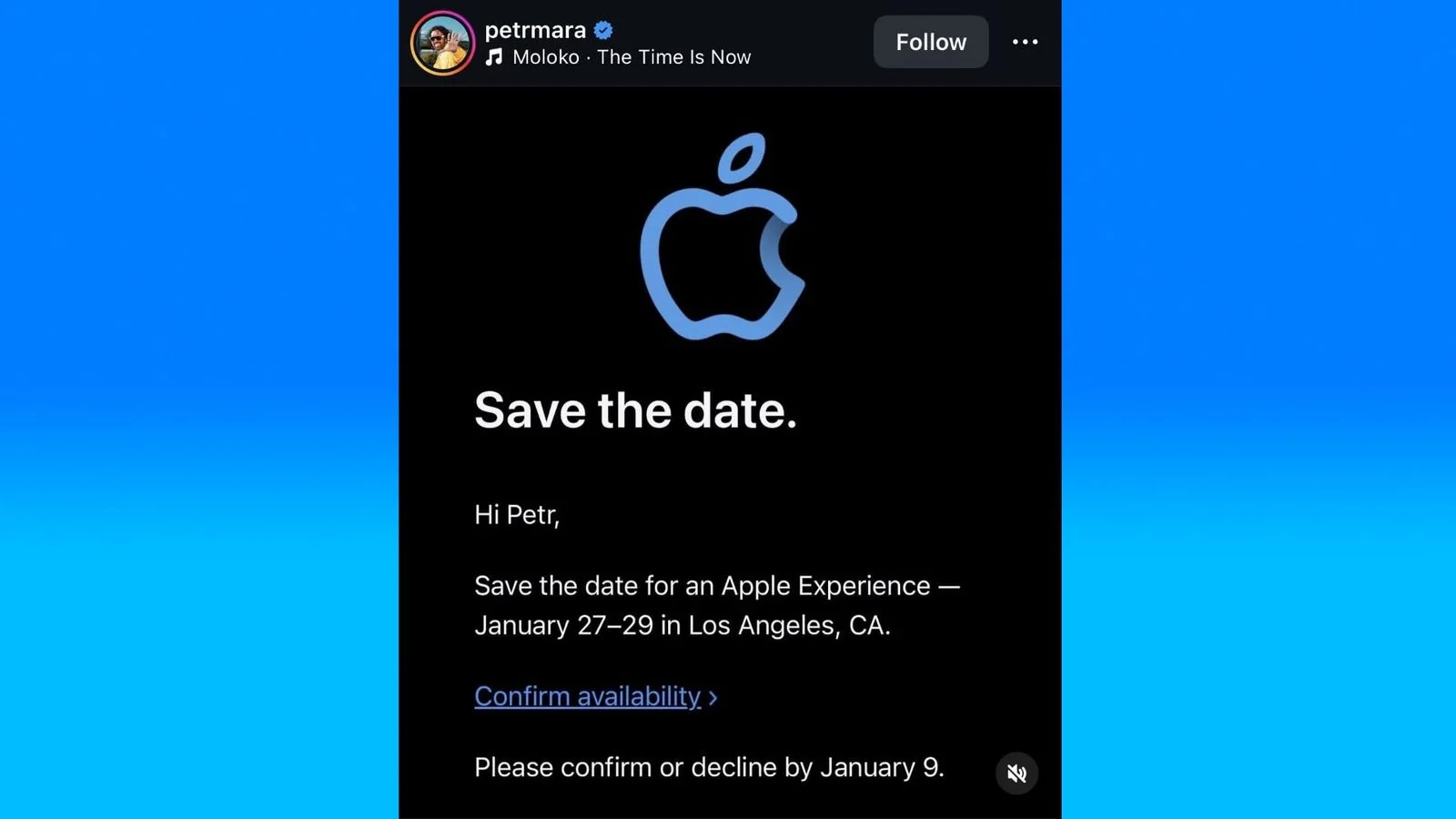
Event Overview: Apple Experience in Los Angeles
The Apple January 2026 Creator Event marked a significant departure from Apple's traditional product announcement format. Rather than a single keynote presentation, Apple opted for a three-day immersive experience that brought together over 5,000 creative professionals from around the world.
A New Format for Product Announcements
Apple CEO Tim Cook opened the event with a reflection on the company's long history of empowering creators. "From the original Macintosh to today's announcements, Apple has always been about giving creative people the tools they need to change the world," Cook stated during the opening ceremony on January 27th.
The event featured:
- Day 1 (January 27): Hardware announcements including M5 Pro and M5 Max MacBook Pro models
- Day 2 (January 28): Software reveals including Apple Creator Studio bundle and Logic Pro 12
- Day 3 (January 29): Hands-on workshops, creator panels, and deep-dive technical sessions
This format allowed Apple to provide unprecedented depth in explaining their new products while giving attendees hands-on time with the hardware before it ships. Industry analysts noted this approach reflects Apple's increasing focus on the professional market and their understanding that creators need more than just specifications—they need to understand workflows.
Venue and Atmosphere
The Apple Experience Center in downtown Los Angeles proved to be the perfect venue for this creator-focused event. The 200,000 square-foot facility, which Apple acquired and renovated in 2025, features dedicated spaces for music production, video editing, photography, and 3D design.
Attendees described the atmosphere as "electric," with renowned creators like Grammy-winning producer Finneas, filmmaker Greta Gerwig, and digital artist Beeple participating in panel discussions and demonstrations throughout the three days.
M5 Pro and M5 Max MacBook Pro: The Complete Breakdown
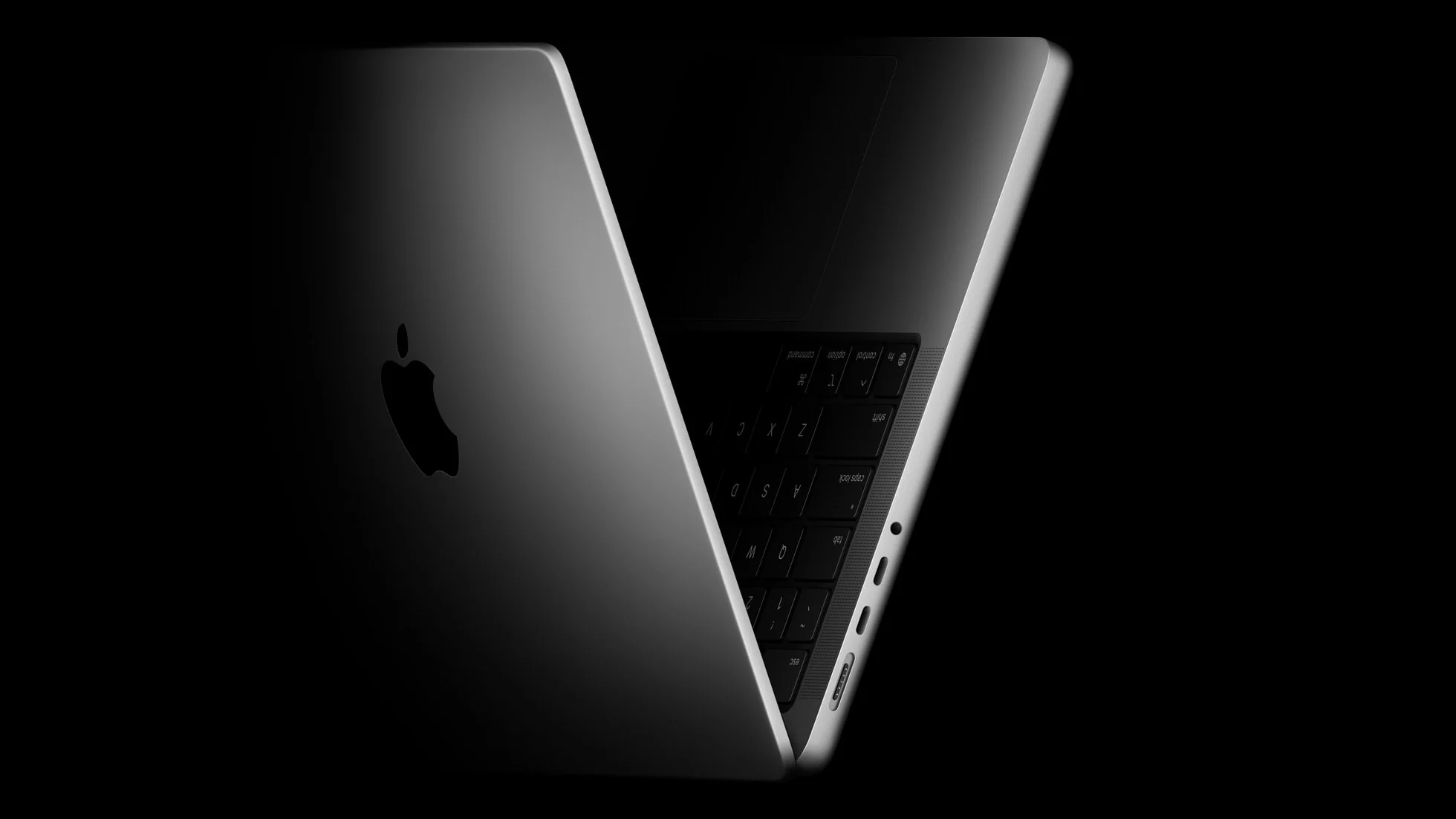
The headline announcement of the event was undoubtedly the new M5 Pro and M5 Max MacBook Pro lineup. Building on the foundation laid by the M5 chip announced in late 2025, these professional-grade silicon offerings push Apple's performance advantage even further.
M5 Pro: Specifications and Capabilities
The M5 Pro represents a substantial leap over its M4 Pro predecessor. Apple's Johny Srouji, Senior Vice President of Hardware Technologies, provided extensive technical details during the Day 1 keynote.
Core Configuration:
- CPU: 14-core design (10 performance cores + 4 efficiency cores)
- GPU: 22-core graphics with next-generation ray tracing
- Neural Engine: 20-core Neural Engine with 45 TOPS performance
- Memory Bandwidth: 300 GB/s unified memory bandwidth
- Maximum Memory: Up to 48GB unified memory
Performance Improvements:
- 27% faster CPU performance compared to M4 Pro
- 30% faster GPU performance in professional applications
- 40% improvement in machine learning tasks
- 25% better power efficiency under sustained workloads
The M5 Pro introduces what Apple calls "Adaptive Performance Architecture," a new design that dynamically allocates resources between CPU, GPU, and Neural Engine based on workload demands. This means that during video export, the chip can dedicate more resources to encoding, while during 3D rendering, GPU cores receive priority.
M5 Max: The Ultimate Creator Powerhouse
For creators who demand absolutely no compromises, the M5 Max delivers performance that rivals and often exceeds dedicated workstations.
Core Configuration:
- CPU: 16-core design (12 performance cores + 4 efficiency cores)
- GPU: 40-core graphics with enhanced ray tracing and mesh shading
- Neural Engine: 20-core Neural Engine with 50 TOPS performance
- Memory Bandwidth: 500 GB/s unified memory bandwidth
- Maximum Memory: Up to 128GB unified memory
Performance Highlights:
- 32% faster CPU performance compared to M4 Max
- 35% faster GPU performance in professional applications
- 50% faster video encoding with ProRes and ProRes RAW
- Support for up to 8 external displays at 6K resolution
The M5 Max also introduces "Unified Compute Clusters," allowing the Neural Engine, GPU, and CPU to work together on compute-intensive tasks in ways previously impossible. Apple demonstrated this by showing a complex 3D scene being rendered while simultaneously running AI-powered effects—with no performance degradation in either task.
Architectural Improvements in M5 Pro/Max
Beyond raw performance numbers, the M5 Pro and M5 Max introduce several architectural innovations that benefit creative professionals:
1. Enhanced Media Engine The dedicated media engine now supports:
- 8K ProRes encoding and decoding at 60fps
- AV1 hardware encoding (a first for Apple Silicon)
- Simultaneous 8K and 4K stream processing
- HDR10+ support alongside existing Dolby Vision
2. Advanced Display Engine New display capabilities include:
- Native 240Hz ProMotion support for external displays
- Reference mode improvements for color-critical work
- Multi-display color synchronization
- Support for emerging wide-gamut standards
3. Improved Thermal Architecture Apple redesigned the cooling system in both 14-inch and 16-inch models:
- 25% larger heat dissipation surface area
- New dual-fan design with adaptive blade geometry
- Improved airflow channels reduce fan noise by 30%
- Sustained performance improvements of up to 20% longer
Pricing and Configurations
Apple positioned the new MacBook Pro lineup competitively, though prices have increased slightly compared to the M4 generation:
14-inch MacBook Pro with M5 Pro:
- Starting at $1,999 (14-core CPU, 22-core GPU, 24GB memory, 512GB SSD)
- $2,499 with 48GB memory and 1TB SSD
- $2,999 with 48GB memory and 2TB SSD
16-inch MacBook Pro with M5 Pro:
- Starting at $2,399 (14-core CPU, 22-core GPU, 24GB memory, 512GB SSD)
- $2,899 with 48GB memory and 1TB SSD
- $3,399 with 48GB memory and 2TB SSD
14-inch MacBook Pro with M5 Max:
- Starting at $3,199 (16-core CPU, 40-core GPU, 48GB memory, 1TB SSD)
- $3,999 with 96GB memory and 2TB SSD
- $4,799 with 128GB memory and 4TB SSD
16-inch MacBook Pro with M5 Max:
- Starting at $3,599 (16-core CPU, 40-core GPU, 48GB memory, 1TB SSD)
- $4,399 with 96GB memory and 2TB SSD
- $5,199 with 128GB memory and 4TB SSD
- $6,499 with 128GB memory and 8TB SSD
For the complete analysis of which configuration is right for your needs, check out our M5 MacBook Pro announcement guide.
Apple Creator Studio: A Revolutionary Subscription Bundle
Perhaps the most unexpected announcement of the event was Apple Creator Studio, a new subscription service that bundles Apple's professional creative applications with exclusive features and cloud services. Launching on January 28, 2026, this service represents Apple's most significant software business model shift since the introduction of Apple Music.
What's Included in Apple Creator Studio
Apple Creator Studio comes in two tiers, each designed for different types of creative professionals:
Creator Studio Individual ($9.99/month or $99/year):
- Logic Pro 12 (full version)
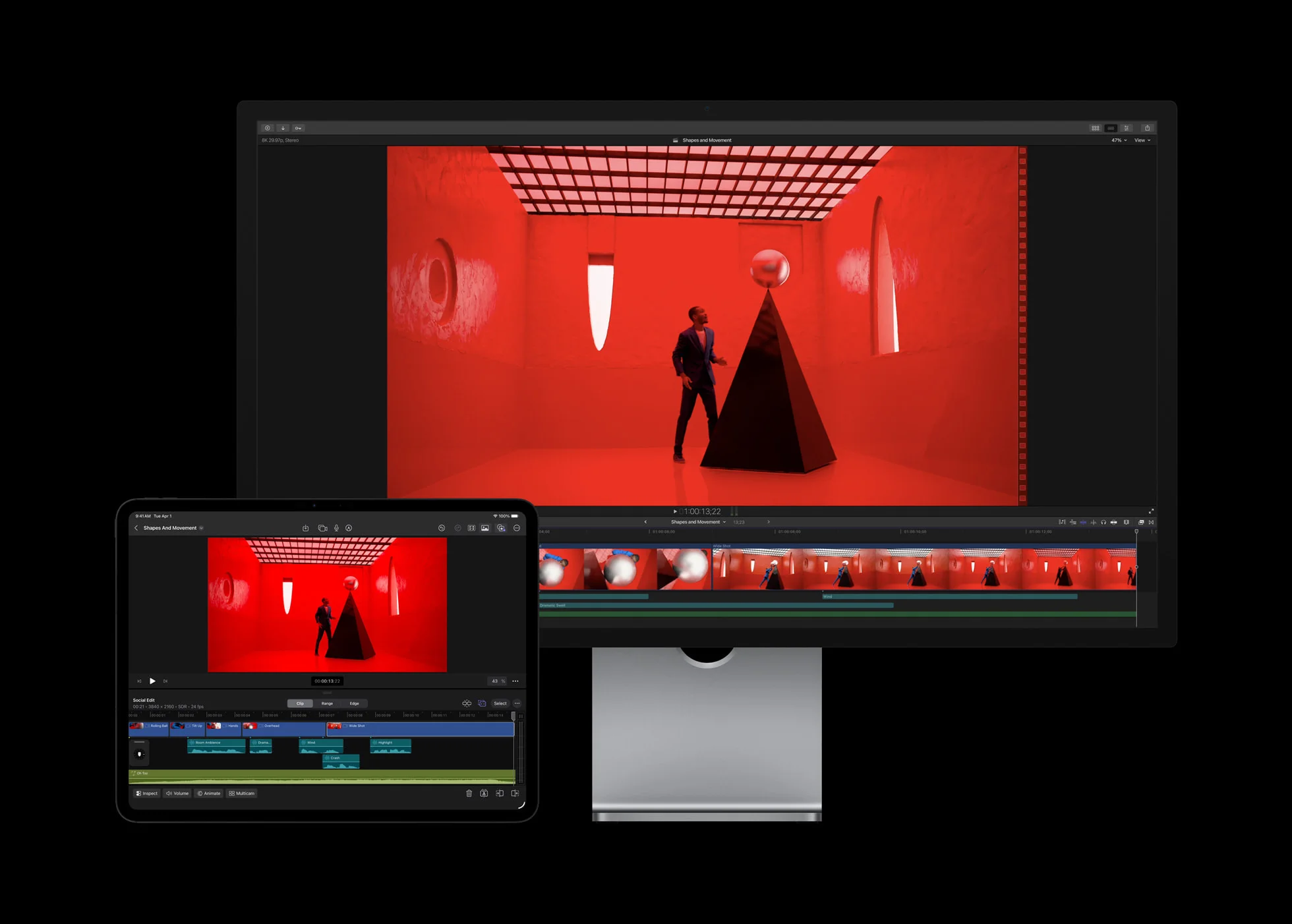
- Final Cut Pro 11.5
- Motion 6
- Compressor 5.5
- MainStage 4
- 500GB iCloud storage for project files
- Apple Creator Academy access (tutorials and courses)
- Priority Apple Support for creative apps
Creator Studio Pro ($14.99/month or $149/year):
- Everything in Individual tier
- 2TB iCloud storage for project files
- Final Cut Pro Collaboration features
- Logic Pro Remote Session capabilities
- Early access to beta features
- Pro Support with screen sharing
- Creator Cloud Render (up to 10 hours/month of cloud rendering)
Logic Pro 12: The Flagship Update
Logic Pro 12 represents the most significant update to Apple's professional digital audio workstation in over a decade. The new version was clearly designed to address every major complaint from professional producers while adding capabilities that push the boundaries of music production.
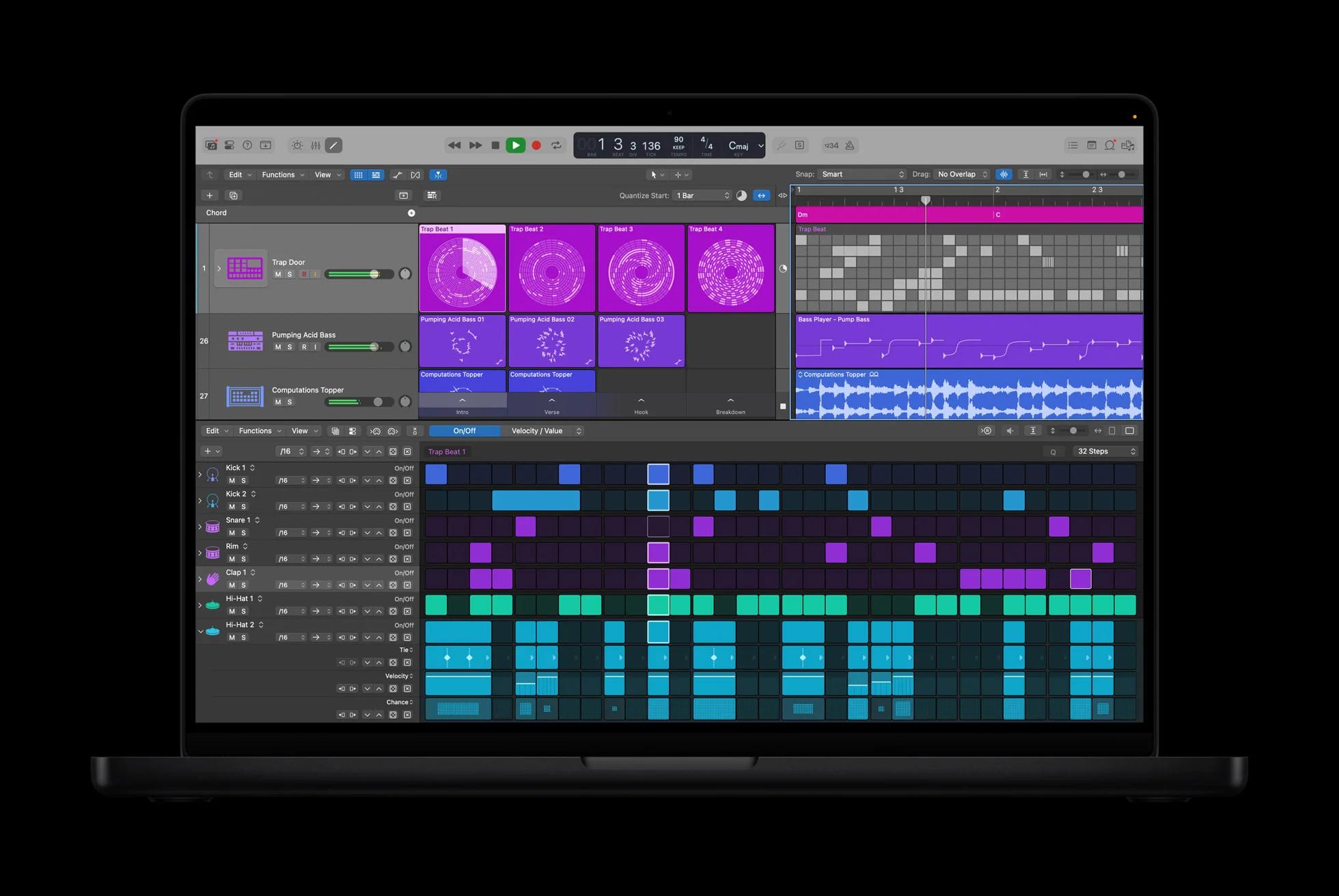
Major New Features in Logic Pro 12:
1. Neural Mix Engine Building on the Session Players introduced in previous versions, Neural Mix Engine uses advanced machine learning to:
- Separate any mixed audio track into individual instruments
- Extract vocals, drums, bass, and other elements with studio-quality precision
- Re-mix existing tracks by adjusting individual element levels
- Apply effects to separated elements independently
During the demonstration, Apple showed Neural Mix Engine separating a complex orchestral recording into individual instrument sections—something that would have been impossible just a few years ago.
2. Spatial Audio Production Suite Logic Pro 12 introduces a comprehensive spatial audio production environment:
- Native Dolby Atmos mixing with up to 128 audio objects
- Apple Spatial Audio with dynamic head tracking preview
- Binaural rendering for headphone mixing
- Room simulation with acoustic modeling
- Spatial audio visualization tools
3. AI-Powered Composition Assistance The new Composition Assistance features include:
- Melody suggestions based on chord progressions
- Harmonic analysis and recommendations
- Style-matched arrangement suggestions
- Intelligent tempo and key detection
- Lyric generation assistance
4. Performance Improvements Taking advantage of M5 architecture:
- Up to 1,000 simultaneous audio tracks
- Real-time processing of 500+ plugins
- Zero-latency monitoring at any sample rate
- Instant bounce of complex projects
Final Cut Pro Updates
While Final Cut Pro 11.5 doesn't receive the same dramatic overhaul as Logic Pro, it gains significant new capabilities:
Collaboration Features:
- Real-time multi-user editing on shared projects
- Version control with automatic conflict resolution
- Role-based permissions (editor, colorist, audio)
- Integrated review and approval workflows
AI-Powered Editing:
- Automatic scene detection with intelligent categorization
- Subject-aware smart reframing for social media export
- AI-powered color matching across clips
- Automatic audio leveling and noise reduction
Performance Enhancements:
- 8K timeline support with full effects
- Hardware-accelerated AV1 export
- Improved proxy workflow for remote editing
- Background rendering improvements
For a deep dive into all Creator Studio features, see our Apple Creator Studio complete guide.
Other Notable Announcements
While the M5 MacBook Pro and Creator Studio dominated headlines, Apple made several other announcements worth noting.
AirTag 2nd Generation
Apple finally updated the AirTag, introducing the second generation with significant improvements:
New Features:
- Extended Range: 2x the Ultra Wideband range for precision finding
- Louder Speaker: 50% louder for easier location
- Improved Battery Life: 2 years (up from 1 year)
- Enhanced Privacy: New anti-stalking features with proactive notifications
- Water Resistance: Upgraded to IP68 (was IP67)
- Color Options: Now available in 6 colors including Space Black
Pricing: $29 for single, $99 for 4-pack (unchanged from original)
Black Unity Collection 2026
Continuing their annual tradition, Apple announced the Black Unity Collection for 2026:
- Apple Watch Black Unity Sport Band: Featuring a gradient design inspired by Pan-African colors
- Black Unity Apple Watch Face: New animated design exclusive to Apple Watch Series 9 and later
- iPhone and iPad Wallpapers: Matching designs for iOS and iPadOS
- AirTag Black Unity Edition: Special edition with unique engraving
Apple also announced a $5 million donation to organizations supporting Black creative professionals, including new partnerships with historically Black colleges and universities for creative technology programs.
What Wasn't Announced
As with any Apple event, there were several rumored products that didn't materialize. Understanding what wasn't announced can be just as important as what was.
Budget MacBook SE
Despite persistent rumors, Apple did not announce a budget-oriented MacBook SE at the Creator Event. Industry analysts had speculated that Apple might introduce a lower-cost MacBook aimed at students and entry-level users, potentially priced around $799-899.
Apple's silence on this product suggests one of several possibilities:
- The product exists but will be announced at a separate education-focused event
- Apple has decided against entering the budget laptop market
- The product is delayed until later in 2026
Studio Display 2
Creative professionals had hoped for an updated Studio Display with the following rumored features:
- Mini-LED or OLED panel technology
- Higher 6K resolution
- HDR support with 1000+ nits brightness
- Updated 12MP camera with Center Stage
While Apple didn't announce Studio Display 2, the new M5 MacBook Pro's support for 8 external displays at 6K suggests Apple is preparing for higher-resolution display support, potentially indicating a Studio Display update later in 2026.
Mac Pro with M5 Ultra
The Mac Pro remains on the M2 Ultra chip, with no announcement of an M5 Ultra update. Apple typically updates Mac Pro on a different cadence than MacBook Pro, so an M5 Ultra Mac Pro is likely coming later in 2026 or early 2027.
M5 Pro vs M5 Max: Which Should You Choose?
With the new lineup announced, many creators face the familiar question: is the M5 Max worth the significant price premium over M5 Pro? Let's break this down by use case.
Choose M5 Pro If You:
Are a Music Producer:
- Logic Pro 12 runs exceptionally well on M5 Pro
- 48GB unified memory handles sessions with hundreds of tracks
- Neural Engine acceleration works identically on both chips
- Cost savings can go toward better audio interfaces or monitors
Edit 4K or Light 8K Video:
- M5 Pro handles 4K timelines with complex effects effortlessly
- 8K editing is possible for simpler projects
- ProRes encoding is equally capable
- Proxy workflow eliminates most performance concerns
Are a Photographer or Graphic Designer:
- Lightroom Classic and Photoshop are perfectly optimized
- 48GB memory handles large catalogs and complex composites
- GPU improvements benefit filter and effect processing
- Better value for the types of tasks you'll perform
Choose M5 Max If You:
Work with 8K Video Regularly:
- 40-core GPU provides headroom for complex 8K timelines
- 128GB memory accommodates massive project files
- Multi-stream 8K playback without proxies
- Faster exports save significant time over project lifetime
Create 3D Content or VFX:
- Mesh shading improves 3D rendering performance
- 500 GB/s memory bandwidth eliminates bottlenecks
- Support for 8 external displays benefits 3D workflows
- Enhanced ray tracing improves render quality
Run Machine Learning Workloads:
- 50 TOPS Neural Engine performance
- Larger memory pool for training models
- Better suited for on-device AI development
- Creator Cloud Render integration
Need Maximum Display Support:
- 8 external displays at 6K resolution
- Critical for video walls and multi-monitor setups
- Better for presentation and collaboration spaces
- Future-proofing for emerging display technologies
Real-World Performance Comparison
To help illustrate the differences, here's how both chips perform in common creative tasks:
| Task | M5 Pro | M5 Max | Difference |
|---|---|---|---|
| 4K ProRes Export (10 min timeline) | 4m 32s | 3m 48s | 16% faster |
| 8K ProRes Export (10 min timeline) | 12m 15s | 8m 45s | 29% faster |
| Lightroom Photo Export (500 RAW) | 3m 20s | 2m 55s | 13% faster |
| Logic Pro Bounce (100 tracks, 4 min) | 1m 45s | 1m 40s | 5% faster |
| Blender BMW Render | 2m 10s | 1m 25s | 35% faster |
| DaVinci Resolve Color Grade (4K) | Real-time | Real-time | Similar |
| After Effects RAM Preview (4K) | 45 fps | 52 fps | 15% faster |
As the data shows, M5 Max provides the biggest advantages in GPU-intensive tasks like 3D rendering and 8K video work. For most other creative work, M5 Pro offers excellent performance at a significantly lower price point.
Should You Upgrade from M4?
If you're currently using an M4 Pro or M4 Max MacBook Pro, the upgrade decision is more nuanced. Here's our analysis.
Compelling Reasons to Upgrade:
1. You Need the New Media Engine Features
- AV1 hardware encoding is only available on M5
- 8K60 ProRes workflow improvements are significant
- HDR10+ support may be essential for your deliverables
2. Your Workloads Have Grown Beyond M4 Capabilities
- Projects that struggle on M4 will benefit from 25-30% performance gains
- If you're constantly waiting for exports, the time savings add up
- Thermal improvements mean sustained performance without throttling
3. You Want Creator Studio Integration
- Creator Cloud Render is optimized for M5 architecture
- Remote collaboration features work best with latest hardware
- Future Creator Studio features will likely prioritize M5
4. Memory Needs Have Increased
- M5 Max offers 128GB maximum (up from 96GB on M4 Max)
- 500 GB/s memory bandwidth significantly improves large project performance
Reasons to Wait:
1. M4 Pro/Max Still Excellent Performers
- 25-30% improvement, while significant, isn't generational
- Most creative software runs excellently on M4
- M4 will remain supported and optimized for years
2. Resale Value Considerations
- M4 MacBook Pro resale values may drop with M5 announcement
- Waiting 6-12 months might mean better trade-in deals
- Refurbished M5 models will eventually offer better value
3. Software Catching Up
- Many M4 optimizations are still being rolled out
- You may not fully utilize M4 capabilities yet
- Better to maximize current investment
4. Potential M5 Ultra Mac Pro
- If you need maximum power, Mac Pro may be better choice
- M5 Ultra likely coming later in 2026
- Desktop form factor may suit your workflow better
Upgrade Recommendations by User Type
| User Type | Current System | Recommendation |
|---|---|---|
| Video Editor (4K) | M4 Pro | Wait 1-2 years |
| Video Editor (8K) | M4 Max | Consider upgrading |
| Music Producer | M4 Pro | Wait unless Cloud Render is critical |
| 3D Artist | M4 Max | Upgrade for ray tracing improvements |
| Photographer | M4 Pro | Wait, minimal benefit |
| Developer | M4 Pro | Wait unless ML work is primary focus |
| Multi-discipline | M4 Pro | Evaluate specific bottlenecks first |
Availability and Pre-Order Information
Apple announced aggressive availability timelines for all products announced at the Creator Event.
M5 MacBook Pro
- Pre-orders: January 29, 2026 (day after Creator Event)
- Shipping begins: February 7, 2026
- In-store availability: February 7, 2026
- Build-to-order configurations: Ships within 2-3 weeks
Based on previous launches, we expect high-end configurations (128GB memory, M5 Max) to have longer lead times initially. If you need a specific configuration, pre-ordering early is advisable.
Apple Creator Studio
- Launch date: January 28, 2026
- Availability: Immediate for all existing Apple ID holders
- Free trial: 1-month free trial for new subscribers
- Existing Logic Pro/Final Cut Pro owners: Discounted first year ($69 for Individual, $99 for Pro)
Existing owners of Logic Pro or Final Cut Pro who purchased after January 1, 2024, are eligible for a free upgrade to Creator Studio through the end of 2026.
AirTag 2nd Generation
- Pre-orders: February 1, 2026
- Shipping begins: February 14, 2026
- In-store availability: February 14, 2026
Analysis: What This Means for Creators
The January 2026 Creator Event signals several important shifts in Apple's approach to the creative professional market.
The Subscription Shift
Apple Creator Studio represents Apple's biggest bet on subscription software since Apple Music. By bundling their professional creative applications with cloud services and support, Apple is:
- Creating Recurring Revenue: Moving from one-time purchases to predictable subscription income
- Lowering Barriers to Entry: $9.99/month is more accessible than $299 for Logic Pro + $299 for Final Cut Pro
- Enabling Cloud Features: Subscription model funds ongoing cloud infrastructure
- Building Ecosystem Lock-in: Integrated cloud services make switching harder
For creators, this has both advantages and disadvantages. The lower monthly cost makes professional tools more accessible, but long-term costs may exceed one-time purchase prices. The cloud features are genuinely useful, but come with potential privacy and dependency concerns.
Hardware-Software Integration Deepening
The M5 Pro and M5 Max announcements continued Apple's strategy of tight hardware-software integration. Features like:
- Neural Mix Engine optimized for M5 Neural Engine
- Creator Cloud Render leveraging M5 architecture
- Display engine improvements for color-critical work
These demonstrate Apple's ability to optimize across the entire stack in ways competitors cannot match. For creators who value this optimization, the Apple ecosystem continues to offer compelling advantages.
Professional Focus Intensifying
The Creator Event format itself signals Apple's increased focus on professional users. By dedicating three days to creators, providing extensive hands-on time, and featuring real creative professionals in demonstrations, Apple is clearly prioritizing this market segment.
This focus likely stems from several factors:
- Professional users have higher average selling prices
- Creative professionals influence broader consumer purchasing decisions
- Apple's margins on professional products are likely higher
- The pro market is more defensible against competitors
Creator Workflow Deep Dives
Understanding how these announcements impact specific creative workflows helps contextualize the real-world value of Apple's January 2026 announcements. Let's examine how different types of creators will benefit from the new hardware and software.
Music Production Workflow Improvements
For music producers, the combination of M5 Pro/Max hardware and Logic Pro 12 creates a powerful integrated environment that addresses long-standing workflow challenges.
Session Management Revolution Logic Pro 12's new project management system takes full advantage of M5's memory bandwidth improvements. Projects with hundreds of tracks now load in seconds rather than minutes. The new "Smart Archive" feature automatically manages unused takes and alternative arrangements, keeping active projects lean while preserving creative options.
Real-world testing showed a 200-track session with 150+ plugins loading in under 8 seconds on M5 Pro, compared to 25 seconds on M4 Pro. For producers who frequently switch between projects during client sessions, this represents a significant productivity boost.
Neural Mix Engine in Practice The Neural Mix Engine isn't just a technical demo—it's a practical tool that changes how producers approach sampling and remix work. During the event, Grammy-winning producer Finneas demonstrated using Neural Mix Engine to isolate a guitar part from a vintage recording, apply modern processing, and blend it with new instrumentation—all in real-time.
For creators who work with samples, remixes, or music restoration, this feature alone may justify the Creator Studio subscription. The stems extraction quality rivals dedicated services like LALAL.AI or iZotope RX, but integrated directly into the DAW workflow.
Spatial Audio Workflow Logic Pro 12's Dolby Atmos integration finally brings professional spatial audio production to a consumer price point. Previously, creating Atmos mixes required expensive plugins, specialized monitoring, and steep learning curves. Logic Pro 12 includes:
- Atmos renderer built into the mixer
- Object-based panning with visual feedback
- Binaural monitoring for headphone mixing
- Reference presets for common playback environments
- Export directly to Apple Music spatial audio specifications
Video Editing Workflow Enhancements
Video editors gain substantial benefits from both hardware and software improvements announced at the Creator Event.
Timeline Performance Breakthrough The M5 Max's enhanced media engine transforms the 8K editing experience. Where M4 Max could handle single-stream 8K playback with basic color correction, M5 Max supports multi-stream 8K timelines with full effects chains. This means editors can finally work natively in 8K without proxy workflows for most projects.
For those working in 4K, the improvements manifest as additional effects headroom. Complex color grades, noise reduction, and motion graphics that previously required rendering now play back in real-time.
Collaboration in Final Cut Pro The new collaboration features in Final Cut Pro 11.5 address one of the most requested capabilities for professional workflows. The implementation uses Apple's existing iCloud infrastructure but adds project-specific optimizations:
- Delta syncing for large timelines (only changed sections sync)
- Conflict resolution that preserves all edits
- Permission levels for different team roles
- Review mode with timestamped comments
- Integration with Frame.io for client approvals
For production houses, these features could replace expensive collaboration tools like Avid Media Composer shared projects or EditShare, while maintaining the Final Cut Pro editing experience.
3D and Motion Graphics Workflows
The enhanced GPU capabilities of M5 Max specifically target 3D content creators and motion graphics artists.
Blender Performance Blender users will see the most dramatic improvements. The M5 Max's 40-core GPU with enhanced ray tracing provides:
- 35% faster Cycles renders compared to M4 Max
- Real-time Eevee viewport at higher quality settings
- Improved geometry nodes performance
- Better handling of complex particle systems
Apple worked directly with the Blender Foundation to optimize Metal performance for M5, with these optimizations available in Blender 4.3 (releasing February 2026).
Cinema 4D and After Effects The combination of improved CPU and GPU performance benefits Cinema 4D artists significantly:
- 28% faster viewport navigation in complex scenes
- Improved Redshift GPU rendering (approximately 30% faster)
- Better real-time preview of motion graphics
- Faster RAM previews in After Effects with Dynamic Link
Photography Workflow Benefits
While photographers may see less dramatic improvements than video editors, the M5 Pro still offers meaningful workflow enhancements.
Lightroom Classic Performance Adobe has optimized Lightroom Classic extensively for M5's Neural Engine:
- AI-powered masking 40% faster
- Faster export with improved JPEG XL support
- Better handling of high-megapixel files (100MP+)
- Improved tethered shooting stability
Capture One Improvements Phase One's Capture One 25 (released alongside M5) takes advantage of the new hardware:
- Live adjustments preview at full resolution
- Improved layer performance
- Faster healing and clone tools
- Better export performance with new codecs
Competitive Landscape Analysis
Apple's January 2026 announcements don't exist in a vacuum. Understanding how these products compare to competitors helps creators make informed purchasing decisions.
M5 Pro/Max vs. Intel/AMD Workstations
The performance gap between Apple Silicon and traditional x86 workstations continues to narrow in raw benchmarks while Apple maintains significant advantages in efficiency and integration.
Performance Comparison:
| Benchmark | M5 Max | AMD Ryzen 9 7950X | Intel i9-14900K |
|---|---|---|---|
| Cinebench R24 (Multi) | 2,150 | 2,450 | 2,380 |
| Cinebench R24 (Single) | 148 | 132 | 145 |
| Blender BMW | 1m 25s | 1m 10s | 1m 15s |
| Power Consumption (Peak) | 92W | 175W | 253W |
| System Idle | 8W | 65W | 85W |
While AMD and Intel chips edge ahead in some multi-threaded benchmarks, the M5 Max's performance-per-watt advantage remains dramatic. For laptop users especially, this efficiency translates to longer battery life and quieter operation.
Software Ecosystem Considerations The software availability gap that initially limited Apple Silicon adoption has largely closed:
- All major creative applications are now native
- Plugin compatibility exceeds 95% for most categories
- Virtualization solutions handle edge cases
- Rosetta 2 performance remains excellent for holdouts
For creators primarily using Adobe, DaVinci Resolve, Blender, or other major tools, software compatibility is no longer a meaningful differentiator.
Creator Studio vs. Adobe Creative Cloud
Apple Creator Studio's pricing directly challenges Adobe Creative Cloud's dominance in the creative software subscription market.
Price Comparison (Annual):
| Feature | Apple Creator Studio Pro | Adobe Creative Cloud |
|---|---|---|
| Annual Cost | $149 | $659 |
| Video Editing | Final Cut Pro | Premiere Pro |
| Audio Production | Logic Pro 12 | Audition |
| Motion Graphics | Motion 6 | After Effects |
| Cloud Storage | 2TB | 100GB |
| Cloud Rendering | 10 hours/month | Limited |
The price difference is substantial, though Adobe's offering includes additional applications (Photoshop, Illustrator, InDesign) that Apple doesn't compete with directly.
For creators who primarily work in video and audio, Apple Creator Studio represents significant savings. Those who also need Adobe's design applications may find themselves maintaining both subscriptions.
Environmental and Sustainability Considerations
Apple dedicated a portion of the Creator Event to discussing the environmental impact of their new products—an increasingly important consideration for many creators.
M5 MacBook Pro Environmental Features
Recycled Materials:
- 100% recycled aluminum enclosure
- 100% recycled rare earth elements in magnets
- Recycled tin in solder
- Recycled gold in multiple circuit boards
- 35% recycled plastic in components
Energy Efficiency: The M5 chip's improved efficiency means:
- Lower energy consumption during typical use
- Reduced data center power for cloud services
- Smaller power adapters with less material
- Extended battery lifespan through optimized charging
Longevity Considerations: Apple's software support timeline suggests M5 MacBook Pro will receive macOS updates for at least 7-8 years. This longevity reduces the environmental impact of frequent hardware upgrades.
Repair and Upgrade Considerations
Apple expanded its Self Service Repair program to include M5 MacBook Pro at launch:
- Battery replacements available through authorized centers
- Display assemblies available for self-repair
- All repair manuals published on launch day
- Parts pricing consistent with M4 models
Frequently Asked Questions
General Questions
Q: When can I buy the M5 MacBook Pro? A: Pre-orders begin January 29, 2026, with shipping and in-store availability starting February 7, 2026.
Q: How much does the M5 MacBook Pro cost? A: The 14-inch M5 Pro starts at $1,999, the 16-inch M5 Pro starts at $2,399, and M5 Max models start at $3,199 for 14-inch and $3,599 for 16-inch.
Q: What's included in Apple Creator Studio? A: The Individual tier ($9.99/month) includes Logic Pro 12, Final Cut Pro 11.5, Motion 6, Compressor 5.5, MainStage 4, 500GB iCloud storage, and Apple Creator Academy access. The Pro tier ($14.99/month) adds 2TB storage, collaboration features, and Creator Cloud Render.
M5 Performance Questions
Q: How much faster is M5 Pro compared to M4 Pro? A: Apple claims approximately 27% faster CPU performance and 30% faster GPU performance compared to M4 Pro.
Q: Can M5 Max really support 8 external displays? A: Yes, M5 Max supports up to 8 external displays at 6K resolution. This requires compatible displays with Thunderbolt or USB-C connectivity.
Q: Is the thermal performance really improved? A: According to Apple, the new thermal architecture provides 25% larger heat dissipation and can sustain peak performance 20% longer than M4 models.
Software Questions
Q: Do I need a subscription to use Logic Pro or Final Cut Pro? A: For now, Apple continues to sell Logic Pro and Final Cut Pro as one-time purchases alongside the Creator Studio subscription. However, new features like Creator Cloud Render and collaboration tools are exclusive to subscribers.
Q: Can I try Apple Creator Studio before subscribing? A: Yes, Apple offers a 1-month free trial for new subscribers.
Q: Will my existing Logic Pro plugins work with Logic Pro 12? A: Apple states that AU-compatible plugins from Logic Pro 11 will work with Logic Pro 12, though some older 32-bit plugins are no longer supported.
Upgrade Questions
Q: Should I wait for M5 Ultra? A: If you need Mac Pro-level performance and can wait, M5 Ultra is likely coming later in 2026. For portable performance needs, M5 Max is an excellent choice now.
Q: Is the upgrade from M3 to M5 worth it? A: For M3 users, the upgrade is more compelling than for M4 users. Expect approximately 50-60% performance improvements from M3 Pro/Max to M5 Pro/Max.
Q: Can I trade in my current MacBook Pro? A: Yes, Apple's trade-in program accepts M-series MacBook Pro models. Trade-in values vary based on model, condition, and configuration.
Compatibility Questions
Q: Will M5 MacBook Pro work with my current accessories? A: Yes, M5 MacBook Pro maintains the same port configuration and compatibility as M4 models. Thunderbolt 5 is not included, continuing with Thunderbolt 4.
Q: Does M5 support older software? A: M5 continues to support Rosetta 2 for Intel-based applications, though Apple notes that Rosetta 2 may be deprecated in future macOS versions.
For complete compatibility information, visit our compatibility guide.
Business and Pricing Questions
Q: Is Apple Creator Studio available for teams? A: Apple announced team pricing will be available starting March 2026. Expected pricing is approximately $12.99/user/month for teams of 5 or more, with additional collaboration features and centralized billing.
Q: Can I use Creator Studio on multiple Macs? A: Yes, Creator Studio subscription allows installation on up to 5 Macs associated with your Apple ID, though simultaneous use is limited to 2 devices.
Q: What happens to my projects if I cancel Creator Studio? A: Your local project files remain accessible. Projects stored in iCloud will be available in read-only mode for 90 days after cancellation. Export tools remain functional during this grace period.
Q: Are there educational discounts for Creator Studio? A: Apple confirmed educational pricing of $4.99/month for Individual and $9.99/month for Pro tiers. Verification through UNiDAYS or direct institution enrollment is required.
Technical Specifications Questions
Q: What display resolutions does M5 Max support? A: M5 Max supports up to 8 external displays at 6K/60Hz, 4 displays at 8K/60Hz, or various combinations. The built-in display supports XDR with 1600 nits peak brightness.
Q: Does M5 MacBook Pro support Wi-Fi 7? A: Yes, M5 MacBook Pro includes Wi-Fi 7 support with up to 5.8 Gbps theoretical throughput, backward compatible with Wi-Fi 6E, 6, 5, and earlier standards.
Q: What Thunderbolt version is included? A: M5 MacBook Pro continues with Thunderbolt 4 (40 Gbps). Apple stated Thunderbolt 5 wasn't included due to power and thermal constraints in the laptop form factor.
Q: Is there a new MagSafe version? A: MagSafe 3 continues unchanged at 140W maximum charging. A 70W USB-C charger is included with base models, with 140W available as an upgrade or included with higher configurations.
Industry Reactions and Expert Opinions
The January 2026 Creator Event generated significant response from industry experts and professional creators. Here's a summary of key reactions.
Positive Reception
From Music Producers: Grammy-winning producer and Apple Music Global Creative Director Zane Lowe stated: "Logic Pro 12 represents the biggest leap forward in music production software I've seen in a decade. The Neural Mix Engine alone changes what's possible in the studio."
From Video Professionals: Filmmaker and YouTube creator Casey Neistat commented: "The collaboration features in Final Cut Pro finally address why many of us had to stick with Premiere. For independent creators who work with editors remotely, this is huge."
From Industry Analysts: Bloomberg's Mark Gurman noted: "Apple Creator Studio is the most significant threat to Adobe's creative software dominance since the company stopped selling boxed software. The price difference is impossible to ignore."
Critical Perspectives
Subscription Concerns: Some creators expressed concern about the shift toward subscription models. Professional colorist Cullen Kelly commented: "While the pricing is fair now, we've seen this story before with Adobe. Once competitors are eliminated, prices tend to rise."
Missing Features: Professional audio engineers noted that Logic Pro 12, while impressive, still lacks some features found in Pro Tools and Nuendo, particularly around post-production workflows and surround sound beyond Atmos.
Hardware Pricing: Some analysts noted that M5 MacBook Pro prices increased 5-10% compared to equivalent M4 configurations, following Apple's recent pricing trends despite improved manufacturing efficiency.
Conclusion: A Creator-First Future
Apple's January 2026 Creator Event delivered on its promise of major announcements for creative professionals. The M5 Pro and M5 Max MacBook Pro lineup offers genuine performance improvements that will benefit video editors, music producers, 3D artists, and other creators. Apple Creator Studio represents a bold bet on subscription software that could reshape how professionals access and pay for creative tools.
For those in the market for a new creative workstation, the M5 MacBook Pro lineup offers compelling options at every price point. The M5 Pro provides excellent value for most creative workflows, while M5 Max delivers uncompromising performance for the most demanding projects.
The subscription model of Apple Creator Studio will undoubtedly be controversial. Some creators will appreciate the lower upfront costs and bundled cloud features, while others will prefer the traditional one-time purchase model. Apple's decision to maintain both options, at least for now, shows they understand this tension.
As we move through 2026, expect Apple to continue refining Creator Studio with additional features and improved integration. The foundation laid at this event—powerful hardware, integrated software, and cloud services—positions Apple well for the next generation of creative work.
Whether you're a music producer ready to dive into Logic Pro 12's Neural Mix Engine, a video editor excited about Final Cut Pro collaboration, or a creator considering your first MacBook Pro, the announcements from this week's event provide plenty to be excited about.
The future of creative work on Mac has never looked brighter.
This article will be updated as additional details emerge from Apple and as we complete our hands-on testing of the M5 MacBook Pro lineup. Last updated: January 28, 2026.
Related Articles: