MacUpdater Discontinued: Complete Guide to the Best Alternatives for Keeping Mac Apps Updated in 2026
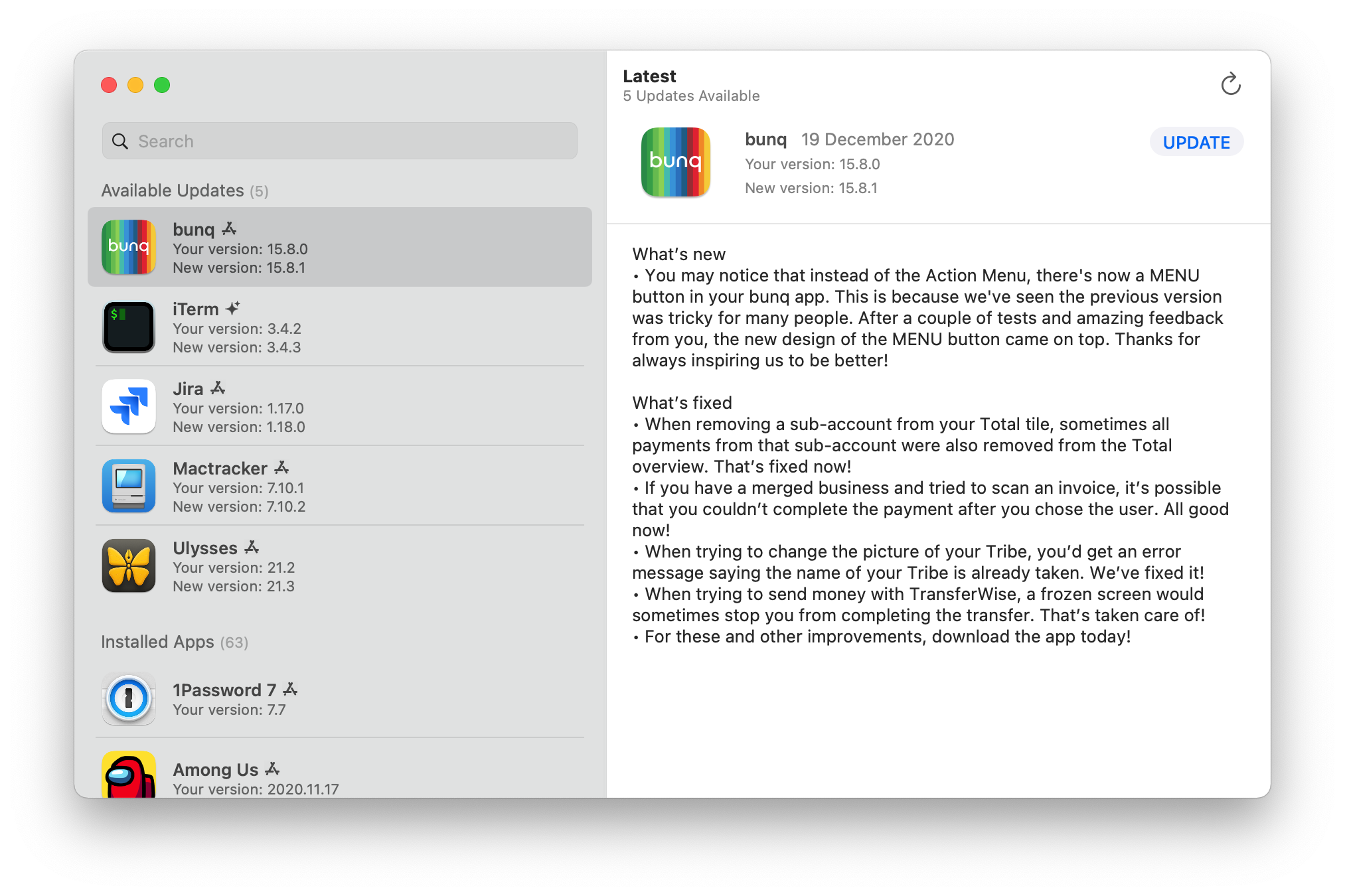
MacUpdater officially shut down on January 1, 2026. Discover the best alternatives including Latest, Homebrew, CleanMyMac, and more. Complete comparison guide with features, pricing, and step-by-step setup instructions for each Mac app updater.
MacUpdater, the beloved Mac app update utility that helped countless users keep their applications current, officially discontinued on January 1, 2026. After serving the Mac community for years, CoreCode announced they could no longer sustain the one-time purchase business model. This comprehensive guide explores what happened, what it means for existing users, and the best alternatives available in 2026.
What Happened to MacUpdater?
The Official Announcement
CoreCode, the developers behind MacUpdater, announced in mid-2025 that the application would be discontinued as of January 1, 2026. The company was transparent about their reasoning: financial sustainability proved impossible with their chosen business model.
In their official statement, CoreCode wrote:
"We've failed in building a sustainable pricing and sales model (instead trying to sell one-time-purchases). MacUpdater can only be sold profitably with a 'subscription-model,' and we will not sell subscription software for ethical reasons."
This candid explanation resonated with many users who appreciated CoreCode's principled stance against subscription fatigue, even as it meant the end of their favorite tool.
What Happens to Existing Users?
Good News: MacUpdater 3.5.0, the final version, is now completely free and includes all previously "Pro" features. You can continue using it indefinitely.
The Catch: The application relies on CoreCode's update database, which received its final update on December 31, 2025. While the database will remain active through December 31, 2026, it will become increasingly inaccurate as apps release new versions that MacUpdater won't recognize.
Timeline Summary:
- January 1, 2026: Daily database maintenance stopped
- December 31, 2026: Update database expected to become completely obsolete
- Beyond 2026: MacUpdater will no longer detect new updates reliably
Why MacUpdater Was Special
MacUpdater embodied the "do one thing well" philosophy. Its interface was refreshingly simple:
- Single Window Design: One list showing all your apps
- Color-Coded Status: Apps needing updates displayed in red
- One-Click Updates: Press "Update" and watch it work
- Massive Database: Information on over 60,000 applications
- Silent Background Checks: Daily update notifications without interruption
This simplicity made it beloved among Mac users who wanted straightforward software maintenance without the bloat of all-in-one utilities.
The Best MacUpdater Alternatives in 2026
After extensive testing and research, here are the top alternatives for keeping your Mac apps updated:
1. Latest (Free & Open Source) - Best Overall Free Alternative
Price: Free License: Open Source (MIT) Download: max.codes/latest or GitHub
Latest is the spiritual successor to MacUpdater for users who want a lightweight, focused app updater. Developed by Max Langer, this open-source tool checks if your apps are up to date with a clean, minimal interface.
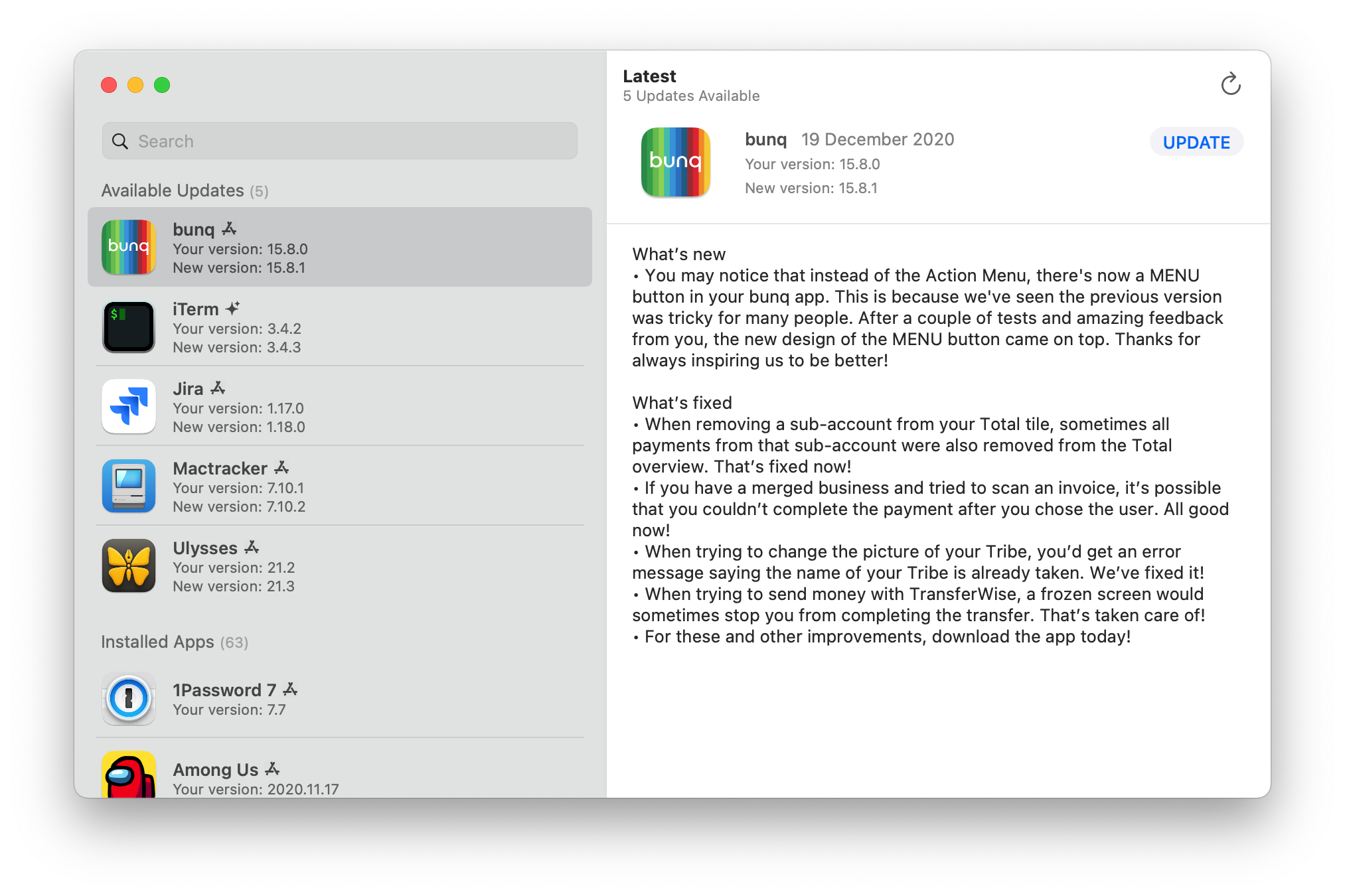
Key Features:
- Scans Mac App Store apps automatically
- Supports Sparkle-based updates (used by most third-party apps)
- Shows changelog summaries for each update
- Native macOS design with Liquid Glass support on Tahoe
- Touch Bar integration for MacBook Pro users
- Completely free with no premium tier
Supported Update Sources:
- Mac App Store applications
- Apps using the Sparkle framework
- Select apps with custom update mechanisms
Limitations:
- Smaller database compared to MacUpdater
- No automatic installation (links to download pages)
- May miss some obscure third-party apps
How to Install:
# Via Homebrew
brew install --cask latest

# Or download directly from max.codes/latestVerdict: Latest is the best free alternative for users who primarily use Mac App Store apps and popular third-party software. Its open-source nature ensures long-term viability.
2. Homebrew (Free & Open Source) - Best for Power Users
Price: Free License: Open Source (BSD-2-Clause) Download: brew.sh

Homebrew is the most popular package manager for macOS. While primarily designed for command-line tools and developer software, Homebrew Cask extends support to graphical applications.
Key Features:
- Comprehensive package management for 10,000+ packages
- Cask support for GUI applications
- Single command to update everything
- Automatic dependency management
- Active community with rapid updates
- Free and open source forever
Update Commands:
# Update Homebrew itself and all formulae
brew update

# Upgrade all installed packages
brew upgrade

# Upgrade specific cask (GUI app)
brew upgrade --cask firefox

# See what needs updating
brew outdated

# Upgrade everything including casks
brew upgrade --greedyLimitations:
- Command-line interface only (no GUI)
- Only manages Homebrew-installed apps
- Learning curve for non-technical users
- Won't update apps installed via other methods
Pro Tips for Former MacUpdater Users:
-
Reinstall your apps via Homebrew Cask:
brew install --cask visual-studio-code slack discord -
Create an alias for easy updates:
alias brewup='brew update && brew upgrade && brew cleanup' -
Use
brew bundleto backup and restore your apps:brew bundle dump --file=~/Brewfile brew bundle install --file=~/Brewfile
Verdict: Homebrew is ideal for developers and power users comfortable with the terminal. The trade-off is you must install apps through Homebrew initially.
3. CleanMyMac X/CleanMyMac (Paid) - Best All-in-One Solution
Price: $39.95/year or $89.95 one-time Trial: Free trial available Download: macpaw.com/cleanmymac
CleanMyMac from MacPaw isn't primarily an app updater, but its Updater module provides solid functionality alongside system cleaning, malware protection, and optimization tools.
Key Features:
- Updater module checks App Store and third-party apps
- Shows version numbers and changelogs
- Batch update multiple apps simultaneously
- 25+ additional maintenance tools included
- Beautiful, modern interface
- Regular updates for macOS compatibility
Updater Module Capabilities:
- Scans installed applications for updates
- Displays update descriptions and sizes
- One-click "Update All" functionality
- Ignores specific apps from update checks
- Tracks App Store and third-party apps separately
Limitations:
- Requires macOS App Store bypass (direct download version only has full Updater features)
- Subscription pricing may not appeal to all users
- Overkill if you only need app updates
- Some features overlap with built-in macOS tools
How to Use the Updater:
- Launch CleanMyMac
- Click "Updater" in the sidebar
- Press "View Updates" to scan
- Select apps to update
- Click "Update" to install
Verdict: CleanMyMac is excellent for users who want comprehensive Mac maintenance alongside app updates. The cost is justified if you use multiple features.
4. App Cleaner & Uninstaller (Paid) - Best Budget Option
Price: $19.90 one-time Trial: Free version available Download: nektony.com/mac-app-cleaner
While marketed as an uninstaller, App Cleaner & Uninstaller includes a capable app update feature that rivals dedicated updaters.
Key Features:
- App update tracking and notifications
- App Store integration (unique advantage in 2026)
- Complete app removal with leftover file cleanup
- Application reset functionality
- Startup program management
- Extensions and widgets management
Update Capabilities:
- Detects outdated applications automatically
- Shows current vs. latest version numbers
- Direct App Store updates from within the app
- Supports popular third-party applications
- Background scanning option
Advantages Over Competitors:
- App Store Integration: Unlike most alternatives, App Cleaner & Uninstaller can still perform App Store updates within its own interface as of macOS Tahoe 26.1
- One-Time Purchase: No subscription required
- Dual Purpose: Uninstalling and updating in one tool
Limitations:
- Smaller update database than MacUpdater had
- Primarily designed for uninstallation
- Mac App Store version has restricted features
Verdict: A solid budget option that handles both app updates and clean uninstalls. The App Store integration is a unique selling point.
5. Relay (Beta) - Most Promising New Contender
Price: Free (currently in beta) Download: Currently available through beta programs
Relay is an emerging tool generating buzz among early adopters as a potential MacUpdater successor.
Key Features:
- Menu bar utility with minimal footprint
- Scans Applications folders automatically
- Homebrew Cask integration
- APFS snapshot rollbacks for safe updates
- Modern interface design
Unique Capabilities:
- Snapshot Integration: Creates APFS snapshots before updates, enabling rollback if something breaks
- Homebrew Bridge: Manages both manually installed apps and Homebrew casks
- Smart Detection: Identifies apps regardless of installation method
Current Status (February 2026):
- Still in beta development
- Core functionality working well
- Some rough edges in the UI
- Active development with frequent updates
Limitations:
- Beta software - expect bugs
- Limited documentation
- Database still growing
- No official support yet
Verdict: Watch this space. Relay shows promise as a true MacUpdater replacement, but wait for the stable release for mission-critical use.
6. Manual Methods: App Store + Sparkle
For users who prefer not to install additional software, native solutions exist:
Mac App Store Updates:
- Open App Store
- Click "Updates" in sidebar
- Click "Update All" or update individual apps
Sparkle-Based Apps: Most quality Mac apps use the Sparkle framework for updates. Look for:
- "Check for Updates" in the app menu
- Automatic update notifications on launch
- Preferences > Updates settings
System Settings Automation: Enable automatic updates in System Settings:
- Open System Settings > General > Software Update
- Enable "Automatically keep my Mac up to date"
- For App Store apps: App Store > enable "Automatic Updates"
Limitations:
- Requires checking each app individually
- No unified view of update status
- Easy to miss updates for rarely-used apps
- No changelog aggregation
Comparison Table: MacUpdater Alternatives at a Glance
| Feature | Latest | Homebrew | CleanMyMac | App Cleaner | Relay |
|---|---|---|---|---|---|
| Price | Free | Free | $39.95/yr | $19.90 | Free (Beta) |
| App Store Support | Yes | No | Partial | Yes | Partial |
| Third-Party Apps | Sparkle only | Casks only | Yes | Yes | Yes |
| Auto-Install | No | Yes | Yes | Yes | Yes |
| Database Size | Medium | Large | Large | Medium | Growing |
| GUI Interface | Yes | No | Yes | Yes | Yes |
| Open Source | Yes | Yes | No | No | No |
| Additional Features | None | Package Mgmt | 25+ tools | Uninstaller | Snapshots |
| macOS Tahoe Support | Yes | Yes | Yes | Yes | Beta |
Migration Strategy: Moving from MacUpdater
Step 1: Export Your App List
Before transitioning, document your currently installed apps:
# List all applications
ls /Applications > ~/Desktop/my_apps.txt

# For more detail, use system_profiler
system_profiler SPApplicationsDataType > ~/Desktop/app_details.txt
Step 2: Choose Your Strategy
For Minimal Change: Install Latest - it's the closest experience to MacUpdater with zero cost.
For Power Users: Transition to Homebrew Cask and reinstall key apps through it for centralized management.
For Comprehensive Maintenance: Invest in CleanMyMac if you want updates plus system optimization.
For Budget Conscious: Get App Cleaner & Uninstaller for affordable updates plus clean uninstalls.
Step 3: Set Up Your Chosen Alternative
Latest Setup:
brew install --cask latest
# Or download from max.codes/latest
Homebrew Setup:
# Install Homebrew
/bin/bash -c "$(curl -fsSL https://raw.githubusercontent.com/Homebrew/install/HEAD/install.sh)"

# Reinstall apps as casks
brew install --cask firefox visual-studio-code slack
Step 4: Establish Update Routine
Create a weekly reminder to check for updates:
- Latest/CleanMyMac: Launch weekly and review updates
- Homebrew: Run
brew upgrade --greedyweekly - Manual: Check critical apps every few days
The Future of Mac App Updates
Why This Space Remains Challenging
The Mac app update ecosystem faces inherent challenges:
- No Universal Standard: Unlike iOS, macOS apps use diverse update mechanisms
- App Store Limitations: Apple restricts third-party access to App Store update functions
- Business Model Struggles: MacUpdater's closure demonstrates the difficulty of sustainable pricing
- Maintenance Burden: Keeping track of 60,000+ apps requires constant effort
What Could Improve
Apple Could Help By:
- Creating a unified update API for all apps
- Improving App Store update notifications
- Allowing third-party integration with App Store updates
The Community Response:
- Open-source tools like Latest show promise
- Homebrew continues to expand Cask support
- New tools like Relay are attempting to fill the gap
Frequently Asked Questions
Can I still use MacUpdater?
Yes, MacUpdater 3.5.0 is free and functional. However, its database stopped receiving updates on December 31, 2025, so it will become increasingly unreliable throughout 2026.
What's the best free alternative?
Latest is the best free alternative for most users. It's open-source, actively maintained, and covers Mac App Store apps plus Sparkle-based third-party software.
Should I pay for an update tool?
If you manage many apps and value convenience, CleanMyMac or App Cleaner & Uninstaller provide good value. For most users, combining Latest with Homebrew covers all bases for free.
Does Homebrew work with GUI apps?
Yes, through Homebrew Cask. You can install and update graphical applications like Chrome, VS Code, Discord, and thousands more.
Will another tool as good as MacUpdater emerge?
Possibly. Relay shows promise, and the open-source community continues to develop alternatives. The challenge is building a comprehensive database that matches MacUpdater's 60,000+ app coverage.
What about security? Are these alternatives safe?
- Latest: Open-source, fully auditable, safe
- Homebrew: Industry-standard, extensively vetted
- CleanMyMac: Established company (MacPaw), notarized by Apple
- App Cleaner: Established company (Nektony), notarized by Apple
- Relay: Beta software - use with appropriate caution
Conclusion
MacUpdater's discontinuation marks the end of an era for Mac app management. However, the alternatives available in 2026 provide capable replacements for different user needs:
- Choose Latest for a free, lightweight MacUpdater-like experience
- Choose Homebrew for command-line efficiency and comprehensive package management
- Choose CleanMyMac for all-in-one Mac maintenance including updates
- Choose App Cleaner & Uninstaller for budget-friendly updates with uninstaller features
- Watch Relay for a potential future champion in this space
The key is establishing a consistent update routine regardless of which tool you choose. Regular updates remain crucial for security, stability, and accessing new features.
Thank you, MacUpdater, for years of reliable service. Your simple, focused approach set the standard that alternatives now strive to match.
Related Articles: