Hidden Gem Mac Apps That Replace Expensive Software 2025: 25+ Underrated Alternatives
Discover the best underrated Mac apps that replace expensive software. Save hundreds annually with these hidden gem alternatives for productivity, AI, screen recording, and more - all optimized for macOS Tahoe.
Every year, Mac users spend hundreds of dollars on software subscriptions. From screen recording tools to grammar checkers, the costs add up quickly. But here's what most people don't realize: there are incredible alternatives hiding in plain sight that can save you a fortune while delivering the same—or better—functionality.
We spent months testing dozens of lesser-known Mac applications to find the true hidden gems. These aren't the obvious choices you'll find in every "best apps" list. Instead, these are the underrated alternatives that power users swear by, often replacing software that costs 10x more.
Key Takeaways
- VoiceInk replaces a $144/year Grammarly subscription with a one-time $25 payment
- Flowy offers ScreenStudio-level screen recording for $19 instead of $200/year
- ComfyNotch brings Dynamic Island to your Mac for free (open-source)
- Most apps listed are one-time purchases with lifetime updates
- Annual savings can exceed $500+ by switching to these alternatives
What Makes an App a "Hidden Gem"?
Before diving into our picks, let's define what qualifies as a hidden gem:
- Underrated: Not frequently mentioned in mainstream tech publications
- Cost-Effective: Significantly cheaper than popular alternatives
- High Quality: Matches or exceeds the functionality of expensive options
- Actively Maintained: Regular updates and responsive developers
- macOS Optimized: Native Apple Silicon support and macOS Tahoe compatibility
With these criteria in mind, let's explore the apps that will transform your Mac workflow while keeping your wallet happy.
AI-Powered Alternatives
The AI revolution has spawned countless expensive SaaS tools. But you don't need to pay monthly subscriptions to harness AI power on your Mac. These alternatives process everything locally, ensuring privacy while saving money.
VoiceInk - The Voice-to-Text Revolution
Price: $25 one-time | Replaces: SuperWhisper ($79+), Grammarly voice features ($144/year)

VoiceInk has quietly become one of the most valuable Mac apps of 2025. It's a voice-to-text application that leverages OpenAI's Whisper model to deliver near-perfect transcription accuracy—all processed locally on your Mac.
Why It's a Hidden Gem:
The app offers system-wide speech-to-text that works across any application. Press a hotkey, speak your thoughts, and watch them appear as text instantly. What sets VoiceInk apart is its AI enhancement feature: you can create custom prompts that transform your spoken words into specific formats.
For example, speak casually about an email you need to send, and VoiceInk can automatically format it as a professional email. Dictate technical notes, and it correctly handles jargon, code terminology, and even switches between languages seamlessly.
Key Features:
- Local Whisper AI processing (no cloud, complete privacy)
- Custom enhancement prompts for different contexts
- Support for 100+ languages
- System-wide integration with any Mac app
- Power Mode for application-specific behavior
- Personal dictionary for technical terms
Cost Comparison:
| Solution | Annual Cost |
|---|---|
| SuperWhisper | $79 one-time (fewer features) |
| MacWhisper | $29+ |
| Grammarly Premium | $144/year |
| VoiceInk | $25 one-time |
Requirements: Apple Silicon Mac with 16GB+ RAM for optimal performance
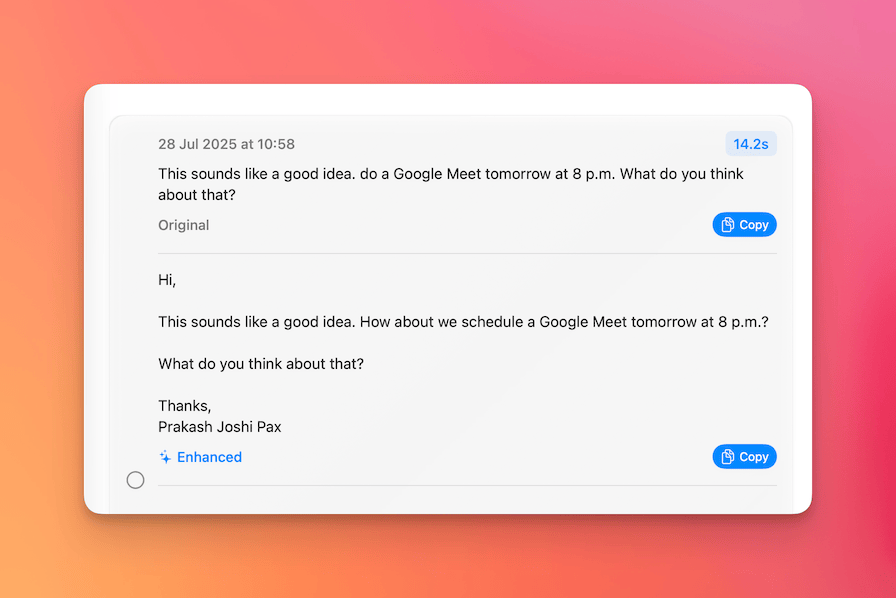 VoiceInk's enhancement feature transforms spoken words into formatted text
Download: tryvoiceink.com
Refine - Local Grammarly Alternative
Price: $15 one-time | Replaces: Grammarly ($144/year)
Refine takes a radically different approach to grammar and writing assistance. Instead of sending your text to cloud servers, it runs large language models locally on your Mac to provide suggestions.
Why It's a Hidden Gem:
While Grammarly charges $12/month for its premium features, Refine offers similar functionality for a one-time $15 payment. The accuracy depends on your Mac's hardware—more powerful machines can run larger models for better suggestions.
Key Features:
- Runs entirely on-device
- No subscription required
- Supports multiple LLM backends
- Privacy-first design
- Works system-wide
Best For: Users with M1 Pro or better Macs who want writing assistance without monthly fees or privacy concerns.
Download: refine.sh
ExcalidrawZ - Native Whiteboard App
Price: Free (Open Source) | Replaces: Miro ($8+/month), FigJam ($3+/month)
ExcalidrawZ wraps the popular Excalidraw web app into a native macOS experience. It's perfect for quick diagrams, wireframes, and collaborative brainstorming.
Why It's a Hidden Gem:
The native app adds features missing from the web version: auto-save, file history, iCloud sync, and offline support. Unlike cloud-based alternatives like Miro or FigJam, your drawings stay on your device.
Key Features:
- Full offline capability
- iCloud sync across devices
- Multiple export formats (PNG, SVG, PDF)
- Hand-drawn aesthetic that makes diagrams feel more approachable
- Available for both macOS and iOS
Download: App Store
Screen Recording & Media Alternatives
Professional screen recording software has become essential for content creators, educators, and remote workers. The market leaders charge premium prices, but these alternatives deliver comparable results.
Flowy - ScreenStudio at 90% Off
Price: $19 one-time | Replaces: ScreenStudio ($200/year)
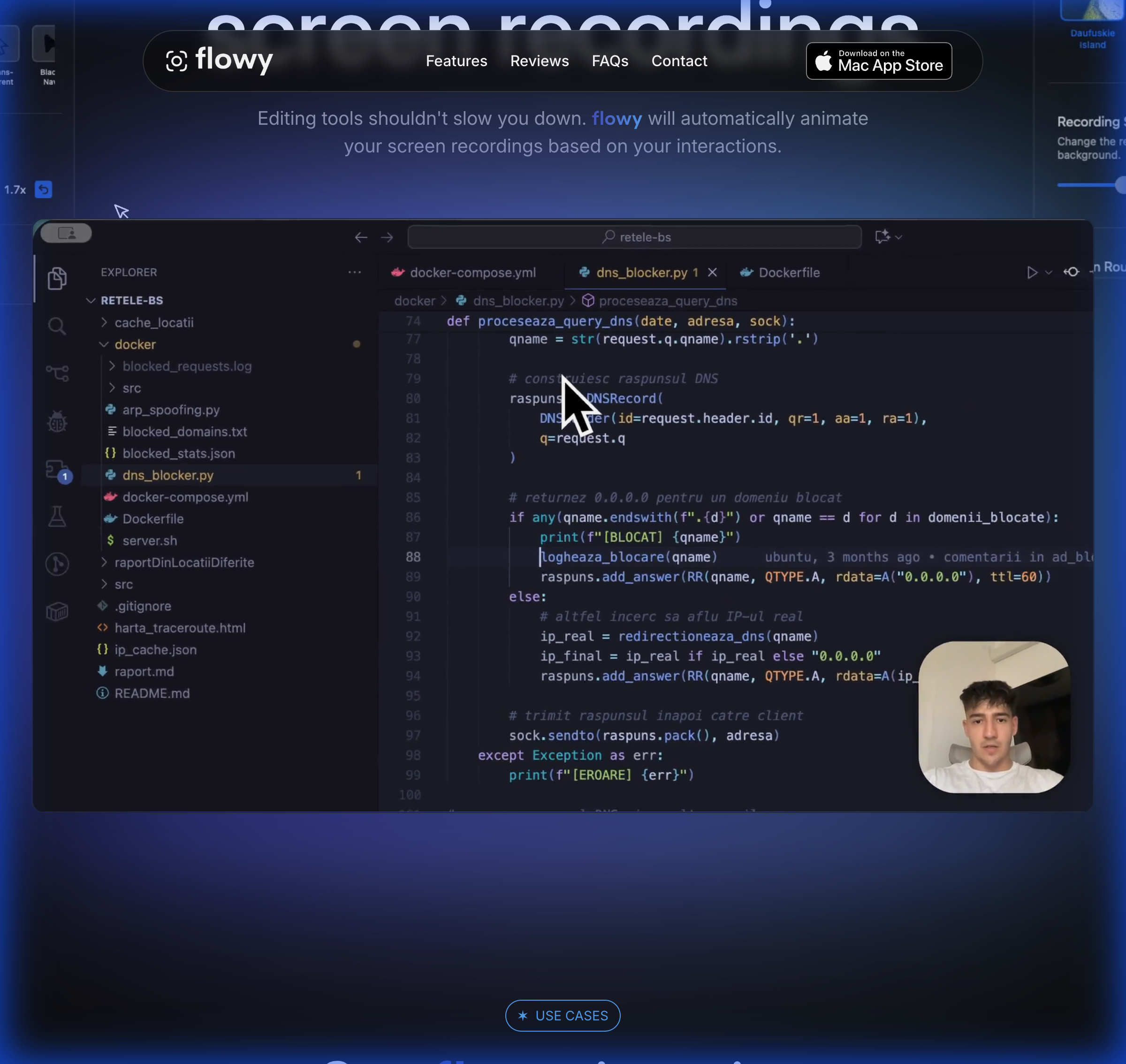
Flowy emerged in 2025 as a serious contender in the animated screen recording space. It automatically adds zoom effects based on your mouse movements and interactions, creating professional-looking tutorial videos with minimal effort.
Why It's a Hidden Gem:
ScreenStudio charges $200/year (or $89 with limited updates), but Flowy offers similar core functionality for a one-time $19 payment. While still in active development, it already handles the essentials beautifully.
Key Features:
- Automatic zoom effects on clicks and interactions
- Customizable backgrounds and gradients
- Camera overlay with adjustable position
- Pointer effects and cursor customization
- High-resolution recording with custom frame rates
- Export to MP4, GIF, or WebM
What's Missing vs. ScreenStudio:
- Less sophisticated motion blur
- Fewer background templates
- No cloud storage integration
Best For: Indie developers, solo content creators, and anyone who needs professional screen recordings without the subscription cost.
Download: App Store
ComfyNotch - Free Dynamic Island for Mac
Price: Free (Open Source) | Replaces: NotchNook ($29), Boring Notch
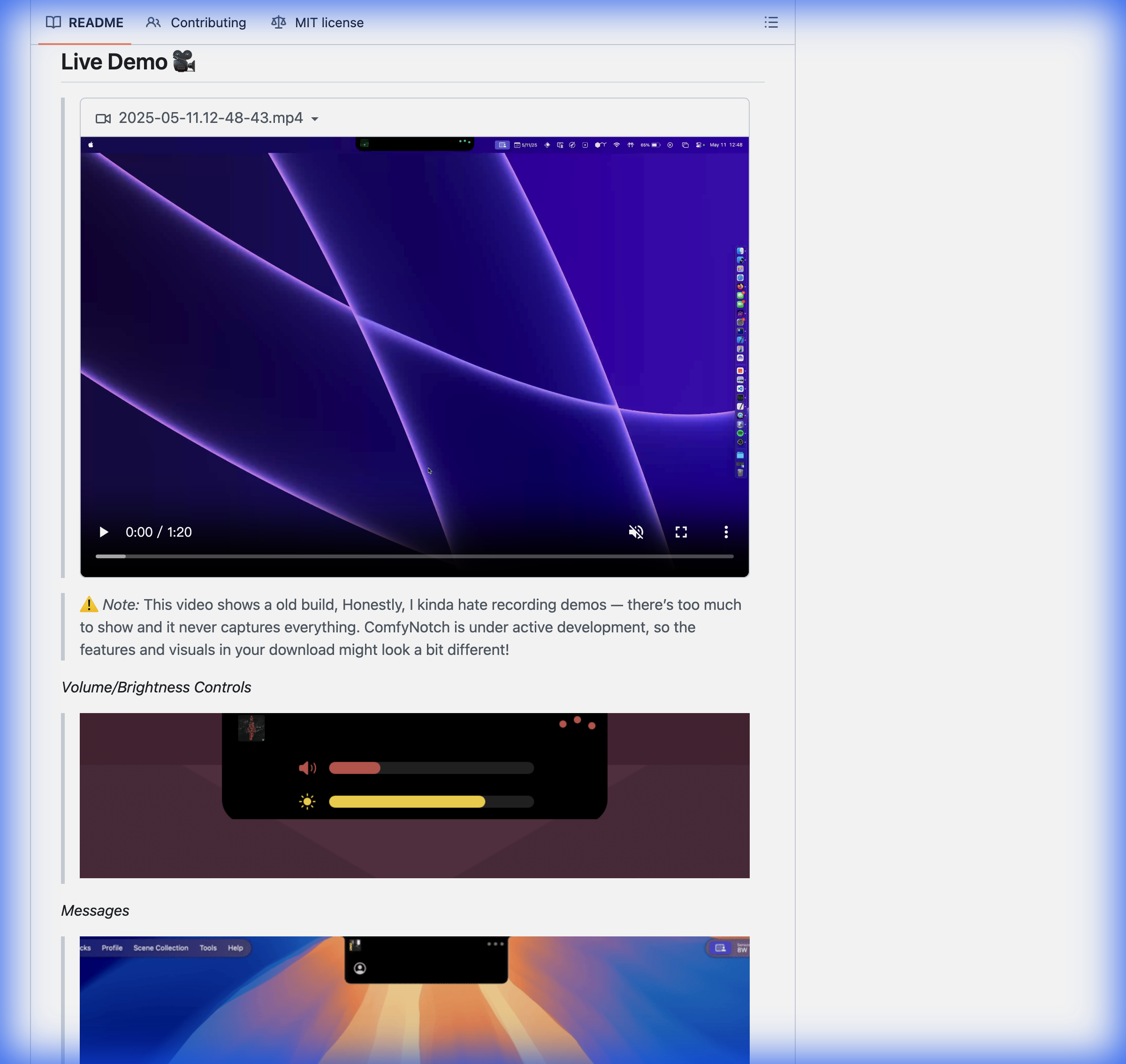
If you have a MacBook with a notch, ComfyNotch transforms that dead space into a functional heads-up display. It's free, open-source, and packed with features.
Why It's a Hidden Gem:
While apps like NotchNook charge $29 for notch customization, ComfyNotch offers comparable functionality for free. It's actively developed with new features added regularly.
Key Features:
- Music player widget with playback controls
- Volume and brightness adjustment
- Clipboard manager accessible from notch
- File tray for quick file access
- Notes widget for quick capture
- Quick camera peek
- Highly customizable appearance
Current Limitations:
- Some animations aren't as polished as paid alternatives
- Occasional bugs (expected for alpha software)
- Requires macOS 14+
Download: GitHub Releases
Petrichor - Beautiful Offline Music Player
Price: Free (Open Source) | Replaces: Vox Premium, Doppler
Petrichor is a native offline music player that organizes your local library beautifully. It's perfect for users who prefer owning their music rather than streaming.
Why It's a Hidden Gem:
In an age of streaming, offline music players have become rare. Petrichor fills this gap with a modern, well-designed interface and essential features for library management.
Key Features:
- Organized library browsing
- Playlist creation and management
- Play queue controls
- Sidebar pins for quick access
- Clean, native macOS interface
Download: GitHub
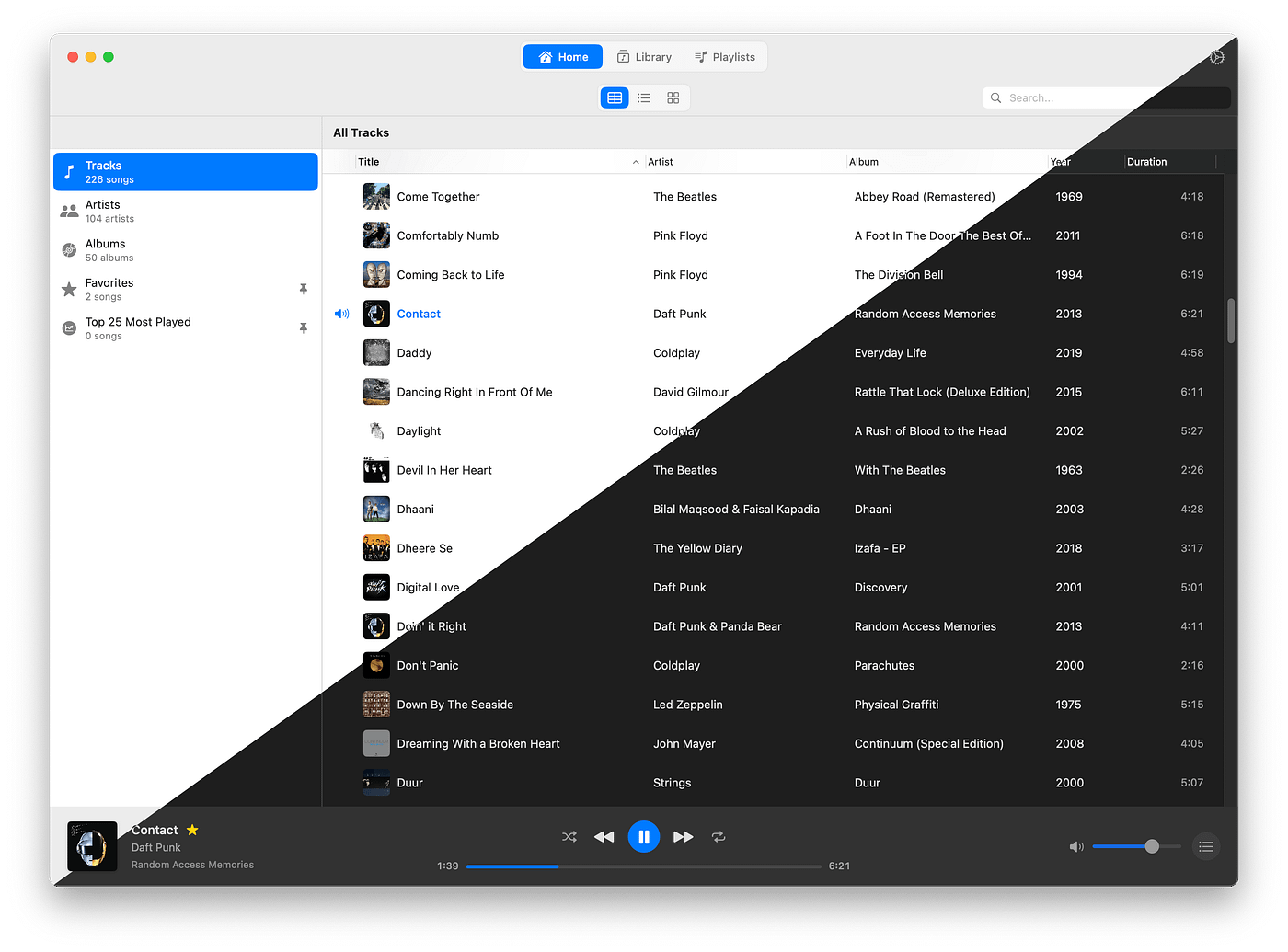 Petrichor offers a clean, native macOS interface for offline music libraries
Developer & Backup Tools
Developers often invest heavily in tools, but some of the best options are surprisingly affordable or free.
Barrel - Dev Environment Time Machine
Price: $39 CAD one-time | Replaces: Hours of manual setup
Barrel solves a problem every developer faces: setting up a new Mac with your complete development environment. It scans your system and creates a portable backup of everything development-related.
Why It's a Hidden Gem:
Unlike generic backup tools, Barrel understands development environments. It captures Homebrew packages, dotfiles, version managers, and app configurations into a single .barrel file that you can restore on any Mac.
Key Features:
- Intelligent scanning of dev setup
- Captures Homebrew packages and casks
- Exports dotfiles and shell configurations
- Version manager settings (nvm, pyenv, rbenv)
- Step-by-step restoration guides
- Full control over included items
Best For: Developers who switch Macs, maintain multiple machines, or want peace of mind about their environment setup.
Download: barrel.dev
Parachute Backup - iCloud Safety Net
Price: $4.99 one-time | Replaces: Manual backup solutions
Parachute Backup provides a safety net for your Apple Photos and iCloud Drive. It syncs your cloud content to external drives or other cloud providers.
Why It's a Hidden Gem:
What makes Parachute special is its read-only approach: deleting something from iCloud doesn't delete it from your backup. This protects against accidental deletions—a feature Apple's own backup solutions don't offer.
Key Features:
- Read-only backup (protects against accidental deletion)
- Sync to external drives
- Support for third-party cloud providers
- Automatic background sync
- Save iCloud storage by moving data externally
Download: App Store
CmdList - Floating Task Focus
Price: Free | Replaces: Sticky notes, distraction
CmdList is deceptively simple: a keyboard-driven to-do list that floats above your other windows. It keeps your current tasks visible while you work.
Why It's a Hidden Gem:
If you struggle with focus (like many of us), having your tasks constantly visible prevents the "what was I supposed to do?" moment. CmdList stays on top of everything, providing a gentle reminder of your priorities.
Key Features:
- Always-on-top window
- Keyboard-driven interface
- Minimalist design
- No account required
- Zero distractions
Download: App Store
Productivity Essentials
These system utilities seem simple but become indispensable once you try them. Most are free or incredibly cheap.
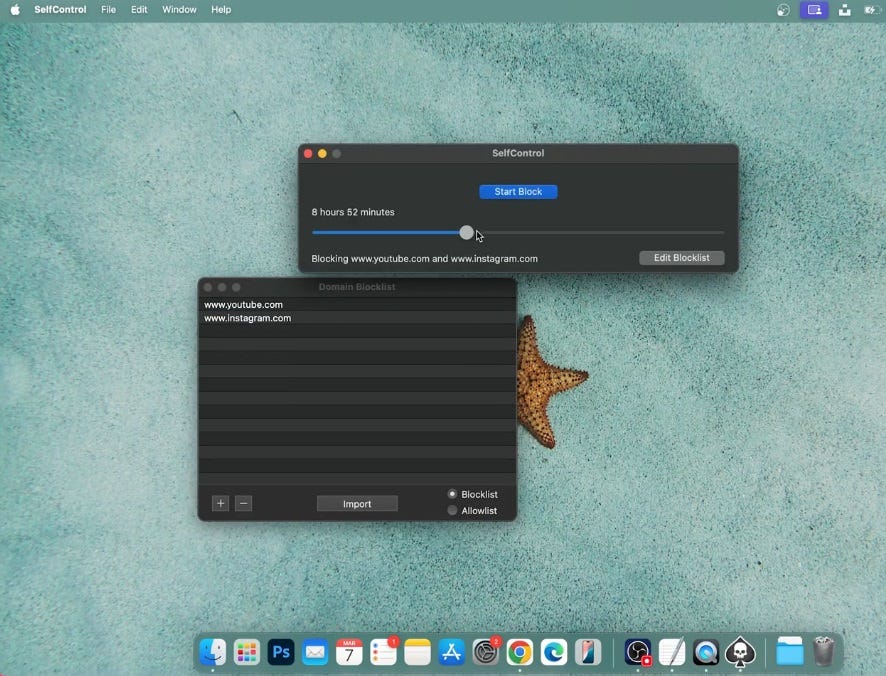 Essential productivity utilities that transform your Mac workflow
Pure Paste - Clipboard Cleaner
Price: Free | Replaces: Nothing (it's unique)
Pure Paste automatically removes formatting when you paste text. No more ⌘+Shift+Option+V gymnastics—just paste normally and get clean text.
Why It's a Hidden Gem:
It runs silently in your menu bar, automatically stripping formatting from everything you copy. You can exclude specific apps if needed.
Key Features:
- Automatic formatting removal
- App-specific exclusions
- Zero configuration needed
- Native and lightweight
Download: Mac App Store
Hidden Bar - Free Menu Bar Manager
Price: Free (Open Source) | Replaces: Bartender ($16)
Hidden Bar declutters your menu bar by hiding icons you don't need to see constantly. Click to expand and reveal hidden items.
Why It's a Hidden Gem:
Bartender is excellent but costs $16. For most users, Hidden Bar provides sufficient functionality for free.
Key Features:
- Hide less-used menu bar icons
- Simple click-to-reveal interface
- Completely free and open source
- Lightweight and native
Download: GitHub
Ice - Modern Menu Bar Manager
Price: Free (Open Source) | Replaces: Bartender ($16)
Ice is a newer alternative to Hidden Bar with more features and better macOS Tahoe compatibility.
Key Features:
- Modern architecture
- More customization options
- Active development
- macOS Tahoe optimized
Download: GitHub
Rectangle - Window Management Essential
Price: Free (Open Source) | Replaces: Magnet ($7.99)
Rectangle lets you snap windows to screen edges using keyboard shortcuts. It's a feature that should be built into macOS but isn't (yet).
Why It's a Hidden Gem:
While Magnet charges $7.99, Rectangle offers the same core functionality for free. It's open source, actively maintained, and supports extensive customization.
Key Features:
- Snap windows to halves, quarters, thirds
- Customizable keyboard shortcuts
- Multiple display support
- Window gap settings
- Free and open source
Download: rectangleapp.com
Stats - System Monitor in Menu Bar
Price: Free (Open Source) | Replaces: iStat Menus ($11.99)
Stats displays real-time system information in your menu bar: CPU usage, memory, disk activity, network speed, and more.
Why It's a Hidden Gem:
iStat Menus is powerful but costs $11.99. Stats provides most of the same functionality for free, with a clean, customizable interface.
Key Features:
- CPU, memory, disk, network monitoring
- Battery health and cycle count
- Fan speed and temperature
- Customizable widgets
- Open source and privacy-respecting
Download: GitHub
Maccy - Clipboard History Manager
Price: Free (Open Source) | Replaces: Paste ($24.99)
Maccy stores your clipboard history and makes it accessible via keyboard shortcut. Simple, fast, and completely free.
Key Features:
- Lightweight clipboard history
- Keyboard-first interface
- Search through history
- Customizable shortcut (default: Shift+Cmd+V)
- No account required
Download: maccy.app
Security & Privacy Alternatives
Security software is often expensive. These alternatives provide solid protection without the premium price tag.
LuLu - Free Application Firewall
Price: Free (Open Source) | Replaces: Little Snitch ($60)
LuLu is a free, open-source firewall from Objective-See (a trusted name in Mac security). It blocks unknown applications from making network connections.
Why It's a Hidden Gem:
Little Snitch costs $60 and offers more granular control, but LuLu handles the basics beautifully: alert you when apps try to connect to the internet and let you decide whether to allow it.
Key Features:
- Block unknown outgoing connections
- Per-process network rules
- Clean, simple interface
- Regular security updates
- From a respected security researcher
Download: objective-see.com/products/lulu.html
OverSight - Camera/Mic Monitor
Price: Free (Open Source) | Replaces: Peace of mind
OverSight alerts you whenever an application activates your camera or microphone. It's another gem from Objective-See.
Key Features:
- Real-time camera/mic monitoring
- Alerts when access begins
- Log of past access events
- Completely free
Download: objective-see.com/products/oversight.html
UTM - Free Virtual Machines
Price: Free (Open Source) | Replaces: Parallels ($99/year), VMware Fusion
UTM lets you run Windows, Linux, or older macOS versions in virtual machines on your Mac. It's built on Apple's virtualization framework for excellent performance on Apple Silicon.
Why It's a Hidden Gem:
Parallels charges $99/year for functionality that UTM provides for free. While Parallels offers better Windows integration and polish, UTM is sufficient for many use cases.
Key Features:
- Run Windows, Linux, and more
- Apple Silicon native
- QEMU and Apple Virtualization support
- Snapshots and cloning
- Completely free and open source
Best For: Developers needing occasional Windows access, anyone testing Linux distributions, or running legacy software.
Download: mac.getutm.app
Cost Comparison: Annual Savings
Let's calculate how much you could save by switching to these alternatives:
| Category | Expensive Option | Annual Cost | Alternative | Cost |
|---|---|---|---|---|
| Grammar | Grammarly Premium | $144/year | Refine | $15 one-time |
| Screen Recording | ScreenStudio | $200/year | Flowy | $19 one-time |
| Voice Dictation | SuperWhisper | $79+ | VoiceInk | $25 one-time |
| Firewall | Little Snitch | $60 | LuLu | Free |
| Window Manager | Magnet | $7.99 | Rectangle | Free |
| Menu Bar | Bartender | $16 | Hidden Bar/Ice | Free |
| System Monitor | iStat Menus | $11.99 | Stats | Free |
| Clipboard | Paste | $24.99 | Maccy | Free |
| Dynamic Island | NotchNook | $29 | ComfyNotch | Free |
| Virtual Machine | Parallels | $99/year | UTM | Free |
| Year 1 Total | $671.97 | $59 | ||
| Year 2+ Total | $443/year | $0 |
First Year Savings: $612.97 Ongoing Annual Savings: $443+
FAQ
Are these alternatives as good as the paid options?
For most users, yes. The alternatives we've listed cover 80-95% of use cases. Power users with specific needs may still prefer premium options, but the average Mac user will find these alternatives more than sufficient.
Will these apps receive updates?
All apps listed are actively maintained. Many are open source with strong communities. However, we recommend checking the GitHub activity or developer websites for the latest update information.
Are open-source apps safe to use?
Open-source apps are often safer than closed-source alternatives because their code can be audited by anyone. All apps from Objective-See (LuLu, OverSight) are particularly well-trusted in the security community.
What about compatibility with macOS Tahoe?
We've tested all listed apps on macOS Tahoe with Apple Silicon Macs. Most work perfectly; any compatibility notes are mentioned in the individual app descriptions.
Can I really replace Grammarly with these alternatives?
For basic grammar and writing assistance, yes. VoiceInk and Refine handle most use cases. However, if you heavily rely on Grammarly's web integration, plagiarism checking, or team features, you may still prefer the original.
Are one-time purchase apps sustainable?
This is a valid concern. We've prioritized apps from developers with track records of long-term support or apps that are open source (ensuring community continuity). The savings still make them worthwhile even if future major versions require additional payment.
Conclusion
You don't need to spend hundreds of dollars annually on Mac software. The apps in this guide prove that incredible functionality is available at a fraction of the cost—or completely free.
By switching from premium subscriptions to these alternatives, you can save over $600 in your first year and $400+ every year after that. More importantly, many of these alternatives respect your privacy by processing data locally and offer features that the premium options don't.
Start with the apps that address your biggest pain points. Rectangle and Maccy are zero-risk free additions that every Mac user should have. From there, evaluate whether VoiceInk, Flowy, or other paid alternatives make sense for your workflow.
The Mac software ecosystem is richer than most people realize. Sometimes the best apps aren't the ones with the biggest marketing budgets—they're the hidden gems waiting to be discovered.
Sources
- VoiceInk - Official Website - Accessed 2025-12-18
- Flowy - Mac App Store - Accessed 2025-12-18
- ComfyNotch - GitHub - Accessed 2025-12-18
- Objective-See - Mac Security Tools - Accessed 2025-12-18
- Rectangle - Official Website - Accessed 2025-12-18
- Stats - GitHub - Accessed 2025-12-18
- Maccy - Official Website - Accessed 2025-12-18