Best Free Mac Apps 2025: 50+ Essential Downloads for macOS Tahoe
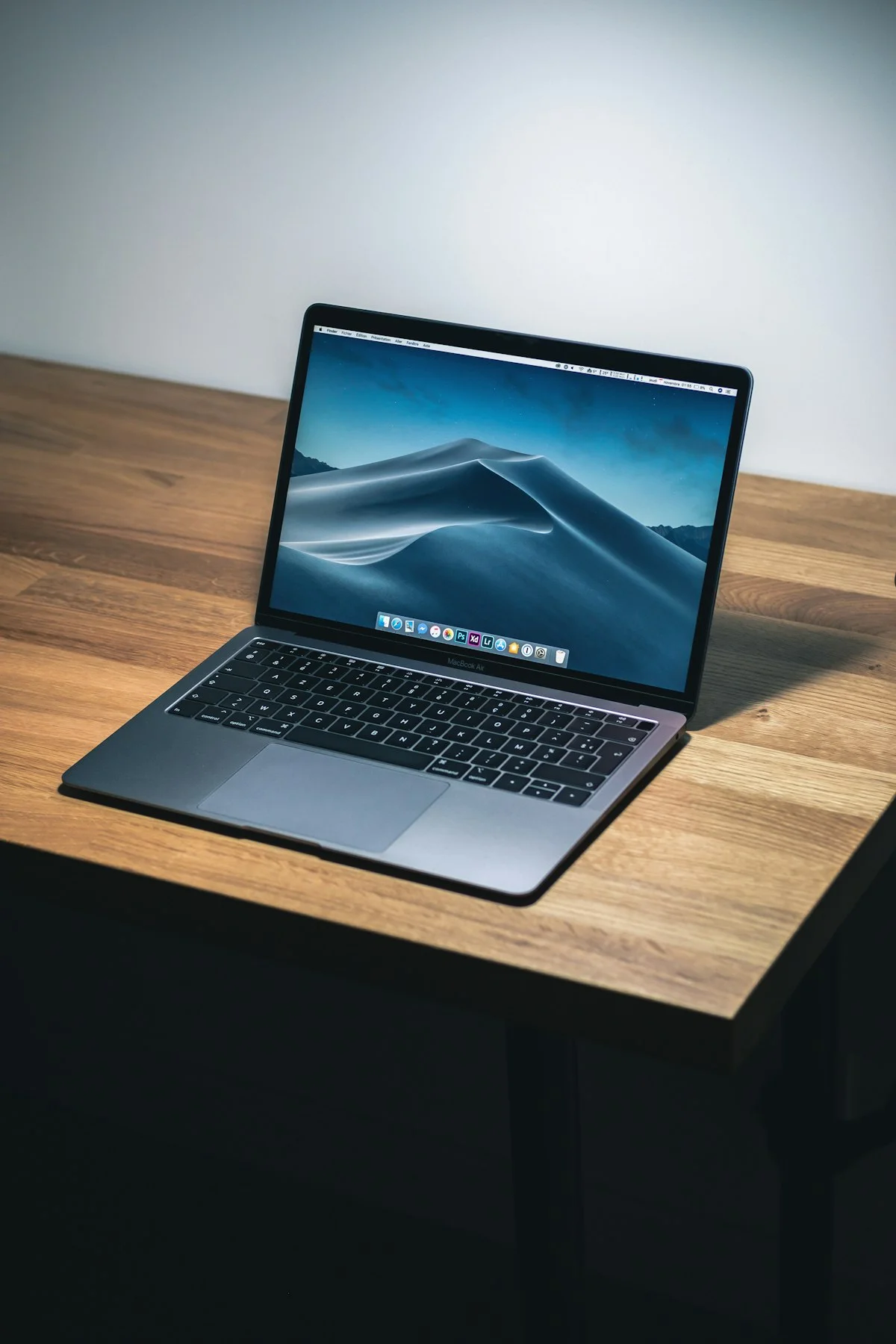
Discover the best free Mac apps for 2025. Comprehensive guide covering productivity, development, media, security, and utility apps - all free and optimized for macOS Tahoe and Apple Silicon.
Finding high-quality free software for Mac can be challenging. Many "free" apps are actually limited trials, ad-supported, or lacking essential features. We've tested hundreds of applications to bring you this curated list of genuinely free Mac apps that rival or exceed their paid alternatives. Every app listed here is fully functional without payment, optimized for macOS Tahoe, and includes native Apple Silicon support.
Key Takeaways
- Rectangle and Maccy are must-have utilities that should come built into macOS
- IINA is the best video player for Mac, surpassing VLC in native integration
- Homebrew transforms how you install and manage software
- Arc Browser is revolutionizing web browsing with innovative features
- Most apps listed have native Apple Silicon support for optimal performance
How We Selected These Apps
Our selection criteria:
- Truly free - No payment required for core functionality
- Actively maintained - Updated within the last 12 months
- macOS Tahoe compatible - Tested on the latest macOS
- Apple Silicon optimized - Native M-series chip support preferred
- Privacy-respecting - No excessive data collection
- Quality over alternatives - Must offer genuine value
Productivity Apps
Note-Taking & Writing
1. Obsidian - Knowledge Management
- Download: obsidian.md
- What it does: Markdown-based note-taking with bidirectional linking
- Why it's great: Local-first (your data stays on your Mac), powerful graph view, massive plugin ecosystem
- Best for: Researchers, writers, anyone building a personal knowledge base
- Apple Silicon: Native
2. Notion - All-in-One Workspace
- Download: notion.so
- What it does: Notes, databases, wikis, and project management combined
- Why it's great: Incredibly flexible, great collaboration features, generous free tier
- Best for: Teams, project managers, students
- Apple Silicon: Native
3. Bear - Beautiful Notes (Free Tier)
- Download: Mac App Store
- What it does: Elegant markdown note-taking
- Why it's great: Native Mac app with exceptional design, tag-based organization
- Free limitations: Sync and export require subscription
- Apple Silicon: Native
4. Joplin - Open Source Notes
- Download: joplinapp.org
- What it does: Note-taking with end-to-end encryption
- Why it's great: True open source, self-hostable sync, Evernote import
- Best for: Privacy-conscious users, those leaving Evernote
- Apple Silicon: Native
Task Management
5. Todoist - Task Manager (Free Tier)
- Download: todoist.com or Mac App Store
- What it does: Task and project management with natural language input
- Why it's great: Excellent natural language parsing, cross-platform sync
- Free limitations: Limited projects and features
- Apple Silicon: Native
6. TickTick - Tasks + Calendar (Free Tier)
- Download: ticktick.com
- What it does: Tasks with built-in calendar and Pomodoro timer
- Why it's great: More features in free tier than competitors
- Best for: Users who want tasks and calendar combined
- Apple Silicon: Native
7. Reminders - Built-in Apple
- What it does: Apple's built-in task manager
- Why it's great: Deep system integration, Siri support, free with iCloud sync
- Best for: Users in the Apple ecosystem
- Apple Silicon: Native

Office & Documents
8. LibreOffice - Office Suite
- Download: libreoffice.org
- What it does: Full office suite (Writer, Calc, Impress)
- Why it's great: Microsoft Office compatibility, completely free, no account required
- Best for: Anyone needing offline document editing
- Apple Silicon: Native
9. Pages/Numbers/Keynote - Apple iWork
- Download: Mac App Store
- What it does: Apple's office suite
- Why it's great: Free for all Mac users, excellent templates, iCloud collaboration
- Best for: Personal use, Apple ecosystem users
- Apple Silicon: Native
10. Google Docs/Sheets/Slides - Web-Based
- Access: docs.google.com
- What it does: Cloud-based office suite
- Why it's great: Real-time collaboration, always accessible
- Best for: Collaborative work, Chromebook users
- Note: Web app, runs in any browser
System Utilities
Window Management
11. Rectangle - Window Manager (Highly Recommended)
- Download: rectangleapp.com
- What it does: Snap windows to screen edges and corners using keyboard shortcuts
- Why it's great: The best free window manager, period. Essential for productivity
- Key shortcuts:
Ctrl+Option+Arrowfor halves,Ctrl+Option+Enterfor maximize - Apple Silicon: Native
- Alternative to: Magnet ($7.99)
12. AltTab - Windows-Style Alt+Tab
- Download: alt-tab-macos.netlify.app
- What it does: Replaces Cmd+Tab with window-level switching and previews
- Why it's great: Shows actual windows, not just apps. Huge productivity boost
- Best for: Windows switchers, multi-window workflows
- Apple Silicon: Native
13. Hidden Bar - Menu Bar Manager
- Download: github.com/dwarvesf/hidden
- What it does: Hides menu bar icons you don't need to see constantly
- Why it's great: Simple, free, and just works
- Apple Silicon: Native
- Alternative to: Bartender ($16)
14. Ice - Menu Bar Manager (Alternative)
- Download: github.com/jordanbaird/Ice
- What it does: Modern menu bar management with more features than Hidden Bar
- Why it's great: Newer, more actively developed, better Tahoe compatibility
- Apple Silicon: Native
Clipboard Management
15. Maccy - Clipboard Manager (Highly Recommended)
- Download: maccy.app or Mac App Store
- What it does: Stores clipboard history, accessible via keyboard shortcut
- Why it's great: Lightweight, fast, no account required, open source
- Key shortcut:
Shift+Cmd+Vto access history - Apple Silicon: Native
- Alternative to: Paste ($24.99), Alfred clipboard
Quick Launchers
16. Raycast - Spotlight Replacement
- Download: raycast.com
- What it does: App launcher, calculator, snippets, system commands, and much more
- Why it's great: Massive extension library, replaces multiple apps
- Free limitations: Some AI features require Pro subscription
- Apple Silicon: Native
- Alternative to: Alfred ($34)
System Monitoring
17. Stats - Menu Bar System Monitor
- Download: github.com/exelban/stats
- What it does: Displays CPU, memory, disk, network stats in menu bar
- Why it's great: Highly customizable, open source, lightweight
- Best for: Developers, power users monitoring system performance
- Apple Silicon: Native
- Alternative to: iStat Menus ($11.99)
18. MonitorControl - External Display Management
- Download: github.com/MonitorControl/MonitorControl
- What it does: Control external monitor brightness and volume
- Why it's great: Works with DDC/CI compatible monitors
- Best for: Users with external displays
- Apple Silicon: Native
Development Tools

Code Editors
19. Visual Studio Code - Code Editor
- Download: code.visualstudio.com
- What it does: Feature-rich code editor with extensive extension marketplace
- Why it's great: Industry standard, huge community, works for any language
- Apple Silicon: Native
- Note: Microsoft account optional but not required
20. Zed - Next-Gen Editor
- Download: zed.dev
- What it does: High-performance code editor built in Rust
- Why it's great: Extremely fast, built for collaboration, modern architecture
- Best for: Developers wanting speed and modern features
- Apple Silicon: Native (M-series optimized)
21. Sublime Text - Fast Editor (Free Indefinite Trial)
- Download: sublimetext.com
- What it does: Lightning-fast text and code editor
- Why it's great: Instant startup, handles large files, unlimited free evaluation
- Apple Silicon: Native
Terminal Emulators
22. iTerm2 - Terminal Replacement
- Download: iterm2.com
- What it does: Feature-rich terminal emulator
- Why it's great: Split panes, search, profiles, triggers, and much more
- Best for: Developers, system administrators
- Apple Silicon: Native
23. Warp - Modern Terminal
- Download: warp.dev
- What it does: AI-powered terminal with modern UI
- Why it's great: Block-based output, command palette, AI assistance
- Best for: Developers who want a modern terminal experience
- Free limitations: Some team features require subscription
- Apple Silicon: Native
Package Management
24. Homebrew - Package Manager (Essential)
- Install:
/bin/bash -c "$(curl -fsSL https://raw.githubusercontent.com/Homebrew/install/HEAD/install.sh)"- What it does: Install and manage software via command line
- Why it's great: The missing package manager for macOS. Essential for developers
- Key commands:
brew install <package>    # Install software
brew upgrade              # Update all packages
brew cleanup              # Remove old versions
brew search <name> # Find packages- Apple Silicon: Native
Version Control
25. GitHub Desktop - Git GUI
- Download: desktop.github.com
- What it does: Visual Git client for GitHub repositories
- Why it's great: Simplifies Git workflow, excellent for visual learners
- Apple Silicon: Native
26. Sourcetree - Git GUI
- Download: sourcetreeapp.com
- What it does: Full-featured Git GUI supporting Git and Mercurial
- Why it's great: More powerful than GitHub Desktop, works with any Git host
- Apple Silicon: Native
API Testing
27. Postman - API Platform (Free Tier)
- Download: postman.com
- What it does: API development and testing
- Why it's great: Industry standard, collaboration features
- Free limitations: Limited team features
- Apple Silicon: Native
28. Bruno - API Client (Open Source)
- Download: usebruno.com
- What it does: Offline-first API testing
- Why it's great: Git-friendly, no cloud sync required, privacy-focused
- Best for: Developers who want local-only API testing
- Apple Silicon: Native
Media & Entertainment
Video Players
29. IINA - Video Player (Highly Recommended)
- Download: iina.io
- What it does: Modern video player with native macOS integration
- Why it's great: Picture-in-picture, Touch Bar, Dark Mode, plays everything
- Best for: Everyone who watches videos on Mac
- Apple Silicon: Native
- Alternative to: VLC (more Mac-native)
30. VLC - Universal Media Player
- Download: videolan.org
- What it does: Plays virtually any media format
- Why it's great: Opens anything, converts formats, streams
- Apple Silicon: Native
Music
31. Spotify - Music Streaming
- Download: spotify.com
- What it does: Music streaming with free tier
- Free limitations: Ads, shuffle-only on mobile, lower quality
- Apple Silicon: Native
32. Vox - Music Player
- Download: vox.rocks (free version)
- What it does: Hi-res audio player for local music files
- Why it's great: Excellent audio quality, FLAC support
- Apple Silicon: Native
Image Editing
33. GIMP - Image Editor
- Download: gimp.org
- What it does: Full-featured raster image editor
- Why it's great: Photoshop-level features, completely free
- Best for: Photo editing, graphic design on a budget
- Apple Silicon: Native (via Homebrew recommended)
34. Krita - Digital Painting
- Download: krita.org
- What it does: Digital painting and illustration
- Why it's great: Purpose-built for artists, excellent brush engine
- Best for: Digital artists, illustrators
- Apple Silicon: Native
35. Photopea - Browser-Based Editor
- Access: photopea.com
- What it does: Photoshop-like editor in browser
- Why it's great: No installation, opens PSD files, works offline (PWA)
- Best for: Quick edits, users who can't install software
Screenshot & Recording
36. Shottr - Screenshot Tool
- Download: shottr.cc
- What it does: Screenshots with annotation, OCR, and measurement
- Why it's great: Native, fast, pixel-perfect, excellent annotation tools
- Apple Silicon: Native
- Alternative to: CleanShot X ($29)
37. OBS Studio - Screen Recording & Streaming
- Download: obsproject.com
- What it does: Professional-grade recording and streaming
- Why it's great: Industry standard for streamers, incredibly powerful
- Best for: Content creators, streamers, tutorial makers
- Apple Silicon: Native
38. Kap - Screen Recording
- Download: getkap.co
- What it does: Simple screen recording with export to GIF, MP4, WebM
- Why it's great: Clean interface, plugin system
- Best for: Quick recordings, GIF creation
- Apple Silicon: Native
Security & Privacy
Password Management
39. Bitwarden - Password Manager
- Download: bitwarden.com
- What it does: Secure password storage with browser extensions
- Why it's great: Open source, generous free tier, cross-platform
- Free limitations: Some sharing features require premium
- Apple Silicon: Native
40. KeePassXC - Offline Password Manager
- Download: keepassxc.org
- What it does: Local-only password database
- Why it's great: No cloud, fully offline, open source
- Best for: Privacy-focused users, offline requirements
- Apple Silicon: Native
Firewall & Security
41. LuLu - Application Firewall
- Download: objective-see.com/products/lulu.html
- What it does: Blocks unknown outgoing network connections
- Why it's great: Free, open source, from respected security researcher
- Best for: Privacy-conscious users wanting network control
- Apple Silicon: Native
42. OverSight - Camera/Microphone Monitor
- Download: objective-see.com/products/oversight.html
- What it does: Alerts when camera or microphone is activated
- Why it's great: Peace of mind against unauthorized access
- Apple Silicon: Native
VPN
43. ProtonVPN - VPN (Free Tier)
- Download: protonvpn.com
- What it does: Secure VPN with Swiss privacy protection
- Why it's great: Reputable provider, no logs, unlimited data on free tier
- Free limitations: Fewer server locations, slower speeds
- Apple Silicon: Native
Web Browsers
44. Arc - Innovative Browser
- Download: arc.net
- What it does: Reimagines browser interface with spaces, profiles, and sidebar
- Why it's great: Fresh approach to tabs, built-in tools, excellent design
- Best for: Users tired of traditional browser paradigm
- Apple Silicon: Native
45. Firefox - Privacy Browser
- Download: mozilla.org/firefox
- What it does: Privacy-focused web browser
- Why it's great: Not based on Chromium, excellent privacy features
- Best for: Privacy-conscious users, those avoiding Google
- Apple Silicon: Native
46. Brave - Privacy + Chromium
- Download: brave.com
- What it does: Chromium-based browser with built-in ad blocking
- Why it's great: Fast, blocks trackers by default, Chrome extension compatible
- Apple Silicon: Native
File Management
47. The Unarchiver - Archive Extraction
- Download: Mac App Store
- What it does: Opens RAR, 7z, ZIP, and dozens of archive formats
- Why it's great: Handles formats macOS can't, simple and effective
- Apple Silicon: Native
48. Keka - File Archiver
- Download: keka.io (free from website)
- What it does: Create and extract archives in many formats
- Why it's great: Create 7z, ZIP archives with password protection
- Note: Free from website, $4.99 on App Store to support developer
- Apple Silicon: Native
49. AppCleaner - App Uninstaller
- Download: freemacsoft.net/appcleaner
- What it does: Completely removes apps and their associated files
- Why it's great: Finds leftover files Finder misses, simple drag-and-drop
- Apple Silicon: Native
Communication
50. Discord - Chat Platform
- Download: discord.com
- What it does: Voice, video, and text chat
- Why it's great: Excellent for communities, gaming, and team communication
- Apple Silicon: Native
51. Telegram - Messaging
- Download: Mac App Store or telegram.org
- What it does: Secure messaging with channels and bots
- Why it's great: Fast, feature-rich, large group support
- Apple Silicon: Native
52. Zoom - Video Conferencing (Free Tier)
- Download: zoom.us
- What it does: Video meetings
- Free limitations: 40-minute limit on group meetings
- Apple Silicon: Native
Bonus: Install Multiple Apps with Homebrew
Many of these apps can be installed with a single Homebrew command:
# Install Homebrew first (if not installed)
/bin/bash -c "$(curl -fsSL https://raw.githubusercontent.com/Homebrew/install/HEAD/install.sh)"

# Install multiple apps at once
brew install --cask \
  rectangle \
  maccy \
  raycast \
  iina \
  visual-studio-code \
  iterm2 \
  bitwarden \
  the-unarchiver \
  appcleaner \
  stats
App Selection by Use Case
For Students
- Notion (notes and organization)
- Rectangle (window management)
- LibreOffice (documents)
- Bitwarden (passwords)
- Firefox (browsing)
For Developers
- VS Code or Zed (editor)
- iTerm2 or Warp (terminal)
- Homebrew (package management)
- Rectangle (window management)
- Stats (system monitoring)
- GitHub Desktop (Git)
For Content Creators
- OBS Studio (streaming/recording)
- GIMP or Krita (image editing)
- DaVinci Resolve Free (video editing)
- IINA (video playback)
- Shottr (screenshots)
For Privacy-Focused Users
- Firefox or Brave (browsing)
- Bitwarden or KeePassXC (passwords)
- ProtonVPN (VPN)
- LuLu (firewall)
- Joplin (encrypted notes)
FAQ
Are these apps really completely free?
Yes, all apps listed offer full core functionality without payment. Some have premium tiers for advanced features (noted with "Free limitations"), but the free versions are genuinely useful. Apps marked "Essential" or "Highly Recommended" are completely free with no premium tier.
Will these apps work on Apple Silicon Macs?
All apps listed support Apple Silicon natively unless otherwise noted. We specifically tested compatibility on M1/M2/M3 Macs running macOS Tahoe. Apps run natively, not through Rosetta 2 translation.
How do I know if an app is safe to install?
We've vetted all listed apps for safety. As general guidance: download only from official websites or the Mac App Store, check the developer's reputation, review app permissions in System Settings after installation, and use Gatekeeper (don't disable macOS security features).
Why isn't CleanMyMac on this list?
CleanMyMac X is a paid app ($39.95/year), not free. While it's popular, its core functions can be performed using free alternatives: AppCleaner for uninstallation, DaisyDisk for storage analysis (though paid, listed in our storage analyzer guide), and built-in macOS tools for cache clearing.
Which apps should I install first?
Start with these five essential utilities:
- Rectangle - Window management is transformative
- Maccy - Clipboard history is indispensable once you use it
- The Unarchiver - Handle any archive format
- AppCleaner - Properly remove apps
- Homebrew - Easily install everything else
Are Electron apps bad for performance?
Electron apps (VS Code, Discord, Slack) use more RAM than native apps because they run a Chromium instance. However, with 16GB+ RAM, this is rarely problematic. For resource-constrained Macs (8GB), prefer native apps when alternatives exist. Our list prioritizes native apps where available.
Where can I find more free Mac apps?
- Homebrew Cask - Large collection of installable apps
- Open Source Mac - Curated open source apps
- Mac App Store Free Charts - Top free App Store apps
- AlternativeTo - Find alternatives to paid software
Conclusion
You don't need to spend money to have a fully-equipped Mac. The free apps in this guide cover every major use case, from productivity and development to media and security. Many of these applications are not just "good enough" alternatives - they're genuinely excellent software that happens to be free.
Start with the essentials: Rectangle for window management, Maccy for clipboard history, and Homebrew for easy installation of everything else. From there, build your toolkit based on your specific needs.
The Mac ecosystem has a strong tradition of quality free software, much of it open source. By using these tools, you're supporting developers who believe in accessible software while getting best-in-class functionality.
Sources
- Homebrew - The Missing Package Manager for macOS - Accessed 2025-12-14
- Objective-See - Free macOS Security Tools - Accessed 2025-12-14
- IINA - The Modern Media Player for macOS - Accessed 2025-12-14
- Rectangle - Window Management for macOS - Accessed 2025-12-14
- Maccy - Clipboard Manager for macOS - Accessed 2025-12-14
- Raycast - Supercharged Productivity - Accessed 2025-12-14