peopled Pinning Your Mac's CPU on macOS Tahoe? It Is Usually the Contacts Widget
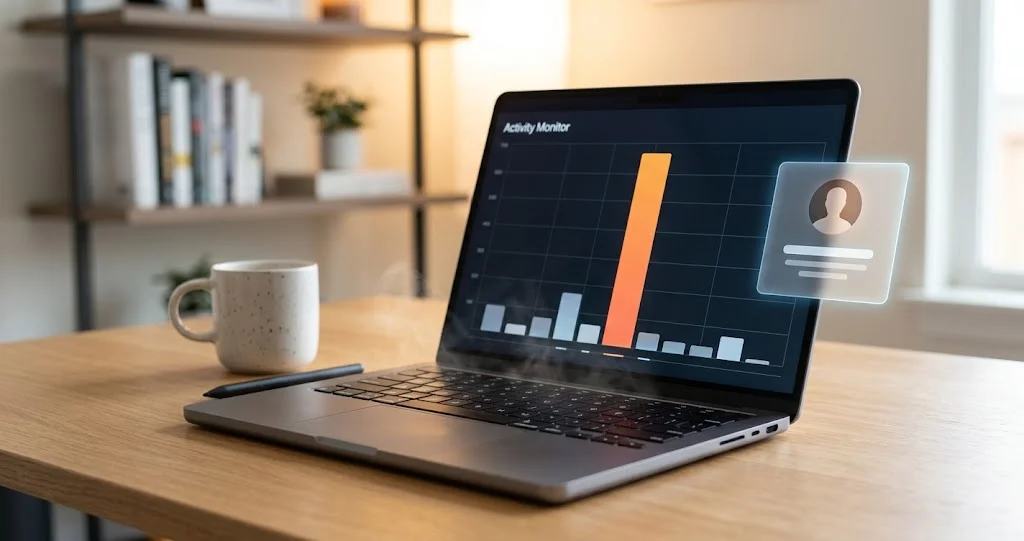
peopled or contactsd stuck at 70–180% CPU after a Tahoe update, Mac hot and battery draining? The cause is a Contacts widget that cannot read your call history. Here is the fix that works.
Your Mac is warm doing nothing. The battery estimate has halved. You open Activity Monitor, sort by CPU, and at the top is a process you have never heard of — peopled — sitting at 70 or 80 percent and staying there. Or it is contactsd. Or, on the worst-affected machines, accountsd at 180% with contactsd and itunescloudd behind it. Quitting does nothing, because you cannot quit them. Restarting helps for an hour.
This has been happening to Mac users since macOS Tahoe 26.4 in March, it is still happening on 26.5 and 26.6, Apple has not acknowledged it, and the most reliable fix is not in any of the "restart your Mac / reset NVRAM" articles that rank for the search. It is removing a widget.
This guide explains what peopled is (we looked inside it), why a widget puts it into a loop, why a quarantine flag on a folder you did not know existed is the other trigger, and the exact order in which to try the fixes.
Key Takeaways
peopledis the daemon behind the Contacts widget. Its own binary contains classes namedWidgetSuggester,WidgetConfigurationReaderandCallHistoryFetcher, and its sandbox profile grants it your call history database. That combination is the loop.- Fix 1: remove every Contacts widget — desktop, Notification Center and Control Center — then restart. This resolved the majority of the 54-plus confirmed reports on Apple's community forum.
- Fix 2: clear the quarantine flag on
~/Library/Application Support/CallHistoryDBand killpeopled. This is the fix when there is no widget to remove; it needs Full Disk Access for Terminal. - Fix 3: disable iCloud Contacts, then re-enable it. Works for some, not all, and costs you sync while it is off.
contactsdspikes with an Exchange or Google account are a different, older bug with the same symptom and a different fix — remove the account or use a third-party client.- Apple has not documented a fix. Nothing in the 26.4.1, 26.5, 26.6 or 26.6.x release notes mentions it, and reports on 26.5 and later continue.
Which Process, Exactly
Three daemons appear in these reports and they are not interchangeable. Sort Activity Monitor by % CPU and note which one you have.
| Process | What it belongs to | Typical report | Most likely cause |
|---|---|---|---|
peopled | People framework — widget suggestions, Family, Screen Time, status | 70–80% sustained since 26.4 | Contacts widget + unreadable CallHistoryDB |
contactsd | Contacts framework — the address book database and sync | Spikes to 80% every 60–90 s, or sustained | iCloud/Exchange/Google contacts sync loop |
accountsd | Accounts framework — every signed-in account | 180% alongside contactsd and itunescloudd | Account authentication loop; sign-out fix often fails |
If it is peopled, start with the widget section. If it is contactsd alone, jump to the sync-account section. If it is all three with accountsd on top, you are in the least-understood variant and the section on that is honest about how little is known.
What peopled Actually Does
The name suggests contacts, and the guides that mention it at all describe it as "manages contact data." That is roughly right and specifically wrong, and the difference is why the fix is a widget rather than an address-book repair.
We looked at the daemon on a Mac running 26.5.2. It lives at /System/Library/PrivateFrameworks/People.framework/peopled, and its launchd job (/System/Library/LaunchAgents/com.apple.peopled.plist) tells you what wakes it up. It is not loaded at login — RunAtLoad is false. It is started by events:
- Biome streams for
missedCall,unreadMessage,readMessage,location,dndAvailability,screenTimeRequest,askToBuyRequestandchildState - Two system notifications:
__ABDataBaseChangedByOtherProcessNotification(the address book changed) and_CalDatabaseChangedNotification(the calendar changed)
So every missed call, every message, every contact edit and every calendar change wakes peopled. And what does it do when woken? The strings in its binary answer that directly. Among the Swift class names:
_TtC7peopled15WidgetSuggester
_TtC7peopled18CallHistoryFetcher
_TtC7peopled25WidgetConfigurationReader
and among its log message templates:
Event triggered widget refresh: %{private}s, %s
Last widget suggestion date is older 24 hours, suggest widgets
Last widget suggestion date is within 24 hours, do not suggest widgets
error reading widgets configurations: %s
Failed to suggest widgets with error: %s
It links the Contacts framework, the CallHistory framework and two Biome frameworks. Its purpose, as far as its own code describes it, is to decide which people to surface in the Contacts widget and in people-related suggestions, using your recent calls and messages as the signal.
That is what makes the failure mode make sense: a daemon that is woken by every call and message, whose job is to refresh a widget, and which needs to read the call history to do it.
Why It Loops
Put the pieces from the community thread next to what the binary says.
peopled runs inside a sandbox. Its profile, at /System/Library/Sandbox/Profiles/com.apple.peopled.sb, starts with (deny default) and then opens specific doors. Two of them:
(home-subpath "/Library/CallHistoryDB/")
(home-subpath "/Library/Logs/CallHistory")
So it is allowed to read ~/Library/Application Support/CallHistoryDB/, where macOS keeps the database of calls made and received through your iPhone via Continuity. That folder is also protected by TCC — on our Mac, ls on it from Terminal returns Operation not permitted until Terminal has Full Disk Access — which is why the fixes below need that permission.
Now the reports. On 21 April a user on Apple's community thread quoted the kernel message they found in Console while peopled was spinning:
Sandbox: peopled … deny(1) file-read-data ~/Library/Application Support/CallHistoryDB
And on 20 May another quoted:
failed to open /Users/[user]/Library/Application Support/CallHistoryDB: 1 (Operation not permitted)
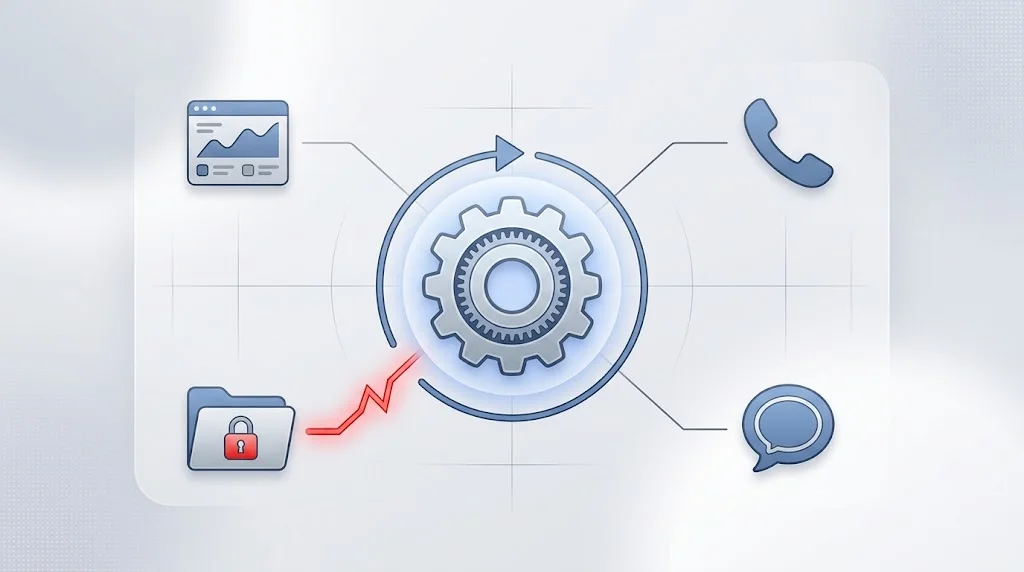
The reading that fits all of this: a Contacts widget is installed, so peopled is asked to refresh it; refreshing means fetching call history; the fetch is denied — because the folder has acquired a com.apple.quarantine attribute, or for some other permission reason the reports have not pinned down — the refresh fails, and the next event (or the retry) triggers it again. A daemon that should run for milliseconds after a missed call instead runs continuously.
We want to be precise about what is and is not established here. The class names, the sandbox rules and the log messages are directly observable; we read them. That the loop is "widget refresh, denied read, retry" is an inference that fits every report we have seen and both fixes that work. Apple has not confirmed the mechanism, and there may be a second trigger — one user reports the loop starting after reorganising Control Center with no Contacts widget present at all.
Confirm It Before You Change Anything
Two minutes of looking saves an hour of guessing, and the pattern of the CPU use tells you which fix to reach for.
Watch the shape of it. In Activity Monitor, select the process and look at the CPU history in the window's footer, or from Terminal:
top -stats pid,command,cpu,time -o cpu -n 5A peopled that sits at a flat 70–80% is the widget loop. A contactsd that spikes, drops to zero, and spikes again a minute later is the sync loop. Sustained CPU on all three daemons at once is the account variant.
Check how long it has been running. peopled normally lives for seconds. On our (healthy) Mac it has been resident for 41 days at 0.0% CPU — resident but idle is fine. What you are looking for is resident and busy:
ps -axo pid,etime,pcpu,comm | grep -E "peopled|contactsd|accountsd"Look for the denial. This is the decisive test. Open a second Terminal window and stream the daemon's log while it is spinning:
log stream --predicate 'process == "peopled"' --infoand, in the first window, search the last few minutes for the sandbox line that the community reports quote:
log show --last 10m --predicate 'eventMessage CONTAINS "Sandbox: peopled"'If you see deny(1) file-read-data against CallHistoryDB, you have the CallHistoryDB variant and Fix 2 is the one that will work. If you see Event triggered widget refresh repeating without a denial, start with Fix 1. If the log is quiet and the CPU is high, the loop is in code that does not log at the default level; try the fixes in order anyway.
Watch the file system, if you want certainty. fs_usage shows every file operation a process attempts, including the ones that fail:
sudo fs_usage -w -f filesys peopledA screen full of attempts on CallHistoryDB returning errors is the loop, visible in real time.
Fix 1: Remove the Contacts Widget
This is the fix with the most confirmations, and it is the one to try first because it is reversible and needs no Terminal.
The catch is that there are three places a widget can live on a Tahoe Mac, and it has to be gone from all of them.
Desktop
Control-click the wallpaper and choose Edit Widgets. Any Contacts widget on the desktop shows a remove button (the minus in the corner) while editing; click it. Alternatively Control-click the widget itself and choose Remove Widget. Click Done.
Notification Center
Click the date and time in the menu bar to open Notification Center, scroll to the bottom, click Edit Widgets. Remove any Contacts widget there the same way — Control-click and Remove Widget, or Option-click its remove button.
Control Center
This is the one people miss, because Tahoe moved widgets into Control Center and the customisation is not in System Settings. Click the Control Center icon in the menu bar, choose Edit Controls, and drag any Contacts item out of Control Center. Click Done.
Then restart — not just log out. Several confirmed fixes on the thread note that the CPU dropped only after a full restart.
One further caution from the same thread, reported on 31 July: for some users the loop came back after they opened the widget gallery again, even without adding the Contacts widget. If you have had this problem, treat the widget editor as something to avoid until Apple fixes the daemon.
Fix 2: Clear the Quarantine Flag on CallHistoryDB
For Macs with no Contacts widget anywhere, or where removing it did not help, this is the fix that the most technically detailed report on the thread arrived at on 20 May, and that at least two other users confirmed ("peopled process is now in 0% in CPU consumption," one wrote on 26 June).
Step 1: give Terminal Full Disk Access
System Settings > Privacy & Security > Full Disk Access, add Terminal, and toggle it on. Without this, every command below fails with "Operation not permitted" — which, as it happens, is the same error peopled is hitting. Restart Terminal after granting.
Step 2: look at the folder
ls -lan@ "$HOME/Library/Application Support/CallHistoryDB"The @ flag shows extended attributes. What you are looking for is com.apple.quarantine on the folder or on the CallHistory.storedata files inside it. Quarantine is the flag macOS puts on downloaded files; it has no business being on a system database, and how it gets there is not known — a restore from backup and a migration from another Mac are the two plausible routes.
Step 3: remove it
xattr -dr com.apple.quarantine "$HOME/Library/Application Support/CallHistoryDB"-d deletes the attribute, -r recurses into the folder.
Step 4: restart the daemons
sudo killall -9 peopled CallHistorySyncHelperBoth will be relaunched on demand. Watch Activity Monitor for a few minutes.
If the flag comes back
One user on the thread reported on 17 July that the fix worked and the quarantine flag "reappeared" overnight. If that happens to you, something is re-quarantining the folder, and the candidates are a backup or sync tool that treats it as new data. Check what runs at night. Alternatively, and more bluntly, another user's approach was to delete the database and let macOS recreate it:
rm -rf ~/Library/Application\ Support/CallHistoryDBYou lose the Mac's copy of your call history. It repopulates from the iPhone over Continuity. This is a bigger hammer than removing an attribute and we would try the attribute first.
Fix 3: Toggle iCloud Contacts
System Settings > [your name] > iCloud > Saved to iCloud > Contacts, off. Wait a minute, watch the CPU. If it drops, turn it back on and see whether it stays down.
This works for a subset of users and is the standard advice on the thread's older siblings going back years. It also has a failure mode that one user hit on 11 May: the toggle would not turn off at all. If that happens, sign out of iCloud entirely (keeping a copy of data when asked), restart, sign back in. Note that the V2EX reporter with the accountsd variant tried exactly this and the CPU came straight back after signing in.
If It Is contactsd and You Have an Exchange or Google Account
This one predates Tahoe and has a cleaner mechanism.
contactsd is the Contacts framework's daemon: it owns the address book database and reconciles it with every account that syncs contacts. It also does housekeeping on a schedule — its launchd job registers a daily validate-cache task that runs only on external power when you are inactive, and a repeating accounts.cleanup activity. Occasional brief CPU from contactsd is normal.
What is not normal is a spike every minute or so. A developer documented exactly this on the Apple Developer Forums in December 2025: on an M1 Max on Tahoe 26.1, an Office 365 account with Contacts enabled sent AddressBookManager to 81% and contactsd to 22–59% in a repeating pattern every 60–90 seconds — even with the Exchange contacts folder emptied on the server, and reproducible on a clean install. The same account and data did not do it on an M4 Mac or on iOS. Nobody from Apple replied.
His workaround is the one that works: remove the Exchange account from System Settings > Internet Accounts, and if you need it, use Outlook, which does not go through the Contacts framework. A February report on the community forum with contactsd on a 2024 MacBook Pro on 26.3 got the equivalent advice — stop syncing contacts from Exchange and Google and test — and if you have both iCloud and a Google account syncing contacts, try dropping Google first.
The accountsd Variant
The most severe reports — accountsd at 180% with contactsd and itunescloudd in tow, on an M5 MacBook Air on 26.5.2, described on V2EX in July — do not have a confirmed fix. The reporter noted it started at the same time each morning, which points at a scheduled task rather than a widget event. Signing out and back in did not help.
What we can add: accountsd is the Accounts framework daemon and is invoked whenever anything needs a credential for a signed-in account, and itunescloudd is the iTunes Cloud (Apple Music / Store) library daemon. All three at once means something is repeatedly asking for account credentials and failing. If you have this variant, the fixes above are still worth trying in order, and if none of them work, it is worth checking whether a single account — an old Google or Exchange login, an expired app-specific password — is failing authentication in System Settings > Internet Accounts. Remove anything showing a warning badge.
Why Tahoe, and Why a Widget
Widgets have existed on the Mac for years, so it is fair to ask why this began with 26.4. Two things changed together.
The first is where widgets live. Tahoe put widgets into Control Center alongside the desktop and Notification Center, and a Contacts widget in Control Center is refreshed on a different cadence from one sitting on the desktop — the daemon's own log templates distinguish a daily "suggest widgets" pass ("Last widget suggestion date is older 24 hours") from event-triggered refreshes ("Event triggered widget refresh"). More surfaces, more refresh requests, more chances for a failing one to be retried.
The second is that the daemon's error handling appears to retry rather than back off. That is our inference from the behaviour, not something we can read in the binary, and it is the actual bug: a denied read should be logged once and the refresh abandoned until the next genuine event. Instead it is attempted again, and the events keep coming.
Neither of these is something you can change. What you can change is whether the widget exists and whether the read is denied, which is what the three fixes do.
After It Is Fixed
A few things keep it fixed.
Leave Terminal's Full Disk Access in place if you used Fix 2, or revoke it deliberately — either is fine, but know which you did, because Terminal with Full Disk Access is a broad grant.
Avoid the widget gallery for a while. The 31 July report on the thread is specific that opening it — not adding anything — restarted the loop. If you want to add other widgets, do it, then check Activity Monitor afterwards.
After the next macOS update, check again. Point updates have re-added default Control Center items for some users, and a Contacts widget quietly returning is the most likely reason the problem comes back.
File the report. Feedback Assistant, category macOS, attach a sysdiagnose taken while the CPU is high (sudo sysdiagnose from Terminal, or Shift-Control-Option-Command-Period), and paste the sandbox denial line. Five months of forum threads have not moved this; a few hundred Feedback reports with the same log line might.
Is It Fixed Yet?
No, as far as anyone can tell. We checked Apple's update notes for Tahoe: 26.4.1 "provides bug fixes," 26.5 "includes enhancements, bug fixes, and security updates," 26.6 optimises the Spotlight index, and 26.6.1 and 26.6.2 are security releases. None mentions Contacts, widgets or CPU. On the community thread, reports continue on 26.5 ("The issue still exists in Tahoe 26.5. Apple needs to fix this asap," on 15 May) and into July. We have not seen a report either way for 26.6.2, which shipped 17 August.
If you are on macOS 27 beta and have or have not seen this, the beta known-issues roundup is where we track it.
What Not to Bother With
Resetting NVRAM or SMC. Neither has anything to do with a user-space daemon's file permissions. Skip.
tccutil reset All. One user tried it; it did not help, and it strips every privacy permission from every app on the Mac, which you then spend an afternoon re-granting. There is no reason to think TCC is the layer at fault — the denial in the logs is the sandbox, not TCC.
Safe Mode. Booting into Safe Mode and back clears some caches and gave a few users temporary relief. It is a restart with extra steps and does not address the cause.
Disabling peopled with launchctl. You can launchctl disable the agent, and it will stop consuming CPU because it will stop running. It will also stop the Contacts widget, people suggestions, Screen Time's "ask to buy" plumbing and whatever else depends on it, and on a system-integrity-protected Mac the change may not survive an update. Not recommended except as a last-resort diagnostic.
Troubleshooting Common Issues
Activity Monitor shows twenty copies of contactsd
We saw this ourselves while writing: a burst of twenty contactsd processes with consecutive PIDs, all children of launchd, all at 0% CPU, gone within a minute. That is launchd spawning per-client instances on demand, and it is not the bug. The bug is one process at high CPU that stays.
The Contacts widget is gone but peopled is still at 80%
Check all three locations — desktop, Notification Center, Control Center — and then move to Fix 2. If you never had a Contacts widget, go straight to Fix 2.
xattr says "No such xattr: com.apple.quarantine"
The folder is not quarantined, so that is not your trigger. Try Fix 3, and check whether you have an Exchange or Google account syncing contacts.
ls on CallHistoryDB says "Operation not permitted" even with sudo
sudo does not bypass TCC. Terminal itself needs Full Disk Access, granted in System Settings, and then relaunched.
It came back after a macOS update
Updates can re-add the widget to Control Center's default layout. Check the three locations again.
FAQ
Is peopled malware?
No. It is a signed Apple daemon at /System/Library/PrivateFrameworks/People.framework/peopled on the sealed system volume. A process with that name running from anywhere else would be worth investigating; this one is Apple's.
Can I just kill it?
sudo killall peopled stops it until the next event wakes it, which on a busy Mac is seconds. It is useful as a diagnostic — if the CPU stays low after a kill, the trigger is gone — not as a fix.
Does removing the widget lose anything?
Only the widget. Contacts, call history and suggestions in Spotlight and Messages all still work; peopled still runs when needed. It just stops being asked to refresh something it cannot refresh.
Why does the CallHistoryDB folder need Full Disk Access to read?
It contains your call log, which macOS treats as sensitive personal data and protects with TCC like Messages and Mail. That protection is why Terminal needs the grant, and it is also why an unexpected quarantine flag on it is so disruptive: the daemon has one narrow, sandboxed path to the data, and anything that blocks that path blocks it entirely.
Will macOS 27 fix this?
Unknown. Apple has not acknowledged the problem, and there is nothing in the beta release notes about it. If the mechanism is what the evidence suggests, the fix is a small one — fail once and stop retrying — and it could arrive in any point release without being mentioned.
Conclusion
A Mac that runs hot doing nothing almost always has one process in a loop, and the loop almost always has a mundane cause. This one is a daemon whose job is to keep a widget fresh, that is woken by every call and message, and that cannot read the one database it needs. Remove the widget and the requests stop; fix the folder's permissions and the reads succeed. Either breaks the loop.
If you have peopled at the top of Activity Monitor, work through the three fixes in order and restart between them. If it is contactsd with an Exchange or Google account, remove the account. And if it is all three with accountsd in front, try everything above, remove any account showing a warning, and — because Apple has been silent on this for five months — file the Feedback report, with the sandbox log line, that might finally get it fixed.
Related reading: Mac hot and draining after macOS 26.6, WindowServer CPU on 26.5 with Liquid Glass, the Contacts app not working on Tahoe, Activity Monitor from the ground up, and customising widgets on Tahoe.