OLED MacBook Pro 2026: Should You Buy Now or Wait for Apple's Biggest Laptop Redesign?
Complete buyer's guide comparing the current M5 MacBook Pro with the rumored OLED MacBook Pro coming fall 2026. Decision framework for every user type.
OLED MacBook Pro 2026: Should You Buy Now or Wait for Apple's Biggest Laptop Redesign?
Apple is preparing the most significant MacBook Pro redesign since the company overhauled the entire lineup in late 2021, restoring MagSafe, the HDMI port, and the SD card slot after years of dongle-driven controversy. According to multiple reports from 9to5Mac, MacRumors, and supply-chain analyst Ming-Chi Kuo, the fall 2026 MacBook Pro will feature an OLED display, touchscreen support, an under-display camera that eliminates the notch, and a thinner chassis -- changes that collectively represent a generational leap in laptop design. Meanwhile, the current M5 Pro and M5 Max MacBook Pro models, launched in January 2026, remain among the most powerful laptops ever made, capable of handling virtually any professional workload you can throw at them.
This creates an agonizing decision for anyone shopping for a high-end Mac laptop right now. Do you buy the proven, powerful M5 MacBook Pro today and start being productive immediately? Or do you wait roughly six months for what could be the most exciting MacBook in a decade? The answer depends on your specific situation, and this guide will give you a clear framework to make the right call.
Key Takeaways
- The OLED MacBook Pro is expected in fall 2026 with a completely redesigned display, touchscreen support, under-display camera (no notch), and a thinner body -- the biggest hardware overhaul since 2021.
- The current M5 Pro/Max MacBook Pro is still exceptional and handles demanding professional workloads with ease, though some users have reported thermal throttling under sustained heavy loads.
- OLED will bring meaningful display improvements including true blacks, higher contrast ratios, better color accuracy, and potential power savings when displaying dark content, but may come with a price premium and theoretical burn-in risk.
- If your current Mac is failing you or your work depends on a new machine, buy now. Six months of lost productivity costs more than any spec upgrade.
- If your current setup works fine and you can comfortably wait, the OLED model will likely be worth it -- especially for creative professionals who depend on display quality.
What We Know About the OLED MacBook Pro
Multiple credible sources -- including reports from 9to5Mac, MacRumors, Bloomberg's Mark Gurman, and display-industry analyst Ross Young -- have painted a remarkably consistent picture of what Apple is building. While Apple has not officially confirmed anything, the convergence of supply-chain leaks, patent filings, and industry analysis gives us high confidence in the following details.
OLED Display Technology
The most transformative change is the move from mini-LED to OLED display technology. Apple has been using OLED panels in iPhones since the iPhone X in 2017 and brought the technology to the iPad Pro in 2024, so this transition to the MacBook Pro has been widely anticipated.
The OLED panels expected in the new MacBook Pro will use a tandem-stack OLED design, the same approach Apple deployed in the M4 iPad Pro. Tandem OLED layers two emission layers on top of each other, which doubles the brightness potential while reducing the stress on each individual layer. This directly addresses two historical concerns with OLED in laptops: brightness and longevity.
According to display-industry reports cited by MacRumors, Samsung Display and LG Display are both expected to supply panels, with Samsung reportedly handling the majority of initial production. The panels are expected to support up to 1,600 nits of peak HDR brightness (matching the current mini-LED panels) while delivering dramatically superior contrast in everyday use.
For anyone who has used an iPhone or iPad Pro with an OLED screen, the difference is immediately apparent. Dark scenes in movies look genuinely dark rather than dark-gray. Text on a dark background appears to float above the screen surface. HDR content pops with an intensity that mini-LED, despite its impressive performance, simply cannot match at the pixel level.
Touchscreen Support
Perhaps the most surprising rumor is that Apple will finally bring touchscreen support to the Mac. For years, Apple executives publicly dismissed the idea of a touchscreen Mac, with Steve Jobs famously calling vertical touchscreens an ergonomic disaster. Tim Cook continued this stance for years, arguing that macOS was designed for indirect input via trackpad and mouse.
What changed? According to 9to5Mac's reporting, Apple has been developing a touch-friendly evolution of macOS that resolves the ergonomic and interface-design concerns that previously held the company back. The system reportedly features UI controls that dynamically enlarge when the screen detects a finger approaching, maintaining the precision of pointer-based interaction while adding the intuitiveness of direct touch. The Dynamic Island, already a signature feature on iPhone, is said to be coming to Mac as part of this touch-friendly redesign.
This is not about replacing the trackpad -- Apple's trackpad remains the best in the industry, and the company knows it. Instead, touchscreen support adds a supplementary input method for moments when reaching up to tap a button, scroll a document, or interact with a creative app feels more natural than moving a cursor. For creative professionals using apps like Procreate (if it comes to Mac), Photoshop, or Logic Pro, direct touch input could be transformative.
For a deeper look at what touchscreen macOS might look like, see our detailed analysis: Touchscreen OLED MacBook Pro: What macOS Touch Means for the Mac.
Under-Display Camera (No Notch)
The notch has been a polarizing design element since Apple introduced it to the MacBook Pro in 2021. While it houses the 1080p FaceTime camera and ambient light sensor, many users find it aesthetically disruptive, particularly when working with full-screen applications or color-critical creative tools.
The OLED MacBook Pro is expected to eliminate the notch entirely by placing the front-facing camera beneath the display panel. Apple has been granted multiple patents for under-display camera technology, and the company has been steadily improving its implementation in iPhone prototypes. With OLED panels allowing for greater control over individual pixel behavior, the technology becomes more feasible for laptop-sized screens where the camera-area pixel density can be managed more effectively.
The result should be a cleaner, notch-free display with even slimmer bezels, giving users more screen real estate and a more immersive visual experience. This also means the menu bar will have consistent, uninterrupted space across its full width -- a small but meaningful improvement for users who rely on numerous menu bar items and utilities.
Thinner and Lighter Design
OLED panels are inherently thinner than mini-LED panels because they do not require a separate backlight layer. The current MacBook Pro's mini-LED display uses an array of thousands of tiny LEDs behind the LCD panel to create localized dimming zones. An OLED display eliminates this backlight entirely because each pixel produces its own light.
This reduction in display stack thickness is expected to allow Apple to shave meaningful millimeters from the MacBook Pro's overall profile. Reports suggest the new design could be 10-15% thinner than the current generation while maintaining the same battery capacity thanks to more efficient internal component layout. The weight savings, while harder to predict precisely, should be noticeable -- potentially bringing the 14-inch model closer to MacBook Air territory in terms of portability without sacrificing the professional-grade performance, thermal management, and port selection that define the Pro line.
Apple has historically used chassis redesigns as opportunities to refine the internal layout, improve thermal architecture, and optimize speaker placement. The thinner design should not come at the expense of performance, though it will be worth watching early reviews carefully for any thermal compromises.
Expected M6 or M5 Ultra Chip
The processor situation for the OLED MacBook Pro remains one of the less certain aspects of the rumor cycle. Two scenarios are plausible:
Scenario 1: M6 Pro / M6 Max chips. If Apple follows its recent cadence, the M6 chip family could debut with the OLED MacBook Pro. This would mean a new CPU and GPU architecture built on TSMC's next-generation process node (likely N3P or early N2), delivering meaningful gains in single-threaded performance, multi-threaded throughput, and especially GPU performance for machine learning and creative workloads.
Scenario 2: M5 Ultra chip. Apple may choose to launch the OLED MacBook Pro with a new M5 Ultra chip -- the highest-end variant of the current M5 family -- saving the M6 architecture for 2027. This would follow the pattern of pairing major hardware redesigns with a known chip architecture to reduce risk.
Either way, the OLED MacBook Pro will feature cutting-edge Apple Silicon with performance that surpasses anything available today. For a deep dive into the current M5 chip architecture, see our complete M5 chip analysis.
Expected Release Timeline
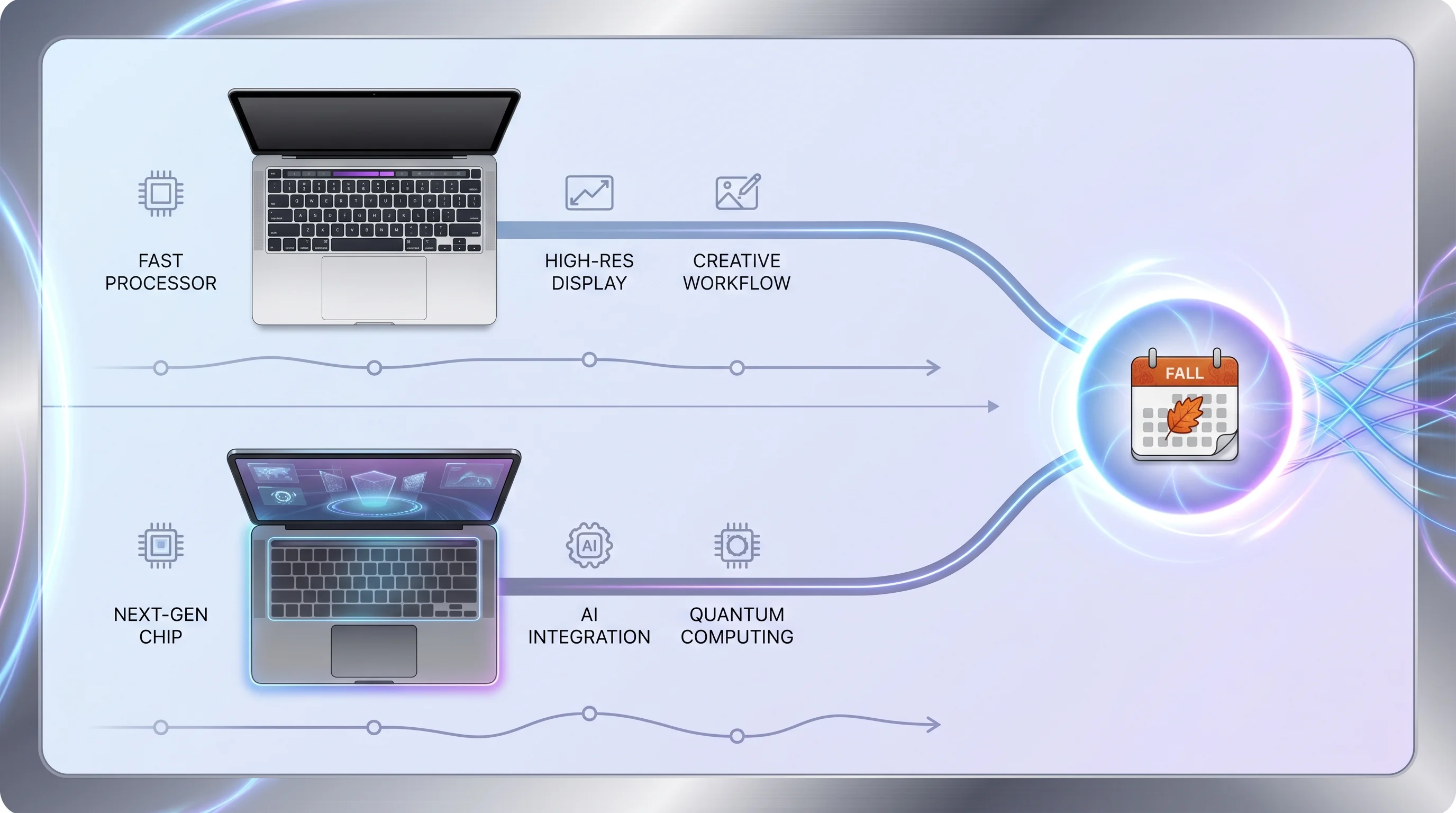
The most consistent reporting points to a fall 2026 launch, likely alongside or shortly after the announcement of macOS 27 at WWDC 2026 in June. Apple typically announces new MacBook Pro models in October or November, with availability following within one to two weeks.
This means buyers are looking at approximately five to seven months of waiting from the time of this article's publication. That is a meaningful amount of time -- long enough that buying now makes sense for many people, but short enough that waiting is feasible if your current setup is adequate.
Supply constraints are always possible with a major redesign, particularly one involving new display technology. Early adopters should be prepared for limited initial availability and potentially longer shipping times, especially for higher-end configurations.
The Current M5 MacBook Pro: Still a Beast
Before fixating on the future, it is worth appreciating just how good the current MacBook Pro lineup is. The M5 Pro and M5 Max chips, launched in January 2026, deliver substantial performance improvements over their predecessors, and the overall package remains the benchmark against which every other professional laptop is measured.
M5 Pro/Max Performance
The M5 Pro chip features a 12-core CPU (6 performance + 6 efficiency cores) and an 18-core GPU, delivering roughly 20% faster CPU performance and 30% faster GPU performance compared to the M4 Pro. The M5 Max doubles down with a 16-core CPU and up to a 40-core GPU, making it a workstation-class processor in a laptop form factor.
Real-world implications are significant:
- Video editing: 8K ProRes timeline scrubbing is smooth and responsive. Exporting a 30-minute 4K project in Final Cut Pro or DaVinci Resolve is measurably faster than on M4 Pro.
- Software development: Xcode builds for large projects complete noticeably faster. Docker container performance is excellent thanks to the improved virtualization support in macOS Tahoe.
- 3D rendering and modeling: Blender, Cinema 4D, and other GPU-intensive applications benefit enormously from the M5 Max's expanded GPU core count and improved ray-tracing hardware.
- Machine learning: The enhanced Neural Engine and expanded unified memory bandwidth make on-device model training and inference faster than ever.
For a comprehensive look at current pricing and configurations, see our M5 MacBook Pro buying guide.
Current Pricing
The M5 MacBook Pro lineup starts at $1,999 for the 14-inch model with M5 Pro, 18GB unified memory, and 512GB SSD. The most popular professional configurations -- the 14-inch with 36GB RAM and 1TB SSD or the 16-inch with M5 Max -- range from $2,499 to $3,999 depending on specs. Maximum configurations with M5 Max, 128GB unified memory, and 8TB SSD can exceed $7,000.
Retail discounts are currently available from major retailers:
| Configuration | Apple MSRP | Best Street Price | Savings |
|---|---|---|---|
| 14" M5 Pro / 18GB / 512GB | $1,999 | $1,849 | $150 |
| 14" M5 Pro / 36GB / 1TB | $2,499 | $2,299 | $200 |
| 16" M5 Pro / 36GB / 512GB | $2,499 | $2,349 | $150 |
| 16" M5 Max / 36GB / 1TB | $3,499 | $3,249 | $250 |
| 16" M5 Max / 48GB / 1TB | $3,999 | $3,749 | $250 |
These discounts are typical for this point in the product cycle, and prices may drop further as the OLED model's launch approaches and retailers clear inventory.
Mini-LED Display Quality
The current MacBook Pro's Liquid Retina XDR display remains outstanding by any measure. Key specs include:
- 3024 x 1964 resolution (14-inch) or 3456 x 2234 (16-inch) at 254 ppi
- 1,000 nits sustained full-screen brightness, 1,600 nits peak HDR brightness
- Up to 2,596 local dimming zones (16-inch model)
- ProMotion adaptive refresh rate up to 120Hz
- P3 wide color gamut with True Tone technology
For the vast majority of professional work -- photo editing, video color grading, design, software development -- this display is exceptional. It earned praise from every major review outlet and consistently ranks among the best laptop displays in the industry. The mini-LED backlighting provides excellent HDR performance with deep blacks in most viewing scenarios.
Where it falls short compared to OLED is in pixel-level contrast control. Mini-LED uses zones of LEDs rather than controlling each pixel independently, which can create subtle blooming or haloing around bright objects on dark backgrounds. This is visible in specific scenarios -- white text on a pure black background, bright UI elements in a dark-mode application -- but it is a nitpick rather than a dealbreaker for most users.
Known Issues
No product is perfect, and the M5 MacBook Pro has had some documented issues worth acknowledging:
Thermal throttling under sustained heavy loads. Some users have reported that the M5 Pro and especially the M5 Max can exhibit thermal throttling during extended, multi-hour rendering or compilation sessions. The chassis gets noticeably warm, and clock speeds can reduce by 10-15% after prolonged maximum load. For most users, this is barely noticeable because sustained maximum load is rare in typical workflows. For professionals running overnight renders or continuous compilation pipelines, it is worth monitoring. Our M5 MacBook Pro overheating fix guide covers practical solutions.
Wi-Fi 802.1X authentication bug. Enterprise users encountered a frustrating bug where the MacBook Pro would intermittently drop Wi-Fi connections on networks using 802.1X authentication (common in corporate and university environments). Apple resolved this issue in macOS 26.4.1, and the fix has been broadly confirmed as effective by IT administrators and affected users.
Both of these issues are either resolved or manageable, and neither fundamentally undermines the M5 MacBook Pro as a product. Every generation of MacBook Pro has had early quirks that Apple addressed through software updates.
OLED vs Mini-LED: What is Actually Better?
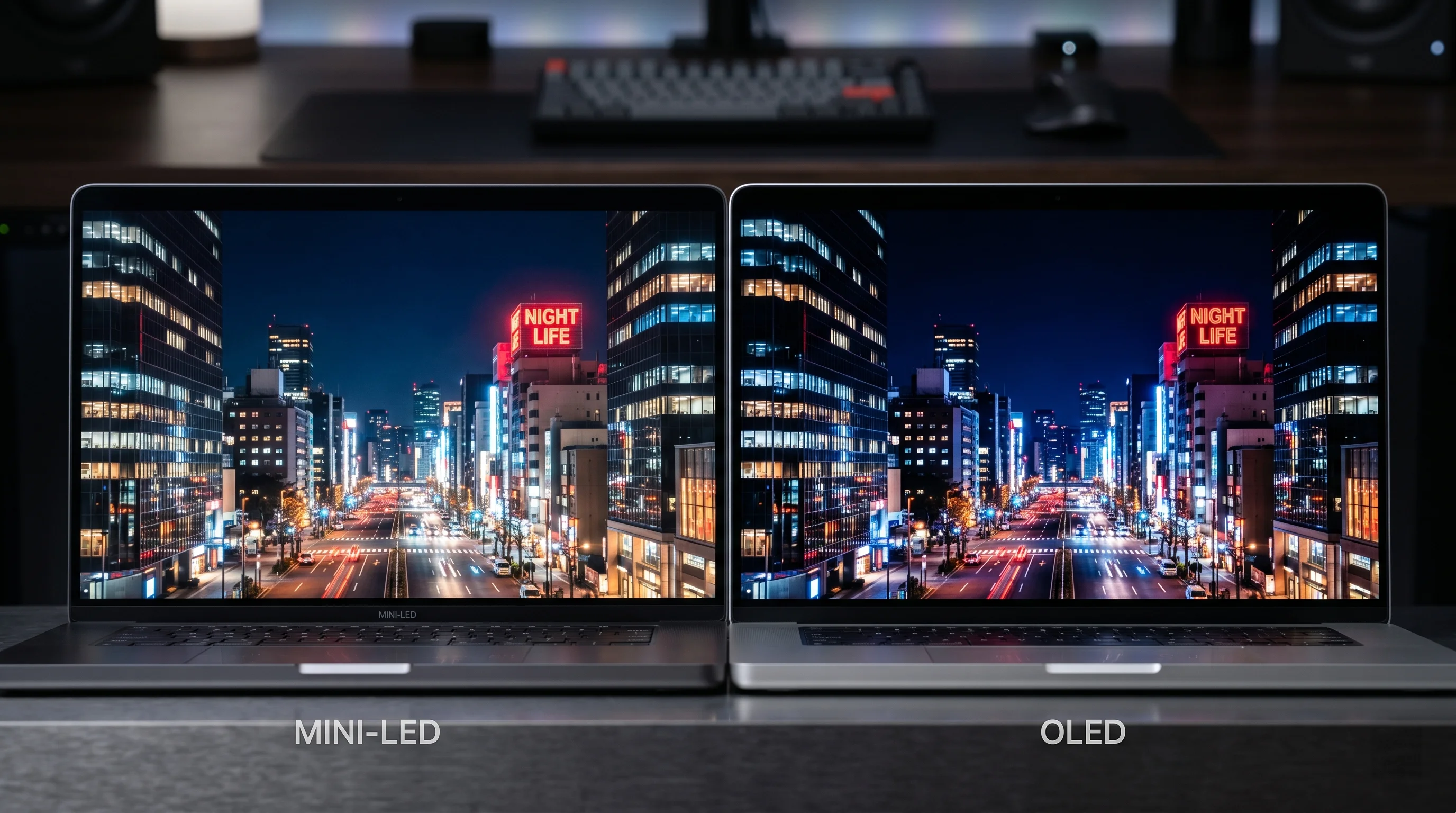
The display technology shift from mini-LED to OLED is the headline feature of the upcoming redesign, and it is worth understanding exactly what changes -- and what does not -- when you move between these two technologies. Both are premium display technologies, and neither is categorically "better" in every dimension. The differences are real but nuanced.
Contrast Ratio
OLED wins decisively. This is the single biggest practical difference between the two technologies.
Mini-LED achieves contrast through local dimming zones -- clusters of LEDs behind the LCD panel that can dim or brighten independently. The current MacBook Pro has up to 2,596 dimming zones, which is excellent, but each zone still controls a group of pixels rather than individual ones. When a bright pixel sits near the edge of a dimming zone adjacent to a dark zone, a faint halo or bloom can appear.
OLED achieves contrast by controlling each pixel independently. When a pixel needs to be black, it turns off completely -- no light emission whatsoever. This produces a true infinity:1 contrast ratio. The difference is most visible in dark environments when viewing content with both very bright and very dark elements: movie scenes with candles in dark rooms, star fields, dark-mode user interfaces with bright accent colors.
Practical impact: For video editors working in dark grading suites, photographers evaluating shadow detail, and anyone who works primarily in dark mode, OLED's contrast advantage is significant and immediately noticeable. For users who work primarily in well-lit rooms with bright backgrounds, the difference is less dramatic.
Color Accuracy
OLED has a slight edge. Both technologies support the P3 wide color gamut, and both achieve excellent factory calibration. However, OLED's per-pixel light emission allows for more precise color control, particularly in shadows and midtones where mini-LED's zone-based dimming can introduce subtle color shifts.
Apple's iPad Pro OLED display has demonstrated exceptional color accuracy in professional testing by DisplayMate and CalMAN, earning the highest ratings for color fidelity. The MacBook Pro OLED panel is expected to meet or exceed this standard.
For most users, the color accuracy difference between the current mini-LED display and the upcoming OLED display will be imperceptible without instrumented measurement. For color-critical professionals -- print designers matching Pantone colors, cinematographers grading for theatrical release, medical imaging specialists -- the improvement is meaningful.
Brightness Levels
Mini-LED and OLED are roughly comparable, with nuances favoring each in different scenarios.
The current MacBook Pro's mini-LED display achieves 1,000 nits of sustained full-screen brightness and 1,600 nits of peak HDR brightness. These numbers are excellent and sufficient for comfortable outdoor use and HDR content creation.
The OLED MacBook Pro is expected to achieve similar peak HDR brightness thanks to the tandem-stack design, which effectively doubles the light output of traditional OLED. Full-screen sustained brightness may be slightly lower on OLED (possibly 800-1,000 nits) to manage heat and extend panel longevity, though Apple's engineering prowess with OLED in the iPad Pro suggests they may close this gap.
Practical impact: If you frequently work outdoors in direct sunlight, the brightness comparison is worth watching in early reviews. For indoor use, both technologies deliver more than enough brightness.
Power Efficiency
OLED wins for dark content; mini-LED wins for bright content. This is a nuanced area where usage patterns determine which technology is more efficient.
OLED pixels consume power proportional to their brightness. A fully black pixel consumes zero power. A dark-mode application with bright text on a dark background consumes very little display power. Conversely, a full-screen bright-white document consumes more power than a comparable mini-LED display.
For users who work primarily in dark mode -- which includes a growing majority of developers, designers, and content creators -- OLED's power efficiency advantage is meaningful and could translate to noticeably longer battery life. For users who work predominantly with bright documents, spreadsheets, or web pages with white backgrounds, the power profile is closer to neutral.
Burn-in Concerns
A legitimate concern that Apple has almost certainly addressed. OLED burn-in occurs when static image elements -- like menu bars, dock icons, or persistent UI elements -- cause uneven wear on the organic compounds that produce light. Over time, areas that display the same bright content can develop a faint ghost image.
Apple has extensive experience mitigating OLED burn-in on iPhone (which has used OLED since 2017) and iPad Pro. Mitigation strategies include pixel shifting (imperceptibly moving the entire display content by a pixel or two periodically), automatic brightness management, and optimized organic compound formulations that extend panel life.
The tandem-stack design used in the iPad Pro OLED -- and expected in the MacBook Pro -- inherently reduces burn-in risk because each organic layer operates at lower stress levels (the brightness load is shared between two layers instead of one).
While burn-in is theoretically possible, Apple's track record with iPhone OLED panels suggests that practical burn-in under normal use conditions is extremely unlikely within the expected lifespan of the laptop (5-7 years for most professional users). Apple will also likely back the display with its standard warranty and AppleCare+ coverage.
Comparison Table: OLED vs Mini-LED
| Feature | Current Mini-LED | Expected OLED |
|---|---|---|
| Contrast Ratio | ~1,000,000:1 (with local dimming) | Infinite (true blacks) |
| Peak HDR Brightness | 1,600 nits | ~1,600 nits (tandem stack) |
| Full-Screen Brightness | 1,000 nits | ~800-1,000 nits |
| Color Gamut | P3 | P3 |
| Color Accuracy | Excellent | Excellent+ |
| Blooming/Haloing | Minimal but present | None |
| Burn-in Risk | None | Very low (with mitigation) |
| Response Time | ~5-8ms | Under 0.1ms |
| Power (Dark Content) | Moderate | Very low |
| Power (Bright Content) | Moderate | Moderate-high |
| Panel Thickness | Thicker (requires backlight) | Thinner (self-emitting) |
| Replacement Cost | ~$500-700 | ~$700-1,000 (estimated) |
The takeaway: OLED is genuinely better in the areas that matter most for display quality -- contrast, response time, and viewing angles. Mini-LED holds its own in brightness and has the advantage of zero burn-in risk. For the vast majority of users, the OLED upgrade will be a visible and welcome improvement. For the full picture on how Apple is bringing OLED to its desktop lineup as well, see our OLED iMac 2027 guide.
Decision Framework: Buy Now or Wait?
This is the heart of the guide. Instead of a vague "it depends," here is a structured framework for making your decision based on your actual circumstances.
Buy NOW If...
Your current Mac is failing or inadequate. If your Mac is crashing, running out of memory during critical tasks, unable to run the software you need, or showing signs of hardware failure, waiting six months is not a rational choice. Lost productivity, missed deadlines, and the stress of working on unreliable equipment have real costs that exceed any spec improvement in a future laptop. Buy the M5 MacBook Pro now and be immediately productive.
Your work directly depends on a new machine. If you have taken on a new job, started a new freelance project, or begun a course of study that requires computing power your current Mac cannot deliver, the calculation is simple. Revenue-generating or career-advancing work happening now is worth more than a better display happening later. A professional who spends $2,500 on an M5 MacBook Pro and earns $5,000 in additional income over the next six months has already justified the purchase.
Your current Mac is three or more years old. If you are upgrading from an M1 or older machine, the M5 Pro/Max represents such a massive leap in performance that the additional improvements in the OLED model will feel incremental by comparison. Going from an M1 MacBook Pro to an M5 MacBook Pro is a transformative experience. Going from an M5 to the OLED M6 (or whatever comes next) will be a meaningful but smaller step.
You are budget-conscious. The OLED MacBook Pro will almost certainly launch at a higher price point than the current models. First-generation pricing for new technology always carries a premium, and the OLED panels, touchscreen digitizer, and under-display camera all add component cost. If you are price-sensitive, the M5 MacBook Pro -- especially with current retail discounts of $150-$250 -- represents better value.
You want a proven, mature product. First-generation implementations of new technology sometimes have teething issues. The current M5 MacBook Pro's minor issues (thermal throttling, Wi-Fi bug) are well-documented and largely resolved. The OLED model may have its own first-generation quirks that take a few months to iron out. If reliability and predictability are paramount, buying into the current, well-understood platform is the safer bet.
WAIT If...
Your current Mac works fine. If your existing MacBook Pro (M2 or newer) handles your workload adequately and you are not experiencing frustration or limitations, there is no urgency to buy now. The M5 MacBook Pro will still be available in six months (likely at steeper discounts), and the OLED model will offer genuinely new capabilities that no discount can replicate.
Display quality is critical to your work. If you are a photographer, videographer, colorist, or visual designer whose output quality directly depends on display accuracy and contrast, the OLED display will be a meaningful upgrade. The difference between mini-LED and OLED is most impactful for exactly these use cases. Waiting six months for a tool that improves your output quality for the next five years is a sound investment.
You want touchscreen capability. If the idea of directly touching, tapping, and drawing on your MacBook Pro's screen excites you -- whether for digital art, annotation, presentation control, or just the convenience of tapping a button -- this feature will only be available on the new model. No software update will add a touchscreen to the current MacBook Pro.
You have no urgent deadline. If you are a student starting a program in the fall, a freelancer between projects, or a professional whose current machine is adequate for the next several months, the timing works in your favor. Buy the OLED model when it launches and start the next phase of your work or education with the best tool available.
You are a tech enthusiast who values owning the latest. There is nothing wrong with wanting the newest, most advanced technology. If you know that buying the M5 MacBook Pro now will leave you feeling frustrated when the OLED model launches in six months, save yourself the buyer's remorse and wait.
Decision Matrix by User Type
| User Type | Recommendation | Rationale |
|---|---|---|
| Student starting school Fall 2026 | Wait | OLED MacBook Pro likely available just before or during the semester start |
| Software developer (current Mac works) | Wait | Display improvements benefit code readability; touch adds versatility |
| Software developer (current Mac struggling) | Buy now | Productivity loss outweighs display upgrade; M5 Pro is excellent for development |
| Video editor / colorist | Wait (if possible) | OLED contrast and color accuracy are directly relevant to output quality |
| Photographer | Wait (if possible) | Same rationale as video; true blacks and accurate shadows matter for print work |
| Casual / general use | Buy now | OLED benefits are subtle for everyday tasks; current MacBook Pro is more than sufficient |
| Music producer | Buy now | Audio workloads are CPU-bound; display technology is irrelevant to output quality |
| 3D artist / animator | Wait | Display quality matters for visual work, and the new GPU (M6) may bring meaningful gains |
| Business / enterprise user | Buy now | Proven reliability matters more than cutting-edge display technology in enterprise |
| Content creator / streamer | Wait | Thinner design, better webcam (under-display), and OLED all benefit this workflow |
| First-time Mac buyer | Buy now or wait | Either is fine; if you need a Mac now, the M5 is superb; if you can wait, the OLED is exciting |
The Financial Angle
Beyond the technology, there is a practical financial dimension to this decision that deserves careful analysis.
Expected Price Premium for OLED
Based on historical patterns and component cost analysis, the OLED MacBook Pro is expected to carry a price premium of approximately $200-$400 over the equivalent current-generation model at launch. This estimate is informed by several factors:
- iPad Pro OLED pricing: When Apple introduced the OLED iPad Pro in 2024, it launched at a $100-$200 premium over the previous mini-LED model, depending on configuration.
- Component costs: OLED panels for laptop-sized screens (14-inch and 16-inch) are more expensive to produce than mini-LED panels, particularly in the early stages of mass production. The touchscreen digitizer layer adds additional cost.
- Apple's pricing strategy: Apple tends to absorb some of the component cost premium to maintain accessible pricing, especially for products where they want to drive rapid adoption. However, they also use product launches as opportunities to adjust pricing upward.
A reasonable estimate puts the OLED MacBook Pro's starting price at $2,199-$2,399 for the base 14-inch model, compared to the current $1,999 starting price. Higher-end configurations could see proportionally larger increases.
Current M5 MacBook Pro Deals
The M5 MacBook Pro is currently available at significant discounts from multiple retailers, and these discounts are likely to deepen as the OLED model's launch approaches. Current savings range from $150 to $250 depending on configuration and retailer, with additional savings available through education pricing, refurbished units, and credit card rewards programs.
Historically, outgoing MacBook Pro models see their deepest discounts in the month immediately before and after the new model launches, with savings of $300-$500 becoming common. If you decide to buy the current model, waiting until September or October 2026 could yield the best prices -- though this largely eliminates the "buy now" advantage of having the machine sooner.
Resale Value Considerations
Apple products hold their value better than virtually any other consumer electronics, and MacBook Pros are among the best value-holders in Apple's lineup. However, major redesigns can accelerate the depreciation of the outgoing model.
If you buy the M5 MacBook Pro now:
- Expect to retain approximately 70-75% of the purchase price after one year (based on historical data for outgoing-generation MacBook Pros).
- The M5 will remain a highly capable machine for 4-5+ years, so resale value at the 2-3 year mark should remain strong at 55-65%.
- Selling the M5 when the OLED model launches (after approximately six months of ownership) could recover 80-85% of the discounted purchase price.
If you buy the OLED MacBook Pro at launch:
- First-generation premium pricing means you pay more upfront.
- However, as the current-generation model, it will hold its value better in the first two years.
- Expect to retain approximately 80-85% of the purchase price after one year.
The "buy now, sell later" strategy: Some users consider buying the M5 MacBook Pro now at a discount, using it for six months, and then selling it to fund the OLED model. After accounting for the discounted purchase price and strong resale value, the net cost of "renting" an M5 MacBook Pro for six months works out to roughly $300-$500 -- comparable to the OLED model's expected price premium. This strategy makes sense for users who need a machine now and want the OLED model later, but it requires the effort and uncertainty of selling used hardware.
AppleCare+ Strategy
AppleCare+ for MacBook Pro costs $199 for three years of coverage (or $9.99/month). This is worth considering regardless of which model you buy, but it carries particular relevance for the OLED model:
- OLED panel replacement costs are expected to be higher than mini-LED replacement costs, based on the experience with OLED iPhones and iPads. AppleCare+ caps accidental damage repair at $299 per incident (with a service fee), regardless of the actual repair cost.
- First-generation products statistically have slightly higher failure rates during the first year, as manufacturing processes mature. AppleCare+ provides peace of mind during this period.
- If you buy the M5 now and plan to sell it later, purchasing AppleCare+ and transferring the remaining coverage to the buyer can increase resale value.
What About the MacBook Air?
Not everyone needs a MacBook Pro, and the MacBook Air lineup offers compelling alternatives that change the buy-now-or-wait calculus.
M5 MacBook Air as an Alternative
The M5 MacBook Air is an outstanding laptop for the vast majority of users. With the M5 chip delivering exceptional performance in a fanless design, 18+ hours of battery life, and a starting price of $1,199, the MacBook Air handles web development, photo editing, writing, communication, light video editing, and everyday computing with ease.
If your primary concern is portability and your workload does not require the sustained performance of M5 Pro or M5 Max, the MacBook Air represents exceptional value and eliminates the buy-now-or-wait dilemma entirely. The MacBook Air is not expected to receive an OLED display until 2027 or later, so the current model is the best Air available for at least another year.
Key scenarios where the MacBook Air makes more sense than waiting for the OLED MacBook Pro:
- Your workload is not GPU-intensive. The M5 chip's GPU is capable but significantly less powerful than M5 Pro/Max. If you do not render 3D content, edit multi-stream 4K/8K video, or run large machine learning models, the Air is sufficient.
- You value portability above all. At 2.7 pounds and 11.3mm thin, the MacBook Air is substantially lighter and thinner than any MacBook Pro, even the upcoming thinner OLED model.
- Your budget is limited. Starting at $1,199 (with frequent discounts to $1,049), the MacBook Air costs roughly $1,000 less than the OLED MacBook Pro is expected to cost.
MacBook Neo for Budget Buyers
Rumors of a new ultra-affordable MacBook -- variously referred to as "MacBook Neo" or "MacBook SE" -- have circulated alongside the OLED MacBook Pro reports. This entry-level Mac laptop would be positioned below the MacBook Air, potentially starting at $799-$899, and targeted at students, light users, and buyers in emerging markets.
For anyone considering a Mac laptop purchase purely on the basis of price, the MacBook Neo could be worth watching. However, as a budget product, it will likely make significant compromises in display quality, performance, build materials, and port selection. For a comparison of what we know, see our analysis: MacBook Neo vs MacBook Air M5.
Frequently Asked Questions
Will the OLED MacBook Pro have the same ports as the current model?
Almost certainly yes. Apple restored HDMI, MagSafe, an SD card slot, and three Thunderbolt/USB-C ports in the 2021 redesign, and users have responded overwhelmingly positively to this port selection. There is no credible reporting suggesting Apple will remove any of these ports. The OLED model may upgrade the Thunderbolt ports to a newer specification (Thunderbolt 5 is expected) and the HDMI port to HDMI 2.1, but the overall port layout should remain familiar.
Can OLED burn-in ruin my MacBook Pro display?
Burn-in is theoretically possible but practically very unlikely with Apple's mitigation technologies. Apple has eight years of experience managing OLED burn-in on iPhone, plus the iPad Pro's tandem-stack OLED design that reduces per-layer stress. Under normal usage patterns -- even heavy professional use with static UI elements -- OLED burn-in should not be a concern within the laptop's useful lifespan. If you are still worried, AppleCare+ provides additional coverage and peace of mind.
Should I wait for the OLED model if I only use my Mac for basic tasks?
Probably not. If your primary activities are web browsing, email, document editing, video calls, and light photo management, the current M5 MacBook Pro (or the more affordable MacBook Air) is more than sufficient. The OLED display's advantages are most impactful for visual professionals and media consumers; for everyday productivity tasks, the difference between mini-LED and OLED is subtle. Buy what is available now and enjoy it.
Will the OLED MacBook Pro work with my existing accessories and peripherals?
Yes. Apple maintains excellent backward compatibility with peripherals. Your existing monitors, docks, keyboards, mice, hard drives, and other USB-C/Thunderbolt accessories will work with the OLED MacBook Pro. The potential upgrade to Thunderbolt 5 would add speed benefits for compatible accessories but would not break compatibility with older ones.
How much more expensive will the OLED MacBook Pro be?
Based on historical pricing patterns and component cost analysis, expect a $200-$400 premium over the equivalent current-generation MacBook Pro at launch. The exact premium will depend on the configuration level -- base models may see a smaller increase than higher-end configurations. Apple may also adjust overall pricing in response to market conditions, exchange rates, and competitive pressure.
Is it worth buying the M5 MacBook Pro now and upgrading when the OLED model comes out?
This depends on your financial situation and tolerance for the hassle of selling used hardware. The "buy now, sell later" strategy can work well: buy the M5 MacBook Pro at a current discount, use it productively for six months, sell it for roughly 80-85% of what you paid, and put the proceeds toward the OLED model. The net cost of approximately $300-$500 for six months of use is reasonable if you need a machine now. However, if you can comfortably wait and your current setup is adequate, saving the hassle and the $300-$500 net cost by simply waiting is the cleaner path.
Conclusion
The decision between buying the M5 MacBook Pro now and waiting for the OLED MacBook Pro in fall 2026 ultimately comes down to one question: what is the cost of waiting?
If waiting means six months of struggling with an inadequate machine, missing professional opportunities, or compromising your work quality, the answer is clear -- buy now. The M5 MacBook Pro with M5 Pro or M5 Max is an exceptional laptop by any standard. Its mini-LED display is among the best in the industry. Its performance handles virtually every professional workload with ease. Its known issues are minor and largely resolved. You will not regret buying it.
If waiting means continuing to use a perfectly functional machine for a few more months while Apple finalizes what promises to be the most exciting MacBook redesign in five years, the answer is equally clear -- wait. The OLED display will deliver genuine, visible improvements in contrast and color accuracy. The touchscreen will add a new dimension of interaction that cannot be retrofitted to existing hardware. The notch-free design and thinner chassis will make the laptop look and feel like a generational leap. And whether it ships with M6 or M5 Ultra, the processor will be at least as capable as anything available today.
There is no wrong answer here. Both paths lead to owning an outstanding computer. The question is simply which outstanding computer fits your timeline, your budget, and your priorities.
Mac shipments grew 9% in Q1 2026, outpacing the broader PC market, according to IDC -- a testament to the strength of Apple Silicon and the macOS ecosystem. Whether you join those numbers now with the M5 MacBook Pro or wait for the OLED model to push them even higher in Q4, you are investing in the most capable, most efficient, and most integrated laptop platform available.
Make your decision, commit to it, and spend your energy on the work that matters -- not agonizing over specs.