Apple Studio Display XDR Complete Guide 2026: 120Hz ProMotion, Mini-LED HDR — Specs, Pricing & Is It Worth $3,299?
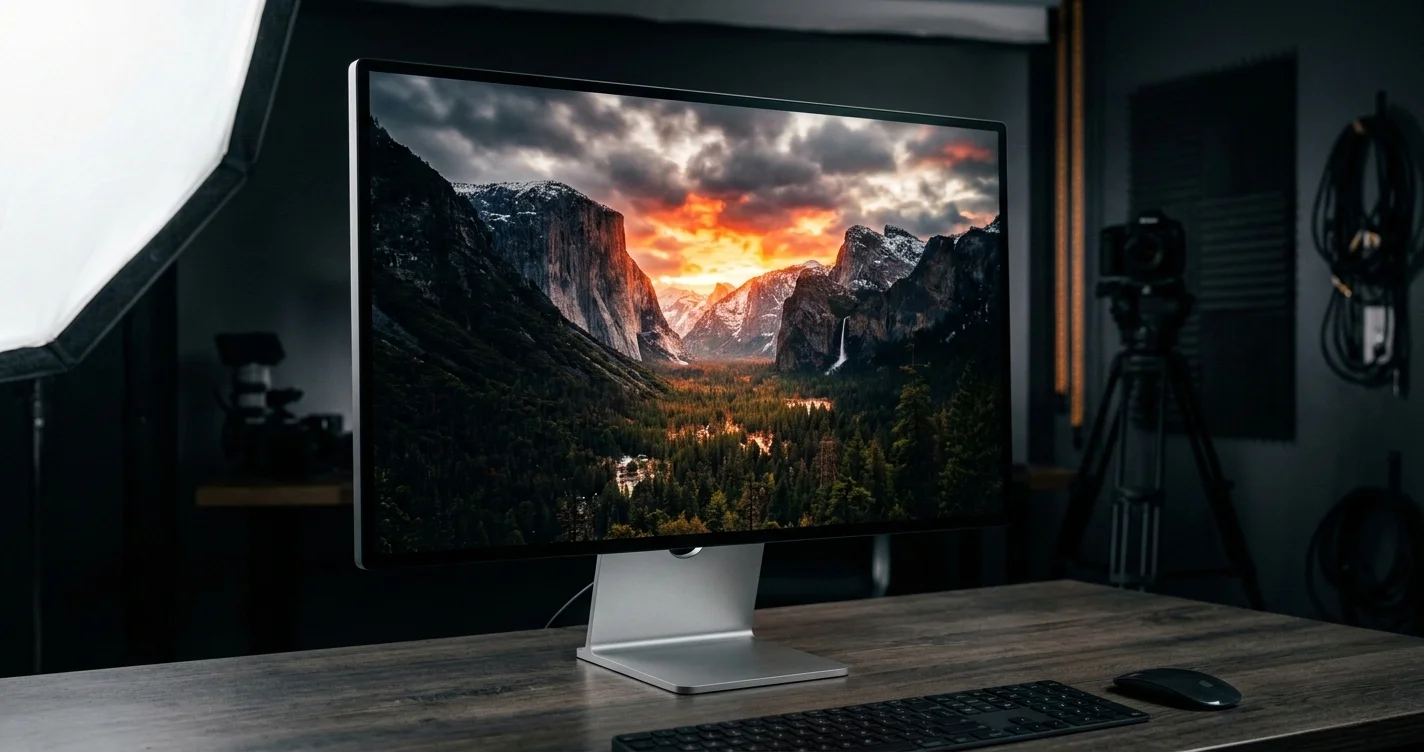
Complete guide to Apple's Studio Display XDR: 27-inch 5K, 120Hz ProMotion, mini-LED with 2,000 nits HDR, and 2,000+ dimming zones. Specs, comparison with Studio Display, and buying advice.
For the first time in its history, Apple has brought 120Hz ProMotion to an external display. The Studio Display XDR, announced at the Apple March 2026 event alongside the MacBook Neo and updated Mac Studio, represents a fundamental rethinking of what a professional desktop monitor can be — and it brings the XDR name back from the Pro Display XDR in a more accessible (if still premium) package.
The result is a 27-inch, 5K Retina display with mini-LED backlighting, over 2,000 local dimming zones, 120Hz adaptive refresh, and genuine HDR capability at 2,000 nits peak brightness. It starts at $3,299 with stand included — $1,700 cheaper than the Pro Display XDR — and sits above the refreshed standard Studio Display (now $1,599 with notable webcam and speaker upgrades) as the definitive Mac desktop display for creative professionals.
This guide covers everything you need to know: full specifications, the technology behind it, a detailed comparison with every relevant display option, who it is actually designed for, and an honest verdict on whether the price is justified.
Key Takeaways
- The Studio Display XDR is Apple's first 120Hz external display, using mini-LED technology with 2,000+ local dimming zones for true HDR performance at up to 2,000 nits peak.
- It starts at $3,299 with a tilt and height-adjustable stand — significantly undercutting the $4,999 Pro Display XDR while targeting a wider professional audience.
- The refreshed Studio Display (now $1,599) keeps 60Hz and IPS LCD technology but upgrades to Thunderbolt 5, a 12MP ultrawide webcam, and a 6-speaker system with 30% deeper bass.
- Both displays use Thunderbolt 5 (120 Gb/s) — a key upgrade that future-proofs connectivity for M5-era Macs and beyond.
- The Studio Display XDR is the right choice for video editors, colorists, photographers, and HDR content creators. The standard Studio Display remains the better value for productivity work.
- ProMotion on a desktop display is more useful than you might expect — smooth scrolling, fluid UI animations, and variable refresh down to 1Hz all contribute to a noticeably better experience.
- Nano-texture glass is available on both for +$300 and is worth it in bright, reflective environments.
Studio Display XDR: Complete Specifications
Full Specification Table
| Specification | Studio Display XDR |
|---|---|
| Panel Size | 27 inches |
| Resolution | 5,120 x 2,880 (5K Retina XDR) |
| Pixel Density | 218 ppi |
| Panel Technology | Mini-LED (IPS architecture) |
| Refresh Rate | 10–120Hz (ProMotion Adaptive Sync) |
| SDR Brightness | 1,000 nits sustained |
| HDR Peak Brightness | 2,000 nits |
| Local Dimming Zones | 2,000+ |
| Contrast Ratio | 1,000,000:1 (full-array local dimming) |
| Color Gamut | P3 Wide Color |
| True Tone | Yes |
| Anti-Reflective Coating | Standard (nano-texture glass +$300) |
| Connectivity | 1x Thunderbolt 5 (120 Gb/s), 3x USB-C (10 Gb/s) |
| Host Charging | 140W via Thunderbolt 5 |
| Camera | 12MP ultrawide with Center Stage |
| Microphone Array | 3-mic array with directional beamforming |
| Speaker System | 6-speaker system with Spatial Audio |
| Stand | Tilt + height-adjustable (included) |
| VESA Mount | Available (stand-less configuration) |
| Starting Price | $3,299 |
| Nano-texture Option | +$300 |
Display Technology Deep Dive: Mini-LED and Local Dimming
The Studio Display XDR uses a full-array local dimming (FALD) mini-LED backlight system — the same fundamental technology Apple uses in the 14-inch and 16-inch MacBook Pro, the iPad Pro, and the Pro Display XDR's 6K sibling. The difference here is scale and the application to a desktop-class display at a lower price point than the Pro Display XDR.
Mini-LED refers to the physical size of the individual LEDs used in the backlight array. Traditional LCD displays use large edge-lit or zone-lit backlights with limited ability to control brightness in different regions of the screen. Mini-LEDs, being far smaller (typically 100–200 micrometers), can be packed into much denser arrays. Apple's implementation in the Studio Display XDR uses over 2,000 individual dimming zones across the 27-inch panel.
Why does this matter? In a standard LCD, bright and dark content displayed simultaneously creates a problem — you can't brighten one region without brightening the whole panel. Mini-LED with dense local dimming solves this: a bright sun in the sky of a photo can be driven to full brightness while the dark foreground simultaneously approaches true black. The result is a contrast ratio Apple claims at 1,000,000:1, compared to roughly 1,500:1 on a standard IPS LCD like the original Studio Display.
The 2,000+ zones represent a significant density for a 27-inch display. By comparison, the 14-inch MacBook Pro uses around 1,400 zones across a much smaller 14-inch panel. The Studio Display XDR achieves approximately 74 dimming zones per square inch — sufficient to minimize the "blooming" artifacts (halo of light around bright objects on dark backgrounds) that plagued early mini-LED implementations.
HDR Content Certification: The Studio Display XDR supports HDR10 and Dolby Vision content playback with hardware-accelerated tone mapping. When playing certified HDR video — Netflix in Dolby Vision, Apple TV+ HDR10+ content, or Final Cut Pro HDR timelines — the display drives the relevant zones to 2,000 nits while the surrounding areas remain at appropriate brightness. This creates a visual impact that is genuinely difficult to convey in words and completely impossible to replicate on a standard LCD display.
The 1,000 nits sustained brightness for SDR content is also notable. The original Studio Display peaked at 600 nits. At 1,000 nits sustained, the Studio Display XDR is usable in bright office environments without the display being washed out, and images simply look more vivid and true-to-life even without HDR content involved.
ProMotion 120Hz Explained for Desktop Use
ProMotion is Apple's marketing name for its adaptive variable refresh rate technology, and bringing it to an external display is more significant than many people realize.
The Studio Display XDR supports a refresh range of 10Hz to 120Hz. The display dynamically adjusts its refresh rate based on what is being displayed:
- 120Hz: Active use — scrolling, UI animations, cursor movement, video playback at 120fps
- 60Hz: Standard video content (24fps, 30fps, 60fps playback), some UI states
- 24Hz/30Hz: Film-rate video playback in Final Cut Pro, QuickTime, and streaming apps that deliver 24fps content
- 10Hz: Static content — a spreadsheet you have stopped scrolling, an idle desktop
- Variable rates in between: macOS Tahoe's scheduler constantly matches the refresh rate to the content being rendered
The practical benefit of 120Hz on a desktop is primarily experienced in three ways:
1. Scrolling and Cursor Movement: Scrolling through a long document, webpage, or timeline at 120Hz versus 60Hz is immediately perceptible. At 60Hz, fast scrolling produces visible motion blur. At 120Hz, text stays sharper during movement, and the cursor tracks more precisely to hand movement. Once you experience this, the 60Hz alternative feels genuinely inferior.
2. UI Animations: macOS has always had smooth animations, but at 120Hz they become fluid in a way that registers subliminally. Window opening and closing, Spaces transitions, Mission Control — all render at 120fps on supported hardware, producing a premium feel that matches the experience on a MacBook Pro.
3. Professional Application Timelines: Motion, Final Cut Pro, and DaVinci Resolve all benefit from higher frame rate scrubbing in their timelines. Dragging a playhead through a timeline at 120Hz provides finer visual feedback, making edits more precise.
What ProMotion Does Not Do on the Studio Display XDR: It does not make 60fps video content play at 120fps (content frame rates are independent of display refresh rates). It does not affect the resolution or color gamut. And it does not require any configuration — macOS handles rate matching automatically.
Adaptive Sync for Variable Refresh Rates
The Studio Display XDR implements Adaptive Sync — the VESA standard for variable refresh rate technology. This is distinct from, but related to, ProMotion. Adaptive Sync allows the display to accept a variable frame rate signal from the connected Mac, reducing frame pacing inconsistencies and eliminating judder in content that does not align with fixed refresh intervals.
For example, when playing back 23.976fps film content, Adaptive Sync allows the display to lock to a frame-matched 23.976Hz output rather than the 24Hz approximation used by fixed-rate displays. The result is imperceptible frame pacing, which is critical for colorists and editors evaluating motion in film content.
Adaptive Sync on a professional display also matters for GPU-intensive tasks — 3D rendering previews in Cinema 4D or Blender, for instance, produce frames at irregular intervals, and Adaptive Sync eliminates the stuttering that fixed refresh rates would otherwise introduce.
What Makes XDR Different from Pro Display XDR?
The "XDR" designation — standing for Extreme Dynamic Range — previously belonged exclusively to the $4,999 Pro Display XDR. Now that Apple has applied it to the Studio Display XDR, the natural question is: what is the difference, and is the Pro Display XDR still relevant?
Size: 27 Inches vs 32 Inches
The Pro Display XDR remains at 32 inches with a resolution of 6,016 x 3,384 pixels. The Studio Display XDR is 27 inches at 5,120 x 2,880. Both achieve 218 ppi — the two resolutions are precisely matched to maintain identical pixel density, meaning text and UI elements appear at the same physical size on both displays.
For most professional workflows, 27 inches is sufficient. The Pro Display XDR's 32-inch panel is genuinely larger (approximately 40% more screen area) and is the preferred choice for broadcast finishing suites, large-scale visual effects work, and users who want multiple virtual "zones" visible simultaneously. But for a single-display setup at a desk, 27 inches is the more ergonomically comfortable size for most people at normal viewing distances.
Price: $3,299 vs $4,999 (with Stand)
The Pro Display XDR's $4,999 starting price famously does not include a stand — the Pro Stand adds $999, bringing the total to $5,998. The Studio Display XDR includes a tilt and height-adjustable stand in its $3,299 price.
| Configuration | Studio Display XDR | Pro Display XDR |
|---|---|---|
| Display only (VESA) | ~$2,999 (estimated) | $4,999 |
| With tilt-adjustable stand | N/A | $4,999 + $999 Pro Stand = $5,998 |
| With height-adjustable stand | $3,299 (included) | $5,998 |
| Nano-texture glass add-on | +$300 | +$1,000 |
The value comparison shifts dramatically in the Studio Display XDR's favor when you factor in stand pricing. The Pro Display XDR's nano-texture glass option costs $1,000 extra; on the Studio Display XDR, it is $300.
Brightness and Contrast
Both displays achieve 1,000,000:1 contrast ratio through local dimming technology. The Pro Display XDR's mini-LED implementation uses more LEDs across a larger panel and achieves slightly superior uniformity in some professional measurements. However, the Studio Display XDR's 2,000 nits peak HDR matches the Pro Display XDR's specification, and for most creative work the difference is not perceptible in use.
Target Audience Differences
The Pro Display XDR targets broadcast professionals, high-end post-production facilities, and VFX studios where a $6,000 monitor is a business expense justified by the workflow demands of mastering video for theatrical and broadcast delivery. Many Pro Display XDR users own two of them.
The Studio Display XDR targets independent creative professionals — video editors, photographers, music producers, designers, and developers who want professional-grade display quality without the Pro Display XDR's institutional price tag. It is the display Apple expects to appear on the desks of Mac Studio, Mac mini M5, and MacBook Pro users who want the best possible external display.
Studio Display XDR vs Studio Display: Side-by-Side Comparison
Full Comparison Table
| Feature | Studio Display XDR | Studio Display (2nd Gen) |
|---|---|---|
| Price (starting) | $3,299 | $1,599 |
| Panel Size | 27 inches | 27 inches |
| Resolution | 5,120 x 2,880 | 5,120 x 2,880 |
| Panel Technology | Mini-LED | IPS LCD |
| Refresh Rate | 10–120Hz ProMotion | 60Hz |
| SDR Brightness | 1,000 nits | 600 nits |
| HDR Peak Brightness | 2,000 nits | None |
| Local Dimming Zones | 2,000+ | None (edge-lit) |
| Contrast Ratio | 1,000,000:1 | ~1,500:1 |
| Color Gamut | P3 Wide Color | P3 Wide Color |
| True Tone | Yes | Yes |
| Thunderbolt ports | 1x TB5 (120 Gb/s) | 2x TB5 (120 Gb/s) |
| USB-C ports | 3x (10 Gb/s) | 2x (10 Gb/s) |
| Host Charging | 140W | 96W |
| Camera | 12MP ultrawide | 12MP ultrawide |
| Speakers | 6-speaker Spatial Audio | 6-speaker (30% deeper bass) |
| Stand | Tilt + height-adjustable | Tilt-adjustable |
| Height adjustment | Yes (included) | No (separate accessory) |
| Nano-texture option | +$300 | +$300 |
60Hz vs 120Hz: When the Difference Actually Matters
The 60Hz limitation of the standard Studio Display is not a dealbreaker for every user — but it is a real limitation that becomes apparent in specific use cases.
60Hz is completely adequate for:
- Web browsing, email, writing, and general productivity
- Video editing and playback up to 60fps
- Photo editing and retouching
- Software development
- Spreadsheets and data analysis
- Most UI design work
120Hz ProMotion makes a meaningful difference for:
- Any workflow involving extensive scrolling through long documents, codebases, or timelines
- Motion graphics and animation work where frame rate preview accuracy matters
- Color grading with precise timeline scrubbing
- Gaming on a Mac (more relevant than it used to be with Apple Arcade and Macs' improved GPU performance)
- Simply: anyone who has used a ProMotion MacBook Pro at their desk and then switched back to a 60Hz display
The honest assessment: if you have never used a 120Hz display, you will not miss it. If you have used a ProMotion MacBook Pro and experienced 120Hz scrolling and animations, going back to 60Hz on an external display is jarring. The Studio Display XDR solves this long-standing frustration for MacBook Pro users who dock at a desk.
SDR Brightness: 600 Nits vs 1,000 Nits
Six hundred nits on the standard Studio Display is a reasonable brightness for a calibrated display in a controlled environment. But modern office environments are not always controlled: skylights, large windows, overhead fluorescents all create glare and require higher display brightness to maintain legibility.
At 1,000 nits sustained, the Studio Display XDR is meaningfully brighter — and the difference is visible in everyday use. Images look punchier, shadows and highlights in photos are both visible simultaneously (even in SDR), and the display is more comfortable in bright environments. This matters even if you never watch a frame of HDR video on it.
HDR Capability: None vs 2,000 Nits
The standard Studio Display has no HDR capability in a meaningful hardware sense. It can display HDR-flagged content, but without local dimming and the brightness headroom to drive bright regions independently, it tone-maps everything to the 600-nit range and the result is indistinguishable from good SDR.
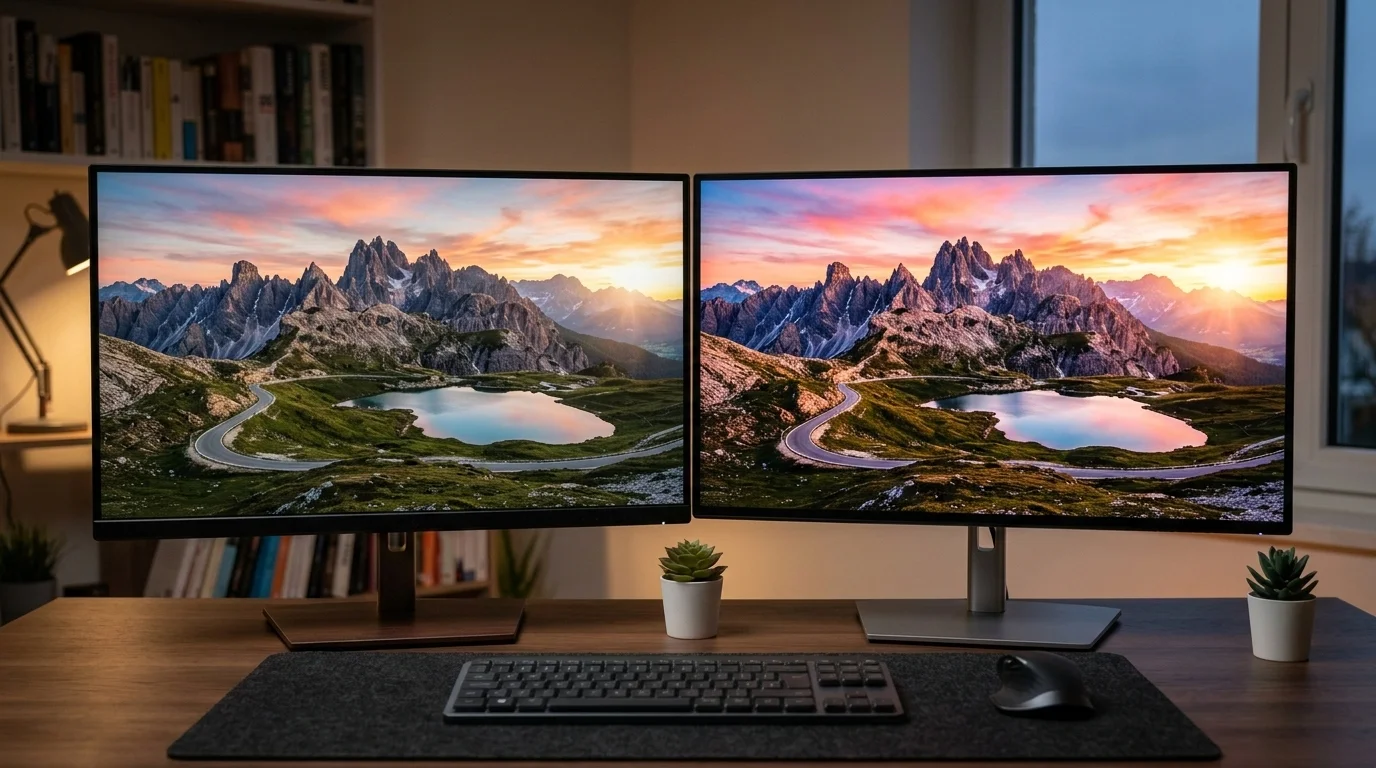
The Studio Display XDR's 2,000 nits peak HDR with 2,000+ local dimming zones delivers genuine HDR that matches the hardware capability of the MacBook Pro's Liquid Retina XDR display. For the first time, connecting a MacBook Pro to an Apple external display and working on HDR content will produce a consistent, calibrated experience on both the laptop screen and the external display simultaneously. This has been a significant frustration for video professionals since the MacBook Pro's XDR display was introduced.
Stand Options
The standard Studio Display ships with a tilt-adjustable stand only. Height adjustment requires purchasing the separate VESA mount adapter and a third-party arm, or upgrading to a height-adjustable stand as a configure-to-order option.
The Studio Display XDR includes a tilt and height-adjustable stand in the base $3,299 price. This is a notable value inclusion — Apple's Pro Stand for the Pro Display XDR costs $999 separately, and while the Studio Display XDR's stand is not identical to the Pro Stand, it provides the same range of motion for most users' needs.
Display Quality Deep Dive
Mini-LED Technology Explained
Mini-LED represents a transitional technology between traditional LCD and emissive display technologies like OLED. Understanding where it sits in the display technology landscape helps clarify what the Studio Display XDR does and does not do.
Traditional IPS LCD: Uses a small number of large LED zones (or edge lighting) to illuminate the entire panel. Excellent color accuracy and viewing angles, but limited contrast ratio (typically 1,000–2,000:1) and no meaningful HDR capability.
Mini-LED LCD: Uses thousands of small LEDs organized into dimming zones. The IPS LCD panel itself sits in front of the LED array. The zones can be individually driven to different brightness levels, producing dramatically higher contrast (1,000,000:1 theoretical) and enabling genuine HDR. Color accuracy and viewing angles remain excellent because the IPS panel characteristics are unchanged.
OLED: Each pixel is its own light source. True per-pixel dimming, infinite contrast ratio, and perfect blacks. However, OLED faces challenges at large sizes (the largest current OLEDs for monitors are 32 inches and above, at very high prices) and has historically faced burn-in concerns with static content — a real issue for monitors used at desks with persistent UI elements like toolbars and menu bars.
QD-OLED: Quantum Dot OLED — combines quantum dot technology with OLED for improved color gamut and brightness over standard OLED. Currently available in 27-inch and 32-inch sizes from Samsung and Asus, but at lower native brightness ceilings than mini-LED for SDR content.
Mini-LED is the right technology for Apple's 27-inch professional display in 2026: it delivers OLED-class HDR performance with IPS-class viewing angles and color accuracy, with no burn-in concern, and at a brightness level that OLED panels cannot yet match.
2,000+ Local Dimming Zones: What This Means in Practice
The practical benefit of 2,000+ dimming zones depends heavily on the content being displayed. Apple optimizes its dimming zone control through the display's processing hardware and the macOS display subsystem.
Best case scenarios for local dimming:
- Cinematic HDR video with large bright and dark regions: a bright sky, a dark landscape, fire against darkness. The zones handling the sky are driven to 2,000 nits; the zones handling dark foreground stay near black. The perceptual impact is genuinely cinematic.
- High-contrast photography: A snow landscape, a studio portrait with deep shadows, a sunset. HDR images displayed on the Studio Display XDR look the way they do on a MacBook Pro's Liquid Retina XDR display — which, if you have experienced it, sets a high bar.
- Dark-mode UI with bright highlights: Working in Final Cut Pro's dark interface with bright video preview windows shows the dimming system at work — the UI areas are much darker than is possible on an IPS LCD, reducing eye fatigue during long editing sessions.
Scenarios where dimming zones are less perceptible:
- Bright, evenly lit content (spreadsheets, bright documents, fully lit photography)
- Any content that fills the entire screen at similar brightness — the system will simply drive all zones to the appropriate level
Blooming: The unavoidable artifact of zone-based dimming where a bright object on a very dark background causes the dimming zone to brighten slightly beyond the object's boundary. Apple's processing minimizes this, and at 2,000+ zones across a 27-inch panel the blooming radius is small. However, it is not completely invisible. For users who work extensively with very high-contrast content (white text on black backgrounds, isolated specular highlights) it may be occasionally perceptible. OLED would eliminate this entirely; mini-LED reduces it to a level most users will never notice.
HDR Content Experience
Apple has built deep HDR support across macOS Tahoe, and the Studio Display XDR takes full advantage of it.
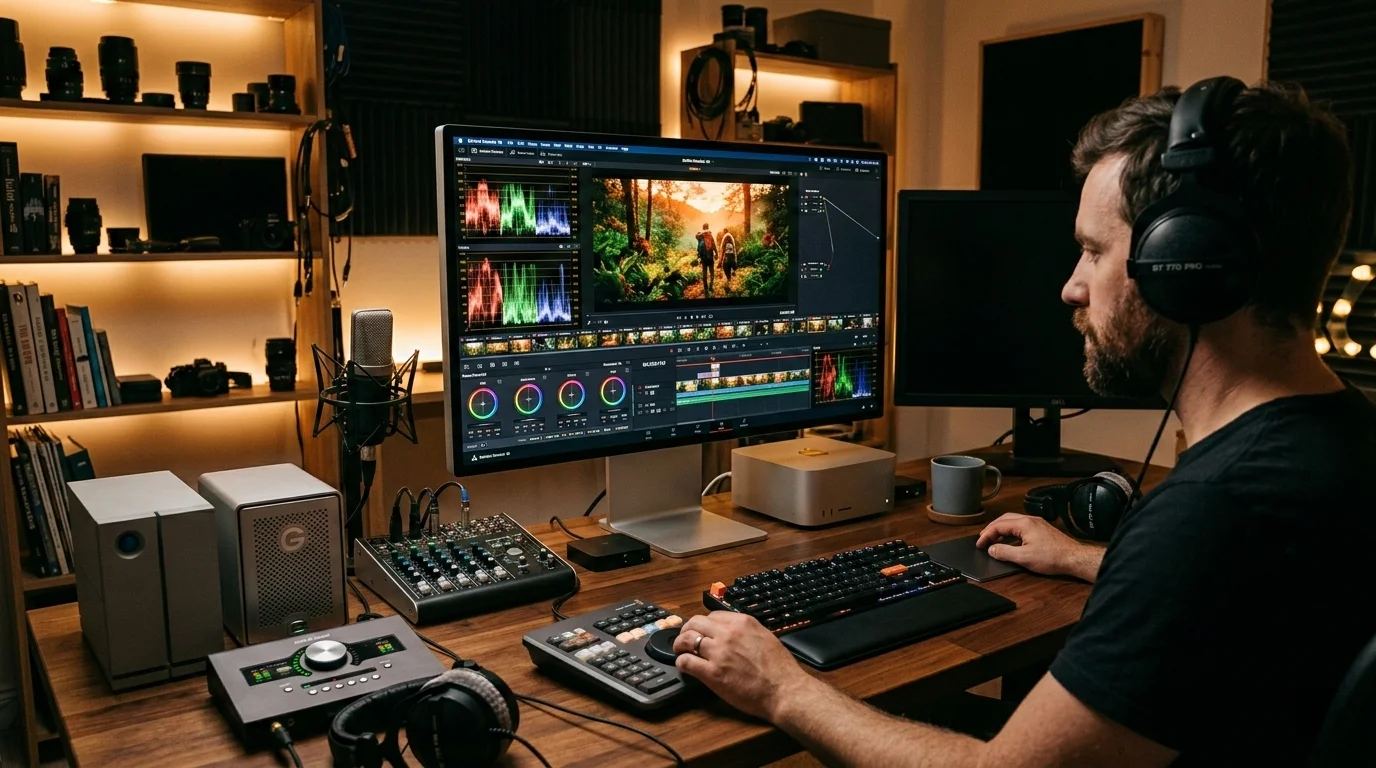
Final Cut Pro and DaVinci Resolve: Both applications support hardware-accelerated HDR tone mapping and will drive the Studio Display XDR's mini-LED backlight system appropriately when working on HDR timelines. An editor working on HDR content for Apple TV+ or Netflix can now verify their grade on the same Apple silicon platform they are cutting on, without requiring a separate reference monitor.
Safari and Apple TV+: Safari on macOS Tahoe streams Dolby Vision content from Apple TV+ and Netflix with full HDR rendering on the Studio Display XDR. Watching Severance or The Morning Show in Dolby Vision on a 27-inch 5K display with 2,000 nits peak brightness is a qualitatively different experience from watching it on a standard display.
Photos and Lightroom: HDR photos (from iPhone 15 Pro onwards, and from many modern mirrorless cameras) are displayed at their full dynamic range without tone mapping to a limited SDR container. A raw HDR image with specular highlights on water or sunlight through leaves will show those highlights at their intended brightness rather than clipping them to the display's SDR ceiling.
Games via Apple Arcade and Steam: The growing library of HDR-capable Mac games benefits directly from the Studio Display XDR. Games like No Man's Sky, Baldur's Gate 3, and the growing list of Metal-native titles that support HDR10 will display at full HDR quality.
Color Accuracy for Professionals: P3 Wide Color
The Studio Display XDR covers the P3 wide color gamut — the same standard used in iPhone, iPad, and MacBook Pro displays. This is Apple's standard for professional color work, covering approximately 25% more of the visible spectrum than standard sRGB.
P3 is the native color space for most modern media delivery: Apple TV+, Disney+, Netflix HDR, and ProRes workflows all operate in P3 or wider. DCI-P3 is the standard for theatrical delivery; Display P3 (Apple's version, with D65 white point) is effectively identical.
The Studio Display XDR is factory calibrated to P3 with a 2.0 gamma, D65 white point, and default True Tone adaptation. For professional color-critical work, True Tone can be disabled in System Settings → Displays, and a custom ICC profile loaded if required by a specific workflow.
Reference Mode: The Studio Display XDR supports macOS Tahoe's Reference Mode, which was previously limited to MacBook Pro and Pro Display XDR. Reference Mode enables presets for specific color spaces and gamma curves: sRGB, BT.709, DCI-P3, BT.2020 HLG, and BT.2020 PQ. This makes the Studio Display XDR usable as a soft-proof reference monitor for video delivery workflows without additional hardware calibration tools — a significant cost saving for independent colorists and editors.
ProMotion for Everyday Use: The Cumulative Effect
ProMotion's benefit on a desktop display is not one dramatic single feature — it is a cumulative improvement to every interaction with the display. After using a Studio Display XDR for a week, switching back to a 60Hz display produces immediate discomfort: scrolling feels choppy, cursor movement feels less precise, animations feel cheap.
This is not marketing language. The human visual system is genuinely more sensitive to motion artifacts at desk-distance viewing (typically 50–70cm) than at couch-distance TV viewing. At close range, the difference between 60Hz and 120Hz motion rendering is more perceptible than at distance. This is why ProMotion on the MacBook Pro screen immediately feels different even to users who claimed they would not notice.
For daily work involving heavy text editing, code scrolling, spreadsheet navigation, or timeline scrubbing, 120Hz ProMotion on the Studio Display XDR will be the feature users appreciate most consistently — more than HDR, more than peak brightness, more than the dimming zones.
Connectivity and Compatibility
Thunderbolt 5 (120 Gb/s)
The Studio Display XDR connects via a single Thunderbolt 5 cable carrying video, data, and power simultaneously. Thunderbolt 5's 120 Gb/s bandwidth is essential for driving the 5K 120Hz signal — the bandwidth requirements of 5K at 120Hz with HDR metadata far exceed what Thunderbolt 4 (40 Gb/s) could sustain.
The single Thunderbolt 5 host connection also delivers 140W charging to the connected Mac — sufficient to charge a MacBook Pro 16-inch at full speed while it drives the display and connected peripherals.
The Studio Display XDR's remaining ports (3x USB-C at 10 Gb/s) serve as a built-in hub for peripherals: keyboards, mice, audio interfaces, SD card readers. In a typical creative professional setup, the display becomes the central hub of the workstation — power in from the wall, one cable to the Mac, and peripherals connected to the display's USB-C ports.
Note on the standard Studio Display's connectivity advantage: The refreshed Studio Display (2nd gen) has two Thunderbolt 5 ports rather than one. This allows daisy-chaining another display or high-bandwidth device through the second TB5 port. The Studio Display XDR has only one TB5 host port — presumably because the bandwidth demands of 5K 120Hz HDR use the full TB5 bandwidth allocation. Users who need to daisy-chain two displays should plan accordingly, though for most XDR buyers the single-display premium setup is the likely configuration.
Which Macs Support 120Hz Output?
Not all Macs can drive the Studio Display XDR at its full 120Hz refresh rate. Apple silicon's Thunderbolt 5 support and ProMotion output capability determines compatibility:
| Mac | 120Hz Output | Notes |
|---|---|---|
| Mac Studio (M4 Ultra/Max, 2026) | Yes | Full 120Hz + HDR |
| Mac Studio (M3 Ultra/Max, 2025) | Yes | Full 120Hz + HDR |
| MacBook Pro M4 Pro/Max (2024) | Yes | Full 120Hz + HDR via TB5 |
| MacBook Pro M5 (2026) | Yes | Full 120Hz + HDR |
| Mac mini M4/M4 Pro (2024) | Yes | Full 120Hz + HDR |
| Mac Pro (M2 Ultra) | Yes | Full 120Hz + HDR |
| MacBook Air M4 (2025) | 60Hz only | M-series Air chips cap at 60Hz external |
| MacBook Pro M3 (2023) | 60Hz only | TB4 bandwidth limitation |
| iMac M4 (2024) | Yes (when used as external display host) | Full 120Hz + HDR |
| Intel Macs (any) | 60Hz only | TB3/TB4 limitation |
The critical takeaway: the Studio Display XDR delivers its full potential only when connected to an M4-generation or later Mac with Thunderbolt 5 support. MacBook Air users and older Mac users should take note — you will still get excellent 5K image quality and all the hardware features, but the 120Hz ProMotion advantage requires a supported host Mac. Refer to the M5 MacBook Pro buying guide for specific compatibility details on recent Mac hardware.
Charging Capability
The Studio Display XDR supports 140W USB Power Delivery via its Thunderbolt 5 connection — the maximum standardized charging rate for the MacBook Pro 16-inch. This is an upgrade from the original Studio Display's 96W charging, which was sometimes insufficient to prevent battery drain during intensive workloads on a 16-inch MacBook Pro.
At 140W, the Studio Display XDR will charge any current Mac laptop at full speed, including the MacBook Pro 16-inch M4 Max. A single cable from the display to the Mac handles video, data, power, and peripheral connectivity — the ideal clean-desk setup.
Who Should Buy the Studio Display XDR?
The Studio Display XDR is a premium product at a premium price. The right buyer understands exactly what they are paying for and why those capabilities justify the cost in their workflow.
Video Editors and Colorists
This is the primary target audience. Video editors working in Final Cut Pro or Premiere Pro will benefit from:
- 120Hz timeline scrubbing: Dragging through a timeline at 120Hz provides finer resolution visual feedback than 60Hz
- HDR monitoring: For the first time, an Apple external display can serve as a credible HDR monitoring reference for content destined for streaming platforms
- True Tone disabled + Reference Mode: Enables soft-proof grade monitoring within defined color spaces without a separate hardware reference monitor
- 2,000 nits peak: Sufficient to evaluate HDR highlights at their intended brightness
For independent editors and small production companies who cannot justify a $30,000 broadcast reference monitor, the Studio Display XDR offers meaningful professional capability at a price that fits within a reasonable equipment budget.
Photographers
Photographers working in Lightroom, Capture One, or Photos will notice the Studio Display XDR's advantages immediately:
- P3 wide color at 1,000 nits SDR: Images rendered with full color and brightness headroom, showing shadow detail and highlight rolloff that SDR 600-nit displays cannot resolve
- HDR photos at full dynamic range: iPhone 15 Pro and later iPhones capture HDR photos that the Studio Display XDR can display at their full dynamic range — something no previous Apple external display could do
- 5K resolution for pixel-level retouching: 218 ppi at 27 inches is sufficient for retouching work at 100% zoom with surrounding context visible
HDR Content Creators
YouTubers and independent filmmakers producing content in HDR10 or Dolby Vision are increasingly common, and the Studio Display XDR is the first Apple external display that allows them to monitor their work accurately in the same environment where they are editing. The alternative — using a separate HDR reference television or monitor — adds complexity and cost that the Studio Display XDR eliminates.
Users Who Want the Best Desktop Mac Experience
Beyond purely creative professional use cases, the Studio Display XDR is simply the best desktop display Apple has ever made for a Mac. If you have a Mac Studio, a Mac mini M4 Pro, or a MacBook Pro that you dock at a desk, and you want the absolute best visual experience on a single external display, the Studio Display XDR delivers it.
The combination of 5K resolution (eliminating the aliasing of lower-resolution displays), 120Hz ProMotion (making every interaction feel fluid), 1,000 nits SDR brightness (making the display vivid and clear even in bright environments), and genuine HDR capability produces a desktop visual experience that genuinely stands apart from any previous external display option for Mac.
Who Benefits from the Specific Feature Set
Photographers will use the P3 wide color, 5K resolution, and HDR photo display capability most.
Video professionals will use the HDR monitoring, Reference Mode, and 120Hz scrubbing most.
Designers will use the 5K resolution, P3 gamut, and 120Hz ProMotion for UI animation review most.
Developers will use the 5K resolution for code density, 120Hz for smooth scrolling, and the hub connectivity most.
General professional users will use the 120Hz, the brightness, and the premium build quality most — and will rarely engage with HDR-specific features, which raises the question of value.
Who Should Stick with the Standard Studio Display?
The standard Studio Display (2nd gen, $1,599) is not a compromised product — it is an exceptional display that simply uses different technology and addresses different priorities.
Web Developers, Writers, and General Productivity Users
If your primary applications are VS Code, Xcode, Safari, Notion, Linear, Figma (for design review rather than animation work), and productivity applications, the standard Studio Display at $1,599 meets every display-quality need you have.
The 5K resolution is identical. The P3 color gamut is identical. True Tone is identical. The 600-nit peak brightness is adequate for most office environments. The 60Hz refresh rate is completely adequate for all these workflows. You will not notice the absence of HDR when writing documentation or reviewing pull requests.
The standard Studio Display's unique advantage is its two Thunderbolt 5 ports — useful for connecting a second display or a high-bandwidth external storage device directly without requiring an additional hub. For a developer with a large external NVMe RAID array or a second monitor for reference material, this connectivity advantage is practically significant.
Budget-Conscious Professionals
The $1,700 price difference between the Studio Display and Studio Display XDR is real money. For many independent professionals, $1,599 is already a significant investment in a display, and the incremental quality improvement of the XDR does not change the deliverable quality of their work.
A podcast editor, a freelance web developer, a small business owner using their Mac for document management and video calls — none of these users will produce better work on a Studio Display XDR versus a standard Studio Display. The XDR's premium is a quality-of-life improvement, not a professional capability requirement for most workflows.
The refreshed standard Studio Display's upgrades are also worth noting: the 12MP ultrawide webcam (matching the XDR) and the improved 6-speaker system with 30% deeper bass are meaningful improvements for video calls and media consumption. The standard Studio Display of 2026 is a substantially better product than its predecessor.
Users Who Already Have a High-Quality Third-Party Monitor
If you already own an LG UltraFine 5K, a Dell UltraSharp 4K, or a similarly calibrated professional display, the upgrade path to the Studio Display XDR is more compelling than upgrading to the standard Studio Display — the XDR's features represent a genuine step beyond what most third-party displays offer, while the standard Studio Display's refresh rate and brightness would represent a smaller improvement over a premium existing display.
Studio Display XDR vs Competitors
vs LG UltraFine 5K (Legacy Apple Partnership)
The LG UltraFine 5K was Apple's recommended external display for Mac for several years and remains in use at many Mac desks. It is no longer sold new but is widely available used.
| Feature | Studio Display XDR | LG UltraFine 5K |
|---|---|---|
| Resolution | 5K (5,120 x 2,880) | 5K (5,120 x 2,880) |
| Panel Type | Mini-LED | IPS LCD |
| Refresh Rate | 120Hz ProMotion | 60Hz |
| Peak Brightness | 2,000 nits HDR | 500 nits |
| HDR | Full HDR (2,000 nits) | None |
| Connectivity | TB5 | TB3 |
| Camera | 12MP ultrawide | 5MP |
| Build Quality | Premium aluminum | Plastic |
| Price (new) | $3,299 | Discontinued (used ~$700–1,000) |
The LG UltraFine 5K has no competition with the Studio Display XDR at its used price point — it is an excellent value for a Thunderbolt-connected 5K display. But as a new purchase recommendation, it is simply outdated: the camera, speakers, connectivity, brightness, and display technology all fall well short of either Apple Studio Display.
vs Dell UltraSharp 32 6K
Dell's UltraSharp 32 6K (UP3221Q-successor class) competes in the high-end professional monitor segment with a 6K IPS panel, factory color calibration, and broad connectivity.
| Feature | Studio Display XDR | Dell UltraSharp 32 6K |
|---|---|---|
| Size | 27 inches | 32 inches |
| Resolution | 5K (5,120 x 2,880) | 6K (6,144 x 3,456) |
| Panel Type | Mini-LED | IPS LCD |
| Refresh Rate | 120Hz | 60Hz |
| HDR | 2,000 nits peak | HDR400 (limited) |
| Color | P3 wide color | 99% DCI-P3 |
| Connectivity | TB5 | TB4 / USB-C |
| Apple Integration | Deep (True Tone, Reference Mode) | Third-party |
| Price | $3,299 | ~$3,200–3,800 |
The Dell offers a larger canvas and higher resolution, but lacks the mini-LED HDR performance, ProMotion, and deep macOS integration that make the Studio Display XDR exceptional for Mac users. For Windows workstations or mixed environments, Dell's offering may be preferable. For a pure Mac setup, the Apple integration advantages are substantial.
vs ASUS ProArt Monitors (PA32UCX-P Class)
ASUS's ProArt lineup has long been respected in the professional display market, with models like the PA32UCX-P offering mini-LED technology, hardware calibration, and professional color management features.
ASUS ProArt mini-LED monitors in the $2,000–3,500 range offer genuine competition on raw display hardware specifications. However, they lack Apple's integration advantages: no True Tone, no Center Stage camera, no macOS Reference Mode, no Thunderbolt 5 native support, and firmware that does not receive ongoing updates from the same company that makes the operating system.
For creative professionals deeply invested in the Mac ecosystem, the Apple integration advantages are worth real money. For users running Windows workstations or color-managed Linux systems, ASUS ProArt monitors deserve serious consideration.
vs Pro Display XDR (The $4,999 Option)
The Pro Display XDR remains Apple's flagship external display and is unambiguously the better display in absolute terms: 32 inches versus 27 inches, slightly superior local dimming uniformity, and the prestige of Apple's professional flagship. But the pricing math strongly favors the Studio Display XDR for most users.
| Configuration | Studio Display XDR | Pro Display XDR |
|---|---|---|
| Base price | $3,299 (stand included) | $4,999 (no stand) |
| With Pro Stand | N/A | $5,998 |
| Nano-texture add-on | +$300 | +$1,000 |
| Fully configured | ~$3,599 | ~$6,998 |
At $3,400 more for the fully configured Pro Display XDR, the additional 5 inches of screen size and marginal display quality improvement is hard to justify for any use case that does not specifically require 32 inches or the specific certification requirements of broadcast mastering facilities. For the macOS display guide that covers both in depth, see macOS Tahoe external display guide.
Stand Options and Accessories
VESA Mount Availability
Like previous Apple displays, the Studio Display XDR is available in a VESA mount adapter configuration that removes the stand and provides a VESA 100x100 mount plate. This is the appropriate option for users who prefer:
- Third-party monitor arms (Ergotron LX, Fully Jarvis arm, etc.)
- Dual-monitor setups where both displays need independent positioning
- Wall-mounting in conference rooms or edit suites
The VESA configuration costs slightly less than the stand-included price (Apple has historically charged a small premium for the stand), and the arm or mount is purchased separately. The Apple VESA adapter is included with the display in VESA configuration — no separate purchase required as was the case with the original Studio Display.
For monitor arm recommendations compatible with the Studio Display XDR's size and weight, the best Thunderbolt 5 docks for Mac guide covers compatible accessories in detail.
Nano-Texture Glass: Worth the $300?
Nano-texture glass uses a precisely etched surface structure to scatter reflected light while maintaining image clarity, providing anti-glare performance superior to standard anti-reflective coatings without the haze introduced by matte coatings. Apple introduced nano-texture glass on the Pro Display XDR (at $1,000 extra) and has since brought it to both Studio Display models at $300 extra.
Who should buy nano-texture glass:
- Users who work in rooms with strong ambient light sources (skylights, south-facing windows, bright overhead lighting) that cause glare on the standard glass surface
- Photography and video professionals who need to evaluate shadow detail in bright environments
- Anyone who has struggled with reflections on glossy displays
Who can skip nano-texture glass:
- Users with controlled lighting environments (home studios, basement offices, dedicated edit suites with controlled overhead lighting)
- Users who use the display primarily in the evening or in dim conditions
- Budget-conscious buyers who can control their room lighting
The $300 premium for nano-texture glass on the Studio Display XDR is more defensible than the $1,000 Pro Display XDR upcharge was. If you work in a bright office environment and glare is a real day-to-day issue, the nano-texture glass is worth it. If you can position the display to avoid direct light sources, the standard glass is excellent and saves $300.
Important: Nano-texture glass requires careful cleaning with the included polishing cloth. Standard screen cleaning sprays and microfiber cloths can damage the nano-texture surface. This is a minor inconvenience but worth noting for users who clean their displays frequently.
Troubleshooting and Setup Tips
Initial Setup and Display Calibration
When first connecting the Studio Display XDR to a Mac with Thunderbolt 5:
-
Allow macOS to configure the display: macOS Tahoe will automatically detect the Studio Display XDR and apply the appropriate default profile. Wait for the initial configuration to complete (30–60 seconds) before adjusting settings.
-
True Tone vs. calibrated color: True Tone adapts white balance to ambient lighting, which is excellent for general use but introduces a variable that can interfere with color-critical work. For photography, video grading, or design work requiring consistent color, disable True Tone in System Settings → Displays.
-
Reference Mode setup: For professional color workflows, navigate to System Settings → Displays → Reference Mode (or in Final Cut Pro: View → Show in Reference Mode). Select the appropriate standard for your workflow:
- sRGB D65: Web design, UI design, general content
- BT.709: Broadcast video, Rec. 709 deliverables
- P3 D65: Cinema delivery, Apple TV+ HDR content
- BT.2020 PQ: HDR10 content
- BT.2020 HLG: HLG HDR content (BBC, some broadcast)
-
ProMotion and variable refresh: ProMotion requires no configuration — it is enabled by default and managed automatically by macOS. If you see ProMotion listed as unavailable in System Settings → Displays, verify your Mac supports TB5 video output and the Thunderbolt cable is TB5-rated.
Display Profiles for Different Work Types
Creating custom display profiles for different work contexts is straightforward in macOS Tahoe:
Photography workflow profile:
- True Tone: Off
- Reference Mode: P3 D65
- Night Shift: Off
- Brightness: 80% (calibrate to your ambient light with a hardware calibrator if possible)
Video editing workflow profile:
- True Tone: Off
- Reference Mode: BT.709 or P3 D65 depending on delivery standard
- Night Shift: Off
- Brightness: Calibrate to your studio's reference level
General productivity profile:
- True Tone: On
- Night Shift: Scheduled (sunset to sunrise)
- Brightness: Auto (use ambient light sensor)
Night/reading profile:
- True Tone: On
- Night Shift: On, warm setting
- Brightness: 20–30%
- ProMotion: Auto (will drop to low refresh rates automatically)
Common Issues and Solutions
"My Mac won't output 120Hz to the Studio Display XDR": Verify the Thunderbolt cable is TB5 rated (40 Gb/s cables will not carry 5K 120Hz). Use the cable included with the display. Check System Settings → Displays → Refresh Rate to confirm 120Hz is available and selected.
"Blooming is visible around bright UI elements on dark backgrounds": This is an inherent characteristic of mini-LED local dimming. Reducing the local dimming intensity in Display Settings can reduce blooming at the cost of reduced HDR performance. For workflows where this is bothersome (high-contrast text editing), consider using a lighter color scheme.
"The display doesn't wake from sleep consistently": A known issue with external Apple displays via Thunderbolt — ensure your Mac's Power Nap settings are configured correctly. Try toggling "Prevent automatic sleeping when the display is off" in System Settings → Battery.
"HDR content doesn't look different from SDR": Verify that HDR is enabled in System Settings → Displays and that the content source actually delivers HDR metadata. Some streaming services require specific Safari settings or app versions to deliver Dolby Vision content.
For comprehensive troubleshooting guidance covering the Studio Display XDR and other external displays with macOS Tahoe, see the macOS Tahoe external monitor troubleshooting guide.
Firmware Updates
Apple updates Studio Display firmware through macOS Software Update — no separate process is required. The display contains an Apple A13 Bionic chip (same as the original Studio Display) that handles camera processing, speaker management, and display firmware. Keeping macOS Tahoe up to date ensures the display receives all available firmware improvements.
Frequently Asked Questions
Q: Does the Studio Display XDR support Windows PCs?
A: The Studio Display XDR will function as an external display connected to any PC with a Thunderbolt 5 or USB4 port — video output works correctly. However, camera, microphone, speaker, and True Tone features require macOS drivers. On Windows, the display functions as a standard monitor without the Apple-specific features. It is designed and optimized for Mac.
Q: Can I connect the Studio Display XDR to a Mac without Thunderbolt 5?
A: Yes — the display will work over Thunderbolt 4 and USB4 connections, but at a reduced refresh rate. Thunderbolt 4's 40 Gb/s bandwidth cannot carry 5K 120Hz; you will get 5K at 60Hz, which is the same as the standard Studio Display. For the full 120Hz experience, Thunderbolt 5 is required. See the macOS Tahoe external display guide for full compatibility details.
Q: Is the Studio Display XDR a good choice for gaming on Mac?
A: For Mac gaming, the Studio Display XDR is excellent — ProMotion 120Hz makes a real difference in games that support high frame rates, and HDR gaming (growing in support via Metal and Apple Arcade) benefits from the mini-LED HDR capability. However, Mac gaming remains limited compared to Windows gaming, and spending $3,299 on a display optimized for Mac gaming is difficult to justify unless gaming is one of several professional use cases.
Q: How does the Studio Display XDR camera compare to a dedicated webcam?
A: The 12MP ultrawide camera with Center Stage is excellent for video calls — significantly better than most built-in laptop cameras. It is not a replacement for a dedicated DSLR or mirrorless camera with capture card for professional content creation. For Zoom, Teams, FaceTime, and casual recording, it is the best built-in display camera on the market.
Q: Will the Studio Display XDR work with the M4 MacBook Air?
A: Yes, but at 60Hz only. The M4 MacBook Air's external display output is capped at 60Hz regardless of the display's capability. The Studio Display XDR will still provide 5K 60Hz output from a MacBook Air — the same quality as the standard Studio Display — but without ProMotion.
Q: What is the pixel density and how does it compare to a Retina MacBook Pro screen?
A: The Studio Display XDR achieves 218 ppi at 27 inches with its 5K resolution — the same pixel density as the MacBook Pro's Liquid Retina XDR display. Text and UI elements appear at the same apparent size and sharpness as on the MacBook Pro screen, making the transition between laptop screen and external display seamless. This Retina density ensures no pixel aliasing is visible at normal viewing distances.
Q: Should I wait for a Studio Display XDR with OLED?
A: OLED at 27 inches in a professional display context is theoretically superior to mini-LED for contrast and blacks, but current OLED technology has limitations that make it a poor fit for a desk monitor: burn-in risk from static UI elements (macOS menu bar, dock, application toolbars), lower peak SDR brightness than mini-LED, and premium pricing that would push the Studio Display XDR above $4,000 or higher. Mini-LED is the right technology for this product today. OLED may be appropriate in future generations when the technology matures, but there is no evidence of imminent Apple external display OLED plans.
Q: Is there a student or education discount on the Studio Display XDR?
A: Apple's education pricing typically applies 10% discount to displays for enrolled students and educators. At $3,299 base, the education price would be approximately $2,969. The Apple Student Bean program and institutional purchasing programs offer additional pricing for qualifying educational institutions.
Verdict: Is $3,299 Worth It?
The Studio Display XDR is the best external display Apple has ever made available to the broader professional market. At $3,299 with stand included, it is also the most expensive non-Pro Display XDR Apple has ever sold. So the real question is: does what it does justify what it costs?
The case for yes:
The Studio Display XDR delivers genuine professional display capability that was previously unavailable on Apple external displays at any price below $5,998. The 120Hz ProMotion transforms the desktop experience in ways that are immediately and continuously perceptible. The 2,000 nits HDR mini-LED system enables accurate HDR monitoring for video and photography professionals for the first time in a display at this price point. The 1,000 nits SDR brightness makes the display genuinely superior for everyday use in any lighting condition.
If you are a video editor, colorist, photographer, or motion graphics professional who works on a Mac and has been waiting for an external display that matches the capability of the MacBook Pro's Liquid Retina XDR screen, the Studio Display XDR is that display. The $3,299 price includes a premium adjustable stand that would cost $500–800 from Ergotron for a comparable arm, further narrowing the effective cost premium over the standard Studio Display.
The case for caution:
If your workflow is primarily productivity-oriented — writing, coding, spreadsheets, web design, video calls — the standard Studio Display at $1,599 delivers the same 5K P3 Retina resolution, the same camera, the same speakers, and adequate brightness and contrast for every professional need in those categories. The $1,700 premium for the XDR is real money that could fund other equipment purchases.
The Studio Display XDR is not a display to buy because it is Apple's best — it is a display to buy because its specific capabilities (120Hz, HDR, 1,000 nits) genuinely improve your specific workflow. If those capabilities don't directly apply to what you do daily, the standard Studio Display is the right choice and an excellent display in its own right.
The final verdict:
For creative professionals — video editors, colorists, photographers, HDR content creators, motion designers — the Studio Display XDR at $3,299 is exceptional value compared to alternatives. The Pro Display XDR remains superior but costs dramatically more. Third-party mini-LED monitors lack Apple integration. The Studio Display XDR hits the right intersection of technology, integration, and price for the professional Mac user.
For general professional use and productivity work, save $1,700 and buy the standard Studio Display. It is a superb display that will serve you well for years.
For a deeper look at what was announced alongside the Studio Display XDR, including the new Mac Studio and MacBook Neo, see the complete Apple March 2026 event recap. And if you are evaluating whether to upgrade your Mac hardware alongside the display, the M5 MacBook Pro buying guide and the best Thunderbolt 5 docks guide are essential reading.
The Studio Display XDR is a landmark product for Apple's display lineup — and for the right buyer, it is worth every dollar.