Apple Studio Display 2 Coming in 2026: Mini-LED, 90Hz Refresh Rate, A19 Chip & Everything We Know About Apple's Long-Awaited Monitor Upgrade
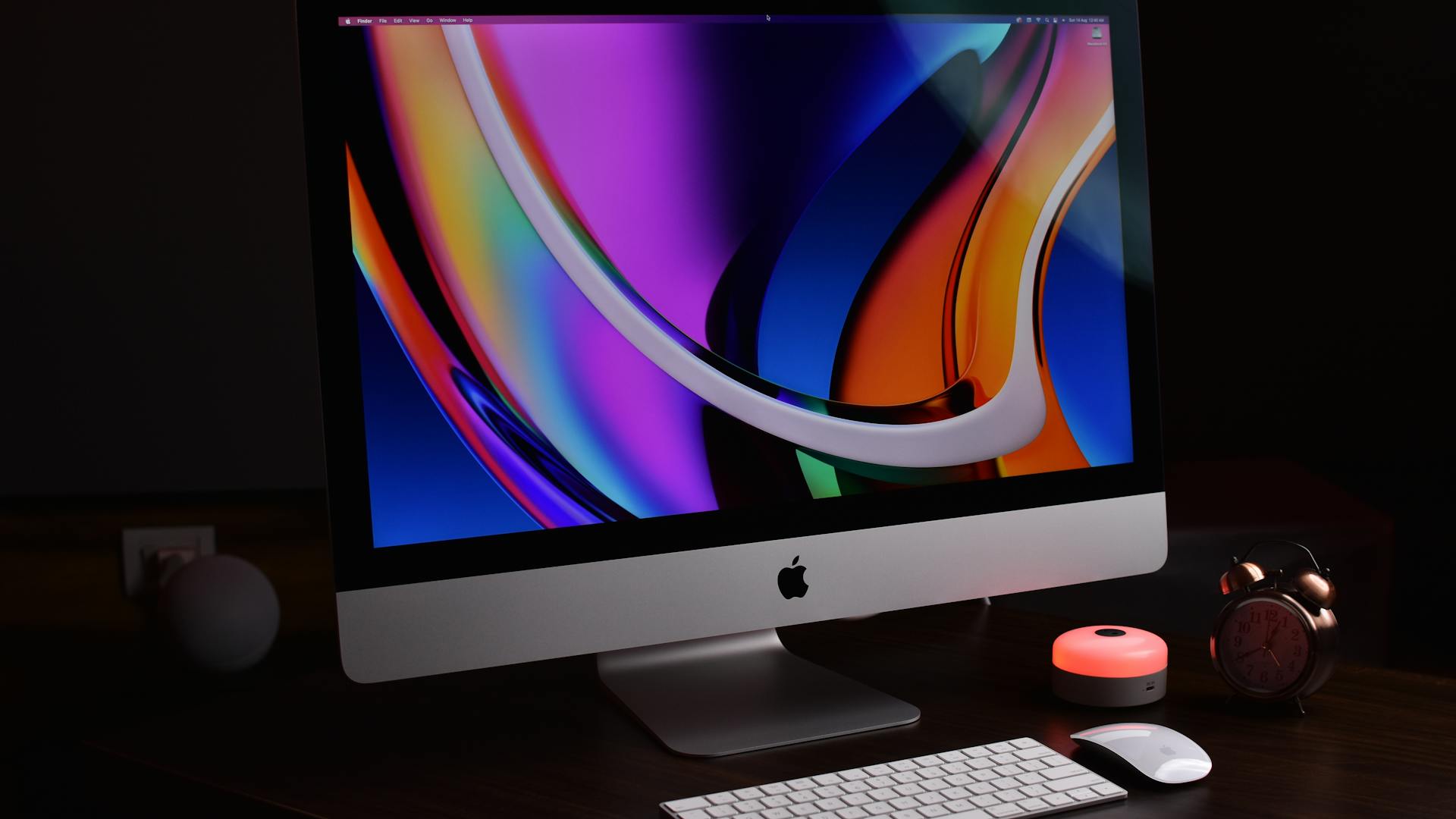
Comprehensive guide to the rumored Apple Studio Display 2 for 2026. Detailed analysis of expected mini-LED backlighting, 90Hz refresh rate, A19 chip upgrade, pricing predictions, and comparison with the original Studio Display and Pro Display XDR.
Executive Summary
It has been nearly four years since Apple introduced the original Studio Display in March 2022, and the wait for a successor has been one of the longest product cycles in Apple's modern display history. While the original Studio Display earned praise for its vibrant 5K Retina panel, elegant industrial design, and seamless macOS integration, it also drew pointed criticism for its reliance on an aging A13 Bionic chip, a lackluster webcam at launch, and a 60Hz refresh rate that felt behind the times even in 2022.
Now, mounting evidence points to 2026 as the year Apple finally delivers the Studio Display 2. From regulatory database filings to supply chain leaks and analyst predictions, the picture of Apple's next-generation external monitor is coming into sharper focus. This comprehensive guide examines every credible rumor, expected specification, and strategic consideration surrounding the Apple Studio Display 2, providing you with the definitive resource for making informed purchasing decisions in 2026.
Key Takeaways:
- The Apple Studio Display 2 (model number A3350) has been spotted in Chinese regulatory filings
- Expected launch window: Spring 2026, likely alongside the M5 Mac Studio
- Major upgrades include mini-LED backlighting, 90Hz refresh rate, and an A19 chip
- Pricing expected between $1,599 and $1,799, a modest increase over the original
- Thunderbolt 5 connectivity with up to 96W power delivery
- The display retains the 27-inch 5K form factor with a similar external design
- No 120Hz ProMotion -- that remains reserved for the Pro Display XDR tier
What We Know So Far: The Evidence Trail
Regulatory Database Filings
The most concrete evidence for the Studio Display 2 comes from Chinese regulatory databases, where a new Apple display with model number A3350 appeared in late 2025. Apple is legally required to register new electronic products with Chinese regulatory authorities before they can be sold in the country, and historically these filings have preceded product announcements by two to six months.
The A3350 filing is significant because it sits in the same product category numbering sequence as Apple's display products, clearly differentiated from Mac, iPad, and iPhone entries. While the filing itself does not reveal detailed specifications, its mere existence confirms that Apple has a new display product in the advanced stages of preparation.
Supply Chain Intelligence
Multiple supply chain analysts, including the consistently reliable Ming-Chi Kuo of TF International Securities and display analyst Ross Young of Display Supply Chain Consultants (DSCC), have reported that Apple has placed orders for a new 27-inch mini-LED panel. These panels are reportedly being manufactured by LG Display, Apple's longtime display panel partner, at their Paju facility in South Korea.
The shift to mini-LED is particularly telling. Apple has been systematically migrating its premium display products to mini-LED technology since the 2021 MacBook Pro and the iPad Pro lineup. Moving the Studio Display to mini-LED represents the natural continuation of this strategy and addresses one of the most common criticisms of the original model: its relatively pedestrian LED backlighting in a premium-priced product.
Expected Launch Timeline
Industry consensus points to a Spring 2026 launch window, most likely between March and June. The strongest speculation places the announcement alongside the next-generation M5 Mac Studio, which would make strategic sense. Apple has a history of pairing display announcements with desktop Mac refreshes, as it did with the original Studio Display alongside the Mac Studio in March 2022.
A spring event would also align with Apple's pattern of spacing major product announcements throughout the calendar year, keeping the fall window clear for iPhone and potentially new Mac laptops.
Bloomberg's Mark Gurman Reports
Mark Gurman, Bloomberg's Apple correspondent and arguably the most trusted source for Apple product intelligence, has mentioned the Studio Display refresh in multiple editions of his Power On newsletter. Gurman has characterized the update as a meaningful but evolutionary upgrade, suggesting Apple will retain the core 27-inch 5K form factor while significantly upgrading the internal components and display technology.
Gurman has been careful to note that the external design will remain largely unchanged, a decision that reflects Apple's belief that the original Studio Display already achieved the optimal aesthetic for a 27-inch monitor. The focus, according to his reporting, is on the display quality itself and the silicon powering the integrated features.
Expected Specifications: A Deep Dive
Display Panel: 27-inch 5K Retina with Mini-LED
The Studio Display 2 is expected to retain the beloved 27-inch, 5120x2880 resolution panel that delivers 218 pixels per inch. This resolution, commonly referred to as "5K," provides the perfect Retina scaling for macOS, rendering text and interface elements at exactly 2x the standard resolution at the default scaled setting.
Resolution and pixel density details:
| Specification | Value |
|---|---|
| Screen Size | 27 inches (diagonal) |
| Resolution | 5120 x 2880 pixels |
| Pixel Density | 218 PPI |
| Aspect Ratio | 16:9 |
| Color Gamut | P3 Wide Color |
| Color Depth | 10-bit (1.07 billion colors) |
| Brightness (SDR) | 600 nits (typical) |
| Brightness (HDR Peak) | 1,600 nits (expected) |
| Contrast Ratio | 1,000,000:1 (with local dimming) |
The retention of 5K resolution is a deliberate and wise choice. At 27 inches, 5K provides the ideal macOS Retina experience, and increasing to 6K or 8K would drive up both manufacturing costs and the GPU requirements for the connected Mac. For the target audience, which sits between consumer and high-end professional, 5K at 27 inches remains the sweet spot.
Backlighting: The Mini-LED Revolution
The single most significant upgrade in the Studio Display 2 is the transition from conventional LED backlighting to mini-LED technology. This change cannot be overstated in its impact on image quality.
Understanding Mini-LED:
Mini-LED backlighting uses thousands of tiny LEDs arranged behind the display panel, grouped into hundreds or thousands of independently controllable "local dimming zones." This allows specific areas of the screen to be illuminated at different brightness levels, dramatically improving contrast and enabling true HDR performance.
How mini-LED compares to standard LED:
| Feature | Standard LED (Studio Display 1) | Mini-LED (Studio Display 2) |
|---|---|---|
| Backlight Zones | 1-12 edge-lit zones | 500-1,000+ local dimming zones |
| Peak Brightness | 600 nits | 1,600 nits (expected) |
| Contrast Ratio | ~1,500:1 | ~1,000,000:1 |
| HDR Support | Limited (simulated) | Full HDR with local dimming |
| Black Levels | Elevated (grayish blacks) | Near-OLED deep blacks |
| Bloom/Halo | N/A | Minimal (depends on zone count) |
| Power Consumption | Lower | Moderate increase |
| Color Accuracy | Excellent | Excellent with better shadow detail |
For creative professionals, the upgrade to mini-LED means dramatically better shadow detail, more accurate highlights, and the ability to preview HDR content as it will actually appear to end users. Video editors working with HDR footage will finally be able to grade accurately on the Studio Display, eliminating one of the primary reasons professionals had to step up to the $4,999 Pro Display XDR.
Local dimming zone expectations:
Based on Apple's implementation in the MacBook Pro and iPad Pro, the Studio Display 2 is expected to feature approximately 500 to 1,000 local dimming zones. While this falls short of the Pro Display XDR's 576 full-array zones (in a much larger panel), the smaller 27-inch form factor means each zone covers less area, potentially delivering comparable or superior effective resolution in local dimming performance.
Refresh Rate: 90Hz -- A Deliberate Middle Ground
One of the most debated aspects of the Studio Display 2 is its expected refresh rate of 90Hz, up from the original's 60Hz but stopping short of the 120Hz ProMotion found in Apple's MacBook Pro and iPad Pro displays.
Why 90Hz matters:
The jump from 60Hz to 90Hz delivers a 50% increase in frame updates per second, resulting in noticeably smoother cursor movement, window animations, scrolling, and general interface responsiveness. For macOS users who have experienced 60Hz on the original Studio Display alongside ProMotion on their MacBook Pro, the improvement will be immediately perceptible.
At 90Hz, macOS animations feel fluid and responsive without the stuttery feel that sometimes plagues 60Hz displays, particularly during fast scrolling in web browsers or code editors. Cursor tracking becomes more precise and natural, and the overall impression of system responsiveness improves significantly.
The 90Hz vs. 120Hz debate:
The decision to stop at 90Hz rather than matching the MacBook Pro's 120Hz ProMotion is almost certainly a strategic product differentiation choice rather than a technical limitation. Apple uses refresh rate tiers to segment its display products:
- 60Hz: Consumer products (standard iPad, iMac)
- 90Hz: Prosumer products (Studio Display 2, expected)
- 120Hz ProMotion: Professional products (MacBook Pro, iPad Pro, Pro Display XDR)
This segmentation ensures that the Pro Display XDR, at three times the price, retains clear technical advantages over the Studio Display, justifying its premium positioning.
Processor: A19 (or A19 Pro) Chip
The original Studio Display shipped with an A13 Bionic chip, which was already three years old at the time of the display's launch. The A13 was responsible for powering Center Stage, Spatial Audio processing, Hey Siri, and the display's camera and audio systems. While functional, the A13's limitations became apparent through sluggish Center Stage performance, limited computational photography capabilities, and inability to support newer Apple Intelligence features.
The Studio Display 2 is expected to include an A19 or A19 Pro chip, representing a six-generation leap in Apple's mobile silicon. This upgrade enables:
Computational capabilities comparison:
| Feature | A13 Bionic (Studio Display 1) | A19/A19 Pro (Studio Display 2) |
|---|---|---|
| CPU Architecture | 2 + 4 cores (2P + 4E) | 2 + 4 cores (estimated, 2P + 4E) |
| GPU Cores | 4-core | 6-core (estimated) |
| Neural Engine | 8-core, 6 TOPS | 18-core, 35+ TOPS |
| Process Node | TSMC N7 (7nm) | TSMC N3E (3nm) |
| Memory | 4GB LPDDR4X | 8GB LPDDR5X (expected) |
| Machine Learning | Basic | Advanced on-device ML |
| Computational Photography | Limited | Advanced HDR, noise reduction |
| AirPlay | Not supported | AirPlay receiver (expected) |
| Apple Intelligence | Not supported | Select features (expected) |
The massive increase in Neural Engine performance -- from 6 TOPS to an estimated 35+ TOPS -- is perhaps the most consequential upgrade. This expanded machine learning capability directly translates to:
- Dramatically improved Center Stage: Faster, smoother tracking with better edge-of-frame performance
- Enhanced computational photography: Better noise reduction, HDR processing, and dynamic range in the webcam
- Spatial Audio processing: More immersive and accurate sound staging
- Hey Siri responsiveness: Always-on voice assistant with faster recognition
- Potential Apple Intelligence features: On-display processing for select AI features
- AirPlay receiver capability: The display can function as an AirPlay target for iPhone and iPad
Camera: Upgraded 12MP Ultra-Wide with Center Stage
The original Studio Display's camera was one of its most criticized features at launch. Despite featuring a 12MP ultra-wide sensor on paper, the camera's image processing -- hampered by the aging A13's limited computational photography pipeline -- produced washed-out, noisy images that compared unfavorably even to a MacBook's built-in webcam.
Apple addressed the worst issues through software updates, but the fundamental hardware limitations of the A13 remained a bottleneck. The Studio Display 2's combination of a new 12MP ultra-wide sensor and the A19 chip's vastly more capable image signal processor (ISP) should deliver the quality that was promised but never quite achieved in the original.
Expected camera improvements:
- Better low-light performance: Advanced noise reduction via the A19's Neural Engine
- Improved Center Stage: Smoother panning, better multi-person tracking, less cropping
- Enhanced HDR video: True HDR video calls with better dynamic range
- Higher quality processing pipeline: The A19's ISP supports advanced tone mapping and color science
- Potential Desk View support: Similar to the continuity camera feature on MacBooks, allowing top-down desk viewing during video calls
Audio: Six-Speaker System with Spatial Audio
The original Studio Display already impressed with its audio system, and the Studio Display 2 is expected to maintain or improve upon this foundation:
- Six-speaker array with force-cancelling woofers for deep, distortion-free bass
- Dolby Atmos support for immersive spatial audio in supported content
- Spatial Audio with dynamic head tracking when used with compatible AirPods
- Studio-quality three-microphone array with directional beamforming and improved noise cancellation
- Enhanced audio processing powered by the A19 chip's dedicated audio DSP
The speaker system in the original Studio Display was genuinely one of the best built into any monitor, rivaling many standalone desktop speakers. With the A19's enhanced audio processing capabilities, the Studio Display 2 should push this even further.
Connectivity: Thunderbolt 5 and Beyond
The connectivity story is where the Studio Display 2 could see one of its most practical everyday improvements.

Expected connectivity specifications:
| Port/Feature | Studio Display 1 | Studio Display 2 (Expected) |
|---|---|---|
| Upstream Connection | Thunderbolt 3 (40 Gbps) | Thunderbolt 5 (120 Gbps) |
| Power Delivery | 96W to MacBook | 96W to MacBook (potentially 140W) |
| Downstream USB-C | 3x USB-C (10 Gbps) | 3x USB-C (20-40 Gbps) |
| Downstream USB-A | None | Possibly 1-2 USB-A ports |
| Ethernet | None | None (unlikely addition) |
| Single Cable Setup | Yes | Yes, with higher bandwidth |
The upgrade to Thunderbolt 5 is significant for multiple reasons. With 120 Gbps of bandwidth (versus 40 Gbps on Thunderbolt 3), the connection between Mac and display has dramatically more headroom. This means:
- Full 5K at 90Hz with bandwidth to spare: The increased resolution and refresh rate require more bandwidth than Thunderbolt 3 could comfortably provide alongside data transfers
- Faster downstream USB devices: External drives, card readers, and other peripherals connected through the display's USB-C ports benefit from higher speeds
- More reliable power delivery: The improved Thunderbolt 5 specification supports more consistent power delivery, potentially increasing from 96W to 140W to fast-charge larger MacBook Pro models
- Future-proofing: Even if current Macs don't fully utilize all 120 Gbps, the connection is ready for future more demanding workflows
Power delivery considerations:
The current 96W power delivery is sufficient to charge a 14-inch MacBook Pro at full speed, but the 16-inch MacBook Pro can draw up to 140W under heavy load. If Apple upgrades to 140W power delivery via Thunderbolt 5, the Studio Display 2 would become a true single-cable docking solution for every MacBook in the lineup, including the most power-hungry configurations.
Nano-Texture Glass Option
The original Studio Display offered an optional nano-texture glass finish for an additional $300, bringing the total to $1,899. This anti-reflective treatment, borrowed from the Pro Display XDR, applies a microscopic etching to the glass surface that scatters ambient light instead of reflecting it directly, dramatically reducing reflections in bright environments while maintaining image clarity.
The Studio Display 2 will almost certainly continue to offer nano-texture as an option. Given that Apple has expanded nano-texture availability to the iMac and MacBook Pro lines in recent years, it has clearly invested in scaling the manufacturing process, which could potentially lead to a slight reduction in the nano-texture premium.
Who benefits from nano-texture:
- Users in offices with bright overhead lighting or large windows
- Home office setups where controlling ambient light is difficult
- Anyone who finds reflections distracting during video editing, photo work, or extended reading
- Users who prefer matte-like characteristics without the resolution loss of traditional matte coatings
Stand and Mounting Options
Apple is expected to maintain the same stand and mounting configurations as the original:
| Configuration | Expected Price Impact |
|---|---|
| Tilt-adjustable stand (default) | Included in base price |
| Tilt- and height-adjustable stand | +$400 |
| VESA mount adapter | -$0 (same base price, no stand) |
The $400 premium for the height-adjustable stand remains a point of contention among Apple customers. While the stand itself is beautifully engineered with a counterbalanced arm that allows smooth, precise height adjustment, the price premium is difficult to justify when third-party monitor arms with full tilt, swivel, height, and rotation adjustment are available for $30-$150.
Original Studio Display vs. Studio Display 2: The Complete Comparison
For owners of the original Studio Display considering an upgrade, or for those who have been waiting since 2022 for a reason to buy, here is the comprehensive specification comparison:
Full Specification Comparison Table
| Specification | Studio Display (2022) | Studio Display 2 (2026 Expected) |
|---|---|---|
| Display Size | 27 inches | 27 inches |
| Resolution | 5120 x 2880 (5K) | 5120 x 2880 (5K) |
| Pixel Density | 218 PPI | 218 PPI |
| Backlighting | LED | Mini-LED |
| Local Dimming | No | Yes (500-1,000+ zones) |
| Peak Brightness (SDR) | 600 nits | 600 nits |
| Peak Brightness (HDR) | N/A | 1,600 nits (expected) |
| Contrast Ratio | ~1,500:1 | ~1,000,000:1 |
| HDR Support | No | Full HDR10, Dolby Vision |
| Refresh Rate | 60Hz | 90Hz |
| Adaptive Refresh | No | Yes (variable, 24-90Hz expected) |
| Color Gamut | P3 Wide Color | P3 Wide Color |
| True Tone | Yes | Yes |
| Processor | A13 Bionic | A19 / A19 Pro |
| Camera | 12MP Ultra Wide | 12MP Ultra Wide (improved ISP) |
| Center Stage | Yes (basic) | Yes (enhanced) |
| Speakers | 6-speaker with Spatial Audio | 6-speaker with Spatial Audio (enhanced) |
| Microphones | 3-mic array | 3-mic array (enhanced) |
| Upstream Port | Thunderbolt 3 (40 Gbps) | Thunderbolt 5 (120 Gbps) |
| Power Delivery | 96W | 96W (potentially 140W) |
| Downstream Ports | 3x USB-C (10 Gbps) | 3x USB-C (20-40 Gbps) |
| AirPlay | No | Yes (expected) |
| Apple Intelligence | No | Select features (expected) |
| Nano-texture Option | Yes (+$300) | Yes (+$300) |
| VESA Mount | Optional | Optional |
| Base Price | $1,599 | $1,599-$1,799 (expected) |
What's Changing
The Studio Display 2 brings meaningful improvements in nearly every area that mattered to users:
- Display quality takes a generational leap: Mini-LED backlighting with local dimming transforms the viewing experience, particularly for HDR content, dark room viewing, and professional color work
- Refresh rate gets a 50% boost: The move to 90Hz delivers visibly smoother animations and scrolling throughout macOS
- The silicon gets a massive upgrade: Six generations of A-series chip improvements bring dramatically better camera quality, faster Center Stage, and potential new features
- Connectivity modernizes: Thunderbolt 5 provides the bandwidth and power delivery that modern creative workflows demand
- HDR becomes real: For the first time, the Studio Display can properly display HDR content, a critical capability for video professionals
What's Staying the Same
Apple is deliberately preserving elements that already work well:
- 27-inch 5K resolution: Still the ideal balance of screen size and pixel density for macOS
- P3 Wide Color gamut: Industry-standard wide gamut coverage for creative work
- Industrial design language: The elegant aluminum enclosure and thin bezels remain
- True Tone: Automatic color temperature adjustment based on ambient lighting
- Stand and mount options: Same configurations, same pricing structure
- Six-speaker audio system: Already class-leading, maintained and enhanced
Pricing Predictions
The original Studio Display launched at $1,599, and Apple has several options for pricing the successor:
| Scenario | Base Price | Rationale |
|---|---|---|
| Aggressive | $1,599 | Same price, absorb component cost increases through silicon efficiency |
| Moderate | $1,699 | Modest $100 increase reflecting mini-LED and Thunderbolt 5 costs |
| Conservative | $1,799 | $200 increase, maintaining margin with premium components |
The most likely scenario is a $1,599 to $1,699 base price. Apple has historically been reluctant to raise prices on existing product lines, preferring to absorb cost increases when possible. However, the addition of mini-LED backlighting -- which carries a meaningful component cost premium -- may necessitate a modest increase.
Configuration pricing estimates:
| Configuration | Expected Price |
|---|---|
| Standard glass, tilt-adjustable stand | $1,599-$1,699 |
| Standard glass, height-adjustable stand | $1,999-$2,099 |
| Standard glass, VESA mount | $1,599-$1,699 |
| Nano-texture glass, tilt-adjustable stand | $1,899-$1,999 |
| Nano-texture glass, height-adjustable stand | $2,299-$2,399 |
| Nano-texture glass, VESA mount | $1,899-$1,999 |
Why Not 120Hz ProMotion? Understanding Apple's Strategy
The Product Segmentation Argument
Apple's decision to cap the Studio Display 2 at 90Hz rather than offering the full 120Hz ProMotion found in the MacBook Pro and Pro Display XDR is one of the most discussed aspects of the upcoming product. To understand this choice, you need to understand Apple's display product hierarchy:
Apple's display refresh rate tiers:
| Tier | Products | Refresh Rate | Target Audience |
|---|---|---|---|
| Standard | iMac, standard iPad, iPhone SE | 60Hz | Consumer |
| Enhanced | Studio Display 2 | 90Hz | Prosumer / Creative |
| ProMotion | MacBook Pro, iPad Pro, Pro Display XDR | 120Hz | Professional |
This tiered approach serves multiple business objectives:
- Preserves Pro Display XDR value proposition: At $4,999, the Pro Display XDR needs clear, tangible advantages over the $1,599 Studio Display. 120Hz ProMotion is one of those differentiators.
- Manages component costs: 120Hz panels at 5K resolution with mini-LED backlighting are significantly more expensive to manufacture than 90Hz equivalents. Keeping the refresh rate at 90Hz helps Apple maintain its target price point.
- Maintains upgrade path incentive: For professionals who need the absolute best, 120Hz serves as an incentive to invest in the Pro Display XDR.
The Technical Reality
There are also legitimate technical considerations. Driving a 5K display at 120Hz requires substantial bandwidth -- approximately 48 Gbps of raw display data. While Thunderbolt 5 at 120 Gbps could theoretically handle this, the overhead for display stream compression, power delivery, and data transfer creates a tighter bandwidth envelope than many realize.
At 90Hz, the bandwidth requirements are more comfortable, leaving ample headroom for downstream USB devices, power delivery negotiations, and potential future features like higher color depth or expanded color volume.
Is 90Hz Good Enough?
For the vast majority of Studio Display users -- including creative professionals, developers, and knowledge workers -- 90Hz is more than adequate. The perceptual difference between 90Hz and 120Hz is significantly smaller than the difference between 60Hz and 90Hz. Studies in display perception science consistently show that the diminishing returns curve for refresh rate perception steepens dramatically above 90Hz for typical desktop computing tasks.
Where 120Hz provides a more noticeable advantage is in:
- Fast-paced gaming (not the Studio Display's primary use case)
- Apple Pencil input (not applicable to an external display)
- Very fast horizontal scrolling of dense content
For general macOS use, 90Hz provides the fluid, responsive experience that 60Hz couldn't deliver, while remaining within practical cost and bandwidth constraints.
The A19 Chip: What It Enables for the Studio Display 2
Why the A13 Was Insufficient
When Apple shipped the original Studio Display with an A13 Bionic in March 2022, the chip was already two and a half years old. By 2026, it will be approaching seven years since its introduction in the iPhone 11. While Apple's chips age more gracefully than most, the A13's limitations have become increasingly apparent:
A13 Bionic limitations in the Studio Display:
- Weak Neural Engine: At just 6 TOPS, the A13's machine learning capabilities constrained Center Stage performance and camera image processing
- Limited ISP: The image signal processor lacked the computational photography advances of newer generations
- No Apple Intelligence support: The A13 falls below the minimum requirement for Apple's on-device AI features
- No AirPlay receiver capability: Despite having the hardware connections, the A13 lacked the processing headroom to support AirPlay streaming
- Aging efficiency: The 7nm process node consumes more power for less performance compared to modern 3nm designs
What the A19 Brings
The A19 chip, expected to debut in the iPhone 17 lineup before appearing in the Studio Display 2, represents six generations of improvement across every metric:
Enhanced Center Stage:
Center Stage, Apple's automatic camera framing technology, will benefit enormously from the A19's Neural Engine. Current Center Stage on the A13-powered Studio Display exhibits several issues:
- Slow response to rapid movement
- Jittery tracking when multiple people enter or exit the frame
- Aggressive cropping that reduces effective resolution
- Poor edge-of-frame detection
The A19's 35+ TOPS Neural Engine enables real-time, smooth tracking with predictive algorithms that can anticipate movement rather than merely reacting to it. Multi-person scenes should be handled with greater intelligence, maintaining appropriate framing for group video calls without the awkward zoom-and-pan behavior that current users experience.
Spatial Audio Processing:
The A19's dedicated audio processing capabilities enable more sophisticated Spatial Audio algorithms. This means:
- More accurate sound staging from the six-speaker array
- Better room modeling for immersive audio
- Improved head tracking responsiveness when paired with AirPods
- Enhanced audio transparency for video conferencing
Hey Siri and Voice Control:
The A19 enables always-on "Hey Siri" with significantly improved recognition accuracy and response time. The original Studio Display's A13 supported Siri but with noticeable latency and occasional recognition failures, particularly in noisy environments. The A19's enhanced microphone processing and on-device natural language understanding should make Siri via the Studio Display genuinely useful rather than a novelty.
AirPlay Receiver:
Perhaps the most exciting new capability enabled by the A19 is the potential for the Studio Display 2 to function as an AirPlay receiver. This would allow users to:
- Stream content from iPhone or iPad directly to the display
- Mirror an iPhone screen for presentations or demonstrations
- Play music through the display's excellent speaker system without a connected Mac
- Display photos and slideshows when the Mac is disconnected
This transforms the Studio Display from a device that requires a Mac to function into a more versatile display that can serve multiple roles in a home or office environment.
Potential Apple Intelligence Integration:
With the A19 meeting or exceeding the minimum requirements for Apple Intelligence, the Studio Display 2 could potentially support select on-device AI features:
- Intelligent notification summarization displayed on the screen
- Enhanced voice dictation through the display's microphone array
- Smart suggestions during video calls
- Improved automatic image enhancement for the webcam feed
While Apple Intelligence on a display would be more limited than on a Mac or iPhone, even modest integration would add meaningful value to the product.
Competition Comparison: Where the Studio Display 2 Fits
The external monitor market has evolved significantly since the original Studio Display launched. Several compelling alternatives now exist, each with distinct strengths and compromises.
Apple Studio Display 2 vs. LG UltraFine 5K (2024 Refresh)
| Feature | Studio Display 2 (Expected) | LG UltraFine 5K |
|---|---|---|
| Resolution | 5120 x 2880 | 5120 x 2880 |
| Panel Size | 27" | 27" |
| Backlighting | Mini-LED | LED |
| HDR | Yes (local dimming) | No |
| Refresh Rate | 90Hz | 60Hz |
| Webcam | 12MP with Center Stage | 1080p (basic) |
| Speakers | 6-speaker Spatial Audio | 2 speakers (basic) |
| Connectivity | Thunderbolt 5 | Thunderbolt 3 |
| Power Delivery | 96W+ | 94W |
| macOS Integration | Deep (Siri, AirPlay) | Basic |
| Price | ~$1,599-$1,699 | ~$1,299 |
Verdict: The LG UltraFine 5K is the most direct competitor at a lower price point, but the Studio Display 2 justifies its premium through superior display technology (mini-LED vs. LED), dramatically better audio and camera systems, higher refresh rate, and deep macOS integration. For Mac-only users, the Studio Display 2 is the clear choice. The LG makes sense primarily for users who also need to connect Windows machines or want to save $300-$400.
Apple Studio Display 2 vs. Samsung ViewFinity S9 5K
| Feature | Studio Display 2 (Expected) | Samsung ViewFinity S9 |
|---|---|---|
| Resolution | 5120 x 2880 | 5120 x 2880 |
| Panel Size | 27" | 27" |
| Backlighting | Mini-LED | LED |
| Color Gamut | P3 | P3 (99% DCI-P3) |
| HDR | Yes | HDR10+ (limited) |
| Refresh Rate | 90Hz | 60Hz |
| Webcam | 12MP Ultra Wide | 4K SlimFit Cam |
| Speakers | 6-speaker Spatial Audio | None built-in |
| Matte Coating | Nano-texture (option) | Matte by default |
| Thunderbolt | TB5 | TB4 |
| Smart TV | No | Tizen OS built-in |
| Price | ~$1,599-$1,699 | ~$1,299 |
Verdict: Samsung's ViewFinity S9 has been a strong competitor since its launch, offering excellent color accuracy and a built-in smart TV platform at a lower price. However, the Studio Display 2 pulls ahead with mini-LED backlighting, 90Hz refresh rate, far superior integrated speakers, and unmatched macOS integration. The Samsung's lack of built-in speakers is a significant omission for users who don't want separate desktop speakers.
Apple Studio Display 2 vs. Dell UltraSharp 6K (U3224KBA)
| Feature | Studio Display 2 (Expected) | Dell UltraSharp 6K |
|---|---|---|
| Resolution | 5120 x 2880 (5K) | 6144 x 3456 (6K) |
| Panel Size | 27" | 32" |
| Backlighting | Mini-LED | IPS Black |
| HDR | Yes (full) | HDR 600 |
| Refresh Rate | 90Hz | 60Hz |
| Webcam | 12MP Ultra Wide | 4K HDR |
| Speakers | 6-speaker Spatial Audio | 2x 9W speakers |
| Color Accuracy | P3, True Tone | 98% DCI-P3, Delta E <2 |
| KVM Switch | No | Yes (built-in) |
| Connectivity | TB5, 3x USB-C | TB4, USB-C hub, Ethernet |
| Price | ~$1,599-$1,699 | ~$2,499 |
Verdict: The Dell UltraSharp 6K is a larger, higher-resolution alternative that costs significantly more. It offers advantages in screen real estate, built-in KVM switching for multi-computer setups, and integrated Ethernet. The Studio Display 2 counters with superior display technology (mini-LED), higher refresh rate, better camera and audio, and seamless Apple ecosystem integration. The Dell is better for multi-platform professionals; the Apple is better for Mac-focused users who value display quality and integrated features.
Apple Studio Display 2 vs. Pro Display XDR
| Feature | Studio Display 2 (Expected) | Pro Display XDR |
|---|---|---|
| Resolution | 5120 x 2880 (5K) | 6016 x 3384 (6K) |
| Panel Size | 27" | 32" |
| Backlighting | Mini-LED | 576-zone LED |
| Peak Brightness | 1,600 nits (expected) | 1,600 nits sustained |
| Refresh Rate | 90Hz | 120Hz ProMotion |
| Reference Modes | No | Yes (professional color) |
| Webcam | 12MP | None |
| Speakers | 6-speaker | None |
| Pro Workflow | Consumer/Prosumer | Professional reference |
| Price | ~$1,599-$1,699 | $4,999 |
Verdict: The Pro Display XDR remains Apple's reference-grade professional display. It justifies its $4,999 price through larger size, higher resolution, 120Hz ProMotion, professional reference modes for color-critical workflows, and sustained high brightness performance. However, for users who don't need reference-grade color accuracy or the extra screen real estate, the Studio Display 2 delivers approximately 80% of the experience at roughly 30% of the price. The Studio Display 2 also adds a webcam and speakers that the Pro Display XDR lacks entirely.
Who Should Wait for the Studio Display 2?
Creative Professionals
Photographers and graphic designers will benefit significantly from the mini-LED upgrade. The improved contrast ratio and HDR support mean more accurate shadow and highlight detail when editing, while the P3 wide color gamut ensures consistent color accuracy across the Apple ecosystem.
Video editors have perhaps the strongest reason to wait. The addition of true HDR support with local dimming means the Studio Display 2 can properly display HDR content for the first time, eliminating the need to constantly export and check footage on a separate HDR-capable display. Combined with the 90Hz refresh rate for smoother timeline scrubbing, the Studio Display 2 becomes a genuinely capable video editing monitor.
Musicians and podcasters will appreciate the enhanced six-speaker system and improved three-microphone array. The A19's audio processing capabilities should deliver more accurate monitoring through the built-in speakers and better voice capture for recording.
Developers
Software developers spending 8-12 hours daily in front of a monitor have strong reasons to consider the Studio Display 2:

- 90Hz refresh rate: Smoother scrolling through code, more responsive cursor tracking, and generally reduced eye fatigue during long sessions
- Mini-LED contrast: Better differentiation between syntax highlighting colors, improved readability in dark mode, and reduced eye strain from more uniform backlighting
- Thunderbolt 5: Faster external drive access for large build artifacts, with sufficient bandwidth for a full development setup through a single cable
- Better webcam: Professional appearance for remote meetings without the need for an external camera
For developers currently using the original Studio Display, the 90Hz refresh rate alone justifies serious upgrade consideration. Once you experience smooth code scrolling at 90Hz, going back to 60Hz feels noticeably stuttery.
For those setting up a new Mac development environment, our guide on configuring external displays with macOS Tahoe covers the full setup process, while our external monitor troubleshooting guide addresses common issues.
Business Users
Business professionals who spend their days in video calls, presentations, and document work will benefit from:
- Center Stage improvements: The A19-powered camera provides a dramatically better video call experience
- Speaker upgrades: Conference calls and media playback without external speakers
- 90Hz smoothness: More pleasant daily use with smoother scrolling and animations
- Single-cable convenience: Thunderbolt 5 docking with faster peripheral connections
General Consumers
For general users who primarily browse the web, manage email, and consume media, the Studio Display 2 is admittedly a premium product. However, if you're in Apple's ecosystem and value:
- A display that "just works" with your Mac
- Excellent built-in speakers that eliminate the need for desktop speakers
- A good webcam without buying a separate one
- Clean, single-cable desk aesthetics
Then the Studio Display 2 offers genuine convenience and quality-of-life benefits that no third-party monitor can match.
Who Should NOT Wait
Not everyone needs to wait for the Studio Display 2:
- Budget-conscious buyers: If $1,599+ is outside your budget, excellent 4K monitors from LG, Dell, and BenQ are available for $400-$800
- Gamers: The 90Hz refresh rate and lack of variable refresh rate (VRR) gaming features make dedicated gaming monitors a better choice
- Multi-platform users: If you regularly switch between Mac and Windows/Linux, a monitor with built-in KVM and broader input compatibility may be more practical
- Users who already own a current Studio Display and are satisfied: The upgrades are meaningful but evolutionary; the original remains a very good monitor
Best Monitors While You Wait
If you need a monitor now but want to make an informed decision, here are the best options in early 2026:
Current Apple Studio Display -- Excellent Deals Available
With the Studio Display 2 approaching, the original Studio Display is available at significant discounts from authorized resellers and the refurbished market:
| Source | Typical Price (Early 2026) | Savings |
|---|---|---|
| Apple Refurbished | $1,349-$1,399 | $200-$250 off retail |
| Amazon (authorized) | $1,399-$1,499 | $100-$200 off retail |
| B&H Photo | $1,399-$1,449 | $150-$200 off retail |
| Best Buy (open box) | $1,199-$1,349 | $250-$400 off retail |
At $1,199-$1,399, the original Studio Display remains an excellent value proposition. The 5K panel is still beautiful, the speakers are still class-leading, and macOS integration is still unmatched. If you can accept 60Hz and LED backlighting, the original offers perhaps the best price-to-experience ratio in the Apple display lineup.
LG UltraFine 5K -- The Longtime Mac Companion
Available for approximately $1,099-$1,299, the LG UltraFine 5K provides the same 5K resolution as the Studio Display with adequate Thunderbolt connectivity and macOS color management support. The build quality and aesthetic don't match Apple's standards, but the panel quality is genuinely good.
Dell UltraSharp U2723QE -- The Value 4K Champion
At $450-$550 for a 27-inch 4K IPS Black panel, the Dell UltraSharp U2723QE represents the best value in the monitor market for Mac users. While 4K at 27 inches isn't true Retina resolution for macOS (it renders at the "looks like 2560x1440" scaled setting rather than native 2x), the image quality is still very good, and the built-in USB-C hub with 90W power delivery provides excellent convenience.
LG UltraFine OLED 4K (32EP950) -- For HDR Enthusiasts
If HDR and contrast ratio are your top priorities and you can't wait for the Studio Display 2, the LG UltraFine OLED 4K offers true OLED performance with perfect blacks and infinite contrast. At approximately $2,500-$3,000, it's expensive, and the 4K resolution at 32 inches means lower pixel density than a 5K 27-inch panel. But for video editors and colorists who need HDR accuracy now, it's a compelling option.
Expected Timeline: When Can You Buy One?
The Spring 2026 Window
Based on the convergence of regulatory filings, supply chain intelligence, and analyst predictions, the Studio Display 2 is expected to launch in Spring 2026, with the most likely announcement window between March and June.
Detailed timeline prediction:
| Milestone | Expected Date | Confidence |
|---|---|---|
| Chinese regulatory filing | Late 2025 (confirmed) | Confirmed |
| Final production validation | January-February 2026 | High |
| Mass production begins | February-March 2026 | High |
| Apple announcement event | March-May 2026 | High |
| Pre-orders open | Day of announcement | High |
| Shipping begins | 1-2 weeks after announcement | Moderate |
| Full retail availability | 2-4 weeks after announcement | Moderate |
| Nano-texture configurations | May experience initial delays | Moderate |
Likely Announcement Context
The strongest scenario for the Studio Display 2 announcement is a spring Apple event that also introduces the M5 Mac Studio. This would mirror the original launch strategy:
- March 2022: Original Studio Display launched alongside the M1 Ultra Mac Studio
- Spring 2026: Studio Display 2 launches alongside the M5 Mac Studio (predicted)
This pairing makes sense for several reasons:
- The Mac Studio is the natural desktop companion for the Studio Display
- Apple can demonstrate the new display's capabilities with the new Mac Studio's performance
- A combined launch generates more media attention and consumer excitement
- Customers can order a complete desktop setup in a single transaction
Apple may also use this event to announce the M5 Mac mini, creating a comprehensive desktop Mac refresh that gives the Studio Display 2 multiple companion products at launch.
What Could Delay the Launch?
While a spring 2026 launch is the base case, several factors could push the timeline:
- Mini-LED supply constraints: If LG Display encounters yield issues with the new panel, availability could be limited at launch
- Thunderbolt 5 controller availability: The Intel-designed Thunderbolt 5 controllers are still relatively new, and supply allocation could affect production
- A19 chip production: If Apple prioritizes A19 allocation for iPhone 17 (expected fall 2025), Studio Display 2 production could be constrained
- Strategic timing: Apple may choose to hold the announcement for WWDC 2026 in June if a spring event doesn't materialize
What About Pro Display XDR 2?
The Pro Display XDR Situation
Apple's Pro Display XDR, launched in December 2019 at $4,999 (plus $999 for the Pro Stand), was groundbreaking for its time. It introduced a 32-inch 6K Retina display with 1,000 nits sustained brightness, P3 wide color, and professional reference modes for cinema, photography, and broadcast workflows.
However, more than six years later, the Pro Display XDR remains unchanged. No refresh, no update, no successor. This has led to considerable speculation about Apple's plans for the professional display tier.
No Pro Display XDR 2 in 2026
Current analyst consensus is that no Pro Display XDR successor will launch in 2026. The reasons include:
- The Studio Display 2 fills the gap: By upgrading the Studio Display with mini-LED and other improvements, Apple narrows the gap between the two product lines, reducing the urgency for a Pro Display XDR refresh
- OLED technology timeline: Industry analysts believe Apple may be waiting for advanced OLED panel technology (potentially micro-LED or tandem OLED) to become viable at 32 inches before refreshing the Pro Display
- Limited market: The Pro Display XDR serves a niche of color-critical professionals. The market for $5,000+ reference monitors, while profitable, is relatively small
- Current product remains competitive: Despite its age, the Pro Display XDR's reference modes, sustained brightness, and color accuracy remain competitive with newer professional monitors
Apple's Display Strategy Going Forward
Apple's display product strategy appears to be crystallizing around three tiers:
| Tier | Product | Display Tech | Refresh Rate | Price |
|---|---|---|---|---|
| Integrated | iMac | LED/Mini-LED | 60Hz | $1,299-$2,499 |
| Prosumer | Studio Display 2 | Mini-LED | 90Hz | $1,599-$1,799 |
| Professional | Pro Display XDR (future) | OLED/Micro-LED? | 120Hz+ | $4,999+ |
The Studio Display 2 strengthens the middle tier significantly, creating clearer differentiation: if you need a great display with excellent macOS integration and strong all-around performance, the Studio Display is the answer. If you need reference-grade accuracy, professional color modes, and the absolute best display technology Apple can offer, the Pro Display is worth the premium.
This three-tier strategy also aligns with Apple's Mac lineup:
- iMac users get an integrated display
- Mac mini and MacBook users pair with the Studio Display
- Mac Studio and Mac Pro users can choose either, with the Pro Display serving the most demanding workflows
Frequently Asked Questions
Will the Studio Display 2 work with older Macs?
Yes, but with limitations. The Studio Display 2 will connect via Thunderbolt/USB-C, which is backward compatible. However, older Macs with Thunderbolt 3 will not benefit from the full Thunderbolt 5 bandwidth, and the 90Hz refresh rate may require a minimum M-series chip generation to enable. Expect full feature support on M3 and later chips, with basic display functionality on M1 and M2.
Can I use the Studio Display 2 with a Windows PC?
Like the original Studio Display, the Studio Display 2 should work as a basic 5K display when connected to a Windows PC via Thunderbolt or USB-C. However, features like Center Stage, Spatial Audio, True Tone, and other Apple-specific capabilities will not function. If cross-platform compatibility is important, consider a monitor with broader ecosystem support.
Will Apple offer a trade-in program for the original Studio Display?
Apple has historically offered trade-in values for Mac computers but not for displays or accessories. However, third-party resale values for Apple displays tend to remain strong. Expect to recover $800-$1,000 for an original Studio Display in good condition on the secondary market when the Studio Display 2 launches.
Is the Studio Display 2 worth the upgrade from the original?
If you use your monitor for professional creative work, video editing, or spend significant hours daily at your desk, the mini-LED upgrade and 90Hz refresh rate represent meaningful quality-of-life improvements. If you primarily browse the web and handle email, the original Studio Display remains excellent, and the upgrade may not justify the cost.
Will the Studio Display 2 support reference modes like the Pro Display XDR?
This is unlikely. Professional reference modes (cinema P3, broadcast BT.709, photography P3, etc.) are a key differentiator for the Pro Display XDR. Apple is expected to maintain this distinction to preserve the Pro Display's value proposition.
How does the Studio Display 2 compare to the MacBook Pro's built-in display?
The MacBook Pro's built-in display currently offers mini-LED backlighting with ProMotion at 120Hz, which technically makes it more advanced than the Studio Display 2's expected 90Hz. However, the Studio Display 2's 27-inch 5K panel offers significantly more screen real estate than the MacBook's 14-inch or 16-inch display, and the desktop form factor provides a more ergonomic viewing position.
Conclusion and Buying Advice
The Apple Studio Display 2 represents the most significant update to Apple's prosumer external display in four years, and the improvements address virtually every criticism leveled at the original model. Mini-LED backlighting transforms the display quality, 90Hz refreshes eliminate the last-generation feel of 60Hz, the A19 chip unlocks capabilities that the A13 never could, and Thunderbolt 5 future-proofs the connectivity story.
Should You Buy Now or Wait?
Wait if:
- You can hold off 2-5 months for the launch
- Mini-LED and HDR support are important to your workflow
- You want the best possible webcam and speaker experience
- You're also considering the M5 Mac Studio or M5 MacBook Pro for a complete system refresh
Buy the original Studio Display now if:
- You find a deal under $1,300 that's too good to pass up
- You need a display immediately for a time-sensitive project
- 60Hz is acceptable for your workflow
- You want to save money and the original meets your needs
Consider alternatives if:
- You need a display under $1,000 -- look at 4K options from Dell and LG
- You need 120Hz for gaming or high-refresh workflows -- the Studio Display isn't designed for this
- You need professional reference modes -- the Pro Display XDR is the answer
- You work across Mac and Windows -- a more platform-agnostic monitor may serve you better
The Bottom Line
The Apple Studio Display 2 is shaping up to be the display many Mac users have been waiting for since 2022. By addressing the original's shortcomings while preserving its strengths, Apple is positioned to deliver a compelling product that justifies its premium pricing through genuine technological advancement and unmatched ecosystem integration.
Spring 2026 cannot come soon enough.
For more on optimizing your Mac display setup, check out our comprehensive guides:
- macOS Tahoe External Display Complete Guide -- Setup, configuration, and optimization
- External Monitor Troubleshooting Guide -- Fix common display issues
- M5 Mac mini and Mac Studio Preview -- The perfect companions for the Studio Display 2
- M5 MacBook Pro Buying Guide -- Pair your new display with the latest MacBook
Last updated: February 10, 2026. This article will be updated as new information becomes available.