Apple Mail's Exchange Accounts Break in October 2026
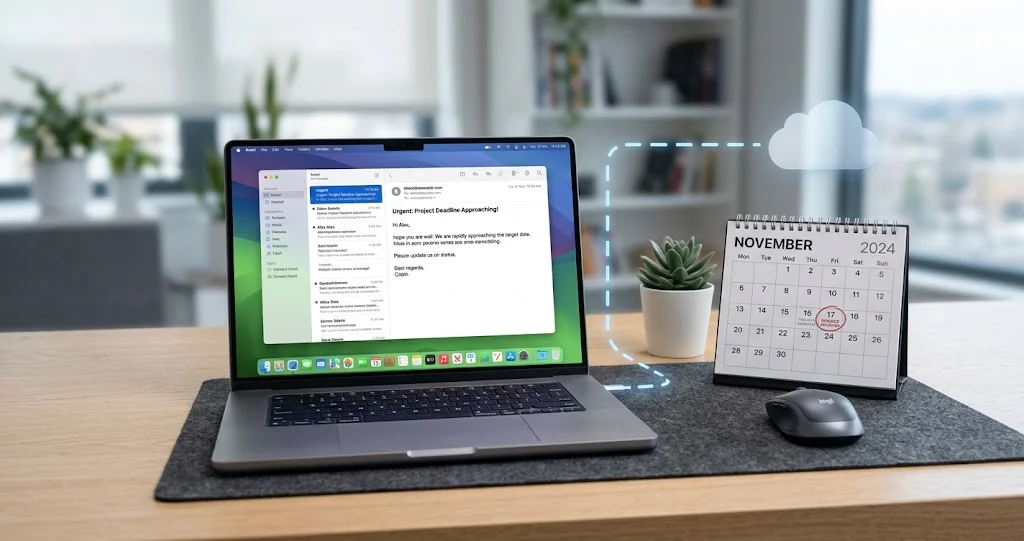
Microsoft disables Exchange Web Services from October 2026 and macOS Mail still depends on it. Here is the timeline, who is affected, and what to do now.
If you use Apple's Mail app on a Mac with a work or school Microsoft 365 account, there is a hard deadline coming and almost nobody has told you about it.
Microsoft is switching off Exchange Web Services — the protocol macOS Mail uses to talk to Exchange Online — starting in October 2026, with a complete shutdown in 2027. Apple's own deployment documentation confirms that Mail, Calendar, Contacts, Notes and Reminders are still on EWS, and says the replacement is coming "in a future update to macOS 27."
Read that phrase carefully, because it is the whole problem: a future update to macOS 27. Not macOS 26. Not macOS 27.0 on day one. A future update to a version of macOS that has not shipped yet, on a timetable Apple has not published, against a deadline Microsoft set three years ago and has now confirmed twice.
Meanwhile macOS 27 does not run on Intel Macs at all. Which means that if you are on an Intel Mac with a Microsoft 365 account in Apple Mail, there is no version of macOS in Apple's roadmap that fixes this for you.
Key Takeaways
- Microsoft's timeline is published and specific. From October 2026 EWS begins to be disabled globally for all Exchange Online tenants; from April 2027 it is fully disabled with no exceptions.
- macOS Mail still uses EWS. iPhone and iPad Mail do not. Same company, same deadline, and only one platform is ready. This is the asymmetry that catches people out — your iPhone will keep working.
- Apple's fix is scheduled for "a future update to macOS 27". That is Apple's exact wording, published 8 June 2026. It does not commit to macOS 27.0, and it does not mention macOS 26 Tahoe at all.
- Intel Macs have no path. macOS 27 is Apple silicon only. An Intel Mac cannot receive the Graph API update, so its Apple Mail Exchange support ends permanently.
- This is Exchange Online only. On-premises Exchange Server is not affected. Consumer Outlook.com, Gmail, iCloud and IMAP accounts are not affected.
- Your admin can buy time, but has to act. Microsoft's phased plan lets tenants keep EWS on via an allow-list until April 2027. It requires someone in IT to do it deliberately, and Microsoft is pre-populating those lists in September 2026 based on existing usage.
- The practical window is now. If your organisation is going to move you to Outlook, you want that to happen on a Tuesday you chose rather than on the morning your mail stops syncing.
The Timeline, From the Primary Sources
Let us establish the dates from Microsoft and Apple directly, because the secondary coverage of this has been vague.
Microsoft
Microsoft's Exchange team stated it plainly:
"Exchange Web Services (EWS) is approaching end of service in Exchange Online. We first announced this change was coming in 2018, when we announced that Exchange Web Services (EWS) will no longer receive functionality updates. In 2023, we announced that EWS will be disabled in Exchange Online in October 2026.
Today we're announcing we will use a phased, admin controllable disablement plan that starts in October 2026 and concludes with a complete shutdown of EWS in 2027."
Microsoft's own documentation page, last updated 21 August 2026, gives the roadmap as:
| Date | What happens |
|---|---|
| July 2018 | EWS deprecation announced; no further functionality updates |
| 2023 | Disablement date set to October 2026 |
| January 2024 | Midnight Blizzard incident; scope widened from third-party apps to Microsoft's own |
| October 2026 | "EWS starts to be disabled globally for all organizations" |
| April 2027 | "EWS is fully disabled" |
The mechanism at the October gate is a tenant setting. Microsoft's guidance is that on 1 October 2026, any tenant whose EWSEnabled value is still Null will have it changed to False as the rollout reaches them, which blocks EWS for every application in that tenant. Tenants that need more time can set EWSEnabled to True and maintain an allow-list of application IDs — either through Baseline Security Mode or Exchange Online PowerShell. Microsoft has said it will pre-populate that allow-list, before September 2026, for customers who have not created one, based on each tenant's own observed usage.
After 1 April 2027, that escape hatch closes. Microsoft's wording is "no exceptions."
The January 2024 Midnight Blizzard incident is why this stopped being a lazy deprecation and became a security programme. Microsoft's own documentation names it: the incident "involved EWS and elevated the urgency of the EWS deprecation effort", and the scope widened from third-party applications to include Microsoft's own — Outlook, Office, Teams and Dynamics 365. When a protocol gets retired under a named security incident, the odds of a sympathetic extension drop to roughly zero.
Apple
Apple's position is documented in the Platform Deployment guide, under "WWDC26 identity integration updates", published 8 June 2026. The relevant paragraph in full:
"Microsoft announced the upcoming end of service for Exchange Web Services (EWS) in Exchange Online. Apple is actively working with Microsoft to update Mail, Calendar, Contacts, Notes, and Reminders to use the Graph API in a future update to macOS 27, including a declarative configuration for device management services.
Microsoft has documented options for organizations to continue using EWS beyond October 2026."
Three things are worth pulling out of that.
First, the app list is broader than Mail. Calendar, Contacts, Notes and Reminders are all named. If your Microsoft 365 account is configured on your Mac at the system level, all five of those apps stop syncing that account, not just Mail.
Second, "a future update to macOS 27" is not a commitment to macOS 27.0. Apple could have written "in macOS 27" and did not. That phrasing is normally used when a feature is expected in a point release. macOS 27 is expected around September 2026; EWS starts being disabled in October 2026. If the Graph work lands in, say, 27.2 or 27.3, there is a gap, and Apple has published nothing about how long it might be.
Third, macOS 26 Tahoe is not mentioned. Apple names macOS 27 as the target and nothing earlier. There is no published plan to bring Graph support to Tahoe.
What That Means Together
Microsoft starts closing the door in October 2026. Apple's key is scheduled for an unspecified update to an OS that ships around the same month and does not run on Intel hardware.
Who Is Actually Affected
Work through this list honestly, because a lot of people who think they are affected are not, and some who think they are safe are not.
You Are Affected If
- You use Apple's Mail app on macOS with a Microsoft 365 / Exchange Online account. This is the core case.
- You use macOS Calendar, Contacts, Notes or Reminders with that same account.
- You added the account through System Settings → Internet Accounts → Microsoft Exchange, which is how most people do it.
- You are running legacy Outlook for Mac against Exchange Online. Microsoft's own support page states that "starting October 2026, the legacy Outlook for Mac client will stop working against Exchange Online mailboxes."
You Are Probably Not Affected If
- Your Exchange server is on-premises. Microsoft is explicit that this retirement applies to Exchange Online only; EWS in Exchange Server is unchanged. Microsoft's legacy Outlook page gives on-premises support until 9 October 2029.
- You use Outlook for Mac (new), the Microsoft 365 app. It does not depend on EWS.
- Your mail is iCloud, Gmail, Fastmail, or any IMAP account. Completely unrelated.
- Your mail is consumer Outlook.com or Hotmail. Also unrelated — this is about Exchange Online tenants.
- You are on iPhone or iPad. iOS and iPadOS Mail no longer depend on EWS for this. Your phone will keep working, which is exactly why the problem will feel confusing when it hits: same account, same company, one device syncing and one not.
The Case With No Good Answer
An Intel Mac with a Microsoft 365 account in Apple Mail.
macOS 27 Golden Gate requires Apple silicon — Apple has confirmed the Intel line ends with macOS 26 Tahoe. So the Graph API update Apple describes will never reach an Intel Mac. When your tenant's EWS allow-list expires in 2027 at the latest, Apple Mail on that machine loses its Exchange account for good, and no software update fixes it.
Your options on Intel hardware are Outlook for Mac, a third-party client that speaks Graph or a supported protocol, a webmail workflow, or new hardware. If the last one is on the table anyway, our Intel Mac migration guide and the end of the Intel Mac era compatibility list cover the transition properly.
How to Check What You Are Using, Right Now
Five minutes, no guesswork.
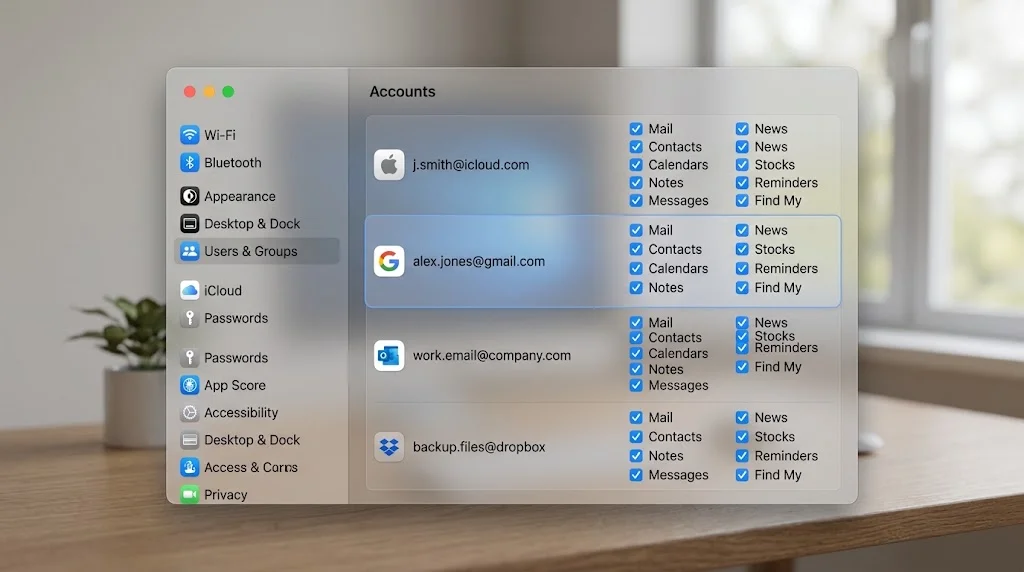
1. Find Your Account Type
System Settings → Internet Accounts (on some versions, Internet Accounts appears under General or in the sidebar).
Look at the account in question. If it is listed as Microsoft Exchange, you are using the built-in Exchange support — the one that runs on EWS on macOS. Click it and note which apps are ticked: Mail, Contacts, Calendars, Reminders, Notes. Every ticked app is an app that stops syncing.
If the account only exists inside Outlook and not in Internet Accounts, macOS Mail is not touching it and you are in the clear on the Apple side.
2. Confirm the Server It Talks To
In Mail: Mail → Settings → Accounts, select the Exchange account, and look at Server Settings. An Exchange Online account resolves to Microsoft's cloud endpoints via autodiscover. An on-premises account points at your organisation's own server hostname. If you cannot tell, ask your administrator whether your mailbox is in Exchange Online or on an on-premises server — it is a one-line answer for them and it determines whether any of this applies to you.
3. Check Whether You Are on Legacy Outlook
If you also have Outlook installed: open it and look for a Legacy Outlook toggle in the interface. Microsoft's instruction is that you "select the toggle to turn off the Legacy Outlook switch". If that toggle exists and is on, you are running the client Microsoft is retiring in October 2026 for Exchange Online, and switching it off now is free.
4. Ask One Question of Your IT Team
Send them this, verbatim:
"Microsoft is disabling Exchange Web Services in Exchange Online from October 2026. Are we planning to use the
EWSEnabledallow-list to keep it available until April 2027, and is Apple Mail on macOS on that allow-list? I use Apple Mail on a Mac."
That question does two useful things. It gets you a date. And it puts Apple Mail on the radar of the person who builds the allow-list, at a point where adding it is still cheap.
What to Do, By Situation
If You Can Move to Outlook and Do Not Mind
This is the path of least resistance and it is what most organisations will do. Install the current Outlook for Mac, add the account, let it sync, and keep Apple Mail for your personal accounts.
Be realistic about what you lose. New Outlook for Mac is a substantially different application from both Apple Mail and legacy Outlook, and Microsoft has confirmed that some legacy features are not coming. Most consequentially for Mac users:
"AppleScript workflows vary widely across organizations and often depend on behaviors from the classic app that don't exist in the New Outlook. Because these patterns can't be standardized, full compatibility isn't feasible. We have decided not to move forward with this feature. We apologize for the inconvenience."
Microsoft had previously committed to shipping AppleScript support in New Outlook before retiring the legacy client. That commitment was reversed in mid-August 2026. If your work depends on scripted mail automation — filing, logging, CRM integration, anything driven from Shortcuts or a script — that automation does not survive the move, and there is now no promised replacement. Our Shortcuts and automation guide covers what can be rebuilt on the Apple side, but nothing rebuilds an AppleScript dictionary that the target app does not expose.
If You Want to Stay on Apple Mail
You have two levers and both need someone else's cooperation.
Lever one: the allow-list. Ask your administrator to keep EWSEnabled true and include Apple Mail's application ID in the tenant allow-list. This works until April 2027 and not one day longer. Note that Microsoft is pre-populating allow-lists in September 2026 based on observed usage, so if your organisation has Mac users actively hitting EWS today, Apple Mail may end up on the list automatically — but "may" is not a plan, and you should confirm rather than assume.
Lever two: wait for Apple. Apple says Graph support is coming in a future update to macOS 27. If your Mac supports macOS 27 and your tenant grants an allow-list extension, there is a plausible path where you never lose service: allow-list carries you from October 2026 to whenever Apple ships, and you upgrade to macOS 27 when it does.
That path has three points of failure. Apple's update could land after April 2027. Your administrator could decline the allow-list — and, as observers have pointed out, there is little professional incentive for a security team to write a positive case for re-admitting a broad-permission third-party client to the corporate mail estate. And you might be on hardware that cannot run macOS 27.
Plan for the path failing. Have Outlook installed and configured before you need it.
If You Are the Administrator
You have real decisions to make and a short runway.
- Find your EWS footprint. Microsoft publishes EWS Usage Reports in the Microsoft 365 admin centre, plus an EWS Analyzer tool. Run them. Apple Mail on macOS will show up as one of the larger consumers in any organisation with Mac users, because it is one of the most widely deployed EWS clients in existence.
- Decide the allow-list question before September 2026. If you do nothing, Microsoft pre-populates based on your usage, which may or may not match your intent. An explicit list you built is better than an inferred one.
- Communicate the Mac-specific case separately. Your Windows users are unaffected by the Apple Mail issue and your iPhone users are unaffected too. If you send one generic "EWS is going away" notice, your Mac users will assume it does not apply to them, because their phone will keep working.
- Do not assume macOS 27 solves it on your timeline. Apple said "a future update", declaratively managed configuration included. Build your plan around the April 2027 hard stop, not around an Apple release date nobody has.
- Check your MDM configuration profiles. Apple's device management payloads distinguish Exchange Web Services (EWS) from Exchange ActiveSync (EAS), and Apple has said the Graph transition includes "a declarative configuration for device management services". Profiles that provision Exchange accounts on Macs will need revisiting. Our macOS enterprise deployment guide covers the profile mechanics.
A Migration Checklist You Can Run This Week
If you have decided to move — or you want to be ready in case the decision is made for you — this is the order that minimises pain. None of it is destructive and none of it commits you to anything.
1. Install Outlook for Mac and add the account, but keep using Apple Mail. The initial sync is the slow part, and doing it now on a quiet afternoon is better than doing it on a Monday morning. Once it has synced, quit it. It costs you disk space and nothing else.
2. Export anything that lives only in Apple Mail. Two categories matter and both are easy to forget:
- Local mailboxes. Mail can hold mailboxes that exist only under "On My Mac", not on the server. Those do not migrate with the account because they were never on the server. Select each one and use Mailbox → Export Mailbox to save it as an
.mboxfile somewhere safe. - Smart Mailboxes and rules. These are Apple Mail configuration, not server data. They do not transfer. Screenshot them, or at minimum write down the ones you rely on, so you can rebuild the equivalents.
3. Check your signatures. Apple Mail signatures live in your local Mail data, not on the Exchange server. Copy the text of any you use.
4. Audit anything scripted. Anything driven by AppleScript, Shortcuts, Automator, or a third-party tool that talks to Mail or Outlook needs testing against the destination client. Given Microsoft's decision not to implement AppleScript in New Outlook, budget real time for this rather than assuming it will port.
5. Deal with attachments and search habits. If your working method is "search Mail for that PDF from March", verify that search behaves the way you need in the new client before you rely on it. Different clients index different things, and the muscle memory does not transfer.
6. Keep Apple Mail configured for your other accounts. None of this affects iCloud, Gmail or IMAP. There is no reason to abandon Apple Mail entirely; the common outcome is Outlook for work and Apple Mail for everything else.
7. Set a calendar reminder for late September 2026. That is when Microsoft says it will pre-populate tenant allow-lists, and it is the last comfortable moment to ask your administrator where Apple Mail landed.
What About Third-Party Clients?
There is a real market of Mac mail clients, and the question to ask each one is narrow: does it support Microsoft 365 through Microsoft Graph, or only through EWS? A client that speaks Graph is unaffected by this. A client that speaks EWS hits the same wall on the same date, and its users are relying on the same tenant allow-list you are.
Do not infer from the app being modern or well-maintained. Ask the developer directly, and ask specifically about Graph rather than about "Exchange support" — the second question gets you a yes that does not answer anything. Our roundup of Mac productivity apps covers the general landscape, but on this specific question the only reliable source is each developer.
What Happens on the Day It Breaks
Worth knowing so you recognise it rather than spending an afternoon on it.
When EWS is disabled for your tenant, Apple Mail does not show you a clear "this protocol was retired" message. It shows you the failure modes you already know from a broken Exchange account: an account that will not connect, a spinning activity indicator, repeated authentication prompts, mail that will not send, and calendars that stop updating. Contacts quietly stop resolving. Notes and Reminders on that account stop syncing.
In other words, it looks exactly like an ordinary Mail problem. If you have not been told about EWS, you will spend a couple of hours doing the normal things — removing and re-adding the account, rebuilding the mailbox, checking the keychain — and none of them will work, because the server is not answering the protocol any more.
Two symptoms are worth calling out because they are easy to misread:
- Your iPhone keeps working. This is the most misleading signal. It will make you conclude the problem is your Mac.
- Re-adding the account appears to succeed, then fails. Autodiscover can still resolve while EWS itself is blocked, so setup can get further than you expect before falling over.
If you are troubleshooting an Exchange account in Apple Mail before October 2026, the ordinary causes are still far more likely than this one, and our Mail troubleshooting guide and Mail search and Envelope Index guide cover them. It is also worth noting that Apple Mail's EWS implementation has been reported as increasingly unreliable through 2026, which observers attribute to server-side changes as Microsoft prepares the shutdown. If your Exchange account in Apple Mail has been flakier than it used to be, that may not be your Mac.
Troubleshooting Common Issues
My Exchange account stopped syncing in Apple Mail — is this it?
Check the date first. If it is before October 2026 in your region and your tenant has not been reached by the rollout, this is almost certainly an ordinary problem: an expired OAuth token, a stale autodiscover record, a keychain entry, or conditional access policy. Remove and re-add the account, which forces a fresh token. If it is October 2026 or later and re-adding does not fix it, ask your administrator whether EWS has been disabled for the tenant.
Can I force Apple Mail to use Graph instead?
No. There is no user-accessible setting, no configuration profile key, and no defaults command. Apple Mail's protocol support is compiled in. It uses EWS until Apple ships a version that does not.
Will macOS 27 fix this when it comes out in the autumn?
Apple has not said that. Apple said "a future update to macOS 27". That phrasing usually indicates a point release rather than the initial version. Treat macOS 27.0 shipping with Graph support as a possibility, not a plan.
Will Apple back-port this to macOS 26 Tahoe?
Apple has not said it will, and Apple's published statement names only macOS 27. Do not build a plan on it.
My Mac cannot run macOS 27. What are my options?
Outlook for Mac, a third-party client, webmail, or new hardware. Outlook for Mac still runs on Intel. Check the current system requirements before assuming, and be aware that Microsoft's own support commitments for Intel Macs are on their own clock.
Does this affect Exchange ActiveSync?
No. EAS is a different protocol and is not part of this retirement. Apple's device management payload list treats Exchange ActiveSync (EAS) and Exchange Web Services (EWS) as separate payloads, and Microsoft's retirement documentation is specific to EWS. This distinction is precisely why iPhone and iPad Mail are unaffected while macOS Mail is not.
What about my Calendar and Contacts?
Same account, same protocol, same outcome. Apple's statement names Mail, Calendar, Contacts, Notes and Reminders together. If your work calendar lives in macOS Calendar via an Exchange account, it stops syncing at the same moment your mail does. Our Calendar and Reminders troubleshooting guide is the right starting point for ruling out ordinary causes first.
I use AppleScript with Outlook. What now?
Microsoft has stated it will not implement AppleScript in New Outlook. If your workflows depend on it, your options are to keep legacy Outlook running against an on-premises server if you have one (supported until October 2029), rebuild the workflow around whatever automation surface New Outlook does expose, or move the workflow to a different client entirely. There is no version of this where the existing scripts keep working against Exchange Online past the legacy client's retirement.
FAQ
When exactly does Apple Mail stop working with Microsoft 365?
There is no single date for everyone. Microsoft begins disabling EWS globally in October 2026 and completes the shutdown by April 2027, with the exact moment depending on your tenant's configuration and where it falls in the rollout. If your administrator maintains an allow-list including Apple Mail, you could keep working until April 2027. If they do nothing, the tenant's EWSEnabled flips to False when the rollout reaches you.
Is this Apple's fault or Microsoft's?
Microsoft set the deadline in 2023 and confirmed it. Apple had that lead time and has not shipped the replacement, having scheduled it for an unspecified update to an OS that ships around the deadline. Both statements are true. Assigning blame does not change your calendar, and the useful question is which client you will be using in November.
Why does my iPhone still work?
iOS and iPadOS Mail do not depend on EWS for Exchange Online. macOS Mail does. It is the same account and the same company, and only one of the two platforms completed the transition.
Does this affect my personal iCloud or Gmail account?
No. This is entirely about Exchange Online. IMAP, iCloud, Gmail and every other non-Exchange account are unaffected.
Should I switch to Outlook now or wait?
If your organisation is going to move you anyway, moving now on your own schedule is strictly better than moving in a crisis. If you have a genuine chance of staying on Apple Mail — supported hardware plus a cooperative administrator plus an allow-list — waiting is reasonable, provided you have Outlook installed and tested as a fallback before October.
What if my company runs Exchange on-premises?
You are not affected by this. Microsoft has been explicit that there are no changes to EWS in Exchange Server, and legacy Outlook for Mac is supported against on-premises servers until 9 October 2029.
Are third-party Mac mail clients affected?
It depends entirely on what protocol each one speaks. Any client using EWS against Exchange Online hits the same wall on the same schedule. Clients that use Microsoft Graph, or that only support IMAP accounts, are unaffected. Ask the developer directly rather than assuming — and note that a client's EWS support could also be covered by a tenant allow-list, which buys the same time it buys Apple Mail.
Conclusion
The uncomfortable part of this story is not the technology. Protocols get retired; Microsoft gave eight years of notice and a security incident made the deadline real. The uncomfortable part is that macOS shipped into that deadline without the replacement, and the people who will feel it are ordinary Mac users at work who never chose a protocol and were never told one was being retired.
If you take one action from this article, make it the four-line email to your IT team. Not because they will necessarily save Apple Mail for you, but because the allow-list decision is being made in the next few weeks, Microsoft is pre-populating it in September based on usage, and "nobody mentioned the Macs" is how this ends badly.
If you take a second action, install Outlook for Mac and add your account. You do not have to use it. You just want it working and synced before the morning your Mail app stops.
And if you are on an Intel Mac, treat this as a genuine end date rather than a delay. There is no macOS update coming that fixes it for your hardware, and the sooner that shapes your plan, the more choices you still have.
Related reading: Mac Mail not working: complete troubleshooting guide · Mail search broken and the Envelope Index · macOS 27 and the end of the Intel Mac era · macOS enterprise deployment guide · Calendar and Reminders troubleshooting
Sources: Microsoft Learn, "Deprecation of Exchange Web Services in Exchange Online" (updated 21 August 2026) · Microsoft Exchange Team Blog, "Exchange Online EWS, Your Time is Almost Up" · Microsoft Support, "End of support for legacy Outlook for Mac" · Microsoft 365 Roadmap item 88537 (AppleScript in New Outlook, cancelled) · Apple, "WWDC26 identity integration updates", Apple Platform Deployment, published 8 June 2026 · Michael Tsai, "The End of EWS in Mail and AppleScript in Outlook", 20 August 2026 · Jonathan Harbourne, "The Mac experience at work just died", August 2026.