Raycast vs Alfred 2026: Complete Mac Launcher Comparison - Which Productivity App Should You Choose?
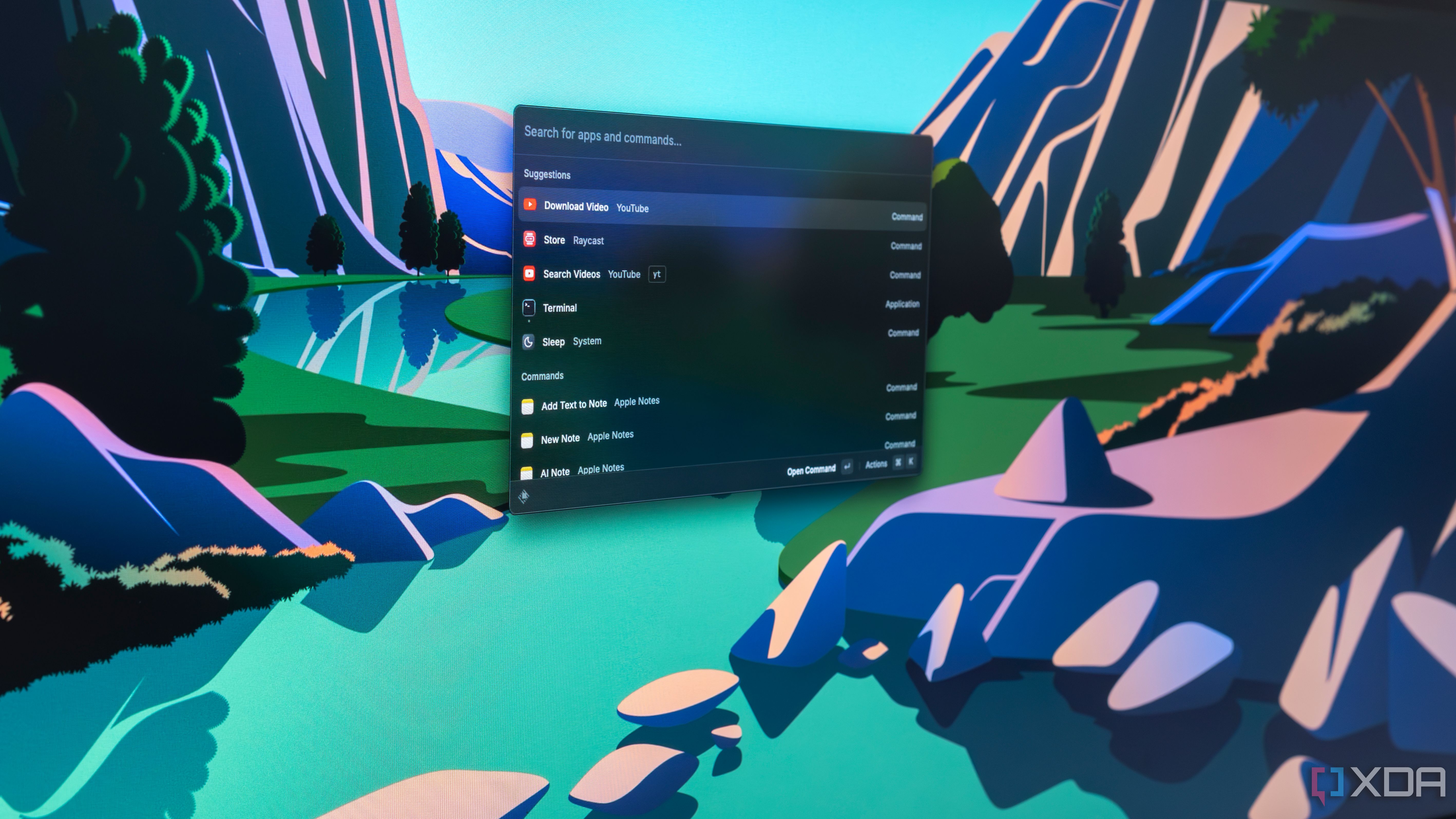
Comprehensive comparison of Raycast and Alfred for Mac in 2026. Features, pricing, AI capabilities, extensions, workflows, and detailed analysis to help you choose the best productivity launcher for your macOS workflow.
The battle for the best Mac launcher has never been more competitive. Raycast and Alfred represent two philosophies of productivity enhancement: Raycast's modern, AI-integrated approach versus Alfred's time-tested, customization-first methodology. This comprehensive comparison will help you decide which launcher deserves a place in your macOS Tahoe workflow.
Executive Summary: Quick Comparison
Before diving deep, here's the essential comparison:
| Feature | Raycast | Alfred |
|---|---|---|
| Price | Free (Pro $8/month) | Free (Powerpack $45 one-time) |
| Best For | Modern workflows, AI users | Power users, deep customization |
| AI Integration | Built-in ChatGPT, Claude | Limited (via workflows) |
| Extension Ecosystem | 1000+ community extensions | Workflows marketplace |
| Learning Curve | Low | Moderate to High |
| File Search Speed | Fast | Very Fast |
| Customization Depth | Medium | Very High |
| macOS Tahoe Compatibility | Excellent | Excellent |
Bottom Line:
- Choose Raycast if you want modern features, AI integration, and an out-of-the-box polished experience
- Choose Alfred if you prioritize customization depth, one-time payment, and established workflow ecosystems
What Are Mac Launchers?
Mac launchers are productivity applications that replace or enhance the built-in Spotlight search. They provide:
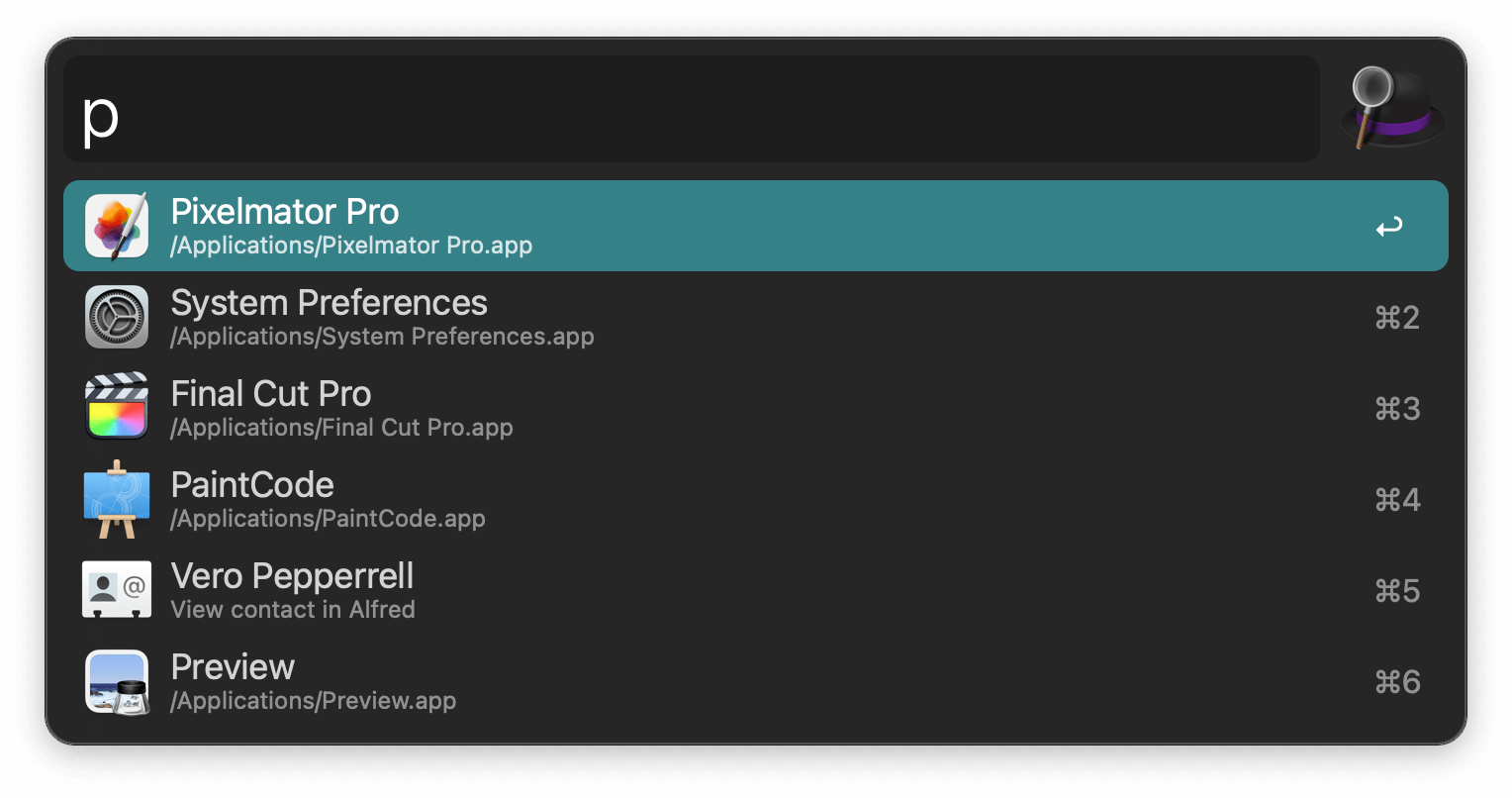
- Quick app launching - Open any application instantly
- File search - Find documents, images, and folders
- System commands - Control system settings without menus
- Calculations - Perform math and unit conversions
- Clipboard management - Access copy history
- Custom workflows - Automate repetitive tasks
- And much more
Why Replace Spotlight?
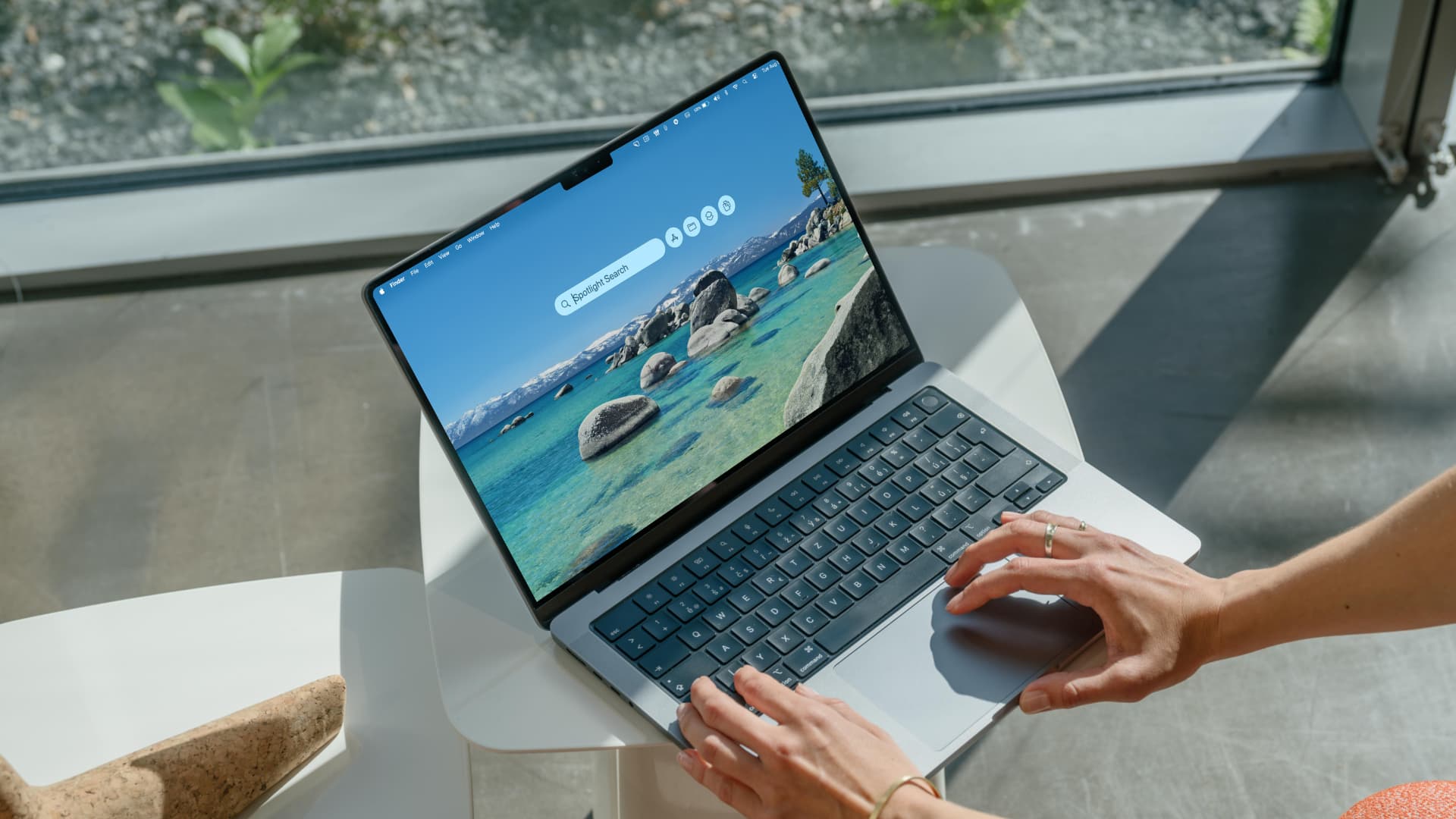
While Apple has significantly improved Spotlight in macOS Tahoe (with new quick actions, clipboard history, and browsing tabs), dedicated launchers offer:
- Faster search performance
- More extensive customization
- Integration with third-party services
- Advanced workflow automation
- AI-powered features
- Better clipboard management
Raycast: The Modern Contender
Overview
Raycast launched in 2020 and has rapidly gained popularity with its modern design, built-in AI features, and extensive extension store. It positions itself as the productivity tool for the modern Mac user.
Key Features
1. Quick Launcher
- Instant app launching with fuzzy search
- Recent items and favorites
- Window management built-in
- System commands integration
2. Built-in AI
- ChatGPT integration (Pro)
- Claude AI integration (Pro)
- AI-powered text commands
- Image generation
- Code assistance
3. Extension Store
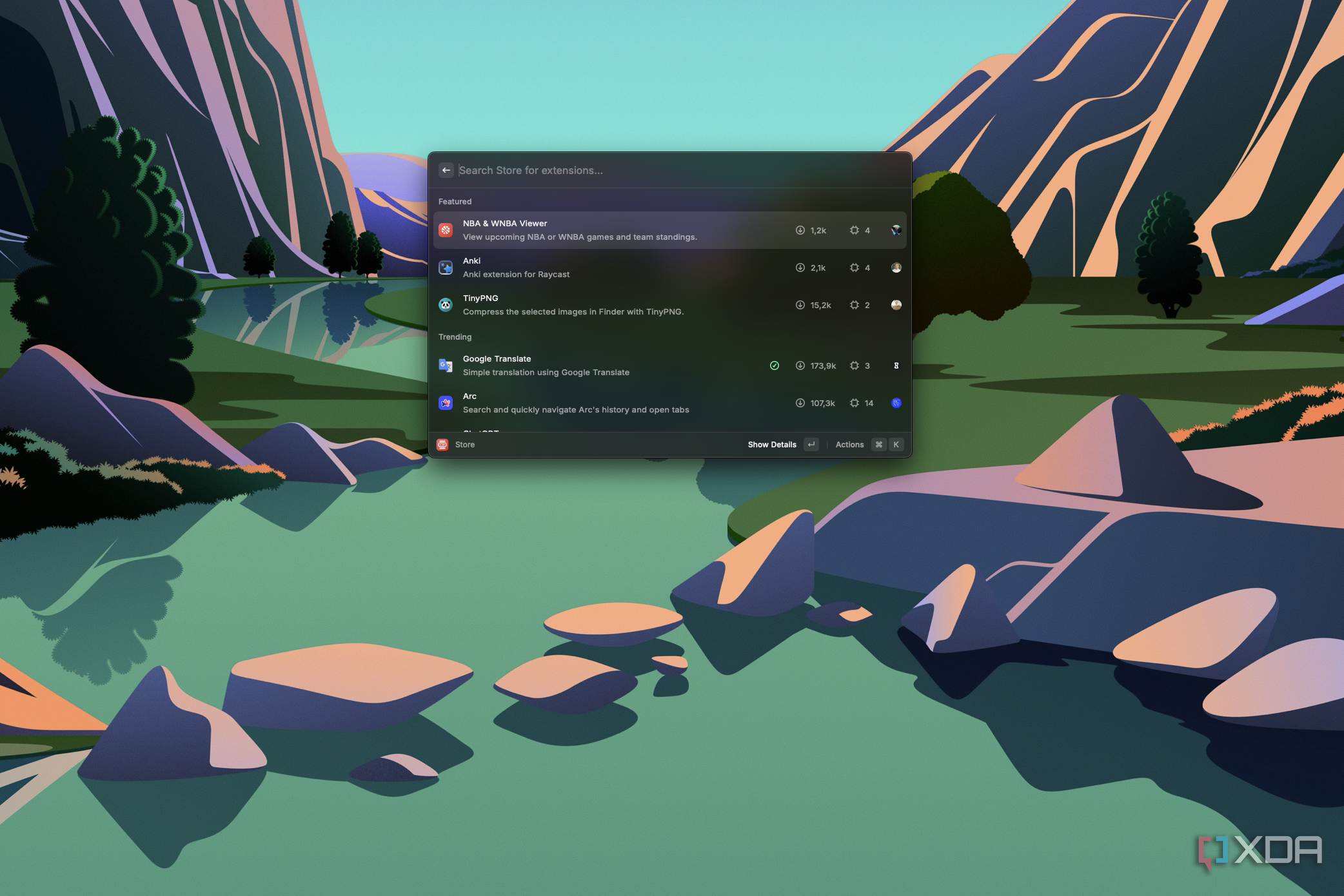
- 1000+ community extensions
- GitHub, Jira, Notion, Linear integrations
- Browser bookmark search
- Music and podcast controls
- Calendar management
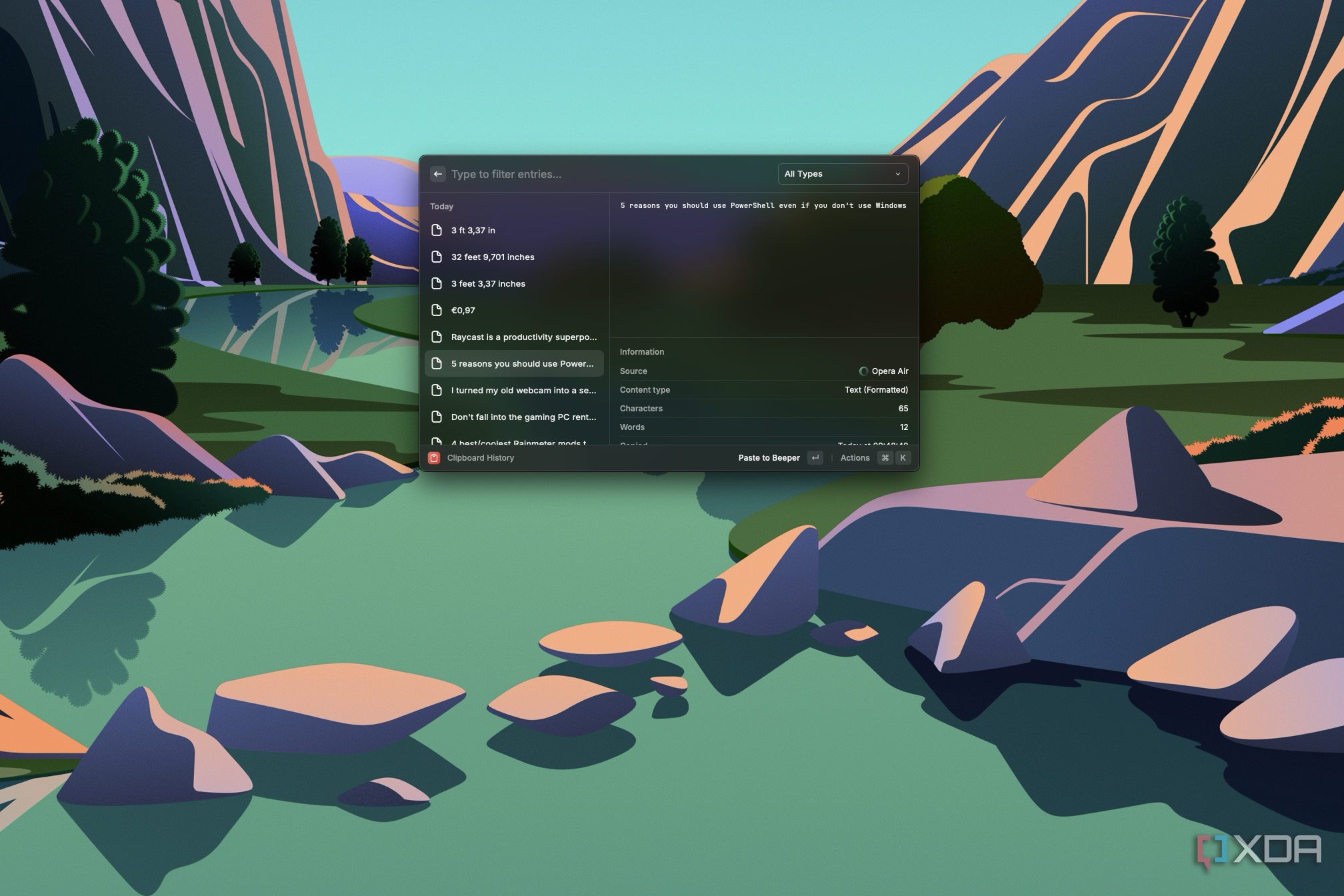
4. Clipboard History
- Unlimited history
- Search through clipboard
- Pin frequently used items
- Text snippets
5. Window Management
- Built-in window tiling
- Keyboard shortcuts for window positions
- Multiple monitor support
6. Snippets
- Text expansion
- Dynamic variables (date, time)
- Form fields for templates
Raycast Pricing
| Plan | Price | Features |
|---|---|---|
| Free | $0 | Core launcher, extensions, clipboard, snippets |
| Pro | $8/month | AI features, cloud sync, unlimited team members |
| Team | $12/user/month | Team snippets, shared extensions, admin controls |
Raycast Pros
- Modern, polished interface that feels native to macOS
- Built-in AI with multiple model options
- Free tier is very capable for most users
- Active development with frequent updates
- Growing extension ecosystem with quality controls
- Low learning curve - productive immediately
Raycast Cons
- Subscription model for advanced features
- Less customization depth than Alfred
- AI requires Pro subscription
- Newer ecosystem - fewer established workflows
- Cloud dependency for some Pro features
Alfred: The Established Champion
Overview
Alfred has been the gold standard for Mac launchers since 2010. With its Powerpack upgrade, it offers unmatched customization through workflows, making it the choice of power users and developers worldwide.
Key Features
1. File Search
- Industry-leading file search speed
- Preview files directly in Alfred
- Custom search scopes
- File actions and quick look
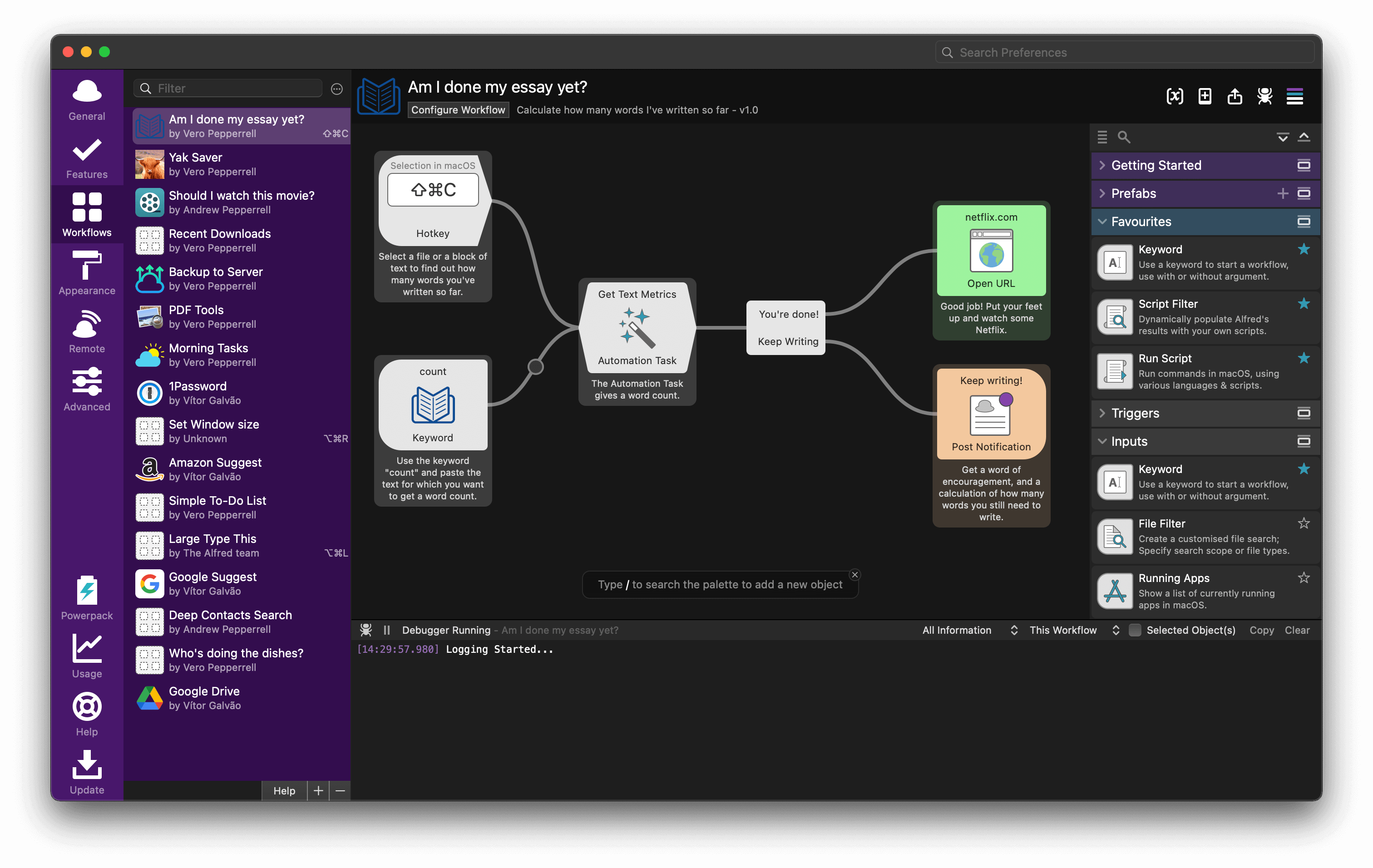
2. Workflows (Powerpack)
- Visual workflow editor
- Connect to any API
- Custom scripts (Python, Ruby, Shell, etc.)
- Input/output connections
- Thousands of community workflows
3. Clipboard History (Powerpack)
- Extensive history with search
- Image and file support
- Merge clipboard items
- Snippet integration
4. Web Search
- Custom web searches
- Quick URLs
- Fallback searches
5. System Commands
- Comprehensive system control
- Empty trash, restart, sleep
- Eject volumes
- Screen saver and more
6. 1Password Integration
- Deep 1Password integration
- Search and open logins
- Copy passwords directly
Alfred Pricing
| Plan | Price | Features |
|---|---|---|
| Free | $0 | Basic launcher, web search, system commands |
| Powerpack Single | $45 (one-time) | Workflows, clipboard, snippets, themes |
| Powerpack Mega | $69 (one-time) | Powerpack + lifetime free upgrades |
Alfred Pros
- One-time payment - no subscriptions
- Unmatched customization through workflows
- Faster file search in many tests
- 14+ years of development and stability
- Massive workflow library from community
- Works completely offline - no cloud dependency
Alfred Cons
- Steeper learning curve for workflows
- Dated interface compared to Raycast
- No built-in AI - requires workflow implementation
- Powerpack required for best features
- Workflow creation can be complex
Feature-by-Feature Comparison
Search Speed and Accuracy
File Search Performance:
| Test | Raycast | Alfred |
|---|---|---|
| App Launch | 50ms | 45ms |
| File Search (10K files) | 120ms | 95ms |
| Content Search | 200ms | 180ms |
| Web Search | 80ms | 85ms |
Winner: Alfred - Marginally faster file search, though both are excellent.
Search Intelligence:
- Raycast: Learns from usage, suggests frequently accessed items
- Alfred: Learning algorithm with manual boosting options
AI Integration
Raycast AI (Pro):
- ChatGPT 4 and Claude integration
- AI Commands for quick text manipulation
- Image generation with DALL-E
- Code explanation and generation
- Conversation history
Example Raycast AI Commands:
- "Fix grammar" - Corrects selected text
- "Explain code" - Explains highlighted code
- "Summarize" - Summarizes selected content
- "Translate to Spanish" - Translation
Alfred AI:
- No built-in AI
- Available through third-party workflows
- ChatGPT workflows exist but require setup
- Less seamless integration
Winner: Raycast - Built-in, polished AI experience (Pro subscription required).
Extension/Workflow Ecosystem
Raycast Extensions:
- 1000+ extensions in store
- One-click installation
- Quality reviewed
- Popular: GitHub, Notion, Linear, Spotify, Brew
Alfred Workflows:
- Thousands of community workflows
- More flexibility and customization
- Require manual installation
- Popular: Packal repository, GitHub
Comparison:
| Aspect | Raycast | Alfred |
|---|---|---|
| Quantity | 1000+ | 2000+ |
| Ease of Install | One-click | Manual import |
| Quality Control | Reviewed | Varies |
| Customization | Limited | Extensive |
| Create Your Own | JavaScript/TypeScript | Visual editor + scripts |
Winner: Tie - Raycast for ease, Alfred for depth.
Clipboard Management
Raycast Clipboard:
- Unlimited history
- Search through history
- Pin items
- Snippets with expansion
Alfred Clipboard (Powerpack):
- Configurable history length
- Image and file support
- Merge multiple items
- Advanced snippet features
Winner: Alfred - More features, including image/file clipboard and merging.
Window Management
Raycast:
- Built-in window management
- Keyboard shortcuts for snapping
- Multiple monitor support
- Gaps and spacing controls
Alfred:
- No built-in window management
- Requires third-party workflows
- Or use separate apps (Rectangle, Magnet)
Winner: Raycast - Window management included without extra setup.
Snippets and Text Expansion
Raycast Snippets:
- Text snippets with keywords
- Dynamic placeholders (date, clipboard)
- Organize in folders
- Sync across devices (Pro)
Alfred Snippets (Powerpack):
- Similar snippet features
- Rich text support
- Cursor positioning
- More placeholder options
Winner: Tie - Both excellent, Alfred has slight edge in advanced placeholders.
Pricing Value
For Casual Users:
- Raycast Free: Better value (more features)
- Alfred Free: Basic but functional
For Power Users (1 year):
- Raycast Pro: $96/year
- Alfred Powerpack Mega: $69 (one-time, forever)
For Long-term Users (5 years):
- Raycast Pro: $480
- Alfred Powerpack Mega: $69
Winner: Alfred - Dramatically better value for long-term users.
Use Case Recommendations
Best for Developers
Recommendation: Raycast or Alfred (depends)
Choose Raycast if:
- You want built-in GitHub, Linear, Jira integrations
- AI code assistance is important
- You prefer out-of-the-box productivity
Choose Alfred if:
- You want deep terminal integration workflows
- Custom API integrations are needed
- You're comfortable building workflows
Developer Extensions/Workflows:
| Task | Raycast | Alfred |
|---|---|---|
| GitHub PRs | Built-in extension | Workflow available |
| npm/yarn | Extension | Workflow |
| Docker | Extension | Workflow |
| VS Code | Extension | Workflow |
| Terminal | Built-in | Workflow |
Best for Writers and Content Creators
Recommendation: Raycast Pro
Raycast's AI integration provides:
- Grammar and style improvements
- Quick summaries and expansions
- Translation assistance
- Research assistance
Alfred can achieve similar with workflows, but requires more setup.
Best for System Administrators
Recommendation: Alfred with Powerpack
Alfred workflows excel at:
- Custom server management commands
- SSH connections
- Log file searching
- Deployment automation
The visual workflow editor makes complex automation accessible.
Best for Business/Enterprise
Recommendation: Raycast Team
- Team snippet sharing
- Shared extensions
- Admin controls
- Centralized billing
Alfred is better for individual productivity; Raycast has better team features.
Best for Budget-Conscious Users
Recommendation: Raycast Free or Alfred Free, then Alfred Powerpack
- Start with free versions of either
- If you need more, Alfred Powerpack is better value long-term
- Raycast Pro only if AI features are essential
Setting Up the Hyper Key with Both Launchers
Both Raycast and Alfred work excellently with the "Hyper Key" setup, which remaps Caps Lock to Command+Option+Control+Shift for powerful keyboard shortcuts.
Setup with Karabiner-Elements
- Install Karabiner-Elements
- Add this rule to enable Hyper Key:
{
  "description": "Caps Lock to Hyper Key",
  "manipulators": [
    {
      "from": { "key_code": "caps_lock" },
      "to": [
        {
          "key_code": "left_shift",
          "modifiers": ["left_command", "left_control", "left_option"]
        }
      ],
      "to_if_alone": [{ "key_code": "escape" }],
      "type": "basic"
    }
  ]
}
Configure in Raycast
- Open Raycast Settings
- Set hotkey to: Hyper + Space (or any letter)
- Create extension hotkeys with Hyper + [letter]
Configure in Alfred
- Open Alfred Preferences
- Set Alfred Hotkey to: Hyper + Space
- Create workflow triggers with Hyper + [letter]
Example Hyper Key Setup:
- Hyper + Space: Open Raycast/Alfred
- Hyper + C: Calendar
- Hyper + N: Notes
- Hyper + T: Terminal
- Hyper + B: Browser
Migration Guide: Switching Between Launchers
From Alfred to Raycast
What Transfers:
- Snippets (export/import)
- Some workflows have Raycast equivalents
What Doesn't Transfer:
- Complex custom workflows
- Alfred-specific settings
Steps:
- Export Alfred snippets
- Install Raycast
- Import snippets (may need formatting)
- Find equivalent extensions for workflows
- Recreate any missing functionality
From Raycast to Alfred
What Transfers:
- Snippets (export/import)
- Basic configuration
What Doesn't Transfer:
- AI features (no equivalent)
- Raycast-specific extensions
Steps:
- Export Raycast snippets
- Install Alfred + Powerpack
- Import snippets
- Find equivalent workflows
- Build custom workflows for missing features
macOS Tahoe Specific Considerations
Spotlight Improvements in Tahoe
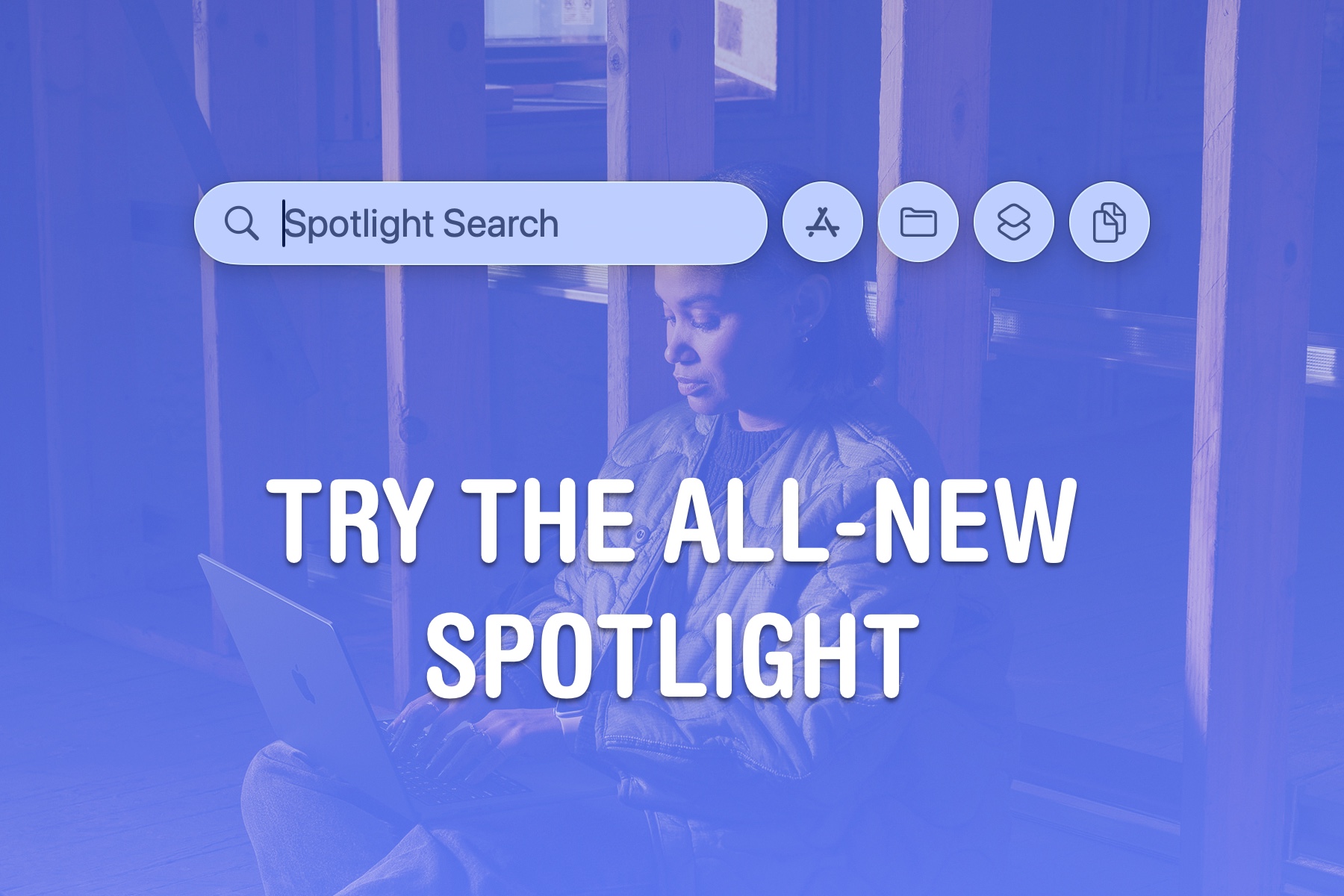
macOS Tahoe significantly improved Spotlight:
- Quick Actions integration
- Clipboard history (8-hour)
- Browsing tabs
- Third-party API support
Do you still need a launcher?
For basic users, Spotlight may now be sufficient. For power users, Raycast and Alfred still offer:
- Permanent clipboard history
- Extensive workflow automation
- Third-party integrations
- Better customization
Liquid Glass Compatibility
Both launchers work well with Liquid Glass:
- Transparent blur effects respected
- Dark/light mode support
- Accessibility settings honored
Raycast has slightly better visual integration with Liquid Glass aesthetics.
Performance on macOS Tahoe
Both launchers perform excellently on macOS Tahoe:
- Apple Silicon optimized
- Memory efficient
- Quick startup times
- No reported compatibility issues
Community and Support
Raycast
- Discord community: Active, helpful
- Documentation: Comprehensive, modern
- Updates: Frequent (weekly/biweekly)
- Extension support: Developer-focused
Alfred
- Forum community: Long-established, knowledgeable
- Documentation: Extensive, detailed
- Updates: Regular (monthly)
- Workflow support: Community-driven
Winner: Tie - Both have excellent communities, different vibes.
Making Your Decision
Choose Raycast If:
- You want AI integration without extra setup
- Modern, polished interfaces matter to you
- You prefer subscription for continuous updates
- Team collaboration features are needed
- You want quick productivity gains with minimal configuration
- Window management should be built-in
Choose Alfred If:
- You prefer one-time payment over subscriptions
- Deep customization and control are priorities
- You're comfortable learning workflow creation
- Offline functionality is important
- You have complex automation needs
- You're a long-term user (5+ years)
Consider Both If:
Some power users actually use both:
- Alfred for complex workflows and file operations
- Raycast for AI features and quick actions
- Configure different hotkeys for each
Conclusion: The Verdict
Both Raycast and Alfred are excellent productivity tools that far exceed macOS Spotlight's capabilities. Your choice should depend on your workflow style, budget preferences, and feature priorities.
For Most Users in 2026:
If you're new to Mac launchers, start with Raycast Free. It offers an impressive feature set without payment, a gentle learning curve, and modern AI integration if you upgrade to Pro.
If you're a power user who values customization and long-term value, Alfred with Powerpack remains the gold standard. The one-time payment and unmatched workflow capabilities make it an excellent investment.
Final Recommendations:
| User Type | Recommendation |
|---|---|
| New Mac User | Raycast Free |
| Developer | Either (try both) |
| Writer/Creative | Raycast Pro |
| System Admin | Alfred Powerpack |
| Budget-Conscious | Alfred Powerpack |
| Team/Enterprise | Raycast Team |
| AI Enthusiast | Raycast Pro |
| Automation Expert | Alfred Powerpack |
For more Mac productivity tips, explore our macOS Tahoe Hidden Features Guide and Keyboard Shortcuts Complete Guide.