Apple March 4, 2026 Event: M5 MacBook Air & Budget MacBook Complete Preview — Everything You Need to Know
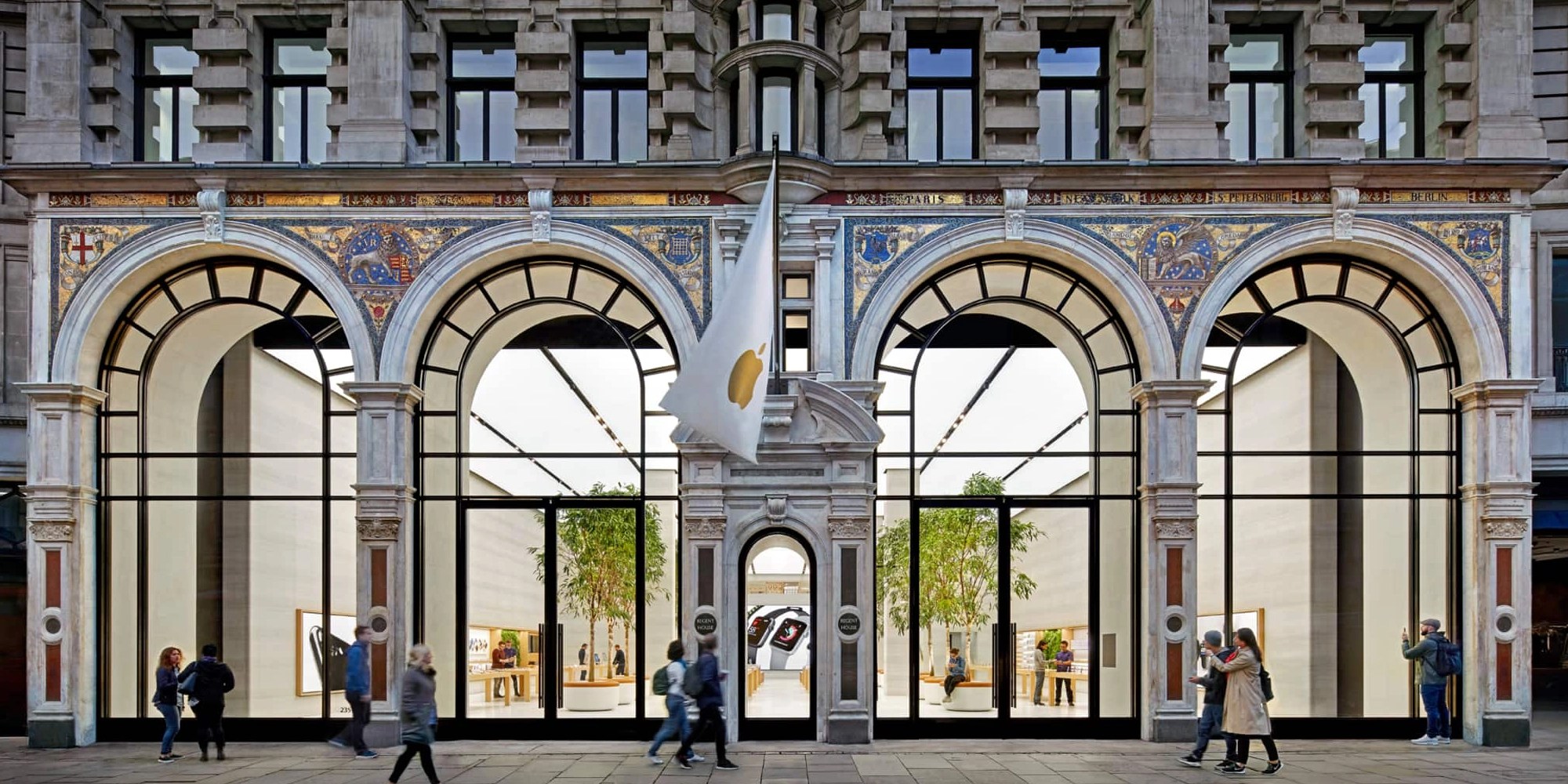
Apple's March 4, 2026 event brings the M5 MacBook Air and a brand-new low-cost MacBook with A18 Pro. Full specs, pricing, comparison tables, and buying advice.
Apple has officially confirmed a "special Apple Experience" media event for March 4, 2026 at 9:00 AM ET, running simultaneously in New York, London, and Shanghai. The invitations are out, the rumors have coalesced into near-certainty, and the Mac world is buzzing with anticipation. Two products are widely expected to headline the event: the M5 MacBook Air in both 13-inch and 15-inch configurations, and a genuinely unprecedented low-cost MacBook powered by Apple's A18 Pro chip — a product category Apple has never attempted before.
This is not a minor spec-bump announcement. The arrival of the M5 MacBook Air represents the natural evolution of Apple's most popular laptop, and early benchmark leaks already suggest jaw-dropping performance improvements, particularly in GPU-intensive and Apple Intelligence workloads. But it is the second product — the rumored $699-$799 entry-level MacBook — that stands to reshape the consumer laptop market in ways that may be more consequential than any Mac release in a decade.
In this complete preview, we break down everything we know about both products: confirmed specs, comparison tables, pricing analysis, competitive positioning, and a detailed "who should buy which" decision guide for every type of user.
Table of Contents
- The March 4, 2026 Event — What We Know
- M5 MacBook Air: Complete Specifications Preview
- M5 vs M4 MacBook Air: Full Comparison Table
- The Low-Cost MacBook: A New Product Category
- Why Apple Used A18 Pro Instead of M-Series
- Low-Cost MacBook vs MacBook Air vs iPad Pro: Who Should Buy What
- Price Comparison: Budget MacBook vs Competitors
- Decision Guide by User Type
- Will M4 MacBook Air Prices Drop?
- Ordering Tips and Launch Day Strategy
- Frequently Asked Questions
- Conclusion: The Biggest Mac Week in Years
The March 4, 2026 Event — What We Know
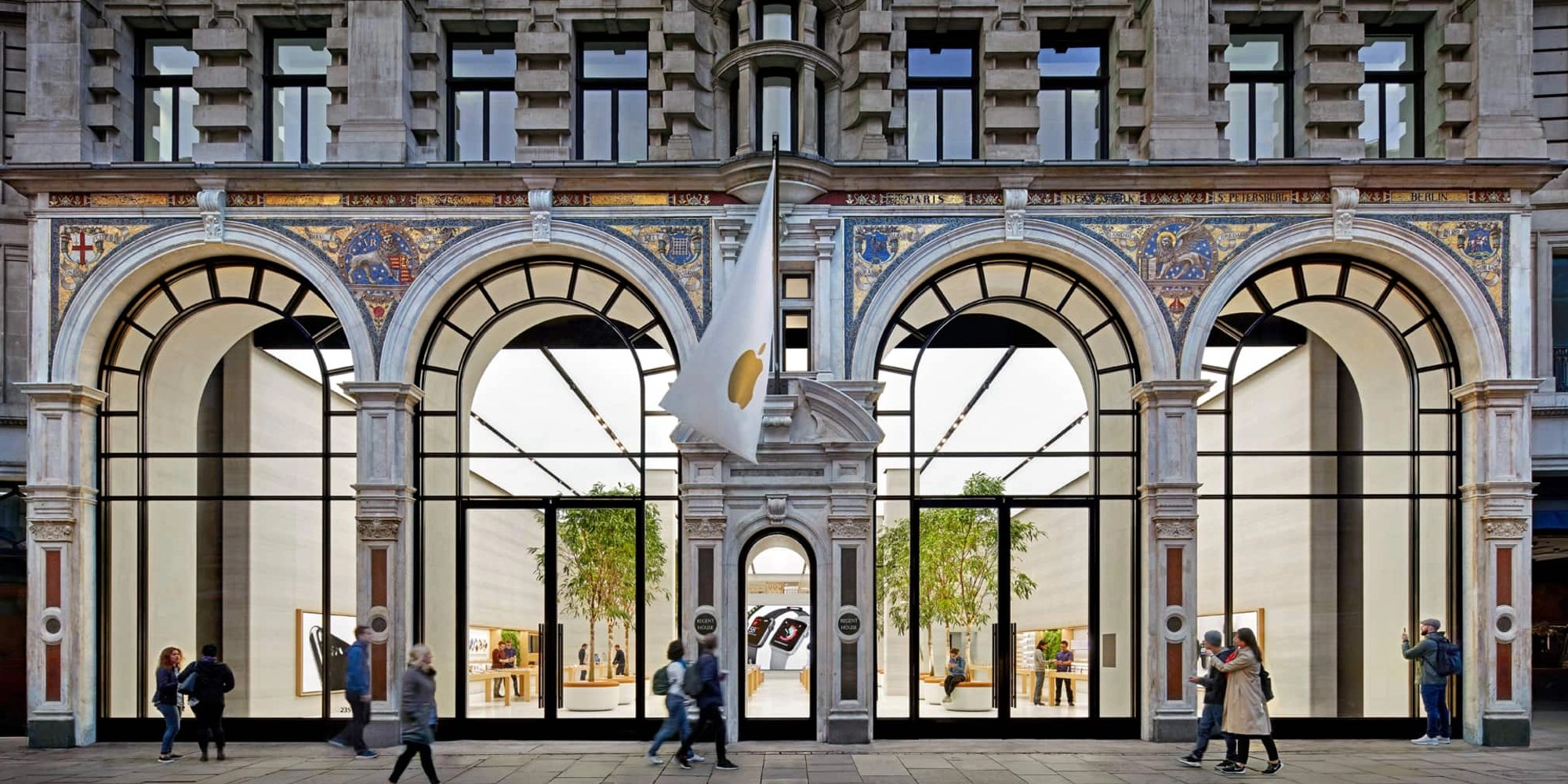
Apple's choice to hold a simultaneous multi-city event — New York, London, and Shanghai — is itself a signal. This is not the quiet press-release style announcement Apple uses for incremental updates. The three-city format was last used for product unveilings Apple considered strategically significant. Running the event at 9:00 AM Eastern places it at 2:00 PM in London and 10:00 PM in Shanghai, suggesting the company wants live audiences in all three markets to experience the announcement together.
According to Bloomberg's Mark Gurman, whose track record on Apple hardware predictions is essentially unparalleled, the March 4 event centers on "new Macs." The 9to5Mac report from February 15, 2026 references Apple preparing to launch at least five new products across several weeks, with the two MacBook lines being the March 4 centerpiece. MacRumors confirmed on February 18 that a low-cost MacBook is expected specifically on March 4, calling it one of the most anticipated Mac launches in recent memory.
The event format — livestreamed from multiple cities — suggests Apple will spend considerable time on both products, likely offering hands-on demonstrations immediately following the keynote. If historical patterns hold, orders will open the same day and shipping will begin within the same week, possibly as early as March 7-10.
Key event facts:
- Date: Wednesday, March 4, 2026
- Time: 9:00 AM ET / 2:00 PM GMT / 10:00 PM CST
- Locations: New York, London, Shanghai (simultaneous)
- Format: Livestreamed keynote + in-person media hands-on
- Expected shipping: Same week as announcement (March 7-10 estimated)
M5 MacBook Air: Complete Specifications Preview
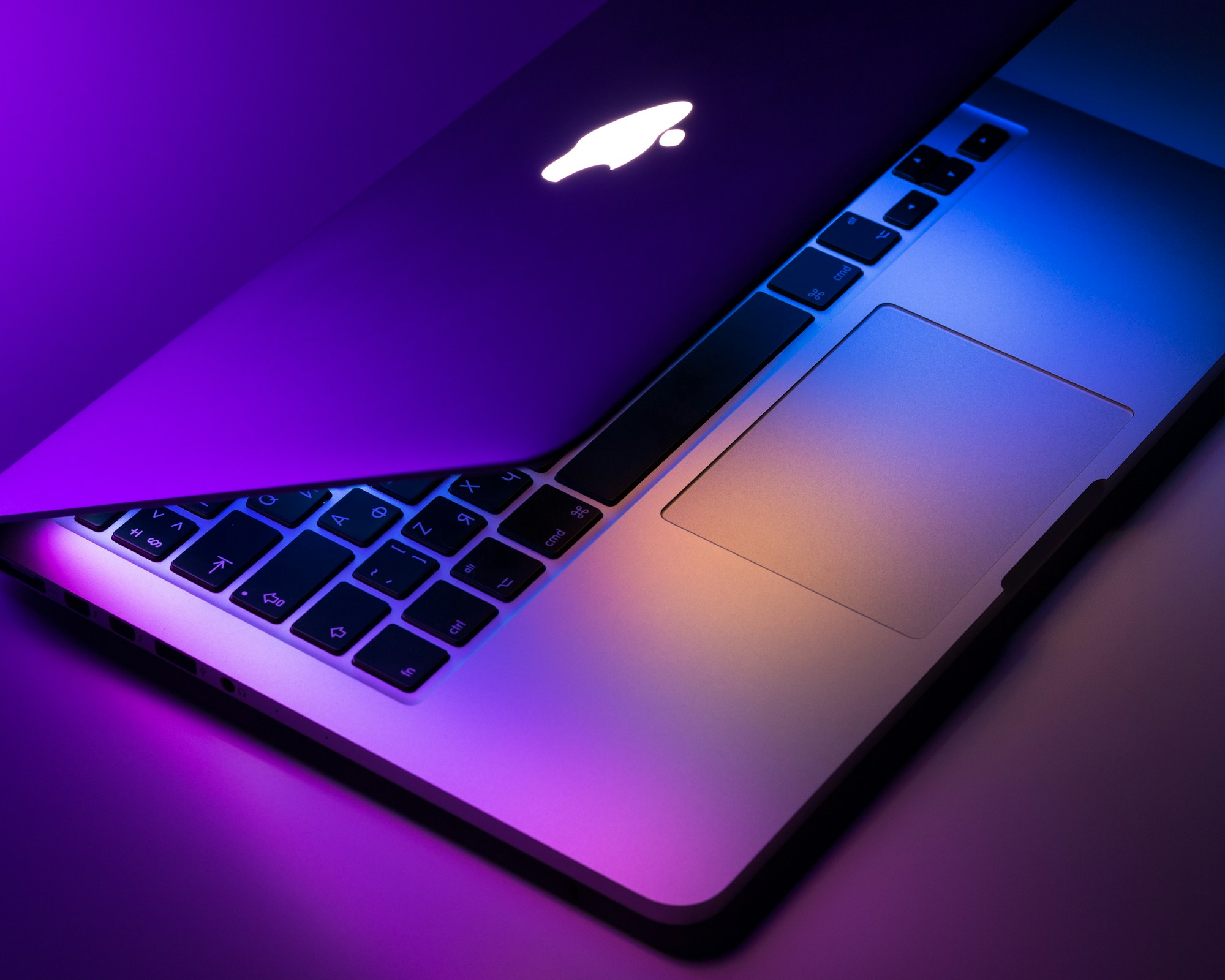
The M5 MacBook Air has been anticipated since Apple launched the M4 model in early 2025. The M5 chip, built on TSMC's refined 3nm process (N3P node — an improvement over the N3E process used in M4), delivers meaningful gains across CPU, GPU, and Neural Engine performance that go beyond a typical incremental update.
The M5 Chip: What the Numbers Mean
Apple has not officially disclosed M5 specifications, but supply chain data, benchmark leaks, and chip analysis from multiple sources converge on the following profile:
CPU Architecture: The M5 is expected to feature a 10-core CPU configuration (4 performance cores + 6 efficiency cores on the 13-inch base; a higher-tier configuration may differ). The performance cores benefit from architectural improvements inherited from the A18 Pro's CPU design, translated to Apple's desktop-class implementation. Reliable estimates place the CPU improvement at approximately 15-25% over M4 in multi-core throughput, with single-core gains in the 10-15% range. For day-to-day tasks — web browsing, email, document editing — the difference will be imperceptible. For sustained workloads like video encoding, code compilation, and large-model inference, the improvement will be felt.
GPU Architecture: The GPU story is more dramatic. The M5 is expected to bring an upgraded GPU with roughly 45% better performance than M4's GPU in metal compute benchmarks. This is a significant leap for a product that does not include a dedicated GPU and relies entirely on the unified memory architecture. Creative professionals running DaVinci Resolve or Final Cut Pro on MacBook Air will notice the difference. Gamers on macOS Tahoe will see improved frame rates in titles that target Metal. For Apple Intelligence tasks — image generation, on-device model inference, Siri reasoning — the GPU improvement translates directly to faster, higher-quality outputs.
Memory Bandwidth: M5 is reported to deliver 153 GB/s memory bandwidth, up substantially from M4's 120 GB/s. This matters enormously for the unified memory architecture where CPU, GPU, and Neural Engine all share the same memory pool. The bandwidth increase reduces bottlenecks during concurrent workloads — running a large language model locally while simultaneously transcoding video, for example — and makes the base 16GB configuration feel more capable than its predecessor's.
Neural Engine: Apple's Neural Engine has been upgraded for M5, with improvements specifically tuned for Apple Intelligence workloads. The M5 Neural Engine is expected to deliver improved performance for on-device AI inference — affecting everything from real-time translation to the quality of AI-generated writing suggestions in Apple Intelligence's Writing Tools.
Display, Design, and Ports
The M5 MacBook Air will retain the same beautiful Liquid Retina display that debuted with the M2 generation. Do not expect OLED — Apple's roadmap places OLED MacBook displays at least one more generation away, likely reserved for 2027's M6 lineup. The 13.6-inch (13-inch) and 15.3-inch (15-inch) sizes remain unchanged. Brightness, color accuracy (P3 wide color), and True Tone all carry over.
The chassis design is unchanged from the M4 MacBook Air — the same sub-11mm thin, fanless aluminum enclosure that makes the MacBook Air genuinely unique among thin-and-light laptops. No fans means no fan noise, ever, which remains one of the most underrated quality-of-life features in consumer computing.
Colors are expected to mirror the current M4 Air palette: Midnight, Starlight, Sky Blue, and Rose Gold variants. Apple has shown no indication of introducing new colors for M5.
Ports remain the same: two Thunderbolt / USB 4 ports on the left edge, plus MagSafe 3 for charging. The 3.5mm headphone jack with high-impedance headphone support stays. The MacBook Air famously lacks any ports on the right side — this is unchanged.
Camera and Audio
The 12MP Center Stage webcam introduced with the M3 Air carries over to M5. Expect potential improvements in computational photography through the Neural Engine, but the hardware camera module is likely unchanged. The four-speaker sound system with spatial audio and force-cancelling woofers continues — it remains one of the best laptop speakers in any price bracket.
Battery Life
The M4 MacBook Air already achieved Apple's claimed 18 hours of battery life — real-world usage consistently confirmed 12-15 hours for mixed workloads. The M5's efficiency improvements on the N3P process, combined with the same physical battery capacity, should yield modest battery life improvements. Some reports suggest Apple may claim up to 20 hours for the M5 Air, though this will depend heavily on workload mix.
Pricing
The M5 MacBook Air is expected to launch at exactly the same price points as the M4 Air it replaces:
- 13-inch MacBook Air (M5, 16GB, 256GB): $1,099
- 13-inch MacBook Air (M5, 16GB, 512GB): $1,299
- 15-inch MacBook Air (M5, 16GB, 512GB): $1,299
- 15-inch MacBook Air (M5, 16GB, 1TB): $1,499
Custom configurations will be available through Apple.com with up to 32GB RAM and 2TB storage.
M5 vs M4 MacBook Air: Full Comparison Table
| Specification | M4 MacBook Air (2025) | M5 MacBook Air (2026) |
|---|---|---|
| Chip | Apple M4 | Apple M5 |
| CPU Cores | 10-core | 10-core (improved architecture) |
| GPU Cores | 10-core | 10-core (improved architecture) |
| CPU Performance | Baseline | ~15-25% faster |
| GPU Performance | Baseline | ~45% faster |
| Memory Bandwidth | 120 GB/s | 153 GB/s |
| Neural Engine | 38 TOPS | Higher (estimated 45+ TOPS) |
| Base RAM | 16GB | 16GB |
| Max RAM | 32GB | 32GB |
| Base Storage | 256GB | 256GB |
| Max Storage | 2TB | 2TB |
| Display (13") | 13.6" Liquid Retina, 2560x1664 | 13.6" Liquid Retina, 2560x1664 |
| Display (15") | 15.3" Liquid Retina, 2880x1864 | 15.3" Liquid Retina, 2880x1864 |
| Display Type | LCD (no OLED) | LCD (no OLED) |
| Brightness | 500 nits | 500 nits (same expected) |
| Ports | 2x Thunderbolt 4 + MagSafe 3 + 3.5mm | 2x Thunderbolt 4 + MagSafe 3 + 3.5mm |
| Webcam | 12MP Center Stage | 12MP Center Stage |
| Wi-Fi | Wi-Fi 6E | Wi-Fi 7 (expected) |
| Bluetooth | 5.3 | 5.4 (expected) |
| Battery Life | Up to 18 hours | Up to 20 hours (expected) |
| Weight (13") | 2.7 lbs (1.24 kg) | 2.7 lbs (same expected) |
| Weight (15") | 3.3 lbs (1.51 kg) | 3.3 lbs (same expected) |
| Colors | Midnight, Starlight, Sky Blue, Rose Gold | Same (expected) |
| Starting Price | $1,099 | $1,099 (same expected) |
| macOS | macOS Tahoe | macOS Tahoe 26 |
| Apple Intelligence | Full support | Full support (enhanced) |
Verdict on upgrade from M4 to M5: For current M4 MacBook Air owners, the M5 upgrade is not compelling unless you do sustained GPU-heavy work (video editing, 3D rendering, gaming) or are deeply invested in on-device Apple Intelligence workloads. For users on M3 or earlier, the M5 Air is a substantial upgrade. For Intel Mac users considering their first Apple Silicon Mac, the M5 Air is an exceptional entry point.
The Low-Cost MacBook: A New Product Category
The second product expected on March 4 is the one that has generated the most excitement and analysis: a genuinely new MacBook positioned below the MacBook Air. Apple has reportedly settled on the simple branding "MacBook" — no "Air," no "Pro" — a return to the single-word name last used for the 12-inch MacBook that was discontinued in 2019.
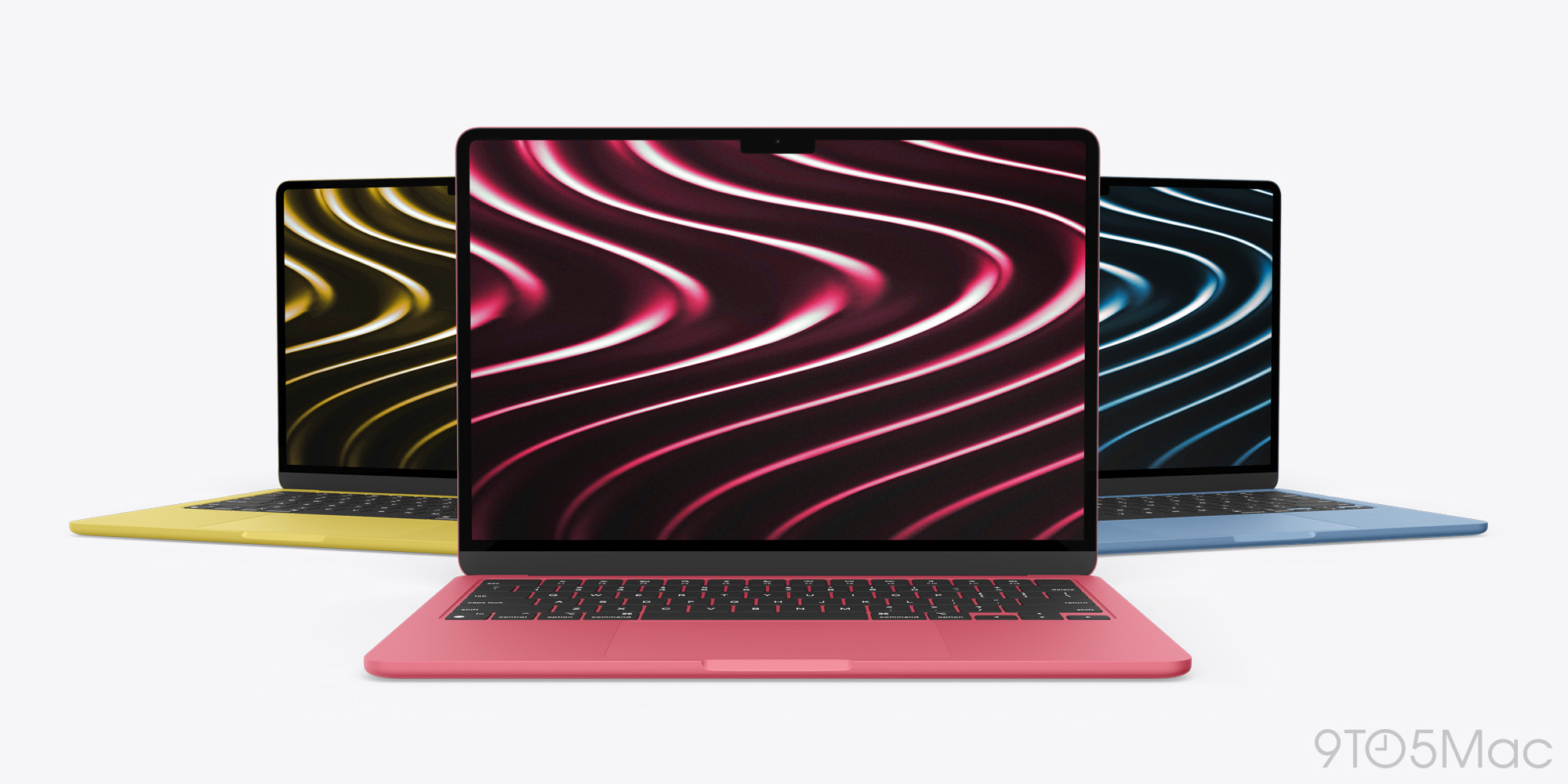
This is not a cheaper version of an existing MacBook. It is a rethought computer built around different priorities: lower cost, lighter weight, longer battery life, and bold consumer appeal — with the specific goal of attracting users who currently buy Chromebooks, Windows laptops in the $500-700 range, or who are making do with an iPad and external keyboard.
Display: 12.9-Inch — A New Size
The low-cost MacBook will reportedly feature a 12.9-inch display, filling the gap between Apple's 11-inch iPad Air and the 13.6-inch MacBook Air. This is a deliberate size choice: smaller and lighter than the MacBook Air, but larger and more capable than a tablet. The display technology is expected to be LCD (Liquid Retina quality), not OLED, consistent with keeping costs manageable.
The 12.9-inch size has a meaningful physical consequence: the laptop will be noticeably more portable than a MacBook Air. At this size, you can comfortably use it on an airplane tray table, in a coffee shop booth, or in a classroom desk. For the student market — one of Apple's primary targets — this form factor is compelling.
The A18 Pro Chip: Apple's Boldest Decision
The most discussed and debated design choice is the processor: the low-cost MacBook will reportedly use the Apple A18 Pro — the same chip inside the iPhone 16 Pro, not an M-series desktop-class chip.
This is unprecedented for a Mac. Every Mac since the transition from Intel to Apple Silicon in 2020 has used M-series chips. The decision to use A18 Pro is not a quality compromise — it is a strategic cost and performance-targeting decision.
The A18 Pro features:
- 6-core CPU (2 performance + 4 efficiency cores)
- 6-core GPU
- 16-core Neural Engine supporting full Apple Intelligence
- Manufactured on TSMC's 3nm process
- Up to 8GB unified memory (expected 8GB in this MacBook)
Compared to M-series chips, the A18 Pro has lower memory bandwidth and a smaller GPU, but its CPU cores are among the fastest in the world in single-thread workloads. For the tasks this MacBook is designed for — writing, web browsing, email, video calls, light photo editing, music streaming, document creation — the A18 Pro is more than adequate. Apple's own data on iPhone 16 Pro performance shows the A18 Pro outperforming the vast majority of Windows laptops in the sub-$1000 category in single-core CPU benchmarks.
Design: Aluminum, Not Plastic
A critically important detail: the low-cost MacBook will be built from aluminum, not plastic. This is not a budget laptop in the Chromebook sense. The design inspiration, per multiple reports, comes from the discontinued 12-inch MacBook — a razor-thin, premium-feeling aluminum unibody construction. Apple is not sacrificing build quality to hit the price point; instead, it is using a less expensive but still excellent chip, a smaller display, and a simplified port selection.
Expected design characteristics:
- Ultra-thin aluminum unibody chassis
- Fanless design (no cooling fan, completely silent operation)
- Full-size keyboard with Touch ID
- Force Touch trackpad
- Available in Silver, Blue, Pink, and Yellow — an iMac-inspired consumer color palette
The color choices are significant. Silver, Blue, Pink, and Yellow are fun, expressive colors that signal this is a consumer-targeted device. They echo the current iMac color strategy and explicitly contrast with the more subdued Midnight and Starlight shades of the MacBook Air. Apple wants this MacBook to be visually distinct — aspirational but approachable.
Ports and Connectivity
To maintain the low price point, Apple is reportedly including USB-C ports rather than the full Thunderbolt 4 implementation found in MacBook Air. MagSafe will likely be excluded — another cost reduction. Expect two USB-C ports (USB 3.x speed), Wi-Fi 6E or Wi-Fi 7, and Bluetooth 5.3 or 5.4.
The 3.5mm headphone jack is expected to survive.
Battery Life: Up to 24 Hours
Perhaps the most remarkable specification is battery life. Multiple reports cite an expected battery life of up to 24 hours — exceeding the already-excellent MacBook Air figures. This is achievable because the A18 Pro, despite its desktop-application capabilities when running macOS, is fundamentally a mobile chip designed for extreme power efficiency in iPhone use cases. Running macOS workloads, the A18 Pro's efficiency cores can stay at very low power draw for extended periods, extending battery life dramatically.
If Apple can genuinely deliver 20+ hours of real-world battery life on this device, it will be one of the most competitive laptop battery claims on the market at any price point.
Expected Specifications Summary
| Specification | Low-Cost MacBook (2026) |
|---|---|
| Chip | Apple A18 Pro |
| CPU | 6-core (2P + 4E) |
| GPU | 6-core |
| Neural Engine | 16-core (Apple Intelligence: full support) |
| RAM | 8GB unified memory |
| Storage | 256GB base |
| Display | 12.9-inch Liquid Retina LCD |
| Design | Aluminum unibody, fanless |
| Colors | Silver, Blue, Pink, Yellow |
| Keyboard | Full-size with Touch ID |
| Trackpad | Force Touch |
| Ports | 2x USB-C (no MagSafe, no Thunderbolt 4) |
| Wi-Fi | Wi-Fi 6E or Wi-Fi 7 |
| Battery Life | Up to ~24 hours |
| Weight | Lighter than MacBook Air (estimated ~2.2-2.4 lbs) |
| macOS | macOS Tahoe 26 (full support) |
| Apple Intelligence | Full support |
| Starting Price | $699-$799 (most likely $699) |
| Branding | "MacBook" (no Air/Pro) |
Why Apple Used A18 Pro Instead of M-Series
This is the question analysts and enthusiasts have debated most intensely since the low-cost MacBook rumors emerged. The answer is multifaceted.
1. Economics of chip production. The A18 Pro is already manufactured in enormous quantities for iPhone 16 Pro production. Apple's production cost for the A18 Pro is substantially lower than for M-series chips, which are produced in smaller quantities and require more silicon area for higher GPU core counts and memory bandwidth infrastructure. By repurposing a high-volume mobile chip, Apple can hit the $699 price point while maintaining its industry-leading margins.
2. Performance adequacy for the target market. The students, casual users, and entry-level professionals this MacBook targets do not run Final Cut Pro or Xcode. They run Safari, Pages, Numbers, Keynote, Zoom, FaceTime, Messages, Mail, and Spotify. For these workloads, the A18 Pro is not a compromise — it is overkill relative to what a $599 Windows laptop or Chromebook delivers in the same use case.
3. Apple Intelligence parity. The A18 Pro's 16-core Neural Engine fully supports every Apple Intelligence feature. Users of this MacBook will have access to Writing Tools, image generation, Siri's advanced reasoning, and all on-device AI capabilities. From an Apple Intelligence standpoint, this MacBook is not a second-class citizen.
4. Battery life optimization. The A18 Pro's extreme power efficiency, proven in iPhone deployments, translates to exceptional battery life when running macOS. An M-series chip of equivalent CPU performance would consume more power and reduce battery life. Apple chose the chip partly for the battery story it enables.
5. Strategic differentiation. Keeping the MacBook Air as the starting point for M-series "pro" Apple Silicon (even though it's called Air) preserves a clear product hierarchy. The MacBook is for everyday use; the MacBook Air is for users who need desktop-class GPU performance, Thunderbolt 4, higher memory bandwidth, or professional-grade expansion. The chips tell that story clearly.
Low-Cost MacBook vs MacBook Air vs iPad Pro: Who Should Buy What
The arrival of the low-cost MacBook forces a re-evaluation of the entire Apple portable product lineup. Here is a comprehensive comparison across three devices that now compete with each other:
| Category | MacBook (2026) | MacBook Air M5 (2026) | iPad Pro M4 + Magic Keyboard |
|---|---|---|---|
| Starting Price | ~$699 | $1,099 | ~$1,598+ |
| Chip | A18 Pro | M5 | M4 |
| Display | 12.9" LCD | 13.6" or 15.3" LCD | 11" or 13" OLED |
| Form Factor | Traditional laptop | Traditional laptop | Tablet + keyboard |
| macOS | Full macOS Tahoe | Full macOS Tahoe | iPadOS (not macOS) |
| App Compatibility | All Mac apps | All Mac apps | iPad/iPhone apps only |
| External Display | Limited (USB-C) | Yes (Thunderbolt 4) | Yes (but complex) |
| Multitasking | Full macOS multitasking | Full macOS multitasking | Stage Manager (limited) |
| Battery Life | ~24 hours | ~18-20 hours | ~10-12 hours |
| Weight | ~2.2-2.4 lbs | 2.7-3.3 lbs | 1.5 lbs (tablet only) |
| Ports | 2x USB-C | 2x Thunderbolt 4 + MagSafe | 1x Thunderbolt 4 |
| Best For | Students, casual users | Most users | Creative professionals, tablet-first users |
| Apple Intelligence | Full | Full | Full |
| Keyboard | Built-in | Built-in | Separate purchase required |
| macOS App Support | Full | Full | No (iPadOS only) |
| Pro Software | Yes (all Mac apps) | Yes (all Mac apps) | Limited |
Key insight: The iPad Pro + Magic Keyboard is not a real laptop alternative. It runs iPadOS, not macOS, which means no native Mac apps, no macOS filesystem, no Xcode, no full-featured browsers in the same sense, and significant multitasking limitations relative to any Mac. The iPad Pro is a brilliant tablet that can approximate a laptop; it is not a replacement for one. For users who have been buying an iPad Pro thinking it replaces a laptop, the $699 MacBook is a wake-up call.
Price Comparison: Budget MacBook vs Competitors
Apple has never competed directly in the sub-$800 laptop market. This MacBook changes that entirely.
| Product | Price | OS | Build Quality | Apple Intelligence |
|---|---|---|---|---|
| Apple MacBook (2026) | $699-$799 | macOS Tahoe | Premium aluminum | Full |
| MacBook Air M5 (base) | $1,099 | macOS Tahoe | Premium aluminum | Full |
| Dell XPS 13 | $999+ | Windows 11 | Premium aluminum | No |
| Microsoft Surface Pro 11 | $799+ | Windows 11 (tablet) | Magnesium | Copilot+ only |
| Samsung Galaxy Book4 | $799 | Windows 11 | Aluminum | No |
| ASUS ZenBook 14 | $699 | Windows 11 | Aluminum | No |
| Lenovo ThinkPad E14 | $649 | Windows 11 | Composite | No |
| Acer Swift 3 | $549 | Windows 11 | Aluminum | No |
| HP Chromebook Plus | $499 | ChromeOS | Plastic | No |
| Google Pixelbook Go | $649 | ChromeOS | Magnesium | No |
The competitive picture is stark: no competitor in the $699-$799 price bracket offers a combination of premium aluminum build quality, 24-hour battery life, full AI integration, and macOS compatibility. The MacBook Air starts $300-$400 higher. The closest Windows competitors — Dell XPS 13, Surface Pro — start at or above the same price with Windows 11 and no equivalent to Apple Intelligence.
For anyone already in the Apple ecosystem — particularly iPhone users — the $699 MacBook is transformative. Apple Intelligence features, iMessage, FaceTime, Handoff, AirDrop, Universal Clipboard, iPhone Mirroring, and the entire continuity ecosystem work fully with this MacBook. That integration is worth hundreds of dollars in practical productivity value.
Decision Guide by User Type
Students (High School and Undergraduate)
Recommended: Low-Cost MacBook at $699
The $699 MacBook is purpose-built for students. The 12.9-inch size and sub-2.5 lb weight make it genuinely portable in a way that larger laptops are not — you will actually carry it to every class. Battery life of up to 24 hours eliminates charger anxiety on long campus days. The full macOS environment means access to all academic software, real file management, Safari's excellent reading tools, and Apple Intelligence writing assistance for essays and research.
For students already using iPhone, the ecosystem integration is a compelling bonus: iPhone Mirroring lets you access your phone apps on screen, text messages appear on your Mac automatically, and AirDrop makes moving files between devices instantaneous.
The 8GB RAM and 256GB storage may feel constrained for students who accumulate large media libraries or run memory-intensive applications like virtual machines. These students should consider the MacBook Air M5.
Casual Users and Home Users
Recommended: Low-Cost MacBook at $699 (most users) or MacBook Air M5 at $1,099 (power users)
For the majority of home users — web browsing, streaming, email, video calls, iPhoto, light document editing — the $699 MacBook is not just sufficient, it is more than adequate. The A18 Pro handles these tasks effortlessly, and the battery life means you will rarely need to plug in at home.
The MacBook Air M5 makes sense for home users who do more: light video editing in iMovie or Final Cut Express, some Lightroom editing, or running Windows virtualization via Parallels. The M5's GPU advantage and higher memory bandwidth become relevant in these use cases.
Creative Professionals (Photographers, Video Editors, Designers)
Recommended: MacBook Air M5 at $1,099+ (15-inch preferred)
Creative professionals should not consider the low-cost MacBook as their primary work machine. The A18 Pro's 6-core GPU is substantially weaker than the M5's GPU for sustained creative workloads. DaVinci Resolve, Final Cut Pro, Adobe Premiere Pro, Lightroom, and Photoshop all benefit meaningfully from the M5's 45% GPU improvement over M4. The M5 Air's higher memory bandwidth (153 GB/s vs. A18 Pro's lower mobile-class bandwidth) also matters for large asset manipulation.
Additionally, professional photographers and video editors need Thunderbolt 4 to connect high-speed external SSDs and professional monitors. The MacBook only offers USB-C without Thunderbolt 4.
For serious creative work, the 15-inch MacBook Air M5 at $1,299 (base) represents extraordinary value — a powerful, portable creative workstation with a large Liquid Retina display, premium audio, and the M5's creative performance.
Developers and Engineers
Recommended: MacBook Air M5 at $1,099+ (at minimum); MacBook Pro for complex builds
Developers need more than the low-cost MacBook offers. Running Xcode, Docker containers, Kubernetes tools, multiple development servers, or building complex Swift/Rust/Go projects demands the MacBook Air M5's higher memory bandwidth and GPU resources. Local LLM development — running 7B+ parameter models for AI-augmented development — requires the 32GB RAM option available in the M5 Air.
The minimum developer recommendation is the MacBook Air M5 with 16GB RAM and 512GB storage ($1,299). For developers who run VMs, large Docker environments, or machine learning training jobs, stepping up to 32GB RAM and a MacBook Pro M5 Pro (expected later in 2026) becomes appropriate.
One exception: a developer who primarily does frontend web development — HTML, CSS, JavaScript, TypeScript — with no local server requirements and no native app development may find the low-cost MacBook sufficient, particularly if they have a separate more powerful machine for heavy builds.
Seniors and Technology-Reluctant Users
Recommended: Low-Cost MacBook at $699
For family members who have been using aging Windows machines, the low-cost MacBook at $699 with its simple "MacBook" branding, large colorful options, excellent trackpad, and macOS's reputation for reliability is an ideal upgrade path. The extended battery life reduces the frustration of managing power. The built-in iCloud integration with iPhone makes the transition to a Mac ecosystem seamless.
Setup via Apple's migration assistant means experienced family members can help configure it remotely.
Will M4 MacBook Air Prices Drop?
When Apple announces the M5 MacBook Air, the M4 model will be discontinued from Apple's primary lineup or moved to a lower price point — typically $100-200 below the current MSRP. Apple's historical pattern is clear: a new model launches, and the previous generation either gets a permanent price reduction or is cleared out through authorized resellers.
What to expect:
- Apple will likely discontinue the M4 MacBook Air from apple.com entirely (replacing it with M5)
- Authorized resellers (Best Buy, Amazon, Costco, B&H) will discount remaining M4 Air inventory significantly — potentially $150-300 below original MSRP
- Education pricing through Apple for M4 refurbished units may become very attractive
- Third-party resellers on Amazon Marketplace may offer M4 units at $899-999 for the 13-inch base configuration within weeks of the M5 launch
Should you buy a discounted M4 Air instead of M5?
For most users: No. If the price difference is $100 or less, the M5's 45% GPU improvement and higher memory bandwidth make it the clear choice. If the M4 13-inch drops to $849-899, it becomes genuinely tempting for light users, but the M5 will serve you better for a longer period before the next upgrade cycle.
Ordering Tips and Launch Day Strategy
If you plan to purchase either product on or immediately after March 4, here is how to maximize your chances of getting your preferred configuration quickly:
Preparation (before March 4):
- Create or verify your Apple ID and sign into apple.com before the event
- Save your shipping address and payment method in your Apple account
- Set up Apple Pay if you haven't — it speeds checkout significantly
- Research your configuration in advance using the spec tables in this article
- Download the Apple Store app — sometimes orders process faster there than on the web
On March 4:
- Watch the keynote starting at 9:00 AM ET — Apple typically opens orders the moment the event ends or within hours
- Have multiple devices ready (iPhone, Mac, iPad) — if one experiences checkout issues, use another
- Be decisive about your configuration — hesitation on launch day can mean weeks of wait time for popular configurations
- Prefer in-store pickup to shipping if your local Apple Store has availability — it guarantees faster receipt
Popular configurations to order first:
- MacBook Air M5 13-inch, 16GB, 256GB (the most popular by volume, may sell out quickly)
- Low-cost MacBook in Blue or Pink (fun colors often have longer wait times)
Education pricing: If you are a student or educator, use Apple's Education Store — typically saves $100-200 and includes Apple Intelligence features without compromise.
Trade-in: Check your trade-in value at apple.com/shop/trade-in before the event. Apple's trade-in values can be applied directly at checkout and are sometimes more generous than third-party trade-in services for recent Apple devices.
Frequently Asked Questions
Q: Will the low-cost MacBook run all Mac apps? A: Yes. Running macOS Tahoe, it runs every Mac app designed for macOS, including apps optimized for Apple Silicon. The A18 Pro chip runs macOS natively; Rosetta 2 remains available for any remaining Intel-architecture apps.
Q: Is 8GB RAM enough in 2026? A: For the target use case — web browsing, documents, email, video calls, streaming — yes, emphatically. Apple's unified memory architecture with 8GB performs comparably to 16GB in conventional architectures for everyday tasks. However, heavy multitaskers or anyone running virtual machines should consider the MacBook Air M5 with 16GB.
Q: Can the low-cost MacBook connect to an external monitor? A: Yes, via USB-C display output. However, without Thunderbolt 4, bandwidth for very high-resolution displays (6K/8K) may be limited. For 4K displays, USB-C connectivity should be adequate.
Q: Will the M5 MacBook Air support Apple Intelligence? A: Yes, fully. The M5 MacBook Air supports every Apple Intelligence feature in macOS Tahoe, including on-device model inference, Writing Tools, image generation, advanced Siri, and Priority Notifications.
Q: Is the low-cost MacBook good for gaming? A: Better than you might expect — macOS gaming is improving with titles like Resident Evil 4 Remake, Baldur's Gate 3, Lies of P, and others available natively. The A18 Pro's GPU is capable of running these titles at moderate settings. However, for dedicated gaming, the MacBook Air M5's larger GPU is preferable.
Q: Can I upgrade the RAM or storage later? A: No. As with all Apple Silicon Macs, RAM and storage are soldered to the logic board and cannot be upgraded after purchase. Choose your configuration carefully at the time of purchase.
Q: When will the M5 MacBook Pro launch? A: Separate from the March 4 event, the M5 MacBook Pro is expected later in 2026, likely in the fall. The March 4 event is specifically focused on the consumer MacBook lineup (Air and the new budget MacBook).
Q: Does the low-cost MacBook have Face ID? A: Reports indicate Touch ID rather than Face ID. The camera module for Face ID is a significant cost addition, and Apple is using Touch ID to help maintain the lower price point.
Q: What macOS version will both MacBooks ship with? A: Both will ship with macOS Tahoe 26 (the latest version available in March 2026), with full support for all Tahoe features.
Conclusion: The Biggest Mac Week in Years
March 4, 2026 will be a landmark day for the Mac lineup — and arguably for the broader consumer laptop market. The M5 MacBook Air continues Apple's unbroken track record of making the world's best mainstream laptop better with each generation, delivering meaningful performance improvements at the same price point that made the M4 Air so compelling.
But the low-cost MacBook is the more consequential announcement. By bringing full macOS, Apple Intelligence, premium aluminum construction, and 24-hour battery life to a $699 price point, Apple is directly challenging the Chromebook market, providing a genuine entry into the Mac ecosystem for millions of budget-conscious users, and fundamentally answering the question of what you should buy when an iPad is not enough but a MacBook Air feels expensive.
Neither product requires you to make a difficult compromise. The M5 MacBook Air is the laptop for anyone who wants the best possible everyday Mac with meaningful GPU and AI performance headroom. The new MacBook is the laptop for students, casual users, families, and newcomers who want the full Mac experience — including Apple Intelligence — without the $1,099+ commitment.
If you have been waiting to buy a new Mac, March 4 is your day. Both products should be orderable immediately following the keynote, with shipping beginning the same week. Prepare your Apple ID, know your configuration, and have your payment ready.
The Mac has never offered this much value across this wide a price range. The gap between $699 and $1,099 now contains two of the most compelling laptops Apple has ever made.
Sources: Bloomberg (Mark Gurman), MacRumors (February 18, 2026), 9to5Mac (February 15-18, 2026). All specifications and pricing are based on pre-announcement reporting and are subject to change at official announcement.