Apple Container vs Docker Desktop: Complete Mac Developer Guide 2026 - Native Swift-Based Containerization for Apple Silicon

Apple's new Container tool brings native Linux container support to macOS. Compare Apple Container vs Docker Desktop vs OrbStack with benchmarks, setup guides, and real-world use cases for Mac developers in 2026.
At WWDC 2025, Apple quietly revolutionized container development on macOS by announcing Containerization—an open-source Swift framework and CLI tool for running Linux containers natively on Apple Silicon Macs. This comprehensive guide compares Apple's new Container tool with Docker Desktop and OrbStack, helping you choose the right containerization solution for your development workflow in 2026.
What is Apple Container?
Apple Container is a native macOS tool for creating and running Linux containers using lightweight virtual machines. Written entirely in Swift and optimized specifically for Apple Silicon, it represents Apple's first official entry into container tooling.
Key Characteristics
Native Swift Implementation:
- Built from the ground up in Swift 6.2
- Uses Apple's Virtualization.framework
- Optimized for Apple Silicon (M1, M2, M3, M4 chips)
- Open source under Apache 2.0 license
Architecture Innovation: Unlike Docker Desktop, which runs all containers in a single large Linux VM, Apple Container runs each container in its own lightweight virtual machine. This provides:
- Better isolation between containers
- Enhanced security boundaries
- Independent resource allocation
- Clean shutdown and cleanup
OCI Compliance: Apple Container is fully compliant with Open Container Initiative (OCI) standards, meaning:
- Pull images from Docker Hub and other registries
- Build images using standard Dockerfiles
- Interoperability with existing container workflows
- Compatible with Kubernetes tooling
Apple Container vs Docker Desktop vs OrbStack: Complete Comparison
Performance Benchmarks
| Metric | Apple Container | Docker Desktop | OrbStack |
|---|---|---|---|
| Startup Time | < 1 second | 20-30 seconds | ~2 seconds |
| Memory Overhead | Minimal per-container | 2-4GB shared VM | Dynamic allocation |
| CPU Idle Usage | < 0.1% | 1-3% | < 0.1% |
| Disk Space (Base) | ~50MB | ~2GB | < 10MB |
| Container Isolation | Per-container VM | Shared VM | Shared VM |
Feature Comparison
| Feature | Apple Container | Docker Desktop | OrbStack |
|---|---|---|---|
| Price | Free & Open Source | Free (Personal) / $9-24/mo | Free (Personal) |
| GUI Interface | CLI only | Full GUI | Native Mac GUI |
| Docker Compose | Limited support | Full support | Full support |
| Kubernetes | No | Built-in | Yes |
| Volume Mounts | Yes | Yes | Yes |
| Networking | Host networking | Bridge/Host/Custom | Bridge/Host |
| Build Images | Dockerfile support | Full support | Full support |
| Apple Silicon Native | Yes | Rosetta + ARM | Yes |
| Open Source | Yes (Apache 2.0) | No | No |
| macOS Version | Tahoe 26+ only | Monterey+ | Monterey+ |
| Intel Mac Support | No | Yes | Limited |
Best Use Cases
Choose Apple Container When:
- You need maximum isolation between containers
- Security is a primary concern
- You're developing Swift-based container tooling
- You want the lightest resource footprint
- You prefer open-source solutions
- You're on macOS Tahoe 26 with Apple Silicon
Choose Docker Desktop When:
- You need Kubernetes integration
- Your team uses Docker Compose extensively
- You prefer a graphical interface
- You need Windows/Linux cross-platform support
- You're working with complex multi-container setups
Choose OrbStack When:
- You want Docker compatibility with better performance
- Battery life is a priority (laptops)
- You need a native Mac experience
- You want fast iteration during development
- You're price-sensitive (free for personal use)
Getting Started with Apple Container
System Requirements
- macOS Tahoe 26 or later (required)
- Apple Silicon Mac (M1, M2, M3, M4 series)
- Xcode Command Line Tools
Important: Apple Container does NOT support Intel Macs or earlier macOS versions.
Installation
Via Homebrew (Recommended):
brew install apple/container/containerFrom Source:
git clone https://github.com/apple/container.git
cd container
swift build -c release
sudo cp .build/release/container /usr/local/bin/
Verify Installation:
container --version
# container version 1.0.0
Basic Usage
Pull an Image:
# Pull from Docker Hub
container pull alpine:latest

# Pull from other registries
container pull ghcr.io/myorg/myimage:tag
Run a Container:
# Interactive shell
container run -it alpine:latest /bin/sh

# Run command and exit
container run alpine:latest echo "Hello from Apple Container"

# Run in background
container run -d nginx:latest
List Containers:
# List running containers
container list

# List all containers (including stopped)
container list --all
Manage Containers:
# Stop a container
container stop <container-id>

# Remove a container
container rm <container-id>

# View logs
container logs <container-id>
Build Images:
# Build from Dockerfile
container build -t myapp:latest .

# Build with build arguments
container build --build-arg VERSION=1.0 -t myapp:latest .
Volume Mounting
Mount local directories into containers:
# Mount current directory
container run -v $(pwd):/app -it node:20 /bin/bash

# Read-only mount
container run -v $(pwd):/data:ro alpine:latest ls /data
Networking
Apple Container supports host networking by default:
# Expose port
container run -p 8080:80 nginx:latest

# Host networking mode
container run --network host myapp:latest
OrbStack: The Popular Alternative
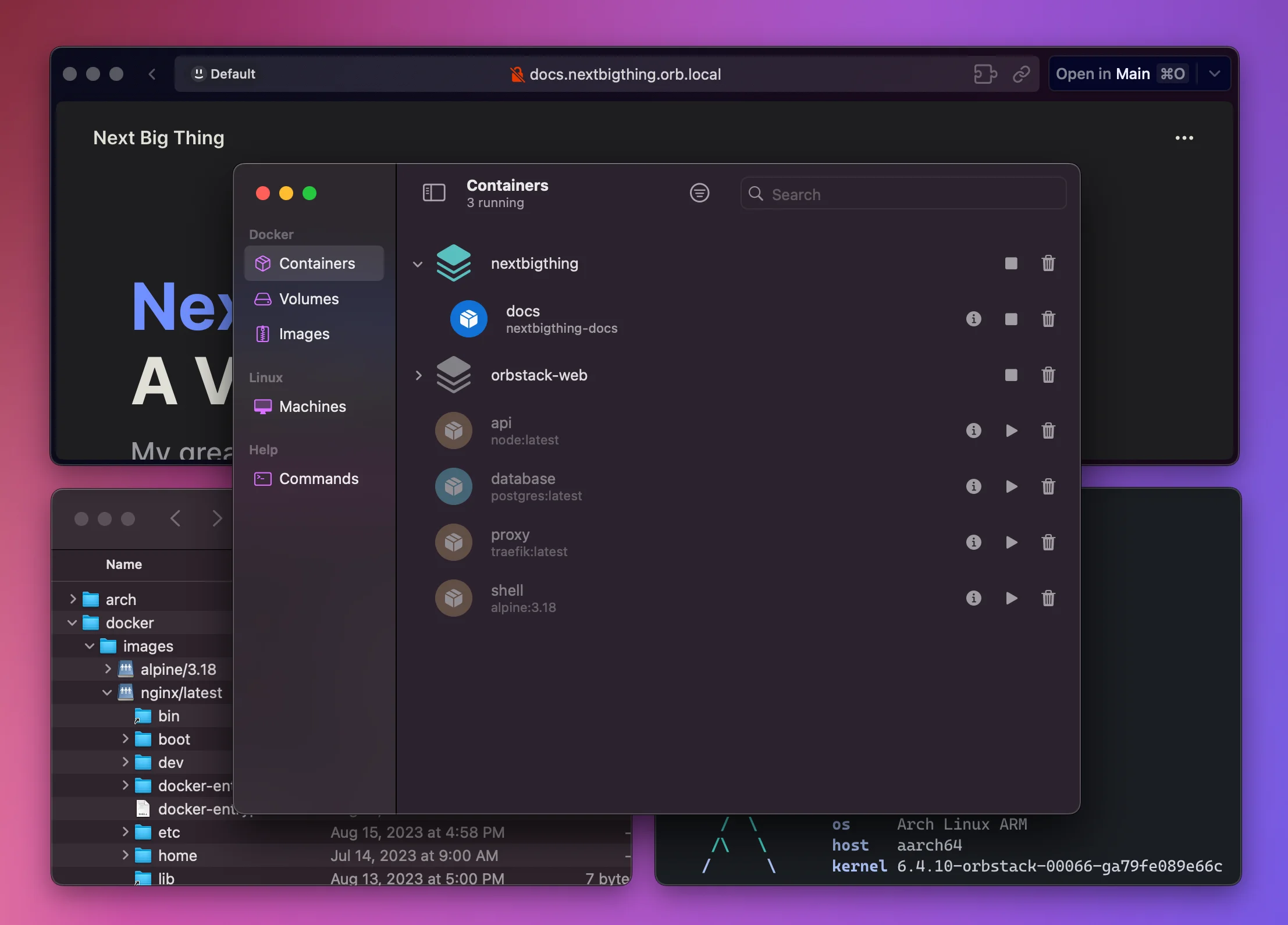
OrbStack has emerged as the most popular Docker Desktop alternative for Mac developers. Here's why many choose it:
Key Advantages
Speed:
- 2-second startup vs Docker Desktop's 20-30 seconds
- Instant container launches
- Fast volume mounts with VirtioFS
Resource Efficiency:
- Dynamic RAM allocation (grows/shrinks with usage)
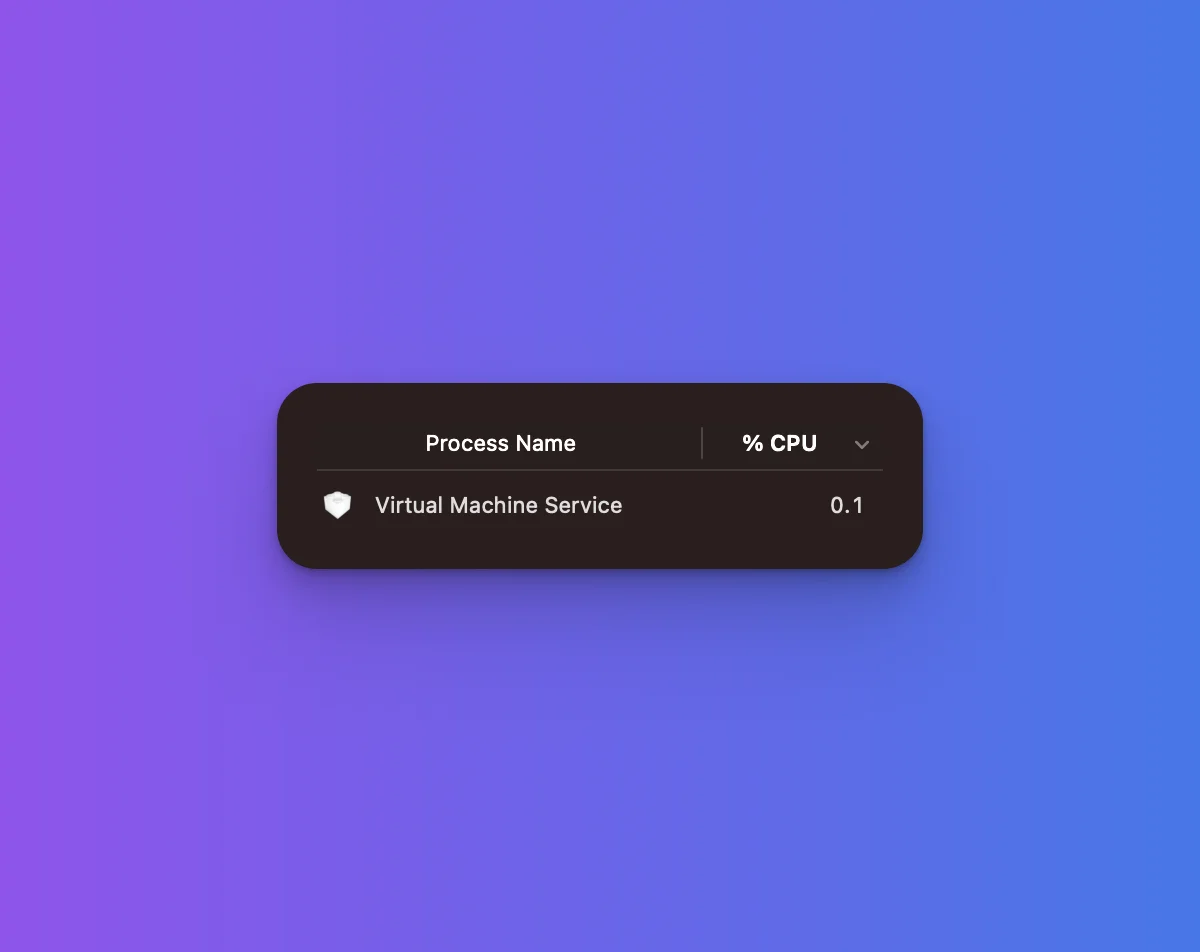
- Less than 0.1% background CPU on Apple Silicon
- Minimal disk footprint
Native Mac Experience:
- Built as a native Swift application
- Integrates with macOS notifications
- Menu bar quick access
- Spotlight integration
OrbStack Setup
Installation:
brew install --cask orbstackMigration from Docker Desktop: OrbStack can migrate your existing Docker setup:
- Open OrbStack
- Click "Import from Docker Desktop"
- Select containers/images to migrate
Usage: OrbStack provides drop-in Docker CLI compatibility:
# These commands work identically
docker run -it alpine:latest /bin/sh
docker-compose up -d
docker build -t myapp .
OrbStack vs Apple Container
| Aspect | Apple Container | OrbStack |
|---|---|---|
| Maturity | New (2025) | Established (2022+) |
| Docker Compose | Limited | Full support |
| GUI | None | Excellent native GUI |
| Isolation Model | VM per container | Shared VM |
| Linux VMs | Containers only | Full Linux VMs available |
| Kubernetes | No | Yes |
| Price | Free forever | Free personal, paid teams |
Docker Desktop: Still Relevant in 2026?
Docker Desktop remains relevant for specific use cases despite the competition:
Docker Desktop Strengths
Ecosystem Integration:
- Built-in Kubernetes
- Docker Scout security scanning
- Docker Build Cloud
- Extensions marketplace
Enterprise Features:
- Centralized management
- RBAC and SSO
- Compliance tooling
- Support contracts
Cross-Platform:
- Same experience on Mac, Windows, Linux
- Team standardization benefits
Docker Desktop Limitations on Mac
Performance Overhead:
- Higher memory consumption
- Slower startup times
- More CPU usage at idle
Licensing Costs:
- Free for personal and small business (< 250 employees, < $10M revenue)
- Pro: $9/month per user
- Team: $15/month per user
- Business: $24/month per user
When Docker Desktop Makes Sense
- Enterprise environments with existing Docker infrastructure
- Teams requiring Kubernetes development locally
- Cross-platform teams needing consistent tooling
- Projects using Docker Compose extensively
Migration Guide: Switching Container Tools
From Docker Desktop to Apple Container
Step 1: Export Images
# List your images
docker images

# Save important images
docker save myapp:latest > myapp.tar
Step 2: Import to Apple Container
# Apple Container can pull from registries directly
container pull myapp:latest

# Or import from tar (if supported in your version)
container load < myapp.tar
Step 3: Update Scripts
Replace docker commands with container:
# Before
docker run -it alpine:latest /bin/sh

# After
container run -it alpine:latest /bin/sh
Step 4: Handle Compose Files Apple Container has limited Docker Compose support. For complex setups:
- Convert to individual container commands
- Use scripting to orchestrate
- Consider keeping Docker/OrbStack for Compose-heavy projects
From Docker Desktop to OrbStack
Step 1: Install OrbStack
brew install --cask orbstackStep 2: Automatic Migration
- Open OrbStack
- Navigate to Settings > Migration
- Click "Migrate from Docker Desktop"
Step 3: Verify
# OrbStack provides docker CLI compatibility
docker version
docker-compose version
Step 4: Uninstall Docker Desktop (Optional)
# Via Applications folder or
brew uninstall --cask docker
Real-World Development Workflows
Web Development Setup
Node.js with Apple Container:
# Run Node.js development server
container run -it -v $(pwd):/app -w /app -p 3000:3000 \
  node:20-alpine npm run dev
Full Stack with OrbStack (Docker Compose):
# docker-compose.yml
version: '3.8'
services:
  frontend:
    image: node:20-alpine
    volumes:
      - ./frontend:/app
    ports:
      - "3000:3000"
    command: npm run dev

  backend:
    image: python:3.12-alpine
    volumes:
      - ./backend:/app
    ports:
      - "8000:8000"
    command: python manage.py runserver 0.0.0.0:8000

  database:
    image: postgres:16-alpine
    environment:
      POSTGRES_PASSWORD: devpassword
    volumes:
      - pgdata:/var/lib/postgresql/data

volumes:
  pgdata:
iOS/macOS Development Integration
Apple Container integrates well with Xcode workflows:
Running Build Tools:
# Run Linux-specific build tools
container run -v $(pwd):/project -w /project \
  swift:5.10 swift build

# Cross-compile for Linux deployment
container run -v $(pwd):/project -w /project \
  swift:5.10 swift build --static-swift-stdlib
CI/CD Local Testing:
# Replicate GitHub Actions locally
container run -v $(pwd):/github/workspace -w /github/workspace \
  -e GITHUB_WORKSPACE=/github/workspace \
  ubuntu:22.04 ./.github/workflows/build.sh
Database Development
PostgreSQL:
# Apple Container
container run -d -p 5432:5432 \
  -e POSTGRES_PASSWORD=secret \
  -v pgdata:/var/lib/postgresql/data \
  postgres:16

# Connect
psql -h localhost -U postgresRedis:
container run -d -p 6379:6379 redis:alpineSecurity Considerations
Apple Container Security Model
Per-Container Isolation: Each container runs in its own lightweight VM, providing:
- Separate kernel instances
- Independent network namespaces
- Isolated filesystem boundaries
- No shared attack surface between containers
Advantages Over Shared-VM Models:
- Container escape affects only that container's VM
- Kernel vulnerabilities don't spread between containers
- Cleaner resource accounting
Security Best Practices
1. Use Official Images:
# Prefer official images
container pull nginx:alpine
# Avoid untrusted sources
2. Scan Images:
# Use Trivy for vulnerability scanning
brew install trivy
trivy image myapp:latest
3. Run as Non-Root:
# In Dockerfile
USER 1000:1000
4. Limit Resources:
container run --memory=512m --cpus=1 myapp:latest5. Keep Images Updated:
# Regularly pull latest versions
container pull alpine:latest
container pull node:20-alpine
Troubleshooting Common Issues
Apple Container Issues
"Virtualization not available" Error:
# Check virtualization support
sysctl kern.hv_support
# Should return: kern.hv_support: 1
Container Won't Start:
# Check logs
container logs <container-id>

# Increase verbosity
container --verbose run alpine:latest
Network Connectivity Issues:
# Test inside container
container run -it alpine:latest ping google.com

# Check DNS
container run alpine:latest cat /etc/resolv.conf
OrbStack Issues
Slow Volume Mounts:
# Use VirtioFS (default in recent versions)
# Check in OrbStack Settings > Docker > File Sharing
Docker Socket Not Found:
# Verify socket location
ls -la /var/run/docker.sock

# OrbStack typically symlinks this correctly
Docker Desktop Issues
High Resource Usage:
- Open Docker Desktop
- Settings > Resources
- Reduce CPU and Memory limits
- Enable "Use virtualization framework" on Apple Silicon
Slow File Syncing:
- Settings > Resources > File Sharing
- Remove unnecessary paths
- Use .dockerignore to exclude large directories
Future of Containerization on Mac
Apple's Container Roadmap
Based on WWDC 2025 announcements and GitHub activity:
Near-Term (2026):
- Improved Docker Compose compatibility
- GUI tools integration
- Better volume mount performance
- Expanded documentation
Medium-Term (2026-2027):
- Kubernetes support
- Container orchestration features
- IDE integrations (Xcode, VS Code)
- Enterprise features
Industry Trends
Shift Toward Native Solutions:
- Apple entering the container space validates the importance of development containers
- More tools will optimize specifically for Apple Silicon
- Expect continued performance improvements
Security Focus:
- Per-container isolation models gaining traction
- Supply chain security becoming standard
- Signed and verified images more common
Conclusion and Recommendations
The Mac containerization landscape in 2026 offers excellent choices for every developer:
Quick Recommendations
For Maximum Performance & Isolation: Use Apple Container if you're on macOS Tahoe with Apple Silicon and can work with CLI-only tooling.
For Docker Compatibility & Ease of Use: Use OrbStack for the best balance of performance, features, and user experience.
For Enterprise & Kubernetes: Use Docker Desktop when you need the full Docker ecosystem and team standardization.
The Hybrid Approach
Many developers use multiple tools:
- Apple Container for security-sensitive or resource-constrained work
- OrbStack for daily Docker development with Compose
- Docker Desktop when team requires standardization
The key is choosing the right tool for each project's requirements rather than a one-size-fits-all approach.
Related Articles: