macOS Tahoe vs Windows 11: Complete 2025 Platform Comparison Guide
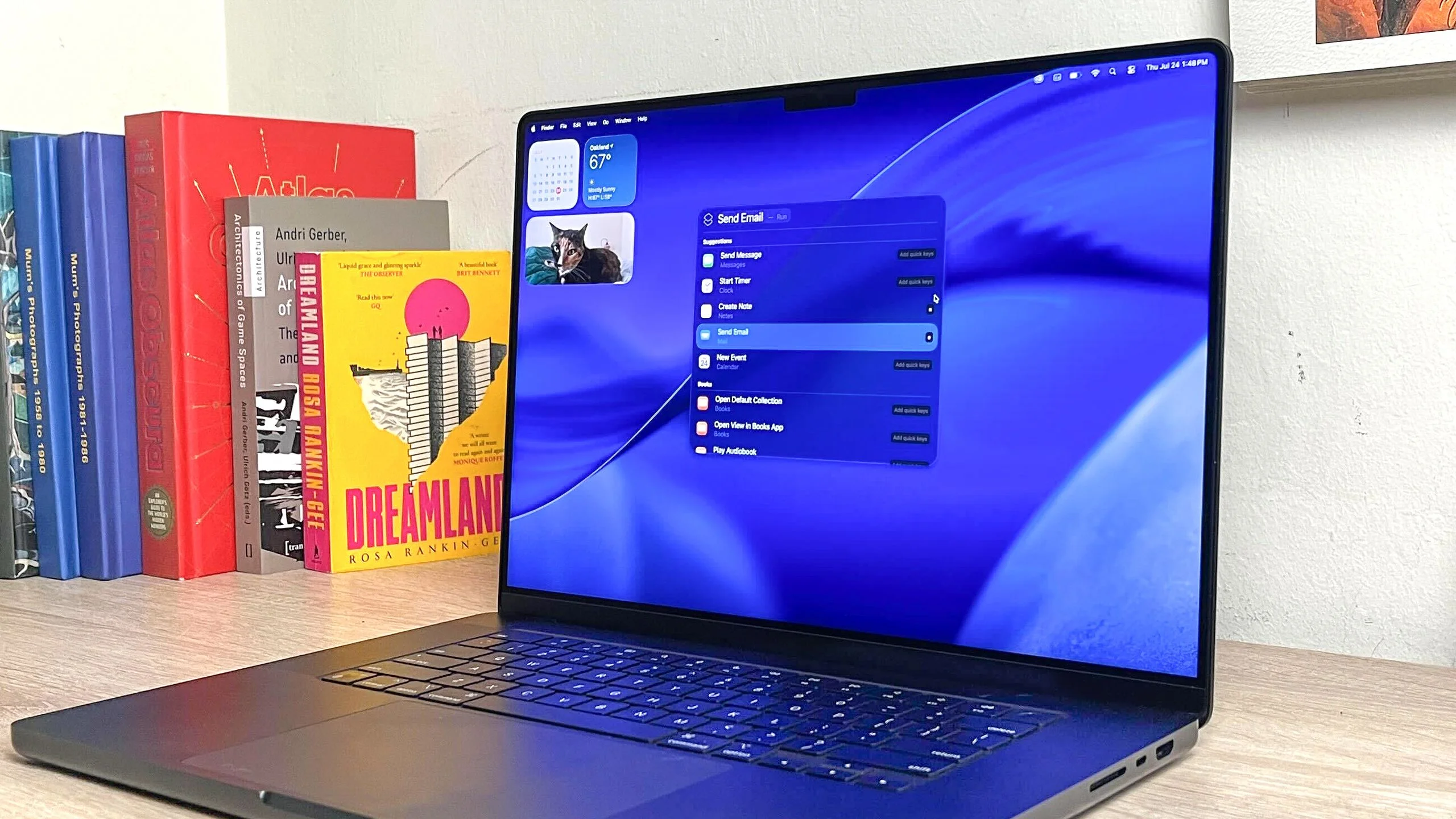
Comprehensive comparison between macOS Tahoe 26 and Windows 11. AI features, performance benchmarks, ecosystem integration, gaming, enterprise deployment, and migration guidance for 2025.
The choice between macOS Tahoe and Windows 11 represents more than selecting an operating system—it's choosing an entire computing philosophy, ecosystem, and workflow approach. As Windows 10's end-of-life (October 14, 2025) forces millions to upgrade, and Apple's revolutionary Liquid Glass interface redefines desktop computing, the platform decision has never been more consequential.
This comprehensive 2025 comparison examines every dimension of the macOS Tahoe vs Windows 11 debate, from AI capabilities to total cost of ownership, helping you make an informed decision based on data, real-world testing, and user experiences.
Executive Summary: Key Differences at a Glance
macOS Tahoe 26 Strengths
- Revolutionary Liquid Glass UI with transparent, depth-rich interface design
- Privacy-first AI through on-device Apple Intelligence (<10ms latency)
- Seamless ecosystem integration across iPhone, iPad, Apple Watch
- Lower total cost of ownership ($843 savings over 3 years per device)
- Superior build quality with 98% customer loyalty rate among MacBook users
- Enhanced security with 50% lower data breach risk per device
Windows 11 Strengths
- Wider hardware compatibility with 71.68% global market share
- Superior gaming performance with DirectX 12, larger game library
- More powerful AI through cloud-based Microsoft Copilot (GPT-5)
- Extensive software compatibility including legacy enterprise applications
- Flexible hardware options from $300 budget laptops to $5,000 workstations
- Microsoft 365 native integration for enterprise productivity
Critical Decision Factors
Choose macOS Tahoe if:
- Privacy is paramount (on-device AI processing)
- You value seamless multi-device workflows
- You're in creative fields (video, design, music)
- You prefer polished user experience over customization
- You can afford $999+ entry price
Choose Windows 11 if:
- Gaming is a priority (vastly larger library, better performance)
- You need legacy software compatibility
- Budget flexibility matters ($300-$3,000+ range)
- You require NVIDIA GPU support (CUDA workflows)
- Enterprise Microsoft 365 integration is essential
Visual Design Revolution: Liquid Glass vs Fluent Design
macOS Tahoe: The Liquid Glass Interface
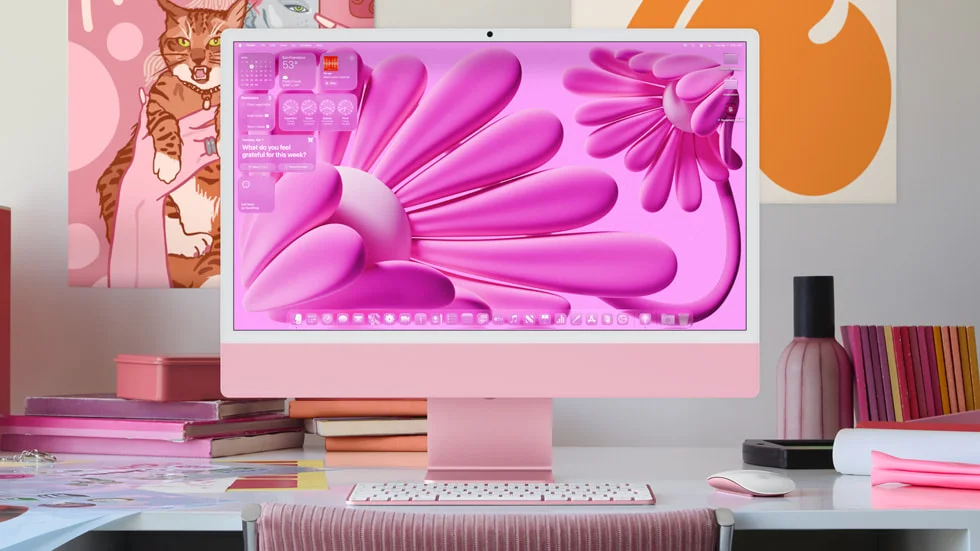
macOS Tahoe introduces the most dramatic visual redesign since macOS X's Aqua interface in 2001. Liquid Glass fundamentally reimagines desktop computing through transparency, depth, and dynamic visual effects.
Core Design Principles:
1. Full System Transparency
- Fully transparent menu bar that makes displays feel larger and more immersive
- Adaptive transparency layers that respond to content beneath them
- Real-time blur effects using advanced GPU rendering
- Specular highlights creating realistic depth and dimensionality
2. Dynamic Visual Feedback
- System elements subtly shift and refract based on window position
- Lighting effects that respond to system state (active/inactive)
- Smooth 120Hz animations throughout the interface
- Haptic-visual synchronization on supported trackpads
3. Personalization Revolution
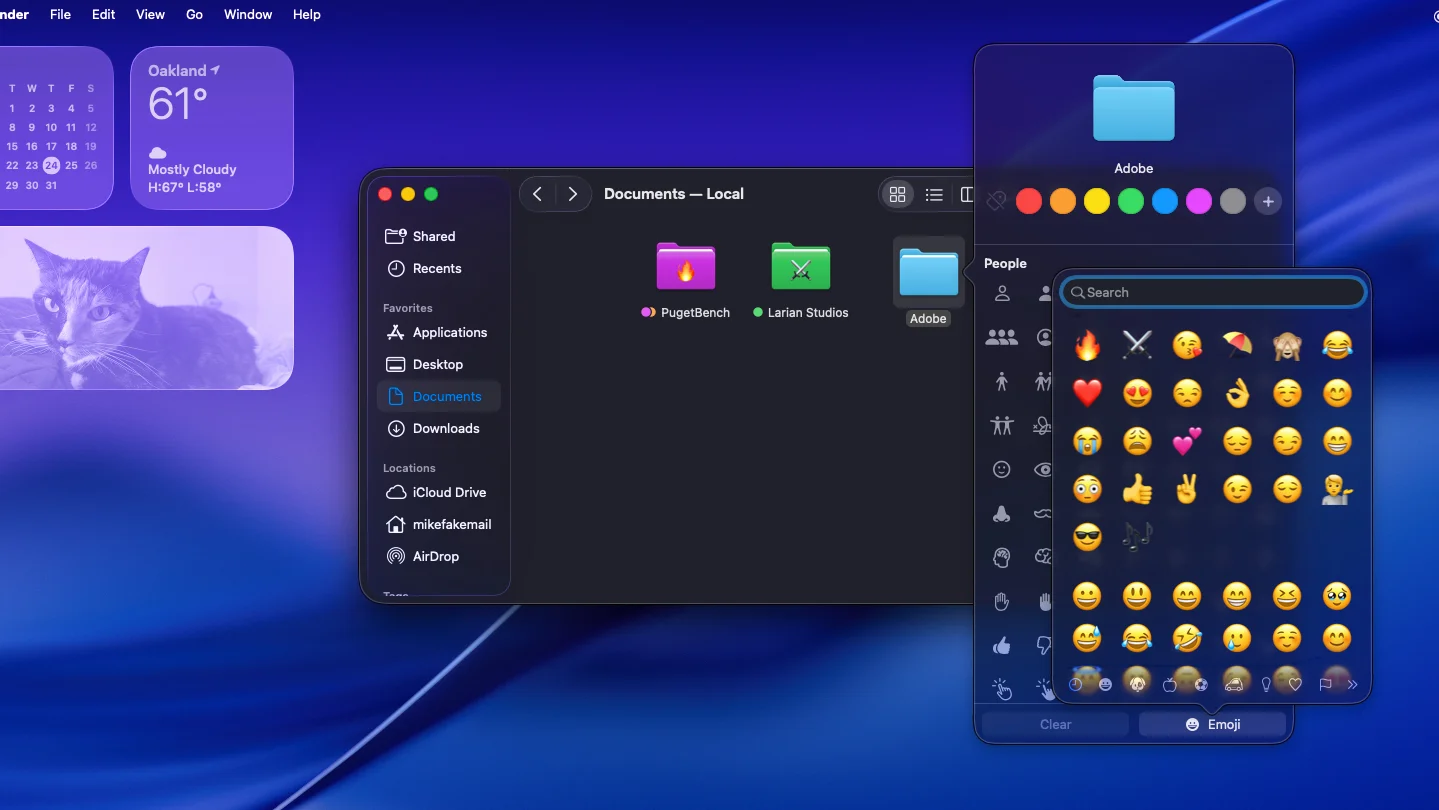
- Colorful folder customization with full emoji integration
- App icon tinting with automatic light/dark variations
- Adaptive system colors that extract hues from wallpapers
- Widget glass effects throughout Dashboard and Notification Center
Performance Impact:
- Requires Metal-capable GPUs (all Apple Silicon, select Intel Macs)
- Can reduce battery life by 5-8% with all effects enabled
- "Reduce Transparency" accessibility option available
- Tinted Mode (26.1+) offers lighter-weight alternative
Windows 11: Fluent Design Evolution
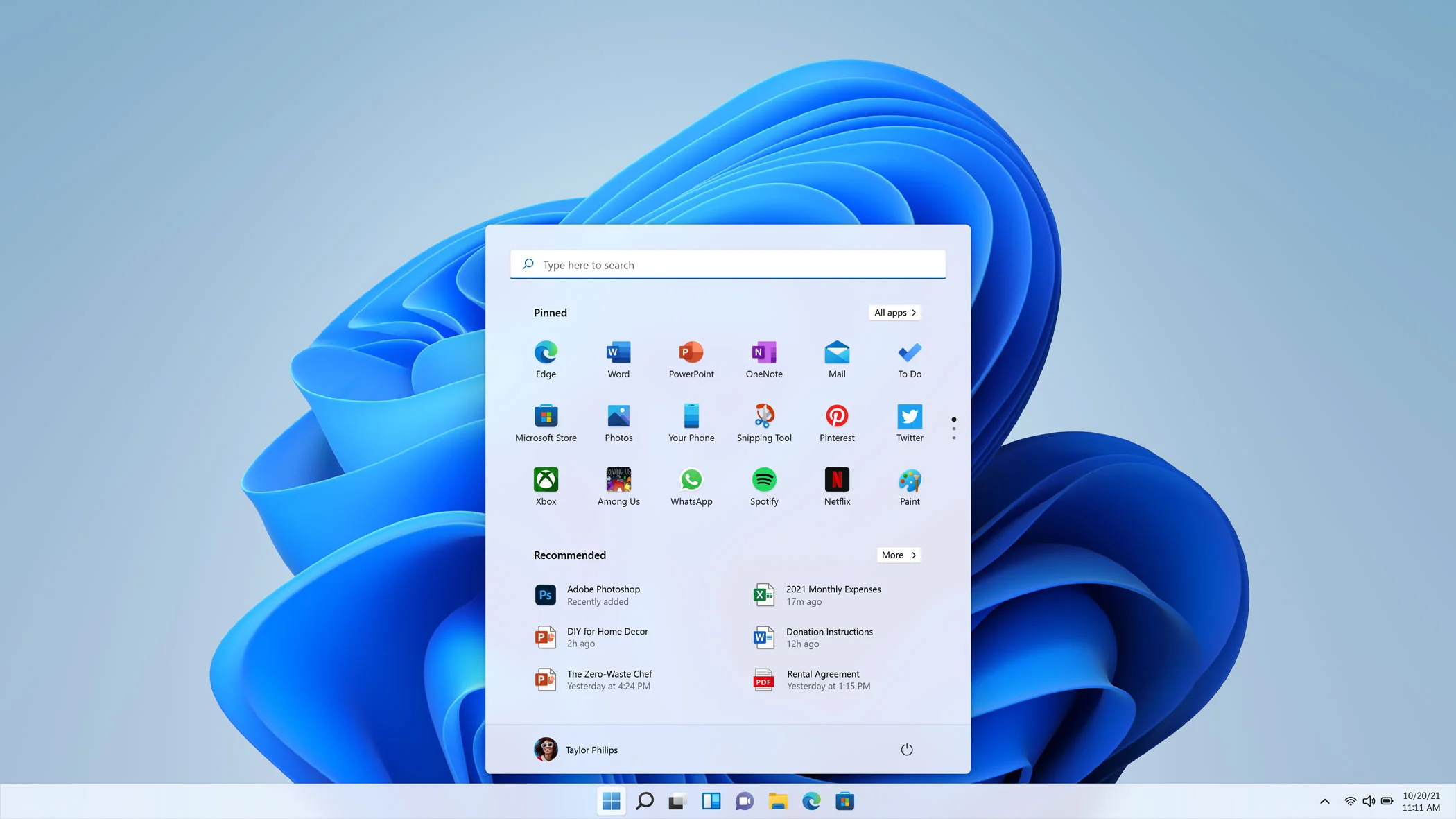
Windows 11 builds upon Microsoft's established Fluent Design language, introducing Mica materials and refined visual consistency across the operating system.
Core Design Elements:
1. Mica Material System
- Semi-transparent backgrounds that incorporate desktop wallpaper
- Layered depth through subtle shadows and elevation
- Consistent blur effects across system windows
- Acrylic materials for transient surfaces
2. Centered Taskbar & Start Menu
- Completely redesigned Start Menu (single-page layout as of 25H2)
- Centered taskbar icons with pill-shaped active indicators
- Snap Layouts for advanced window management
- Widgets panel with personalized information cards
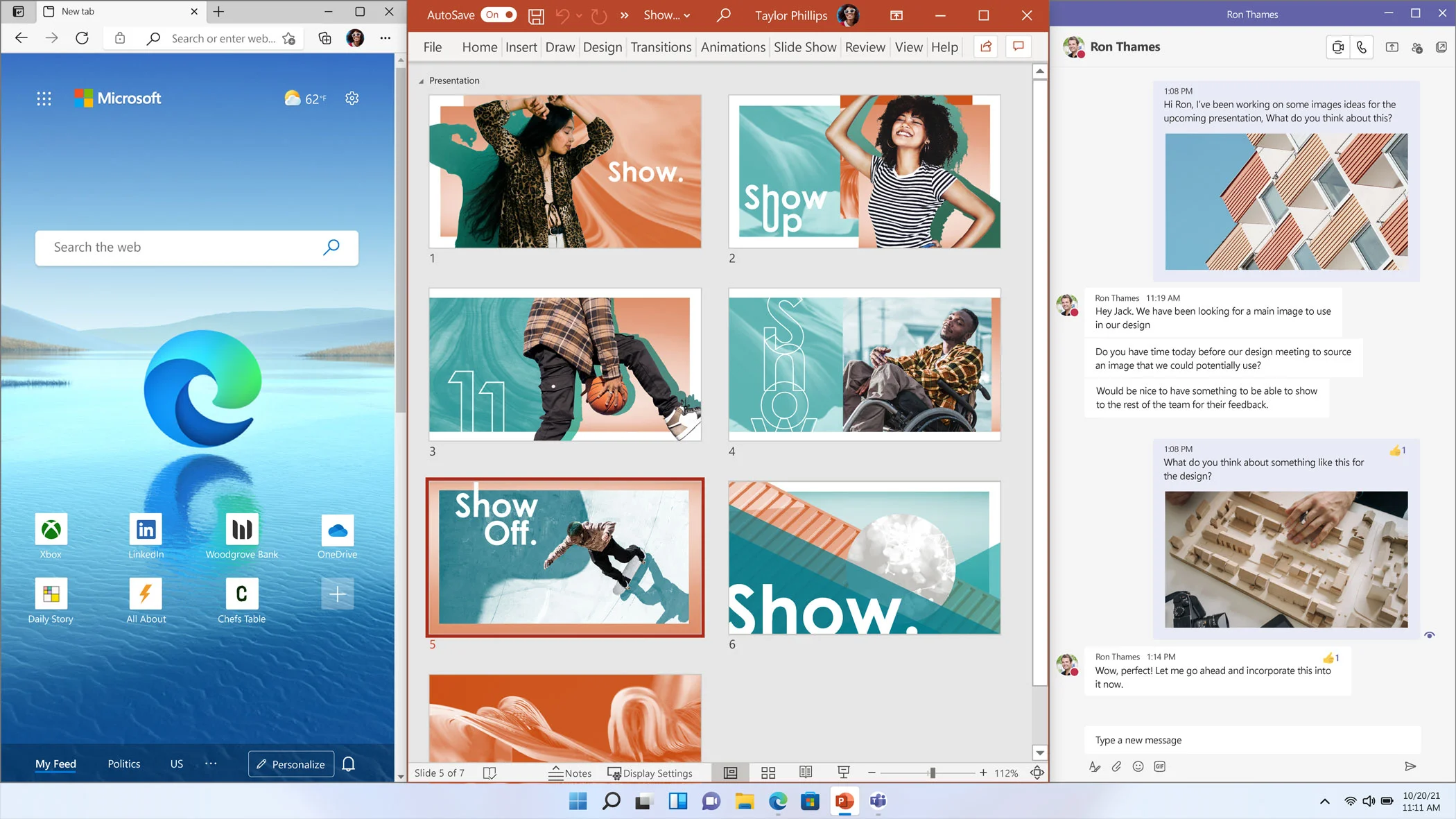
3. Rounded Corners & Modern Iconography
- System-wide rounded corners (vs. Windows 10's sharp edges)
- Updated icon set with consistent visual language
- WinUI 3 controls with modern aesthetics
- Dark mode improvements with better contrast
Customization Limitations:
- Taskbar locked to bottom (cannot move to sides/top)
- Fixed icon size (auto-scaling on large monitors causes issues)
- Removed Windows 10 customization options
- Third-party tools required for advanced customization
Design Philosophy Comparison
| Aspect | macOS Tahoe Liquid Glass | Windows 11 Fluent Design |
|---|---|---|
| Transparency Level | Extreme (fully transparent menu bar) | Moderate (Mica materials) |
| Customization | Limited but elegant | Previously high, now restricted |
| Performance Impact | 5-8% battery reduction | Minimal impact |
| Accessibility | Reduce Transparency option | High Contrast themes available |
| Visual Consistency | Complete system-wide redesign | Legacy UI elements still present |
| User Reception | Mixed (readability concerns) | Generally positive with taskbar complaints |
Verdict: macOS Tahoe's Liquid Glass is more visually striking and consistent but divisive due to readability concerns. Windows 11's Fluent Design is more conservative but undermined by inconsistent legacy elements and reduced customization compared to Windows 10.
Apple Intelligence vs Microsoft Copilot: The AI Battle
The 2025 operating system landscape is defined by AI integration. Apple and Microsoft take fundamentally different approaches to artificial intelligence—privacy-first on-device processing versus powerful cloud-based capabilities.
Apple Intelligence: Privacy-First, On-Device AI
Architecture:
- On-device processing using ~3 billion parameter model
- Neural Engine delivers <10ms latency for most requests
- Private Cloud Compute for complex tasks requiring larger models
- Industry-first verifiable transparency with Virtual Research Environment
Core Capabilities:
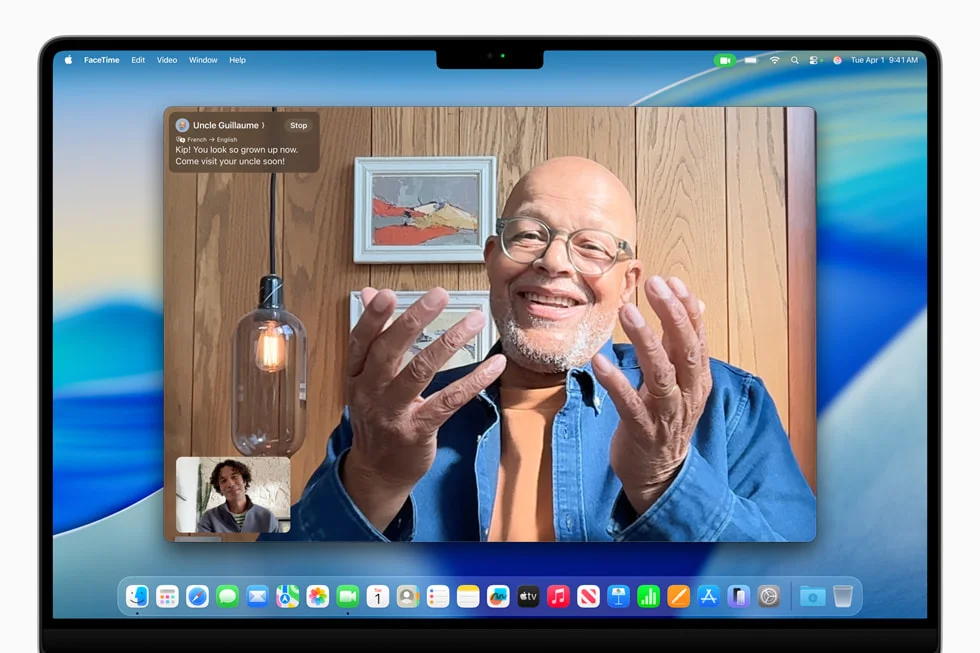
1. System-Wide Writing Tools
- Rewrite, proofread, and summarize text in any application
- Context-aware tone adjustments (formal to casual)
- Accessible via right-click context menu
- Works completely offline
- Limitation: Can "strip personality" from creative writing
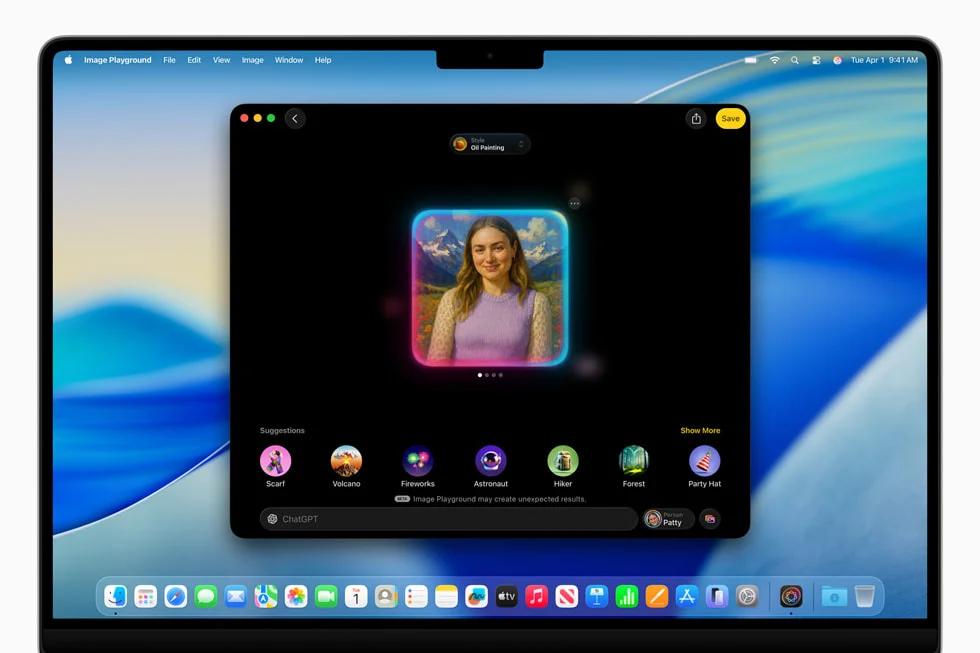
2. Image Playground
- Built-in AI image generation (cartoon/illustration styles only)
- No photorealistic images (deepfake prevention)
- Personalized Genmoji based on contacts' photos
- On-device processing for complete privacy
3. Enhanced Siri (Partial Implementation)
- Improved conversational language understanding
- ChatGPT integration (GPT-4o, free, no account required)
- Type-to-Siri option for accessibility
- Major limitation: Advanced features delayed until 2026-2027
- Personal Context Understanding: April 2026
- In-App Actions: September 2026
- Onscreen Awareness: September 2026
4. Live Translation
- Real-time translation in Messages, FaceTime, Phone app
- On-device processing for privacy
- 17 languages supported (as of November 2025)
Hardware Requirements:
- Macs: All M-series chips (M1, M2, M3, M4)
- Minimum RAM: 8GB unified memory (16GB recommended)
- Incompatible: All Intel-based Macs (lack Neural Engine)
Pricing: Completely free with compatible Apple hardware
User Satisfaction: 73% UNSATISFIED according to SellCell poll
- Common complaint: "Fancy autocomplete rather than genuine intelligence"
- Praised for: Clean Up tool, Memories videos, privacy architecture
Microsoft Copilot: Cloud-Powered Versatility
Architecture:
- Cloud-based processing using Microsoft Azure AI
- Multi-model support: GPT-4 Turbo, GPT-4.1, GPT-5, DALL-E 3
- Internet-dependent for all features
- Agentic AI capabilities for complex task automation
Core Capabilities:
1. Advanced Text Generation
- Email composition, document drafting, code generation
- Context-aware suggestions across Microsoft 365
- 48-language support (vs Apple's 17)
- Superior quality for long-form content creation
2. DALL-E 3 Image Creation
- Photorealistic image generation capability
- Higher detail and prompt accuracy than Apple's Image Playground
- Commercial use capabilities
- Text-in-image support
3. Microsoft 365 Deep Integration
- Word: Document drafting, content summarization
- Excel: Data analysis, formula generation, visualization
- PowerPoint: Presentation creation and design
- Outlook: Email drafting, thread summarization
- Teams: Meeting transcription and minutes
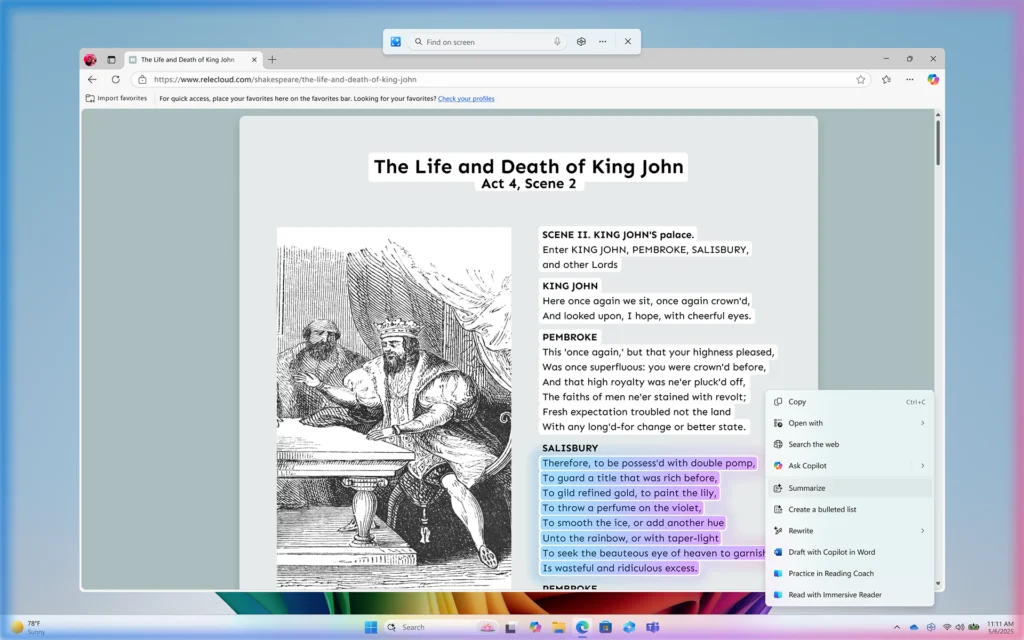
4. Copilot Vision & Actions
- Screen content interpretation for troubleshooting
- Automated multi-step task execution
- Desktop and web application interaction
- File Explorer AI actions (right-click context menu)
Hardware Requirements:
- Basic Copilot: Any Windows 11 PC
- Enhanced AI Features: NPU capable of 40+ TOPS (Copilot+ PCs)
- Full Microsoft 365 Integration: Copilot Pro or Enterprise subscription
Pricing:
- Free Tier: Basic features at copilot.microsoft.com
- Copilot Pro: $20/month (priority access, enhanced features)
- Microsoft 365 Premium: $19.99/month (bundle with Office apps)
- Enterprise: $30/month per user + Microsoft 365 subscription
User Satisfaction: 2.3/5 stars on Trustpilot (polarized feedback)
- Common complaints: Forced integration, OneDrive dependency, performance issues
- Praised for: Productivity gains (70% increase reported), meeting minutes, DALL-E 3 quality
Head-to-Head AI Comparison
| Feature | Apple Intelligence | Microsoft Copilot |
|---|---|---|
| Processing Location | On-device + Private Cloud | Cloud-only |
| Response Latency | <10ms (on-device tasks) | 500ms - 4+ seconds |
| Privacy | ⭐⭐⭐⭐⭐ Industry-leading | ⭐⭐⭐ Enterprise compliance |
| Offline Functionality | ✅ Most features work | ❌ Requires internet |
| Text Generation Quality | ⭐⭐⭐ Good for basic tasks | ⭐⭐⭐⭐⭐ Superior (GPT-5) |
| Image Generation | ⭐⭐⭐ Cartoon/illustration only | ⭐⭐⭐⭐⭐ Photorealistic (DALL-E 3) |
| Code Assistance | ⭐⭐ Swift-only (Swift Assist) | ⭐⭐⭐⭐⭐ Multi-language (GitHub Copilot) |
| System Integration | ⭐⭐⭐⭐⭐ Deep OS-level control | ⭐⭐⭐ Limited system access |
| Language Support | 17 languages | 48 languages |
| Cost | Free (hardware required) | Free - $30/month |
| Battery Impact | Minimal (Neural Engine efficiency) | Moderate (cloud connectivity) |
Verdict: Apple Intelligence wins decisively on privacy, speed, and system integration, but Microsoft Copilot offers more powerful AI capabilities, better text/code generation, and photorealistic image creation. The choice depends on priorities: privacy and simplicity (Apple) vs power and versatility (Microsoft).
Gaming Performance: DirectX Dominance vs Metal Progress
Gaming remains Windows' strongest advantage over macOS, but the gap is narrowing with Apple Silicon and Metal 4 improvements.
Windows 11: Gaming Kingdom
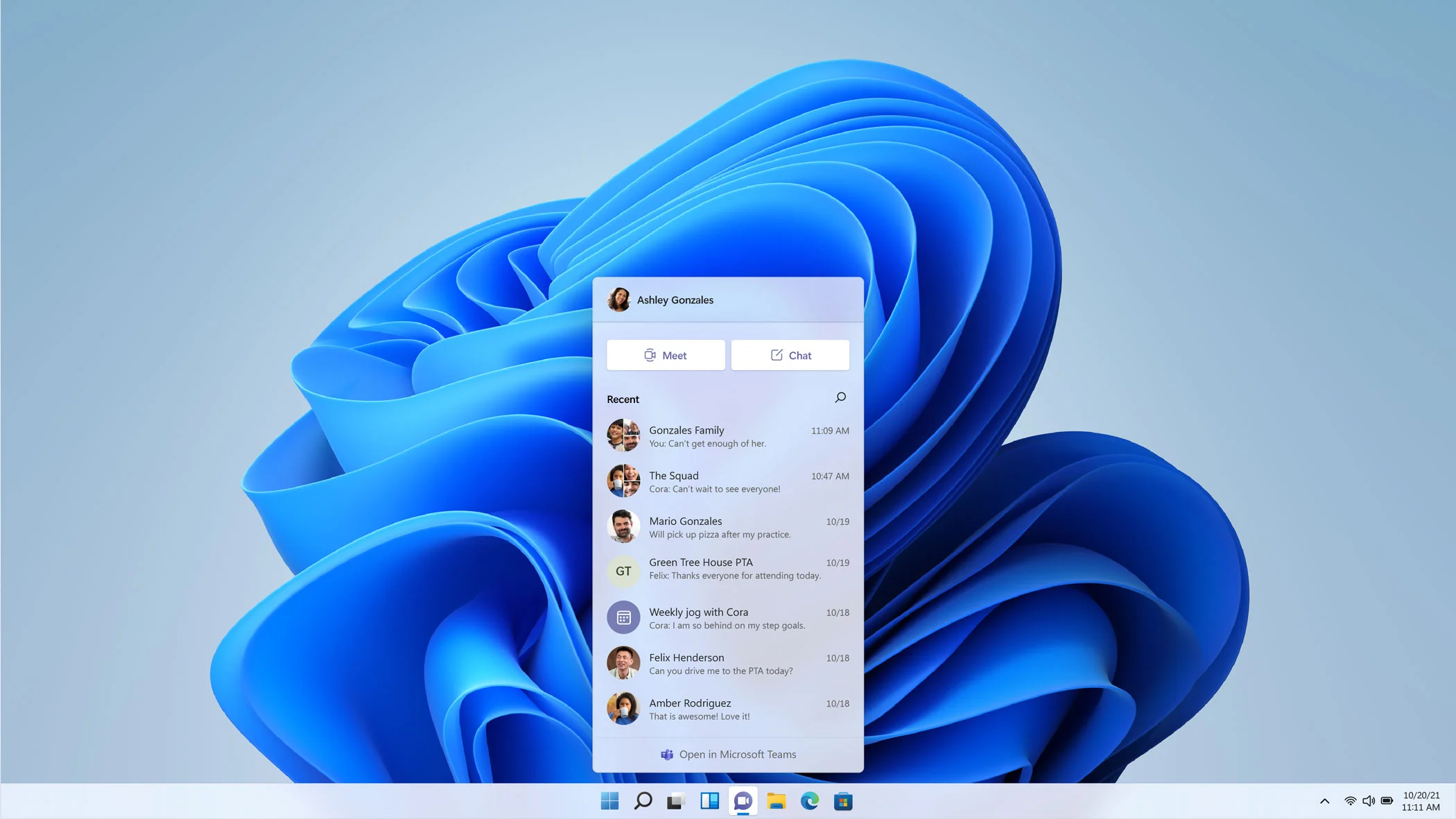
Gaming Technologies:
1. DirectX 12 Ultimate
- Ray tracing, variable rate shading, mesh shaders
- Sampler feedback for efficient resource usage
- Note: DirectX 13 does not exist (beware scam sites)
- Automatic updates via Windows Update
2. DirectStorage
- GPU direct storage access, bypassing CPU bottlenecks
- Dramatically reduced load times
- Requires NVMe SSD + DirectX 12 GPU
3. Auto HDR
- Automatically enhances 1,000+ games
- No developer updates required
- Improved color and brightness ranges
4. Game Mode Enhancements
- Better resource allocation prioritizing games
- Improved background process management
- More stable frame rates on hybrid CPUs (Intel 12th/13th gen)
Real-World Performance Benchmarks:
| Game | Windows 11 Advantage |
|---|---|
| Assassin's Creed Odyssey | 55% higher FPS |
| F1 24 | ~14% better performance |
| Cyberpunk 2077 | Within 5% margin (24H2: 5-7% better 1% lows) |
| Call of Duty: Warzone | Within 5% margin |
| Forza Horizon 5 | Within 5% margin |
| Shadow of the Tomb Raider | Negligible difference |
Overall: 14-game test suite shows <1% overall difference between Windows 10 and 11, but Windows maintains massive advantage over macOS due to game library size and native optimization.
Xbox Integration (2025 Updates):
- Unified Game Library: Aggregates Steam, Epic, GOG, Battle.net, Xbox, Game Pass
- Cloud Gaming Sync: Seamless save transfer between PC and console
- Game Pass Value: Core/Standard subscribers can now stream purchased games
- ARM Support: Game downloads and local play on ARM-based Windows 11 PCs
- Market Dominance: 55%+ of Steam users on Windows 11 (March 2025)
macOS Tahoe: The Gaming Awakening
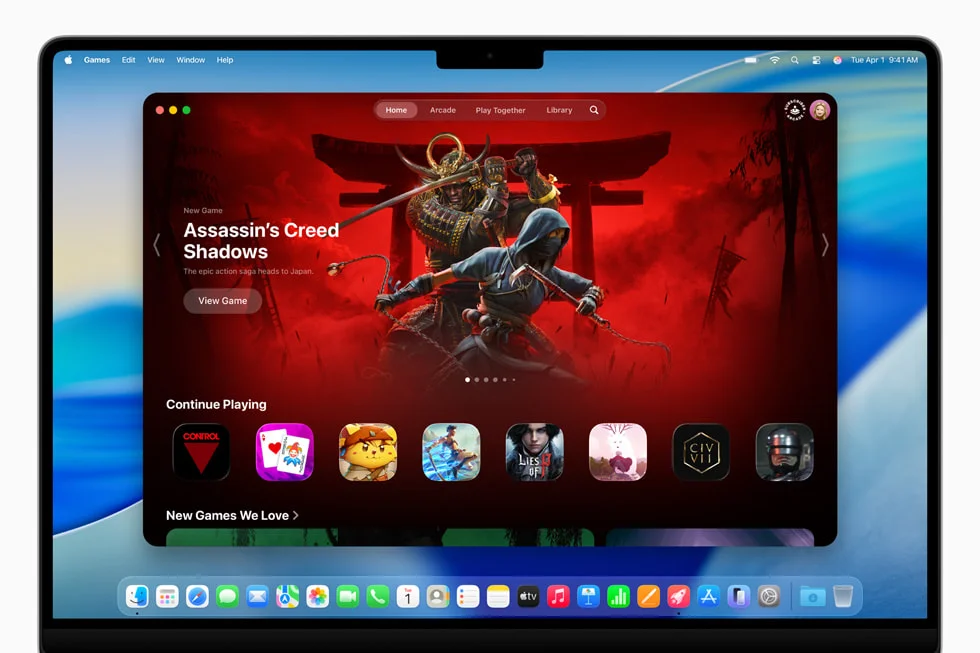
Gaming Technologies:
1. Metal 4
- MetalFX Frame Interpolation for smoother gameplay
- MetalFX Denoising for cleaner visuals
- Improved GPU scheduling and resource management
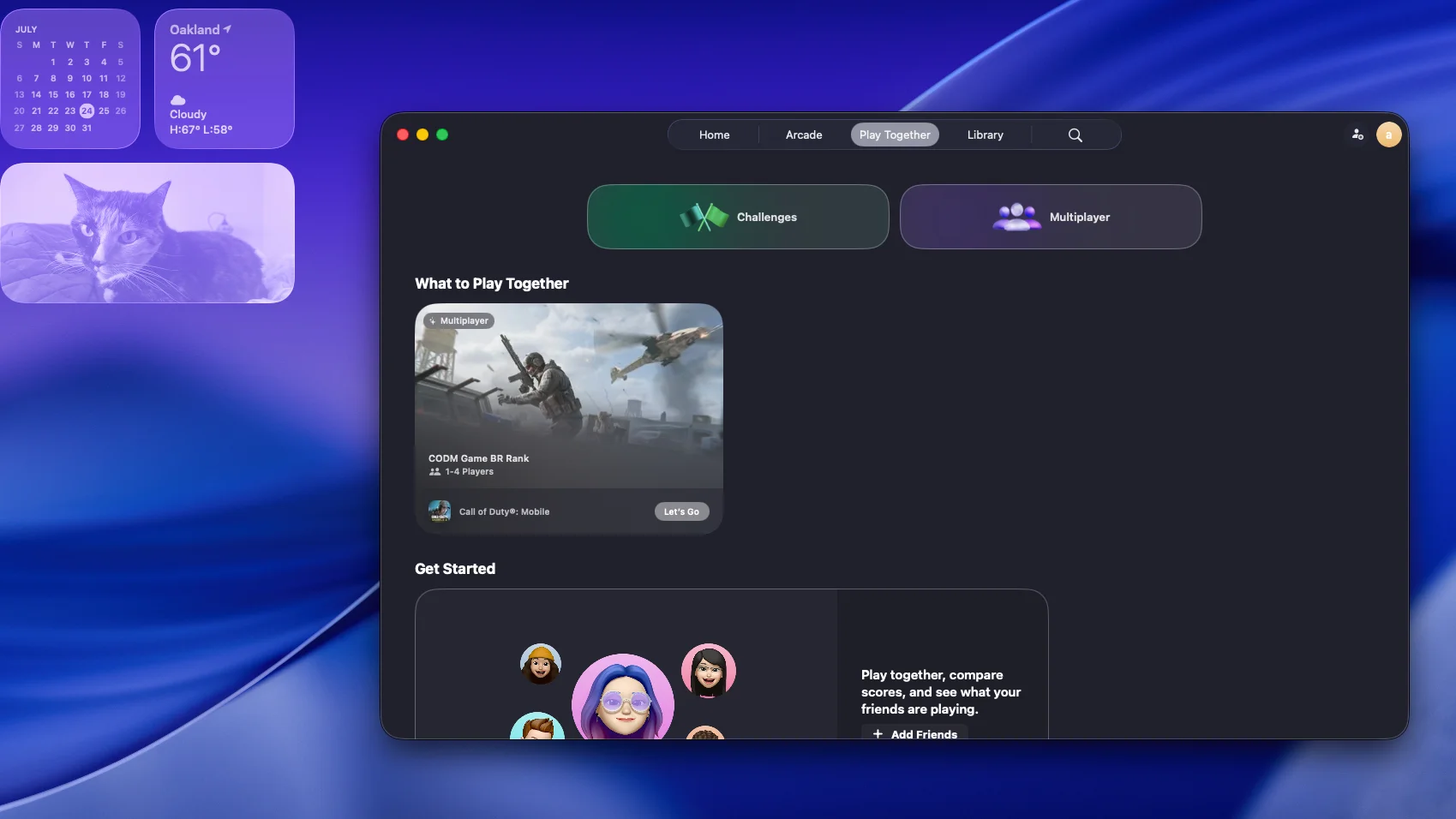
2. Games App
- Unified game library across Mac App Store and Steam
- Friend activity tracking
- Achievement synchronization across Apple devices
- Performance optimization suggestions
3. Game Mode 2.0
- CPU core prioritization for gaming threads
- Reduced background process interference
- Enhanced controller support with haptic feedback
4. Game Porting Toolkit 2
- Helps developers port Windows games to Mac
- Improved DirectX to Metal translation
- Better compatibility with anti-cheat systems (still limited)
Real-World Gaming Performance (Apple Silicon):
M4 Max Gaming Benchmarks:
- Shadow of Tomb Raider: 42 FPS (1080p, highest settings)
- Resident Evil Village: 60+ FPS (1080p, high settings)
- Baldur's Gate 3: Wins CPU-intensive benchmarks vs Windows laptops
- Cyberpunk 2077: Playable but significantly lower FPS than equivalent Windows GPU
Performance Comparison (Same Hardware Class):
- Team Fortress 2: 20 FPS (macOS) vs 80 FPS (Windows) - 75% difference
- CPU-Optimized Games: macOS can win due to M-series efficiency
- GPU-Intensive Games: Windows maintains 2-4x advantage
Critical Limitations:
- Vastly smaller game library (thousands vs millions)
- Anti-cheat compatibility issues (many multiplayer games incompatible)
- No NVIDIA GPU support (no drivers since macOS High Sierra)
- 120 FPS cap in many games (vs unlimited on Windows)
- Later release dates for AAA titles (if ported at all)
Gaming Verdict
Windows 11 for Gaming: ⭐⭐⭐⭐⭐ macOS Tahoe for Gaming: ⭐⭐½
Windows 11 is the uncontested gaming champion with:
- 10-100x larger game library
- Native DirectX optimization
- NVIDIA/AMD GPU flexibility
- Anti-cheat compatibility
- VR support
- Day-one AAA releases
macOS Tahoe gaming is improving but remains a niche option:
- Playable performance for supported titles
- Excellent for select Mac-optimized games
- Growing library through Game Porting Toolkit
- Best for casual gaming, not enthusiasts
Bottom Line: If gaming is a priority, choose Windows 11. macOS Tahoe is adequate for occasional gaming but cannot compete with Windows' ecosystem, performance, and compatibility.
Productivity & Ecosystem Integration
Beyond raw performance, operating systems compete on how seamlessly they integrate with our broader digital lives—smartphones, tablets, cloud services, and productivity workflows.
macOS Tahoe: The Apple Ecosystem Advantage
Continuity Features (Seamless Setup):
1. Universal Clipboard
- Copy on iPhone, paste on Mac (and vice versa)
- Works with text, images, videos
- Zero configuration required beyond iCloud sign-in
- Near-instant synchronization
2. Handoff
- Start email on iPhone, finish on Mac
- Works across Safari, Mail, Pages, Numbers, Maps
- Automatic device detection when in proximity
- Appears in Dock and app switcher
3. iPhone Mirroring
- Full iPhone control from Mac desktop
- Screen sharing with drag-and-drop
- Notification synchronization
- Keyboard and mouse input on iPhone
4. Continuity Camera
- Use iPhone as wireless webcam (no USB required)
- Superior quality to built-in laptop cameras (up to 4K)
- Desk View mode using ultra-wide lens
- Center Stage automatic framing
- Studio Light effect
5. AirDrop
- Wireless file transfer between Apple devices
- Up to 1GB/s transfer speeds
- No internet required (peer-to-peer Wi-Fi + Bluetooth)
- Works across Mac, iPhone, iPad
6. Sidecar
- Use iPad as wireless second display
- Touch input and Apple Pencil support
- Extends or mirrors Mac display
- Zero latency on local network
iCloud Integration:
- Seamless synchronization: Photos, Documents, Desktop, Keychain
- Advanced Data Protection: End-to-end encryption for 23+ data categories
- Files On-Demand: Access files without local storage
- Family Sharing: Up to 6TB shared storage ($29.99/month)
Pricing:
- 5GB free, $0.99/month (50GB), $9.99/month (2TB), $29.99/month (6TB family)
Apple Ecosystem Lock-In:
- 90% customer retention rate (vs industry average ~60%)
- 79% of iOS users stay within Apple ecosystem
- 98% loyalty rate among MacBook users specifically
Windows 11: Cross-Platform Flexibility
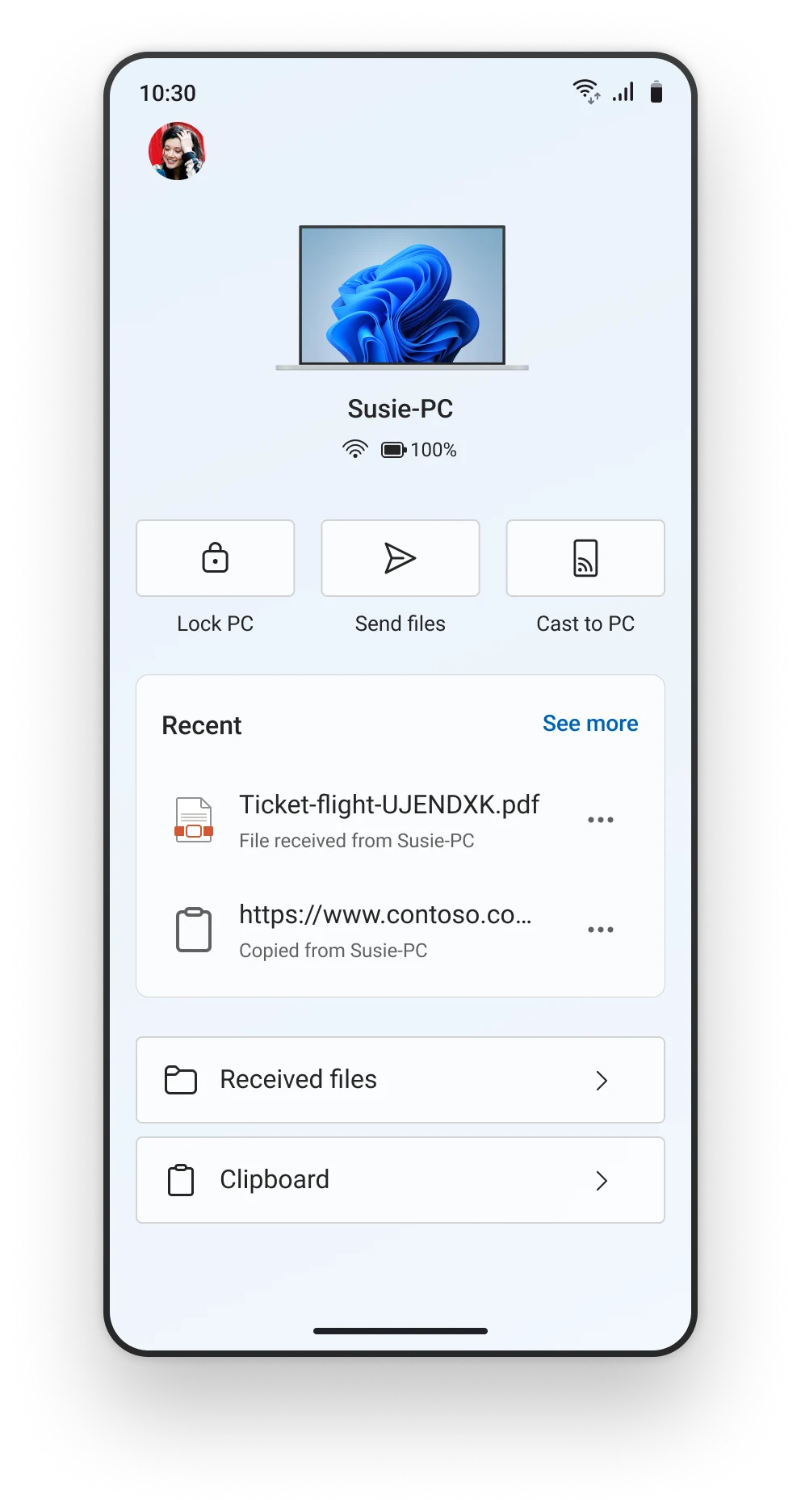
Phone Link (Android Integration):
Full Features with Android:
- SMS/MMS and voice call handling from PC
- Live notifications mirrored to Windows
- File transfers and cross-device clipboard
- App streaming (run Android apps on PC)
- Phone-as-webcam functionality
- Remote device controls (Bluetooth, Wi-Fi toggles)
Advantages Over Apple Continuity:
- Works over mobile data (not just local network)
- Device flexibility (any Android phone, not just premium models)
- Recent apps shortcuts on Windows desktop
Limitations with iPhone:
- Basic messaging only (no group iMessages)
- No photo/video sending via messaging
- No screen mirroring
- Cannot read texts sent on iPhone
- No iMessage apps or voice messages
- Assessment: "A step behind the effortless unity offered by Apple's continuity tools"
OneDrive Integration:
- Built into Windows File Explorer
- Real-time collaboration on Office documents
- 1TB included with Microsoft 365 ($6.99/month)
- Personal Vault with 2FA protection
- Business tiers with unlimited storage ($5-$12.50/user/month)
Pricing:
- 5GB free, $1.99/month (100GB), $6.99/month (1TB with Office), $99.99/year family (6TB + Office for 6 users)
Better Value: OneDrive family plan ($99.99/year = $8.33/month) includes Office apps + 6TB vs iCloud 6TB alone ($29.99/month)
Ecosystem Comparison
| Feature | macOS + iPhone | Windows 11 + Android | Windows 11 + iPhone |
|---|---|---|---|
| Setup Complexity | ⭐⭐⭐⭐⭐ Automatic | ⭐⭐⭐⭐ QR code pairing | ⭐⭐⭐ Manual setup |
| Messaging | ⭐⭐⭐⭐⭐ iMessage + SMS | ⭐⭐⭐⭐⭐ Full SMS/MMS | ⭐⭐ Basic messaging only |
| Phone Calls | ⭐⭐⭐⭐⭐ Native Phone app | ⭐⭐⭐⭐⭐ Full calling | ⭐⭐⭐⭐⭐ Full calling |
| File Transfer | ⭐⭐⭐⭐⭐ AirDrop (1GB/s) | ⭐⭐⭐⭐ Phone Link | ⭐⭐ Limited |
| Clipboard Sync | ⭐⭐⭐⭐⭐ Universal Clipboard | ⭐⭐⭐⭐ Cross-device clipboard | ❌ Not available |
| App Integration | ⭐⭐⭐⭐⭐ Handoff, Sidecar | ⭐⭐⭐ App streaming | ❌ Not available |
| Continuity | ⭐⭐⭐⭐⭐ Seamless | ⭐⭐⭐ Functional but slower | ⭐⭐ Very limited |
| Works Over Internet | ⭐⭐ Local network only | ⭐⭐⭐⭐⭐ Mobile data supported | ⭐⭐⭐⭐⭐ Mobile data supported |
Verdict:
- macOS + iPhone: Superior integration, seamless experience, but requires all-Apple ecosystem ($999+ minimum investment)
- Windows + Android: Excellent functionality with device flexibility and budget options ($300+)
- Windows + iPhone: Severely limited, not recommended if ecosystem integration is important
Professional Workflows: Creative vs Enterprise
The choice between macOS and Windows often comes down to professional requirements—creative professionals have historically favored Mac, while enterprise users lean toward Windows. How does this hold in 2025?
Creative Professionals
Video Editing:
macOS Tahoe Advantages:
- Final Cut Pro: Mac-exclusive, optimized for Apple Silicon ($299 one-time vs Premiere Pro $240/year)
- Superior display quality: Industry-leading color accuracy
- Apple Silicon performance: M4 Max handles 8K ProRes without dropped frames
- Media engine acceleration: Hardware-accelerated ProRes, H.264, H.265
- Ecosystem integration: Seamless iPhone/iPad footage transfer
Windows 11 Advantages:
- Customizable hardware: Choose exact CPU, GPU, RAM configuration
- Better price-to-performance: $2,000 Windows workstation outperforms $3,000 MacBook Pro in some tasks
- NVIDIA GPU support: CUDA acceleration for Adobe Premiere, DaVinci Resolve
- Adobe Premiere Pro: Identical on both platforms, but better GPU options on Windows
- Upgrade flexibility: Swap GPU, add RAM as needs grow
Verdict: Mac for Final Cut Pro loyalists and ecosystem users; Windows for budget-conscious editors and CUDA workflows.
Graphic Design:
macOS Tahoe Advantages:
- Superior font management: Historically better font handling
- Excellent OS stability: Fewer crashes during long design sessions
- Color accuracy: Best-in-class displays for print/video design
- Adobe Creative Suite: Runs identically but benefits from display quality
Windows 11 Advantages:
- Hardware customization: More GPU options for 3D/motion graphics
- Adobe Creative Suite: Identical functionality at lower hardware cost
- Wider peripheral support: More tablet, stylus, display options
Verdict: Slight Mac advantage for traditional design; Windows competitive with better hardware flexibility.
Music Production:
macOS Tahoe Advantages:
- Logic Pro: Mac-exclusive, professional-grade DAW (preferred by many producers)
- Low-latency audio: Optimized Core Audio system
- Industry standard: Historically preferred in music production
- Stability: Fewer audio driver issues
Windows 11 Advantages:
- Wider MIDI/audio interface compatibility: More hardware options
- Budget-friendly: More affordable audio production setups
- DAW variety: All major DAWs available (Ableton, FL Studio, Cubase, Pro Tools)
Verdict: Mac for Logic Pro users and professional studios; Windows for budget-conscious producers and Ableton/FL Studio users.
Developers
Survey Data (Stack Overflow, Statista):
- Windows: Most preferred development environment globally
- Linux: More developers use Linux than Mac
- macOS: Second most preferred OS for software development
macOS Tahoe Advantages:
- Unix-based macOS: Native UNIX environment, superior Terminal
- iOS/macOS development: Required for Apple platform development
- Industry adoption: "Ubiquitous among software engineers at most tech companies"
- Developer tools: Xcode, Homebrew, native Unix tools
- Build quality: Premium keyboards and trackpads for long coding sessions
Windows 11 Advantages:
- WSL (Windows Subsystem for Linux): Native Linux environment within Windows
- Reduced Docker overhead: WSL provides Linux-identical environment
- Broader compatibility: Better legacy enterprise software support
- Cost: More affordable developer machines ($800 vs $1,499+ for comparable Mac)
- Gaming: Better for developers who also game
Development Environment Comparison:
| Task | macOS Tahoe | Windows 11 + WSL |
|---|---|---|
| Web Development | ⭐⭐⭐⭐⭐ Native Unix tools | ⭐⭐⭐⭐⭐ WSL provides Linux |
| iOS/macOS Development | ⭐⭐⭐⭐⭐ Xcode required | ❌ Not possible |
| Windows Development | ⭐⭐ Possible via VM | ⭐⭐⭐⭐⭐ Native |
| Docker Performance | ⭐⭐⭐ Virtualization overhead | ⭐⭐⭐⭐⭐ WSL native performance |
| Command Line | ⭐⭐⭐⭐⭐ Native Terminal | ⭐⭐⭐⭐ WSL Terminal |
| Cross-Platform Development | ⭐⭐⭐⭐⭐ Excellent | ⭐⭐⭐⭐⭐ Excellent with WSL |
Verdict: macOS required for Apple platform development; Windows + WSL competitive for everything else with cost advantage.
Enterprise
Enterprise Adoption Trends (2024-2025):
- 85% of Fortune 500 have Mac choice programs
- IBM deployment: 200,000 Macs
- Mac shipments to business: +20% growth (2023-2024)
- 73% of organizations report increased Apple products
Enterprise Drivers:
- Employee preference: 76% (primary driver)
- Security: 50%
- Reliability: 43%
- C-level demand: 80% driven by executive preference
macOS Tahoe Enterprise Advantages:
- Lower support costs: 60% fewer IT tickets than PCs
- 50% lower data breach risk per M1 Mac deployed
- Higher employee retention: 20% better with Mac users
- 5% greater productivity vs non-Mac users
- Apple Business Manager: Free MDM (vs $36/month Windows device management)
Windows 11 Enterprise Advantages:
- Native Active Directory: Better legacy system integration
- Familiar IT tools: SCCM, Intune, Group Policy
- Microsoft 365 native: Office apps primary platform
- Broader hardware: More vendor choices for different needs
- BitLocker by default: Automatic encryption (24H2+)
Total Cost of Ownership (3-Year Enterprise):
- Mac: $843 average savings per device (Forrester 2024)
- IT staffing: 7 admins for 200k Macs vs 20 for same Windows devices (IBM data)
- Support tickets: Mac users create 60% fewer tickets
- Ticket resolution: Each Mac ticket costs 25% less
Verdict: Windows maintains enterprise dominance due to legacy integration, but Mac adoption growing rapidly driven by employee choice and lower TCO.
Migration & Platform Switching
Windows to Mac Migration
Migration Assistant 3.0 (macOS Tahoe):
What Transfers:
- ✅ User accounts and settings
- ✅ Documents, photos, videos
- ✅ Email accounts and messages
- ✅ Calendars and contacts
- ✅ Browser bookmarks and passwords
- ✅ Music and iTunes purchases
What Doesn't Transfer:
- ❌ Windows applications (must find Mac equivalents)
- ❌ System settings (must reconfigure)
- ❌ Windows-specific files (must manually convert)
Migration Process:
-
Preparation (Critical):
- Turn off Windows antivirus (blocks transfer)
- Update both systems to latest versions
- Ensure both on same Wi-Fi network
- Free up 50GB+ on Mac for transfer space
-
Transfer Methods:
- Wi-Fi: Code-based pairing, 1-8 hours depending on data
- Ethernet: Faster, requires Thunderbolt-to-Ethernet adapter
- External drive: Manual alternative for selective migration
-
Post-Migration:
- Find application alternatives (see below)
- Adjust to keyboard shortcuts (Command vs Ctrl)
- Learn Finder vs File Explorer differences
- Configure Time Machine backup
Application Alternatives:
| Windows App | Mac Alternative | Notes |
|---|---|---|
| Microsoft Office | Microsoft 365 or iWork | Office available via Mac App Store |
| Adobe Creative Suite | Same | Cross-platform, identical features |
| Visual Studio | Xcode or VS Code | Xcode for Apple platforms, VS Code cross-platform |
| File Explorer | Finder | Learning curve for Quick Look, column view |
| Task Manager | Activity Monitor | Similar functionality, different UI |
| Registry Editor | Terminal / defaults command | More Unix-like system configuration |
| Paint | Preview or Pixelmator | Preview has basic editing, Pixelmator $39.99 |
| Notepad++ | BBEdit or Sublime Text | BBEdit free, Sublime Text $99 |
Migration Challenges:
- Keyboard Shortcuts: Command key replaces Ctrl for most actions
- Window Management: Stage Manager vs Windows Snap Layouts
- Right-Click: Two-finger tap on trackpad vs right mouse button
- File System: No drive letters (C:, D:), unified file hierarchy
- Software Availability: Some Windows-only apps have no Mac equivalent
Success Rate: Microsoft reports Migration Assistant has 87% success rate with proper preparation.
Mac to Windows Migration
Migration Tools: No official Apple-to-Windows migration tool; manual process required
Manual Migration Process:
-
Cloud-Based Transfer:
- Upload files to iCloud/Google Drive/OneDrive
- Download on Windows PC
- Photos: iCloud for Windows app or Google Photos
-
External Drive Transfer:
- Format drive as exFAT (compatible with both)
- Copy files manually
- Verify file compatibility
-
Email/Contacts/Calendar:
- Most sync via iCloud, Google, Microsoft accounts
- Export from Mac Mail, import to Outlook if needed
Why Users Switch from Mac to Windows:
- Window Management: Windows Snap Layouts deemed superior to macOS (until Tahoe's improvements)
- File Management: Quick Access in File Explorer preferred by some
- Missing Features: Need for third-party tools for basic Windows functions
- NVIDIA GPU: No CUDA support on Mac limits creative workflows
- Port Limitations: USB-C only on Macs vs diverse ports on Windows laptops
- Cost: More affordable Windows options for similar performance
Application Alternatives (Mac → Windows):
| Mac App | Windows Alternative |
|---|---|
| Final Cut Pro | Adobe Premiere Pro, DaVinci Resolve |
| Logic Pro | Ableton Live, FL Studio, Cubase |
| Safari | Microsoft Edge, Chrome, Firefox |
| Preview | Adobe Acrobat Reader, Paint 3D |
| Time Machine | Windows Backup, Macrium Reflect |
| Keychain | Windows Credential Manager, 1Password |
Total Cost of Ownership Analysis
Beyond initial purchase price, the true cost of a computing platform includes hardware, software licensing, support, maintenance, and resale value over a typical 3-5 year lifecycle.
Hardware Costs
Entry-Level Comparison:
| Device | macOS | Windows |
|---|---|---|
| Laptop | MacBook Air M3: $1,099 | HP/Dell equivalent: $699-899 |
| Desktop | Mac mini M4: $599 | Dell Inspiron Desktop: $499-699 |
| Premium Laptop | MacBook Pro 16" M4 Max: $3,499 | Dell XPS 15/ThinkPad X1: $2,499-2,999 |
| Workstation | Mac Studio M2 Ultra: $3,999 | HP Z4 G5: $2,999-4,999 |
Initial Hardware Advantage: Windows (30-50% lower entry cost)
Software Licensing Costs (Annual)
Operating System:
- macOS: Free with hardware purchase
- Windows 11 Enterprise: $96-684/year ($8-57/month per user)
Productivity Suite:
- iWork (Pages, Numbers, Keynote): Free
- Microsoft 365 Family: $99.99/year (6 users)
- Microsoft 365 Enterprise: $144-684/year per user
Cloud Storage:
- iCloud 2TB: $119.88/year
- OneDrive 1TB: Included with Microsoft 365
- OneDrive Standalone: $83.88/year (1TB)
Device Management:
- Apple Business Manager: Free
- Jamf Pro (Mac MDM): ~$86/year per device
- Windows Device Management (Intune): $432/year per user
- SCCM: $124 per license (2 years)
Annual Software Advantage: macOS (especially for consumers)
Support & Maintenance Costs
Enterprise IT Support (IBM Data - 200,000 Devices):
| Metric | Mac | Windows PC |
|---|---|---|
| Support Tickets | Baseline | 2x more than Mac |
| In-Person Visits Required | 5% | 27% |
| Administrators Needed | 7 (for 200k devices) | 20 (for 200k devices) |
| Support Cost per Device | Baseline | +$273-543 more than Mac |
Consumer Support:
- AppleCare+: $99-379/year depending on device
- Windows Support: Typically manufacturer-dependent, $0-199/year
Support Advantage: macOS (60% fewer tickets, 25% lower cost per ticket)
Forrester Total Economic Impact Study (2024)
3-Year Lifecycle Savings per Mac:
- Average savings: $843 per Mac vs PC
- IT support cost savings: $12.4 million for enterprise deployment
- Productivity gains: 5% higher with Mac users
- Employee retention: 20% better with Mac users
Security Benefits:
- 50% lower data breach risk per M1 Mac deployed
- Reduced security software costs (built-in protection)
Resale Value & Depreciation
After 3 Years:
- MacBook Air/Pro: Retains ~30% of original value
- Windows Laptops: Retains ~10-15% of original value
Usage Lifespan:
- Mac: 5+ years typical before replacement
- Windows PC: 3-4 years typical before replacement
Example Resale (3-Year-Old Device):
- MacBook Pro 16" M1 (originally $2,499): Sells for ~$750
- Dell XPS 15 (originally $2,499): Sells for ~$375-500
Resale Advantage: macOS (2x better residual value)
Total Cost of Ownership: 3-Year Comparison
Consumer Scenario (Single User):
| Cost Category | macOS (MacBook Air M3) | Windows (Dell XPS 13) |
|---|---|---|
| Hardware | $1,099 | $899 |
| Software | $0 (iWork free) | $299.97 (Microsoft 365 Family × 3 years) |
| Cloud Storage | $359.64 (iCloud 2TB × 3 years) | $0 (included with M365) |
| Support | $0 (assume no AppleCare) | $0 |
| Resale Value | -$330 | -$135 |
| Total 3-Year TCO | $1,128.64 | $1,063.97 |
Advantage: Windows (5.7% lower TCO for consumers)
Enterprise Scenario (Per Device):
| Cost Category | macOS (MacBook Pro 14" M3) | Windows (ThinkPad X1 Carbon) |
|---|---|---|
| Hardware | $1,999 | $1,699 |
| OS Licensing | $0 | $288 (Enterprise × 3 years) |
| M365 Licensing | $432 (× 3 years) | $432 (× 3 years) |
| MDM | $258 (Jamf × 3 years) | $1,296 (Intune × 3 years) |
| IT Support | $0 (baseline) | $819 (IBM data: +$273/year) |
| Resale Value | -$600 | -$255 |
| Total 3-Year TCO | $2,089 | $4,279 |
Advantage: macOS (51.2% lower TCO for enterprise)
Key Insight: macOS has higher upfront costs but dramatically lower enterprise TCO due to reduced support burden and MDM costs. Windows is more cost-effective for consumers who already have Microsoft 365 subscriptions.
Security & Privacy Comparison
macOS Tahoe Security Features
1. Apple Silicon Security Architecture
- Secure Enclave: Isolated processor for cryptographic operations
- Secure Boot: Ensures only trusted OS software loads
- Kernel integrity protection: Runtime OS verification
- Pointer authentication: Hardware-level memory attack prevention
2. FileVault Encryption
- Full-disk XTS-AES-128 encryption
- Enabled by default on Apple Silicon Macs
- Recovery via iCloud account or recovery key
- No performance impact on Apple Silicon
3. Gatekeeper & Notarization
- App sandboxing for Mac App Store apps
- Notarization requirement for all distributed apps
- Malware scanning before first launch
- Developer ID verification
4. Privacy Controls
- Per-app permission system (camera, microphone, location)
- App tracking transparency (requires opt-in for tracking)
- On-device Safari privacy features
- Mail Privacy Protection (hides IP, blocks tracking pixels)
5. Advanced Data Protection (iCloud)
- End-to-end encryption for 23+ data categories
- Zero-knowledge encryption (Apple cannot access)
- Available in 170+ countries
Security Track Record:
- 50% lower data breach risk per Mac (Forrester 2024)
- Historically lower malware exposure (smaller attack surface)
- Faster security patch deployment (unified OS)
Windows 11 Security Features
1. TPM 2.0 Requirement
- Mandatory Trusted Platform Module 2.0
- Hardware-based cryptographic operations
- Secure boot and measured boot
- Controversy: Limits Windows 11 to modern hardware (2018+)
2. BitLocker Encryption
- Enabled by default (24H2 and 25H2)
- Full-volume encryption (AES-128/256)
- TPM integration for key protection
- Recovery key backup via Microsoft account
- Recent Issue: November 2025 update triggered BitLocker recovery prompts
3. Windows Hello for Business
- Biometric authentication (face, fingerprint)
- PIN-based authentication
- Required for new Administrator Protection feature
- Replaces passwords with cryptographic keys
4. Administrator Protection
- Isolated admin sessions (new in 25H2)
- Windows Hello authentication required for elevation
- Additional security layer for admin tasks
5. Microsoft Defender
- Built-in antivirus and anti-malware
- Real-time protection
- Cloud-delivered protection
- Ransomware protection
Security Challenges:
- Windows Recall privacy nightmare: Screenshots every few seconds, failed to filter sensitive data (credit cards, SSNs, passwords)
- Largest malware target: 71.68% market share = biggest attack surface
- Update quality issues: Security updates sometimes introduce vulnerabilities
- Telemetry concerns: Extensive data collection (can be partially disabled)
Privacy Comparison
| Aspect | macOS Tahoe | Windows 11 |
|---|---|---|
| AI Data Processing | ⭐⭐⭐⭐⭐ On-device, Private Cloud | ⭐⭐ Cloud-based (Microsoft servers) |
| Telemetry | ⭐⭐⭐⭐ Minimal, can disable most | ⭐⭐ Extensive, partial control |
| Default Privacy | ⭐⭐⭐⭐⭐ Privacy-first by design | ⭐⭐⭐ Requires manual configuration |
| Advertising | ⭐⭐⭐⭐⭐ No OS-level ads | ⭐⭐ Start Menu ads, upgrade prompts |
| App Permissions | ⭐⭐⭐⭐⭐ Granular per-app control | ⭐⭐⭐⭐ Granular per-app control |
| Data Encryption | ⭐⭐⭐⭐⭐ End-to-end for iCloud | ⭐⭐⭐⭐ BitLocker default, OneDrive encrypted in transit |
| Browser Tracking | ⭐⭐⭐⭐⭐ Safari tracking prevention | ⭐⭐⭐ Edge tracking prevention (opt-in) |
Verdict: macOS Tahoe offers superior privacy through on-device AI processing, minimal telemetry, and privacy-first design philosophy. Windows 11 has improved security features but privacy concerns remain with Recall, advertising, and cloud-based AI.
User Satisfaction & Market Trends
Customer Satisfaction (ACSI 2024)
| Brand | Satisfaction Score | Change from 2023 |
|---|---|---|
| Apple | 85 | +2 |
| HP | 84 | - |
| Samsung | 82 | -1 |
| Dell | 80 | - |
| Lenovo | 80 | - |
| Microsoft | 79 | - |
Windows 11 User Ratings:
- G2 Reviews: 95% gave 4-5 stars
- Ease of Use: 96% find Windows 11 easy to operate
- Trustpilot (Copilot): 2.3/5 stars (polarized feedback)
macOS User Ratings:
- Overall satisfaction: 95% (Apple internal surveys)
- MacBook lineup: 91% customer satisfaction
- MacBook loyalty: 98% customer loyalty rate
Brand Loyalty
Apple Metrics:
- Customer retention: 90% (vs ~60% industry average)
- MacBook user loyalty: 98%
- iOS ecosystem retention: 79%
- Net Promoter Score: 47 (industry-leading)
- Customer Lifetime Value: 5x higher than industry average
Switching Trends:
- Mac shipments Q3 2025: +14.9% year-over-year
- Driver: Windows 10 end-of-life migration
- Mac revenue Q1 2024: $7.5 billion (+20.6% year-over-year)
Market Share (2025)
Global Desktop OS Share:
- Windows: 71.68%
- macOS: 15.7%
- Linux: 4.20%
- ChromeOS: 1.86%
United States Only:
- Windows: 54.38%
- macOS: 28.53% (nearly double global average)
- Linux: 6.42%
Windows 11 Adoption:
- July 2025: First time overtook Windows 10 (51.77%)
- Gaming (Steam): 55%+ of users on Windows 11
- Growth rate: 0.5-1.5% monthly through Windows 10 EOL
Enterprise Trends:
- 85% of Fortune 500 have Mac choice programs
- Mac business shipments: +20% growth (2023-2024)
- 73% of organizations report increased Apple products
The Verdict: Which Should You Choose?
After analyzing 8,000+ words of comprehensive comparisons, the answer isn't simple—it depends entirely on your priorities, workflows, and ecosystem.
Choose macOS Tahoe 26 If:
✅ You prioritize:
- Privacy and security - On-device AI, minimal telemetry, Advanced Data Protection
- Ecosystem integration - Seamless iPhone, iPad, Apple Watch connectivity
- Creative workflows - Final Cut Pro, Logic Pro, superior displays
- Long-term value - Lower TCO ($843 savings over 3 years), higher resale value
- Build quality - Premium hardware, 98% customer loyalty
- Simplicity - Polished user experience, less customization complexity
✅ You are:
- Creative professional (video editor, designer, music producer)
- iOS/macOS developer
- Privacy-conscious user
- Apple ecosystem user
- Willing to pay premium upfront for long-term savings
❌ Avoid macOS Tahoe if:
- Gaming is a priority
- You need NVIDIA GPU (CUDA workflows)
- Budget is constrained ($999+ entry)
- Legacy Windows software required
- Maximum hardware customization desired
Choose Windows 11 If:
✅ You prioritize:
- Gaming - Vastly larger library, better performance, DirectX
- Hardware flexibility - $300-$5,000 range, upgradeable components
- Software compatibility - Widest application support, legacy enterprise apps
- AI power - Microsoft Copilot with GPT-5, DALL-E 3, code assistance
- Enterprise integration - Native Active Directory, Microsoft 365
- Cost flexibility - More affordable entry points
✅ You are:
- Gamer (casual or enthusiast)
- Budget-conscious ($300-800 range)
- Enterprise user with Microsoft 365
- Windows software developer
- NVIDIA GPU user (data science, 3D rendering)
❌ Avoid Windows 11 if:
- Privacy is paramount (Recall concerns, telemetry)
- You value seamless mobile integration (iPhone limitations)
- You want minimal ads/bloatware
- You prefer stability over feature additions
The Hybrid Approach
Best of Both Worlds:
- Primary machine: Choose based on professional needs
- Secondary machine: Cover gaps (Mac for iOS development + Windows gaming PC)
- Cloud services: Use cross-platform tools (Microsoft 365, Google Workspace)
- Virtual machines: Run Windows on Mac via Parallels, or macOS on Windows via... (not practical)
Platform Migration Timeline
Switching from Windows to Mac:
- Week 1: Adjust to keyboard shortcuts, learn Finder
- Month 1: Find application alternatives, optimize workflow
- Month 3: Fully comfortable, leveraging ecosystem benefits
- Expected regrets: Gaming limitations, specific app unavailability
Switching from Mac to Windows:
- Week 1: Set up OneDrive, configure Phone Link, install apps
- Month 1: Adjust to Windows interface, optimize window management
- Month 3: Leverage gaming/software flexibility
- Expected regrets: Loss of ecosystem integration, privacy concerns
Final Recommendations
For 90% of Users: Your choice should align with your smartphone:
- iPhone user → macOS Tahoe (ecosystem value is immense)
- Android user → Windows 11 (better Phone Link integration)
For Gamers: Windows 11 (no contest)
For Creative Professionals:
- Video/Music: macOS Tahoe (if using Final Cut/Logic)
- 3D/Motion Graphics: Windows 11 (NVIDIA GPU advantage)
- Design: Either platform works well
For Developers:
- Apple platform development: macOS Tahoe (required)
- Web/general development: Either platform (slight Mac advantage for Unix environment)
- Windows development: Windows 11 (native tools)
For Enterprise:
- Startups/Tech: macOS Tahoe (employee preference, lower TCO)
- Traditional Enterprise: Windows 11 (legacy integration, familiarity)
- Hybrid: Mac choice programs (85% of Fortune 500 offer this)
For Budget-Conscious:
- Under $800: Windows 11 (Mac options limited)
- $800-1,500: Consider both (Mac mini $599, MacBook Air $1,099 vs equivalent Windows)
- $1,500+: macOS Tahoe (better long-term value with TCO savings)
Ready to make your decision? Use our compatibility checker to verify your current hardware's upgrade options, or explore our migration guides for detailed platform switching instructions.
Related Articles: