macOS Tahoe 26.3 Background Security Improvements: Complete Guide to Apple's New Silent Security System
Comprehensive guide to macOS Tahoe 26.3's Background Security Improvements feature. Learn how Apple's new silent security update system works, how to enable it, and why it replaces Rapid Security Response for better Mac protection.
Apple is testing a significant new security feature in macOS Tahoe 26.3 beta: Background Security Improvements. This system represents a fundamental shift in how Apple delivers security patches to Mac users, allowing critical updates to Safari, WebKit, and system libraries without requiring a full system restart or major OS update.
What Are Background Security Improvements?
Background Security Improvements is Apple's new approach to delivering security protections between major software updates. Unlike traditional macOS updates that require downloading gigabytes of data and restarting your Mac, this feature silently patches critical vulnerabilities in the background.
Key Characteristics
Silent Installation:
- Updates install automatically without user intervention
- No system restart required
- Minimal impact on system performance during installation
Targeted Components:
- Safari web browser
- WebKit rendering engine
- Critical system libraries
- Security frameworks
Continuous Protection:
- Reduces the window of vulnerability exposure
- Patches can be deployed within hours of vulnerability discovery
- Provides protection between major macOS point releases
How Background Security Improvements Differs from Rapid Security Response
Apple introduced Rapid Security Response (RSR) in 2023 as a way to deliver urgent security patches quickly. However, RSR faced several challenges that led Apple to develop this new approach.
Rapid Security Response Limitations
Problems with RSR:
- Required system restarts in many cases
- Caused compatibility issues with some applications
- Updates could be difficult to roll back
- Some users reported system instability after RSR installations
- Limited to specific vulnerability types
The 2023 RSR Incident: In July 2023, Apple had to pull an RSR update after it broke Safari functionality for many users, highlighting the challenges of rapid security patching.
Background Security Improvements Advantages
| Feature | Rapid Security Response | Background Security Improvements |
|---|---|---|
| Restart Required | Often Yes | No |
| Installation Time | Minutes | Seconds (background) |
| User Interruption | Moderate | None |
| Rollback Capability | Limited | Improved |
| Scope | Emergency patches | Continuous protection |
How to Enable Background Security Improvements
Background Security Improvements is currently being tested in macOS Tahoe 26.3 beta. Here's how to access and configure this feature:
Step-by-Step Configuration
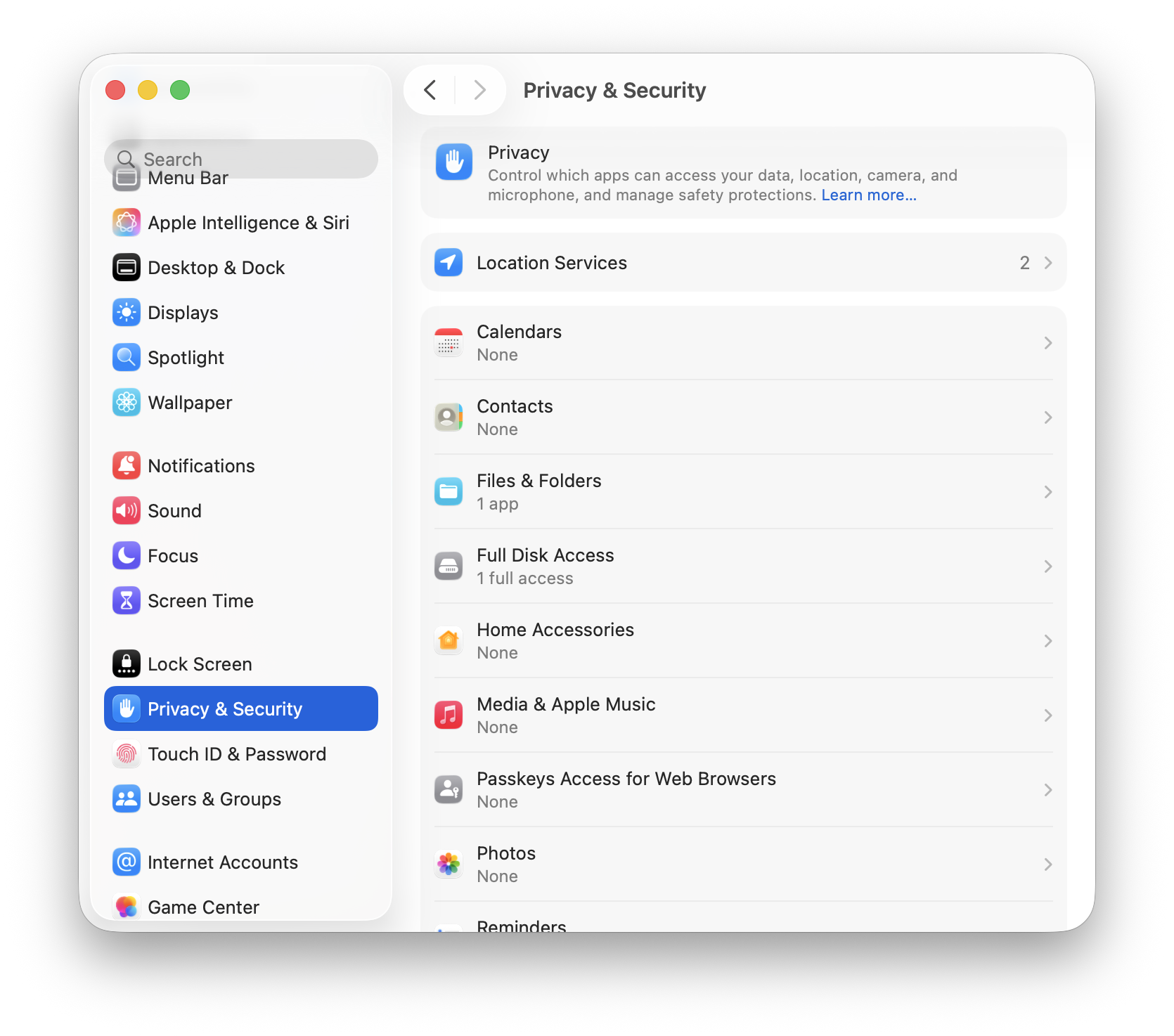
1. Open System Settings
Click Apple menu () > System Settings2. Navigate to Privacy & Security
Click "Privacy & Security" in the sidebar3. Scroll to Security Section
Scroll down to find the Security section
Look for "Background Security Improvements"
4. Enable the Feature
Toggle "Background Security Improvements" to ON
Optionally enable "Install updates automatically"
Configuration Options
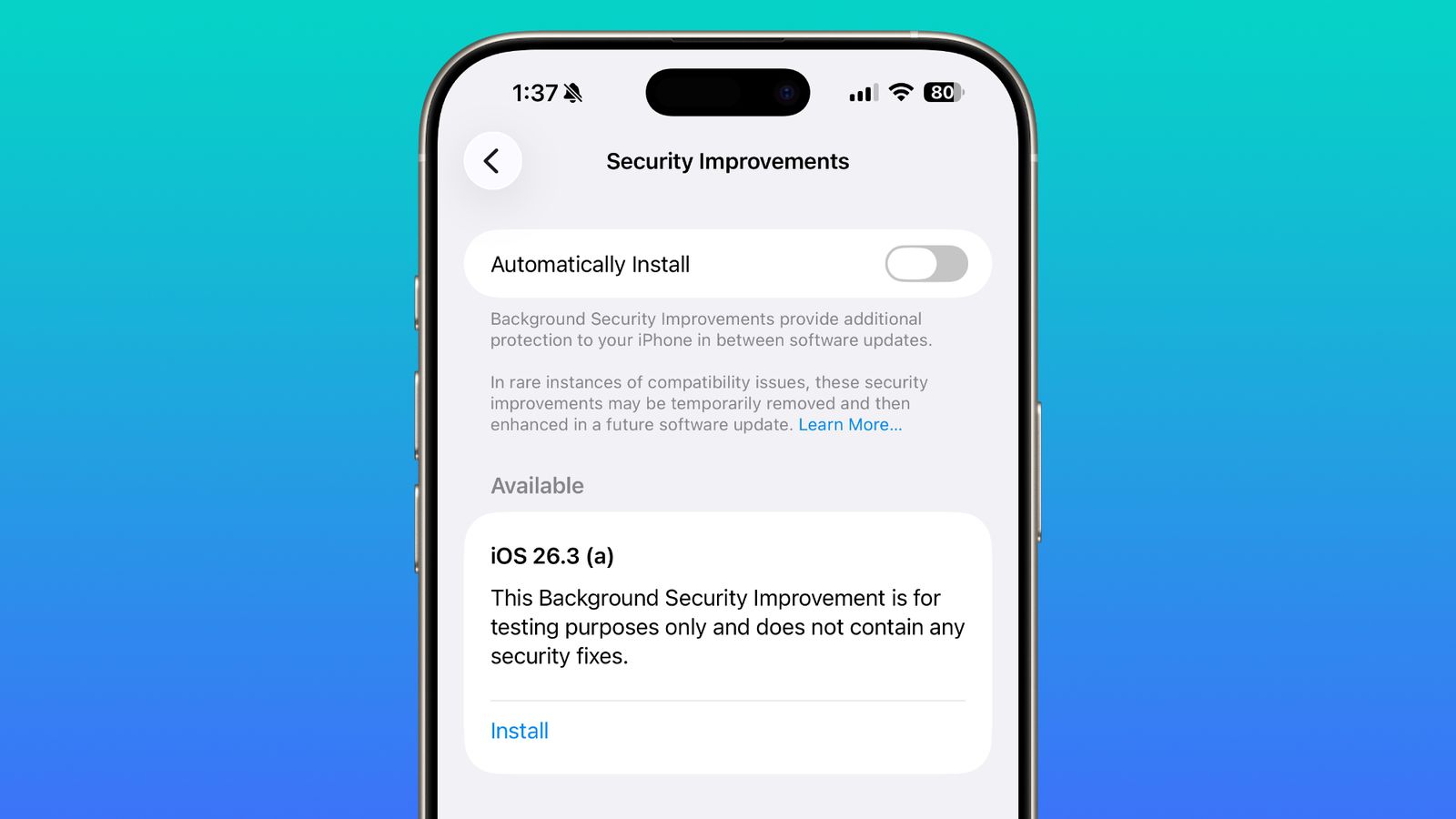
Manual Installation:
- You receive notifications when updates are available
- Choose when to install updates
- Review update details before installation
Automatic Installation (Recommended):
- Updates install silently in the background
- No user action required
- Maximum protection with minimum interruption
Compatibility Note
Apple warns that Background Security Improvements may cause "rare instances of compatibility issues" with certain applications. If you experience problems:
- Open System Settings > Privacy & Security
- Disable Background Security Improvements temporarily
- Report the issue to Apple and the affected app developer
- Re-enable after the compatibility issue is resolved
What the Beta Testing Reveals
Apple has been actively testing this feature with beta users, pushing multiple test updates in January 2026:
Test Update Timeline
January 6, 2026:
- First background security test update pushed to beta users
- Targeted Safari and WebKit components
- No user-visible changes; purely testing the delivery mechanism
January 8, 2026:
- Second background security test update
- Expanded scope to include additional system libraries
- Continued testing of automatic installation reliability
January 12-13, 2026:
- macOS Tahoe 26.3 Beta 2 released
- Background Security Improvements feature refined
- Improved settings interface and user controls
Beta User Feedback
Early beta testers report:
- Seamless operation: Most users don't notice updates occurring
- No performance impact: Updates don't affect system responsiveness
- Reliable installation: High success rate for automatic updates
- Clear notifications: Users can see when updates have been applied
Why This Matters: The Security Context
The timing of Background Security Improvements is significant. Apple has patched nine zero-day vulnerabilities since the start of 2025, with two critical WebKit vulnerabilities addressed in macOS Tahoe 26.2:
Recent Critical Vulnerabilities
CVE-2025-43529 (WebKit Use-After-Free):
- Severity: Critical
- Impact: Arbitrary code execution via malicious web content
- Exploitation: Confirmed active exploitation in the wild
- Target: Sophisticated attacks against specific individuals
CVE-2025-14174 (WebKit Memory Corruption):
- Severity: Critical
- Impact: Memory corruption leading to code execution
- Related: Connected to Chrome ANGLE vulnerability
- Status: Added to CISA Known Exploited Vulnerabilities catalog
The Protection Gap Problem
Traditional security update cycles create windows of vulnerability:
Vulnerability Discovered → Apple Develops Patch → Testing → Release → User Installation

This process typically takes: 2-4 weeks

With Background Security Improvements:
Vulnerability Discovered → Patch Developed → Automatic Deployment

Target response time: Hours to days
Background Security Improvements dramatically reduces this window, potentially protecting users within hours of a vulnerability being discovered rather than weeks.
Technical Implementation Details
How Updates Are Delivered
Background Security Improvements uses a modular approach to security patching:
Component-Level Updates:
- Individual components can be updated independently
- WebKit updates don't require Safari restart
- System libraries update without affecting running applications
Verification Process:
- Update package downloaded in background
- Cryptographic signature verified
- Component compatibility checked
- Update applied to system
- Verification of successful installation
Rollback Capability: If an update causes issues, the system can:
- Automatically detect application failures
- Roll back to the previous component version
- Notify the user of the rollback
- Report the issue to Apple
System Requirements
Supported Hardware:
- All Macs running macOS Tahoe 26.3 or later
- Apple Silicon Macs (M1, M2, M3, M4 series)
- Intel Macs (final supported macOS version)
Storage Requirements:
- Minimal: Updates typically under 100MB
- Reserved space for rollback capability
Network Requirements:
- Automatic updates require internet connection
- Updates download during idle periods
- Low bandwidth impact (prioritizes user activity)
Enterprise Considerations
For IT administrators and enterprise environments, Background Security Improvements introduces new management considerations:
MDM Integration
Configuration Profiles:
- Background Security Improvements can be managed via MDM
- Administrators can enforce automatic installation
- Or disable the feature for controlled environments
Deployment Strategies:
<!-- Example MDM Configuration -->
<key>BackgroundSecurityImprovements</key>
<dict>
    <key>Enabled</key>
    <true/>
    <key>AutomaticInstallation</key>
    <true/>
    <key>NotifyUser</key>
    <false/>
</dict>
Compliance Considerations
Benefits for Compliance:
- Faster patch deployment meets security SLAs
- Reduced window of vulnerability exposure
- Automatic documentation of security updates
Potential Concerns:
- Change management processes may need updating
- Testing cycles for mission-critical applications
- Audit trails for security update deployment
Recommended Enterprise Approach
- Test in Pilot Group: Enable for a subset of users first
- Monitor Compatibility: Track application issues across the fleet
- Establish Rollback Procedures: Document how to disable if needed
- Update Change Management: Incorporate background updates into processes
- Communicate to Users: Explain the new security feature and its benefits
Comparing to Other Platforms
Windows Security Updates
Microsoft's approach differs significantly:
- Windows Update requires restarts for most security patches
- Patch Tuesday creates predictable but delayed security cycles
- Windows Defender updates are more comparable to Background Security Improvements
Chrome's Approach
Google Chrome has long used silent background updates:
- Updates install automatically when browser restarts
- No system restart required
- Users often unaware of updates occurring
Apple's approach extends this model to the operating system level, which is more technically challenging but provides broader protection.
Preparing for macOS Tahoe 26.3
Before the Update
Check Current Security Status:
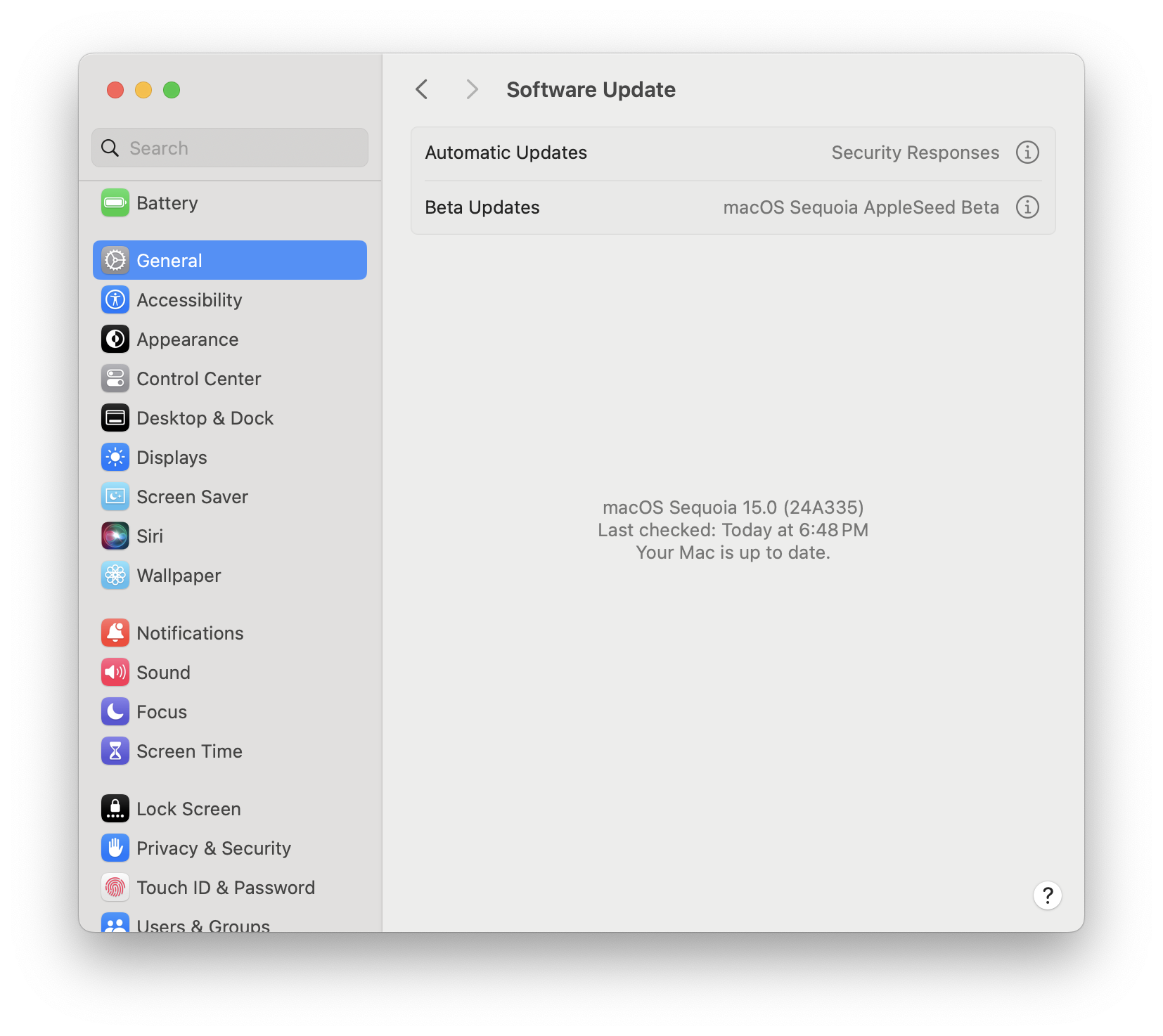
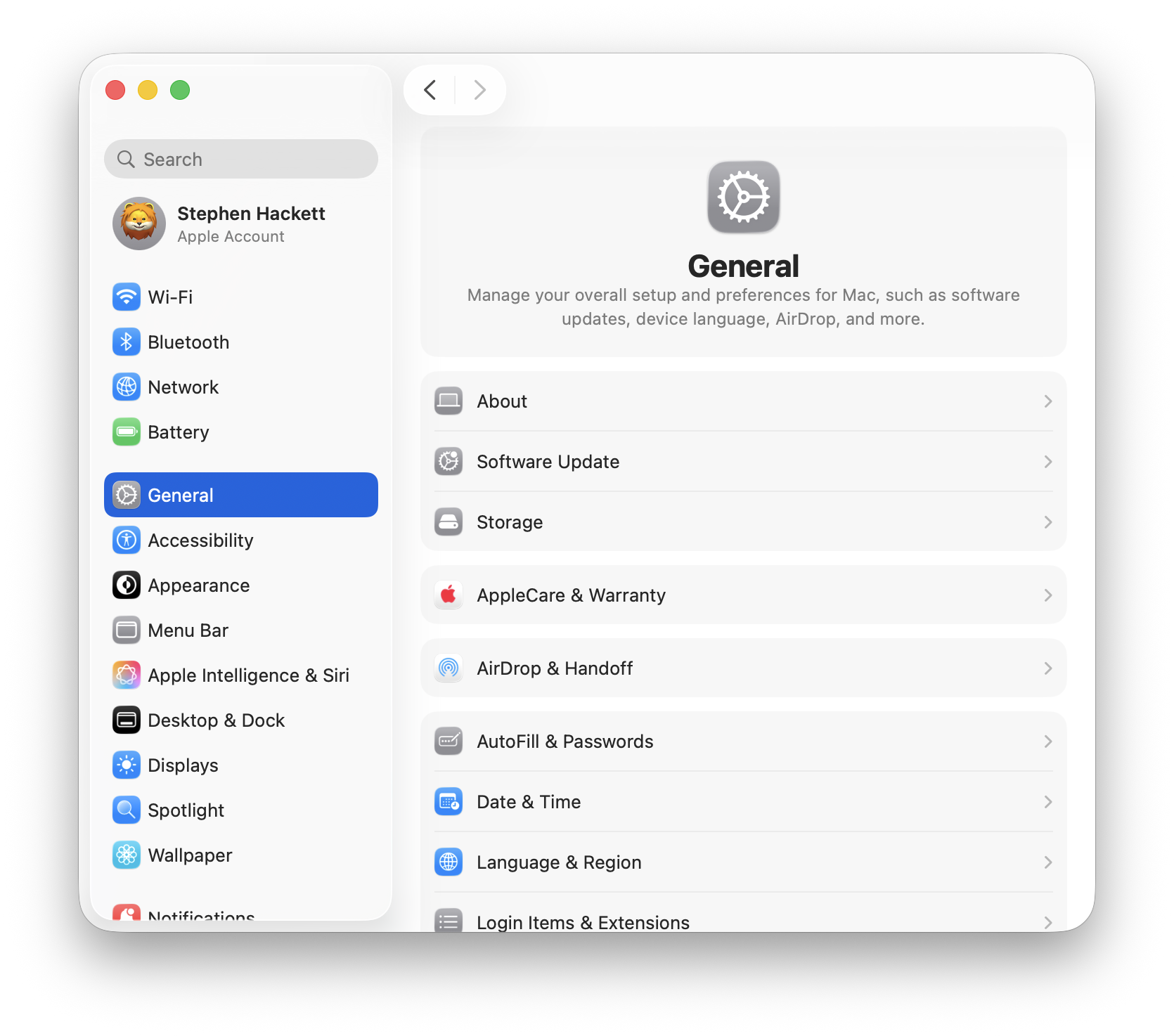
- Open System Settings > General > Software Update
- Verify you're on macOS Tahoe 26.2 or later
- Note your current security update status
Review Application Compatibility:
- Check with mission-critical application vendors
- Review known compatibility issues in Apple's release notes
- Plan for potential (rare) compatibility issues
After Installing 26.3
Verify Feature Activation:
- Open System Settings > Privacy & Security
- Confirm Background Security Improvements is enabled
- Choose automatic or manual installation preference
Monitor Initial Updates:
- Watch for the first background security update
- Verify applications continue working normally
- Report any issues to Apple via Feedback Assistant
Expected Public Release Timeline
Based on Apple's typical beta cycles and historical patterns:
Projected Timeline
Current Status (January 18, 2026):
- macOS Tahoe 26.3 Beta 2 available to developers and public beta testers
- Background Security Improvements actively being tested
Expected Beta 3:
- Likely release: January 19-21, 2026
- Final refinements to the feature
Expected Public Release:
- Projected date: January 26, 2026 (approximately)
- Aligns with typical 4-week beta cycle
- May coincide with M5 Pro/Max MacBook Pro announcements
What Comes After
macOS Tahoe 26.4 (Expected Spring 2026):
- Further refinements to Background Security Improvements
- Additional components may be added to the update scope
- Performance optimizations based on 26.3 feedback
Frequently Asked Questions
Will Background Security Improvements slow down my Mac?
No. Updates are designed to install with minimal system impact, typically during idle periods. Most users won't notice any performance difference.
Can I disable Background Security Improvements?
Yes. You can disable the feature in System Settings > Privacy & Security. However, Apple recommends keeping it enabled for maximum protection.
Will I know when an update has been installed?
Yes, if you have notifications enabled. You can also check System Settings > General > Software Update to see recently installed security updates.
Does this replace regular macOS updates?
No. Background Security Improvements handles targeted security patches for specific components. Major macOS updates (26.1, 26.2, 26.3, etc.) still require traditional installation and restart.
What if an update breaks something?
Apple has built-in rollback capability. If an update causes application issues, the system can automatically revert to the previous version while Apple investigates the problem.
Is this available on Intel Macs?
Yes. Background Security Improvements works on all Macs running macOS Tahoe 26.3, including Intel-based Macs. However, note that macOS Tahoe is the final version supporting Intel processors.
Conclusion: A Significant Security Evolution
Background Security Improvements represents a meaningful advancement in macOS security infrastructure. By enabling continuous, silent security patching, Apple addresses one of the most persistent challenges in computer security: the gap between vulnerability discovery and user protection.
Key Takeaways:
- Reduced Vulnerability Window: Critical patches can be deployed in hours instead of weeks
- Zero User Interruption: No restarts or manual intervention required
- Improved Reliability: Lessons learned from RSR inform this more robust approach
- Enterprise Ready: MDM integration allows organizational control
- User Control: Options for manual or automatic installation
When macOS Tahoe 26.3 releases publicly (expected January 26, 2026), enabling Background Security Improvements should be a priority for all Mac users who want the strongest possible protection against emerging threats.
For more macOS Tahoe security guidance, explore our Security & Privacy Complete Guide and macOS Tahoe 26.2 Security Update Analysis.